
How to Use Meeting Notes Templates (2026): 6 Tested Examples
How to take meeting notes with six templates: standup, 1:1, brainstorm, decision, customer call, and retro formats that drive clear action items every time.
- Byline

Summary
Use meeting notes templates by matching the structure to the meeting type instead of forcing one generic format.
The updated guide covers standups, one-on-ones, brainstorms, decision meetings, customer calls, retros, and action-item templates.
Match templates to context, decisions, owners, deadlines, open questions, and the meeting-specific job to be done.
Templates work when they make notes faster to write and easier for attendees to act on.
Generic meeting-notes templates fail because meetings are not generic. A standup, a 1:1, and a decision meeting need different fields.
By Jet New.
Mueller and Oppenheimer's 2014 study found that longhand notes beat laptop transcription for conceptual recall. The practical lesson is simple: use a template that makes you choose, group, and name what matters. This guide gives you six templates that cover most business meetings, plus the apps that ship them ready to use. For the broader method, read how to take meeting notes.
I use a three-pass test before keeping any meeting template. In 90 seconds, a non-attendee should be able to find the decision, the owner, and the next review date. If one of those is missing, the template is too decorative for real work.
Three operating rules make this different from a generic template gallery. First, delete any field that stays blank in 80% of the last 20 notes. Second, use the meeting note for capture. Third, move every real task into a tracker before the meeting ends.

 Atlas
AtlasTurn meeting notes into assigned work
Use the step-by-step workflow to capture decisions, owners, and deadlines.
Which meeting template should you use?
Use a standup template for status and blockers, a rolling one-on-one template for continuing conversations, a DACI template for decisions, a customer-call template for customer evidence, a retrospective template for lessons and changes, and a sprint-planning template for scope and commitments.
Whichever format you choose, record the decision or result, one owner for each task, and the date when the team will review it. Those fields make the note useful to someone who did not attend.
The 90-second template test
Before you standardize a meeting template, test it against one past meeting. The test is not whether the page looks tidy. The test is whether the note can drive the next action without the original attendees in the room.
| Pass | What to check | Failure signal |
|---|---|---|
| Decision | Can a reader name what changed? | The note records discussion but no outcome. |
| Owner | Can a reader name the single person responsible? | The task belongs to "the team" or no one. |
| Review date | Can a reader name when the item comes back? | The task says "next sprint" or "later." |
Table 1: A useful template makes the decision, owner, and review date visible within 90 seconds. This is the filter I use when adapting the templates below. A longer template is justified only when it improves one of those three checks. The scorecard applies the same test to all six templates: each pass earns 1 point, so a 3/3 template exposes the output, owner, and review loop without extra context.
| Template | Decision visible | Owner visible | Review date visible | Score |
|---|---|---|---|---|
| Standup | Partial | Yes | Yes | 2/3 |
| 1:1 | Yes | Yes | Yes | 3/3 |
| Decision meeting | Yes | Yes | Yes | 3/3 |
| Customer call | Yes | Yes | Yes | 3/3 |
| Retro | Yes | Yes | Yes | 3/3 |
| Sprint planning | Yes | Yes | Yes | 3/3 |
Table 2: Only the standup template needs an explicit decision field to pass all three checks.
Meeting-notes templates compared
Use this table to choose the starting template. The best fit is the one that makes the meeting's output obvious: status, a decision, customer evidence, project risk, or a next task.
| Template | Sections | Best meeting type | Length |
|---|---|---|---|
| Standup | Yesterday / Today / Blockers | Daily team standup | Less than 1 page |
| Decision log | Context / Options / Decision / Owner | Steering, architecture review | 1 page |
| Discovery interview | Goals / Workflow / Pain / Quotes | Customer / user research | 2-3 pages |
| Project kickoff | Scope / Stakeholders / Risks / Milestones / Next | Project initiation | 2-3 pages |
| Weekly 1:1 | Wins / Blocks / Asks / Career | Manager-direct one-on-one | 1 page |
Table 3: Match the template to the meeting's decision pattern instead of copying one format everywhere.
Template 1: Standup
Date: [YYYY-MM-DD]
Attendees: [names]
[Person 1]
- Yesterday: [done]
- Today: [will do]
- Blockers: [if any]
[Person 2]
...
Action items
- [ ] [Action], [owner], [date]
Read in 2 minutes. Action items at the bottom force translation from blocker to assignment. Karpicke and Roediger 2008 retrieval-practice research (80% vs 36% one-week recall) supports the pattern, naming and dating an action triggers the kind of recall that survives a week.
Template 2: One-on-one
Use a rolling document with long-running items at the top. Append a date-stamped section for each meeting.
[Direct Report] + [Manager] 1:1
Started: [YYYY-MM-DD]
## Open items (rolling)
- Career goals: [...]
- Current projects: [...]
- Active blockers: [...]
## [YYYY-MM-DD] meeting
What's working
- [...]
What's not
- [...]
Decisions made
- [...]
Action items
- [ ] [Action], [owner], [date]
Rolling beats per-meeting because 1:1s are continuous: you reference last week's blockers, you track career goals across months. Pennebaker 1997 research on expressive writing showed cumulative reflective notes drove emotional and cognitive integration that one-off entries did not.
Template 3: Decision meeting
DACI means Driver, Approver, Contributor, and Informed. It is Atlassian's adapted RACI model for software teams. Like Cornell Notes, it works because the structure removes small format choices.
Decision: [statement of the decision]
Driver: [name, owns the decision process]
Approver: [name, final say]
Contributors: [names, input, not vote]
Informed: [names, notified after]
Context
- [why this decision is needed]
Options considered
1. [Option A], pros/cons
2. [Option B], pros/cons
3. [Option C], pros/cons
Decision: [chosen option, by whom, on date]
Action items
- [ ] [Action], [owner], [date]
The DACI matrix prevents the classic dysfunction where everyone thinks they're the approver.
Template 4: Customer call
Job To Be Done means the outcome the customer is trying to reach. Use this format for product discovery, customer success, and sales calls.
Customer: [company + role]
Date: [YYYY-MM-DD]
Recording: [link]
Job to be done
- [the outcome the customer is trying to achieve]
Current solution
- [what they use today + why it falls short]
Pain points
- [specific pains, with quotes]
Success criteria
- [what would "solved" look like]
Quotes (memorable phrasings)
- "..."
Action items
- [ ] [Action], [owner], [date]
JTBD keeps the note focused on the problem before the team jumps to feature requests.
Template 5: Retrospective
Use this for retrospectives after a sprint, launch, incident, or project. Keep the first three columns short. The fourth section is the real output.
Sprint/Project: [name]
Date: [YYYY-MM-DD]
Attendees: [names]
Start
- [behaviors to start]
Stop
- [behaviors to stop]
Continue
- [behaviors to continue]
Action
- [ ] [concrete change], [owner], [date]
Fill the template live, then spend the last 10 minutes turning the strongest points into actions. A good action starts with a verb, has one owner, and names the next review date.
Example:
- Start: Demo risky work earlier in the sprint.
- Stop: Adding scope after Wednesday without removing another item.
- Continue: Friday bug triage with support.
- Action: Priya will add a Wednesday scope check to the sprint board by 2026-07-08.
Template 6: Sprint planning
Sprint #[N]: [YYYY-MM-DD] to [YYYY-MM-DD]
Goal: [single sentence]
Scope
- [user story / ticket], [estimate]
- [user story / ticket], [estimate]
- ...
Capacity: [team-days available]
Total estimate: [team-days]
Risks
- [risk + mitigation]
Commitments
- [team commits to: Goal] by [end date]
Goal-first framing keeps the team aligned when scope tradeoffs come up mid-sprint.
Apps with meeting-notes templates
Notion
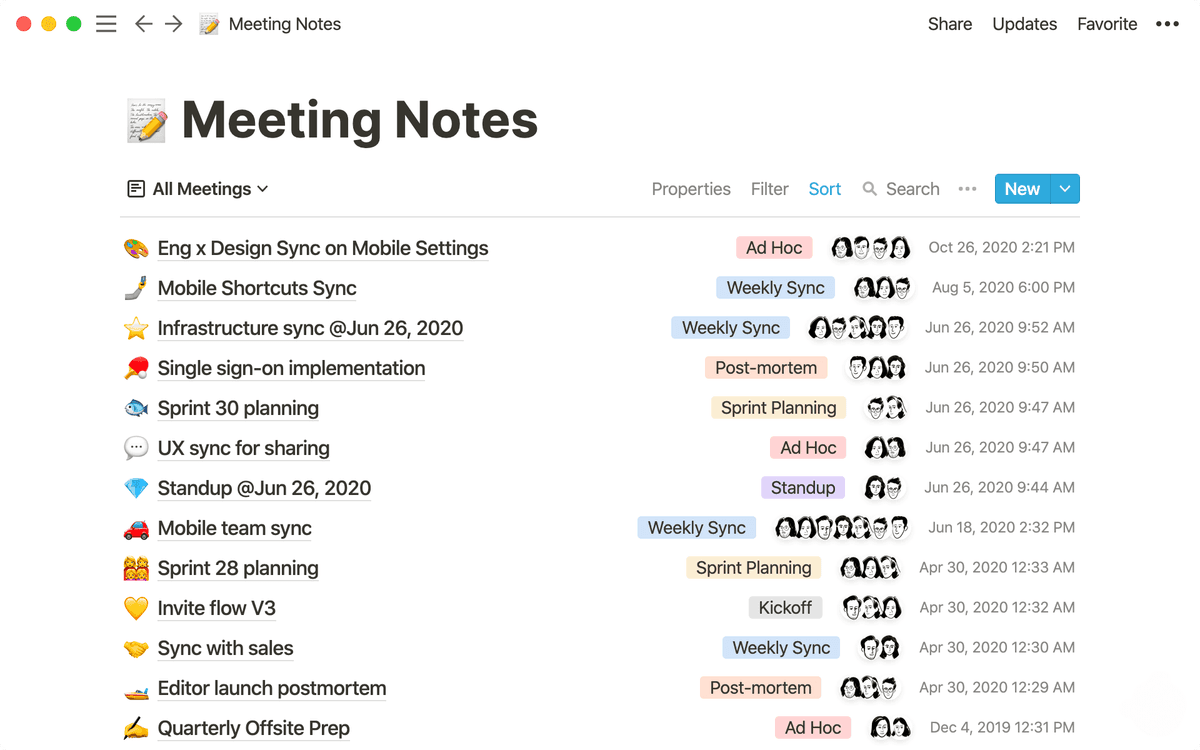
Notion's meeting template gallery includes agendas, team meetings, one-on-ones, and project reviews. Its database templates work well when a team needs the same fields for every recurring meeting.
Microsoft Loop
Microsoft Loop works inside Microsoft 365 and includes reusable collaborative pages. For the Teams-specific workflow, see how to take meeting notes in Teams.
OneNote
OneNote is free and includes notebook templates suited to project archives. Its template library is smaller than Notion's, but teams already using Microsoft 365 can keep meeting notes with their other project files.
Research follow-up after the meeting
Templates record what the group decided. They do not verify claims in the reports, specifications, or papers discussed during the meeting. Check those source files separately before turning the note into a recommendation.
Share notes within 24 hours
Notes lose force when they sit in a private doc. Share them within 24 hours, while the context is still fresh. The Ebbinghaus forgetting curve (1885) explains why recall drops fast without cues. Set a calendar reminder. Use this format for the share email or chat:
- 2-3 sentence summary at top
- Decisions made
- Action items with owners and dates
- Open questions
- Link to full notes / transcript / recording
Common meeting-notes mistakes
Using one template for all meeting types. Match the structure to the job. Six templates beat one generic doc. The Microsoft Work Trend Index 2024 survey reported teams with structured templates spent 11 minutes per day less reconciling notes than ad-hoc teams.
Writing action items without owners or dates leaves intentions vague. Always assign one person and one date.
Writing notes longer than the meeting. Compress them. A 30-minute meeting does not need 1500 words. Mueller and Oppenheimer's 2014 research suggests that verbatim transcription can hurt recall compared with selective synthesis.
Sharing notes late weakens follow-through. Use the 24-hour rule. Past 48 hours, the meeting may as well not have happened.
Where to store the templates
A template is only useful if it's one click away when the meeting starts. Three storage patterns work in practice:
For Notion, create one database called "Meetings." Add a select field for meeting type: standup, 1:1, decision, customer call, retro, or sprint planning. Each entry can inherit the right database template. Setup takes about 30 minutes. After that, each meeting note starts with the right fields. This is best for teams already in Notion.
For Microsoft 365, create one Loop component per template. Store them in a Teams channel called "Meeting Templates" and paste the right one at meeting start. Loop components stay live across copies, so one update can flow to later uses. This is best for teams already in Microsoft 365.
For Obsidian, use the Templater plugin to bind each template to a hotkey. Daily notes can include the day's meeting templates. This is best for solo users or small teams already using Obsidian.
Pick the storage that matches the tool the rest of the team already uses. A perfect template in a tool half the team ignores is worse than a plain template where everyone already works. Use one storage location across the team. Mixing Notion, Obsidian, and Microsoft Loop creates the same drift the templates were meant to prevent. If your team is still choosing the system, compare the broader note-taking systems first.
How to maintain a template
Templates drift. A standup template adds one new field per quarter until it has 12 fields and nobody fills them all out. The discipline of template maintenance:
Review each template once a quarter. Look at the last 20 notes that used it. Delete fields that are blank in most notes. Turn fields that always say the same thing into a default value.
Give each template one owner. Without an owner, every attendee adds a preferred field. The template becomes useless within 6 months. The owner approves changes and runs the review.
Test changes on an internal sync first. Save customer calls for templates that have already worked. If the new version takes longer without surfacing better information, revert.
Version the template. Date-stamp each version, such as template-v3-2026-Q2, so old notes still make sense. Most teams skip this and end up with formats that break search across years.
Templates are tools. They earn their keep through use. A team that runs a 7-field standup template every day beats a team with a 15-field template that nobody fills out well.
Turn notes into assigned tasks
The main test of meeting-note quality is whether tasks get done.
The strongest action-item format has three parts:
Action items left in a note that nobody reopens complete at roughly 25%. The same items routed into a tracker complete at 80-90%.
Meeting notes are the raw input. The tracker is the system. Templates that include a "convert to tracker" step beat templates that treat the note as the destination. Filing the task at the end of the meeting takes 30 seconds. Re-finding the note next week can take 15 minutes.
Handwritten or typed notes
Use handwritten notes when retention matters more than sharing speed: coaching 1:1s, strategy calls, or interviews where you need to remember themes. Use typed templates when the notes must be shared, searched, or turned into tasks.
The hybrid pattern works well. Keep the official meeting note in a shared typed template. If the meeting is strategic, sketch a small handwritten map for yourself, then add only the decisions and tasks to the shared note. For more on choosing formats, see visual note-taking methods.
Keep live notes in one place
Split attention happens when your eyes and working memory bounce between too many places at once. Chandler and Sweller's split-attention research found that integrated formats reduce cognitive load compared with separated sources of information. In meeting notes, that means the agenda, decisions, and task fields should share one template.
Use one note surface during the call. Keep the transcript or recording in the background, then clean it up after the meeting. A template that forces live switching between agenda doc, chat, tracker, and transcript will produce worse notes even if each tool is good on its own.
Privacy and storage questions
Templates for private one-on-ones
Use the same structure, but store it with tighter access. A manager-direct 1:1 should not live in the same open project database as a standup. Keep the rolling template, restrict permissions, and copy only agreed tasks into the public tracker.
Where should old meeting templates live?
Archive old versions beside the active template. Do not delete them if past notes depend on the old fields. A simple archive folder with dated template versions is enough for most teams.
For stricter process control, record who changed the template and why.
Final recommendation
The complete meeting-notes workflow shows how to turn the finished template into decisions, owners, and deadlines.
One template does not fit all meetings. Six templates cover most business meetings, including standup, 1:1 (rolling), decision (DACI), customer call (JTBD), retro, and sprint planning. Use Notion or Loop for the templates themselves. Share within 24 hours. The template provides the structure. The action items drive follow-through.
AtlasTurn meeting notes into assigned work
Use the step-by-step workflow to capture decisions, owners, and deadlines.
Frequently Asked Questions
It depends on the meeting type. Standups need a 3-bullet template (yesterday, today, blockers). 1:1s need a rolling-doc template (open items, what's working, what's not, action items). Decision meetings need a DACI template (Driver, Approver, Contributor, Informed). Customer calls need a JTBD-style template (job to be done, current solution, pain points, success criteria). Retros need a 4-quadrant template (start, stop, continue, action). One generic template doesn't work, match the structure to the meeting's job.