
25 Best Tools for Research Analysis: Tested by Stage
25 research analysis tools tested and organized by workflow stage: AI assistants, data analysis platforms, qualitative coding tools, and reference managers.
- Byline

Summary
As of May 2026, pick research tools by job: find papers, save sources, read PDFs, code themes, run stats, or compare sources.
A practical stack is one search tool, one source library, one method tool, and Atlas for cited source review.
Use Zotero for refs, R or Python for stats, and NVivo or MAXQDA for coding.
Use Atlas when you need cited answers across saved papers and notes.
Most teams should start with a source tool, a method tool, and a synthesis tool.
Research tools are easier to buy than to combine, because a good stack should help you find papers, keep sources clean, read PDFs, study data, and compare claims across sources. Most researchers do not need twenty five apps because a few tools that fit the method will do more useful work.

 Atlas
AtlasCompare evidence across your research sources
Use R or NVivo for analysis, then Atlas for cited synthesis across sources.
How to Compare Research Analysis Tools
Start with the research job, not the brand list. A review needs paper search, screening, and source lists. An interview study needs codes, themes, and audit trails. A stats project needs clean data, tests, charts, and files that can be rerun. A source-heavy project needs cited answers across many PDFs and notes.
Use these checks before adding a tool:
- Method fit. Does it support your actual method: review, interview coding, survey stats, or source work?
- Evidence trail. Can you trace an answer, code, or chart back to the source?
- Export path. Can you move notes, tables, sources, or code out later?
- Learning cost. Will your team use it after the first week?
- Price at scale. Does the cost still make sense after storage, AI add-ons, seats, and annual renewals?
Comparison Table: Workflow Stage, Strength, and Price
For a phase-by-phase walkthrough drawn from interviews with fourteen students, see the student's guide to AI research.
| Stage | Tool | Strength | Price (2026) |
|---|---|---|---|
| Literature search | Google Scholar, Semantic Scholar, Elicit | Discovery + AI summaries | Free / Elicit $10 mo |
| Reference management | Zotero, Mendeley | Citation library, BibTeX | Free / $5 mo storage |
| PDF annotation | Readwise Reader, MarginNote 4 | Highlight + sync | $9.99 mo / $59.99 one-time |
| Coding qualitative data | NVivo, Dedoose, MAXQDA | Theme coding, frequency | $649-$1,200/yr academic |
| Statistical analysis | R, Python, JASP, SPSS | Quantitative modeling | Free / $99 mo SPSS academic |
| AI synthesis with sources | Atlas | Cited cross-source Q&A | Free / $20/mo Pro |
Table 1: Research tools grouped by workflow stage, core job, and 2026 starting price.
Use the table as a shortlist. Pick one tool for the stage that blocks your work today. A PhD student writing a review might start with Zotero, Elicit, and ResearchRabbit. A UX researcher might start with Dovetail and Zotero. A mixed-methods team may need MAXQDA, Zotero, and Atlas. That stack covers interviews, source lists, and cross-source answers.
What Are the Best AI Research Assistants?
The best AI research assistants here are Elicit, Consensus, Semantic Scholar, and Atlas. Elicit helps with review tables. Consensus answers evidence questions from papers. Semantic Scholar is strong for paper search. Atlas is useful when your own sources need to be compared.
Atlas fits the synthesis stage. Upload a textbook chapter, a lecture transcript, and saved papers. Then ask one question across the set. Atlas returns cited answers and can map related ideas from more than one source. If this is the stage blocking the project, upload a small source set before you change the rest of your stack. Pro is $20 per month.
These tools use AI to help you find, read, and compare research. For a focused look at the academic space, see our guide to AI tools for academic research.
1. Elicit
- Best for: Literature reviews that need study details in a table
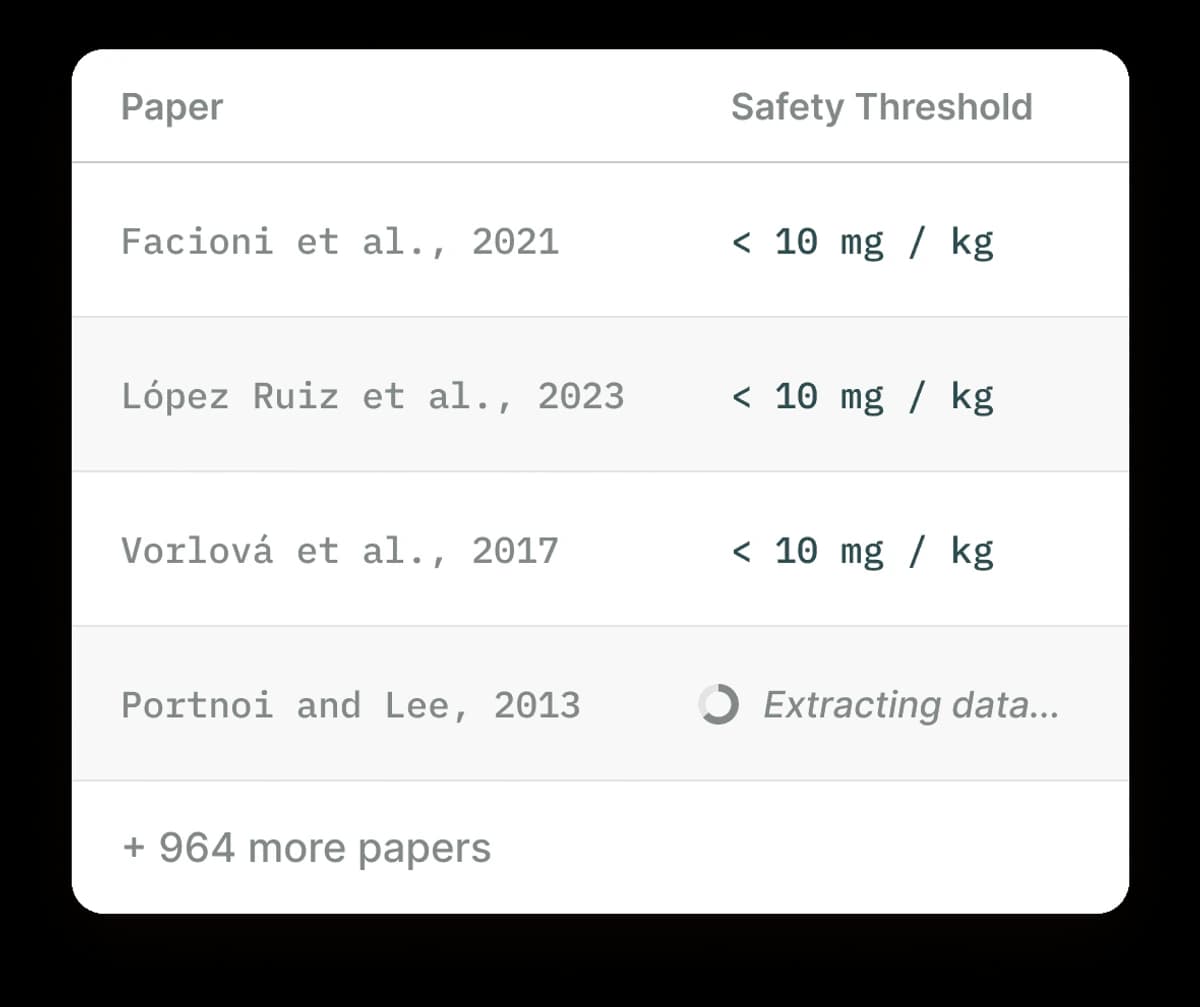
Elicit searches 125M+ papers. It can pull out interventions, outcomes, methods, and limits from many papers. That makes it useful when you need a first screening table. For more options like Elicit, see our guide to Elicit alternatives.
-
Semantic paper search
-
Structured data extraction
-
Concept-based discovery
-
Comparison tables across studies
-
Pricing: Free tier (5,000 credits/month), Plus $12/month
2. Consensus
- Best for: Quick evidence checks from papers
Ask a research question and get an answer with paper links. Consensus also shows whether the findings lean yes, no, or mixed.
-
Research consensus indicators
-
Direct paper links
-
Study type filtering
-
Copilot integration
-
Pricing: Free tier available, Premium $8.99/month
3. Semantic Scholar
- Best for: Free paper discovery
Allen Institute's free paper search includes TLDR notes, source signals, and research alerts. It is the best free starting point for finding papers.
-
TLDR summaries
-
Source influence tracking
-
Research feeds
-
Free API access
-
Pricing: Free
4. Atlas
- Best for: Comparing your own research sources
Atlas starts after you have sources. Upload papers, notes, and transcripts. Then ask a question across the set. The cross-source synthesis workflow helps you compare claims that may be easy to miss in a long folder.
-
PDF and article review
-
Cross-source synthesis
-
Mind map visualization
-
AI chat with your research
-
Pricing: Free tier available, Pro from $20/month
5. Perplexity
- Best for: Current web research with source links
Perplexity is AI search with source links. Academic mode focuses on scholarly sources. It is useful when the question needs current web context.
-
Real-time web + academic search
-
Inline source links
-
Focus modes for different sources
-
Deep research mode
-
Pricing: Free tier available, Pro $20/month
Literature Search and Review Tools
These tools help you find papers, screen them, and see how studies connect. For a deeper look at this category, see our guide on AI for literature review.
6. ResearchRabbit
- Best for: Finding related papers
Add a few seed papers. ResearchRabbit then shows nearby papers in the source network. This helps when you know one core study but need the surrounding field.
-
Source network view
-
Related paper recommendations
-
Collection organization
-
New paper alerts
-
Pricing: Free
7. Rayyan
- Best for: Screening papers for reviews
Rayyan helps teams screen papers, remove duplicates, and review abstracts together. It also supports PRISMA flow diagram generation. For more systematic review tools, see our AI systematic review tools guide.
-
AI-assisted screening
-
Blind review mode
-
PRISMA diagram generation
-
Team collaboration
-
Pricing: Free for individuals, Teams from $10/user/month
8. Scite
- Best for: Checking source context
Scite shows how later papers cite a study. A later paper can support, dispute, or simply mention the original claim. That context matters when a debate is split.
-
Smart source labels
-
Source context search
-
Source checking
-
AI Assistant
-
Pricing: From $12/month
9. SciSpace
- Best for: Reading complex papers
Highlight text in a paper and SciSpace explains it. It helps when the paper is outside your field or uses dense terms.
-
Highlight-to-explain
-
Paper summaries
-
Literature review matrix
-
Chrome extension
-
Pricing: Free tier available, Premium $12/month
10. Litmaps
- Best for: Seeing paper maps
Litmaps shows how papers connect through citations. Use it when you need to see how a field grew over time or find papers near a known study. It maps the literature; it does not replace screening criteria or study-quality checks.
-
Visual source maps
-
Discover new papers
-
Track research over time
-
Collaborative maps
-
Pricing: Free tier, Pro $10/month
Interview and Theme Coding Tools
Use these tools for interviews, focus groups, field notes, and open survey answers. The main job is simple: tag quotes, group themes, and keep a clear trail back to the raw source.
11. Dedoose
- Best for: Team coding in a browser
Dedoose runs in the browser and handles text, images, and video without a desktop install. It suits distributed teams that need shared coding, while projects with institutional desktop workflows may fit NVivo or MAXQDA better.
-
Text, image, and video review
-
Codes and themes
-
Live team work
-
Mixed-methods charts
-
Pricing: From $14.95/month
12. NVivo
- Best for: Large qualitative projects
NVivo supports coding, charts, auto-coding, and sentiment checks. It is common in schools and large teams.
-
Deeper coding
-
Chart tools
-
Team work
-
Tone checks
-
Pricing: From $99/year (student), ~$1,500 one-time purchase
13. MAXQDA
- Best for: Mixed-methods work
MAXQDA handles text codes and numbers in the same project. Use it when interview themes and survey results need to sit side by side.
-
Text plus numbers
-
Map tools (MAXMaps)
-
Team work
-
AI help
-
Pricing: From $49/year (student)
14. Examine
- Best for: A simpler coding tool
Examine is easier to learn than older coding suites while still supporting code-based analysis for smaller teams. Choose it when quick onboarding matters more than the deeper reporting and institutional support of NVivo or MAXQDA.
-
Simple interface
-
Shared coding
-
Browser based
-
Reasonable pricing
-
Pricing: From $15/month
15. Dovetail
- Best for: UX interviews
Dovetail is built for UX teams that review interviews, clips, and product feedback. Its shared repository helps teams reuse customer evidence, but formal academic studies may need a qualitative tool with a stronger coding audit trail.
-
Video transcripts
-
Tag and theme
-
Team insights repository
-
Integrations
-
Pricing: From $29/user/month
Stats and Data Tools
Use these tools when your work depends on numbers, charts, models, or files you can rerun. Choose R or Python when reproducible code matters, and choose SPSS or jamovi when collaborators need menus instead of programming.
16. R + RStudio
- Best for: Free statistics and charts
R is a standard tool for stats in school and lab work. It is free and gains new features through packages.
-
Many stats tests
-
Clean charts with ggplot2
-
Rerunnable files with R Markdown
-
Large package library
-
Pricing: Free (open source)
17. Python + Jupyter
- Best for: Data science
Python with pandas, scikit-learn, and Jupyter notebooks is a common data workbench. Use it when the project needs code as well as charts.
-
Data cleanup with pandas
-
Model training with scikit-learn
-
Charts with matplotlib and seaborn
-
Live notebooks
-
Pricing: Free (open source)
18. SPSS
- Best for: Point-and-click social science stats
SPSS is common in social science and education research. It is easier for teams that want menus instead of code.
-
Point-and-click menus
-
Common stats tests
-
Familiar to reviewers
-
Good docs
-
Pricing: ~$99/month subscription
19. Stata
- Best for: Economics and panel data
Stata is common in economics and public health. It is strong for panel data and survival models.
-
Panel data
-
Survival models
-
Strong docs
-
Rerunnable work
-
Pricing: From $595 (perpetual student license)
20. jamovi
- Best for: A free SPSS-style interface
jamovi is free statistics software with a spreadsheet-style interface. It is a good fit for students and teams running common tests without code; R or Python remains a better fit for custom models and automated pipelines.
-
SPSS-like menus
-
Common stats
-
R integration
-
Completely free
-
Pricing: Free (open source)
Citation Tools
Citation tools store papers, clean title and author data, and build reference lists. Choose this tool early because it becomes the hub for your source library.
21. Zotero
- Best for: Most researchers
Zotero is the default source-list tool for many researchers. It is free, open source, and works with common writing tools.
-
One-click capture
-
Auto title and author data
-
Word/Docs plugins
-
PDF notes
-
Free storage for source records
-
Pricing: Free, Storage from $20/year
22. Mendeley
- Best for: PDF reading plus discovery
Mendeley is owned by Elsevier. It stores references, opens PDFs, and adds a researcher network. It fits researchers already using Elsevier services, but compare its storage limits and export options with Zotero before moving an existing library.
-
PDF reader and notes
-
Research network
-
Career tools
-
Elsevier link
-
Pricing: Free, Premium available
23. EndNote
- Best for: Institutions that require it
EndNote is the established paid option that some labs and universities require. Its value is strongest when an institution provides the license, training, and required output styles; independent researchers should compare it with free Zotero first.
-
Full tool set
-
Campus support
-
Publisher partnerships
-
PDF management
-
Pricing: ~$274 one-time purchase
Notes After Source Collection
Note tools help you organize interpretations, questions, and project decisions after the papers are saved. They do not replace a citation manager’s source metadata or the reproducible calculations produced by statistics software.
24. Notion
- Best for: Flexible research tracking
Notion databases work well for projects, papers, and notes that need table, board, or calendar views. Use it for shared tracking and flexible records, while keeping formal citations in Zotero and quantitative analysis in a dedicated statistics tool.
-
Tables with views
-
Templates for research
-
Team work
-
Pricing: Free for personal, Plus $10/month
25. Obsidian
- Best for: Local linked notes
Obsidian stores notes as local Markdown files with strong links. It is popular for linked notes.
-
Local Markdown files
-
Two-way links
-
Graph view
-
1000+ plugins
-
Pricing: Free, Sync $4/month
Choosing the Right Tools
By Research Type
-
Systematic review: Use Rayyan to screen papers, Elicit to pull study details, and Zotero to maintain the source list.
-
Qualitative study: Use Dedoose or NVivo for coding, then add Notion if the project also needs shared notes.
-
Quantitative research: Use R or Python for statistics, Zotero for the source list, and Atlas when you need cited answers across papers and notes.
-
Mixed methods: Use MAXQDA for coding and numeric data, Zotero for the source list, and Atlas when the team needs to compare claims across many sources.
-
Literature review: Use Elicit for paper tables, ResearchRabbit for related papers, Scite for citation context, and Zotero for the library.
By Budget
-
Free stack: Start with Semantic Scholar and ResearchRabbit for paper search, then add Zotero, R, and jamovi.
-
Budget stack, about $30 per month: Pair Elicit Plus with Atlas and Zotero.
-
Full professional stack: Use Elicit, Atlas, Rayyan, NVivo or Dedoose, and Zotero.
By Career Stage
-
Students: Start with free tools and one method-specific tool. Learn R or Python if your field uses data.
-
PhD candidates: Invest in the tool your method depends on. Add Atlas or Notion if your notes and papers are getting hard to manage.
-
Professional researchers: Use the full toolset your method needs. Choose team-ready tools when review, coding, or reporting is shared.
Building Your Research Stack
Build the stack in research order and start with the step that creates the most friction. Add another tool only when the gap is clear, because overlapping libraries and note stores create duplicate sources, conflicting versions, and avoidable cleanup.
-
Discovery. Find papers with Elicit, Semantic Scholar, or ResearchRabbit.
-
Reading. Read and mark papers with SciSpace, Zotero PDF reader, or Paperpile.
-
Library. Store papers with Zotero, Mendeley, or Atlas.
-
Analysis. Use R or Python for stats. Use NVivo or Dedoose for coding. Use Elicit for study tables.
-
Synthesis. Connect ideas across sources with Atlas. Use Obsidian or Notion for notes.
-
Writing. Draft the final work in Word, LaTeX, Scrivener, or Notion.
Start with one tool in each category. Add more as you find specific gaps. For a deeper look at tools built for university work, see our guide to academic research software.
If your biggest gap is comparing many saved sources, use Atlas after the earlier tools. Upload a small source set and ask one cited question before you change the rest of your stack.
AtlasCompare evidence across your research sources
Use R or NVivo for analysis, then Atlas for cited synthesis across sources.
Frequently Asked Questions
For paper discovery, Semantic Scholar and ResearchRabbit are both free and excellent. For analysis, R/jamovi are free. For citations, Zotero is the standard free option.