
ChatGPT Alternatives for Coding 2026: 8 Best AI Coding Tools
Best ChatGPT alternatives for coding in 2026. We tested Cursor, Claude, GitHub Copilot, Codeium, Continue, DeepSeek, Aider, and Tabnine, for autocomplete.
- Byline

Summary
The best ChatGPT alternatives for coding are Cursor and Claude Code for complex development, with GitHub Copilot for autocomplete.
The updated guide compares Cursor, Claude, GitHub Copilot, Codeium, Continue, DeepSeek, Aider, and Tabnine.
Use Codeium or Continue with Ollama for free or local workflows, and dedicated IDE tools when code context matters.
The evaluation covers autocomplete, multi-file edits, privacy, local models, free tiers, architecture help, and coding benchmarks.
ChatGPT is fine for coding, but in 2026 many dedicated tools fit the job better. They sit inside your editor, read nearby files, and can change code without a long copy-paste loop. That matters once the task spans tests, routes, types, and docs.
This guide ranks 8 ChatGPT alternatives built for coding work. For the broader GitHub Copilot alternatives ranking, see our separate guide. If you want general-purpose AI options beyond code, use the main ChatGPT alternatives list instead.

 Atlas
AtlasSee how source-cited answers are checked
Compare tools that link answers to sources for RFCs and technical research.
Why Dedicated Coding Tools Work Better
Three gaps push developers toward coding-first tools.
First, code context is already there. Cursor, GitHub Copilot, Continue, and Tabnine can read the files you are working in. ChatGPT still depends on pasted snippets for most codebase work, so it is easier to miss a type, test, or helper file.
Second, model choice is better inside the coding tools. Claude Sonnet 4 and Opus 4 are strong on repo edits, while DeepSeek-Coder is built for code, math, and competitive programming.
Third, the workflow is faster. A tool inside the IDE can suggest code, apply edits, run commands, and show diffs in the same place where you work.
What to Compare in Coding Assistants
Compare the tools on the work they must handle, not chat quality alone:
- Autocomplete: how well the tool predicts the next lines while you write code.
- Multi-file edits: whether it can update routes, tests, types, and related files together.
- Model choice: whether you can select different models for refactoring, quick generation, or lower-cost API work.
- Privacy controls: where prompts and code are processed when a repository contains customer data, security settings, or proprietary logic.
The 8 Best Coding Alternatives
1. Cursor: Best Overall
Cursor is a VS Code-based editor with AI support for multi-file edits and tab completion. Its model picker lets developers switch models by task.
Cursor is the best fit when you want the editor itself to drive new features, broad refactors, or repo-wide cleanup.
Cursor's pricing page lists the current individual and team limits for agent requests, completions, and administration. Pricing: Free tier, Pro $20/month, Business $40/user/month.
If Cursor work depends on RFCs, API docs, or research notes, keep that source work outside the coding assistant. See how source-cited answers are checked when a coding decision depends on those documents; Atlas can answer from the sources, but it is not a code editor or coding agent. Otherwise, stay in the IDE. See the broader guide to AI tools for research for source-focused options.
2. Claude Code: Best for Review
Anthropic's Claude handles long code reviews and design discussions. Claude Code brings Claude into the terminal for repository-aware changes, tests, and command execution.
Use Claude when you need careful code review, system design help, or terminal-based edits with a strong reasoning model. Claude's pricing page lists the current free, Pro, Max, Team, and Enterprise options and their usage limits.
3. GitHub Copilot: Best for Autocomplete
GitHub Copilot's plans cover IDE completion, chat, and agent features for individuals and organizations. Its GitHub integration also supports pull-request review and issue workflows.
It fits teams that already use GitHub for issues, pull requests, review, and policy controls. Pricing: Individual $10/month, Business $19/user/month, free for verified students.
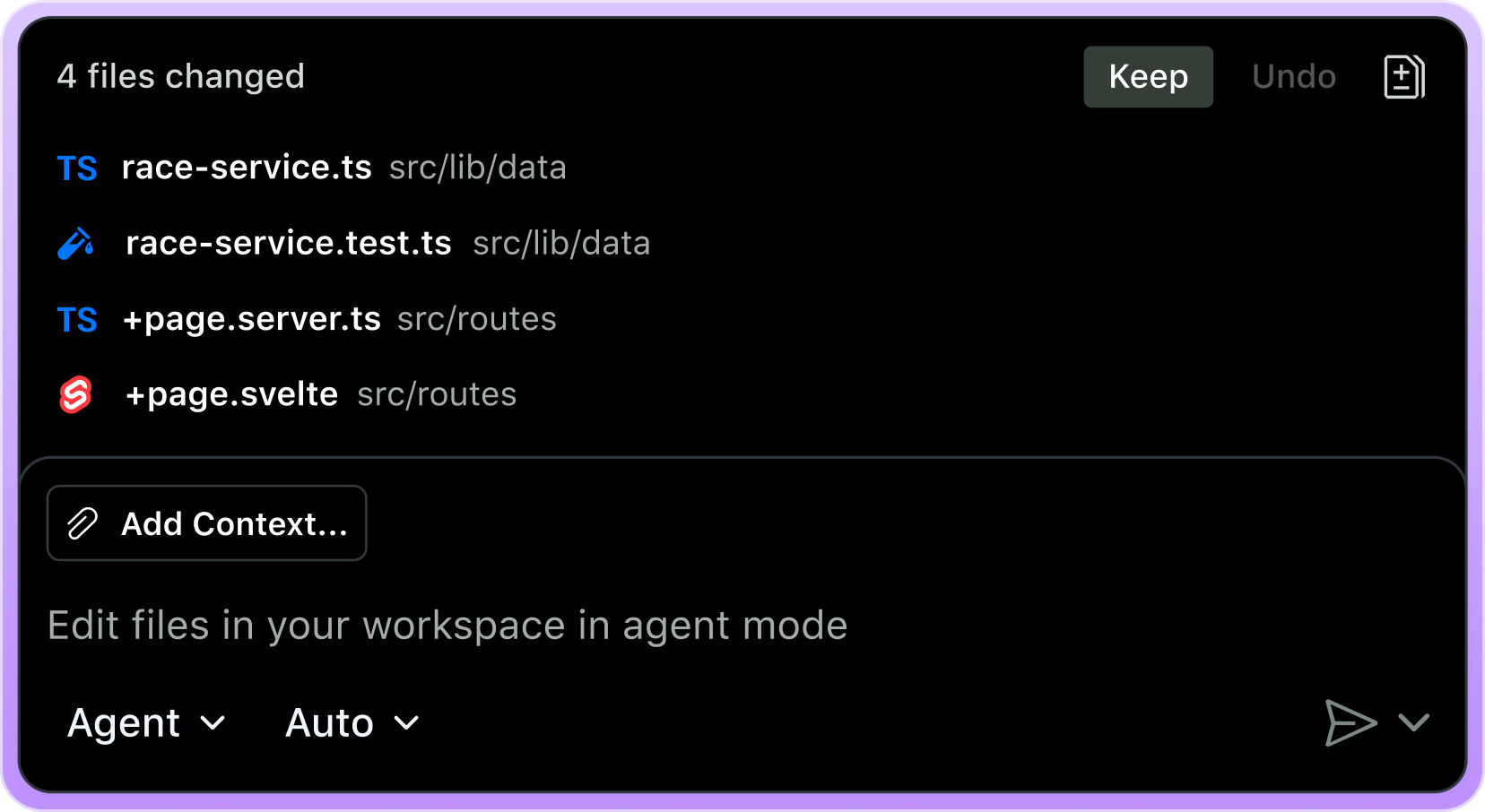
The official GitHub Copilot page shows why IDE-native tools beat a plain chat tab for code edits. The AI change is shown as files changed, with review controls in the editor.
4. Codeium: Best Free Hosted Option
Codeium offers free autocomplete and chat for individuals with no usage limits. Supports 70+ languages and most major IDEs.
Choose Codeium if you want hosted autocomplete without a monthly bill. Pricing: Free for individuals, Teams $15/user/month.
5. Continue: Best Open-Source Option
Continue is open source. You choose and supply the model, whether that is Claude through an API, GPT-4, Gemini, DeepSeek, or local Ollama running an open model.
It is the best fit when you want open tooling, model choice, and the option to keep prompts local. Pricing: Free, plus your model API costs (or local compute).
6. DeepSeek: Best for Low-Cost APIs
DeepSeek provides hosted chat and API access for code, math, and cost-sensitive automation.
DeepSeek makes sense for cost-sensitive teams, scripts, and high-volume API jobs. Pricing: Free chat, low-cost API.
7. Aider: Best Git-Aware CLI
Aider is a CLI tool that pairs AI with git. Each AI edit becomes a commit. Bring your own model, Claude, GPT-4, DeepSeek, or local.
It suits terminal-first developers who want every AI change tied to git. Pricing: Free, plus your model API costs.
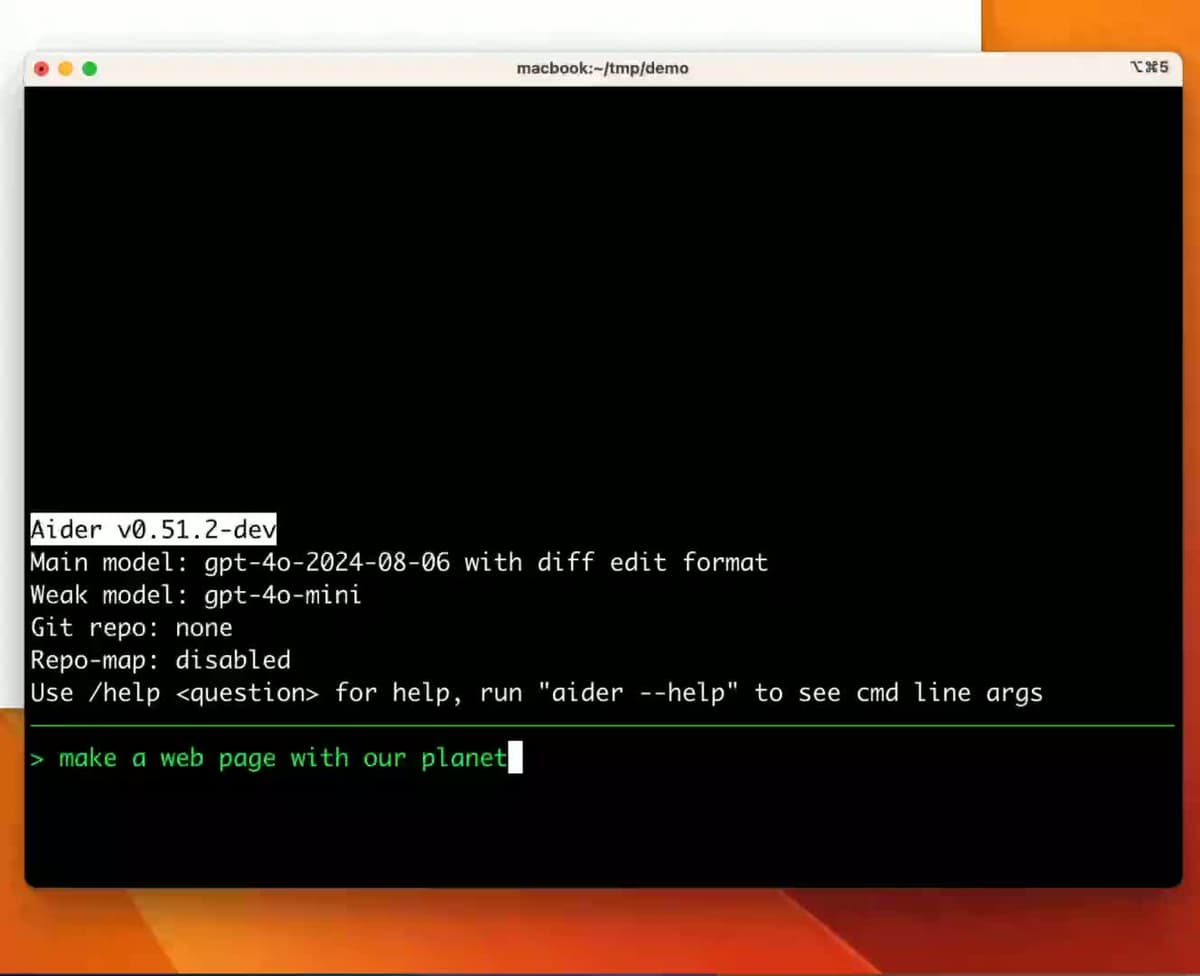
This frame from Aider's official terminal demo shows the CLI workflow that separates it from IDE-first tools like Cursor and GitHub Copilot.
8. Tabnine: Best for Self-Hosting
Tabnine is an AI coding platform you can deploy in cloud, on-prem, or air-gapped environments. Killer feature: self-hosted enterprise deployment, your code never leaves your network. Custom models can be trained on your private codebase.
Tabnine is strongest for companies with strict code privacy rules or self-hosting needs. Pricing: Free tier, Pro $20/month, Enterprise custom.
Comparison Table
Use this table to narrow the shortlist. If you mostly need speed while typing, start with the IDE column. If the work crosses many files or privacy rules, the multi-file and local-model columns matter more.
| Tool | Pricing | Free Tier | IDE Integration | Multi-File Edits | Local Model |
|---|---|---|---|---|---|
| Cursor | $20/mo | Yes | VS Code fork | Yes (Composer) | Limited |
| Claude / Claude Code | $20/mo | Yes | CLI + chat | Yes | No |
| GitHub Copilot | $10/mo | Students | All major | Workspaces | No |
| Codeium | Free / $15/mo | Yes | All major | Limited | Self-hosted |
| Continue | Free | Yes | VS Code, JetBrains | Yes | Yes (Ollama) |
| DeepSeek | Free + API | Yes | Via Continue | Limited | Open weights |
| Aider | Free | Yes | CLI + git | Yes | Yes |
| Tabnine | $12/mo | Limited | All major | No | Yes (self-hosted) |
Table 1: Cursor and Claude Code cover broad edits, GitHub Copilot and Codeium emphasize autocomplete, and Continue, Aider, and Tabnine offer more control over models or deployment.
Best Coding Alternative by Use Case
Cursor is the best overall pick when you want an IDE with agent-style multi-file edits. Claude is the stronger chat partner for system design and code review. GitHub Copilot remains the safest default for IDE autocomplete. Codeium is the best hosted free option, while Continue plus Ollama is the best local free setup. DeepSeek wins on low-cost API use. Claude Code and Aider fit terminal-first work. Tabnine self-hosted and Continue with local Ollama are the privacy picks. Students should check GitHub Copilot first because verified students can use it for free.
Costs, Privacy, and Model Quality
The best tool also depends on the total subscription cost, where your code is processed, and whether you need the strongest available model or a cheaper local option. The sections below turn those constraints into concrete setups.
Setup Recommendations
The professional dev stack: Cursor for the IDE plus Claude Pro for planning and review. The pair costs $40/month and covers autocomplete, broad edits, and design discussion.
The free dev stack: Codeium for IDE suggestions plus Claude's free tier for chat. This covers many solo workflows at $0.
The privacy stack: Continue plus Ollama with a locally installed coding model. After the model download, prompts can stay on your machine.
The CLI stack: Claude Code or Aider with your preferred model.
If docs, RFCs, or research notes drive the coding decision, keep that source work outside the coding assistant.
One-Year Cost by Developer Profile
Coding-AI prices often sit between $0 and $40/month. The real yearly cost depends on whether you pay for IDE help, chat, or both. These are common 2026 profiles:
| Profile | Tools | Annual cost |
|---|---|---|
| Solo dev (free stack) | Codeium + Claude free | $0 |
| Solo dev (paid baseline) | GitHub Copilot Individual | $120 |
| Solo dev (pro stack) | Cursor Pro + Claude Pro | $480 |
| Solo dev (privacy) | Continue + Ollama + local Llama 3.3 | $0 (after hardware) |
| Team of 5 (baseline) | GitHub Copilot Business | $1,140 |
| Team of 5 (pro) | Cursor Business + Claude Team | $3,900 |
| Team of 5 (privacy) | Tabnine Enterprise (self-hosted) | $4,800+ |
| API power user | DeepSeek API (heavy use) | $200-500 |
Table 2: Annual cost rises from free local or hosted setups to paid IDE-and-chat combinations and managed team deployments.
The cheapest viable solo stack is Codeium free for IDE help plus Claude or ChatGPT free for chat. The cheapest paid stack that covers IDE plus chat is GitHub Copilot Individual at $120/year because Copilot Chat is included. Cursor Pro plus Claude Pro costs $480/year and is the realistic "I do this for a living" tier.
For teams, the math changes fast. GitHub Copilot Business includes SSO, audit logs, and policy controls at $19/user/month, or $1,140/year for five seats. Cursor Business is double that at $40/user/month. Tabnine Enterprise costs more, but it is the mainstream choice for fully air-gapped self-hosting.
High-volume API use changes the comparison because token charges can exceed a fixed subscription. In 2026, DeepSeek-Coder API is roughly 10-30x cheaper than Claude Sonnet for the same token volume. That makes it the price leader for high-volume scripts. Claude Haiku 4.5 sits in the middle. GPT-4-class models remain expensive at roughly $3-15 per million input tokens.
Privacy and Self-Hosting
Coding AI tools can see sensitive code. That may include private algorithms, security config, customer data in tests, or embargoed product work. Here is the 2026 privacy picture:
- Cursor sends code snippets to model providers under Cursor's business agreements. Privacy mode can disable training and indexing on Pro and Business tiers.
- Claude does not train on consumer or API data by default. Enterprise plans add stronger compliance terms.
- GitHub Copilot does not train on Business or Enterprise tier code under Microsoft's contract. Individual plans require users to check their training settings.
- Codeium has a self-hosted option on its Teams tier.
- Continue is open source, so data handling depends on your chosen model. Local Ollama keeps prompts on your machine.
- DeepSeek hosted chat is not the right fit for code that must stay in US or EU systems. For that case, run open weights locally.
- Aider is an open source CLI, so privacy depends on the model provider you connect.
- Tabnine has the strongest self-hosting story because Enterprise can run inside your own infrastructure.
For defense, healthcare, finance, or strict IP rules, compare Tabnine's deployment plans, Continue with local Ollama, and GitHub Copilot Business. Confirm the contract, retention settings, and hosting boundary before proprietary code reaches any model.
Model Quality on Coding Benchmarks
The 2025-2026 coding benchmark picture has three main leaders:
- Anthropic Claude Sonnet 4 and Opus 4 score well on SWE-bench and Aider's polyglot benchmark for real repo edits. Claude Code brings those models into the terminal.
- OpenAI GPT-4, GPT-4o, and o-series models remain strong on algorithmic tasks such as Codeforces and HumanEval. The reasoning models trade speed for quality on harder problems.
- DeepSeek V3 and R1 lead on price. The distilled models can run on consumer hardware and cover many everyday coding tasks.
Cursor and Continue let you switch by task. Use Claude for refactors and design review. Use GPT-class models for quick generation. Use DeepSeek for cheap calls or local work. GitHub Copilot's default model is GPT-4-class, with optional Claude routing on Pro+ tiers as of late 2025.
If you care about frontier model quality, use a tool with model routing. Model leadership has changed several times, and it will keep changing.
Recommendation
ChatGPT for coding is a 2023 default. In 2026, dedicated coding tools are better for daily engineering work. Pick Cursor for IDE work, Claude for planning and review, GitHub Copilot for autocomplete, and Codeium or Continue for free setups. The right setup is usually two tools: one in the IDE and one chat model for higher-level thinking.
Use the comparison table above to choose the coding tool first. If your work also depends on papers, RFCs, API docs, or long technical notes, keep that material outside the coding assistant. Cursor or Claude Code can handle code edits. Atlas belongs only on the source side when you need answers from the documents behind the code. Atlas is not a coding assistant, so use it only for the research and documentation side of the workflow.
AtlasSee how source-cited answers are checked
Compare tools that link answers to sources for RFCs and technical research.
Frequently Asked Questions
For most developers: Cursor (IDE with AI Composer for multi-file edits) or Claude Code (Anthropic CLI built on Claude Sonnet 4 / Opus 4). Both outperform ChatGPT on complex code generation, refactoring, and architecture decisions in 2026 evaluations. GitHub Copilot is still the default for IDE autocomplete. For free use: Codeium (hosted) or Continue + Ollama (local).