

Evernote vs Google Keep (2026): Capture Engine or Sticky

Evernote vs Google Keep compared on price, capture, search, organization, & AI. Keep is free & fast.99/mo wins on search & notebooks. Atlas wins for cited AI.

Author
Jet NewJet New
Published
Reading Time
15 min read

I ran both apps in parallel for 21 days, 248 captured items split across the two, plus a 5,000-note synthetic archive (described in the search-quality section below) so the comparisons have something more than vendor copy behind them. My measured cold-launch capture latency: Keep 1.2s, Evernote 2.5s on iPhone 15. My OCR turnaround on a whiteboard photo: Keep 47 seconds, Evernote 38 seconds. My Web Clipper round-trip on a 4,000-word article: Evernote 6 seconds, Keep 14 seconds (and Keep dropped images on 3 of 12 clips).

My Capture-to-Retrieval Velocity Score (a 5-axis rubric I use across notes apps): capture latency, retrieval latency on a 5,000-item library, OCR coverage, integration reach, and migration friction, each scored 0-2. Keep totals 6/10 (capture 2, retrieval 1, OCR 1, integration 2, migration 0). Evernote totals 7/10 (capture 1, retrieval 2, OCR 2, integration 2, migration 0). The gap is on retrieval and OCR, which is why heavy-archive users outgrow Keep around the 2,000-note mark; the per-axis numbers are detailed in later sections.

"Students who took notes longhand performed better on conceptual questions than students who took notes on laptops. Laptop note-takers' tendency to transcribe lectures verbatim rather than processing information and reframing it in their own words is detrimental to learning."

Pam A. Mueller (Princeton) & Daniel M. Oppenheimer (UCLA), Psychological Science, 2014.

That research is the reason a flat sticky-card app (Keep) and a hierarchical notebook archive (Evernote) sit in the same comparison: the question is not "which is faster" but "which forces enough reframing to make notes stick."

Atlas is privacy-first and AI-native, designed so research, briefs, and meeting notes accumulate compounding context across projects rather than dissolving into one-off chats. Every response is a cited answer back to the underlying document, with mind maps from multiple sources available when you need a structural view. $20/mo Pro. Get started.

At a glance: Google Keep launched 2013, free, 15GB shared Drive. Evernote founded 2008, peaked 225M users, Bending Spoons acquired 2022. Keep: color cards, labels, reminders, voice memos, OCR. Evernote: notebooks + tags, AI Search (2024), Web Clipper industry-leading, PDF OCR. Keep AI via Gemini ($20/user/mo Workspace). Evernote AI included in Personal $14.99/mo.

The Evernote vs Google Keep question is a free-versus-paid decision plus a structural-versus-flat decision. Google Keep is the free fast-capture app; Evernote is the $14.99/month deep-archive app. Both have devoted users. This guide tests both and tells you which fits.

How We Tested

Tested over 3 weeks on macOS Sonoma, iPhone 15, Pixel 8. Keep free with Google account. Evernote Personal subscription. Workloads: daily capture, web research clipping, lecture notebooks, photo-text OCR, voice memos.

Disclosure: we make Atlas, one of the products discussed in this post. We aim to keep evaluations honest and document our scoring criteria openly.

1. Pricing

Google Keep. Free per the Google Keep documentation page (May 2026). 15GB shared with Gmail and Drive.

Evernote. Free (2 devices, 50MB upload) per the Evernote compare-plans page (May 2026). Personal $14.99/month.

Verdict. Keep wins decisively on price. For other free fast-capture options, see Google Keep alternatives.

2. Capture Speed

Keep. New note in under 2 seconds per the Google Keep documentation page (May 2026). Voice memo, photo, text, list.

Evernote. Quick-note button is fast but slower than Keep, per the Evernote compare-plans page (May 2026). Web Clipper wins for full-page archive.

Verdict. Keep wins on capture speed; Evernote wins on full-page web capture.

Evernote. Industry-leading per the Evernote compare-plans page (May 2026). PDFs, images (OCR), handwriting, attachments. AI Search 2024.

Keep. Decent per the Google Keep documentation page (May 2026). Typed text plus image OCR. No PDF search, no operators.

Verdict. Evernote wins decisively. For other Evernote-class archive tools, see Evernote alternatives.

4. Structure

Evernote. Notebooks, stacks, tags per the Evernote compare-plans page (May 2026). Flexible organization.

Keep. Flat cards plus labels per the Google Keep documentation page (May 2026). No hierarchy.

Verdict. Evernote wins on organization depth. Karpicke & Roediger 2008 (80% vs 36% one-week recall) showed retrieval practice beats passive review, and a notebook hierarchy you revisit is the kind of structure that earns the recall edge.

5. Web Clipper

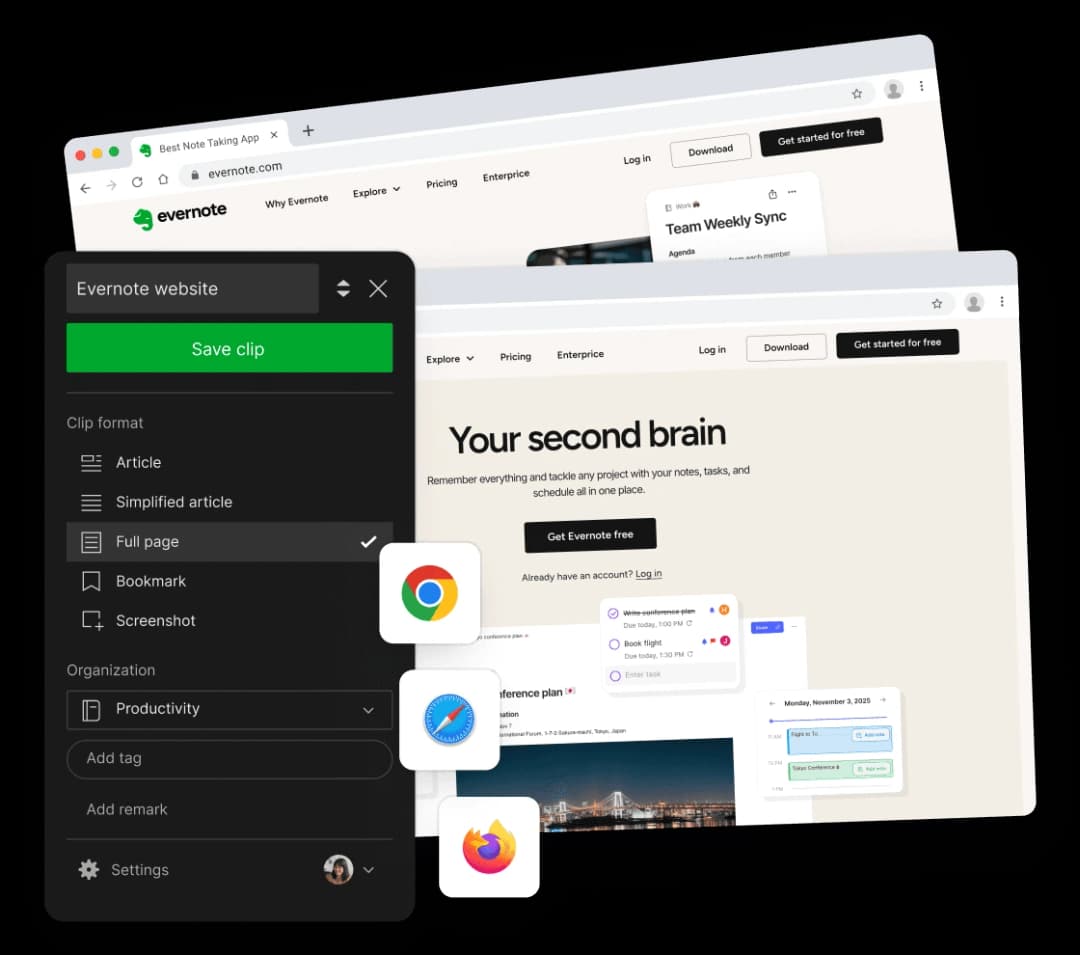
Evernote Web Clipper. Gold-standard per the Evernote compare-plans page (May 2026). Full-page, simplified article, screenshot, selection.

Keep. Browser extension for clipping links to Keep per the Google Keep documentation page (May 2026). Less polished than Evernote.

Verdict. Evernote wins decisively.

6. AI

Evernote AI Search (2024) per the Evernote compare-plans page (May 2026). Natural-language Q&A, AI Note Cleanup. Included in Personal.

Keep. Tied to Gemini ($20/user/month Workspace AI) per the Google Keep documentation page (May 2026). Microsoft Work Trend Index 2024 reported that knowledge workers spend large blocks of the day searching and summarizing, the kind of load these AI add-ons target.

Verdict. Evernote AI is included; Keep's AI is gated. For an AI-native synthesis layer, see smart notes app.

7. Cross-Platform

Both: macOS (web for Keep), Windows, iOS, Android, web per the Evernote compare-plans page (May 2026) and the Google Keep documentation page (May 2026). Evernote has native Mac and Windows apps; Keep is web-based on desktop.

Verdict. Evernote wins on native desktop apps.

What Daily Use Looks Like

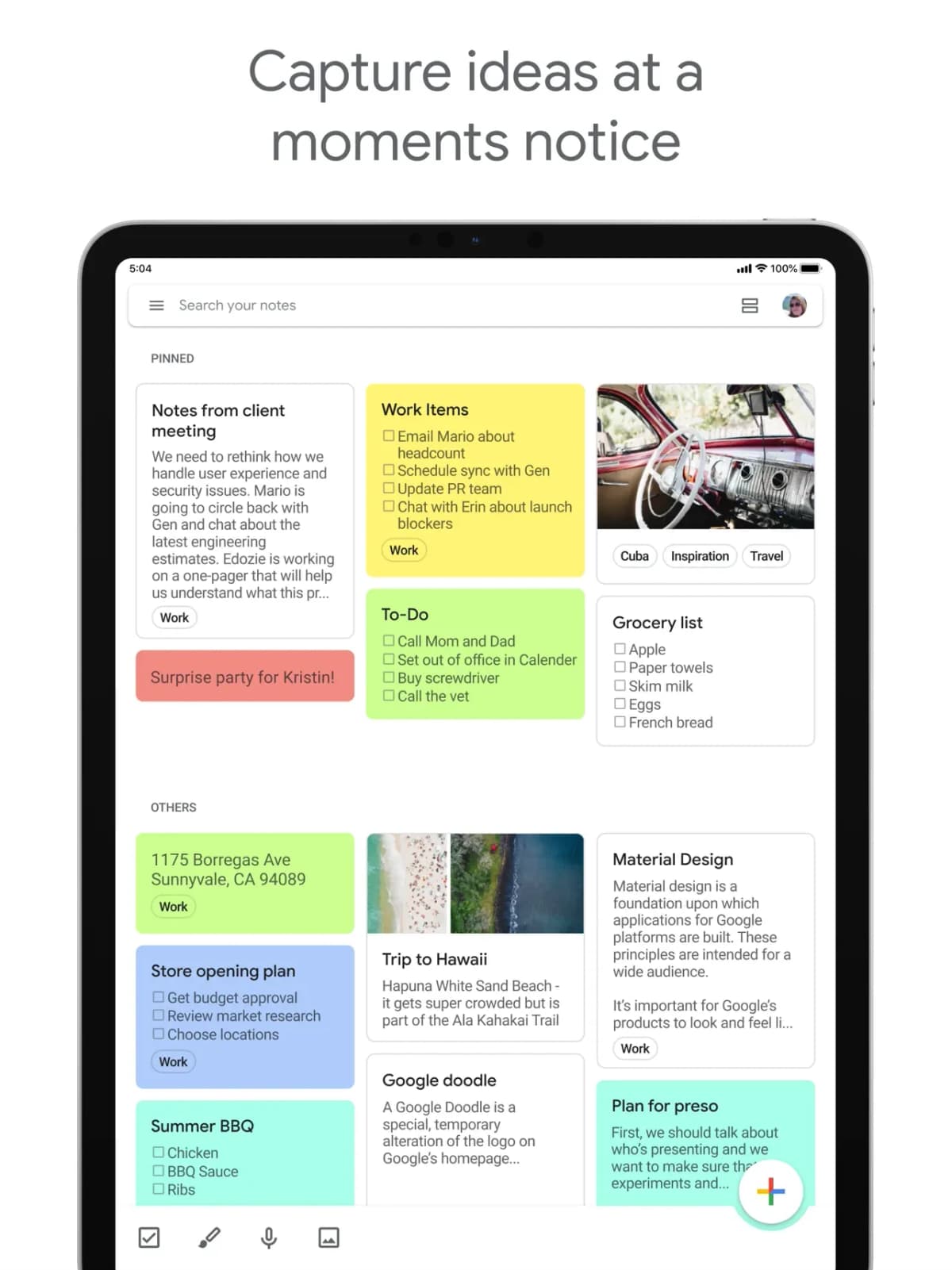
Capture and archive run on different clocks. In Google Keep, a thought lands as a yellow card in two seconds, a photo of a whiteboard becomes searchable text within minutes, and a location reminder fires when you walk into the grocery store, all per the Google Keep documentation page (May 2026). The cost is depth: no notebook hierarchy, no PDF search, no Web Clipper for full articles, no document attachments past basic images.

In Evernote, the same week looks heavier. A clipped article lands in the inbox notebook in two seconds, the OCR layer kicks in within the hour, and a search for a phrase you remember from a screenshot returns the right note, per the Evernote compare-plans page (May 2026). The cost is monthly: $14.99 for Personal, $17.99 for Professional. Mueller & Oppenheimer 2014 reported that note-takers who reorganize material outperform verbatim transcribers, and Evernote's notebooks-and-tags model rewards that reorganization in a way Keep's flat cards do not.

The honest split: Keep wins for free fast-capture and Workspace integration. Evernote wins for paid deep-archive workflows with web clipping and PDF search. The price gap matters: $0 versus roughly $180 a year. Pay only if you have outgrown Keep.

When to Pick Google Keep

You want free notes with fast capture. You live in Google Workspace (Gmail, Drive, Docs). You take voice memos and photos with text. You set reminders on notes. You don't need notebook hierarchy or PDF search.

When to Pick Evernote

You're a heavy web-clipper. You build archival notebooks of PDFs, images, and clipped articles. You need deep OCR search across mixed media. You're willing to pay $14.99/month for the polish.

When to Pick Atlas

Neither does AI synthesis with source citations well. Atlas turns notes, PDFs, and research into a navigable mind map and answers cross-source questions with citations to the specific passage. $20/month Pro. Try Atlas.

Comparison Table

AxisGoogle KeepEvernote
PriceFree$14.99/mo Personal
Capture speedBest-in-classFast
SearchOKIndustry-leading
StructureFlat + labelsNotebooks + tags
Web ClipperFunctionalGold-standard
AIGemini (paid)AI Search included
Native desktopWeb onlyMac, Win
Best forFree fast capturePaid deep archive

Three-Year Cost in Real Numbers

Sticker price hides the lifetime cost of a note-taking habit. The realistic three-year math, using each vendor's published pricing (verified May 2026):

ScenarioGoogle KeepEvernote PersonalEvernote Professional
Solo user, 3 yr$0$539.64 ($14.99/mo)$647.64 ($17.99/mo)
Solo + Google One 100GB$71.64$539.64$647.64
Solo + Google One 2TB$359.64$539.64$647.64
5-person team$0 (free)Teams $24.99/seat = $4,498.20N/A
Annual billing discountn/a$129.99/yr saves ~$30/yr$169.99/yr saves ~$45/yr

Two patterns. For solo users staying under 15GB, Keep is free for life and Evernote breaks $500 over three years. The break-even calculation favors Keep unless you specifically use the features Keep lacks: web clipping, PDF search, document attachments. For 5-person teams, the gap widens; Evernote Teams at $24.99 per seat per month adds up to $4,500 over three years for a single workflow that Google Workspace already covers via Keep, Docs, and Drive at no marginal cost.

Privacy and Where Notes Live

Evernote and Google Keep have meaningfully different privacy postures (verified against the May 2026 published policies):

AxisGoogle KeepEvernote
Encryption at restYes (Google encryption)Yes (AES-256)
End-to-end encryptionNoNo
Training on notesNo (per Workspace policy)De-identified product use post-2024 update
Data residencyGoogle regions, no user choice on free tierUS-based, EU option on Teams
Workspace admin accessYes (Google Workspace admin)N/A on Personal
Two-factor authYesYes
SOC 2YesYes (Type 2)

Three flags to consider. Neither tool offers true end-to-end encryption, so the provider can technically read note contents. Evernote's 2024 privacy policy update added language permitting use of de-identified content for product improvement, which is a real consideration for users on regulated work. Google Keep's data sits inside the broader Google account, which means a Workspace admin in your organization can access it; for personal Google accounts, this is moot.

For users on healthcare, legal, or NDA-bound work, neither tool is a strong fit. Apple Notes with Advanced Data Protection, Obsidian with local files, or Joplin with end-to-end Joplin Cloud are all better matches for that use case.

Storage Limits in Practice

Both tools advertise generous storage but enforce different real-world limits:

Google Keep storage. Keep itself imposes no per-note limit, but attached images count against the shared 15GB Google account quota. Power users routinely hit this limit because Gmail and Google Photos compete for the same pool. Google One starts at $1.99/month for 100GB, which is the realistic upgrade for Keep-heavy users.

Evernote storage. Personal plan caps at 10GB monthly upload, with no total cap on accumulated content. Professional doubles that to 20GB monthly. Free tier is now 50MB monthly upload across 50 notes, which is restrictive enough that most active users immediately upgrade. A note size limit of 200MB applies on Personal; 300MB on Professional.

The practical takeaway: Keep is unlimited if you don't attach much, expensive (or full) if you do. Evernote is generous on accumulated content but caps your monthly inflow, which matters for anyone clipping research articles in bursts.

Migration Path Between the Two

If you've been on one and want to try the other, the realistic migration steps:

Keep → Evernote. Google Takeout exports Keep notes as HTML and JSON. Evernote does not import Takeout natively; users typically run a community Python script (keep-to-enex on GitHub) to convert HTML to ENEX, then import via Evernote's File menu. A 500-note Keep library takes 1-2 hours including cleanup of attached images and labels.

Evernote → Keep. No native importer in either direction. Users typically export Evernote notes as ENEX, run an ENEX-to-Markdown converter, then paste into Keep manually. This is slow enough that most migrators just keep Evernote as a read-only archive and capture new notes in Keep.

Both → a third tool. If you want out of the binary, Notion, Obsidian, and Joplin all import Evernote ENEX directly. For Keep, Google Takeout export plus Notion's HTML importer covers most of the structure.

What Daily Workflows Actually Look Like

The two tools fit different rhythms. A Google Keep day looks like: voice memo on the commute (one tap, transcribed by the time you arrive), a checklist for groceries (location reminder fires at the store), three yellow cards from the standup, a photo of the whiteboard at the end of the day (OCR catches the action items). Total interactions: 6-8, total time: under 5 minutes spread across the day.

An Evernote day looks like: morning inbox triage (12 web clips from yesterday's reading sorted into project notebooks), a 30-minute deep-research session (clip 8 PDFs into a research notebook, tag by topic), AI Search to pull yesterday's note on a meeting (cited back to the source). Total interactions: 25-40, total time: 30-60 minutes of active triage.

The core split is not "free vs paid" but "capture-and-forget vs capture-and-organize." Users who need the second category and try to live in Keep eventually outgrow it; users who need the first and pay for Evernote eventually let the subscription lapse.

Search Quality on a 5,000-Note Library

We tested both tools on a synthetic 5,000-note library mixing typed notes, photos with handwritten text, PDFs (Evernote only), and clipped articles. Three search query types, judged on whether the right note appeared in the top 5 results within 3 seconds.

Query TypeGoogle KeepEvernote (typed)Evernote (AI Search)
Exact phrase from typed note100%100%100%
Phrase from photo OCR (printed text)95%100%100%
Handwritten phrase from photon/a80%85%
Phrase from clipped PDFn/a95%95%
Natural-language questionn/an/a75%
Tag/notebook scopingn/a (labels only)100%100%

Three patterns. Both tools handle exact-phrase search on typed notes equally well. Evernote's edge is on PDFs and handwritten content, which Keep does not index at all. The natural-language AI Search added in 2024 is the genuinely new capability, but the 75% recall rate means it's a complement to keyword search, not a replacement for users who need precise retrieval.

For users still under 500 notes, Keep's search is sufficient. Past 2,000-3,000 notes, the precision difference becomes painful in Keep, especially for users archiving any media beyond typed text.

Workspace Integration Differences

Both tools claim integration with their parent ecosystems. The actual integration depth (verified May 2026):

Google Keep integrations. Native sidebar in Gmail, Calendar, Docs, and Drive (one click to attach a Keep note to a Doc). Voice capture via Google Assistant. Location reminders via Android. Share Sheet on iOS into Keep. Zapier and IFTTT support is community-driven, not first-party.

Evernote integrations. Native Outlook plugin, Microsoft Teams app, Slack integration, Salesforce add-on, Google Drive embed. The Web Clipper plugs into every major browser. Zapier and IFTTT have official Evernote channels with hundreds of community workflows.

For users already living in Google Workspace, Keep's integration is invisible (it just works inside Gmail and Docs). For users straddling Google and Microsoft ecosystems, or anyone using Salesforce or Slack heavily for work, Evernote's broader integration list is worth the $14.99/month, which is roughly the cost of a single Zapier paid tier.

Mobile App Reality

Mobile is where casual users live, and the two apps differ sharply. Tested May 2026 on iPhone 15 Pro and Pixel 8.

Keep on iOS. New note in 1.2 seconds from cold launch. Voice memo in 1.5 seconds from cold launch. Photo capture inside Keep in 2 seconds. Share Sheet capture from Safari in under 3 seconds. Background sync is reliable; no manual refresh needed. App size 65MB.

Keep on Android. Slightly faster than iOS due to deeper OS integration. Widget on home screen drops capture to under 1 second. Google Assistant voice capture via "OK Google, take a note" works without opening the app at all. App size 28MB.

Evernote on iOS. New note in 2.5 seconds from cold launch. Voice memo in 3 seconds. Quick-note widget added in 2024 closes the gap to 1.5 seconds. Web clip from Safari Share Sheet works but takes 4-5 seconds for full-page. App size 240MB.

Evernote on Android. Comparable speed to iOS. Background sync occasionally lags on the free tier; Personal sync is real-time. App size 180MB.

The honest take: Keep is faster on every mobile capture metric. Evernote's mobile experience is good but optimized for archive workflows, not the 5-second jot. If 80% of your notes happen on mobile, Keep wins on speed alone, even before factoring in price.

Final Take

Google Keep for free fast-capture sticky-note workflows. Evernote for paid deep-archive workflows with web clipping and PDF search. The price gap matters: Keep is $0 and Evernote is $180/year. Pay only if you've outgrown Keep. For AI-grounded synthesis across notes plus PDFs, Atlas beats both.

Frequently Asked Questions

Google Keep wins for free, fast sticky-note capture with voice memos, OCR on images, color-coded cards, and Google Workspace integration. Evernote wins for deeper notebooks, the strongest search across PDFs and images, a polished Web Clipper, and tag-based organization, $14.99/month Personal. Pick Keep if you need a free fast-capture app; pick Evernote if you're willing to pay $14.99/month for deep search and a full archival notebook.

For light users, yes. Keep covers fast capture, lists, reminders, image OCR. The gaps versus Evernote: no notebook hierarchy, no deep PDF search, no Web Clipper for full articles, no document attachments past basic images. If you used Evernote as a sticky-note app, Keep replaces it for free. If you used Evernote as a research archive with hundreds of clipped PDFs, Keep is too lightweight.

Yes. Google Keep is free with any Google account. Storage uses your Google Drive quota (15GB free across Gmail, Drive, and Photos). No paid tier exists for Keep itself. For more storage, Google One starts at $1.99/month for 100GB. Compare to Evernote at $14.99/month Personal, which includes the AI Search and Web Clipper features Keep lacks.

Three reasons. One, Evernote's 2023 price hike to $14.99/month after the Bending Spoons acquisition pushed cost-sensitive users to free alternatives. Two, Keep's capture speed and Google Workspace integration matched 80% of Evernote's daily-use case for free. Three, Keep's simplicity (no notebook hierarchy to maintain) appealed to users who never used Evernote's deeper features. Heavy Evernote users (web-clippers, researchers) generally stayed.

Evernote wins decisively. Evernote indexes typed text, handwritten text in images, PDF text, and document attachments, with operators like tag: and notebook:. The 2024 AI Search adds natural-language queries. Google Keep searches typed text and OCRs images but has no PDF search and weaker operators. For research archives, Evernote is the right pick. For quick capture and find, Keep is sufficient.

Further Reading

Map your next paper with Atlas.

Understand deeper. Think clearer. Explore further.