
7 Best Smart Notes Apps for AI Note-Taking (2026)
Best smart notes apps in 2026: compare AI note-taking with linking, summarization, and synthesis across Atlas, Notion AI, Mem, Reflect, and NotebookLM.
- Byline

Summary
Use a smart notes app when ordinary search cannot surface connections across notes, PDFs, meetings, and saved ideas.
The updated guide compares Atlas, Notion AI, Mem, Reflect, NotebookLM, Obsidian, and Apple Notes.
Smart note-taking depends on links, summaries, cited retrieval, export options, and reusable context.
Atlas fits smart notes workflows that need cited synthesis and visual maps instead of standalone AI summaries.
After testing these tools, I would not choose by the AI badge. Choose by where your notes live and whether you need citations. Mem and Reflect help you capture ideas faster. Atlas and NotebookLM help you ask cited questions across a source set. The category emerged in 2022-2023 with Mem and Reflect, then changed in 2024-2025 when grounded retrieval became practical.
This guide ranks 7 smart notes apps tested in 2026 and shows where each one breaks down.

 Atlas
AtlasAsk cited questions across notes and sources
Upload notes and research files, then inspect the passage behind each answer.
What makes a notes app smart?
For the deeper framework, Cognitive Load, Vendor Lock-in, and Knowledge-Graph Density, applied across eight leading second-brain apps, see our second-brain apps guide.
Four traits separate smart notes from a normal notes app.
Grounded answers matter first. The app should cite the note or passage behind its answer. A chat sidebar that drafts from memory is not enough. Atlas and NotebookLM are strongest here.
The app should also help with links. Mem and Smart Connections can suggest related notes while you write or search.
The next step is synthesis across many notes. You should be able to ask, "what have I written about X?" and get an answer that spans the set. Atlas's mind map view makes that cross-note work easiest to inspect.
Finally, the app should reduce folder work. Notes can find their place through tags, links, or clusters. The older idea is Zettelkasten. Our how to take smart notes PDF guide explains the Ahrens method.
Compare the 7 smart notes apps
Use this table as the short-list filter. If you need cited answers across saved sources, start with the source-grounding column. If you mainly capture quick ideas, linking and portability matter more than chat.
| App | AI Linking Quality | Source-Grounded Retrieval | Summaries | Context Reuse | Portability | Pricing |
|---|---|---|---|---|---|---|
| Atlas | Strong visual map across sources | Strong, answers cite passages | Strong across notes and documents | Strong across projects | Export and source files stay separate | $20/mo Pro |
| Mem | Strong auto-linking for notes | Limited citations | Good for short notes | Good inside Mem | Cloud export options | Free tier, $14.99/mo Pro |
| Reflect | Good backlink support | Limited citations | Good for journal review | Best inside daily notes | Markdown export | $10/mo |
| NotebookLM | Weak note linking | Strong citations inside each notebook | Strong for uploaded sources | Per-notebook context | Source files remain outside Google | Free, Plus raises limits |
| Notion AI | Good inside Notion pages | Good workspace Q&A | Good page and workspace summaries | Strong if Notion is the hub | Export exists but can be messy | $10/mo add-on |
| Obsidian + Smart Connections | Strong local graph plus plugin links | Depends on model setup | Depends on model setup | Strong local vault context | Excellent Markdown files | Free plus API costs |
| Apple Notes | Basic smart folders | Limited citations | Basic Apple Intelligence summaries | Good inside Apple devices | Limited export | Free with Apple ID |
Table 1: Compare smart-notes apps by linking, source traceability, reusable context, portability, and price.
The 7 best smart notes apps
1. Atlas: Best for cited synthesis
Atlas is built for synthesis, not quick capture. Upload notes, PDFs, articles, and research, then Atlas builds a map of how concepts connect. Every AI answer cites the source passage.
The mind map is the key difference. It turns a pile of saved notes into a graph you can inspect, question, and reuse.
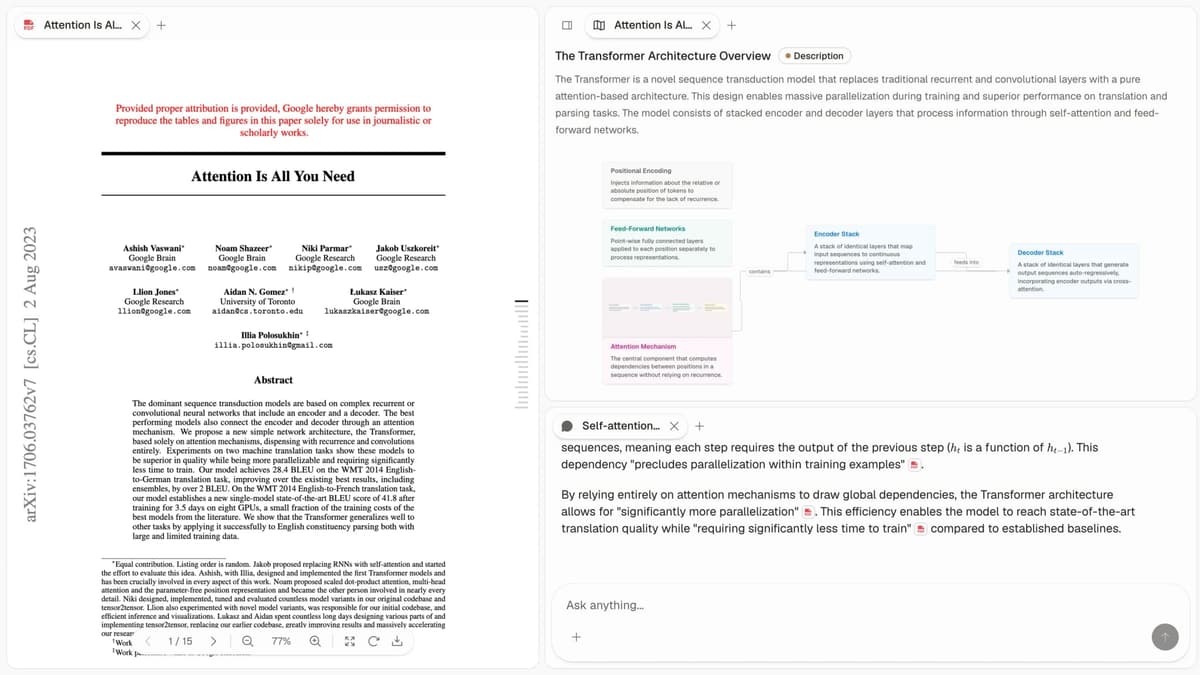
Atlas fits researchers, knowledge workers, and writers who need to compare many sources without losing the proof behind each answer. Pricing: $20/mo Pro.
2. Mem: Best for fast capture
Mem launched as one of the first AI-first notes apps. You write first, then Mem helps organize later with tags, related notes, and chat over your notes.
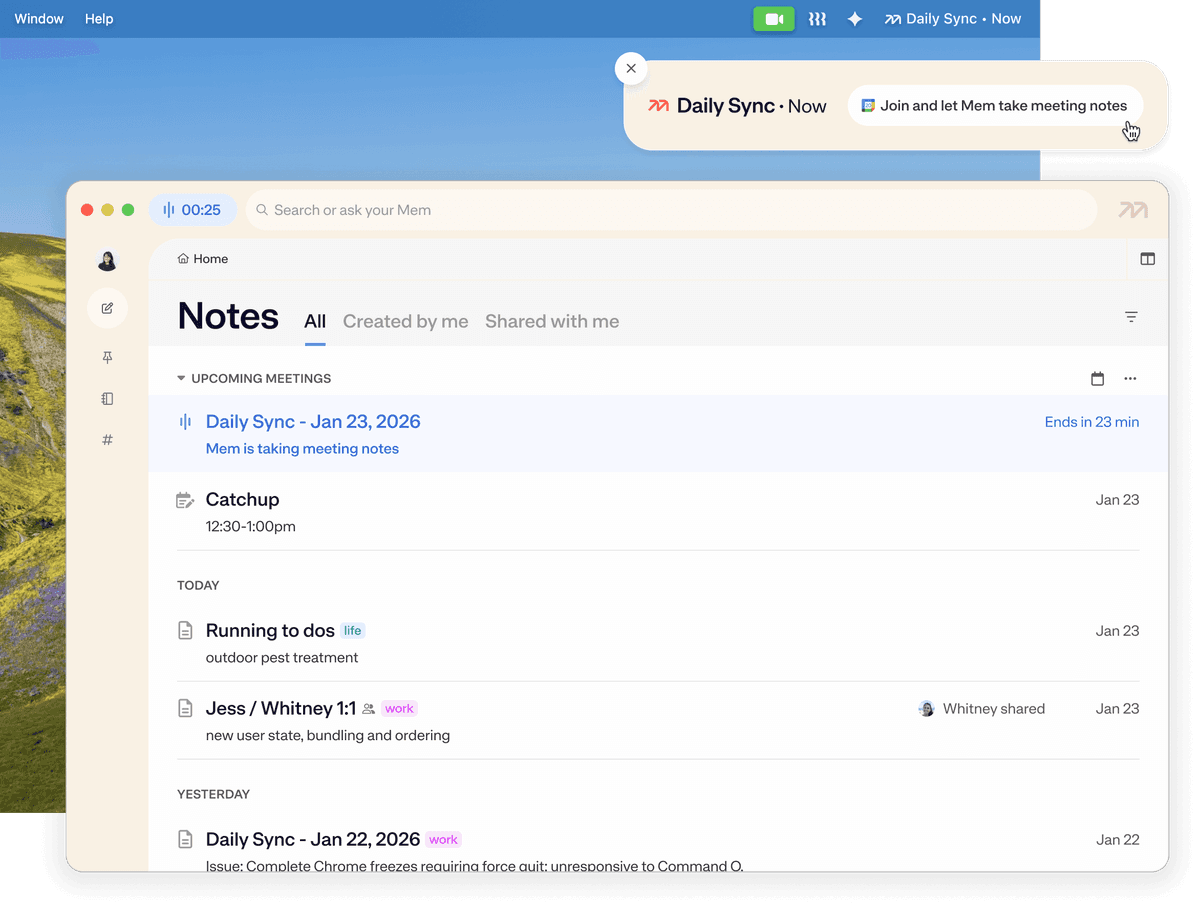
Mem suits users who want fast capture and do not want to maintain folders. Pricing: Free tier, Pro $14.99/month.
3. Reflect: Best for daily journals
Reflect is a polished daily-notes app with AI features and end-to-end encryption. It is fast and has a calendar link. The AI can summarize entries and suggest review questions.
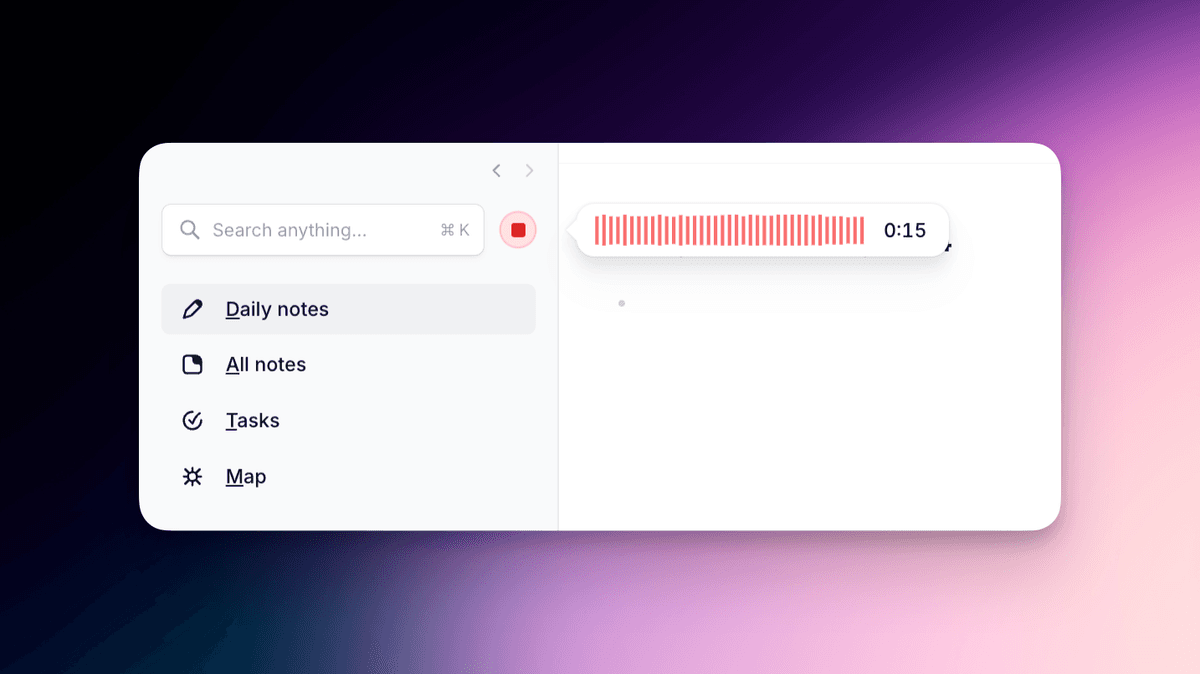
Reflect is best when the note habit is a daily journal. The AI helps review entries without turning the app into a research database. Pricing: $10/month.
4. NotebookLM: Best free option for PDFs
Google's NotebookLM is free with a Google account. You can add up to 50 sources per notebook. Sources can include PDFs, Google Docs, web pages, and YouTube transcripts. Then you ask cited questions over that set.
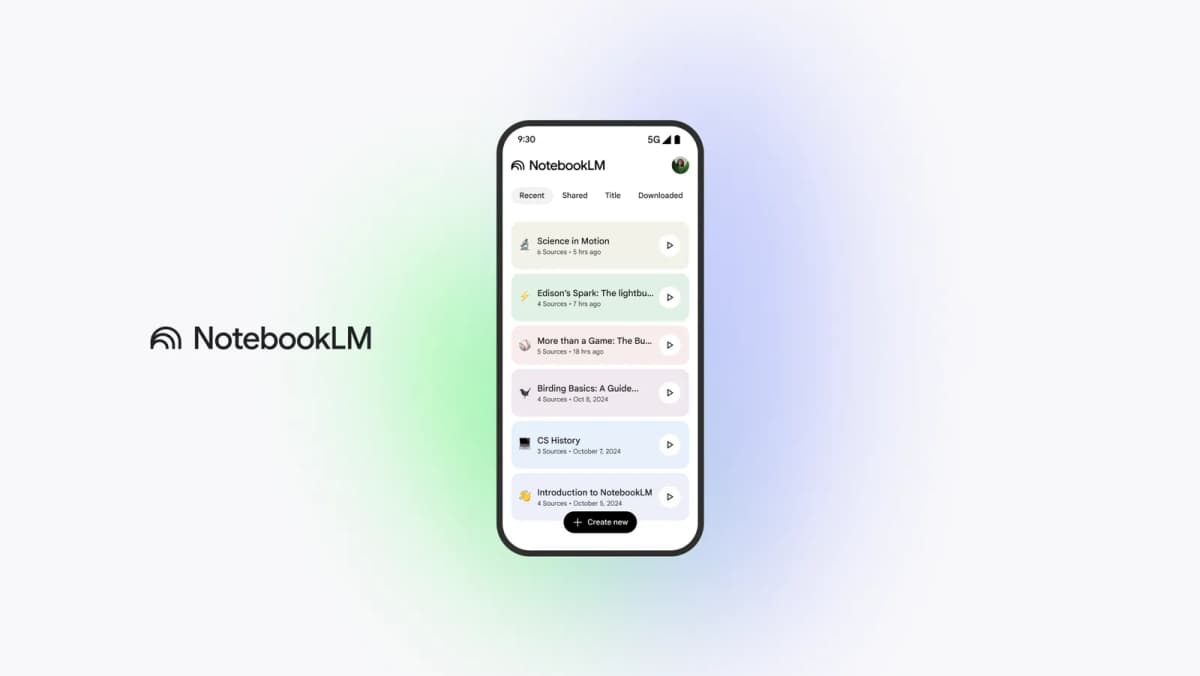
NotebookLM is the easiest free pick for students and researchers who mostly work with PDFs. Pricing: Free with Google account.
5. Notion AI: Best for Notion users
Notion AI's workspace Q&A searches across your Notion pages and answers grounded in them. Strong if Notion is already your workspace, less useful if Notion is a side tool.
Notion AI makes sense when your notes, projects, and docs already live in Notion. Pricing: $10/month add-on.
6. Obsidian: Best for local Markdown files
Obsidian stores notes as local Markdown files. The Smart Connections plugin adds suggested links and AI chat over that vault. Pair it with Obsidian's graph view and you get the strongest open setup.
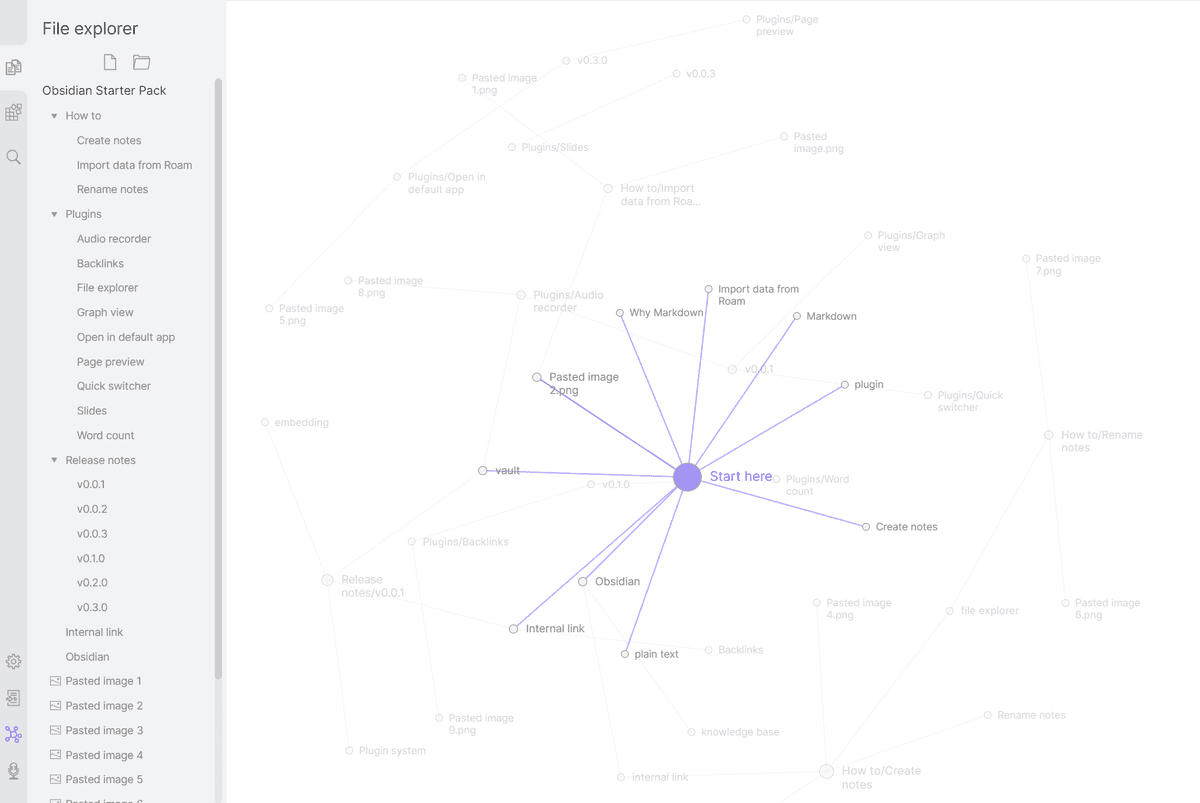
This setup works for power users who want local files plus AI. Pricing: Obsidian is free, and Smart Connections is free with your own API key. For direct comparisons, see Obsidian vs Evernote and Obsidian vs Apple Notes. For more options, see Apple Notes alternatives.
7. Apple Notes: Best free Apple option
Apple Notes added Apple Intelligence in 2024-2025. The useful parts are summaries, smart folders, math notes, and note tags. It is free with iCloud. For direct comparisons, see Apple Notes vs Evernote, Apple Notes vs OneNote, and Bear vs Evernote.
Apple Notes is the free choice for people who stay inside the Apple device stack. Pricing: Free with Apple ID.
Best smart notes app by use case
The main choice is between fast capture and analysis across saved material. Mem and Reflect optimize capture; Atlas and NotebookLM answer questions across a defined set of notes and documents.
- Choose Atlas when you need synthesis across many sources, because the mind map and cited Q&A stay tied to the source material.
- Choose Mem when speed of capture matters more than formal structure.
- Choose Reflect for daily journaling and private review.
- Choose NotebookLM or Apple Notes when the budget is zero.
- Choose Notion AI when Notion is already the team workspace.
- Choose Obsidian with Smart Connections when local files and open plugins matter most.
- Choose Atlas or NotebookLM for research work. If you also need a citation library, see Zotero alternatives.
- Choose Notion AI or Atlas team plans for team knowledge work. Meeting-heavy teams should pair that with a capture flow. Our guides on how to use AI to take meeting notes and how to take meeting notes in Teams cover that side.
Researchers who already have a capture app should add Atlas or NotebookLM only when they need to compare evidence across many files. That avoids paying for a second set of capture features they will not use.
How smart notes fit your workflow
When a smart notes app becomes useful
Three signals.
The first signal is search pain. If you have 100+ notes and still cannot find old ideas, plain search is no longer enough. Semantic search and AI Q&A are the upgrade.
Large source sets are the second signal. If you are reading 20 PDFs, Atlas and NotebookLM can replace search, highlights, and a separate summary doc. For books, our how to take notes on a book guide shows the 4-pass capture method.
The third signal is missed links. Atlas's mind map and Mem's auto-linking can surface ideas that connect across your notes. That is hard to get by re-reading by hand.
If none of these apply, a regular notes app is fine. Notion vs Craft walks through the database-vs-typography tradeoff for two popular options.
If cited answers are the reason you are shopping, upload a small source set to Atlas. Ask one question that should require more than one note. The useful test is whether the answer points back to passages you trust, not whether the draft sounds polished.
Combine fast capture with later analysis
The strongest workflow combines both.
Start capture in a fast notes app such as Apple Notes, Notion, Obsidian, Bear, Capacities, or your default. Speed matters more than features for raw capture. For a Markdown-vs-default comparison, see Bear vs Apple Notes. For plain-text PKM trade-offs, see Bear vs Obsidian. For object-based PKM, see Obsidian vs Capacities.
Synthesize later in a smart notes app. Once you have 50+ notes or 10+ documents on a topic, upload the set to Atlas or NotebookLM and ask questions across it.
Avoid dual-writing. Capturing the same note in two apps wastes time. Pick one capture tool and one synthesis tool, then route material between them.
Test imports, exports, and voice notes
Before paying, run a 20-minute setup check. Import five notes, one PDF, one web page, and one voice note if the app supports audio. Then ask one question that should pull from at least two items.
Check export before you commit. Obsidian is safest because the notes are Markdown files on disk. Reflect exports Markdown. Notion and Apple Notes can export, but formatting may need cleanup. NotebookLM keeps source files outside the app, so the lock-in risk is lower. Atlas keeps source files and cited answers separate, which makes later review easier.
Voice support is uneven. Apple Notes and many mobile-first apps handle quick voice capture. Notion, Obsidian, and Reflect usually need a separate recorder or transcript step. Atlas and NotebookLM are stronger after the transcript exists, because the value is cited Q&A over the saved source.
If setup feels brittle, do not force it. A smart notes app should pass three basic checks: import works, export is clear, and the first cited answer points to the right source.
Cost, privacy, and time saved
What each app costs
Most smart notes apps look cheap until you stack them across a year. The table below uses published list prices verified in May 2026. It also includes the common add-ons users tend to buy.
| App | Monthly | Annual | What's Included | Common Add-Ons |
|---|---|---|---|---|
| Atlas Pro | $20 | $192 ($16/mo) | Mind map, source-cited Q&A, higher document limits | None, flat tier |
| Mem Pro | $14.99 | $120 ($10/mo) | AI-first capture, self-organizing | None |
| Reflect | $10 | $96 ($8/mo) | Daily notes, AI assistant, E2E encrypted sync | None |
| NotebookLM | $0 | $0 | 50 sources, Q&A with citations | NotebookLM Plus $19.99/mo for 5× limits |
| Notion AI | $10 add-on | $96 add-on | Workspace Q&A, drafting | Notion Plus $10/mo (required base) → $20/mo total |
| Obsidian + Smart Connections | $0 | $0 | Local-first AI, BYO API key | OpenAI/Anthropic API ~$5–20/mo, Sync $8/mo |
| Apple Notes + Apple Intelligence | $0 | $0 | Summaries, smart folders, math notes | Requires iPhone 15 Pro+ or M-series Mac |
Table 2: Two patterns are worth flagging. Notion AI's $10/mo add-on assumes you already pay for Notion Plus. That makes the real cost $20/mo per seat, close to Atlas Pro. Obsidian with Smart Connections is free software, but the model calls still cost money. Light users may stay near $5/mo in API usage. Heavier use can reach $20/mo or more.
How each app handles your notes
Smart notes apps differ sharply on model training. The safer question is simple: can the vendor use your notes to improve its models? The published policies below were verified in May 2026.
| App | Training on Your Notes | E2E Encryption | Data Region |
|---|---|---|---|
| Atlas | No (per privacy policy) | Roadmap | US (AWS) |
| Mem | Opt-out available | No | US |
| Reflect | No | Yes (default) | US |
| NotebookLM | No (Google policy) | No | Google regions |
| Notion AI | No (per Notion policy) | No | US, EU (Enterprise) |
| Obsidian + Smart Connections | Depends on chosen API provider | Local files E2E sync | User-controlled |
| Apple Notes + Apple Intelligence | No (Private Cloud Compute) | Yes (Advanced Data Protection) | Apple regions |
Table 3: Reflect, Apple Notes, and Atlas have the cleanest posture for regulated work. Obsidian depends on the model API you connect. ChatGPT's consumer chat can train on data by default, while API-key billing is different. Anthropic's API says it does not train on inputs. NotebookLM and Notion AI publish "no training" policies, but neither offers E2E encryption.
When AI saves time
The smart-notes pitch is "AI synthesizes for you." The time savings are not linear. Below 50 notes, plain search is usually faster. The model adds a few seconds and may not find anything new. Above 500 notes, AI Q&A starts to win. It helps find links, sum up themes, and answer questions you forgot you had researched.
Three workflows show the payoff at normal work volumes:
- Literature review across 10+ PDFs: NotebookLM and Atlas can turn a multi-day reading sprint into an afternoon of questions. The citations point back to the source passage.
- "What did I write about X six months ago?" Mem, Reflect, and Atlas all answer this in one query. Without AI, this typically requires keyword recall the user no longer has.
- Drafting from saved notes: Notion AI and Atlas can pull useful passages into a draft. That can replace 30–60 minutes of manual copy-paste work.
If you are still under 50 notes, start free. Apple Notes, NotebookLM, and Obsidian cover the workflow until the volume justifies a paid tier.
Final recommendation
Smart notes apps reduce the manual work of search, summary, and link-finding. Choose Atlas for cited answers across sources. Choose Mem for fast capture. Choose Reflect for daily notes. Choose NotebookLM for free PDF Q&A. Choose Notion AI if Notion is already home. Choose Obsidian + Smart Connections for local files. Choose Apple Notes for free Apple-device notes. Start with the tool that fits your capture habit. The AI features only compound after the notes exist.
AtlasAsk cited questions across notes and sources
Upload notes and research files, then inspect the passage behind each answer.
Frequently Asked Questions
A smart notes app uses AI and linking to make notes more useful than plain text storage. The defining features are: (1) bidirectional or AI-suggested links between notes, (2) AI-generated summaries and synthesis across notes, (3) source-cited Q&A grounded in your notes rather than generic chat, (4) automatic tagging or organization. Atlas, Mem, Reflect, and Obsidian with Smart Connections are the leaders. The differentiator versus a regular notes app: smart notes apps surface connections and synthesize across notes you've already taken.