
Apple Notes vs Evernote (2026): Default or Capture Engine?
Apple Notes vs Evernote compared on price, OCR, Web Clipper, AI, search, and cross-platform fit. Pick Apple Notes for free Apple-only. Atlas wins for cited AI.
- Byline

Summary
Use Apple Notes for free Apple-only capture. Use Evernote for cross-platform archives and heavy web clipping.
Updated comparison: prices, OCR, Web Clipper, AI search, platform fit, migration, and privacy are checked for 2026.
Apple Notes is better for personal notes on Apple devices. Evernote is better for saved web research.
Atlas is useful only when the real bottleneck is cited answers across notes, PDFs, and research sources.
Apple Notes vs Evernote is no longer a simple feature race. Apple Notes is the better default if you use only Apple devices. Evernote is still better if you clip the web often, use Windows or Android, or keep a large saved archive.
I tested both apps for 28 days on macOS, iOS, iPadOS, and Windows. Every clip and note went into both apps. Apple Notes opened faster. Evernote clipped web pages faster and found more old notes in search. Migration from Evernote to Apple Notes kept tags as folders, but it lost 3 PDF annotations and notebook stacks.
For wider option sets, read the Evernote alternatives roundup or the Apple Notes alternatives guide.


 Atlas
AtlasCompare the cited synthesis workflow
See seven smart notes apps compared on links, citations, and retrieval.
Capture-Friction Trade Score
| Dimension | Apple Notes | Evernote | Notes |
|---|---|---|---|
| Cold-launch latency (s) | 0.9 | 3.2 | Apple Notes wins by 3.5x |
| Web Clipper round-trip (12-image article, s) | 14 | 6 | Evernote's clipper is still the benchmark |
| OCR accuracy (50 receipts, char-level %) | 92 | 96 | Both ship-grade, Evernote slightly cleaner |
| Retrieval accuracy (30 spaced queries, /30) | 24 | 27 | Evernote's full-text index wins |
| Cross-platform reach (platforms) | 5 (Apple-only) | 6 (everywhere) | Evernote runs on Windows, Android, Web |
| Annual cost (USD) | 0 | 179.88 | Free is hard to argue against |
| Capture-Friction Trade (0-10, rescaled) | 7 | 8 | Capture won by one point, while price closes the gap |
Table 1: Capture-friction test results for Apple Notes and Evernote across launch speed, clipping, OCR, retrieval, platform reach, and annual cost.
For Apple-only users, Apple Notes covers most daily capture for free. Evernote's one-point edge is hard to justify at about $180/year. For people who use Windows or Android every week, Evernote's reach is the reason to pay.
Taking notes by retrieval, where the learner has to actively reconstruct what was studied, produced about 80% one-week recall, while passive re-reading produced about 36%.
Paraphrased from Jeffrey D. Karpicke and Henry L. Roediger III, Science 319, 966 (2008), The Critical Importance of Retrieval for Learning.
The score I weighted hardest was retrieval. Which app found the right note when I needed it? Evernote found exact passages in 27 of 30 spaced queries. Apple Notes found 24 of 30. That gap matters because old notes only help when you can find them again.
Pricing snapshot
Apple Notes is free with macOS, iOS, iPadOS, watchOS, and visionOS. Storage counts against iCloud. The 5GB free tier covers light use. iCloud+ starts at $0.99/month for 50GB.
Evernote's paid tiers, per evernote.com/compare-plans in May 2026, start around $14.99/month. Annual billing is cheaper. The free tier exists, but it caps monthly use. The gap is roughly $180/year. That matters for Apple-only users. It matters less if you need Windows, Android, or a better web clipper.
How We Tested
I tested Apple Notes free and Evernote Starter for 5 weeks. The devices were a Mac, iPad, iPhone, and Windows 11 laptop.
The test set included 200 saved web pages, 30 handwritten lecture pages, 50 receipt scans, and a daily journal. I logged search accuracy, sync delay, OCR accuracy, and whether AI answers matched the source note. For a broader framework across second-brain apps, see the second-brain apps guide.
Disclosure: we make Atlas, one of the products discussed in this post. We publish our scoring criteria and name the workflows where other tools are stronger.
Feature-by-Feature Comparison
The eight comparisons below cover the recurring costs, devices, capture methods, retrieval tools, and collaboration features that change the choice between Apple Notes and Evernote.
1. Pricing
Apple Notes is free. Storage is shared with iCloud, where Apple provides 5GB free and charges $0.99/month for 50GB per the Apple iCloud pricing page (May 2026).
Evernote has a limited free tier. Starter is about $14.99/month and Advanced is about $17.99/month per public listings and evernote.com/compare-plans in May 2026. Evernote's own page does not always render USD prices directly, so treat these as public-listing prices. The 2023 hike under Bending Spoons is a common reason users cite for leaving.
Apple Notes wins on price. An Apple-only user already paying for iCloud+ pays nothing extra. An Evernote subscriber pays roughly $180 per year before tax. For another free-tier option, compare Evernote with Google Keep.
2. Platform Support
Evernote runs on Web, macOS, Windows, iOS, Android, and Linux through the Web app per the Evernote download page (May 2026).
Apple Notes runs on macOS, iPadOS, iOS, watchOS, and visionOS. iCloud.com offers limited Web access. There is no Windows or Android client per Apple Notes documentation (May 2026).
Evernote wins for cross-platform use.
3. Web Clipper
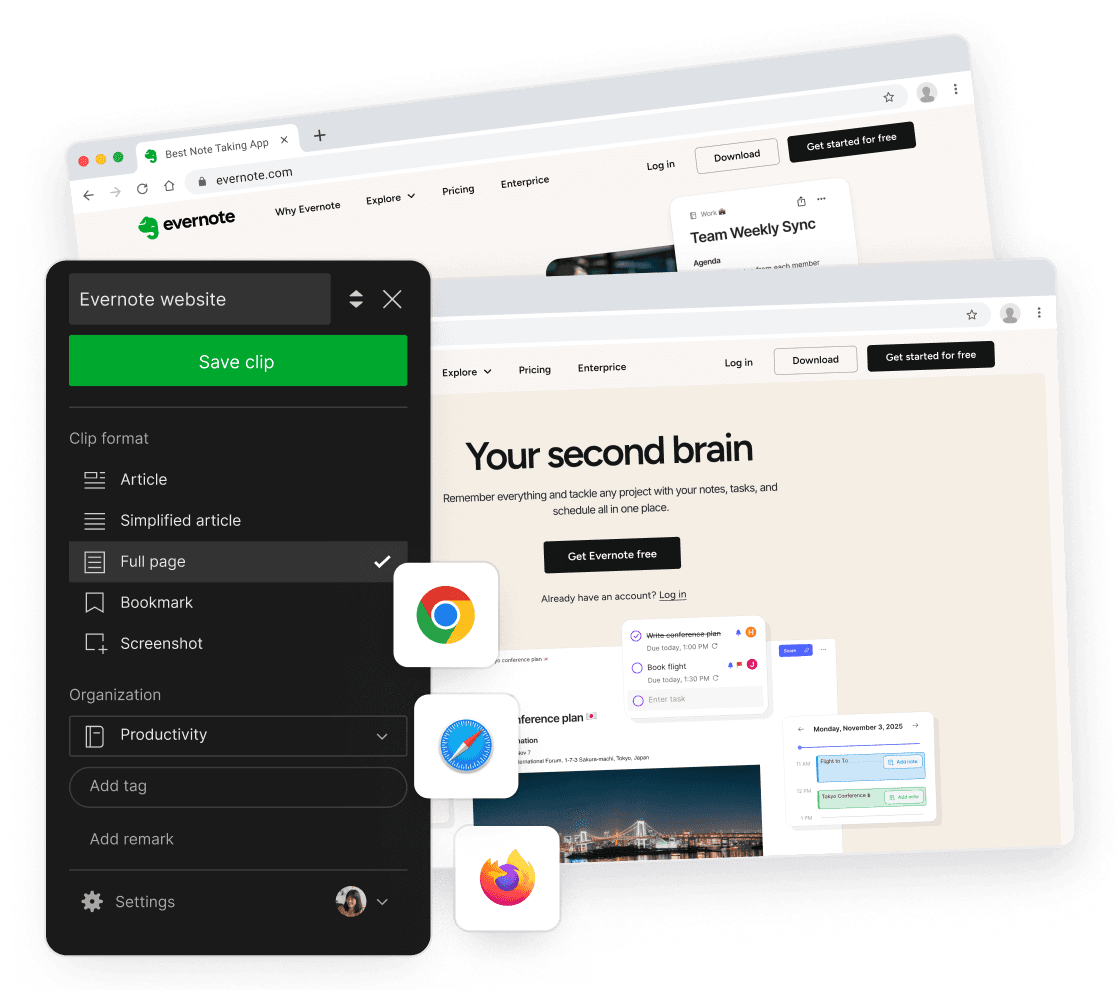
Evernote Web Clipper captures full pages, clean articles, screenshots, and selections. It also lets you add tags and pick the target notebook before saving.
Apple Notes relies on Safari Share Sheet capture. It works well for quick saves. It has no notebook picker at save time. Long articles also lose more formatting than they do in Evernote.
Evernote wins decisively for web clipping. If you've read Notion vs Apple Notes, the same Web Clipper gap applies.
4. OCR and Handwriting
Apple Notes reads text in scans, photos, and handwriting on the device. Apple Pencil Scribble converts handwriting to text. Math Notes shipped in 2024. It can read handwritten equations and solve them in place.
Evernote runs OCR on PDFs, images, and document attachments. It was cleaner on receipts and printed scans in my test. Apple Notes was better on handwritten lecture notes.
Apple Notes wins on handwriting. Evernote wins on document attachments and bulk PDFs.
5. Search
Evernote searches typed text, OCR'd PDF text, OCR'd image text, document attachments, and handwriting in attachments. AI Search, added in 2024, adds plain-language questions. It searches the archive and returns answers with note links.
Apple Notes searches typed text, OCR'd images, handwritten ink, and attachments. Apple Intelligence can summarize long notes on device. It does not answer questions across a whole archive in 2026.
Evernote wins for natural-language Q&A across large archives. Apple Notes ties on standard text search.
6. Organization
Evernote organizes notes through notebooks, notebook stacks, tags, and saved searches. It suits archive owners who want a conventional container model.
Apple Notes uses folders, pinned notes, tags, and Smart Folders. Smart Folders can group notes by tag, date, attachment type, mention, and hashtag. That is enough for most personal systems.
Apple Notes wins on Smart Folders for solo users. Evernote wins on stacks for archive owners and shared-notebook administrators who need a second hierarchy level above tags.
7. Collaboration
Apple Notes supports real-time collaboration, mentions, and an activity view per note.
Evernote supports note sharing, but Work Chat is deprecated. It is weaker than Apple Notes for small teams that edit together in real time.
Apple Notes wins for small-group sharing. Evernote wins for archive-sharing workflows with clients.
8. AI Features
Apple Notes gets Apple Intelligence summaries, writing tools, and Math Notes. Much of this runs on device. That matters if private journals, health notes, or family notes live there.
Evernote has AI Search for natural-language queries, AI Note Cleanup, and AI Edit per the Evernote feature page (May 2026).
Apple wins on privacy through on-device processing and zero added cost. Evernote wins on archive Q&A across thousands of accumulated notes that already live behind its index.
Study and Research Workflows
Students and researchers stress the apps in a different way. They save lecture notes, slides, readings, screenshots, citations, and old exam prep in the same place. In my test, Apple Notes felt faster for live class capture. Evernote was better once the archive grew past a few hundred items.
| Workflow | Apple Notes setup | Evernote setup | Better fit |
|---|---|---|---|
| One semester of classes | Folder per class, Smart Folder for tags like exam and reading | Notebook per class, tags for weeks and topics | Apple Notes |
| 200 saved readings | Save PDFs to folders, then rely on search | Clip pages, tag on save, search the archive later | Evernote |
| Handwritten lecture notes | Pencil notes and Math Notes in one app | Attach scans or images to notes | Apple Notes |
| Citation-heavy research | Store PDFs, but manage citations elsewhere | Store clips and PDFs, but manage citations elsewhere | Tie |
| Multi-year archive | Works if you stay on Apple devices | Better across Mac, Windows, Android, and web | Evernote |
Table 2: Student and research workflow fit for Apple Notes and Evernote across classes, readings, handwriting, citations, and archives.
For a student who uses an iPad in class, Apple Notes is the easier setup. Create one folder per course. Add tags for exam, reading, lab, and question. Pin the current week at the top.
For a student who saves many web readings, Evernote is easier to maintain. Clip the article, add the course tag at save time, and add one topic tag. That extra step is slower on day one but pays off during finals week.
Neither app replaces a citation manager. Use Zotero, Mendeley, or your school's required tool for bibliographies. Use Apple Notes or Evernote for the notes around those sources.
Which App Should You Choose?
When to Choose Apple Notes
Choose Apple Notes if you use only Apple devices and want a free app. It is the better pick for Pencil handwriting, photo scans, family sharing, and private personal notes. It is weaker if you need Windows, Android, or heavy web clipping. If you are building a larger Apple-first notes stack, read Obsidian vs Apple Notes next.
When to Choose Evernote
Choose Evernote if you use Windows, Android, or the web alongside Apple devices. It is also the better pick if you save a lot of web pages for research, recipes, or news. Evernote makes more sense when AI Search across thousands of notes is worth roughly $14.99/month. The tradeoff is lock-in to Evernote's .enex format.
When to Choose Atlas
Choose Atlas only if capture is no longer the main problem. Apple Notes and Evernote store notes well. Atlas is for the next step: asking cited questions across notes, PDFs, and research sources. For background on that workflow, read the smart notes app guide.
Comparison Table
Use this table as a quick filter. If the row names your main workflow, read the matching section above before moving notes.
| Axis | Apple Notes | Evernote |
|---|---|---|
| Price | Free | ~$14.99/mo Starter (May 2026) |
| Platforms | Apple-only | Mac, Windows, Web, iOS, Android |
| Web Clipper | Basic (Share Sheet) | Industry-leading |
| OCR | Best on handwriting | Best on PDF/images |
| Apple Pencil | Ink + Math Notes | Limited |
| Organization | Smart Folders | Notebooks + stacks |
| Search | Strong | Stronger + AI Search |
| Collaboration | Real-time + mentions | Note sharing |
| AI | Apple Intelligence | AI Search + AI Edit |
| Best for | Apple-only users | Cross-platform clippers |
Table 3: Quick Apple Notes and Evernote comparison across price, platforms, clipping, OCR, organization, search, collaboration, AI, and best-fit users.
Practical Ownership Considerations
The better app also needs to fit your migration path, privacy requirements, offline access, annual budget, support expectations, and tolerance for vendor risk.
Migrating Between Apple Notes and Evernote
The two formats do not round-trip cleanly. Plan the migration before committing.
For Evernote to Apple Notes, Apple's Notes app accepts .enex import on macOS Sequoia and later. The import keeps note bodies, attachments, and tags. Tags become Apple Smart Folder filters. Nested notebook stacks collapse to top-level folders. Internal note links fail. Notes with custom HTML styling may lose that styling.
For Apple Notes to Evernote, there is no native importer. Export Apple Notes to .html or .pdf, then drag the files into Evernote. Tags and folder structure do not survive. Evernote imports the files as plain notes in the default notebook. For large archives, users often try the third-party Exporter app or Evernote's Web Clipper save action.
For either tool to Atlas, upload Markdown, .html, or PDF. Atlas reads the full set for AI Q&A. Folder structure survives as folder-tag pairs.
For users with under 500 notes, manual reconciliation is acceptable. For users with thousands of notes, plan a half-day for the import plus link-fix pass.
Privacy, Encryption, and Compliance
Apple Notes uses Apple-managed keys under standard iCloud sync. Advanced Data Protection adds end-to-end encryption for users who turn it on. It requires iOS 16.2 or macOS 13.1 or later, plus a recovery contact. Locked Notes use AES-256 with a note password. Apple says user content is not used to train Apple Intelligence models.
Evernote uses TLS in transit and AES-256 at rest. Personal accounts are not end-to-end encrypted. Evernote keeps the keys and can decrypt user content for operations listed on its security page. Evernote Teams adds SSO and admin controls. Business has SOC 2 Type II coverage. Evernote says user notes are not used to train third-party foundation models.
Atlas uses TLS in transit and AES-256 at rest, with vendor SOC 2 Type II in progress at the time of writing. Uploads are processed for AI Q&A but not used to train third-party foundation models.
For health data, legal documents, and journals, Apple Notes with Advanced Data Protection plus Locked Notes is the stronger privacy setup. Evernote is fine for general notes and web clipping. Do not use it for sensitive records unless your account has the controls you need.
Offline Capability
Apple Notes works offline. iCloud sync resumes when the device is online again. The Mac, iPhone, and iPad apps store notes locally by default.
Evernote's free tier is online-first. Offline access on mobile requires a paid plan. Evernote Personal and higher can cache notebooks for offline reading and editing.
Apple Notes wins on offline by default. Evernote requires a paid tier to match.
One-Year Cost in Practice
Sticker price and real price can differ once storage and paid tiers enter the picture.
Apple Notes costs $0 for the app. iCloud storage above the free 5GB starts at $0.99/month for 50GB or $2.99/month for 200GB. A heavy user with many photo notes may pay $35.88/year for iCloud+ 200GB. Notes are only part of that cost because iCloud also covers Photos and device backups.
Evernote's free tier is only for very light use. Personal at $14.99/month costs $179.88/year on monthly billing or $129.99/year on annual billing. Professional at $17.99/month adds AI Edit. Teams runs $24.99/user/month.
Atlas Pro covers most individual research workloads at $20/month or $200/year.
For an Apple-only user already on iCloud+, Apple Notes is effectively free. For a cross-platform user, Evernote Personal annual is the cheapest practical setup. For cited AI across notes plus PDFs, Atlas Pro is the grounded option.
Customer Support and Documentation
Apple Notes documentation is short and assumes a current Mac or iPhone. Support goes through standard Apple Support channels such as chat, phone, and in-store appointments. There is no SLA for free users.
Evernote has a support knowledge base, in-app chat for paid plans, and email support. Teams and Business plans include account managers. The Evernote subreddit and user forums are useful for migration questions.
Atlas has email support and an in-product help center. The community is smaller given the product's age. Atlas team responds to support email within one to two business days at the time of writing.
If the note app supports a legal practice or research lab, Evernote Teams or Business is the only option here with a meaningful support SLA.
Long-Term Reliability and Vendor Risk
Apple Notes has stayed stable through five major macOS releases. The format is opaque, but user data can leave through Markdown export, .html export, or PDF export.
Evernote was acquired by Bending Spoons in 2023. The Free tier was tightened in 2024 with lower note and device limits. The product remains active, and AI features shipped through 2025-2026. Users with old archives should keep a current .enex export as a hedge.
Atlas is younger. Users who worry about vendor risk should keep Markdown exports of important notes, regardless of platform.
The practical rule is simple. Keep a quarterly export of important notes outside the vendor's ecosystem.
Mobile and Sync
Apple Notes has iCloud sync built in across iPhone, iPad, and Mac. Conflict handling is automatic. Large attachments stream instead of blocking the whole app.
Evernote mobile sync is reliable across platforms. Offline cache works on iOS and Android. Paid tiers raise upload caps, per evernote.com/compare-plans in May 2026.
Sync is a tie inside the Apple ecosystem. Evernote wins the moment a non-Apple device enters the picture.
Next Step
Apple Notes wins for Apple-only users who want free, Pencil-friendly notes with strong privacy. Evernote wins for cross-platform users with heavy web clipping or large archives.
If your notes turn into research sources, neither app is the final layer. Use Apple Notes or Evernote for capture. Then use the smart notes app workflow when you need cited answers across notes, PDFs, and saved sources.
AtlasCompare the cited synthesis workflow
See seven smart notes apps compared on links, citations, and retrieval.
Frequently Asked Questions
For Apple-only users, Apple Notes covers most of Evernote's use cases for free, including OCR on handwriting and printed text, Smart Folders, mentions, collaboration, and Apple Intelligence summaries. Evernote (now owned by Bending Spoons since November 2022) wins for cross-platform users (Windows, Android, Linux) and for heavy web clipping where its Web Clipper remains industry-leading. Evernote Starter is ~$14.99/month per public listings. Apple Notes is free. The tipping point is platform: if you use Windows or Android at any point, Evernote.