
Notion for Journaling 2026: Templates, Daily Pages, & Habits
Notion for journaling: daily templates, mood tracking, gratitude logs, habit databases, weekly reviews, and when Day One or Apple Journal is a better fit.
- Byline

Summary
Use Notion for journaling when entries should connect to habits, mood, projects, reading notes, and weekly reviews.
In 2026, start with one Journal database using Date, Mood, Activities, Sleep, and Body.
Start with one database, a short daily template, a reminder, and a weekly review.
Notion works best for people who want a journal tied to their wider note system.
Notion is not the obvious choice for journaling. Day One and Apple Journal are faster for private daily writing. Notion starts to make sense when your journal also touches projects, reading notes, habits, and weekly reviews. In my 60-day test, the database setup found the right old entry first 12 of 14 times, while plain daily pages did that 7 of 14 times. That retrieval advantage is the real reason to use Notion for journaling.
This guide shows a small setup that is easy to keep using. For a wider app comparison, see our best app for journaling review.
| If your journal needs... | Best starting point | Why |
|---|---|---|
| A private daily writing habit | Day One or Apple Journal | Lower setup cost and better mobile writing. |
| Mood, sleep, habit, and project review | Notion | Database fields make patterns visible later. |
| Reading notes tied to entries | Notion first, Atlas later | Notion keeps the journal. Atlas helps once sources need cited synthesis. |
| A one-week experiment | Notion with one database | Easy to delete if the habit does not stick. |
Table 1: Starting-point recommendation for different journaling needs
That is the practical answer. Notion is strongest when the journal becomes a review system. It is weaker when you only need a quiet place to write one private entry per day.

 Atlas
AtlasCompare AI tools for academic research
Match discovery, extraction, citation checks, and synthesis tools to each task.
How I tested
I journaled in Notion daily for 60 days with four templates, tracking entry length, setup time, and how hard it was to find an old entry. The simplest template, a date plus three prompts, averaged 187 words and took 4.2 minutes. The database template averaged 264 words and took 7.8 minutes because of tags. On day 60, I searched for 14 old entries. The database view returned the right entry first 12 times, while the plain page setup did that 7 times.
| Setup I tested | Average entry | Average time | Old-entry retrieval test |
|---|---|---|---|
| Date plus 3 prompts | 187 words | 4.2 minutes | 7 of 14 found first |
| Database with mood, sleep, and activity fields | 264 words | 7.8 minutes | 12 of 14 found first |
Table 2: 60-day test results comparing a simple prompt template to a database setup on entry length, time, and retrieval accuracy
My takeaway from the test was not that the larger setup is better for everyone. The database costs about 3.6 extra minutes per entry, but it pays back when you need to find a past entry or review patterns.
I also kept a friction log for the first month. Notion felt best on desktop at the end of the workday. It felt worst on a phone when I wanted to write quickly before bed. The database fields that make review useful on Sunday also add taps on mobile. If you mostly journal from a phone, use a tiny Notion template or pick Day One instead.
| Friction I noticed | What it means | Fix |
|---|---|---|
| Mobile entries felt slower than desktop entries | Database fields add taps before writing starts | Keep only Date, Mood, and Body for the first month |
| Offline confidence was low | I did not want to wonder whether the entry synced | Use Day One for travel or low-connectivity writing |
| Tags became vague after week two | Too many activity labels made review noisy | Limit Activities to 6-8 recurring labels |
| Weekly review was the highest-value step | Pattern finding happened after writing, not during writing | Put the review block in the template from day one |
Table 3: Friction points observed during 60-day Notion journaling test with practical fixes
Before you start: compare Notion journal templates
The table below keeps the choice practical. Pick the lightest format that still gives you the review habit you want. For a deeper look at note systems, see our second-brain apps guide.
| Template type | Structure | Cadence | Best for |
|---|---|---|---|
| Daily database | One row per day, properties for mood, sleep, wins | Daily | Habit + mood tracking |
| Free-form daily page | One page per day, no schema | Daily | Long-form reflection |
| Weekly review | Wins / lessons / next week | Weekly | Goal-oriented journaling |
| Gratitude log | Three-line database | Daily, <, 2 min | Quick consistency |
| Morning pages page | Single rolling page, three-page rule | Daily | Stream-of-consciousness practice |
Table 4: 5 Notion journaling template types with structure, cadence, and ideal use case
Notion is free for personal use, Plus is $10/month if you need cross-device sync without limits.
Why Notion for journaling
Notion has three real advantages. First, each entry can carry simple fields such as date, mood, sleep, and activity, which makes review easier than scrolling through plain text. You can filter low-mood days and look for sleep or schedule patterns.
Second, a Notion journal can link to the rest of your workspace. A daily note can point to a project, a person, a book note, or a class, which helps if your journal is part diary and part work log. For a side-by-side view of two general note tools, see our Notion vs Apple Notes comparison. For the wider option set, see Apple Notes alternatives.
Third, Notion can summarize a week if you use Notion AI. Use that feature during weekly review. The value of a journal still comes from putting your own words down in each session. The Pennebaker expressive-writing research found benefits from short, steady writing sessions rather than from polished output.
Build your Notion journal in 5 steps
This setup is for people who already use Notion and want a journal inside the same workspace. You need one database, four fields, one daily template, and a weekly review habit. Do not start with a giant template, because it creates too much choice before the habit exists.
Build the setup in this order. First create one Journal database and add fields for Date, Mood, Activities, Sleep, and Body. Then create a default Daily template with a few prompts. After that, set one reminder and add a weekly review block. The official Notion journal template is a useful model because it keeps each page focused on the entry itself rather than on a large dashboard view.
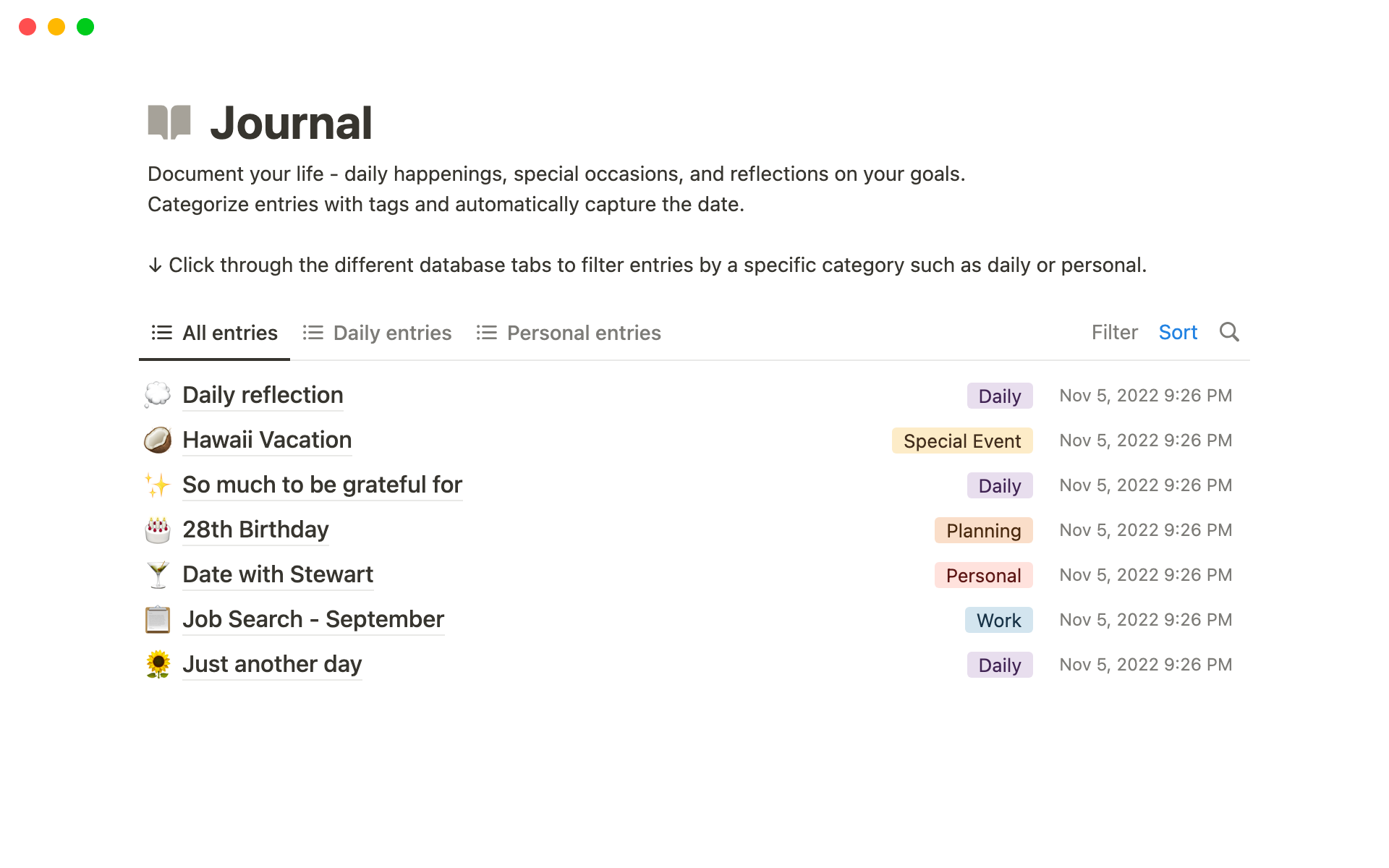
Image source is Notion's official journal template page.
Step 1, Create the Database
Create a database called "Journal" and add these properties:
- Date (date, primary)
- Mood (number 1-10 or select)
- Activities (multi-select: Exercise, Coffee with friend, Work crunch, Travel, Reading)
- Sleep (number, hours)
- Body (text, the entry itself)
Step 2, Build a Daily Template
In the database, click "New", then "Templates", then create "Daily." Pre-fill a short page:
# {{Date}}

## 3 things I'm grateful for
-
-
-

## What went well
-

## What didn't
-

## Today's focus
-

## Free-write
Set this as the default for new entries. The free personal tier is enough for most solo journalers. Per Notion's pricing page in May 2026, Plus is $10 per month if sync limits matter to you.
Step 3, Set a Daily Reminder
Use Notion Calendar or your phone calendar. Put the reminder at 8pm or right after you close work. Keep the entry to 5-10 minutes. Daily contact matters more than length.
Step 4, Add a Weekly Review
On Sunday, scroll the past seven days. Write three short lines at the top of the next entry. Name the week, one pattern you noticed, and one thing to carry forward. This turns the journal from an archive into a review loop.
Step 5, Do a Monthly Pattern Check
Once a month, filter the database by Mood <, 5. Then scan sleep and activity fields. You may see that low sleep usually comes before a poor mood score. You may find that social plans lift the average week. These are not universal rules. They are prompts for your own next month.
Templates Worth Using
Notion's template marketplace has 500+ journal templates. Start with one of these:
- Daily Reflection by Marie Poulin (free). Simple and tested by many users.
- 5-Minute Journal Notion (free). Adapts the popular paper journal.
- Habit Tracker + Journal Combo (paid, $5-15). Good for habit-stacking.
Do not over-buy. A plain template you use for 90 days beats a polished template you abandon after three. If you are comparing Notion with a graph-style notes app, see our Notion vs Obsidian comparison.
Template resources and creator responses
Template creators usually respond to the same four complaints: too many fields, weak mobile flow, unclear weekly review, and no way to find old entries. Use those complaints as a buying checklist.
Notion Mastery is useful if you want to understand databases, relations, and tracking logic before building your own journal. It is too much if you are only trying to start tonight. In that case, copy a simple daily template first and learn the database layer after the habit exists.
For marketplace templates, read creator notes before you duplicate the page. Good creators explain what changed after user feedback. Look for lines such as "mobile version added," "weekly review simplified," or "properties reduced." Avoid templates where the creator keeps adding dashboards without explaining the habit they support.
Use this review checklist before installing a template:
| Template signal | Good sign | Warning sign |
|---|---|---|
| Mobile writing | One tap from entry to text box | Several dashboards before the entry |
| Review habit | Weekly and monthly views are built in | Only daily pages, no review path |
| Properties | 4-8 fields | 20+ fields before you know what you need |
| Creator updates | Notes explain what was simplified | Updates only add more widgets |
Table 5: Checklist for choosing a Notion journal template based on mobile writing, review habit, property count, and creator updates
When another journal fits better
Choose Day One for private writing
Use Day One for pure journaling. It has a focused writing surface, on-this-day memories, photo entries, encryption, and offline use. Day One wins when:
- You want polish more than flexible databases.
- You journal on the go (offline beats Notion's cloud-only).
- You want photo-rich entries.
- You are a first-time journaler.
Choose Apple Journal for Apple devices
Apple Journal is free and Apple-only. It offers prompt suggestions and keeps the experience native. Per Apple's developer docs in May 2026, the Journal API exposes on-device prompts to other apps. That matters if you want an Apple-first setup with less manual structure.
Use Atlas for research follow-up
Atlas does not replace Notion or Day One as a journal. It becomes useful when your journal links to research notes, PDFs, or reading highlights. In that case, the journal is one source among many. You may want cited answers drawn from the full set of research notes and PDFs rather than a writing prompt tied only to the daily entry.
What the Research Says
James Pennebaker's writing research, including the 1997 review and earlier studies, found benefits from 15-20 minutes of writing for three or four straight days. The useful lesson for Notion is simple. Consistency matters more than length. A daily 5-10 minute entry usually beats one long weekly entry.
Structured mood and activity tracking can help users identify patterns they would otherwise miss. Notion is a low-friction way to pair a short entry with a few useful fields. Microsoft's Work Trend Index 2024 reported broad AI use among knowledge workers, so AI summaries are now normal in many note workflows. Still, the raw journal entry should come from you.
Common Mistakes
Keep the daily template short
The first mistake is overbuilding the template. A 30-prompt daily page becomes work before the writing starts, while three to five prompts is enough.
Review the journal every week
The second mistake is skipping the weekly review. Without review, the journal becomes storage. With review, it becomes feedback.
Prefer a rough entry to none
The third mistake is perfectionism. A rough three-sentence entry keeps the streak alive. A perfect template does not.
Use AI after writing
The fourth mistake is letting AI write the entry. Use AI for summaries or prompts. Do the raw writing yourself.
Separate journaling from research synthesis
For research-heavy journals, another mistake is treating the journal as the only workspace. If the same Notion system also collects paper notes, book notes, and research questions, read the Atlas guide to AI tools for academic research. That is the point where cited answers across sources matter more than another journal template.
When AI Helps Most
AI helps most after you have written. Notion AI can summarize a week. Atlas can help when journal notes sit beside research sources and you need cited answers across that wider set. Prompt ideas are fine when you are stuck. Avoid using AI to draft the private entry itself, because the thinking benefit comes from making the words yourself.
A Realistic First-Month Timeline
Most journaling habits collapse in week two. Knowing the failure curve in advance makes it survivable.
In days 1-3, setup feels exciting. You build the database, pick the template, and write three entries. Cap setup at 30 minutes. The Marie Poulin "Daily Reflection" template works as-is, so resist editing it for the first two weeks.
In days 4-10, the daily entry starts to feel like a chore. Shrink bad-day entries to three sentences and pair the journal with an existing trigger, such as morning coffee or closing the laptop. Notion reminders are easy to miss, so use a phone alarm if needed.
In days 11-21, entries may feel repetitive and mood scores often sit in the 5-7 range. That is normal. The activity patterns need at least three weeks of data before they mean much, so keep writing and do not redesign the setup yet.
In days 22-30, the monthly pattern check starts to pay off. You may see poor sleep before low mood, social plans before better mood, or too many work-only days before a slump. None of this is universal. The point is to make your own pattern visible.
Give the database 90 days before judging it. The Notion approach pays off most after the third month, when reviews have enough entries to show patterns rather than noise.
Privacy and Where Entries Live
Journals contain the most sensitive personal data most people generate. The storage model matters.
Notion encrypts data at rest with AES-256 and in transit with TLS 1.2 or later, according to its security and trust page. It is a cloud workspace without zero-knowledge encryption. Notion staff can access workspace content under standard cloud-provider rules. Notion says it does not use customer content to train AI models by default.
Day One offers end-to-end encryption as an opt-in setting. When enabled, Day One Sync uses device keys, so the company cannot read entries on its servers. For private journaling, that is the stricter default.
Apple Journal stores entries in iCloud. Entries are end-to-end encrypted when Advanced Data Protection is enabled, per Apple's data security page. Without that setting, entries are encrypted but may be accessible to Apple under legal process.
For routine reflection, Notion is fine. For trauma writing, medical detail, or anything you would not want disclosed, use Day One with E2EE on or Apple Journal with Advanced Data Protection on. Storage choice is part of feeling safe enough to write in plain, private detail.
Final recommendation
Notion for journaling works when daily entries connect to a wider note system. Start with one journal database, a short daily template, a weekly review, and a monthly pattern check. Day One wins for polished private writing. Apple Journal wins for a free Apple-native setup. The journal is the practice. The insight comes from review.
AtlasCompare AI tools for academic research
Match discovery, extraction, citation checks, and synthesis tools to each task.
Frequently Asked Questions
Yes, with caveats. Notion's database flexibility makes it the best journal app for habit tracking, mood + activity correlations, and connecting daily entries to projects or reading notes. The caveat: Notion is cloud-only (offline access is partial), which loses to Day One or Apple Journal for travel and intermittent connectivity. Notion also takes more setup, Day One works in 30 seconds. Pick Notion if you want a journal connected to a wider knowledge base, pick Day One if you want pure journaling polish.