
Best Note-Taking Apps for College Students (2026): 8 Tested
Best note taking apps for college students in 2026. Notion, Atlas, Obsidian, OneNote, GoodNotes, Notability, Apple Notes, Bear, tested across humanities, STEM.
- Byline

Summary
As of 2026, Notion is the best default college note app for notes, tasks, and class templates.
OneNote is the best free school-Microsoft pick, while GoodNotes is the best iPad handwriting app for STEM notes.
Atlas is a paid research tool for cited answers across course readings. Keep daily notes in Notion, OneNote, or GoodNotes.
Obsidian stores local files. Notability handles lecture audio. Apple Notes syncs across Apple devices, and Bear fits writing.
Choosing a note-taking app in college matters more than choosing one in high school. The notes you take freshman year should still help senior year and during job interviews. The wrong app means moving everything when you switch tools junior year. The right app compounds across four years.
This guide ranks 8 apps based on actual coursework testing across the four most common college majors. Each section explains who the app fits, what it costs, and where it falls short.
For a broader student-level guide that includes high school and graduate students, see best note-taking apps for students. For the broader study-app stack (apps beyond just note-taking), see best study apps for college students.
Choose by device or study context: Stay here when the decision starts with college workload, major, lecture format, or a four-year note system. For iPad and Apple Pencil, use the iPad guide. For S Pen, Surface Pen, or general handwriting, use the stylus guide.
If you are unsure, start free. Use Notion if you want one place for class notes and tasks. Use OneNote if your school runs on Microsoft tools. Use GoodNotes if you write on an iPad. Use Atlas when your real pain is making sense of long readings. Most students do not need a perfect stack in week one. They need a simple place to save notes. They need a way to mark up PDFs and find the key point later.
The fastest way to choose is not by brand. Pick one capture app, one source app, and one recall app. Capture is where lecture notes live. Source is where PDFs and readings get cited answers. Recall is where facts become flashcards or review prompts.

 Atlas
AtlasAsk cited questions across course readings
Upload assigned readings and trace each answer to its source passage.
How to Choose a College Note App
For a phase-by-phase walkthrough drawn from interviews with fourteen students, see the student's guide to AI research.
Five criteria.
Start with free or student-friendly pricing. Notion's .edu Plus plan is free. OneNote is free with school M365. Apple Notes is free with Apple ID. Most students should not pay for note-taking software in year one.
Check every device you use. A common week is messy. You may take notes on a laptop in class. Later, you may review on a phone or study on an iPad at the library. Apps locked to one ecosystem, such as Apple Notes and Bear, work well only if you stay there.
Treat PDF support as a core feature. College syllabi, readings, slides, and lab packets are often PDFs. NotebookLM and Atlas are strong for PDF Q&A. Notion and Apple Notes handle basic PDF storage.
Pick an app that compounds across courses. Linked-note apps such as Atlas, Obsidian, and Notion with backlinks help you connect ideas across classes. A concept that appears in PSY 201 and SOC 305 should be one search away.
Use handwriting only if your major needs it. STEM majors with iPads benefit from GoodNotes or Notability for equations and diagrams. Humanities majors usually do fine with typing.
Comparison Table
Start the table with your device and major. Then check whether writing by hand, PDF work, or AI answers matter most this term. This comparison table covers student pricing, STEM fit, handwriting, PDF workflow, AI policy fit, and sync.
| App | Student Pricing | Cross-Device Sync | Best Major Fit | Handwriting | PDF Workflow | AI / Policy Fit |
|---|---|---|---|---|---|---|
| Notion | Plus free with .edu | Yes | Most majors | Limited | Stores PDFs | AI add-on, check syllabus for graded use |
| Atlas | Free tier, Pro $20/mo | Web | Research / humanities | No | Upload readings and ask cited questions | Source-cited answers for study use |
| Obsidian | Free personal, Sync paid | Yes with paid Sync | CS / engineering | Plugin | Local files and plugins | Plugin-based with user setup |
| OneNote | Free with Microsoft account | Yes | Windows / general | Yes on Surface | Attach and mark up files | Copilot depends on school plan |
| GoodNotes | Limited free, $9.99/yr | Apple-first | STEM | Yes with Apple Pencil | Strong PDF markup | No broad AI writing layer |
| Notability | Limited free, $14.99/yr | Apple-first | Lecture-heavy | Yes | Strong PDF markup | Audio review, check recording rules |
| Apple Notes | Free with Apple ID | Apple-only | General Apple users | Basic | Stores PDFs | Apple Intelligence where available |
| Bear | Limited free, Pro $14.99/yr | Apple-only | Writing majors | No | Stores attachments | No broad AI layer |
Table 1: College note-taking app comparison by student price, sync, major fit, handwriting, PDF workflow, and AI policy fit.
College Workload Scores
I scored each app on a 0-5 college workload rubric: lecture capture, PDF handling, review, sync, price, and retrieval. These scores answer one student question. How well does this app hold up across a normal semester?
| App | Workload Score | Why It Scores There |
|---|---|---|
| Notion | 4.6 | Best balance of notes, tasks, templates, and free student pricing |
| OneNote | 4.3 | Strong free cross-device notes for Microsoft schools |
| GoodNotes | 4.1 | Best iPad handwriting and PDF markup, weaker for typed archives |
| Atlas | 4.0 | Strongest cited-reading workflow, but paid and not for daily notes |
| Obsidian | 3.9 | Best file ownership and links, more setup for first-year students |
| Notability | 3.7 | Great lecture audio, narrower platform fit |
| Apple Notes | 3.5 | Fast and free on Apple devices, weak for mixed-device students |
| Bear | 3.2 | Lovely writing app, less complete for course operations |
Table 2: College workload scores for eight note-taking apps across lecture capture, files, review, sync, price, and retrieval.
8 Best College Note-Taking Apps
The eight apps below cover the main college workflows surfaced by the comparison: an all-in-one class workspace, research synthesis, local files, Microsoft campuses, iPad handwriting, lecture audio, free Apple notes, and focused writing.
1. Notion: Best All-in-One for College
Notion is the most-installed note-taking app among college students in 2026. With a .edu email, students get the Plus plan free. Its templates for study plans, course notes, GPA tracking, and syllabi lower setup cost.
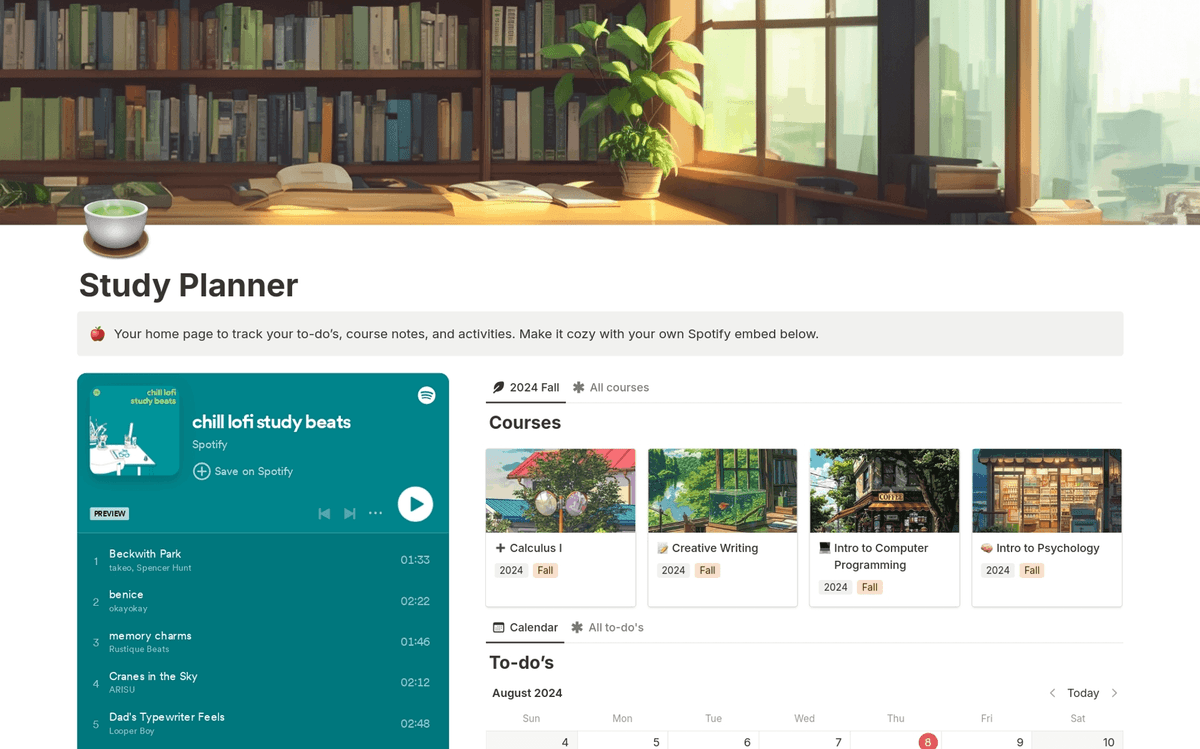
Notion fits students who want one tool for notes, assignments, and templates.
Pricing: Free Plus plan with .edu email.
2. Atlas: Best for Research-Heavy Majors
Atlas is the upgrade for research-heavy majors. It fits humanities, social science, and pre-thesis work. Upload course readings, lecture slides, and your own notes. Atlas builds a mind map that shows how ideas connect. Every AI answer cites the exact passage.
Atlas fits students who need to connect many readings across a term. It is also the expensive, specialized pick on this list. Use Notion or OneNote for everyday lecture notes. Use Atlas when you need cited answers across long readings and PDFs.
A concrete Atlas workflow for a political science seminar:
- Upload three assigned PDFs on voting behavior.
- Ask, "Which authors treat turnout as a social pressure problem rather than a cost-benefit problem?"
- Check the cited passages before you use the answer in a reading response.
- Save the answer as a source-backed study note. Write the final essay paragraph yourself after checking the cited passages.
Pricing: $20/mo Pro. Atlas can answer cited questions across your course readings.
3. Obsidian: Best for Power Users
Obsidian stores notes as local markdown files. The plugin ecosystem extends it into nearly any workflow. The bidirectional-link graph view is the best of any app on this list.
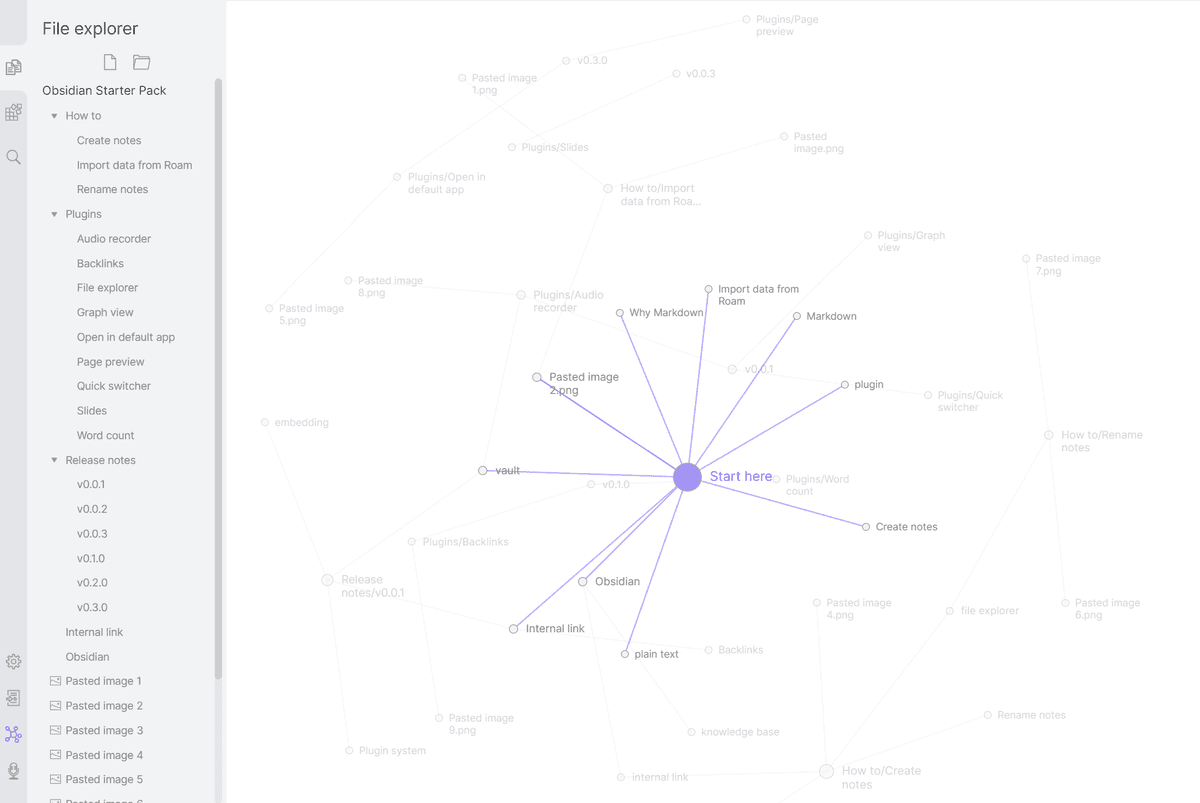
Obsidian fits CS students, engineering students, and power users who want full file ownership. Pricing: Free for personal use, $8/month Sync.
4. OneNote: Best Free Windows App
Microsoft OneNote is free with a Microsoft account. Many universities include M365 with student accounts. That makes OneNote feel built in on Windows-heavy campuses.
OneNote fits Windows users, Surface users, and students whose school provides M365. Pricing: Free with Microsoft account.
5. GoodNotes: Best for STEM with iPad
For math, physics, engineering, and chemistry students with an iPad and Apple Pencil, GoodNotes is the standard. Writing equations by hand is faster than typing them. Marking up PDF slides also feels smooth.
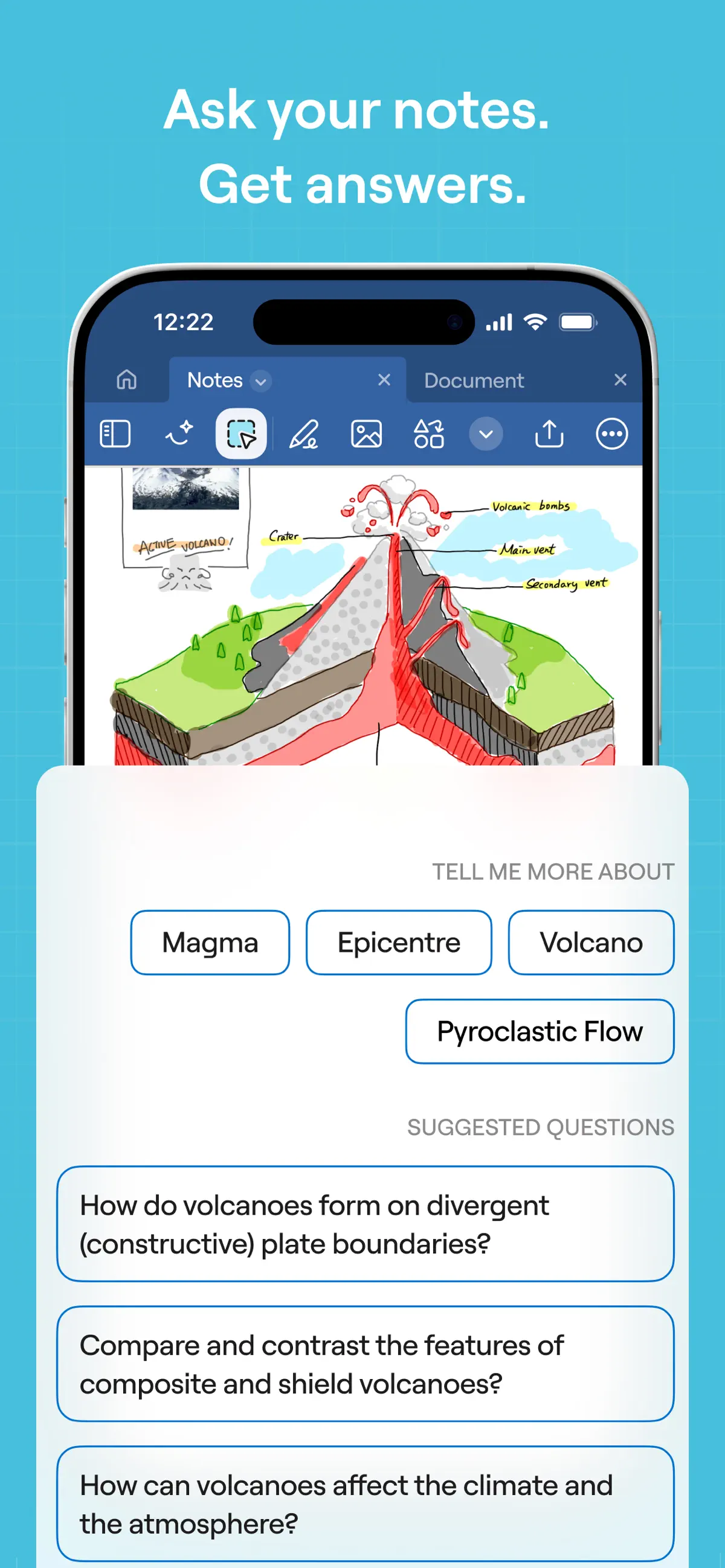
GoodNotes fits STEM students with an iPad and Apple Pencil. Pricing: $9.99/year.
6. Notability: Best for Lecture-Heavy Classes
Notability lets you record a lecture while you write notes. Tap a word later, and the app jumps to that moment in the audio. This helps in law school, history, and slow lecture classes.
Notability fits classes where lecture review matters. Pricing: $14.99/year.
7. Apple Notes: Best Free Apple Option
Apple Notes added smart folders, math notes, and Apple Intelligence summaries in 2024-2025. For Apple-only students, it covers most needs at no cost.
Apple Notes fits Apple-only students who want zero friction. Pricing: Free with Apple ID.
8. Bear: Best for Writing-Heavy Majors
Bear is the polished, design-forward Apple-only alternative. Markdown-first, hashtag-organized. Bear 2 added wiki-style links.
Bear fits English, journalism, and creative writing majors on Apple devices. Pricing: Free tier, Pro $14.99/year.
Best Note-Taking App by Major
Humanities, Social Science, Political Science, Pre-Law
Use Atlas with Notion. Atlas connects readings across the semester. Notion handles assignment tracking and life logistics.
STEM (Math, Physics, Engineering, Chemistry)
Use GoodNotes for iPad writing. Add Notion or Obsidian for typed concept notes. Then use Atlas for links across courses.
Pre-Med and Biology
Use Notion to stay organized, NotebookLM for PDF readings, and Anki for recall. Pre-med work leans heavily on memory, so a notes app alone is not enough.
Computer Science
Use Obsidian for Markdown notes, code blocks, and plugins. Add Atlas for paper synthesis and keep VS Code for code-heavy work.
English and Creative Writing
Use Bear on Apple devices or Notion across platforms for drafts. Add Atlas for research synthesis.
Languages
Use Anki for vocabulary, Notion or Apple Notes for grammar notes, and Quizlet for shared decks.
Law School
Use Notability when audio helps you review case talks. Add Notion for case briefs and Anki for rule recall.
If your work involves connecting ideas across readings, test Atlas with material from one course and check whether its citations lead back to the right passages.
Build Your College Note Stack
One app does not need to handle every academic task. The sections below cover useful companion tools, no-cost combinations, and the specific limits that justify paying for an upgrade.
Useful Add-Ons and Near Misses
Some tools are useful for college, but they are not the main note home for most students.
Google NotebookLM is the strongest free add-on for reading-heavy courses. Google says students can upload notes, lecture recordings, and class materials, then ask questions with citations. It can also make Audio Overviews, Mind Maps, and Flash Cards from your sources. Use it beside Notion or OneNote when course files need to become a study guide. Keep the full class notebook in Notion, OneNote, or another daily notes app.
Logseq is the local-first outliner pick. Its official site positions it as open source and privacy first. It fits students who like daily journals, blocks, backlinks, and file control. It is less friendly than Notion for shared class dashboards.
Anytype is the privacy-first workspace pick. Its official site says your data stays on your device and that the app is offline-first. It fits students who want local storage, graph views, and databases without putting every note in a cloud workspace. It is more setup than Apple Notes, OneNote, or Notion.
AudioPen is useful when your best notes start as speech. Its official site says it transcribes what you say and rewrites it into clear, structured text. Use it after office hours, group study, or a walk back from class when typing would slow you down. It is not a full notebook.
Drawboard PDF is worth a look for engineering, architecture, and other PDF-heavy courses. Its product page focuses on PDF markup, annotated-page export, objects, callouts, and audio notes. Use it when GoodNotes feels too notebook-first and your real work is marking up long technical PDFs.
The testing rubric was simple. A college note app had to work for class capture, course files, review, and later retrieval. Free or low-cost tools scored higher for first-year students. Handwriting mattered for equations, diagrams, and PDF slide markup. Cited AI mattered only when the app could point back to source material.
Recommended Free Stacks for College
The Apple stack uses Apple Notes for class notes, NotebookLM for PDFs, and Atlas Pro for synthesis.
The cross-platform stack uses OneNote for class notes, NotebookLM for PDFs, and Atlas Pro for synthesis.
The Notion-first stack uses the free .edu Plus plan for daily notes and Atlas Pro for synthesis.
The free pieces cover notes, PDFs, and AI-assisted study. That is enough for most college students through senior year.
When to Upgrade
Pay when you hit a specific wall:
- Cross-course synthesis is critical → Atlas Pro $20/month.
- iPad handwriting is critical → GoodNotes $9.99/year.
- Lecture audio matters → Notability $14.99/year.
- Outgrew Obsidian free with no Sync → Obsidian Sync $8/month.
A typical paid college stack is one or two of the above, not all.
Handwriting vs Typing: What Research Shows
The choice of app interacts with the choice of medium. Recent research points in a clear direction, with some caveats.
Flanigan and colleagues reviewed 24 studies in 2024. They found higher college course results for students who took and reviewed handwritten notes. Typing still produced more notes by volume. The benefit from writing by hand appears during review and recall. Fast first capture is still where typing helps.
A 2025 review in PMC looked at brain-scan evidence. It reported that writing by hand uses more motor, sense, and thinking regions. Typing uses fewer circuits and can make students more passive. Scientific American's coverage of the same work makes the same point in plain terms. Typing can lead to word-for-word capture. Writing by hand forces summary.
The evidence is not one-sided. A 2025 rebuttal in the same journal noted that several widely cited studies tested lab tasks rather than classroom learning. Earlier reviews have also been mixed. The writing-by-hand edge can disappear when a study skips the review step.
For a college student in 2026, the strongest setup is split by task. Use iPad plus Apple Pencil with GoodNotes, Notability, or Apple Notes for lectures. Use a typed app such as Notion, Atlas, OneNote, or Obsidian for reading notes, project docs, and synthesis. Handwrite for live capture and review. Type for search, storage, and structured output.
The Learning Scientists blog highlighted a middle path in 2024: write by hand on a tablet with a stylus. You get the learning benefit of handwriting plus the search and backup of a digital note. GoodNotes and Notability index handwriting with OCR. Apple Notes does the same with strong on-device search.
Privacy and FERPA Considerations
Notes can include details about classmates, such as study-group transcripts or peer-review feedback. That can create FERPA concerns even when the note is personal. Use three rules.
Do not store peer details in commercial note apps without consent. Names, grades, and clear personal details together can become a protected school record.
Use school-provided tools for graded peer work. Canvas, Blackboard, and Brightspace are safer because the school controls them as official systems.
Personal study notes are different. A student's own course notes are not education records under FERPA. The law applies to records the institution keeps about the student.
Check cloud and AI rules before upload. Notion, Atlas, OneNote, and Apple Notes all state that user content is not used to train outside AI models. Be more cautious with lecture audio that captures other students' voices.
Pricing in Practice
For a student on a tight budget, OneNote plus Apple Notes plus the Obsidian free tier costs $0. If you need iPad handwriting, add GoodNotes at $9.99/year. If you also need cited answers across readings, add Atlas Pro at $20/month. That makes Atlas the main paid line item. Use it only when source-backed reading work is worth the cost.
Final Take
The best note-taking app for college students in 2026 is Notion for most users. Choose Atlas for reading-heavy majors. Choose GoodNotes for STEM with iPad. Choose OneNote for the strongest free cross-platform option. Pick small, stay consistent, and the compounding starts in semester two.
AtlasAsk cited questions across course readings
Upload assigned readings and trace each answer to its source passage.
Frequently Asked Questions
Notion is free for college students with a .edu email, Plus plan with unlimited blocks. OneNote is free with any Microsoft account, often included with school M365. Apple Notes is free for Apple users. NotebookLM (free, Google) excels at chatting with PDFs and lecture slides. Atlas ($20/mo Pro) covers cross-document synthesis. The best free stack pairs one cross-platform note app (OneNote, Notion) with NotebookLM for AI-grounded answers, add Atlas Pro when you outgrow it.