
Best Note-Taking Apps for Students (2026): K-12 to College
Best note taking apps for students in 2026: across high school, middle school, undergrad, and lifelong learners. Free-first picks, school-issued device support.
- Byline

Summary
Most students should start with OneNote or Apple Notes for free class notes. Add Notion, Atlas, or NotebookLM only when the work needs it.
The updated guide compares daily note apps, research add-ons, local-file tools, iPad writing apps, PDF readers, and flashcard tools.
Use OneNote or Apple Notes for free class notes. Use Notion for school planning. Use Atlas or NotebookLM when study work needs cited sources.
The evaluation covers school and college use, handwriting, device support, AI policies, active review, and study workflows.
Note-taking software for students has to answer 3 questions. Does it run on the school laptop or iPad? Is it free or already paid for by the school? Is it simple enough to keep the student focused? This guide starts there, then adds picks for older students who need help with research reading.
This guide ranks 8 apps tested for middle school, high school, and broad student use, and it also helps undergrads who want a starter pick. Each section covers fit, cost, and weak spots.
In college and looking for a guide built for college work? See best note-taking apps for college students. That guide covers long reading lists, recorded classes, citations, and study-group sharing. Those needs do not apply to most younger students. For broader study apps beyond note-taking, see best study apps for college students.
Choose by device or study context: Stay here for broad K-12 and student needs. Use the college guide for major-specific and long-term coursework, the iPad guide for Apple Pencil, and the stylus guide for S Pen, Surface Pen, or device-neutral handwriting.

 Atlas
AtlasSee when Atlas belongs beside a notes app
Compare cited course reading in Atlas with daily notes and planning in Notion.
What to Look For
For a phase-by-phase walkthrough drawn from interviews with fourteen students, see the student's guide to AI research.
5 criteria matter most for K-12, high school, and broad student use.
First, check the school device. Chromebook students need a web app. iPad students need a strong iPad app. Windows students often already have OneNote through Microsoft 365. In many schools, the device narrows the choice fast.
Most younger students should not pay for note software. OneNote works with a school Microsoft account. Apple Notes works with family iCloud. Notion Plus is free with many school .edu emails. Those options cover most needs.
A note app for a 14-year-old is competing with TikTok. Focused apps such as OneNote, Apple Notes, and Bear often serve younger students better than large all-in-one workspaces.
Sharing should be simple. Parents, study groups, and group projects should not need an admin setup. iCloud Family Sharing, shared OneNote notebooks, and shared Notion pages all handle this well.
Handwriting is optional, but it helps some students. If drawing and diagrams help, try an iPad with Apple Pencil. Most students still do fine with a keyboard.
This list does not focus on citation tools, recorded classes, multi-year maps, or AI work across hundreds of pages. Those concerns matter more in college. They belong in the college-specific guide.
Best note-taking apps for students by workflow
Choose the app for the school job it needs to handle. Most students need one free app for class notes and one review tool for memory. Some college students also need a research layer for hard reading. The list below separates class notes, research, local files, free notebooks, handwriting, recorded lectures, and Apple-only writing. For research-heavy college work, compare Atlas against other AI tools for academic research before adding it to the stack.
- Pick Notion when notes, tasks, and school planning need to live together.
- Pick Atlas when reading-heavy college work needs cited answers across sources.
- Pick Obsidian when local files and long-term links matter.
- Pick OneNote when the school already uses Microsoft 365.
- Pick Apple Notes when the student lives on iPhone, iPad, and Mac.
- Pick GoodNotes when iPad handwriting is the main job.
- Pick Notability when recorded lectures need to sync with written notes.
- Pick Bear when an Apple-only student wants a clean writing app.
1. Notion: Best All-in-One for Students
Notion is one of the most common note apps on campus in 2026. With a .edu email, students get the Plus plan free. That includes unlimited blocks, file uploads, and page history. Class-note templates, GPA trackers, and study planners are easy to find.
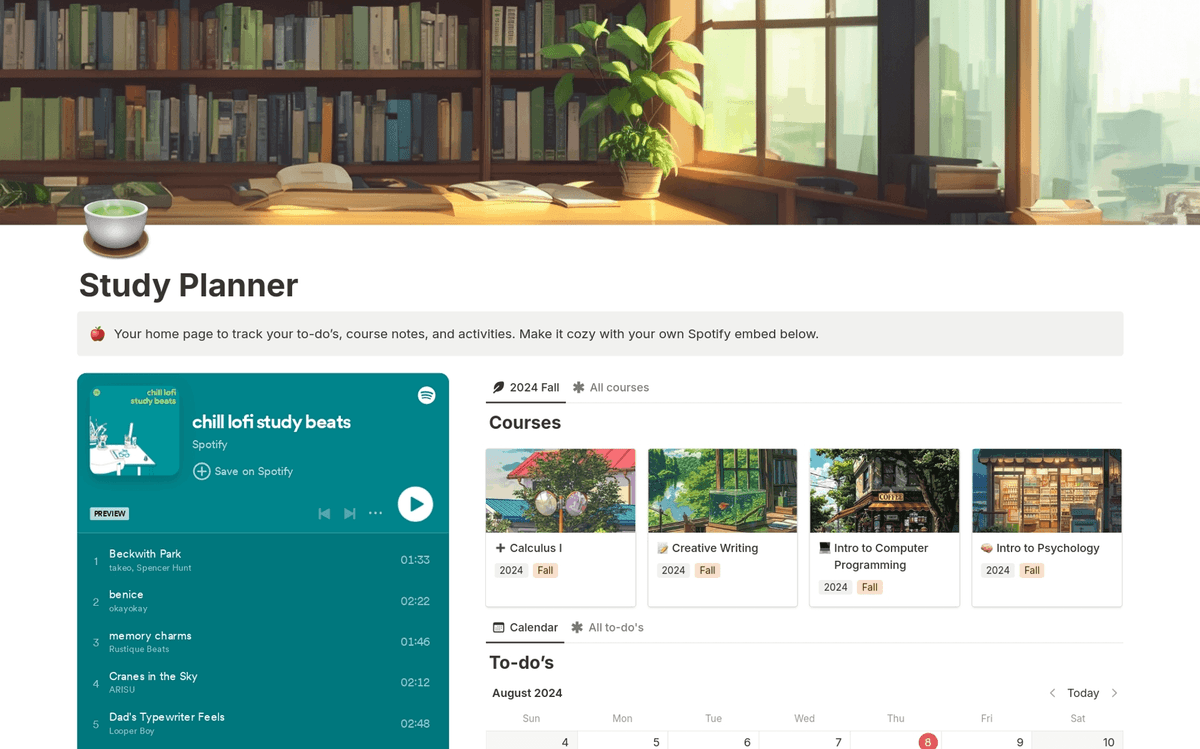
Notion for Education shows a planner view on its education product page. The layout works well when tasks and notes live together.
Choose Notion when the same workspace needs to hold class notes, assignments, and life planning.
Pricing: Free Plus plan for students with .edu email.
2. Atlas: Source-Cited Study Add-On
Atlas is not the daily notebook most students should open in every class. It is an add-on for reading-heavy courses. Use it when your normal notes app cannot answer across assigned readings. Upload readings, slides, and your own notes. Atlas maps how ideas connect and answers with cited sources.
| Student job | Daily notes app | Atlas |
|---|---|---|
| Free class capture | Better fit | Free tier, but not the main notebook |
| Device support | Better on iPad, Windows, and school devices | Web app for reading work |
| Handwriting | Better in OneNote, Apple Notes, or GoodNotes | No handwriting layer |
| AI study tools | Often generic or paid | Cited Q&A across PDFs, slides, and notes |
| Academic policy fit | Good for private notes | Best when citations must be checked |
| Active recall | Needs templates or flashcards | Useful for explaining links between readings |
Table 1: Atlas comparison for class capture, device support, handwriting, AI study tools, academic policy fit, and active recall.
For a concrete workflow, upload 3 assigned PDFs and class slides, then ask, "How do these readings define social capital differently?" Atlas should answer with cited passages from the files you gave it. Open the cited passages before writing so each claim traces back to the assigned reading.
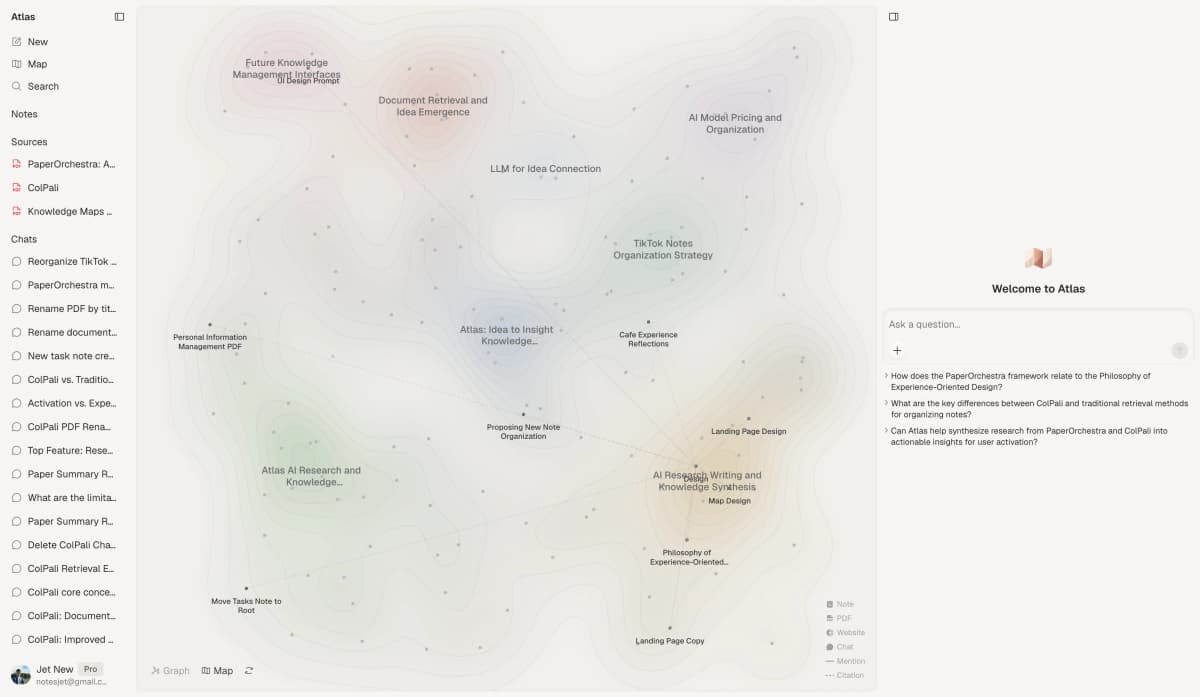
This first-party Atlas screenshot shows where it fits. Keep daily class notes in another app. Use Atlas when you need cited answers across readings and class slides.
Atlas fits students who need to pull ideas from many assigned readings. Pricing: $20/mo Pro.
See how Atlas compares with Notion when you need to choose between cited reading support and an all-in-one class workspace.
3. Obsidian: Best for Power-User Students
Obsidian stores notes as local markdown files. Its 2,000+ community plugins extend the app. Links and graph view connect notes across courses.
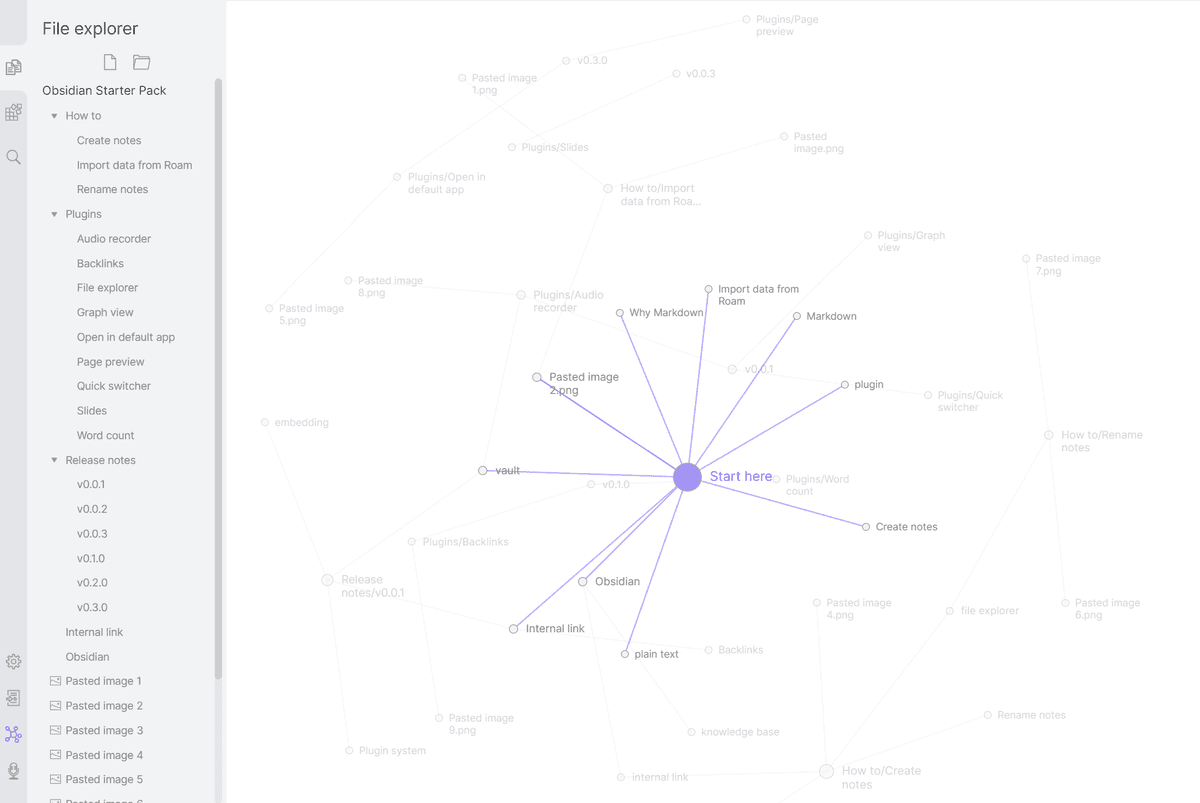
Obsidian Help screenshot from the Graph View documentation. The key feature is graph view. Linked notes appear as nodes, so course links become visible.
Obsidian fits power users, CS students, and anyone who wants to keep local files. Pricing: Free for personal use, $8/month Sync.
4. OneNote: Best Free Cross-Platform
Microsoft OneNote is free with a Microsoft account. Many schools include it with M365. The notebook, section, and page layout fits class folders. It works on Windows, Mac, iOS, Android, and web.
OneNote is the easiest pick for Windows users, Surface users, and schools with M365. Pricing: Free with Microsoft account.
5. Apple Notes: Best Free Apple Option
Apple Notes is free, fast, and built into Apple devices. It has smart folders, math notes, shared notes, and Apple Intelligence summaries. That is enough for many students who already use iPhone, iPad, and Mac.
Apple Notes fits students who use Apple devices and want almost no setup. Pricing: Free with Apple ID.
6. GoodNotes: iPad STEM Handwriting
For math, physics, and chemistry, handwritten notes still beat typing for equations and diagrams. GoodNotes is the most-used iPad writing app.
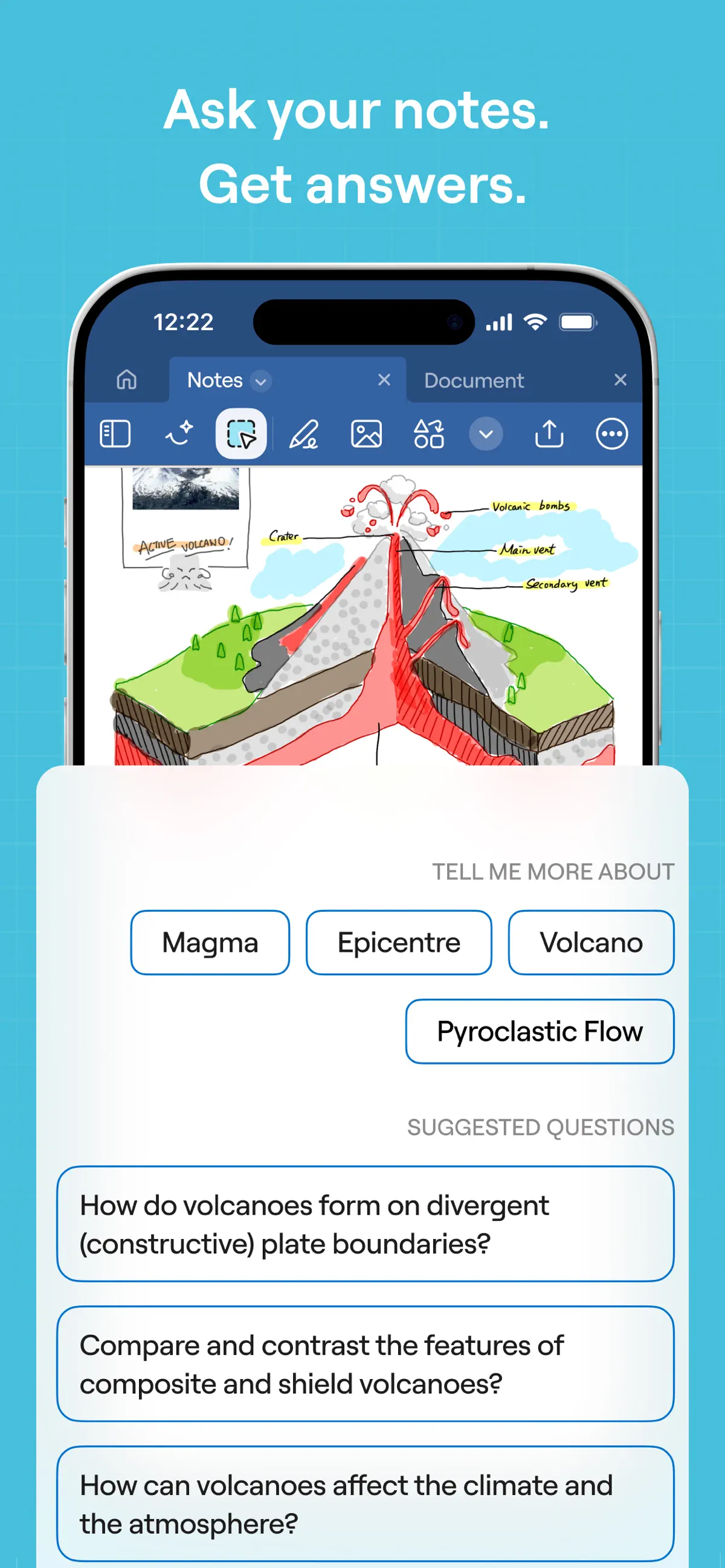
This GoodNotes App Store screenshot shows the key handwriting feature. Students can keep written problem pages in notebooks for diagrams, equations, and problem sets.
GoodNotes is the clearest fit for STEM students with an iPad and Apple Pencil. Pricing: $9.99/year.
7. Notability: Best for Lecture Recording
Notability's strongest feature is recorded audio synced to writing. Tap a word later and jump to that moment in the recording. That helps in slow lectures and law classes.
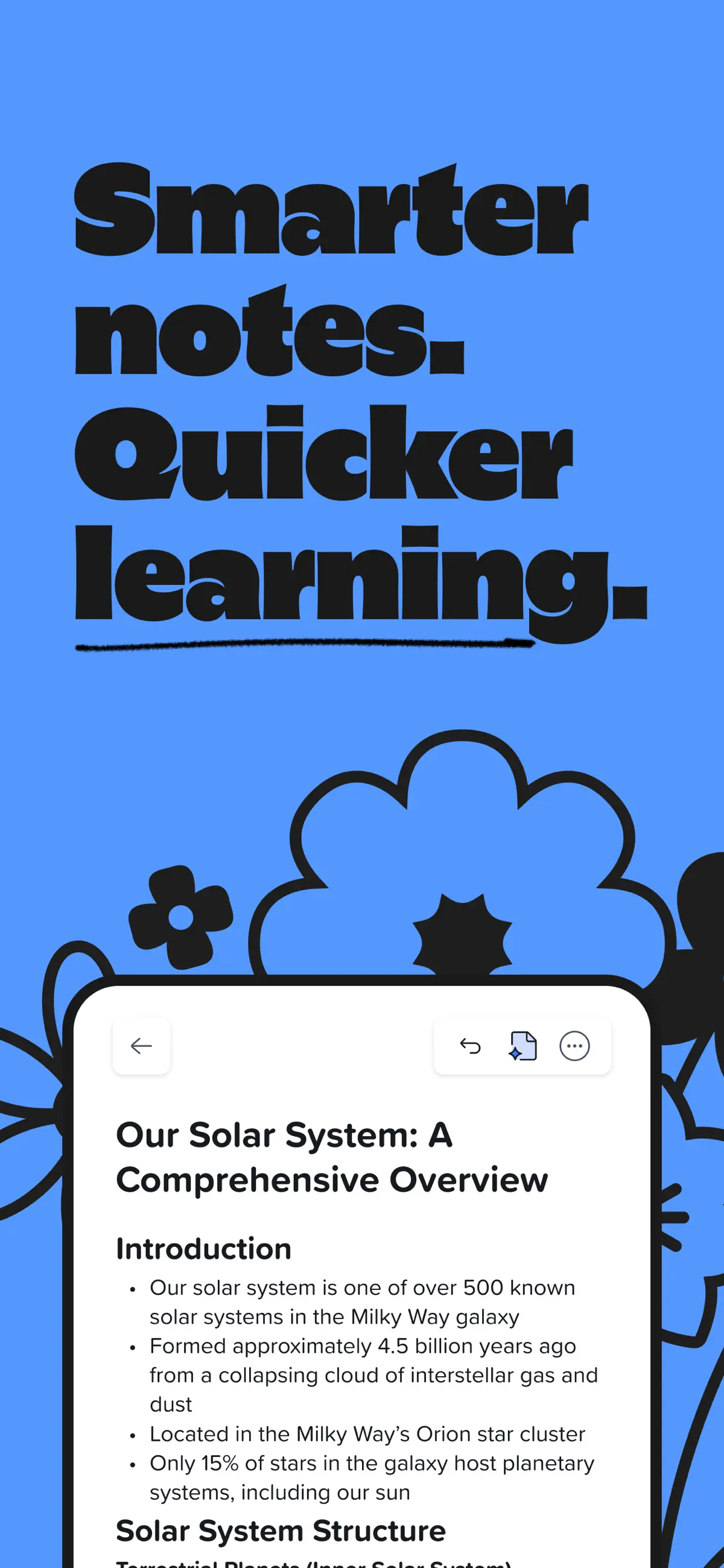
This Notability App Store screenshot shows the study interface students use when recorded notes matter.
Notability fits lecture-heavy classes where students want to listen more and write less. Pricing: $14.99/year.
8. Bear: Apple-Only Writing Notes
Bear is the polished Apple-only choice. It uses markdown, hashtags, and a clean editor on iOS and macOS. Bear 2 also added wiki-style links.
Bear fits Apple-only students who write a lot for class. Pricing: Free tier, Pro $14.99/year.
Comparison Table
Use the table to match each app to the job it handles best. Most students need a free capture app first. Atlas matters when class notes turn into cited answers across several readings.
| App | Free | Devices | Pen | AI | Policy fit | Review |
|---|---|---|---|---|---|---|
| Notion | .edu Plus | Web, desktop, mobile | Weak | Paid add-on | Private class notes | Templates |
| Atlas | Free tier | Web | None | Cited Q&A | Verifiable sources | Reading links |
| Obsidian | Personal | Desktop, mobile | Weak | Plugins | Local files | Backlinks |
| OneNote | Yes | Windows, Mac, web, mobile | Good | Copilot where enabled | School M365 | Review pages |
| Apple Notes | Yes | Apple | Good | Apple Intelligence | Personal notes | Checklists |
| GoodNotes | Limited | iPad-first | Excellent | Limited | Problem sets | Needs companion |
| Notability | Limited | Apple-first | Excellent | Limited | Check recording rules | Lecture replay |
| Bear | Limited | Apple | None | None | Private writing | Weak |
Table 2: Student note apps compared by cost, device fit, pen support, AI study help, school policy fit, and review support.
Decision Guide for Student Note-Taking Apps
Where Atlas Fits
Use Atlas beside your regular notes app when taking notes is no longer the hard part. Keep daily class notes in a general notebook. Use Atlas as the cited research layer for dense readings.
Choose OneNote or Apple Notes for everyday class notes. Add Atlas only when the assignment asks you to compare readings, check citations, or explain how several sources connect.
Best Note-Taking App by Major
Humanities, social science, pre-law, and English students can use Notion or OneNote for daily class order. Add Atlas when readings pile up and you need cited answers.
STEM students should start with GoodNotes for iPad writing. Add Atlas for links between course ideas, or use Obsidian if local files matter more.
Pre-med and biology students need Anki for facts that must stick. Use Notion or Atlas for notes. Use NotebookLM as a free PDF reader.
CS students often do well with Obsidian, since markdown notes last for years. Add Atlas when a paper set gets hard to connect. Use VS Code extensions for code-heavy notes.
Language students should use Anki for vocab. Use Apple Notes or Notion for grammar notes. Use Quizlet when the class shares decks.
Law students can use Notability for recorded case talks, Anki for rules, and Notion or Atlas for case briefs.
If your major asks you to connect many readings, use Atlas as the research layer beside your daily notes app. It does not need to hold every class note.
Free vs Paid: When to Pay
Most students do well with free tools for the first year. Use Apple Notes or OneNote for class notes. Use NotebookLM for PDF reading. Use Anki for facts. For iPad-heavy workflows, compare the dedicated iPad note-taking app guide before paying.
Pay when you hit a specific wall:
- Need cross-course synthesis → Atlas Pro $20/month
- Outgrew Notion free → Personal Pro $10/month (rare for students with
.edu) - Need iPad handwriting beyond Apple Notes → GoodNotes $9.99/year
- Need audio-synced lecture notes → Notability $14.99/year
Students should avoid stacking 5 paid apps. The best setups stay small and get used every week.
What the 2024-2025 Research Says About Note-Taking
The 2024 Flanigan review in Educational Psychology Review covered 24 studies of college notes. It found that taking and reviewing handwritten notes produced higher course achievement (Hedges' g = 0.248, p <, 0.001). Typing produced more notes, but the edge for handwriting showed up during review.
A 2025 review in PMC looked at brain-scan research on handwriting and typing. It reported that handwriting uses more motor, sensory, and thinking regions. Typing uses fewer circuits. In plain terms, typing makes it easier to copy words. Handwriting pushes students to shorten ideas and say them again.
A 2025 rebuttal noted that several widely cited studies tested lab tasks instead of classroom learning. Earlier reviews have also been mixed. The handwriting edge often shrinks when a study skips the review step.
For students in 2026, the practical setup is split. Use an iPad and Apple Pencil with GoodNotes, Notability, or Apple Notes for live class notes. Use a typed app such as Notion, Atlas, OneNote, or Obsidian for reading notes, projects, and search. Write by hand when capture and review matter. Type when search and clean output matter.
Privacy and FERPA Considerations for Students
Be careful with notes that include classmates. Study-group transcripts and peer feedback can include private school information.
A student's own course notes are personal records. FERPA usually covers records kept by the school. Private study notes sit outside that system in most cases.
Use the school LMS for graded peer work. Canvas, Blackboard, Brightspace, and Moodle are official school systems. They are the right place for graded records.
Check AI training rules before adding student work. Notion, Atlas, OneNote, and Apple Notes all state that user content is not used to train outside AI models. Ask first before uploading class recordings that include other students' voices.
Pricing by Student Year
| App | Free Tier | Paid Entry | Annual Cost | Student Discount |
|---|---|---|---|---|
| Notion | Yes (generous) | $10/mo Plus | $0 | Plus free with .edu |
| Atlas | Yes | $20/mo Pro | $0-$240 | Pro free for students upon request |
| OneNote | Yes (with MS account) | M365 Personal | $0-$99.99 | M365 Edu often free via school |
| Apple Notes | Yes | iCloud+ optional | $0-$35.88 | N/A |
| Obsidian | Free personal | Sync $4-$8/mo | $0-$96 | N/A |
| GoodNotes | Yes (3 notebooks) | $9.99/yr | $9.99 | N/A |
| Notability | Limited | $14.99/yr | $14.99 | N/A |
Table 3: One-year student costs for the main free and paid note-taking options in this guide.
For a student on a budget, OneNote plus Apple Notes plus Obsidian free runs $0/year. For an iPad student, GoodNotes plus Apple Notes plus Atlas Pro is the strongest research-backed stack at $249.99/year.
Which Should You Choose?
The best note-taking app for students is the one that fits your major, devices, and budget. Choose Notion for an all-in-one workspace. Choose Obsidian for power use. Choose OneNote or Apple Notes for free daily notes. Choose GoodNotes or Notability for iPad writing. If hard reading is the bottleneck, add a research layer only after the daily notebook is working. Pick a small stack and use it each week, because the payoff starts in semester two.
AtlasSee when Atlas belongs beside a notes app
Compare cited course reading in Atlas with daily notes and planning in Notion.
Frequently Asked Questions
OneNote (free with Microsoft account, often available through school) and Apple Notes (free with iCloud) are the top free picks for everyday class notes. Notion is free for students with .edu email, Plus plan unlocked. NotebookLM is free with a Google account and excellent for working with PDFs. For free linked notes, Obsidian is free for personal use. Most students do well combining 2 free tools rather than paying for one.