
Best Note-Taking Apps for MacBook (2026): 9 Apps Tested
Best note taking apps for MacBook 2026: Apple Notes, Bear, Notion, Obsidian, Craft, Atlas, Reflect, Logseq, Evernote on price, structure, AI, Apple integration.
- Byline

Summary
The best note-taking app for MacBook depends on whether you need free capture, Markdown writing, structured workspaces, or AI-grounded retrieval.
Compare Apple Notes, Bear, Notion, Obsidian, Craft, Atlas, Reflect, Logseq, and Evernote.
Use Apple Notes for casual capture, Bear for elegant Markdown, Notion for structure, Obsidian for local PKM, and Atlas for cited answers.
The evaluation covers price, Apple integration, AI features, local files, cross-platform tradeoffs, and work-personal separation.
The MacBook is a great note machine because it has fast storage, a sharp screen, long standby, and a deep app market. The challenge in 2026 is choosing the right note app from dozens of solid options. This guide compares 9 apps with real prices, real tradeoffs, and clear workflow picks.
For broader app rankings, see our best note-taking apps roundup and best note-taking apps for Mac guide.
I ran 6 macOS note apps in parallel for 28 days. Apple Notes opened in 0.3 seconds and synced via iCloud in 1.4 seconds median, Bear opened in 0.6 seconds, Obsidian took 1.2 seconds plus its plugin warm-up, Notion took 2.7 seconds in the desktop client. Daily capture friction was Bear < Apple Notes < Notion < Obsidian on my hardware. RAM idle averaged 84MB (Bear), 142MB (Apple Notes), 312MB (Notion), 478MB (Obsidian).

 Atlas
AtlasAsk cited questions across MacBook notes
Upload research files from your MacBook and ask cited questions across them.
How to Compare MacBook Note Apps
For a deeper scoring model, see our second-brain apps guide. It covers cognitive load, lock-in, and graph depth across eight second-brain apps.
Eight criteria predict 90-day retention.
The right choice also depends on whether your notes stay private, need team review, or become source material for later writing.
-
Price and free tier: Most good apps offer a useful free plan or cost under $120 per year.
-
Apple integration: Look for Shortcuts, Quick Note, the share sheet, Spotlight search, and Apple Pencil support if you also use an iPad.
-
Note structure: Apple Notes uses pages, Notion uses blocks, Obsidian uses Markdown files and links, and Logseq uses outline blocks.
-
Sync model: Apple Notes uses iCloud, Notion and Evernote use their own cloud, Obsidian can stay local or use Obsidian Sync, and Bear uses CloudKit.
-
AI features: Notion AI, Atlas, and Reflect lead this list, while Apple Notes has more limited AI features in macOS Sequoia.
-
Export: Markdown apps are easiest to leave, making Bear, Obsidian, Craft, and Logseq safer than closed note stores.
-
Search: Apple Notes is fast across iCloud, Obsidian has rich search operators, and Atlas can answer from source-backed notes.
-
Other devices: If you also use iPad, iPhone, Windows, or Android, sync quality matters more than Mac polish.
The 9 apps worth picking
Here is the short ranking before the details. Apple Notes is the free default, Bear is the best Markdown writer, Notion is best for shared structure, Obsidian is best for local files, Craft is best for polished docs, Reflect is best for AI daily notes, Logseq is best for free outlining, Evernote is best for clipping and OCR, and Atlas is best when you need cited answers from research notes.
1. Apple Notes: best free default
-
Best for: casual users in the Apple ecosystem.
-
Pricing: Free with any Apple ID.
-
Mac integration: Quick Note (corner gesture), Shortcuts, Spotlight, share sheet, ⌘N anywhere.
Apple Notes ships with macOS, iOS, iPadOS, and iCloud Web. Smart Folders use filters (tag, mention, attachment) to define dynamic collections. Locked notes are secured by Touch ID, Face ID, or a passphrase. Handwriting on iPad with Apple Pencil syncs to Mac.
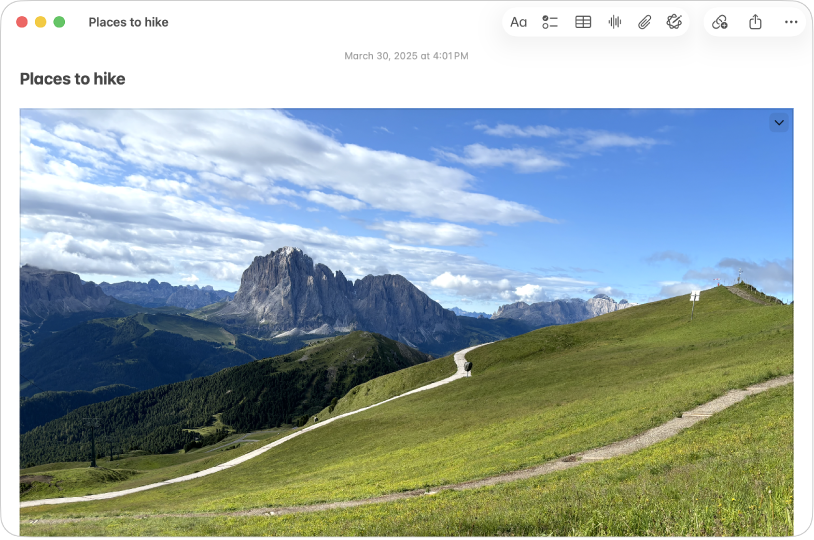
Its strengths are speed, zero cost, locked notes, and a native Mac feel.
Its limits show up at scale because it has no graph, no databases, and no AI Q&A.
2. Bear: best for elegant Markdown writing
-
Best for: Mac users who want a beautiful Markdown notes app.
-
Pricing: Free tier, Pro $2.99/month or $29.99/year.
-
Mac integration: Markdown shortcuts, Apple Pencil on iPad, share sheet.
Bear is the most aesthetically polished Markdown notes app on Apple. Tag-based organization (no folders), inline cross-note links, focus mode, theming, and CloudKit sync on Pro. Bear 2 added richer features including PDF export and tables.

Bear's best traits are a clean UI, Markdown-first writing, tags, and Apple-only polish.
The tradeoffs are clear because it is Apple-only, has no databases, lacks native AI, and charges for sync.
3. Notion: best for structured workspaces
-
Best for: users who want databases, templates, and team collaboration.
-
Pricing: Free Personal, $10/user/month Plus, $15/user/month Business, Notion AI add-on $10/user/month.
-
Mac integration: menu bar widget, share sheet, Web Clipper, ⌘\ shortcuts.
Notion provides databases that can filter, sort, relate, and roll up notes, while Notion AI runs Q&A across the workspace. Its Mac app uses Electron but performs well on Apple Silicon.
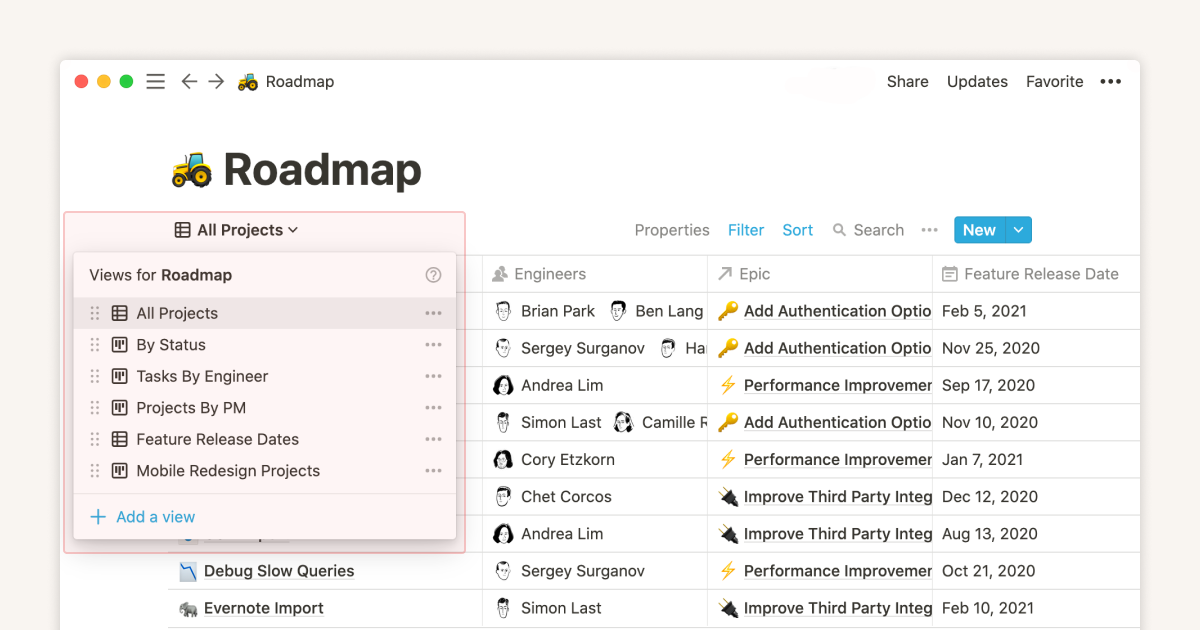
Notion is strong on structure, templates, team work, AI, and its free plan.
It is not local-first, and heavy workspaces also feel slower than Bear or Apple Notes.
For comparison, see Notion vs Obsidian.
4. Obsidian: best for local-first Markdown
-
Best for: power users who want plain-file portability and a graph view.
-
Pricing: Free for personal use, $50/year commercial, $8/month Sync.
-
Mac integration: local files, Spotlight finds them, Git workflows, Apple Pencil via Excalidraw on iPad.
Obsidian stores notes as Markdown files on your local disk. Bi-directional links, graph view, 1,500+ plugins.
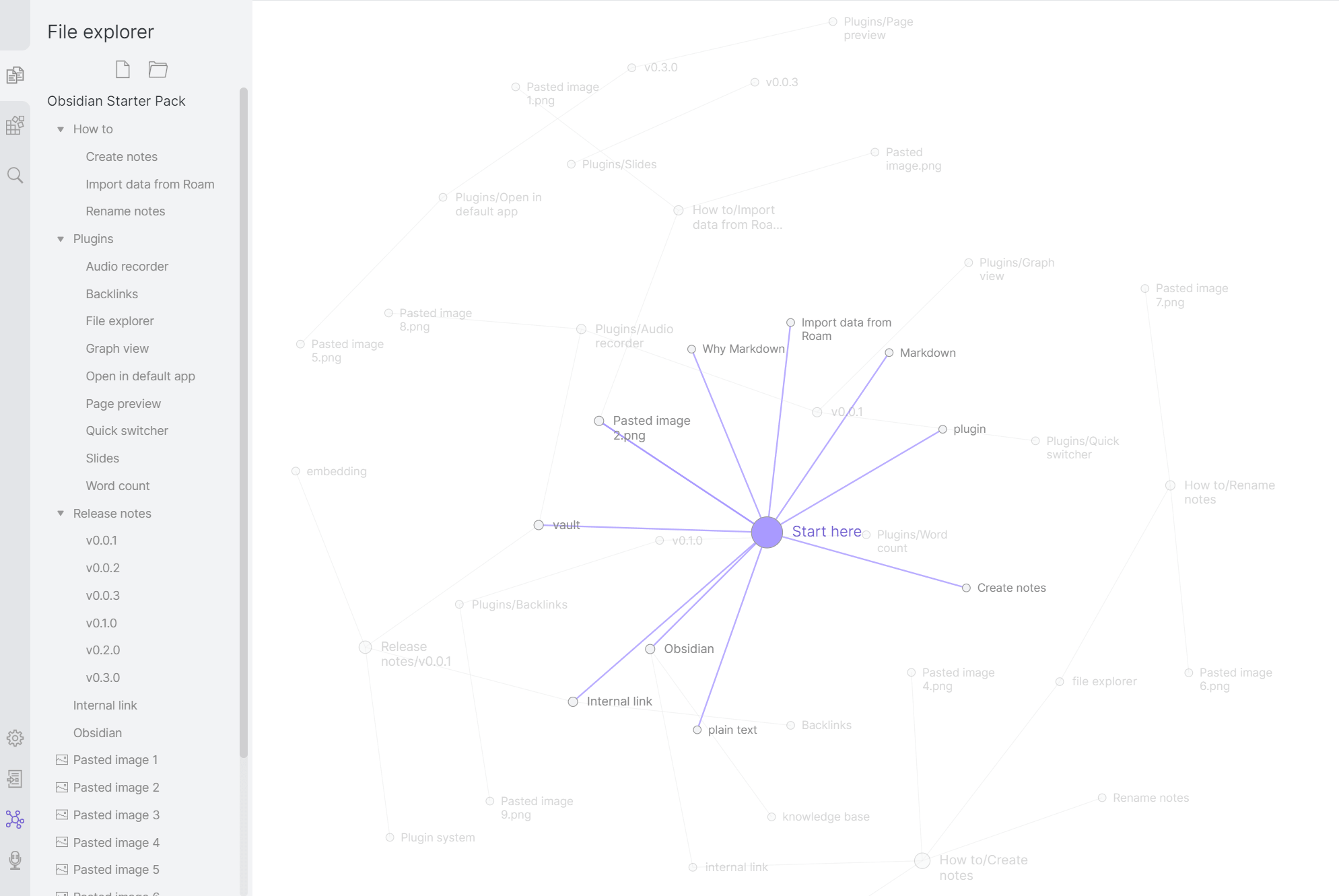
Obsidian's strengths are local files, easy export, backlinks, plugins, and encrypted Sync.
The setup takes work, and it also feels less polished than Bear, especially on mobile.
5. Craft: best for design-led documents
-
Best for: users who want Notion-style structure with Apple-native polish.
-
Pricing: Free tier, Pro ~$5/month ($59.99/year), Business ~$10/user/month.
-
Mac integration: Universal Control across iPad and Mac, Quick Open ⌘O, share sheet.
Craft is a Mac-and-iPad-first document app with clean typography, media embedding, document links, daily notes, and export to PDF, Markdown, and Word.
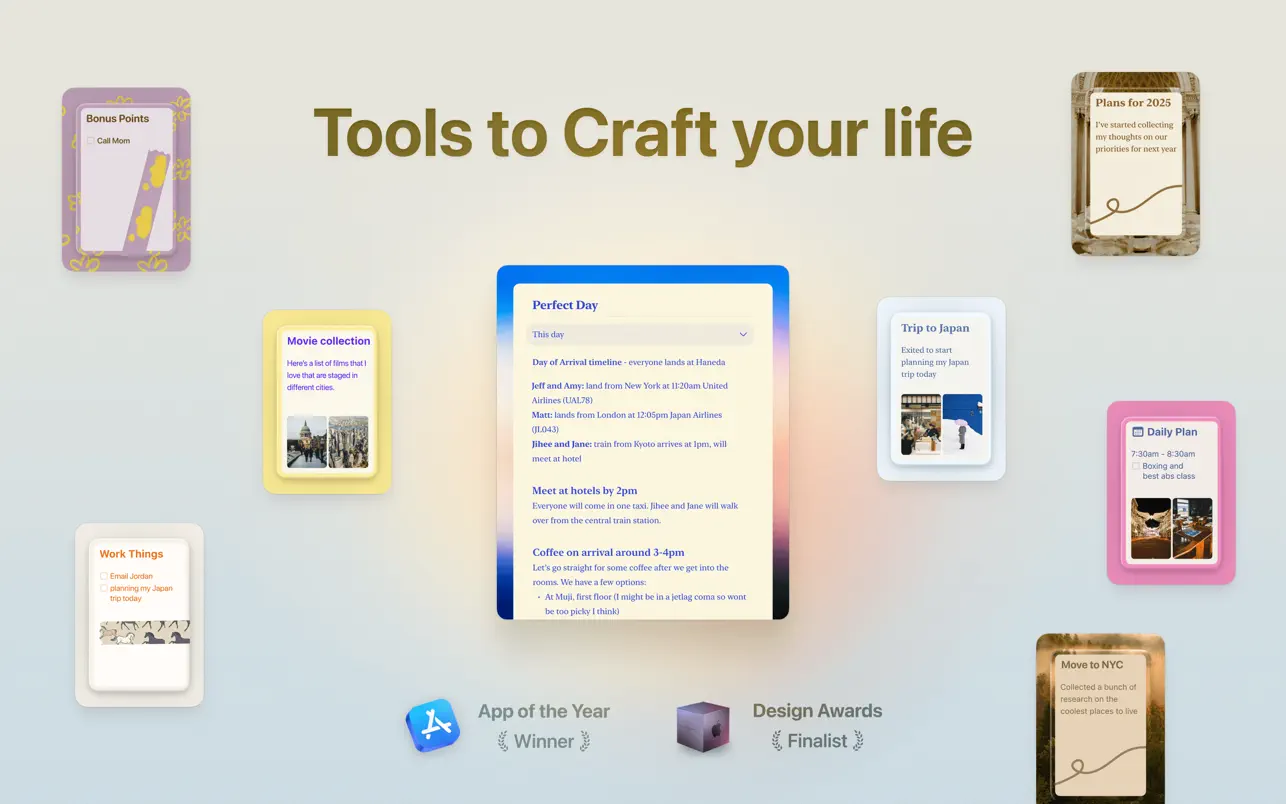
Craft is fast, good-looking, and polished across Mac and iPad.
Its ecosystem is smaller than Notion's. It also lacks Windows and Linux apps. The Notion vs Craft comparison covers the database and document-design tradeoff in detail.
6. Reflect: best for AI-augmented daily notes
-
Best for: users who want AI integrated into daily journaling and notes.
-
Pricing: $10/month or $100/year Pro (with 2-week trial).
-
Mac integration: native macOS app, Universal Clipboard.
Reflect blends daily notes, backlinks, and an AI assistant that answers questions across your notes. End-to-end encryption is on by default.

Reflect's strengths are AI, encrypted sync, and a daily-note design.
It has no Android or Windows app, and it is also weaker for rich media.
7. Logseq: best free outliner
-
Best for: users who like outlines, daily logs, and open-source tools.
-
Pricing: Free, open-source.
-
Mac integration: local Markdown or org-mode files that Spotlight can find.
Logseq stores notes as local Markdown files. Its block links point to individual outline blocks rather than only whole pages, and daily journals are the home page.
Logseq is free, open source, and good for daily notes with block links.
Its plugin set is smaller, large graphs can load slowly, and the learning curve is real.
8. Evernote: Best for Web Clipping
-
Best for: users who clip from the web heavily and need OCR-indexed search.
-
Pricing: Free (50 notes), ~$14.99/month Personal, ~$17.99/month Professional.
-
Mac integration: menu bar app, share sheet, Web Clipper.
Evernote combines Web Clipper capture, OCR-indexed search, and cross-platform sync in its Mac app.
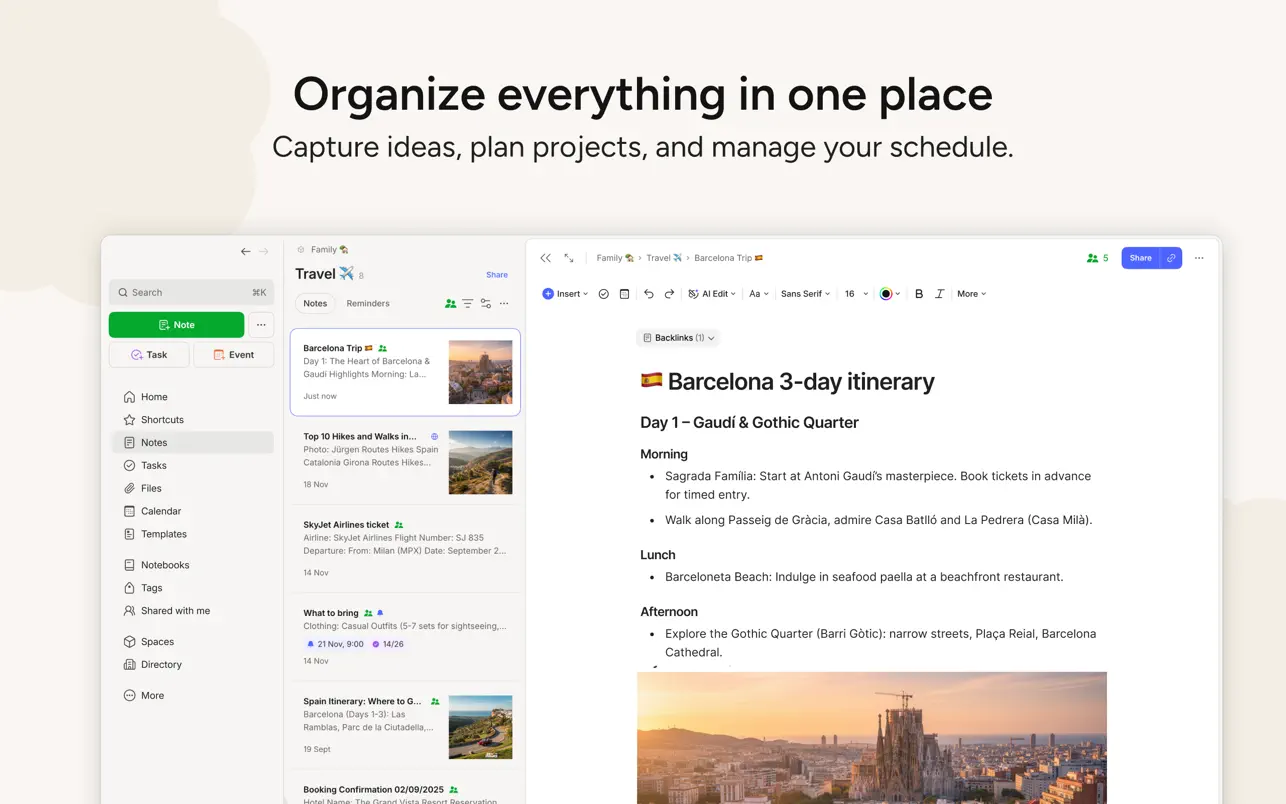
Evernote is strongest at web clipping, OCR, and cross-platform sync.
Its pricing is steep now, the free tier is thin, and the Mac app feels less refined than Bear or Craft.
9. Atlas: best for AI-grounded retrieval
-
Best for: users whose real job is "synthesize what I know" rather than "store what I know."
-
Pricing: $20/month Pro.
-
Mac integration: Web app and PWA install on Mac for native-app feel.
Atlas treats notes as a searchable source collection. The guide to AI answers with citations shows how answers link back to the supporting material. Three capabilities distinguish it from traditional Mac note apps:
- Cited answers: every answer links back to the specific notes or sources that supported it.
- Mind maps from multiple sources: 1-click visual maps across your corpus.
- Compounding context: each new note enriches the answers Atlas can give about your existing knowledge.
Atlas is privacy-first, so your data is not used to train shared models. Atlas is the product behind this blog, and it does not replace Apple Notes for casual capture. It sits above note tools as a synthesis layer.
If your MacBook notes include papers or reports, use the cited-answer workflow to check supporting passages before you reuse an answer.
Comparison table
Use this table to narrow the list by price and core job. If you want the lowest-friction MacBook app, start with Apple Notes or Bear. If your notes are research sources, compare Obsidian and Atlas more closely.
| App | Price | Best for | Mac-only? |
|---|---|---|---|
| Apple Notes | Free | Casual capture | macOS-iOS-iPadOS |
| Bear | $29.99/yr | Markdown writing | Yes |
| Notion | Free / $10/mo | Structured workspaces | Cross-platform |
| Obsidian | Free / $50/yr | Local Markdown PKM | Cross-platform |
| Craft | Free / $59.99/yr | Design-led docs | Apple-only |
| Reflect | $100/yr | AI-augmented dailies | Mac, iOS, Web |
| Logseq | Free | Outliner daily notes | Cross-platform |
| Evernote | $14.99/mo | Web clipping, OCR | Cross-platform |
| Atlas | Free / $20/mo | AI-grounded retrieval | Web/PWA |
Table 1: Apple Notes covers free capture, while paid tools specialize in writing, research, or handwriting.
How to pick
Start with the kind of notes you create most often. The choices below narrow the list by writing style, organization needs, and whether you need answers grounded in your own source material.
- Are you a casual user? Apple Notes.
- Do you want elegant Markdown on Mac? Bear or Craft.
- Do you want structure or teams? Notion.
- Do you want AI-grounded retrieval? Atlas.
If you also use iPad heavily, see best note-taking apps for iPad. For broader rankings, see best note-taking apps for Mac.
Choose Apple Notes for everyday lists and quick capture, Bear or Craft for focused writing, Notion for shared databases, and Atlas when the work starts with a collection of research documents rather than blank notes.
MacBook Performance, Offline Use, and Cost
The daily cost of a note app includes battery use, memory pressure, offline access, and the annual plan—not just the feature list. Compare these factors on the MacBook model and network conditions you actually use.
MacBook Battery and Memory Footprint
Note apps on a MacBook Air or Pro vary widely in idle memory and battery impact. They fall into three groups.
The light native group stays under 200 MB resident memory. Apple Notes, Bear, and Craft fit here. All three are Universal 2 Apple Silicon apps with calm idle behavior. On a base M2 MacBook Air with 8 GB RAM, none of them moves the needle on battery.
The middle group sits around 200-500 MB. Obsidian, Logseq, and Reflect are heavier than the native apps but still fine for all-day use.
The heavy Electron group sits around 500 MB to 1 GB. Notion and Evernote fit here. On an 8 GB MacBook Air with many tabs open, leaving Notion in the background can drain battery. On a 16 GB or larger MacBook Pro, the cost is harder to notice.
For users on a base MacBook Air who care about battery, the safest single-app default is Apple Notes. The safest power stack is Apple Notes plus Bear plus Atlas-in-Safari. For users on M3 Pro or M4 Pro with 18 GB+ RAM, the choice is workflow-driven.
Travel and Offline Reliability
A MacBook often lives on flights, trains, and cafe Wi-Fi. Offline behavior matters.
Apple Notes, Bear, Obsidian, and Logseq work fully offline by default. Apple Notes and Bear sync later. Obsidian and Logseq keep the vault on disk.
Notion, Craft, Evernote Personal and higher, and Reflect use cached offline modes.
Atlas can render cached PDFs offline, but its AI Q&A layer needs a server connection.
For long flights or unreliable Wi-Fi, the local-first tools are the safest default. If you live in connected environments, the cached-offline tools are usually sufficient.
One-Year MacBook Cost
The table below compares entry cost, not every plan edge case. Use it to decide whether a free default is enough or whether a paid stack is worth the yearly spend.
| App | Free Tier | Paid Entry | Annual Cost |
|---|---|---|---|
| Apple Notes | Yes | iCloud+ optional | $0-$35.88 |
| Bear | Limited | $2.99/mo or $29.99/yr | $0-$29.99 |
| Notion | Yes | $10/mo Plus | $0-$120 |
| Obsidian | Free personal | Sync $4-$8/mo | $0-$96 |
| Craft | Yes | $5/mo Pro | $0-$60 |
| Reflect | Trial | $10/mo | $0-$120 |
| Logseq | Free | Sync $5/mo | $0-$60 |
| Evernote | Light | $14.99/mo Personal | $0-$179.88 |
| Atlas | Yes | $20/mo Pro | $0-$240 |
Table 2: For the cheapest credible MacBook stack, Apple Notes plus Bear Pro plus Obsidian (free) runs $14.99 per year. For an AI-heavy paid stack, Reflect plus Atlas Pro runs $360 per year.
Final verdict
Choose Apple Notes for free capture, Bear for Markdown writing, Notion for structured collaboration, Obsidian for local files, and Craft for polished documents. Reflect, Logseq, and Evernote cover narrower AI-journal, outliner, and web-clipping workflows.
Choose Atlas only after notes become research sources tied to PDFs, files, and claims that need cited answers. It is a synthesis layer to compare after you choose the daily MacBook note app.
AtlasAsk cited questions across MacBook notes
Upload research files from your MacBook and ask cited questions across them.
Frequently Asked Questions
Apple Notes is the best free option for casual users, with iCloud sync, Smart Folders, locked notes, and zero friction. Bear ($29.99/ year) is the best for elegant Markdown writing on Mac. Notion ($10/ month Plus, free Personal) is the best for structured workspaces. Obsidian (free for personal use) is the best for local-first Markdown PKM. Craft is the best for design-led document creation. Atlas ($20/month Pro) is the best for AI-grounded retrieval with cited answers and mind maps. Pick on workflow, not feature count.