


Logseq is genuinely good. It is free, open source, local, and built around outlines, links, and daily notes. For people who think in outlines and value file ownership, it may still be the right choice.
Obsidian is the best overall Logseq alternative when local Markdown and plugins must survive. Tana is the strongest modern structured outliner, RemNote is best for study, and Roam remains the closest established cloud option for block references.
This guide compares nine apps across pages, journals, links, block references, tasks, PDFs, plugins, phone sync, and the route back.
Compare research sources in Atlas
Keep cited answers, notes, and maps together in one focused research project.
Which Logseq Alternative Should You Choose?
The best Logseq alternative depends on which parts of the graph must survive. Obsidian is the broadest choice for local Markdown and plugins. Check migration risk, the reason for leaving, and the features you cannot lose before comparing apps.
Decide What Your Replacement Must Preserve
Migration Risk Check
I use this test before recommending a switch from Logseq:
Use a representative sample and record pass, partial, or failed for every artifact. A numeric risk score without the migration files and expected output is not reproducible.
- Pages and journals are the lowest-risk asset. If those hold most of the value, Obsidian is usually the calmest move.
- Block references are the highest-risk asset. If arguments depend on reused blocks, test Roam, Tana, RemNote, or SiYuan first.
- Task queries rarely move cleanly. If they run the week, expect a rebuild in Notion or Obsidian.
- PDFs change the decision. If the source files matter more than the outline, Atlas or RemNote can be a cleaner reset.
- Phone capture changes the winner. If most notes start on mobile, managed sync beats Git-backed ownership.
- Privacy changes the winner again. If file control is non-negotiable, local Markdown or encrypted sync matters more than native AI.
Fast Choices by Switching Problem
- Weak phone capture: start with Tana, Reflect, or Obsidian Sync for less sync friction.
- A smaller plugin base: start with Obsidian for the broadest extension path.
- No native AI answers: start with Atlas, Reflect, or Tana to bring AI into the note workflow.
- Block references: start with Roam, Tana, RemNote, or SiYuan to preserve more block-level meaning.
- Local control: start with Obsidian, SiYuan, or AppFlowy to keep files, local apps, or self-hosting central.
- Privacy: start with Notesnook, Reflect, or Obsidian Sync when encrypted sync decides the choice.
Why Look for Logseq Alternatives?
Three reasons matter most. For a broader framework, see our second-brain apps guide.
Mobile is the first gap. Logseq mobile has improved, but it still trails Obsidian, Tana, and Reflect. People who write a lot on iOS or Android often feel that friction.
Plugins are the second gap. Logseq has a healthy community, but Obsidian has 2,000+ plugins. Obsidian wins when your workflow depends on a specific extension.
AI is the third gap. Logseq does not ship native AI features. Atlas, Reflect, Tana, and Notion do. People who want AI-grounded note Q&A often move elsewhere.
What to Preserve in an Alternative
Start with the item you cannot lose. Local Markdown matters if you want file control. Block references and bidirectional linking matter if your graph depends on reused snippets. Mobile sync matters if capture happens on a phone. Native AI matters if you want answers that cite notes or PDFs. Do not choose by feature count alone.
Check Logseq's Current DB Transition Before Leaving
The current Logseq README labels the database version beta and the new mobile and real-time collaboration work alpha. Test DB on a copied graph, keep a backup you can restore, and do not assume each alpha feature is ready for every phone.
Stay when the current Markdown graph is stable and you can wait through the transition. Switch when phone capture, managed sync, team work, or cited source work blocks the job now.
The 9 Best Logseq Alternatives
Some tools keep Logseq's outline and local files. Others trade them for easier sync, typed objects, study tools, or cited source work.
1. Obsidian: Local Markdown
Obsidian is the safest mainstream move for people who like local files. Notes live as pages, and you can still use outline blocks within them. It also has better phone apps and more plugins.
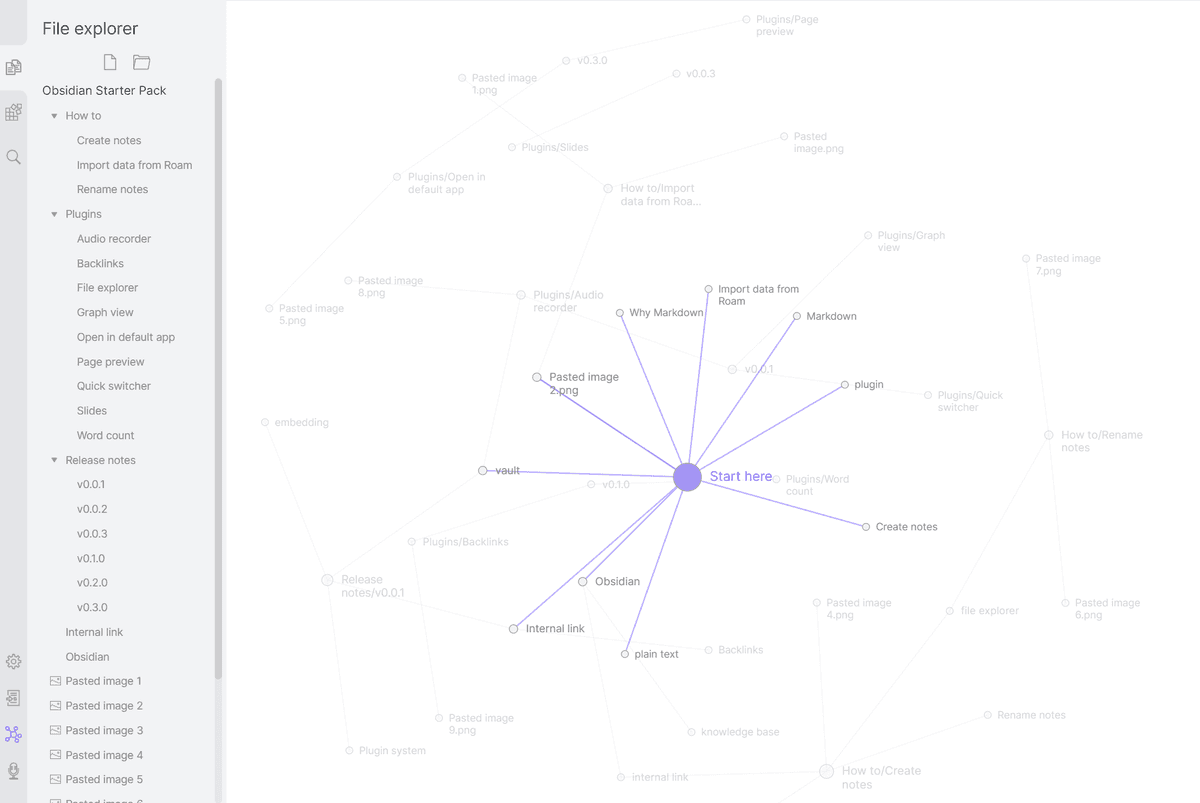
The Obsidian graph view is the closest visual match to Logseq's graph. Use it for local Markdown and links without an outline-first app.
Choose Obsidian when customization and plugins matter more than staying inside an outline. Pricing: Free for personal use; Sync costs $4/month billed yearly ($5 monthly). For the head-to-head, see Obsidian vs Logseq.
2. Tana: Modern Structured Outliner
Tana is the new generation of outliner. Supertags add typed structure to nodes, and the AI features are deeper than Logseq's.
Choose Tana if you want a modern outliner with AI and structured tags.
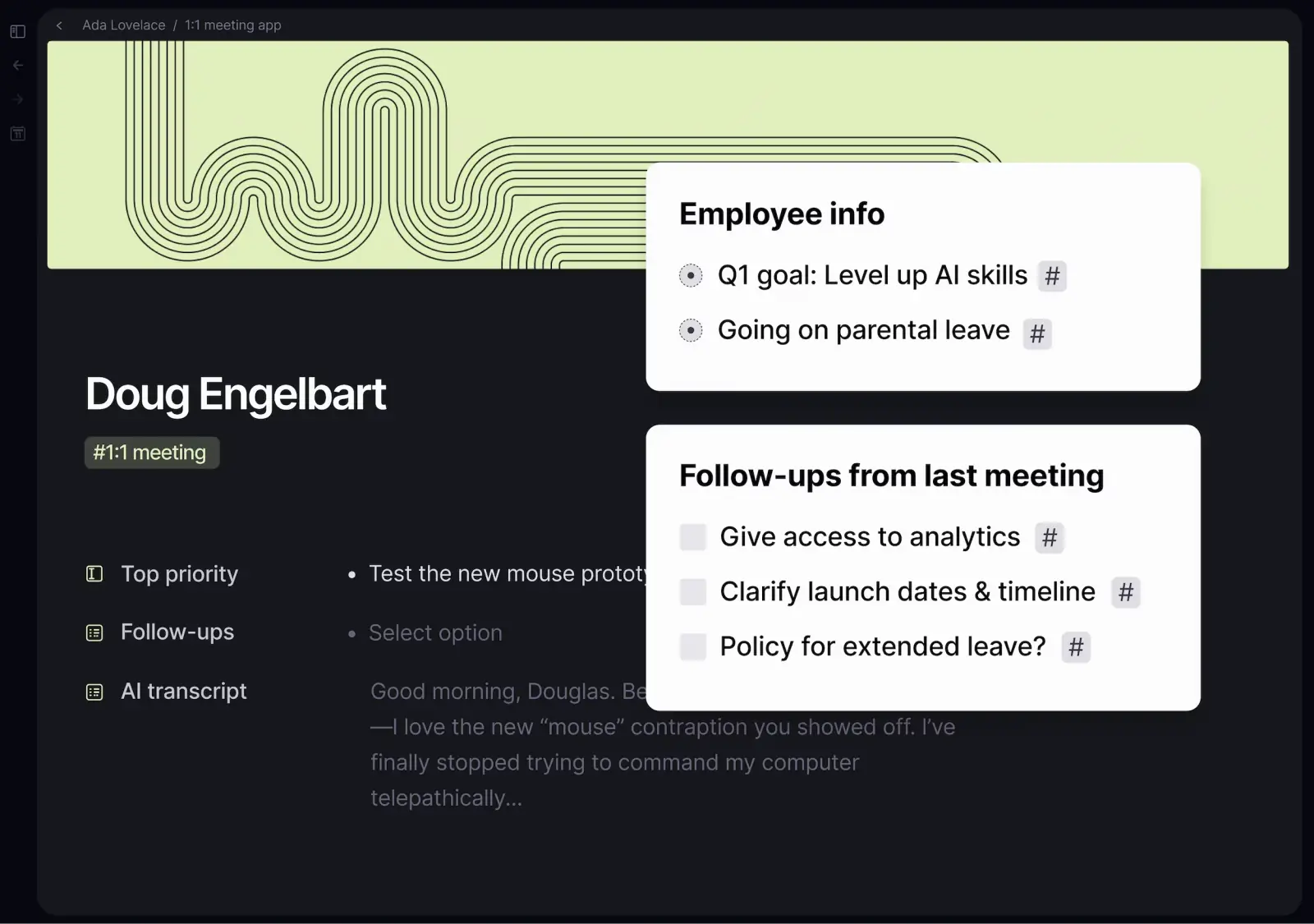
Pricing: Free tier, Pro from $20/month on the current early-bird plan.
3. RemNote: Outlining and Study
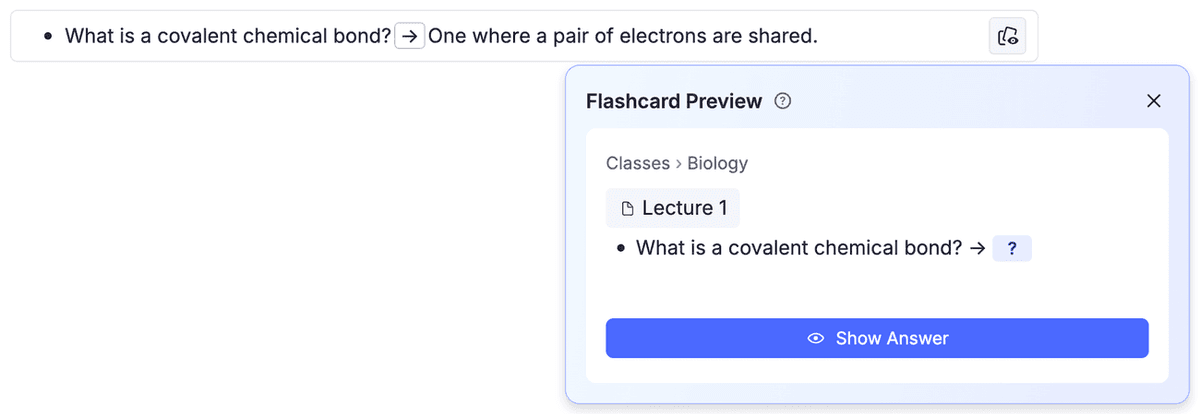
RemNote pairs outline notes with review cards. It fits students who need to memorize what they write. Medical school, law school, and language study are the clearest cases.
Choose RemNote if studying and recall are the main jobs.
Pricing: Free tier, Pro $8/month.
4. Roam Research: Block References
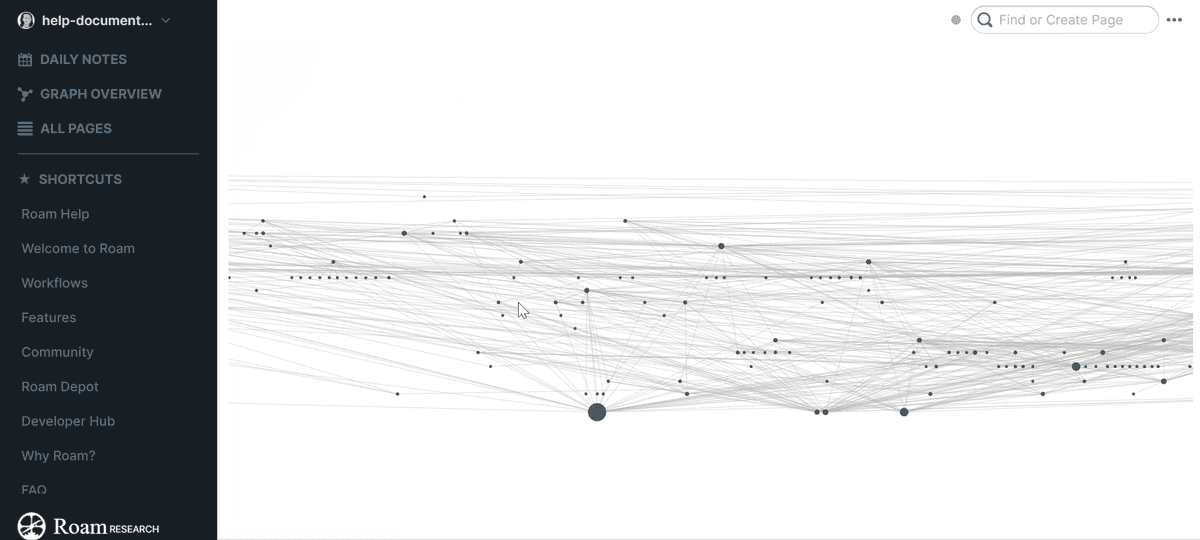
Roam Research started the block-based linked-notes movement in 2020 and inspired Logseq. Block references and the daily-notes flow are still the cleanest in Roam. Its price ($15/mo) and cloud-only model are the usual reasons people chose Logseq instead, but Roam remains polished.
Choose Roam if you want the original block-reference flow and accept cloud storage plus the price.
Pricing: $15/month, $165/year, $500 lifetime.
5. SiYuan: Local Block Workflow
SiYuan is the closest specialist choice when local storage and block-level references matter more than plain Markdown compatibility. It keeps a block-first mental model and supports offline work, but its storage and extension model is not identical to Logseq's.
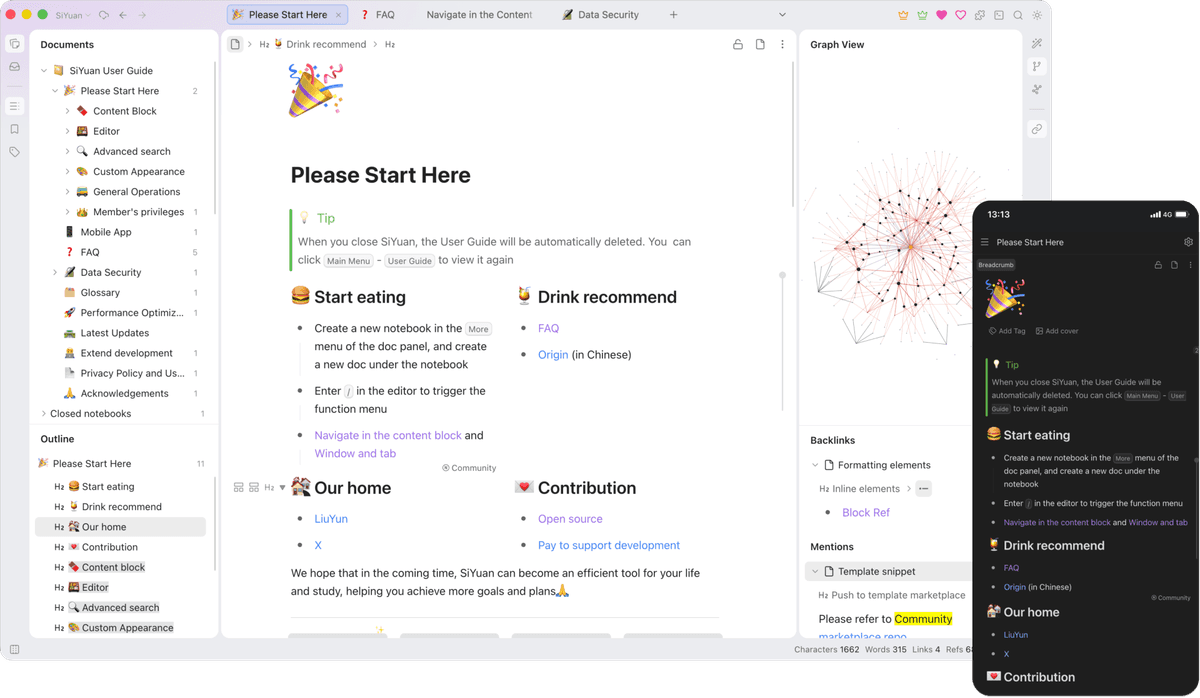
Test block references, properties, queries, assets, and mobile sync with a copied graph. Choose SiYuan only if its current data model and export path preserve the artifacts you actually use.
6. Workflowy: Pure Outlining
Workflowy removes much of the graph and plugin complexity. It is the right reset for someone who used Logseq mainly as nested bullets, zoomed lists, tags, and search.
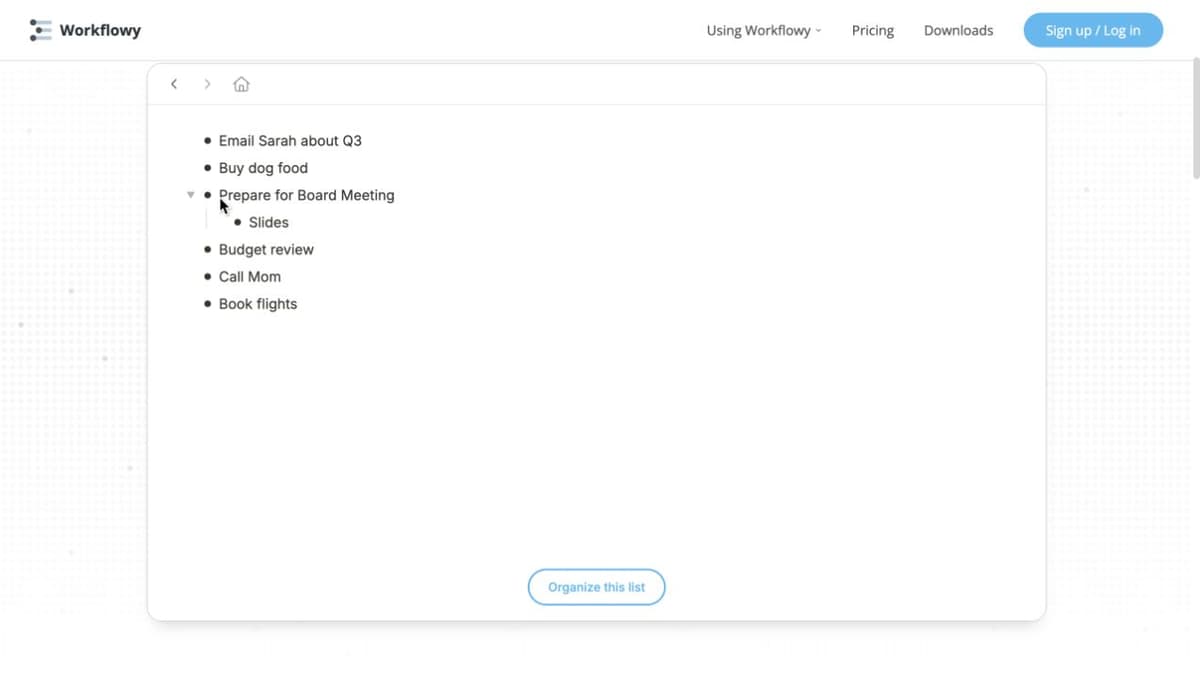
That simplicity is the boundary: it is not a local Markdown graph and should not be chosen to preserve rich block metadata, PDF annotation, or plugin behavior.
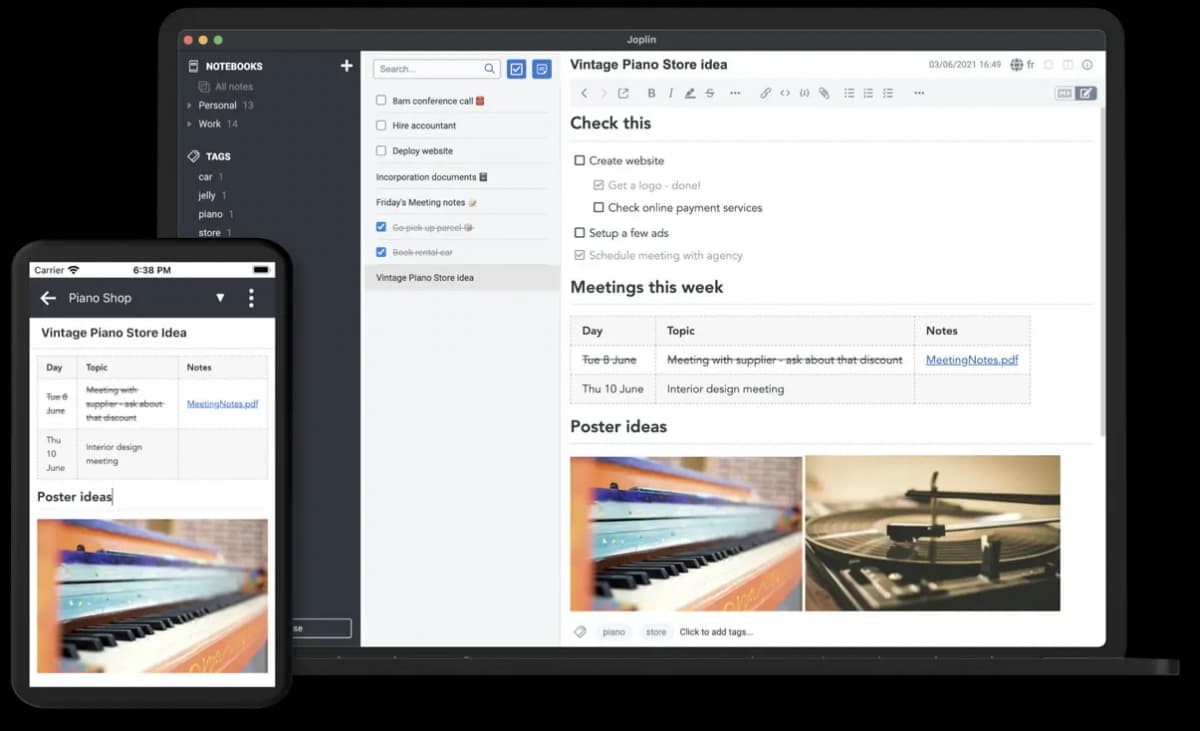
7. Joplin: Open-Source Notes
Joplin is an open-source Markdown-oriented notebook with to-dos, attachments, plugins, and multiple sync targets. It is a good fit when open source and durable notes matter more than an outline-first graph.
Run the same sample migration because notebook hierarchy, internal links, properties, block references, and Logseq queries do not map one-to-one.
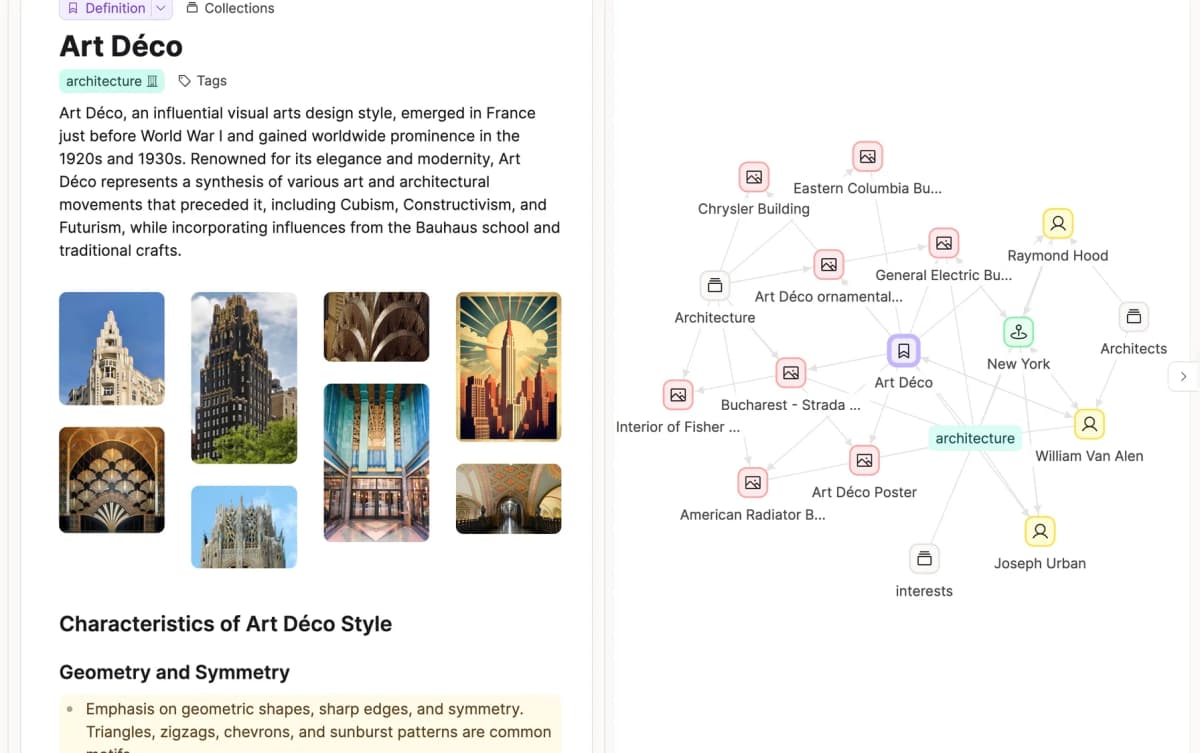
8. Capacities: Typed Objects
Capacities replaces outlined blocks with typed objects such as Person, Book, Project, and Idea. The structure makes research and PARA-method workflows easier to keep tidy.
Choose Capacities if you prefer typed note objects over a pure outline.
Pricing: Free tier, Pro $9.99/month billed yearly ($11.99 monthly).
9. Reflect: Daily Notes
Reflect is the most polished modern linked-notes app. AI features (search, draft, summary) are deeply integrated. End-to-end encrypted by default. Daily notes and bidirectional links match Logseq's core flow.
Choose Reflect if you want a polished daily-notes app with built-in AI.
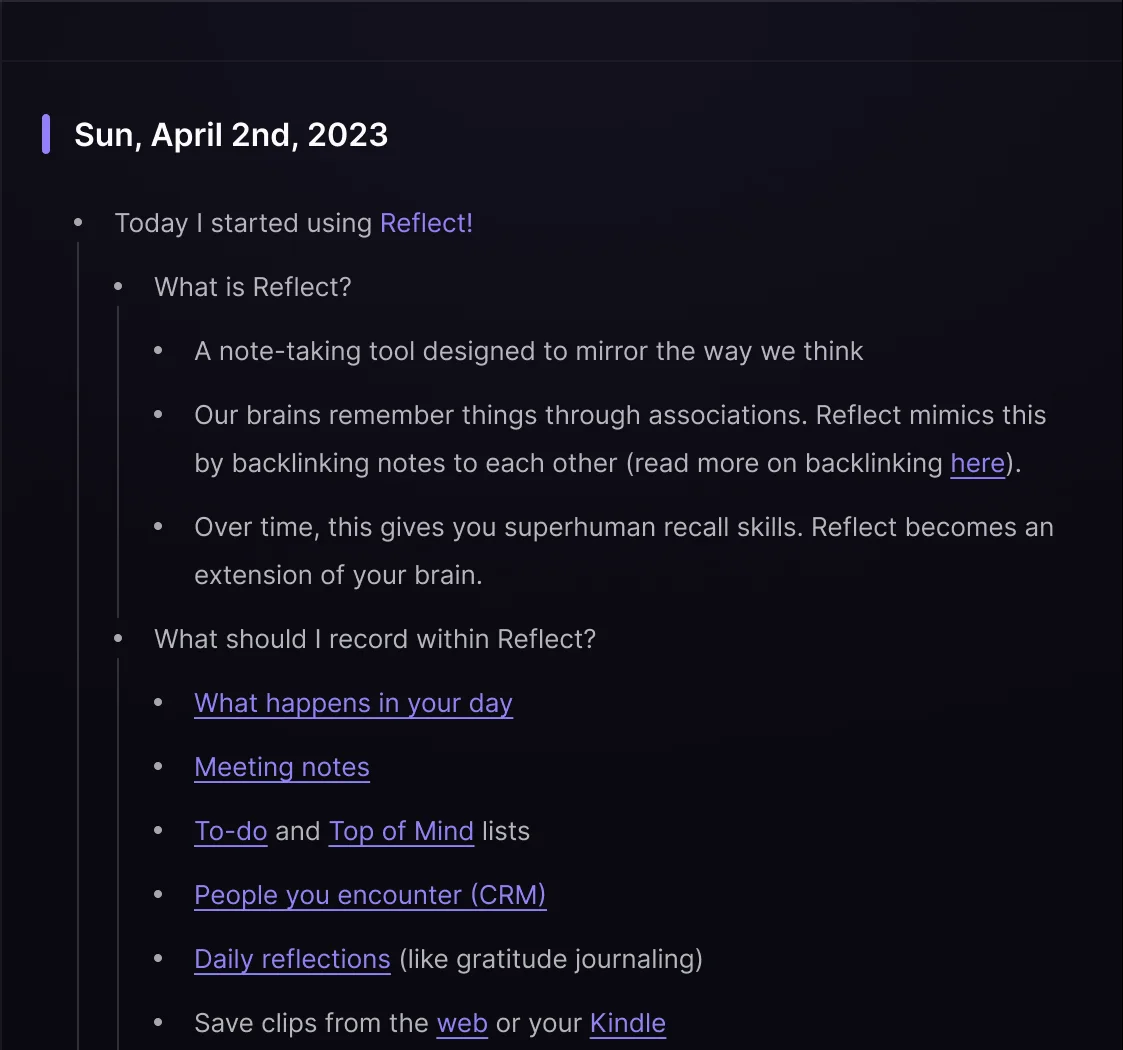
Pricing: Free on Mac; a paid subscription on iPhone and iPad (see the App Store for local pricing).
Comparison Table
Choose from this table based on the work you need to do. For a local outline, start with Obsidian, Roam, Tana, or RemNote. For cited answers or database order, start with Atlas, Capacities, or Notion.
| App | Outliner-First | Free Tier | Paid From | AI Features | Mobile |
|---|---|---|---|---|---|
| Obsidian | Optional | Yes | $4/mo Sync (yearly) | Plugin-based | Yes |
| Tana | Yes | Yes | $20/mo | Yes | Yes |
| RemNote | Yes | Yes | $8/mo | Limited | Yes |
| Roam Research | Yes | No | $15/mo | Limited | Yes |
| SiYuan | Block-first | Yes | Check current sync plan | Plugin-based | Yes |
| Workflowy | Yes | Yes | Check current plan | Assisted features vary | Yes |
| Joplin | No (notebooks) | Yes | Check current cloud plan | Plugin-based | Yes |
| Capacities | No (objects) | Yes | $9.99/mo (yearly) | Yes | iOS/Android |
| Reflect | Yes (linked) | Free on Mac | iPhone/iPad subscription | Yes | Yes |
Table 1: The nine main alternatives compared by outline model, current plan surface, AI support, and mobile availability. Recheck volatile pricing before purchase.
Best Logseq Alternative by Use Case
Choose by the part of Logseq you want to improve rather than by the longest feature list:
- Choose Atlas for research synthesis that links answers to source passages.
- Choose Reflect or Tana for smoother mobile capture and built-in AI in daily notes.
- Choose RemNote when notes must become spaced-repetition cards.
- Choose Obsidian for local Markdown and the largest plugin ecosystem.
- Choose Capacities or Tana when typed structure matters more than a pure outline.
- Choose Notion when notes, databases, and team projects must share one workspace.
Obsidian and RemNote are the strongest free starting points. Pay for Atlas, Reflect, Tana, or Notion only when their cited research, mobile, structured-data, or collaboration features solve a specific gap.
Specialist and Team-Workspace Alternatives
These tools matter when the main list feels close but wrong:
Notion: Secondary Team Option
Notion centers on pages as the primary unit, with optional toggles and bullets rather than outline-first structure. The daily-notes pattern is straightforward to set up, backlinks exist, and its databases go beyond Logseq's.
Choose Notion if notes, databases, and team work need to live in one place. Its free tier is available, while AI and agent features use Notion's current credit model or higher plans. Check the official pricing page before buying because plan details change.
- Workflowy is fast nested bullets without graph upkeep.
- Joplin is an open-source notebook with Markdown, to-dos, and encrypted sync.
- NotePlan puts daily notes, tasks, and calendar work in one Apple-first app.
- Craft is better when polished native apps and shared docs matter most.
- AppFlowy is the self-hostable workspace route.
- SiYuan is the closest block-based local-first cousin.
- Notesnook is the private notes fallback with end-to-end sync.
- Twos works as a daily notes and tasks inbox.
- Docmost fits teams that need an open-source wiki.
Edge-Case Decision Matrix
Use this matrix when the ranked list feels close but wrong. Each tool solves one specific switching reason.
| Need | Best edge-case pick | Why it fits | Trade-off |
|---|---|---|---|
| Pure outlines, no graph work | Workflowy | Fast nested bullets and minimal setup | Less graph depth |
| Open-source notebook with sync | Joplin | Markdown notes, to-dos, and encrypted sync paths | Uses a notebook model without a block graph |
| Apple-native daily planning | NotePlan | Notes, tasks, calendar, and plaintext storage | Apple-first workflow |
| Polished shared docs | Craft | Strong writing and page sharing | Less local file control |
| Self-hosted workspace | AppFlowy | Open-core workspace and local AI options | More workspace than outliner |
| Local block notes | SiYuan | Block links, offline use, and encrypted sync | Smaller English community |
| Private notes on many devices | Notesnook | Open-source, zero-knowledge note sync | Not graph-first |
| Daily capture plus tasks | Twos | Quick notes, reminders, tasks, and AI suggestions | Not built for deep links |
| Team wiki | Docmost | Open-source team docs | Built to replace team docs rather than personal notes |
Table 2: Nine specialist alternatives matched to outlining, privacy, planning, self-hosting, and team-documentation needs.
Local-First and Cloud Decision Matrix
Use this table when control over the workspace matters most.
| Tool | Local or private angle | Block links | Best switch reason |
|---|---|---|---|
| Logseq | Local Markdown graph | Strong | Stay if the outline still works |
| SiYuan | Local block-based app with sync options | Strong | Move when you want block PKM with more app structure |
| AppFlowy | Self-hostable workspace path | Weak | Move when databases and local AI matter more than outlines |
| Notesnook | Open-source app with end-to-end encrypted sync | No | Move when private notes matter more than graph depth |
| Workflowy | Fast local-feeling outline capture | No | Move when nested bullets beat backlink upkeep |
| NotePlan | Plaintext Apple workflow | No | Move when tasks and calendar notes are the real job |
Table 3: Storage and link behavior for six local-first, private, or cloud-managed Logseq alternatives.
When Atlas Is an Adjacent Research Workflow
Atlas fits when the job changes from maintaining an outline to comparing claims across notes, PDFs, and saved pages. It links an answer to the source passage behind it.
- Add the notes, PDFs, or saved pages for one research question.
- Ask one question across that source set.
- Check each cited passage before using a claim.
- Use the map to find related sources.
Atlas does not preserve Logseq's local outline, block references, or plugins. Use it only when cited source work is the new goal. See how AI tools can answer across research sources before comparing it.
Migration Fidelity by Artifact
After narrowing the shortlist, test the cost of moving as carefully as the subscription price.
Logseq DB Transition
Treat the beta database graph as a separate test surface from the original file-based graph. Individual community problems are useful test cases, but they do not show that every Logseq graph is unsafe. Different switching reasons call for different exits.
Pricing and Platform Availability
Compare three-year cost, because a monthly price can hide renewal and migration costs:
| Tool | Cost components to check | Hidden migration cost |
|---|---|---|
| Logseq | Core app, optional sync, backup storage | DB transition and graph maintenance |
| Obsidian | Core app, optional Sync/Publish, commercial terms | Plugin and query reconstruction |
| Tana | Current paid tier, AI allowance, seats | Cloud import and export cleanup |
| RemNote | Current Pro tier and seats | Flashcard and reference fidelity |
| Roam Research | Current subscription options | Cloud export and block-reference cleanup |
| SiYuan | Current sync/cloud plan | Block database conversion |
| Workflowy | Current paid tier and seats | Loss of graph-specific artifacts |
| Joplin | Optional cloud or chosen sync provider | Notebook and link remapping |
| Capacities | Current paid tier and AI allowance | Object and property conversion |
| Reflect | Current subscription | Cloud export and link cleanup |
Table 4: Cost components and hidden migration costs to check for Logseq and each alternative.
Add paid editors, sync, AI allowances, storage, commercial terms, migration labor, and the cost of running both systems during validation.
The easiest Logseq migration is not "export." It is opening the same local Markdown folder in another app. Then you check what still works. Logseq's docs explain that an existing Markdown directory can become a graph. Community migration threads point to the fragile parts. Watch block references, properties, tasks, collapsed outline state, PDF notes, and plugin metadata.
Use this as the practical migration checklist:
| Logseq artifact | Usually survives | Needs cleanup | Best-fit alternatives |
|---|---|---|---|
| Plain pages and journals | Yes | File names, namespaces, daily-note naming | Obsidian, RemNote |
| Wikilinks and page links | Mostly | Alias syntax and nested namespaces | Obsidian, Tana |
| Block references | Partly | Target blocks may need IDs or rewritten context | Roam, RemNote, Tana |
| Block/page properties | Partly | App-specific fields need manual mapping | Tana, Capacities, Notion |
| Tasks | Partly | Status syntax and queries rarely port cleanly | Obsidian, Notion |
| PDF highlights and annotations | Weakly | Often needs source PDF plus annotation export | Atlas, RemNote |
Table 5: How each kind of Logseq artifact usually survives a move, and which alternatives keep it best.
If your graph is mostly journals, pages, links, and tags, Obsidian is the lowest-risk move because it also treats Markdown files as the source of truth. If your graph depends on block references and task queries, test a representative sample first. If the desired change is source-grounded synthesis rather than note migration, Atlas is an adjacent reset—not a fidelity-preserving replacement.
Add a return-to-Logseq field to the test. Keep the original graph untouched, export five changed notes from the finalist, and confirm whether pages, journal dates, links, properties, tasks, and assets can be brought back without overwriting the original. A one-way import is lock-in even when the first migration looks clean.
Mobile, Sync, and Returning to Logseq
Sync, Git, and Local-First Risk
Logseq's local-first model is why many users chose it. It is also why sync can be hard. Built-in sync, folder sync, and Git each solve a different problem.
- Built-in sync is the least technical route. Logseq's setup guide says Sync works across desktop, Android, and iOS. It also says the first remote graph is best created from desktop.
- Git is best for version history and recovery. Logseq has a Git auto commit setting. That helps with rollbacks, but it is not conflict-free mobile sync.
- Folder sync is simple until two devices edit the same graph. Community sync guidance warns that local files can drift before re-indexing.
Choose Obsidian if you want local files plus paid encrypted sync. Choose Logseq if Git-backed ownership matters more than polish. Choose Atlas, Tana, Reflect, Capacities, or Notion if managed sync matters more than local file control.
Privacy, Data Residency, and Vendor Risk
Logseq's main appeal is local Markdown files. Your notes stay on your disk unless you sync them yourself. Each alternative makes a different trade.
- Logseq: Local-first, open source (AGPL), files in plain Markdown. The most resilient long-term option.
- Obsidian: Local-first Markdown, closed-source app, open file format. Optional Sync is end-to-end encrypted ($4/month billed yearly).
- Roam Research: Cloud-based, with export to JSON, EDN, and Markdown.
- Tana: Cloud-based; check its security page for hosting and compliance details.
- Capacities: Cloud-based; check its privacy page for hosting region.
- RemNote: Cloud-first with an offline mode.
- Reflect: End-to-end encrypted, so the strongest privacy posture among these cloud-first picks.
- Notion: Cloud-based, with compliance and data-residency options on higher plans.
For long-term reliability, Logseq and Obsidian win because the files are Markdown on your disk. Reflect wins on cloud-first privacy because it has end-to-end encryption. Notion wins on enterprise compliance breadth.
Mobile Capture and Cross-Platform Use
Mobile is where Logseq still lags. Its README labels the new mobile work alpha, while Tana, Reflect, Notion, and Obsidian ship mature phone apps. Logseq sync works, but changes can take time to appear after reconnect.
If you write on a phone or tablet every day, the mobile gap may justify a switch. Start with Tana, Reflect, or Obsidian + Sync. If you only look up notes on mobile, Logseq is fine.
Plugin Ecosystem and Extensibility
Obsidian has the largest plugin base in this category. Its community directory lists more than 2,000 plugins. They cover spaced review, canvas notes, Git sync, Kanban, Dataview, and Excalidraw. Logseq's plugin community is healthy, but much smaller. If your workflow needs one exact plugin, Obsidian wins.
Atlas, Tana, Reflect, and Capacities ship native features instead of plugin systems. You get fewer ways to customize and cleaner defaults. Notion has an API and many integrations, but few in-app plugins.
Migration Questions
Can I move a Logseq graph without losing everything? Yes, if most of the graph is pages, journals, links, and tags. Test block references, task queries, and PDF notes before moving the full graph.
Which alternative is closest to Logseq but local-first? SiYuan is the closest block-based cousin. Obsidian is the safer mainstream choice when local Markdown and plugins matter more than outlines.
When should I avoid switching? Stay with Logseq when the current Markdown graph is stable, mobile is not a daily bottleneck, and block references are central to your thinking.
Final Choice by What You Must Preserve
Keep Logseq when local Markdown, open-source software, and block-level outlines already fit your work. A migration adds little value if mobile capture, sync, plugins, and native AI are not active problems.
Choose Obsidian for local Markdown and plugins, Tana for structured outlining, RemNote for outlining plus spaced repetition, and Roam for the familiar block-reference model. Choose SiYuan for a local block-first workflow, Workflowy for pure outlining, Joplin for open-source Markdown notes, Capacities for typed objects, and Reflect for polished daily notes and sync.
Notion is a secondary choice for team work. Atlas serves cited source work and is not ranked as a Logseq replacement. Switch only for a missing need. Test a sample graph, including the return path, before moving everything.
Compare research sources in Atlas
Keep cited answers, notes, and maps together in one focused research project.