


Roam made backlinks and block links feel normal in note-taking. The best replacement depends on what must survive the move. Choose Logseq for Roam-style blocks and journals, Obsidian for local Markdown files, Tana for structured outliner data, or Atlas when the real need is cited search across notes and research sources.
Do not move an entire graph after comparing feature lists. Export a representative sample, import it into your two leading options, and check which links, block references, queries, attachments, and daily-note habits survive. The migration test below turns those results into a decision.

Find cited answers in research notes
Add Markdown notes, ask a question, and inspect the passages cited in answers.
Why Do People Leave Roam Research?
People usually leave Roam Research for five reasons. It costs $15/month. It has no free tier. Large graphs can slow down. Offline use is weak. File ownership is limited. Many newer tools now offer Roam's core ideas for less money.
Roam earned its following, but the reasons people leave are real and recurring:
- Price: At $15/month or $165/year, Roam is one of the more costly note apps. Other tools cost less. Some are free.
- Speed issues: A graph that feels slow during search, page loading, or sync can make daily capture frustrating. Test those actions with your own data because graph structure and device performance vary.
- Slow development pace: Old feature requests remain open. Multiplayer, mobile, and API work has not moved fast enough for many users.
- Sync risk: Users report sync conflicts when they move between devices. Offline work is still a weak point.
- No file ownership: Your data lives on Roam's servers. You can export to JSON or Markdown, but the export is messy and loses block-level structure.
- Steep learning curve without payoff: New users still face a blank page. The old community momentum is no longer there to pull them through.
If any of these sound familiar, start with the alternatives below. The best replacement is not always the tool with the longest feature list. It is the tool that keeps your links, keeps your notes portable, and removes the Roam problem that made you leave.
What to Look For
Before jumping to a new tool, clarify what you need. Not every Roam Research alternative replicates Roam's feature set. Some go in a different direction, and that might be what you want.
- Backlinks: Every tool on this list supports two-way links, but some link only pages while others link individual blocks.
- Block references: If you reuse small chunks across pages, start with Logseq or Tana. Both support block references close to Roam's model.
- Graph views: Test the graph with your own notes. Some tools let you filter a link graph, while Atlas creates mind maps from ideas in your sources.
- Daily notes: Logseq preserves Roam's daily-page workflow. Obsidian and Reflect support daily notes through templates or built-in features.
- Offline access and local files: Choose Obsidian or Logseq if your notes must remain usable without a cloud connection and stored on your computer.
- Price: Compare the full cost of sync, publishing, and AI features rather than the advertised starting price.
- Import and export: Test a Roam export before committing. A tool may import Markdown while losing block references, IDs, or link structure.
- Speed with a large graph: Import a representative sample of your notes and test search, page loading, and sync before moving everything.
Test Before You Migrate
Use the same sample and tasks in every candidate so a polished demo does not hide migration loss:
- Export both JSON and Markdown from Roam, then keep the untouched files as a backup.
- Build a 25-page test set: 10 daily pages, 5 pages that embed or reference blocks, 5 pages that use queries or attributes, and 5 pages with attachments or long-form notes.
- Import that set into your two leading alternatives. Mark each link, block reference, query, and attachment as preserved, repairable, or lost.
- Repeat five routine actions in each tool: open today's daily note, reuse a block, find an old idea, work without a connection, and export the imported notes again.
- Record the cleanup required for the sample before estimating the effort for the full graph. Reject a tool if it loses a structure you use every week, even if it wins on price or appearance.
The 25-page mix is an editorial test design, not a benchmark of the products. Change the mix when your graph relies more heavily on another Roam feature. Its purpose is to expose migration loss using your own notes before you commit.
| If this must survive | Test it with | Start with |
|---|---|---|
| Block references and daily pages | Pages that reuse blocks across several daily notes | Logseq, then Tana |
| Local files and offline access | A Markdown export opened with the network disabled | Obsidian, then Logseq |
| Queries and typed information | Pages built around attributes, filters, or reusable fields | Tana, then Capacities |
| Research across notes and PDFs | One question whose answer requires several imported sources | Atlas |
| Spatial arrangement | A project that you normally understand by moving cards or diagrams | Heptabase |
Table 1: Roam replacement shortlist based on the structures a migration must preserve
Top 7 Roam Research Alternatives
Here is the short version before the full notes:
| Alternative | Best fit after Roam | Main gain | Main trade-off | Starting price |
|---|---|---|---|---|
| Atlas | Research-heavy linked notes | AI synthesis across sources | Not a block outliner | Free |
| Obsidian | Local Markdown vaults | Full file ownership | Requires setup | Free personal use |
| Logseq | Roam-like outlining | Blocks and journals feel familiar | Large graphs can still slow down | Free |
| Tana | Structured outliner data | Supertags and live queries | Cloud-only and no mobile app | Free |
| Reflect | Simple linked notes | Fast, polished daily notes | No graph view or free tier | $10/month |
| Capacities | Object-based PKM | Clear structure for people, books, and topics | Less free-form outlining | Free |
| Heptabase | Visual research mapping | Spatial cards and PDF notes | Canvas workflow is not for everyone | $9.99/month |
Table 2: Roam Research alternatives by migration fit, main gain, main trade-off, and starting price
1. Atlas: Cited Research Synthesis
Best for: Researchers, students, and knowledge workers with many notes, PDFs, and sources
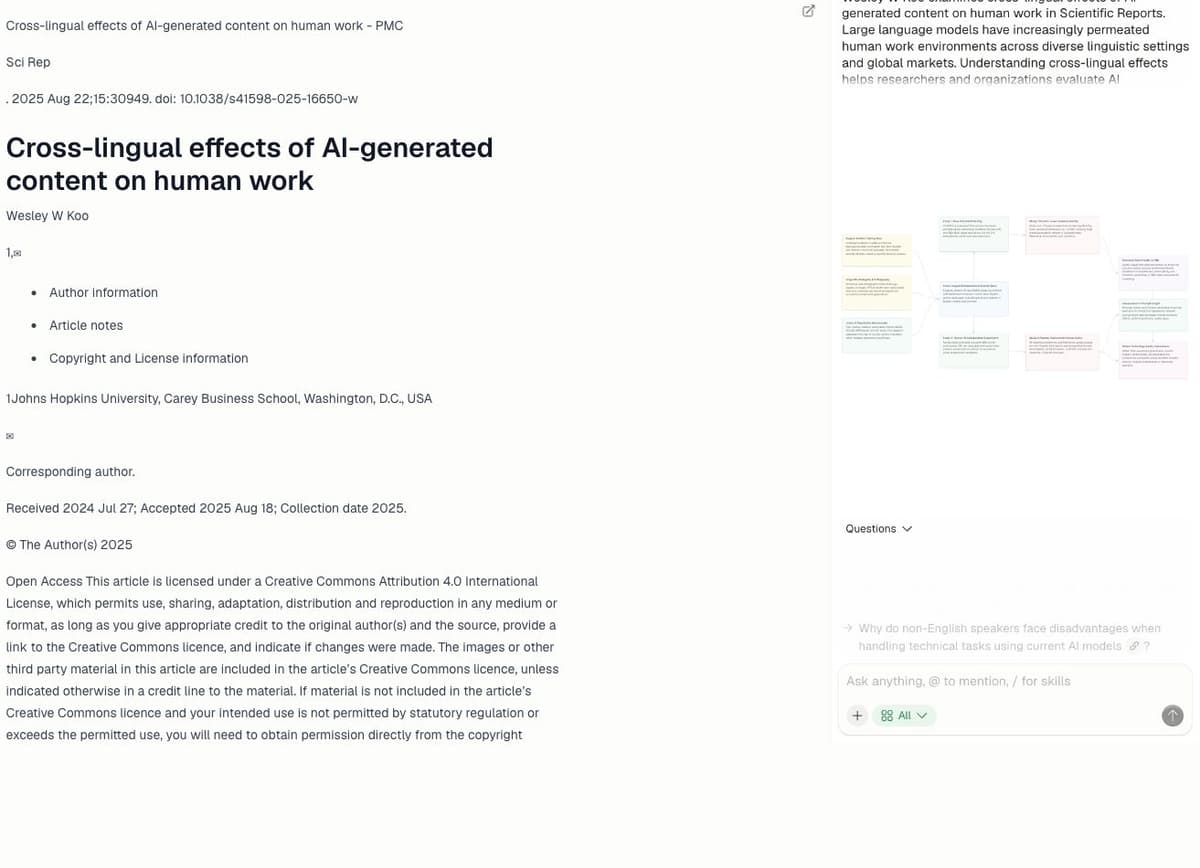
Atlas is not a Roam clone. It is a better fit when your Roam graph became hard to search. You add notes, PDFs, websites, and chats. Atlas then helps you find links across that source set.
The interface shows this shift. Your sources appear as points on a semantic map. The map can show clusters in a research library. The chat panel keeps answers tied to the sources you added.
What stands out:
- Ask questions across notes and PDFs.
- Check answers against cited sources.
- Turn sources into mind maps with AI mind map tools.
- Link notes with mentions.
- Record talks and make them searchable.
- Search the web from the same space.
Pricing: Free tier available. Pro from $20/month.
What you gain over Roam: AI search, source citations, mind maps, and less manual linking. One researcher said: "Atlas has been a real time-saver for me. I just needed a tool to help me wade through the sea of articles I come across daily." Roam's graph is only as good as the links you made. Atlas adds context each time you add a source.
What you trade: You lose Roam's block-first outline and daily-page habit. If those are must-haves, start with Logseq or Tana.
2. Obsidian: Local Files and Control
Best for: Users who want full data ownership and deep customization
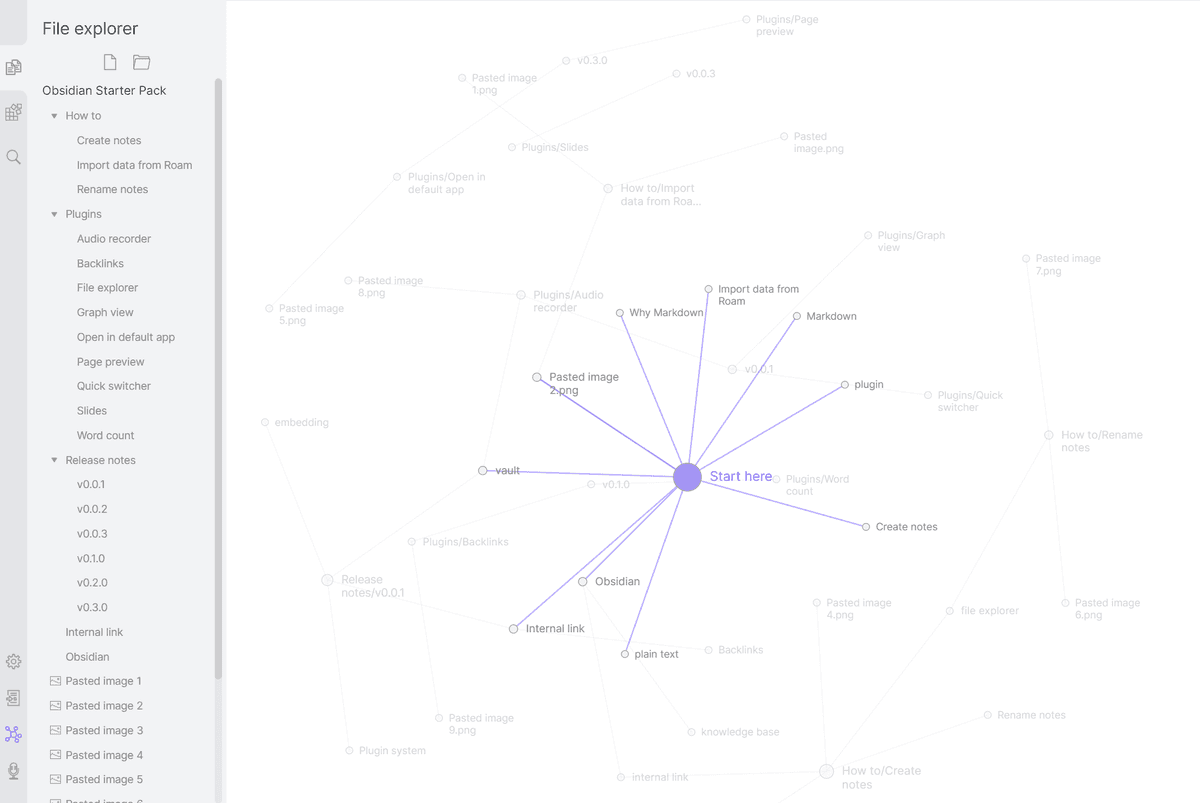
Obsidian is the default Roam alternative for people who want files they own. It stores notes as plain Markdown on your computer. It also has backlinks, graph view, and many plugins.
Obsidian's graph view is close to Roam's original promise. Notes appear as dots. Links appear as lines. It works well when you want local files and direct control, but the graph still depends on links you create.
What stands out:
- Local Markdown files you fully own
- Backlinks panel
- Graph view for visualizing connections
- 1,000+ community plugins
- Daily notes, templates, and block embeds via plugins
- Canvas for visual thinking
Pricing: Free for personal use. Sync $4/month. Publish $8/month.
What you gain over Roam:
- Free for personal use
- Local files
- Plugins for Dataview, Templater, and Excalidraw
- Active plugin community
- Works offline by default
What you trade:
- Requires setup time to match Roam workflows
- Plugin dependency means potential breakage on updates
- Mobile experience is functional but not polished
- No native collaboration features
- Outliner mode requires plugins and is not as fluid as Roam
Choose Obsidian if you want a free, strong tool and you do not mind setup. For more detail, see our Obsidian alternatives guide and Obsidian vs Roam Research. For team use, see Notion vs Roam Research. For method help, read our Zettelkasten method guide.
3. Logseq: Free Roam-Style Outliner
Best for: Roam users who want the same outliner workflow without the price tag
Logseq is the closest direct replacement for Roam Research. It is an open-source outliner with backlinks, block refs, and journals. If you come from Roam, it feels familiar fast.
What stands out:
- Outline-first editing (every bullet is a block)
- Block references and embeds
- Bidirectional links with graph view
- Journals as default entry point
- Local files in Markdown or Org-mode
- Open source (AGPLv3)
Pricing: Free. Sync in beta.
What you gain over Roam:
- Very similar workflow
- Free and open source
- Local file storage
- Block-level referencing works well
- Active community
What you trade:
- Large graphs can still slow down
- Sync solution still maturing
- Fewer plugins than Obsidian
- Whiteboards feature is basic compared to alternatives
- Database version (Logseq DB) is still in development
If price is your main Roam problem, Logseq is the easiest switch. Your habits transfer. The risk is scale: large graphs can still get slow.
4. Tana: Supertags and Structured Notes
Best for: People who want structured data and an outliner combined
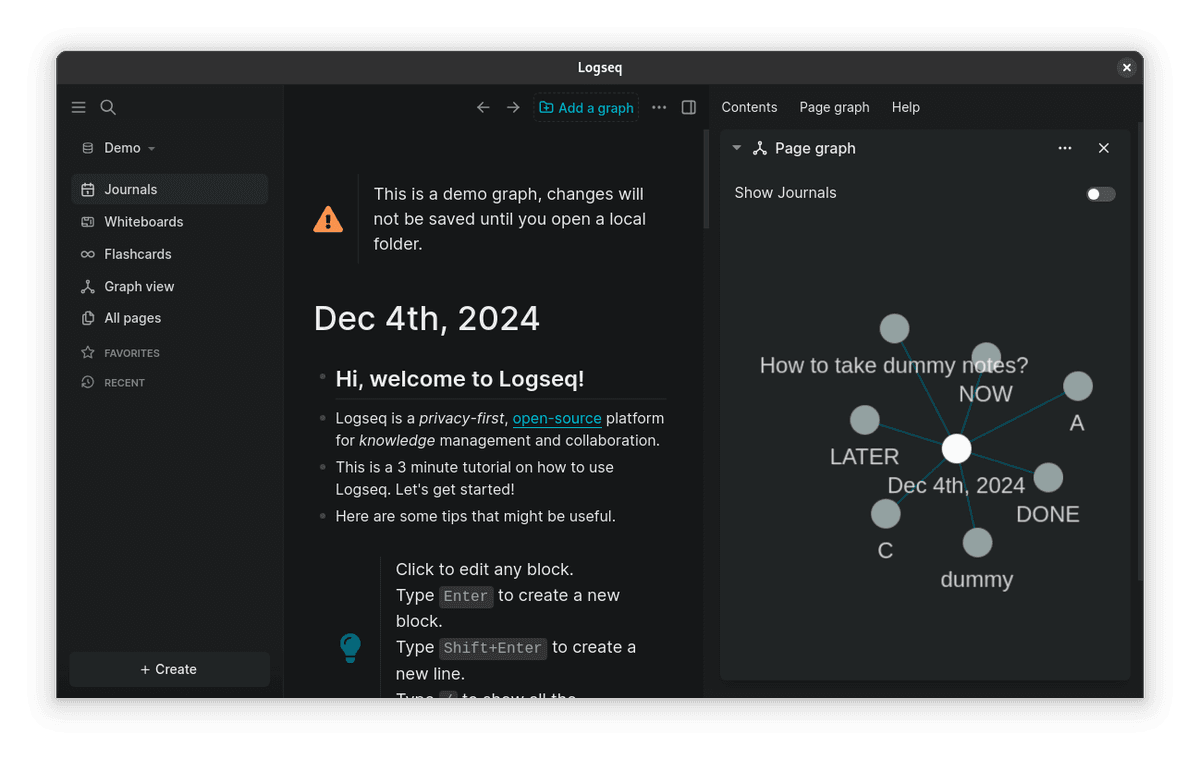
Tana takes Roam's outliner idea and adds types. Every node can have a "supertag" that defines its fields. It feels like a database inside an outline.
What stands out:
- Outliner with supertags (structured node types)
- Live queries and computed fields
- AI for tags and summaries
- Bidirectional links and graph view
- Command node system for automation
Pricing: Free tier. Pro $10/month.
What you gain over Roam:
- Strong data structure
- Built-in AI
- Flexible views (list, table, kanban, calendar)
- Supertags make recall more exact
- Frequent product updates
What you trade:
- Steep learning curve, steeper than Roam
- Cloud-only, no local storage
- No mobile app yet
- Smaller community and ecosystem
- Vendor lock-in risk with proprietary data format
Tana is for people who felt Roam was not structured enough. If you wanted typed nodes, better queries, and database views, Tana delivers. Expect a real learning curve.
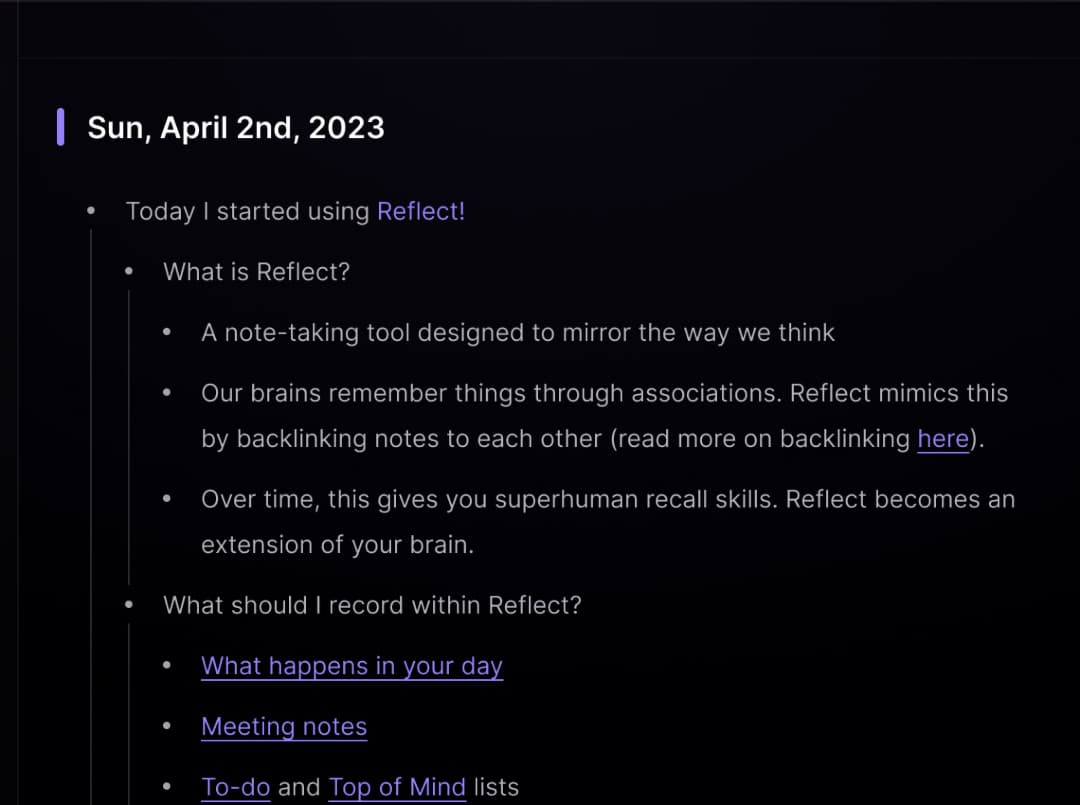
5. Reflect: Fast Linked Notes
Best for: Users who want clean, fast, distraction-free linked notes
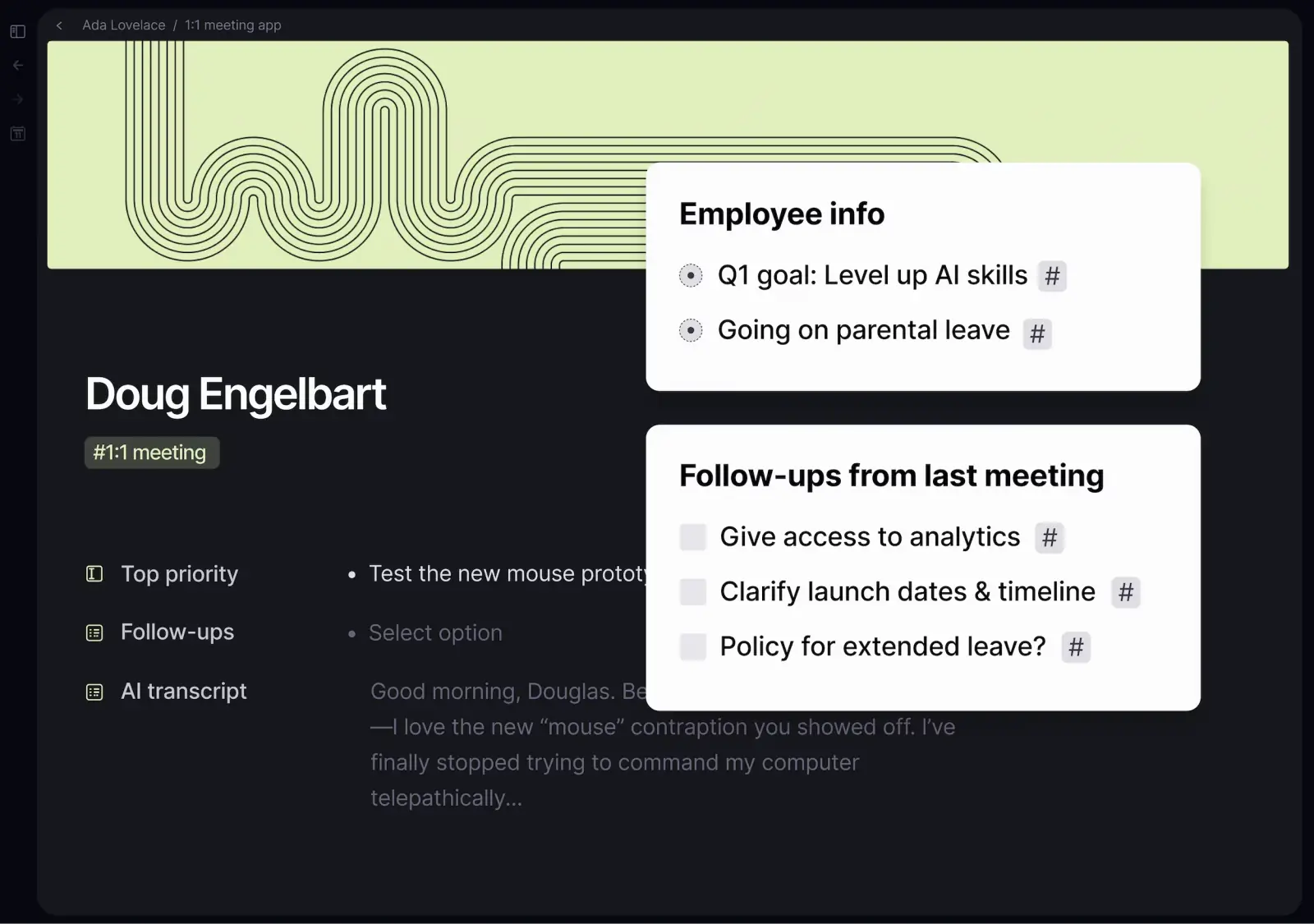
Reflect strips linked notes down to the basics. It is fast and clean. The workflow is simple: capture thoughts, link them, and find them later. There are no plugins to manage.
What stands out:
- Bidirectional links with backlinks
- Daily notes as default entry
- End-to-end encryption
- AI help for summaries and order
- Calendar and contact integration
- Instant sync across devices
Pricing: $10/month.
What you gain over Roam:
- Clean interface
- Fast on any device
- End-to-end encrypted
- Useful AI tools
- Zero configuration required
What you trade:
- No block references
- Limited customization
- No graph view
- Smaller feature set than Roam
- No free tier
Reflect is for people who liked Roam's idea but hated the work. It trades power for polish. If your notes are mostly text and links, Reflect is worth a look.
6. Capacities: Best for Object-Based Notes
Best for: Visual thinkers who want a structured, beautiful knowledge base
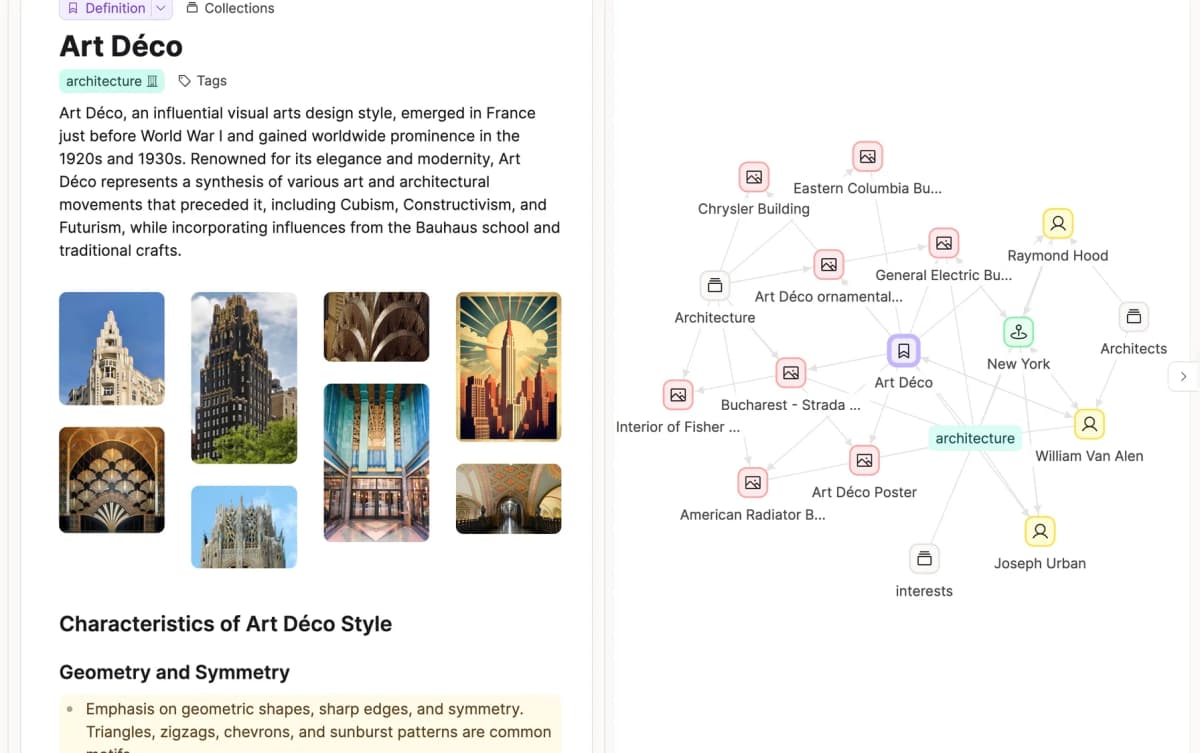
Capacities takes a different path. Instead of pages or blocks, everything is an "object" with a type: a person, a book, a meeting, a concept. This gives your notes structure before they sprawl.
What stands out:
- Object types with custom properties
- Beautiful graph and gallery views
- Daily notes and media management
- Links between objects
- Tag-based collections
- Built-in media support
Pricing: Free tier. Pro $10/month (or $83/year).
What you gain over Roam:
- Object types reduce sorting work
- Polished interface
- Good mobile experience
- Growing product
- Free tier is generous
What you trade:
- Less flexible than Roam for free-form outlining
- No block references
- Smaller plugin/integration ecosystem
- Proprietary data format
- Limited export options
If Roam felt too loose, Capacities gives you more structure. It is a different way to think about notes. See our connected notes apps comparison for more on this split.
7. Heptabase: Visual Canvas Thinking
Best for: People who think spatially and want to arrange ideas on a canvas
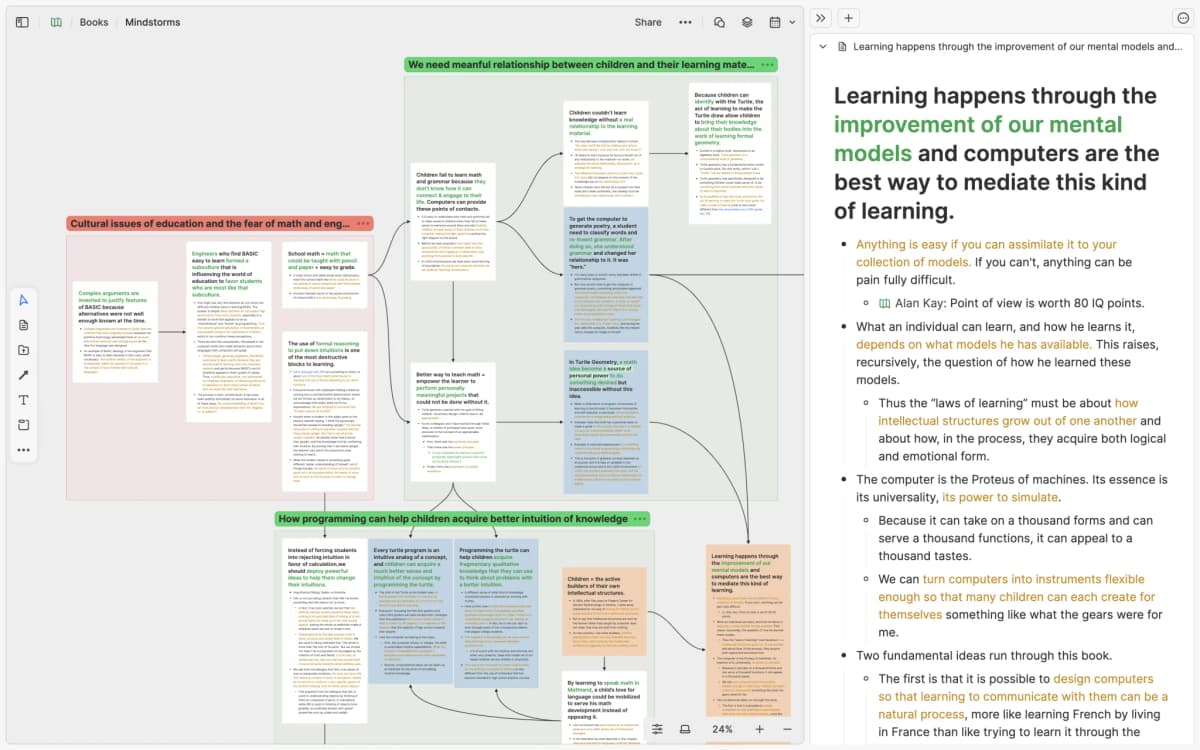
Heptabase combines note cards with a whiteboard canvas. You write cards, place them in space, and draw links. It feels close to spreading papers across a desk, but it stays searchable.
What stands out:
- Large whiteboard with note cards
- Bidirectional links between cards
- Journal for daily capture
- PDF annotation and highlighting
- Nested whiteboards for deep dives
- Tag-based organization
Pricing: $9.99/month (or $83.88/year).
What you gain over Roam:
- Spatial organization for complex topics
- PDF annotation is strong
- Good for visual learners and researchers
- Active development
- Clean, focused interface
What you trade:
- Requires spatial thinking
- Limited text formatting compared to Roam
- No block references
- Smaller community
- Mobile experience is limited
Choose Heptabase if you think with maps and cards. It can help with research synthesis because you can place sources next to each other and see the big picture.
Feature Comparison Table
| Feature | Atlas | Obsidian | Logseq | Tana | Reflect | Capacities | Heptabase |
|---|---|---|---|---|---|---|---|
| Bidirectional links | Yes | Yes | Yes | Yes | Yes | Yes | Yes |
| Block references | No | Plugin | Yes | Yes | No | No | No |
| Outliner mode | No | Plugin | Native | Native | No | No | No |
| Graph view | AI-generated | Manual | Manual | Manual | No | Manual | Spatial |
| AI features | Native | Plugin | Limited | Native | Native | Limited | No |
| Offline support | Limited | Full | Full | No | Yes | Limited | Yes |
| Local storage | No | Yes | Yes | No | No | No | No |
| Open source | No | No | Yes | No | No | No | No |
| Mobile app | Yes | Yes | Yes | No | Yes | Yes | Yes |
| Collaboration | No | No | No | Yes | No | No | No |
| Citation extraction | Yes | No | No | No | No | No | No |
| Mind map generation | Automatic | Plugin | No | No | No | No | Spatial canvas |
| Free tier | Yes | Yes | Yes | Yes | No | Yes | No |
| Price (Pro) | $20/mo | $4/mo sync | Free | $10/mo | $10/mo | $10/mo | $10/mo |
Table 3: Feature comparison of Roam Research alternatives across linking, AI, offline support, and pricing
Which Roam Alternative Should You Choose?
Match the replacement to the part of Roam you relied on most:
- Research across papers and notes: Atlas searches a selected source collection, provides source quotes, and creates mind maps. See our PKM apps for researchers guide for more research-focused options.
- Daily journaling and outlining: Logseq offers the closest combination of an outliner, daily pages, and block references.
- A Zettelkasten or second brain: Obsidian provides local files and a large plugin ecosystem. Our note-taking systems compared guide explains the methods those plugins can support.
- Structured notes and queries: Tana's supertags add reusable fields to notes inside an outline.
- Simple linked notes: Reflect removes most configuration, while Capacities organizes notes by types such as people, books, and topics.
- Spatial thinking: Heptabase lets you arrange note cards on a canvas instead of working mainly in an outline.
For a broader look at the best second brain apps available in 2026, we maintain a regularly updated comparison.
Where Atlas Fits After Roam
Atlas fits when Roam stopped helping you answer questions across sources. It is not the right pick if you need block refs, a daily outliner, or local Markdown files. Choose Logseq or Obsidian for those jobs.
Choose Atlas when your main work is reading papers, comparing sources, and asking questions that need cited answers. If that is why you are leaving Roam, see how Atlas organizes research papers.
Migration and Power-User Options
The migration choice depends on whether you need to preserve local files, Roam-style block references, or a cloud graph. Test the export and the destination app before moving the full graph.
Migration Risk Matrix
Roam migration risk depends less on note count. It depends more on note format. Use this matrix before you export:
| Migration need | Lowest-risk choice | Why it works | Watch out for |
|---|---|---|---|
| Keep research sources | Atlas | PDFs, notes, and web sources can be searched together | It is not a Roam-style outliner |
| Keep local files | Obsidian or Logseq | Both work with Markdown-style files and offline vaults | Plugin setup and sync choices take time |
| Keep block refs | Logseq or Tana | Both keep an outliner model close to Roam | Other tools may flatten block refs into text |
| Keep structured data | Tana or Capacities | Supertags and object types add order | Export formats are less plain than Markdown |
| Self-host or open source | Logseq, TiddlyWiki, Org-roam, Foam, or Athens | You can avoid a closed cloud workspace | Setup and maintenance are your job |
Table 4: Roam migration choices by file model, block support, and research fit
The main split is local files versus managed cloud. Obsidian and Logseq are best when ownership matters most. Tana, Reflect, Capacities, and Heptabase reduce setup work, but lock you in more. Atlas sits in a different lane. It is best when your problem is not the outline. It is finding answers across a growing source set.
Power-User Options
The seven tools above cover most Roam switchers. Power users may also want a more technical path:
- Org-roam is for Emacs users. Its manual describes it as a networked-thought tool that brings some Roam ideas into Org-mode. Choose it only if Emacs is already part of your life.
- TiddlyWiki is a non-linear personal web notebook. It can work as a single wiki file, which makes it appealing when long-term ownership matters more than a modern app feel.
- Foam is a local-first Markdown knowledge base built around Visual Studio Code and GitHub. It fits people who already live in VS Code.
- RemNote fits students who want notes plus spaced-repeat flashcards, PDFs, backlinks, and study tools in one place.
- Athens is the most Roam-like open-source idea in this group, but it is harder to recommend as a primary 2026 move unless you specifically want to self-host and accept project risk.
The stack split is simple. Obsidian and Foam use Markdown. Logseq uses Markdown or Org-mode. Org-roam uses Org-mode. TiddlyWiki can live as one wiki file. RemNote, Tana, Reflect, Capacities, and Heptabase are managed apps.
Migrating From Roam Research
Moving your data out of Roam is straightforward but requires some cleanup.
-
Export from Roam. Go to the three-dot menu, select Export All, and choose Markdown. JSON preserves more structure but fewer tools can import it. Download both formats to be safe.
-
Clean up the export. Roam's Markdown export includes quirks: double brackets around page links, block IDs, and metadata that may not translate cleanly. For small databases, fix these by hand. For larger ones, search GitHub for community cleanup scripts.
-
Import to your new tool.
- Atlas: Upload your cleaned Markdown files or PDFs. Atlas reads the content and builds links. No special formatting is required.
- Obsidian: Drop your Markdown files into a vault folder. Obsidian recognizes
[[wikilinks]]. Use the "Roam to Obsidian" plugin if you want cleanup help. - Logseq: Point Logseq at your exported folder. It handles Roam-style Markdown well since the formats are similar. Block references will need manual cleanup.
- Tana: Use Tana's import tool or paste content. Supertags will need to be applied manually after import.
- Others: Check each product's current import documentation, then test the same sample before moving the full graph. Markdown support alone does not prove that block references or queries will survive.
- Rebuild rather than replicate. You may want to recreate your exact Roam setup. Resist that urge. Your new tool has different strengths. Start with active projects. Move old notes only when you need them. Moving everything at once often creates a mess.
A note on block refs: If your Roam workflow relied on block-level reuse, only Logseq and Tana keep that pattern well. Other tools may turn block refs into plain text. Decide early whether block refs are core to your work.
Final Recommendation
The safest choice is the tool that preserves the parts of Roam you use and improves the reason you are leaving. Logseq is the closest move for blocks and journals. Obsidian is stronger for local files. Tana is stronger for structured outliner data. Atlas is the better fit when you need cited answers across notes, PDFs, and other research sources.
Run the sample migration before choosing. A failed block reference or query in 25 representative pages is more useful evidence than a long feature list, and it is much cheaper to discover before moving the full graph.
If your research sources outgrew hand-built links, start with the Atlas workflow above. If blocks, journals, and local files matter more, start with Logseq or Obsidian instead.
Find cited answers in research notes
Add Markdown notes, ask a question, and inspect the passages cited in answers.