


The best AI mind map tool depends on what you want to map. Miro AI and Whimsical work well for ideas and team planning. Xmind AI and GitMind can turn a file into a map you can edit. Atlas can map a set of research sources and show where each idea came from. Mind Map Wizard and MyMap.AI offer quick ways to start in a web browser.
The starting material is the main difference. A map may begin with a prompt, pasted notes, one file, or a set of sources that you need to check later.
AtlasMap connections across your research
Upload papers or notes to build a source-grounded Knowledge Map.

How we tested 7 tools
We gave each tool the same topic prompt, notes, and research paper. We checked whether the first map made sense and whether we could edit its branches. We also looked for a way to trace a key idea back to the input.
We then checked each company's current help pages. These pages show which files a tool accepts, how people can work together, and how a map can be saved. The findings below combine that product information with our review.
What to look for
First, check what the tool can read. Some tools build a map from a short prompt. Others arrange pasted text or the headings from a PDF. A research workspace can keep many files together and help you see where an idea came from.
Then ask these questions:
- Can you check the source? Look for a way to open the file or passage behind a branch.
- Can it read your files? Some tools accept PDFs, office files, and web pages. Others accept only prompts or pasted text.
- Can you change the map? Check whether you can rename, move, delete, and reconnect items.
- Can you save the result? Make sure the map can leave the tool in a file your next app can use.
- Can a team work on it? Some tools let people edit, comment, and present on the same board.
- Can you still read it? A useful map stays clear as it grows.
A research map still needs review. A tool may miss part of a PDF, use the wrong passage, or make a branch sound more certain than the paper does.
Why Evernote is outside the tested 7
Evernote often appears in searches for mind map tools. It is not one of the seven tools here because this guide covers apps that create an AI map from a prompt, notes, or a PDF.
AI mind map generators compared
Use this table to narrow your choices. Features and plan limits can change, so check the linked product page before you upload a large file or pay for a plan.
| Tool | Main input lane | Source trail | Editing | Collaboration | Best fit |
|---|---|---|---|---|---|
| Atlas | PDFs and source sets | Citations and source context | Connected map exploration | Project workspace | Research synthesis |
| Miro AI | Prompts and board content | Board context only | Strong canvas editing | Strong real-time teamwork | Workshops and planning |
| GitMind | Prompts, files, websites, media | Input-derived map, verify against source | Traditional map editor | Shared map workflows | Broad file conversion |
| Whimsical | Text prompts | Prompt context | Fully editable diagrams | Shared visual workspace | Polished team diagrams |
| Xmind AI | Prompts, text, PDFs, URLs | Input-derived map, verify against source | Strong traditional editor | Shared Xmind workflow | Editable study maps |
| Mind Map Wizard | Topics, URLs, text, PDFs | Input-derived map, verify against source | Browser editing | Share links | Fast browser drafts |
| MyMap.AI | Prompts and pasted text | Input-derived hierarchy | Editable visual canvas | Share links | Topic and note exploration |
Table 1: The table compares what each tool reads, how you can check and edit its map, and the job it suits best.
7 best AI mind map generators
The order reflects how well each tool fits a clear task. It is not a score of overall quality. A lower tool may be the better choice if it accepts your files or has the type of board you need.
1. Atlas for research sources
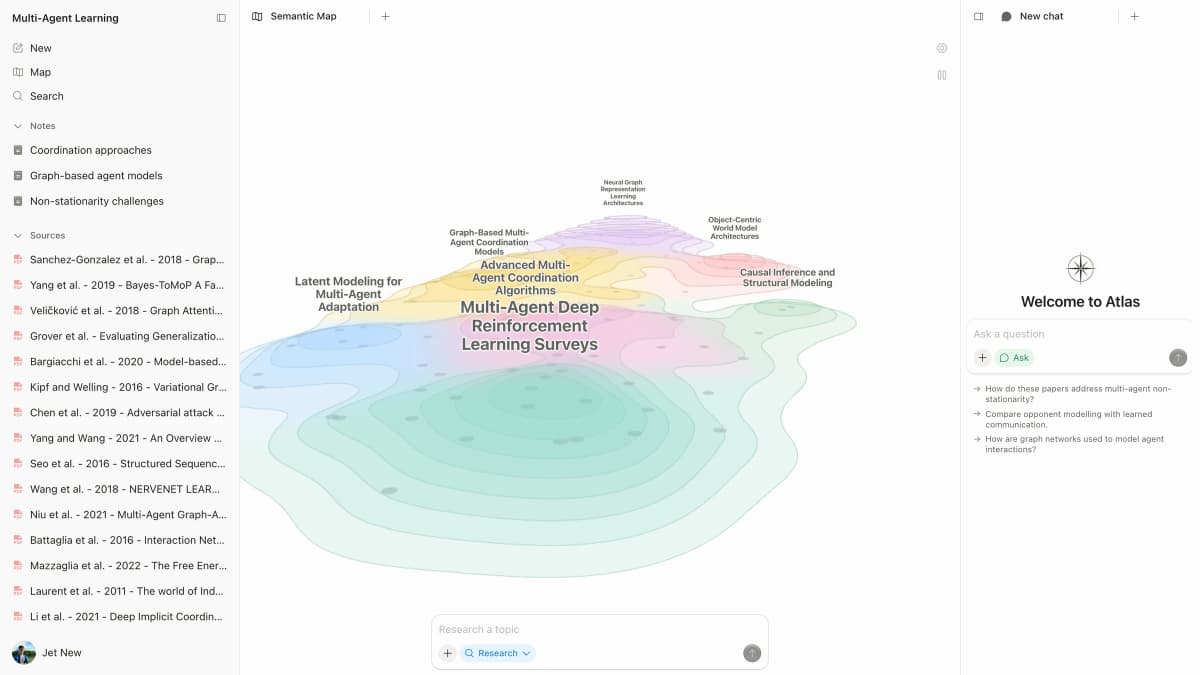
Atlas is the strongest fit here when a map must stay linked to a set of research sources. Add PDFs, web pages, transcripts, or notes to one project. The Knowledge Map and cited chat can then help you explore links across those sources.
You can open a citation to see the source text behind an answer. You still need to check that the text supports the claim and has not lost key context. Atlas is less suited to a blank board where a team wants to move sticky notes and draw a plan together.
The research paper stays beside its Knowledge Map and cited answer. This makes it easier to compare the map with the source.
2. Miro AI for workshops
Miro AI turns a prompt or selected board content into a mind map on Miro's large canvas. Team members can add branches and comments. They can also place the map beside sticky notes, charts, and plans.
Miro is the best option in this list for live workshops and team planning. Its page shows how users can create and edit a map on a board. It does not say that each branch will link to a passage in a research source.
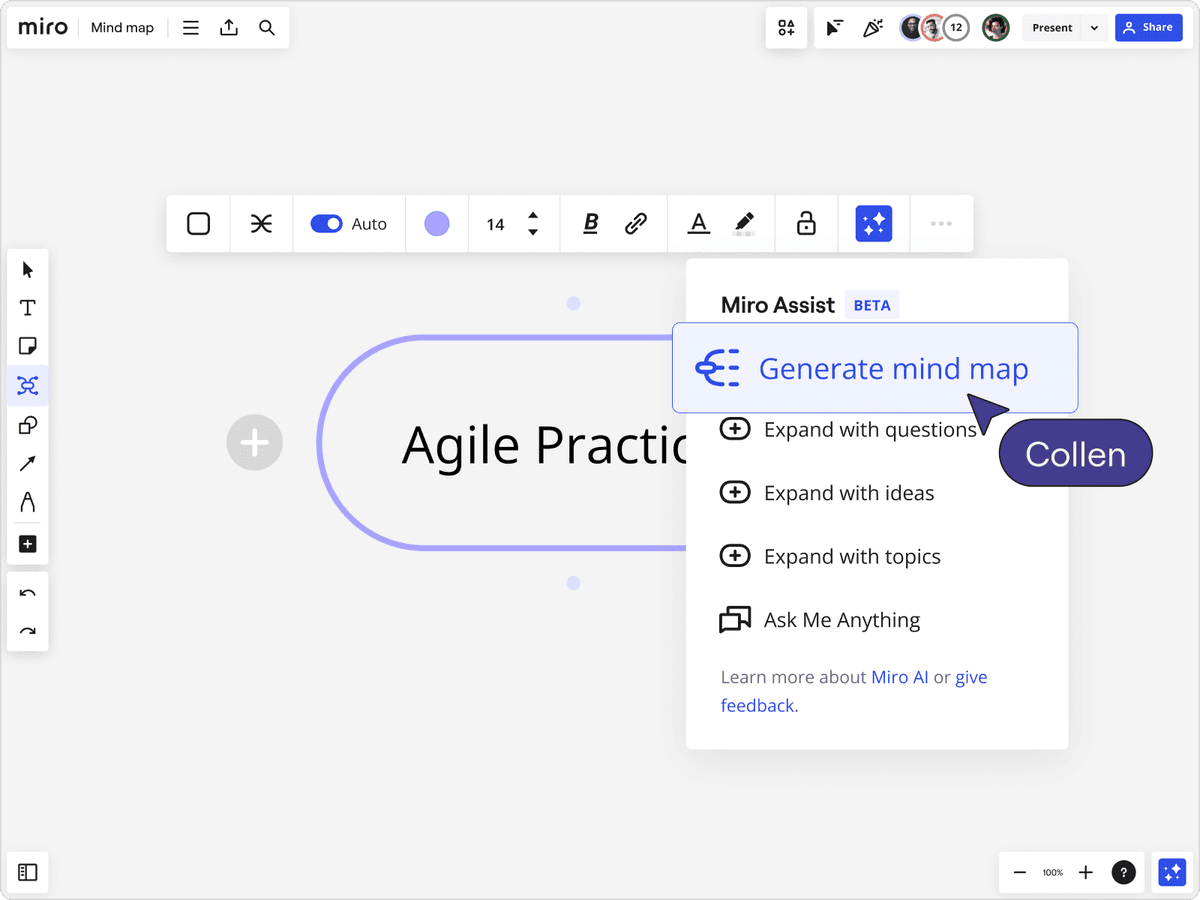
The screenshot shows this board flow. Miro AI creates branches on a board that a team can edit and present.
For more team board options, see our guide to Miro alternatives.
3. GitMind for varied inputs
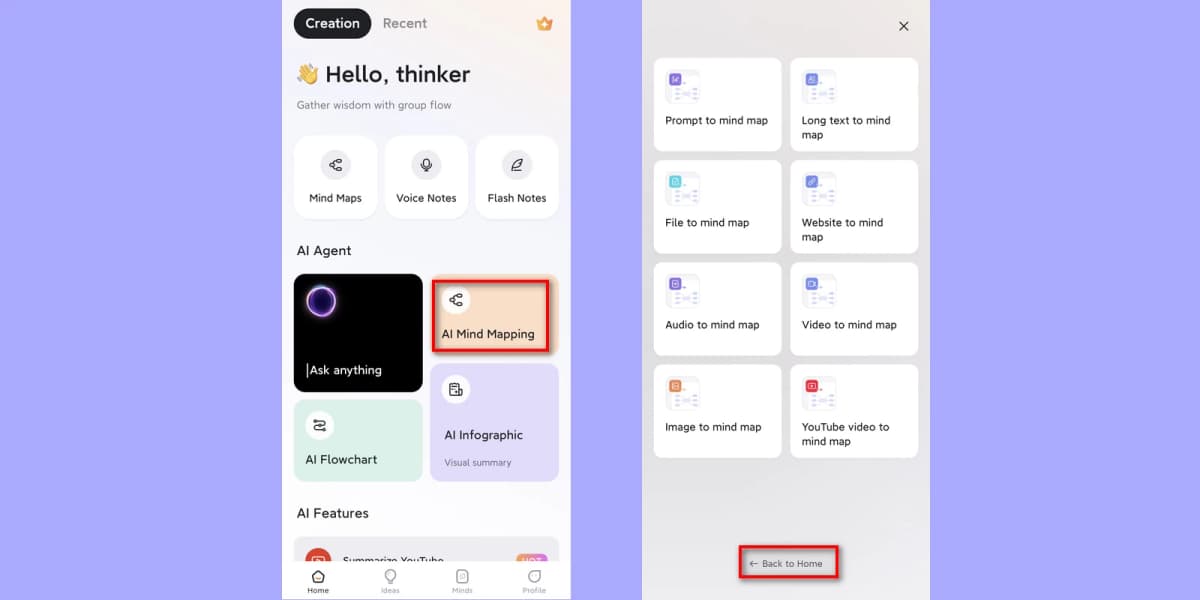
GitMind's AI tool accepts prompts, long text, office files, PDFs, web pages, images, audio, video, and YouTube links. This broad support helps when your study material comes in many forms and you want a standard mind map.
Check a map made from a file against the source. GitMind lists the inputs it accepts, but its page does not promise a source link for every branch. Check its current plans before you convert many files.
4. Whimsical for visual polish
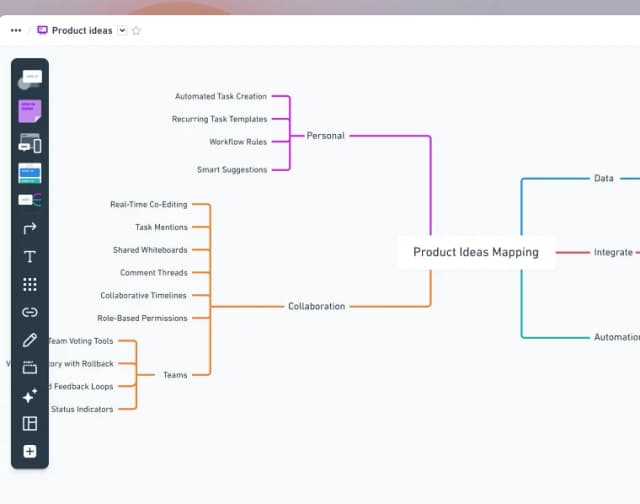
Whimsical AI creates a mind map from a text prompt. Teams can change the first draft and keep working on the same board.
Whimsical is a good choice for clear team diagrams. Our Whimsical alternatives guide covers similar board tools. Choose a source-based tool instead when each research claim must link back to a PDF passage.
5. Xmind for editing
Xmind's AI tool accepts a topic, pasted text, a PDF, or a web link. The result opens in Xmind's map editor. You can move its branches and turn them into study notes, reports, or slides.
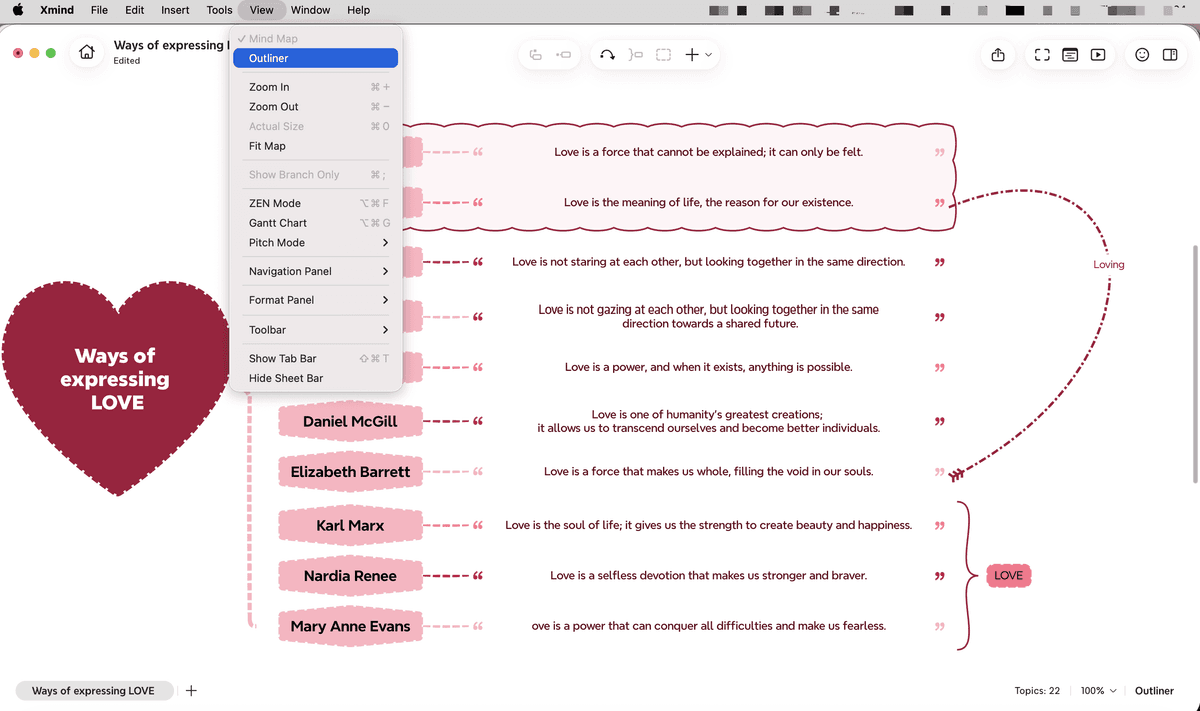
Xmind sits between a one-click tool and a map you build by hand. It can read a document, but its product page does not promise a source link for each branch or a map across many papers. See the Xmind alternatives guide for other map editors.
6. Mind Map Wizard for speed
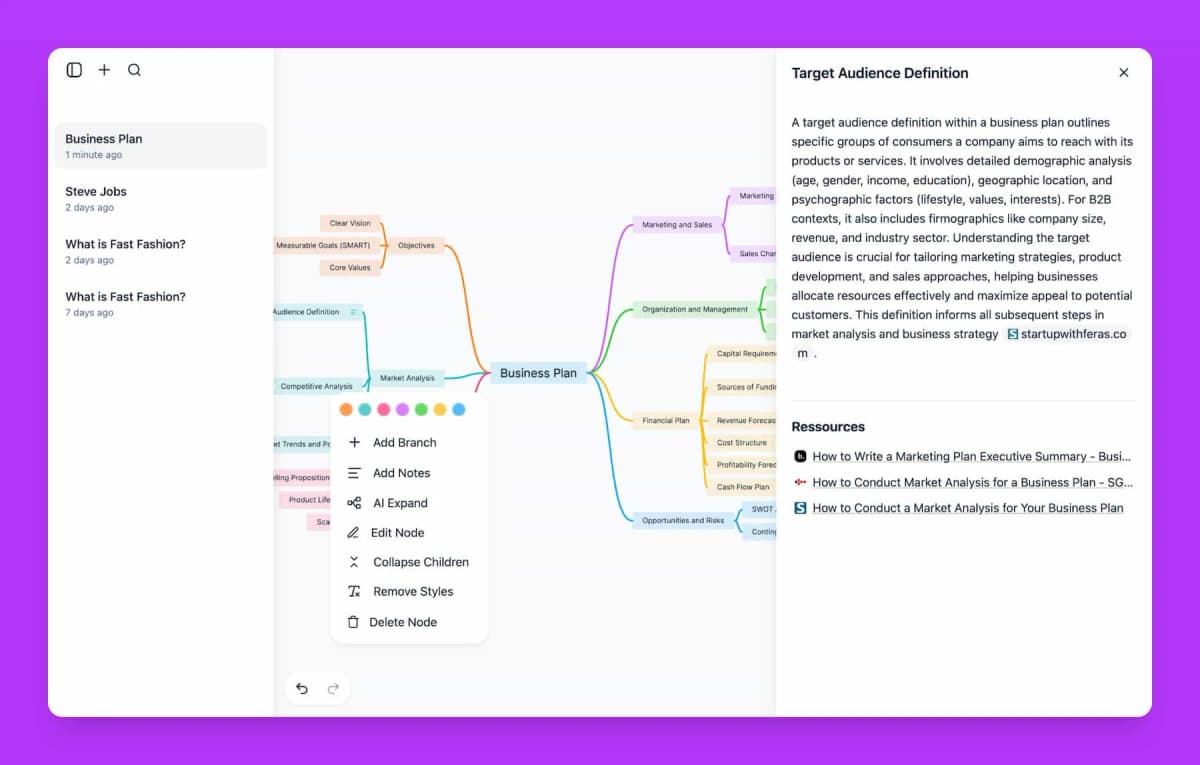
Mind Map Wizard starts without an account. It accepts a topic, web link, notes, or PDF. You can edit the result in your browser, share a link, or save it as a common image file.
Use it when you want a quick first map and do not need a full research workspace. Check its current plan limits before you add a long file. Review the map to make sure it covers all key sections.
7. MyMap.AI for text exploration
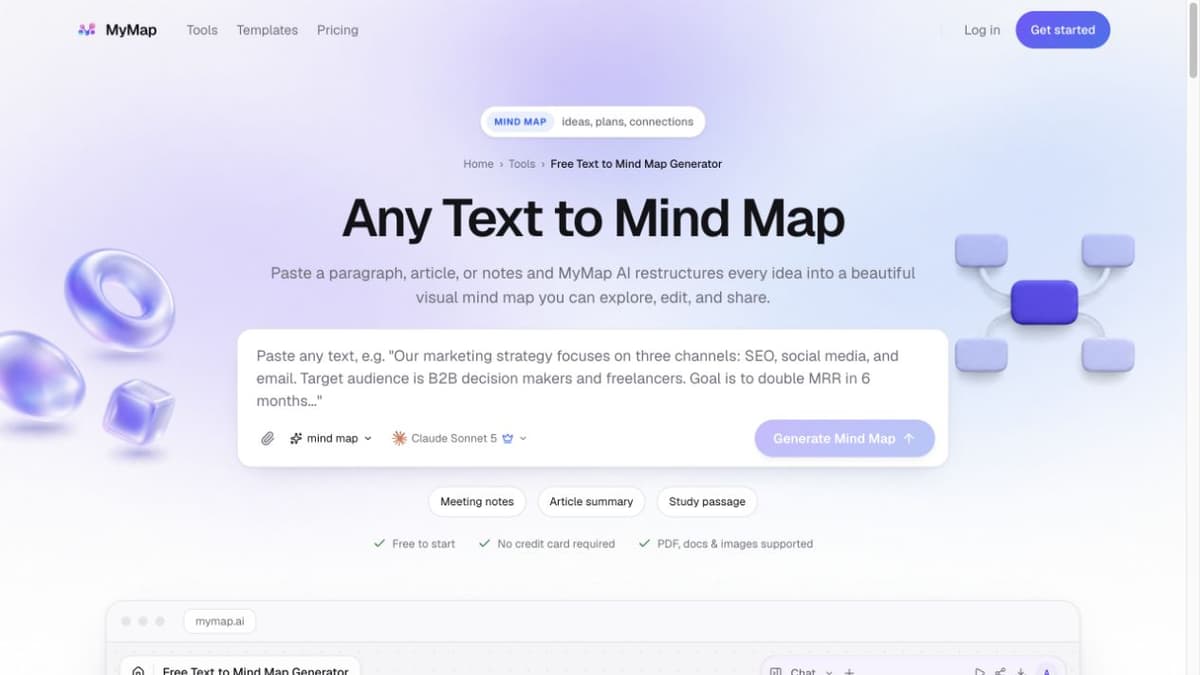
MyMap.AI turns a paragraph, article, or notes into a tree of ideas. You can move items, add branches, share the board, and save the result as an image.
MyMap works well for exploring an idea or reshaping notes. Its product page does not promise links to the source text. Check the map against the original text before you use it as evidence.
Which tools map research PDFs?
Some tools pull a simple outline from one PDF. Others keep the PDF in a research project so you can return to it after the map appears.
For one PDF: Xmind AI, GitMind, and Mind Map Wizard can turn a file into a map you can edit. They suit study guides, report outlines, and a first look at a paper. Check headings, charts, tables, and formulas against the PDF. Some files are harder for AI to read than others.
For many sources: Atlas keeps the files in one project and can compare them. Use this review process:
- Add the papers, notes, or web pages about the same question.
- Open the Knowledge Map and look for ideas or links that appear more than once.
- Ask a focused question about a claim, method, or point of debate.
- Open the citations in the answer and read the text around them.
- Change your note or map when the source is less certain than the AI answer.
A citation helps you find related evidence. It does not prove that the whole claim is correct or ready to publish.
For help with one file, read our guide to making mind maps from documents. If you use Google's research tool, see the NotebookLM mind maps guide.
Which generator should you choose?
Choose Atlas to map a set of papers and trace answers back to the source. Choose Miro AI when a team will build the map during a workshop. Choose GitMind when you have many file types, or Xmind AI when you want a standard map editor.
Choose Whimsical for a clean map from a prompt. Choose Mind Map Wizard for a fast draft from a topic, web link, or PDF. Choose MyMap.AI when you want to turn notes or an early idea into a map you can change.
Before you pay, test the tool with a typical file or prompt. Make sure the branches keep the ideas you care about. Check that you can fix a bad link and save the map in a useful file type.
For tools without AI, see the best mind mapping software. You can also compare a mind map with a knowledge graph or learn how to map a book by hand.
Map connections across your research
Upload papers or notes to build a source-grounded Knowledge Map.