


Atlas is included here only for mind maps built from source documents. You add PDFs, web pages, and notes, generate a map from a source, and ask questions whose answers cite the passages they came from. If you mainly want a blank canvas for manual brainstorming, start with MindNode, MindManager, ClickUp, or GitMind.
XMind became the default mind-mapping tool by pairing strong templates with desktop apps for solo power users. Buyers switch for four reasons. Atlas is for AI maps from uploaded sources. ClickUp is for maps inside a work hub. MindManager is for Microsoft Office teams. GitMind is the free browser pick.
This guide ranks 7 XMind alternatives for personal-Pro and power-user workflows. XMind’s Outliner view presents the same topics in a linear hierarchy, alongside the spatial map canvas. If you are buying for a team that needs live editing, see our MindMeister alternatives guide. That page is a better fit for team-wide rollout.
If you also draw flowcharts and wireframes, our Whimsical alternatives guide covers diagram-first tools.
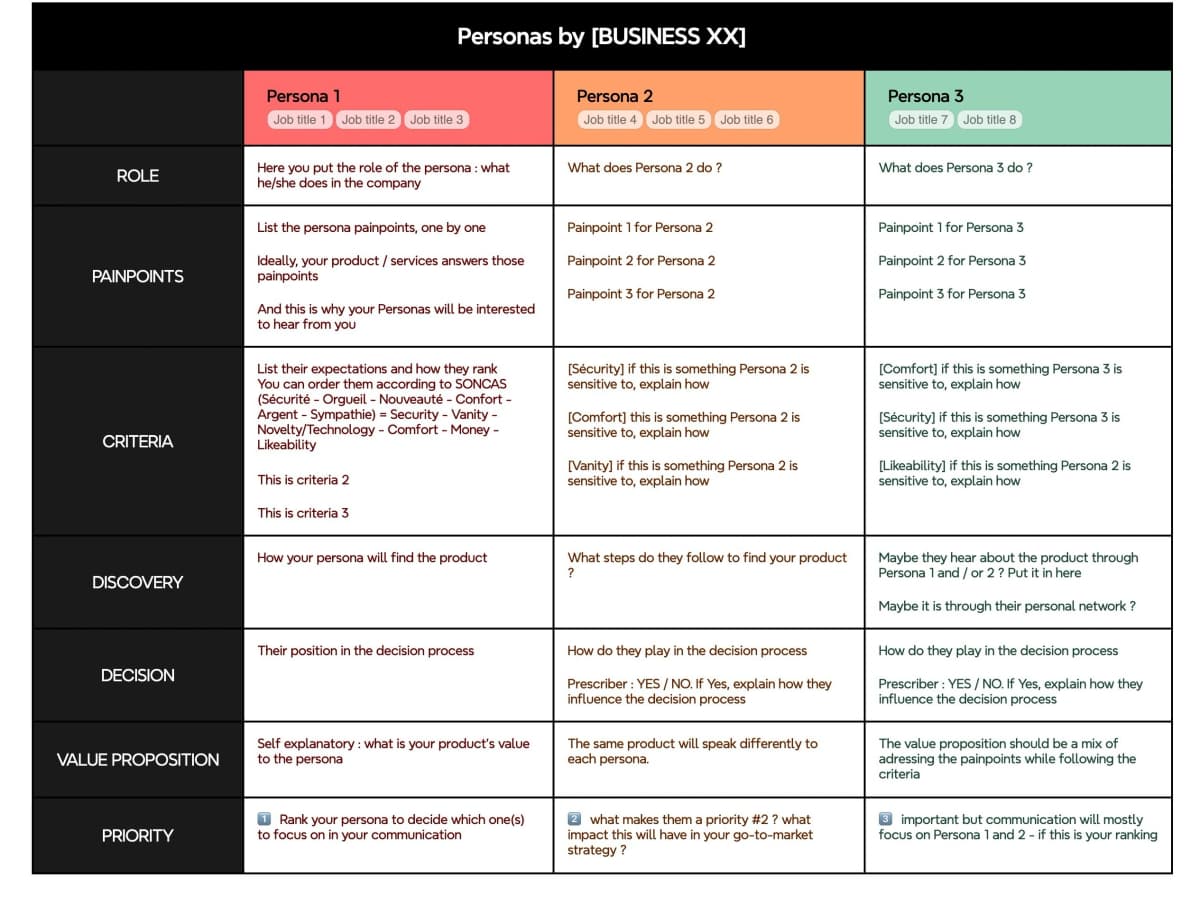
XMind can also lay information out as a matrix, with each persona in a column and decision criteria in rows. This format is useful when a comparison needs aligned fields rather than only radial branches.
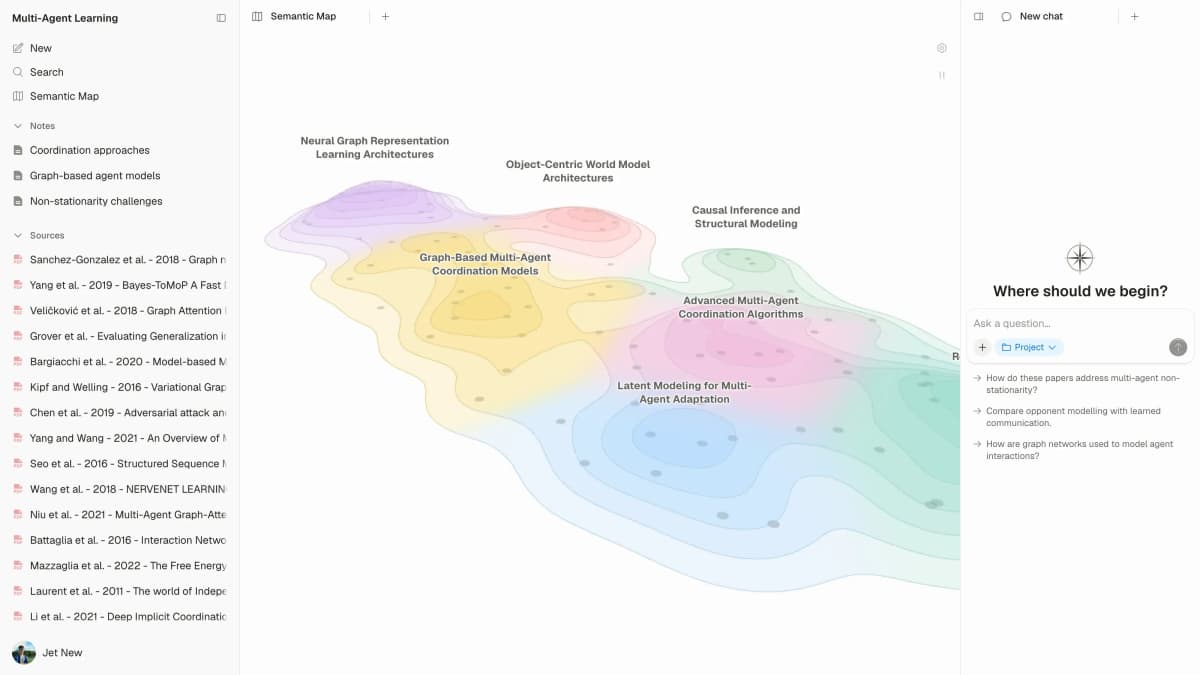
Map a research paper in Atlas
Generate a Knowledge Map from a paper and inspect its ideas in the source.
Why Switch From XMind?
For a side-by-side benchmark of nine mind-mapping tools, see our mind-mapping software guide.
XMind Pro is $4.92 a month billed yearly, and the free plan caps you at 10 online maps with a watermark. GitMind's free plan also allows 10 maps, without a watermark. Atlas has a free plan, and Plus at $20 a month adds AI work across your sources.
XMind's AI, Xmind Copilot, can turn a prompt, text, a link, or a file into a mind map. Atlas works across uploaded PDFs, notes, and research. Its answers include citations, which helps when a map needs to support study or client work.
Standalone desktop mind-map files often drift away from tasks and docs. Atlas and ClickUp keep maps in the same place as the rest of the work.
Evaluation Framework: Canvas, Workflow, and Exit Cost
This guide judges each tool on three jobs that matter after the first week. Canvas speed covers how quickly you can add sibling nodes, branches, notes, and exports. Workflow fit asks where the map belongs: a task system, a research library, a meeting room, or a solo desktop file. Exit cost measures whether your ideas stay editable after export.
Those three jobs explain the rankings. MindNode wins for Apple-first canvas speed. ClickUp wins when maps need to become tasks. MindManager wins when Office files and IT policy matter. Atlas wins when the source files come first. Its useful layer is cited answers tied to the map.
7 Best XMind Alternatives
The alternatives below solve different problems around a mind map. Some connect maps to research or tasks, while others improve desktop control, collaboration, whiteboarding, Apple support, or free browser access.
1. Atlas: Best for AI-Grounded Mind Mapping
Atlas can generate a knowledge map from one PDF or note, and its semantic map lays out every source in a project. Its cited answers let you check a branch against the source. XMind remains stronger for hand-built branch styling. Atlas is stronger when the map starts from files you need to read.
Researchers, students, and consultants get the most value from Atlas when a map has to stay tied to source files.
Pricing: Free plan, Plus $20/mo.
2. ClickUp: Best for Task-Linked Maps
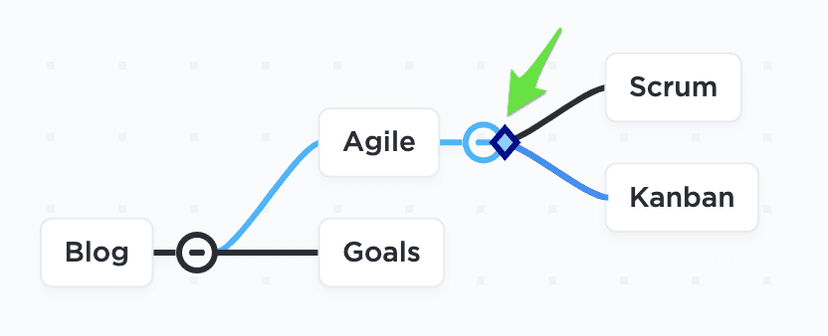
The ClickUp Help Center screenshot shows a task-based map and the handle used to move a task branch. It illustrates the task-linked workflow described here, not a comparison with XMind.
ClickUp Mind Maps sits inside the broader ClickUp workspace alongside tasks, docs, and goals. You can convert nodes into tasks and link them to docs, so the map becomes part of the project workflow.
Choose ClickUp when map nodes need to turn into tasks and docs. Pricing: Unlimited is $7 per user per month billed yearly, or $10 monthly.
3. MindManager: Closest Premium-Desktop Replacement
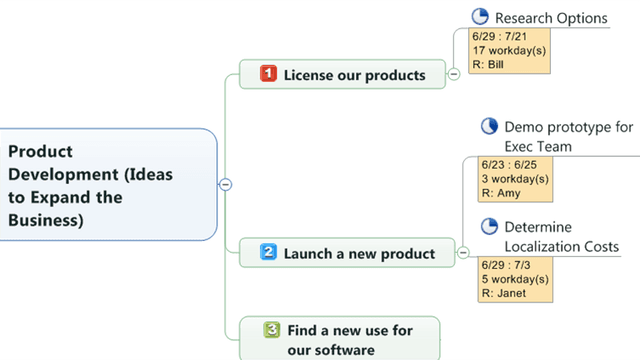
This official MindManager sample shows a topic branching into tasks and supporting notes. It illustrates a map structure, not product pricing or plan availability.
MindManager is the closest premium-desktop XMind replacement. Windows + Mac native, deeper MS Office round-tripping than XMind (PowerPoint, Word, Project, SharePoint), and a long-standing business mind-mapping tool. It costs more and takes longer to learn than XMind, but it is the upgrade path for users outgrowing XMind on Windows.
Choose MindManager when XMind feels too light for Office-heavy work. Pricing: Yearly plans or a one-time purchase, priced by region. Essentials is the web version.
4. MindMeister: Best In-Browser Collaborative Alternative
MindMeister is the browser tool for shared maps. It supports live editing and connects with MeisterTask, Meister's task app. Pick it when you want to leave desktop files behind. XMind still feels more polished for solo presentation output.
Choose MindMeister when several people need to edit the same map. Pricing: Free Basic plan, then paid Personal, Pro, and Business plans.
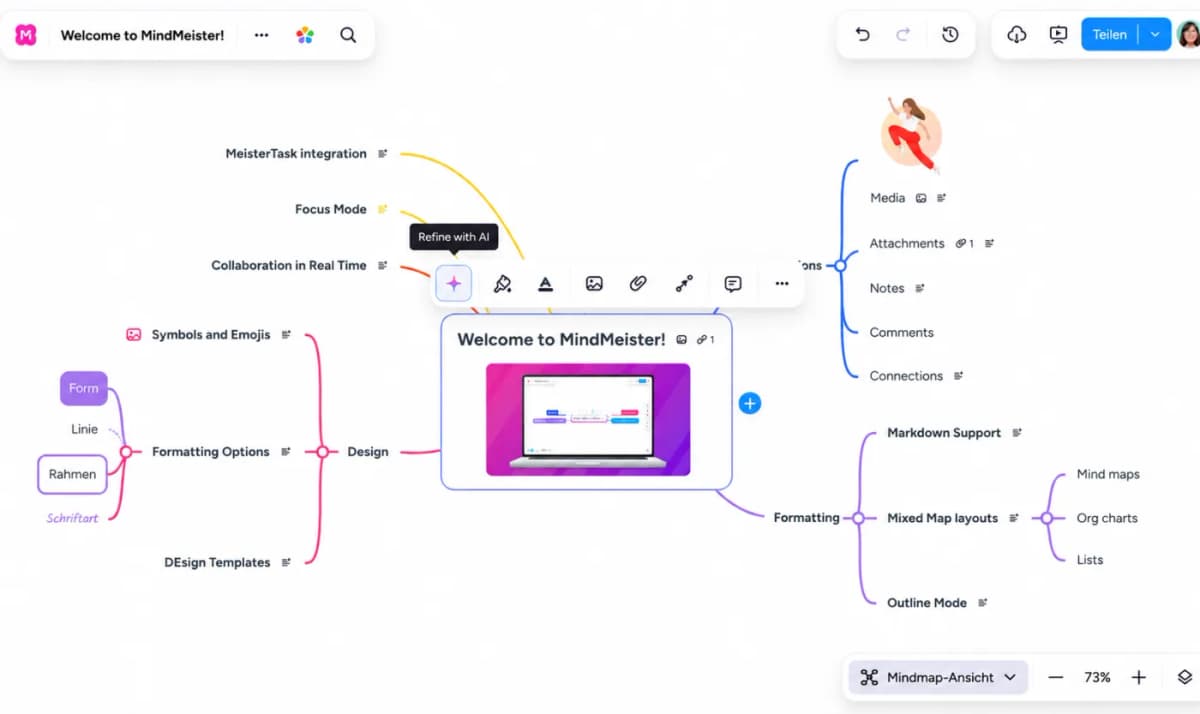
MindMeister’s editor shows a map canvas with branch and formatting controls. It illustrates the browser-based editing surface described here.
5. Miro: Best for Maps and Whiteboards
Miro has a mind-map tool inside a much broader board, which helps when mind maps sit beside workshop notes, sticky notes, and planning boards.
Choose Miro when the mind map is one part of a larger board. Pricing: Free plan with 3 editable boards, Starter $8 per member per month billed yearly.
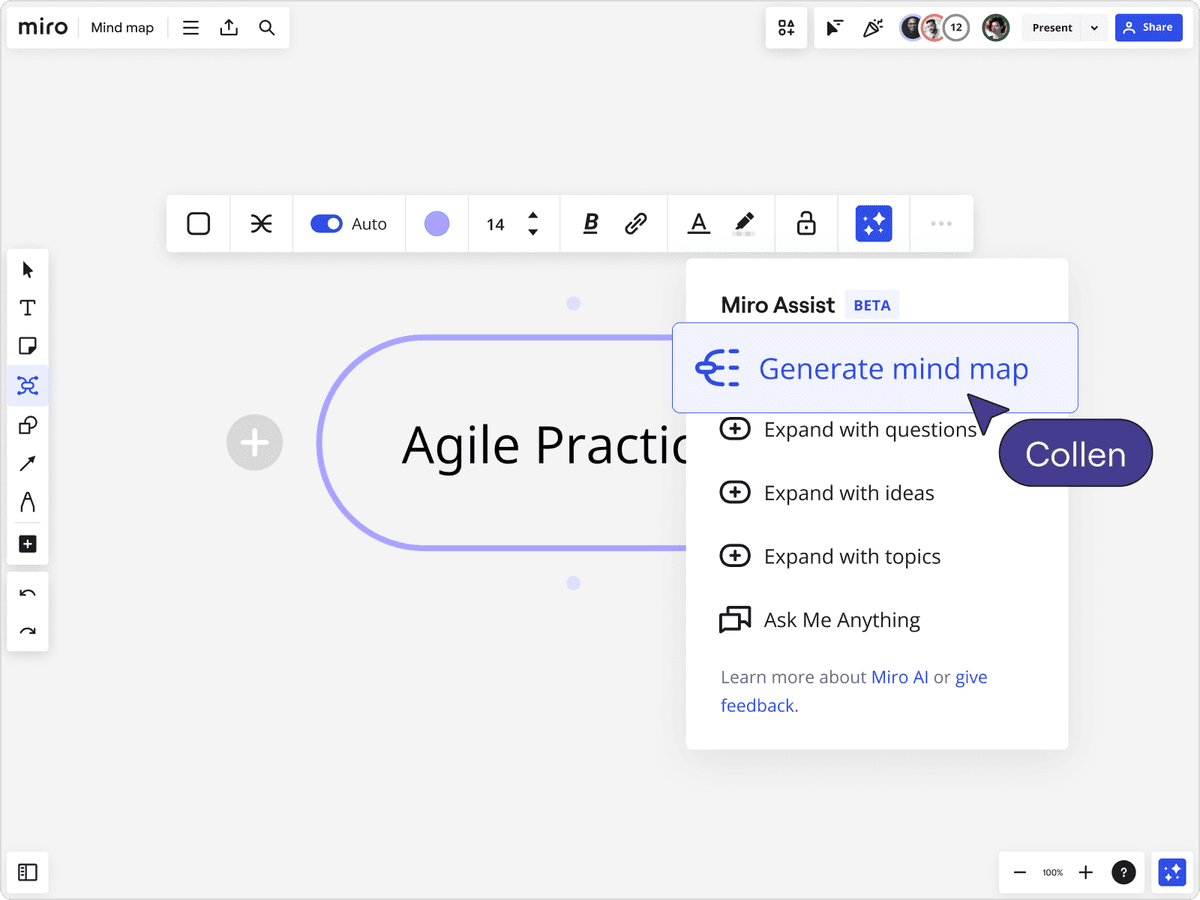
The board shows a generated mind map inside Miro’s larger whiteboard. Miro’s help center documents how users can edit or discard generated maps.
6. MindNode: Best for Apple Users
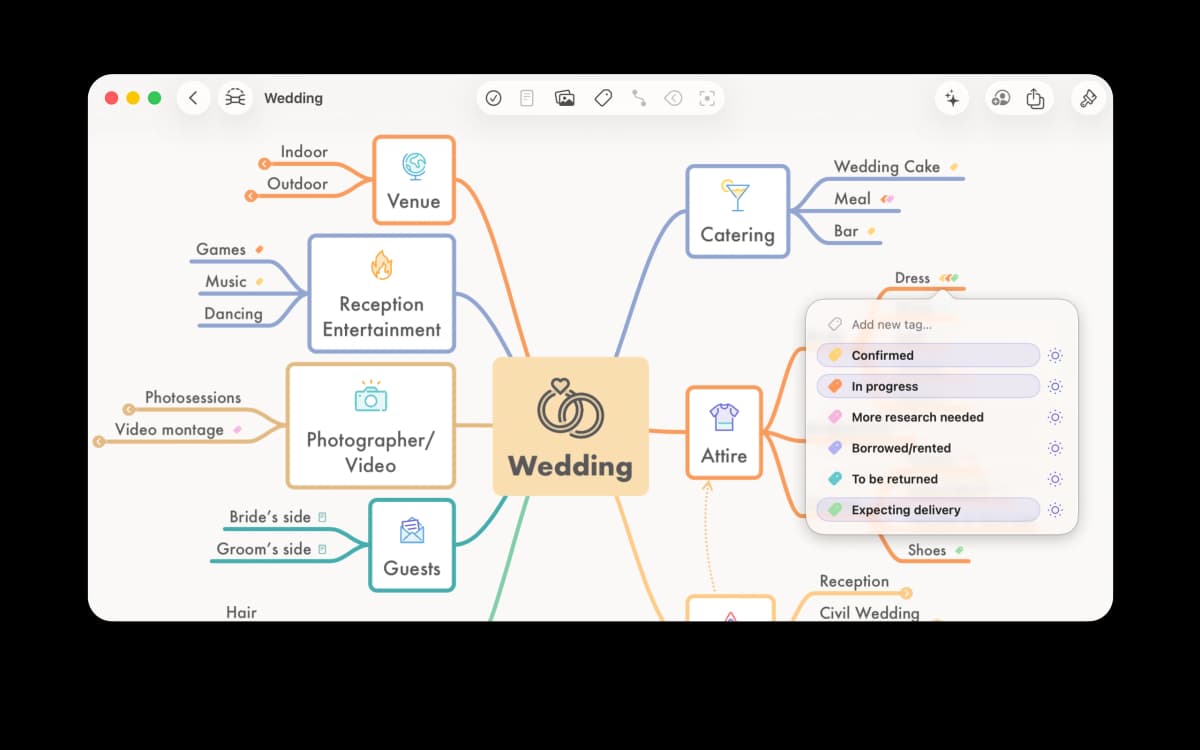
MindNode’s sample map branches a wedding plan into concrete topics and task states. The example shows an editable map, not a software comparison result.
MindNode is the Apple-ecosystem mind-map app, native macOS, iPadOS, iOS, with iCloud sync. It is polished and fast, and it works with Apple Pencil. It is the right pick for solo Mac users who want a native Apple app rather than XMind's cross-platform client.
Choose MindNode when you want the smoothest Apple-native map app. Pricing: Free, or MindNode Plus at $2.99 a month or $24.99 a year.
7. GitMind: Best Free In-Browser
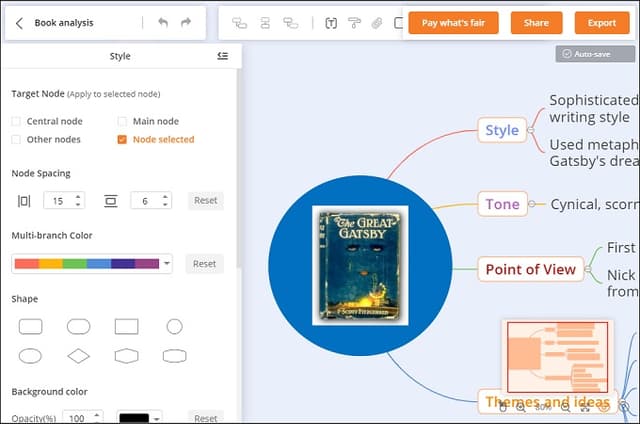
GitMind’s 2021 tutorial screenshot shows its browser editor beside a sample character map and style controls. The interface is dated; it illustrates map editing, while the current product details above are sourced separately.
GitMind is the strongest free in-browser XMind alternative. Mind maps, flowcharts, and AI-assisted generation in a generous free tier with no watermarks on export. Less polished than XMind on the desktop but the best zero-cost path for personal use.
Choose GitMind when you want a free browser map with export options. Pricing: Free (up to 10 maps), paid from $4.08 a month billed yearly or $9 monthly.
Comparison Table
Use this table to route the decision. The key question is where the map needs to live after the first draft.
| Tool | Best For | Free Plan | Paid From | Workspace Fit |
|---|---|---|---|---|
| Atlas | AI maps and cited answers from sources | Yes | $20/mo (Plus) | Research workspace |
| ClickUp | Mind maps + tasks + docs | Yes | $7/user/mo, yearly | Inside ClickUp workspace |
| MindManager | Premium desktop + MS Office | Trial | Priced by region | Desktop + Office |
| MindMeister | In-browser collab | Yes (Basic) | Personal plan | Browser |
| Miro | Whiteboard + mind map | Yes (3 editable boards) | $8/member/mo, yearly | Whiteboard |
| MindNode | Apple-only desktop | Yes | $2.99/mo or $24.99/yr | Apple-native |
| GitMind | Free in-browser | Yes (10 maps) | $4.08/mo, yearly | Browser |
Table 1: Seven XMind replacement tools compared by free plan, entry price, and where the map lives.
Best XMind Alternative by Use Case
Choose Atlas for maps built from research sources and ClickUp when nodes need to become tasks.
Choose MindManager for premium desktop work with Microsoft Office, or MindMeister for live browser editing. Choose Miro when the map is part of a larger board, MindNode for Mac and iOS, and GitMind for a free browser tool.
Other Picks: Coggle and Freeplane
Two more tools show up in many XMind comparisons. Coggle is a simple browser mind-map app. Its free plan allows 3 private diagrams, and the Awesome plan costs $5 a month for unlimited private diagrams. Freeplane is a free, open-source desktop app that runs anywhere Java is installed. Pick Coggle for quick, clean maps in the browser. Pick Freeplane if you want a free desktop app and do not mind a dated interface.
Long-Term Cost and Control
The monthly price is only one part of owning a mind-mapping system. Compare the total cost over several years, whether your files remain editable outside the app, and where private maps are stored.
Three-Year Cost for Solo Users
You live with a mind-map tool for years, so compare the three-year total as well as the monthly price. These rows use prices each vendor publishes:
| Tool | Year 1 | Three-year cost | What's included |
|---|---|---|---|
| Atlas Plus | $240 | $720 | AI Q&A across sources |
| XMind Pro (yearly) | $59.04 | $177.12 | Desktop apps, export without watermark |
| ClickUp Unlimited (yearly) | $84 | $252 | Tasks + docs + mind maps |
| Miro Starter (yearly) | $96 | $288 | Whiteboard + mind-map template |
| MindNode Plus (yearly) | $24.99 | $74.97 | Apple-native app |
| GitMind (yearly) | $48.96 | $146.88 | Browser-based, unlimited maps |
| GitMind Free | $0 | $0 | Up to 10 maps |
Table 2: Three-year solo-user cost for XMind Pro and the alternatives with published US prices. MindManager and MindMeister are left out because their public prices vary by region or could not be confirmed.
The cheapest option is GitMind Free at $0, if 10 maps are enough. The cheapest paid pick is MindNode Plus at $24.99 a year. Over three years it costs $74.97, about $102 less than XMind Pro, for Mac users who do not need Windows or Linux apps. Atlas Plus is the most expensive row at $720, because it is an AI research workspace rather than a plain map editor.
For users buying mainly for AI, the math depends on use. Atlas Plus at $20 a month costs about four times XMind Pro billed yearly. It earns that only if you need answers and maps from your own sources. If you only need light AI help with a map, GitMind or XMind's own AI may be enough.
File Format, Export, and Lock-In
Mind-map files hold real work, so check how you would leave before you commit. What the vendors document:
- Atlas: A knowledge map downloads as PNG, JPG, or SVG.
- XMind: Pro exports PNG, SVG, PDF, Markdown, and Office files without a watermark.
- MindManager: Its Microsoft integration sheet covers moving maps into Office apps.
For the other tools, export one real map in every format offered and reopen it somewhere else. An image or PDF keeps the picture but not an editable map. A text outline such as Markdown or OPML keeps the structure, so you can rebuild the map in another app.
Privacy, Data Residency, and Vendor Risk
Mind maps often hold private plans, such as org charts, hiring plans, deal notes, and product strategy. Security terms change by plan and region, so ask each vendor for current documents before you upload that material:
- Where are maps stored, and can you pick the region?
- Which security audits or certifications does the vendor publish for your plan?
- Can an admin remove a user and their access in one place?
- Are your maps used to train AI models, and can you turn that off?
- Can you export every map in an editable format if you leave?
Desktop apps that save files on your own machine, such as XMind or MindNode, keep more control with you. Cloud tools put more weight on the vendor's terms.
Next Step
XMind is solid desktop software for solo power users, while other tools win when you need AI from sources, task links, browser editing, Apple polish, or a lower price. Choose based on the work around the map because feature parity is the wrong test.
For maps that must start from files instead of a blank canvas, compare AI mind-map generator workflows before choosing a source-based workspace.
Buying for a collaborative team instead of personal use? See MindMeister alternatives, same tool category, different shape of buyer.
Map a research paper in Atlas
Generate a Knowledge Map from a paper and inspect its ideas in the source.