


XMind is the best overall mind-mapping app for most people. It combines fast manual editing, several map structures, desktop and mobile apps, and broad export support. Choose MindMeister for live team mapping, Miro for workshops, and Atlas only when the starting point is a set of research sources rather than a blank canvas.
| Best for | Pick | Why it wins |
|---|---|---|
| Maps from research sources | Atlas | Generates a source-grounded Knowledge Map for inspection |
| Dedicated mind mapping | XMind | Deep manual mapping and broad exports |
| Live team collaboration | MindMeister | Co-editing, comments, permissions, and presentations |
| Workshops | Miro | Maps sit beside voting, timers, sticky notes, and other activities |
| Apple devices | MindNode | Native Mac, iPhone, and iPad workflow |
| Education | Mindomo | Assignments, feedback, and LMS connections |
| Simple free browser use | Coggle | Low-friction sharing and a usable free plan |
| Maps that become tasks | Ayoa | Branches connect to task and planning views |
| Formal diagrams | Lucidchart | Mind maps can move into business and technical diagrams |
Table 1: The table routes each job to a suitable mind map software pick. A workshop board, a classroom tool, and a research system solve different problems.

Map a research source in Atlas
Upload a source, inspect its map, and verify important nodes.
How the 9 Apps Were Compared
I used a fixed 24-topic outline to check how each app handles branch creation, reordering, notes, links, images, collaboration, and export. I also checked three different starting points: a blank canvas, a prompt, and an existing document. That last distinction matters because a quick blank-canvas editor can still be a poor choice for source-heavy research.
I did not retain the old article's latency, cursor-lag, fidelity percentages, or "35-day test" claims. The raw files were not available for another reviewer to repeat the test. The product facts below come from vendor pages. The ranking reflects how each tool fits the job.
Before paying, repeat one small move test with your own map. Export it and open the result outside the app. Check the tree, notes, links, files, and tasks. A product listing "PDF export" is not the same as keeping an editable map.
Mind Mapping Software Compared
| Tool | Mapping depth | Collaboration | AI starting point | Offline | Useful exports |
|---|---|---|---|---|---|
| Atlas | Source-generated | Not a workshop canvas | Documents and project sources | No | Knowledge Map and source-linked project workflow |
| XMind | High | Mostly asynchronous | Prompt and assisted editing | Yes | PDF, PNG, SVG, OPML, Markdown, office formats |
| MindMeister | High | Strong live co-editing | Prompt and document input | Limited | Image, PDF, outline and presentation options by plan |
| Miro | Medium | Strong live facilitation | Prompt-assisted | Limited | Board and image/document exports |
| MindNode | High | Apple sharing | Apple-assisted features | Yes | OPML, Markdown, image and document formats |
| Mindomo | High | Live and classroom workflows | AI credits by plan | Yes | Broad map, outline, image and office formats |
| Coggle | Medium | Live co-editing | No central AI workflow | Browser-first | Image, PDF and structure-oriented formats |
| Ayoa | High | Live collaboration | AI-assisted | Check current app support | Image, presentation and outline workflows |
| Lucidchart | Medium | Strong business collaboration | Assisted diagramming | Limited | Image, PDF and diagram formats |
Table 2: Capabilities were checked against official pages on 10 August 2026. Plan entitlements and export formats change, so confirm the exact tier before purchase.
Best Mind Mapping Software
1. Atlas: Best From Sources
Atlas is the specialist choice when the material already exists in papers, reports, or notes. After a structured source is processed, Atlas can generate a Knowledge Map containing concepts, claims, evidence, methods, findings, and limits. The document-to-map guide shows the source-grounded workflow.
This is a different job from drawing a blank-canvas map. The map helps you inspect the source. It is not proof by itself. Check key nodes and links against the original text. Atlas is not the best choice for live workshop brainstorming, and its plans have source and fair-use limits.
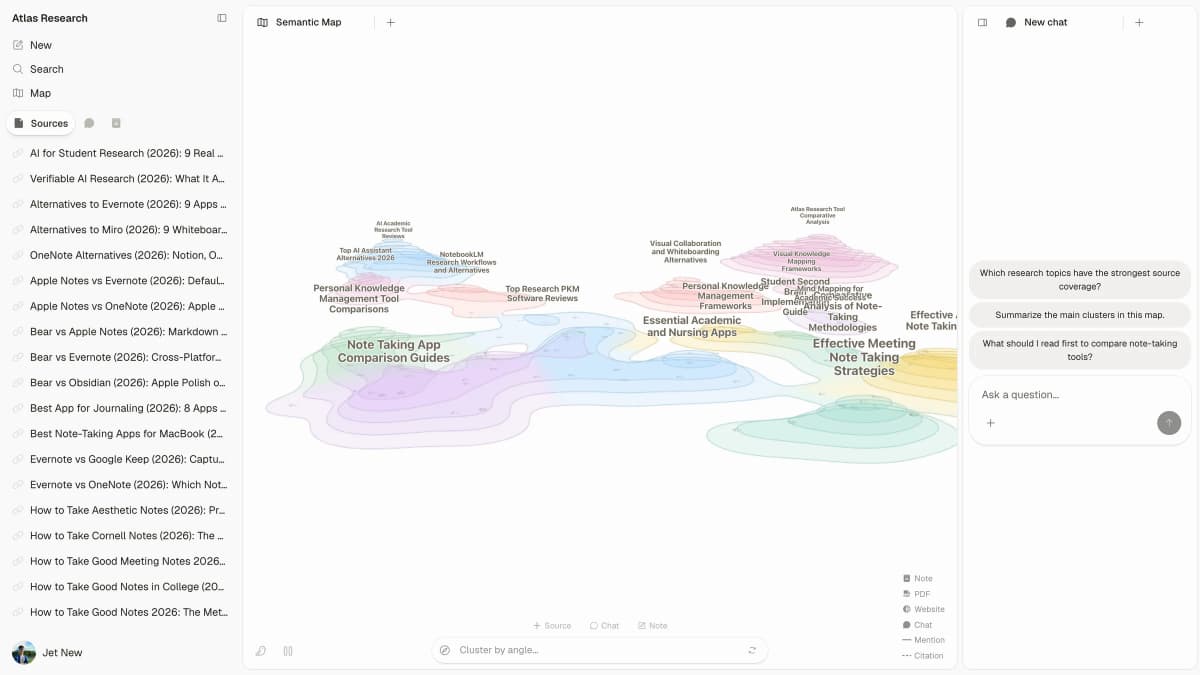
Atlas places a source list beside its Semantic Map and chat in one research workspace.
2. XMind: Best Overall
XMind is the safest default for a tree you shape by hand. It has several map types and apps for desktop and phone. Its export formats include OPML and Markdown.
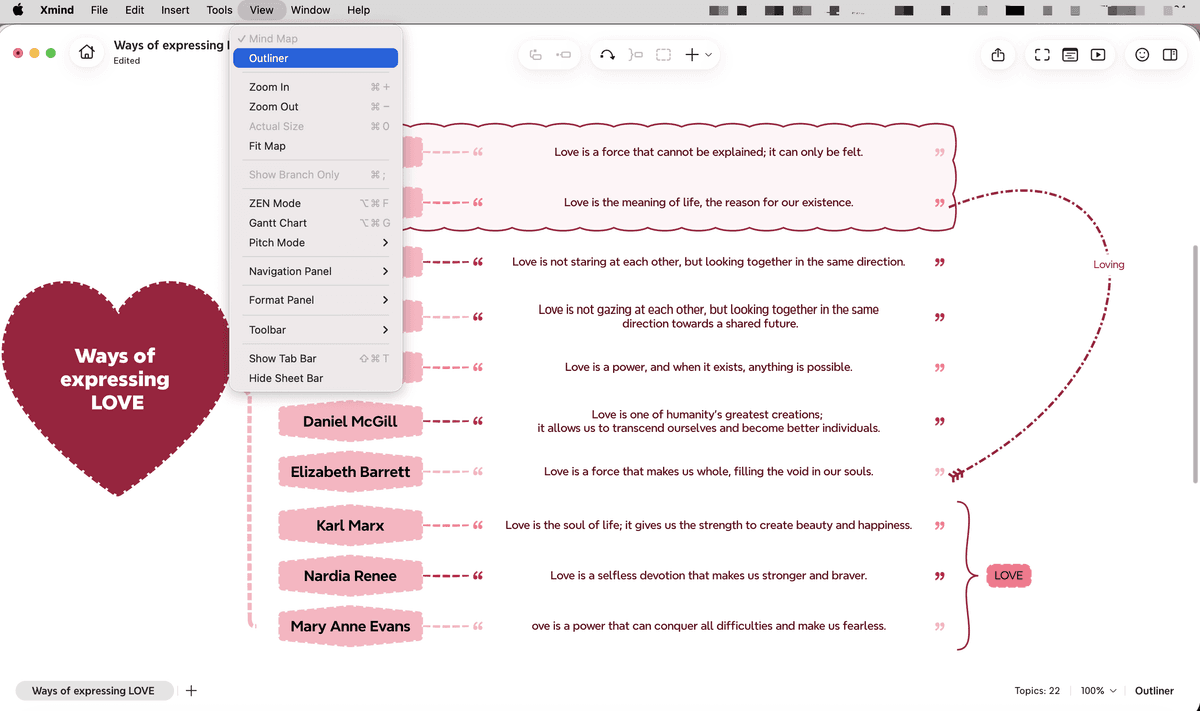
The screenshot shows why XMind leads the app category. The map and outline are two views of the same tree. Choose another product when a live workshop matters more than a focused map.
3. MindMeister: Best for Teams
MindMeister lets a team edit one map at the same time. It has comments, access rules, slides, and apps for each device. Its focused screen is easier to run than a broad whiteboard.
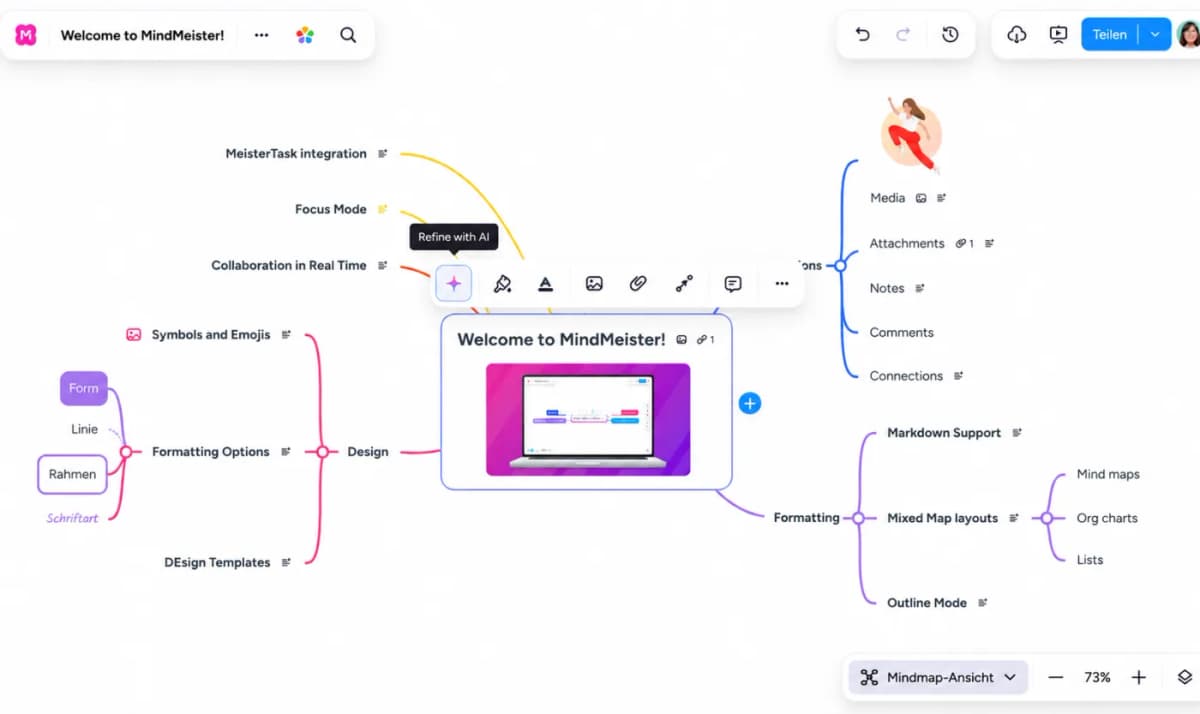
The editor keeps team controls close to the map. Pick Miro instead when the session also needs voting, timers, freehand sketches, and several unrelated board activities.
4. Miro: Best for Workshops
Miro's mind-map tool lives inside a large team whiteboard. It is the strongest workshop choice. A host can move from solo notes to groups, maps, votes, and slides without changing tools.
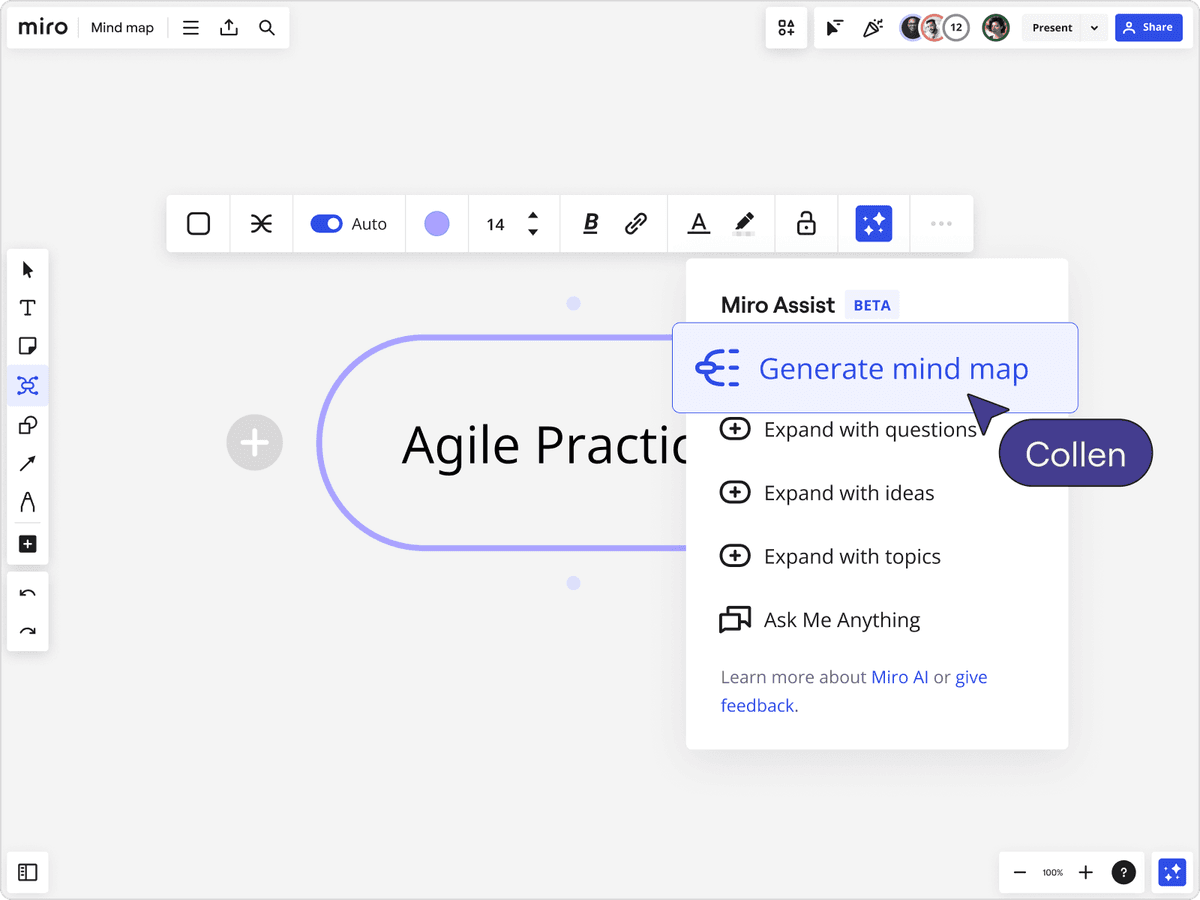
The same breadth is also the drawback. For a clean personal hierarchy or dependable structure-first export, XMind is a more focused choice. See the full Miro alternatives comparison if whiteboarding is the main job.
5. MindNode: Best for Apple
MindNode is the best fit for Mac, iPhone, iPad, and Apple Vision Pro. Its plan page shows which map, style, outline, import, export, and sharing tools are free or paid.
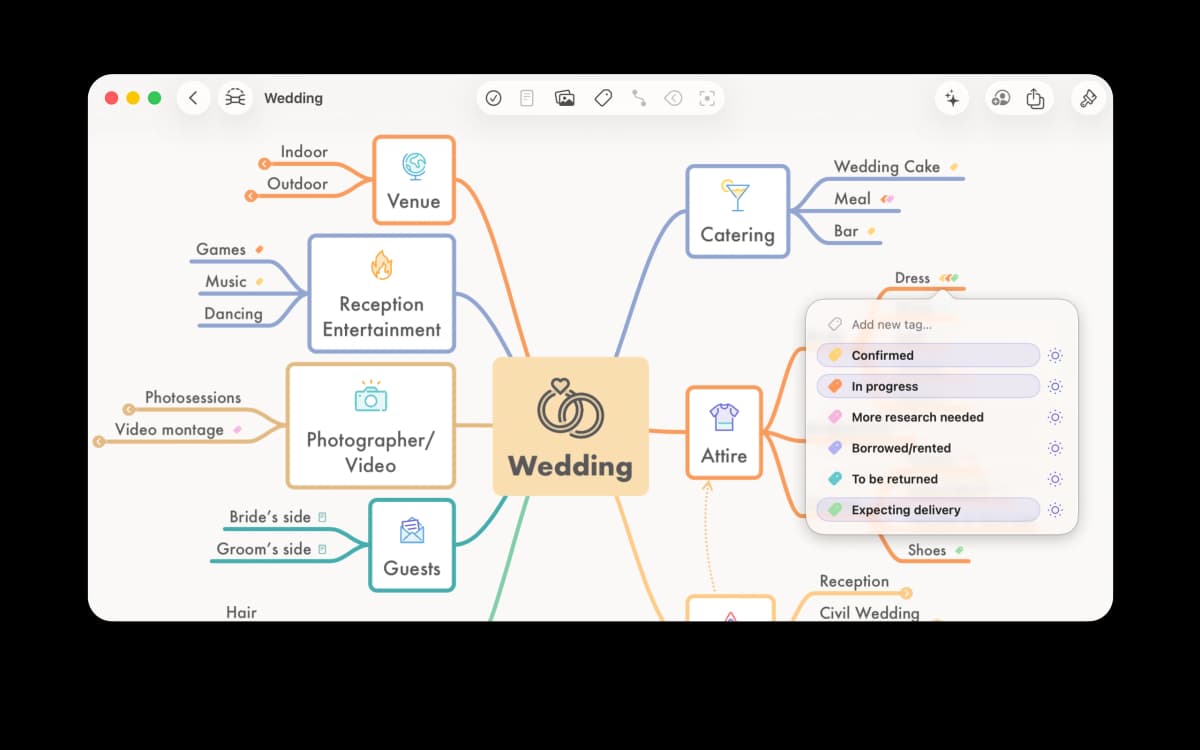
MindNode's official sample map organizes plans into colored branches with task tags (MindNode press resources).
The boundary is platform reach. Mixed Windows, Android, or browser-based teams should choose XMind or MindMeister.
6. Mindomo: Best for Education
Mindomo for Education has class tasks, student feedback, rosters, LMS links, team maps, offline work, and many file types. Those teaching tools matter more than a prettier branch style.
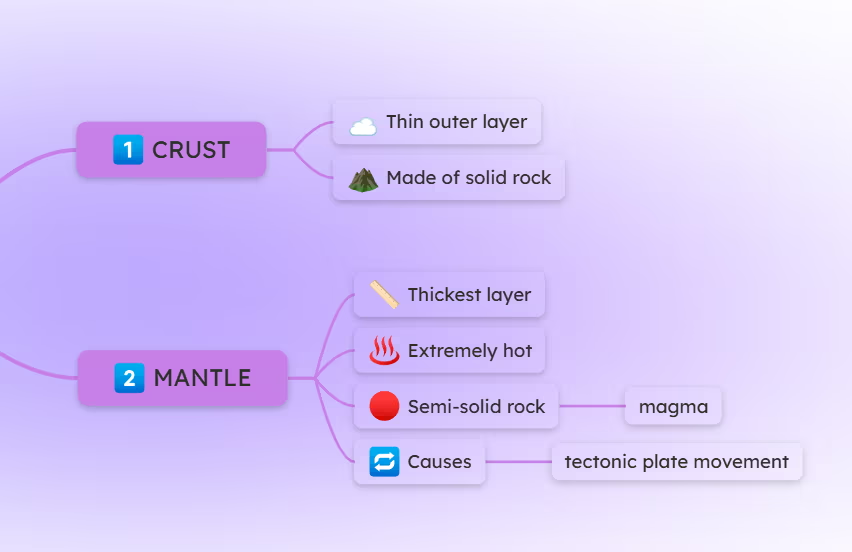
Check the education plan rather than assuming its entitlements match personal or business tiers. Outside a classroom, XMind is usually simpler.
7. Coggle: Best Simple Free Option
Coggle's free plan has three private maps and any number of public maps. It also has live team work, change history, and downloads. It is a good web choice for a small map that must be shared fast.
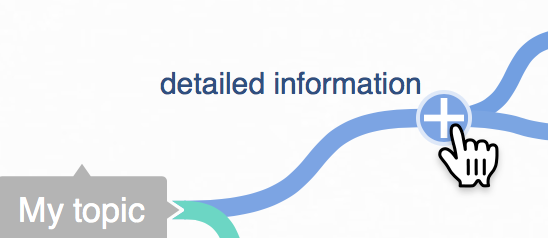
Use the plus button beside a topic to add another branch directly in Coggle's canvas (Coggle help).
"Unlimited public" is not the same as unlimited private work. Choose it only when that privacy boundary is acceptable and you do not need formal diagrams or workshop tools.
8. Ayoa: Best for Task Handoff
Ayoa connects mind maps to tasks, plans, and team work. Its mind-map guide also covers turning branches into tasks, outline and page views, slides, sources, and sharing.
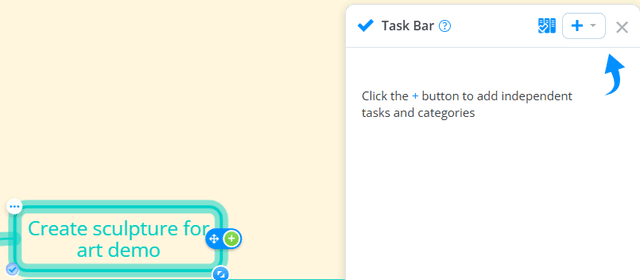
Ayoa's Task Bar appears beside a selected branch; the screenshot shows the product control for creating tasks from map branches.
That makes Ayoa useful when ideation must become assigned work. It is more product than necessary for someone who only wants a clean personal map.
9. Lucidchart: Best for Diagrams
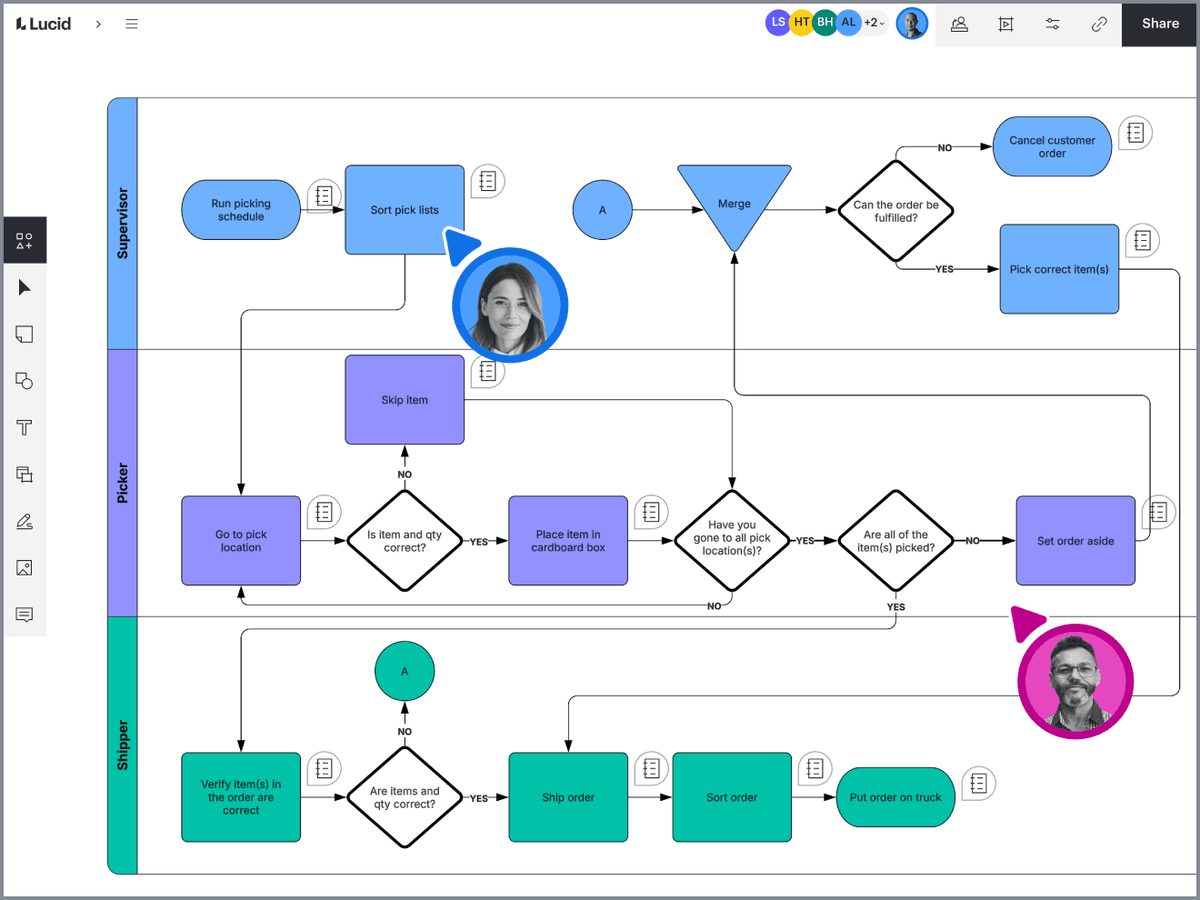
Lucidchart's process-mapping canvas illustrates the formal diagrams available in its broader diagramming suite; this example is not a mind map.
Lucidchart treats mind maps as one shape set inside a broader diagramming system. It wins when a rough hierarchy must later become a process map, architecture diagram, org chart, or business handoff.
The tradeoff is focus: its box-and-connector model is less natural than XMind for expressive radial mapping.
Best Free Mind Mapping Software
Coggle is the clearest simple web pick, but only three maps are private on its free plan. XMind and MindNode are better for solo device work. MindMeister and Miro cap free team use. Mindomo has different limits for a solo user, a school, and a company.
Do not compare free plans on map count alone. Check private versus public storage, guest editing, export formats, AI credits, and offline use. For research-source mapping, Atlas Free has a live-source allowance. Treat it as a trial with a firm cap.
AI Mind Mapping from Prompts and Sources
AI features in this category do four different things:
- Node help rewrites or expands a node you select.
- Prompt-to-map generation creates a first hierarchy from a short request.
- File-to-map tools build branches from a file you add.
- Source-grounded mapping keeps the visual structure inside a research project where the source can be inspected.
Those modes should not share one "has AI" checkbox. A strong prompt tool may invent a plausible structure. A source-grounded system may be slower and less flexible but easier to check. Compare AI mind-map generators when prompt-first creation is your main intent.
Export and Portability
Prefer OPML or Markdown when another app must edit the tree. PDF, PNG, and SVG keep the look but tend to flatten comments, tasks, and links. Office files may keep the outline but lose how the map works.
Run a five-minute round trip before committing: create three levels, add a note, link, image, and task, export, then re-import elsewhere. Record what disappears. This small artifact is more useful than a vendor's long format list.
How to Choose a Mind Mapping App
Pick the job that repeats most often, then test that winner with one real map. Do not pay for workshop tools if you mainly make solo outlines, or for rich exports if the final file is always an image.
-
Pick Atlas only when the input is a research source set and verification matters.
-
Start with XMind for a dedicated personal or professional map.
-
Pick MindMeister for a team editing one shared hierarchy.
-
Pick Miro for a facilitated workshop with mixed visual activities.
-
Pick MindNode for an Apple-only personal workflow.
-
Pick Mindomo for assignments and classroom feedback.
-
Pick Coggle for quick, simple browser mapping.
-
Pick Ayoa when branches must become tasks.
-
Pick Lucidchart when the map must become a formal diagram. For applied workflows, see how to mind map a book, mind mapping for exam prep, and mind maps versus knowledge graphs. If the work needs queryable relationships, citation networks, graph visualization, or AI memory rather than a central topic tree, compare the broader knowledge graph tools category.
Map a research source in Atlas
Upload a source, inspect its map, and verify important nodes.