

Mural is a strong workshop whiteboard. It has sticky notes, voting, timers, templates, and facilitator controls. Teams usually leave because of price, because the tool no longer fits how they work, or because they need deeper AI synthesis after the workshop ends.
This guide ranks 7 Mural alternatives against the jobs teams usually hire Mural to do.
Check workshop sources in Atlas
When research informs a session, ask about documents and inspect citations.
What to look for
Start with the workshop job. The feature list matters only after you know whether the team runs client design sprints or sketches user flows twice a month.
- Facilitation tools: voting, timers, private mode, templates, and presenter controls matter for live workshops.
- Import path: Miro is the closest match if you need to rebuild old Mural boards.
- Tool fit: FigJam works best for Figma teams. Lucidspark fits teams already using Lucidchart.
- Privacy: Conceptboard is the clearest pick when EU hosting is a hard requirement.
- AI after the workshop: Atlas only belongs on the shortlist when the board feeds a research library that needs cited answers.
Why Switch From Mural?
For a comparison of nine mind-mapping tools, see our mind-mapping software guide.
Price is the first reason. Mural is $9.99/user/month at the Team+ tier. FigJam's Collab seat ($3/month on Figma Professional) and Conceptboard's Starter plan (€5/user/month) cost less per seat.
Tool fit is the second reason. Design teams in Figma often prefer FigJam. Atlassian-heavy teams may prefer Confluence Whiteboards. EU teams with strict hosting rules often prefer Conceptboard.
AI is the third reason. Mural AI can summarize board content. Atlas is different: it lays out a project's notes and documents on a Semantic Map, then answers questions with citations.
7 best Mural alternatives
1. Atlas: Best for AI-Grounded Synthesis
Atlas is not a direct Mural clone. It fits teams whose workshop notes sit beside PDFs, research notes, and web sources. Its Semantic Map lays out those sources across a project, and AI answers cite the sources they used.
Atlas fits research and strategy teams that need to trace ideas back to source material. For the narrower comparison, see Atlas vs Mural. Pricing: Free plan with up to 10 sources and 5 AI messages; Plus $20/month (hundreds of AI messages a month, up to 1,000 sources) and Pro $40/month (twice Plus's usage, up to 10,000 sources).
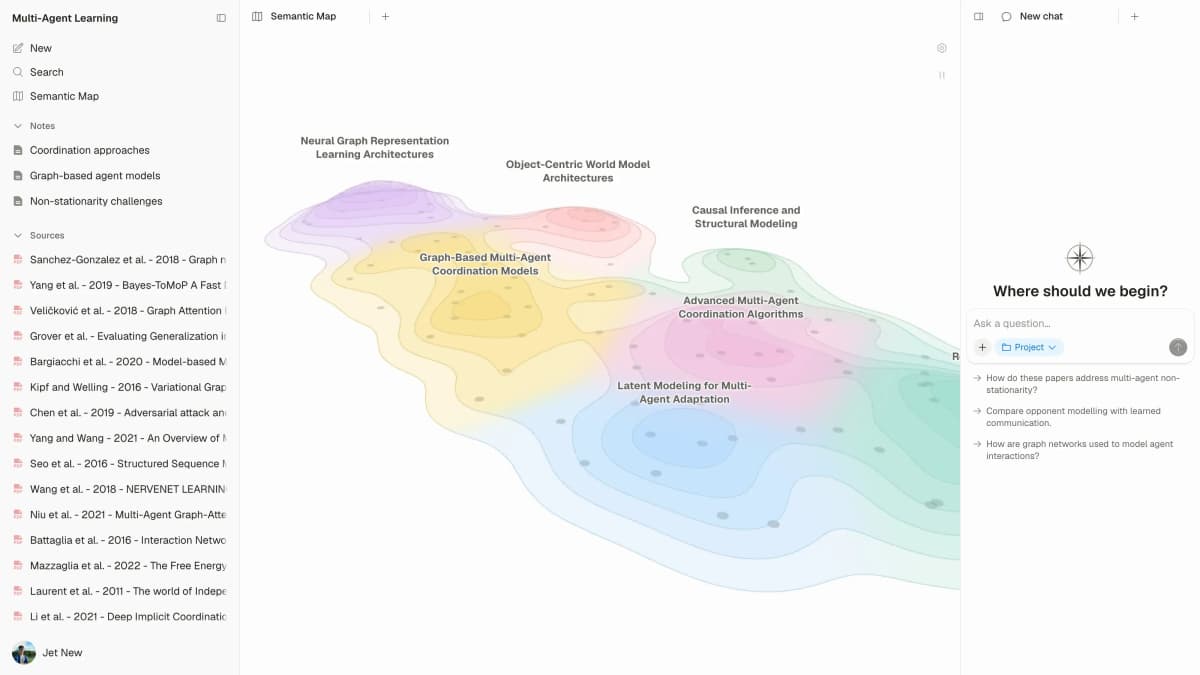
Atlas’s map connects source material in a research project; it does not show a live multi-user workshop board.
2. Miro: Most Direct Replacement
Miro is the closest Mural match. It has sticky notes, templates, voting, facilitation tools, and SSO. It also has a broader template library and a cheaper entry tier. If you want the least risky switch, start here.
Miro fits teams that want Mural-like workshops without staying on Mural. Pricing: Free tier, Starter $8/member/month, Business $20/member/month, billed yearly.
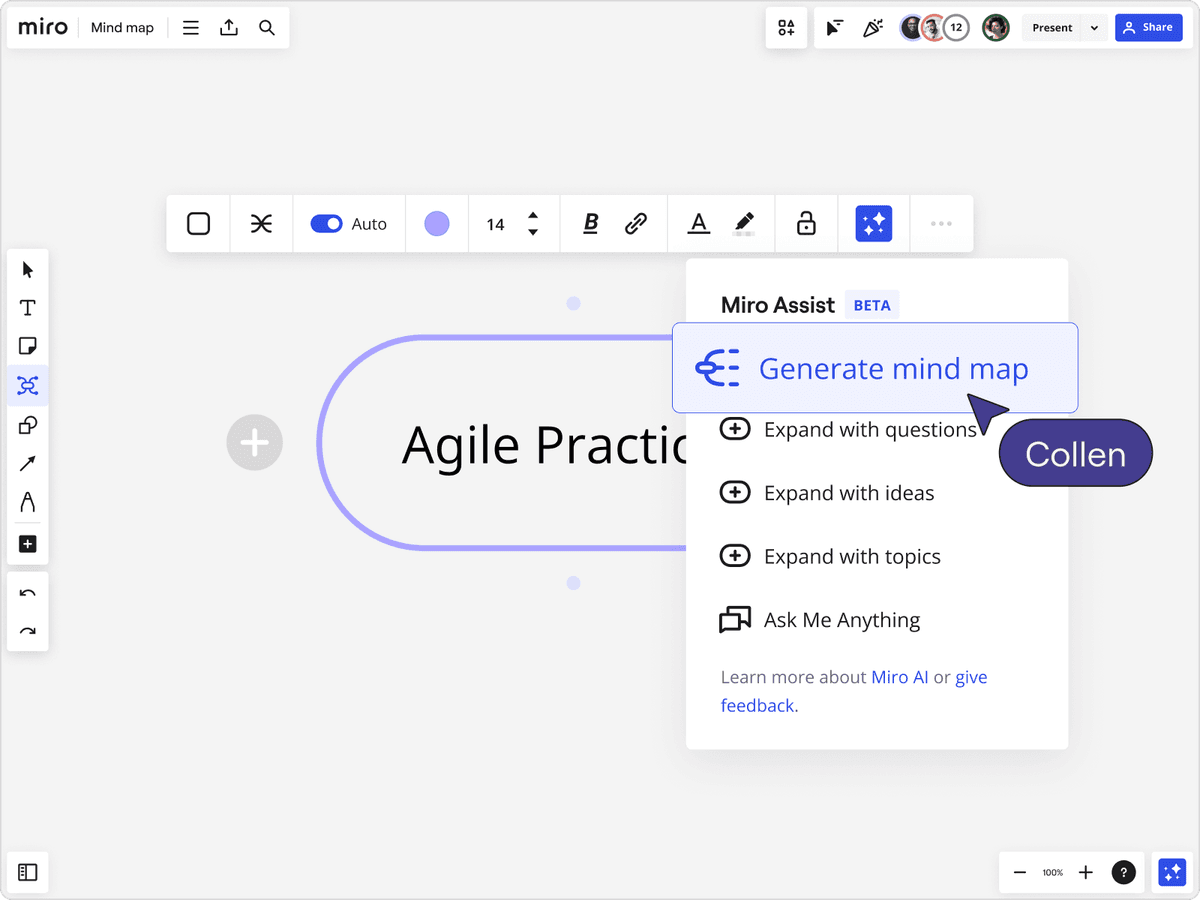
Miro is the closest Mural replacement because it keeps the collaborative whiteboard model while adding mind-map templates and AI-assisted creation.
3. FigJam: Best for Figma Teams
FigJam is Figma's whiteboard. A Collab seat costs $3/month on Figma Professional and $5/month on Organization, and Figma has a free Starter plan. The main reason to choose it is simple: your team can brainstorm and design in the same product family.
FigJam fits design teams that already pay for Figma. Pricing: Free Starter plan; Collab seat from $3/month.
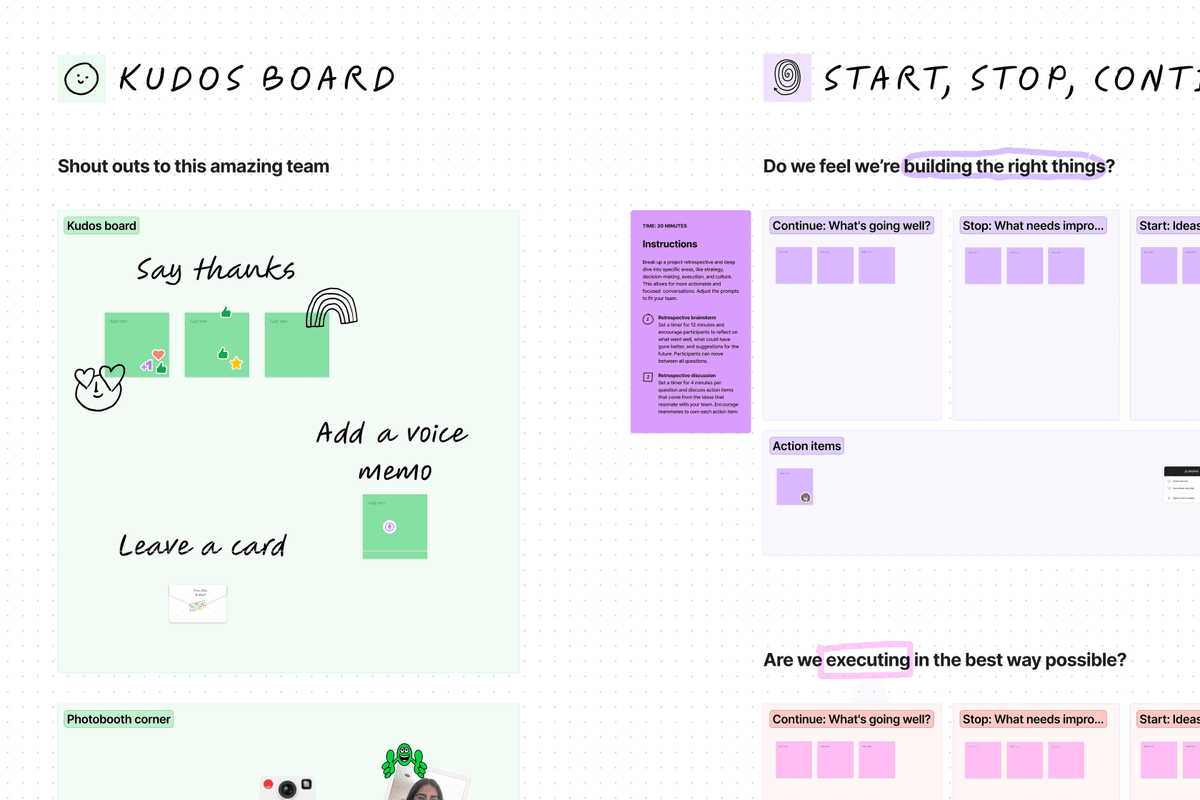
A FigJam board groups a team retrospective into Kudos, Start Stop Continue prompts and action items on one shared canvas. View FigJam.
4. Lucidspark: Best General-Purpose Pick
Lucidspark is Lucid's whiteboard, paired with Lucidchart for diagrams. Free tier with 3 editable boards, paid from $9/month billed annually.
Lucidspark fits teams that want a lower-cost whiteboard and already use Lucidchart for diagrams. Pricing: Free tier, Individual $9/month, Team $10/user/month (billed annually).
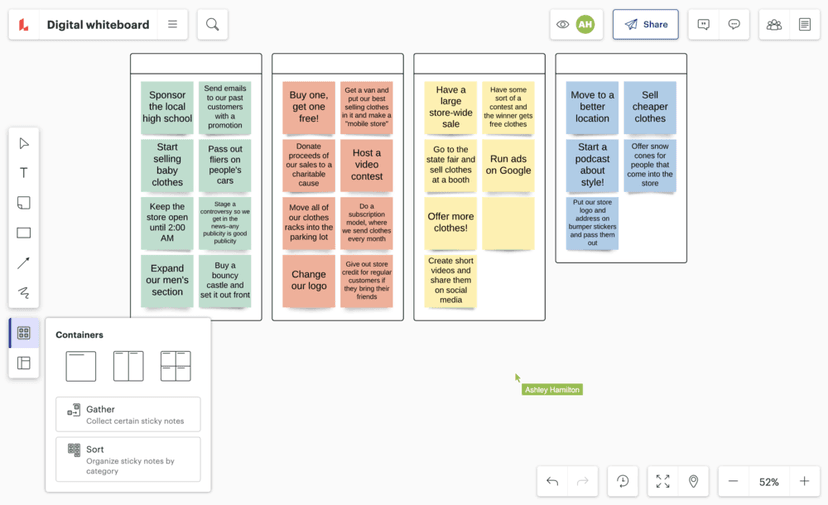
The official Lucid demo shows a sample board and its idea-organizing controls. Product screenshot used for comparative review; no endorsement implied.
5. Whimsical: Best for Product and Engineering
Whimsical is better for tidy diagrams than open-ended workshops. It covers flowcharts, wireframes, mind maps, and sticky-note brainstorms. Product and engineering teams will usually move faster here than in Mural.
Whimsical fits PMs and engineers who care more about clean diagrams than workshop rituals. Pricing: Free tier, Pro $10/editor/month billed annually.
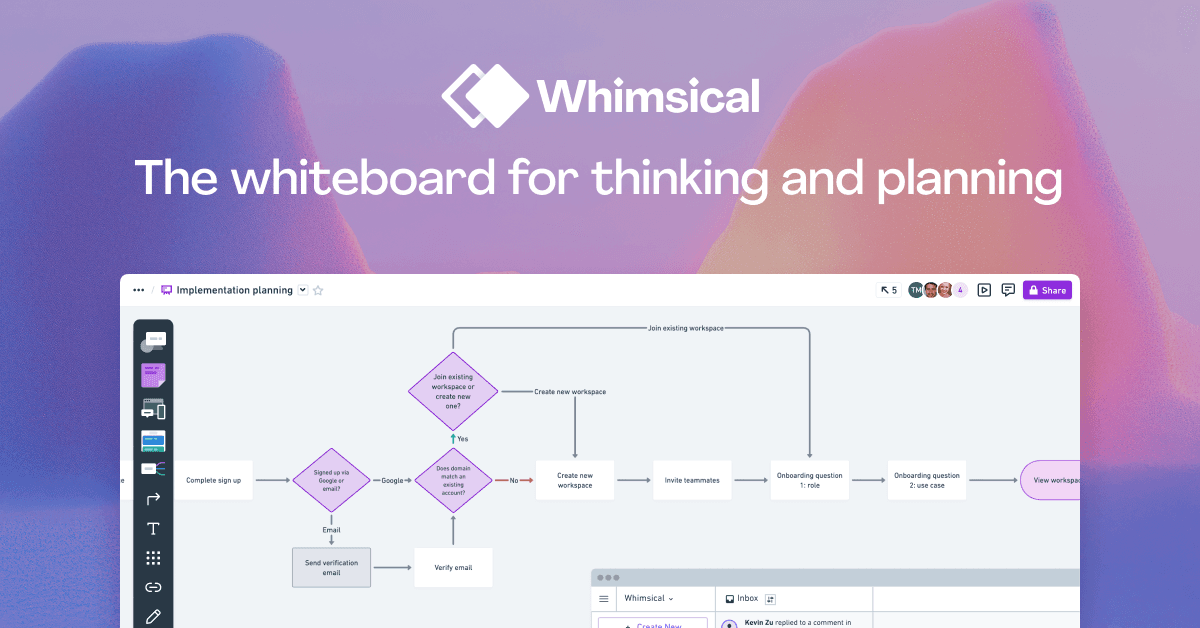
The official Whimsical product image shows linked diagram elements in a planned work flow. View Whimsical.
6. Conceptboard: Best for European Teams
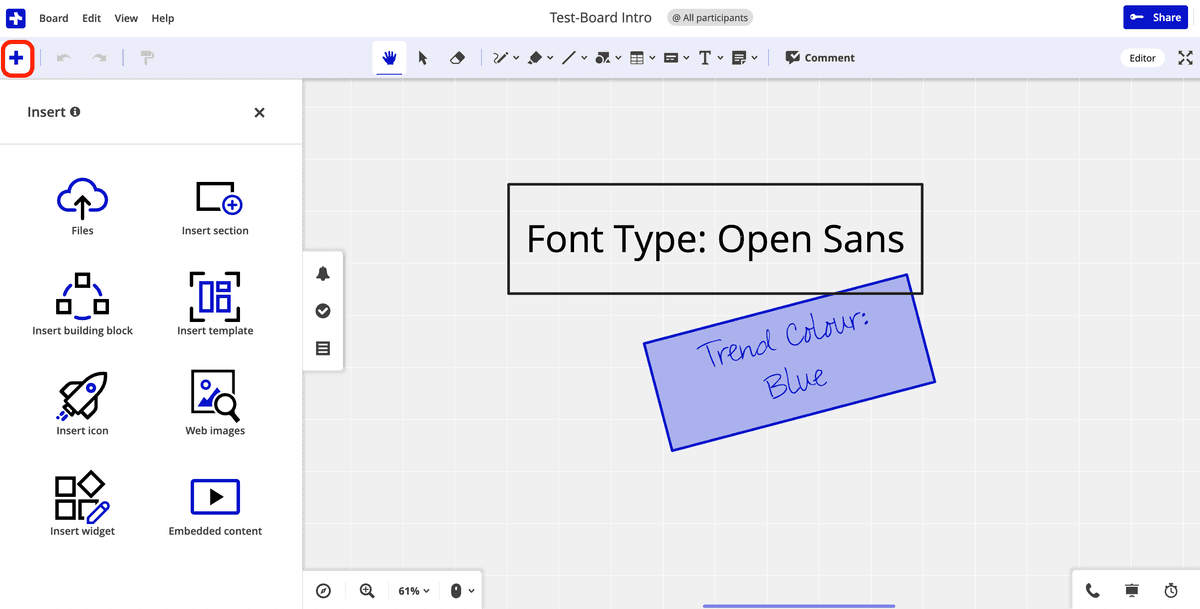
Conceptboard is German-hosted with EU data residency. That hosting setup matters for EU teams that cannot use a US-hosted board.
Conceptboard fits EU teams with strict hosting rules. Pricing: Free tier, Starter €5/user/month, Advanced from €10/user/month.
7. Stormboard: Best for Structured Meetings
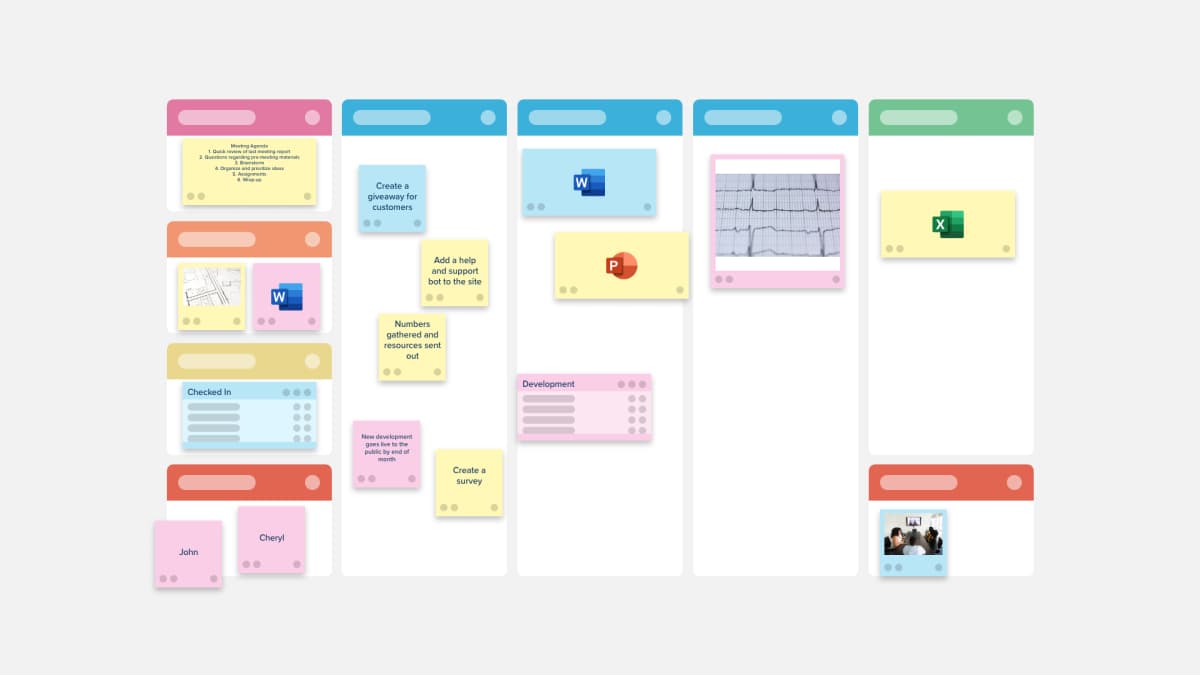
Stormboard turns a whiteboard session into an agenda, sticky-note set, and report. It feels less freeform than Mural, but it is better when every meeting needs a follow-up artifact.
Stormboard fits teams that run the same meeting format every week. Pricing: Free Personal plan; paid plans are priced per member.
Comparison table
Use this table as a first filter. Pick the tool that matches your main job, then read the section above before you move boards or change billing.
| Tool | Best For | Free Tier | Paid From | AI Features |
|---|---|---|---|---|
| Atlas | AI synthesis | Yes | $20/mo | Semantic Map + cited Q&A |
| Miro | Enterprise replacement | Yes | $8/member/mo | Miro AI |
| FigJam | Design teams | Yes | $3/seat/mo | Figma AI |
| Lucidspark | General-purpose | Yes (3 boards) | $9/mo | Lucid AI |
| Whimsical | Product/dev | Yes | $10/mo | Whimsical AI |
| Conceptboard | EU/GDPR | Yes (3 boards) | €5/user/mo | Not compared |
| Stormboard | Structured meetings | Yes | Per member | Not compared |
Table 1: Mural alternatives compared by best use case, free tier, paid pricing, and AI capabilities
Best Mural Alternative by Use Case
- Atlas is the best fit when workshop notes need cited research synthesis.
- Miro is the closest enterprise replacement.
- FigJam is the best fit for Figma design teams.
- Lucidspark is the best general-purpose value pick.
- Whimsical is the cleanest pick for flowcharts and wireframes.
- Conceptboard is the safest pick for EU hosting and GDPR needs.
- Stormboard is the best fit for recurring structured meetings.
How to Switch From Mural
Mural exports as PDF or image. Miro is the closest match for rebuilding Mural-style boards. Most other tools can import images, but they do not preserve the board structure.
For most teams, migrate only the 3-5 boards you reuse every week. Recreate those in the new tool. Let older boards stay as PDFs or images.
Cost, workshop performance, and privacy
Annual cost for eight editors
Mural's published price is only the floor: $9.99/member/month on annual Team+ billing, or $12 month to month. Real cost depends on editor count, guest access, and whether you need SSO, which Mural includes from its Business plan. For an 8-person workshop team, annual billing looks like this:
| Tool | Monthly per editor | Annual (8 editors) |
|---|---|---|
| Mural Team+ | $9.99 | $959.04 |
| Miro Starter | $8 | $768 |
| Miro Business | $20 | $1,920 |
| FigJam (Collab seat, Professional) | $3 | $288 |
| Lucidspark Team | $10 | $960 |
| Whimsical Pro | $10 | $960 |
| Conceptboard Starter | €5 | €480 |
Table 2: Annual cost for an 8-editor workshop team across Mural and its top alternatives, at annual-billing prices
Two pricing details matter most. First, annual billing is cheaper: Mural Team+ is $9.99 a month billed annually versus $12 monthly. Second, some tools only need paid seats for people who create boards. If only 2 people on an 8-person team run sessions, Mural can fall to about $240/year. A per-editor tool is worth it only when most of the team needs to edit.
Guest pricing is the hidden line item. Mural and Miro both allow free viewers. Editing is different, and guest-editor rules vary by plan. Agencies that run client workshops should price this before switching.
Real-time workshop performance
Workshop tools live or die during busy sessions. If many people are moving sticky notes at once, lag breaks the meeting. Mural and Miro are the safer choices for large live sessions. Conceptboard is designed around collaborative online boards, while FigJam is built for team brainstorming inside Figma's ecosystem.
Stormboard collects input through a meeting structure instead of a freeform canvas. That keeps large sessions orderly, but it feels less like a whiteboard.
Mural, Miro, and Lucidspark are built around facilitation features such as timers and voting, and FigJam has a shared timer too. Check the exact controls you run each week before switching. If you run weekly workshops with 20+ people, facilitation depth matters more than a small price gap. If you mostly work alone or in pairs, FigJam or Excalidraw is enough.
Privacy, compliance, and data residency
Workshop boards often contain sensitive material. That can include customer journeys, hiring notes, post-mortems, and product plans. Each tool handles that material differently:
-
Atlas stores uploaded sources and notes as project content. Read the privacy policy for collection, service providers, and retention terms.
-
Mural maintains SOC 2 Type 2, SOC 3, ISO 27001, and ISO 42001, and Enterprise customers can choose where board data is stored.
-
Miro maintains SOC 2 Type II and ISO 27001, and Enterprise offers data residency in the EU, US, Australia, or Japan.
-
Lucidspark: review Lucid's trust and security documentation for the plan you buy.
-
FigJam falls under Figma's security program; check Figma's trust documentation for your plan.
-
Conceptboard is the strongest EU-residency story: data is processed and stored only in Germany, and on-premises hosting is available.
-
Whimsical states it is SOC 2 Type 2 compliant.
-
Stormboard states it is SOC 2 Type II certified. For healthcare, finance, or EU public-sector work, start with Mural Enterprise, Miro Enterprise, or Conceptboard. If you need an on-prem option, Conceptboard is the only mainstream choice in this list.
Final recommendation
Mural's strength is live workshop facilitation. Its weak spots are cost and limited research synthesis after the workshop.
Choose Miro for the closest replacement, FigJam for Figma teams, Lucidspark for value, Whimsical for product diagrams, Conceptboard for EU hosting, and Stormboard for structured meetings. Choose Atlas only when the board feeds a larger research library that needs cited answers.
Check workshop sources in Atlas
When research informs a session, ask about documents and inspect citations.