


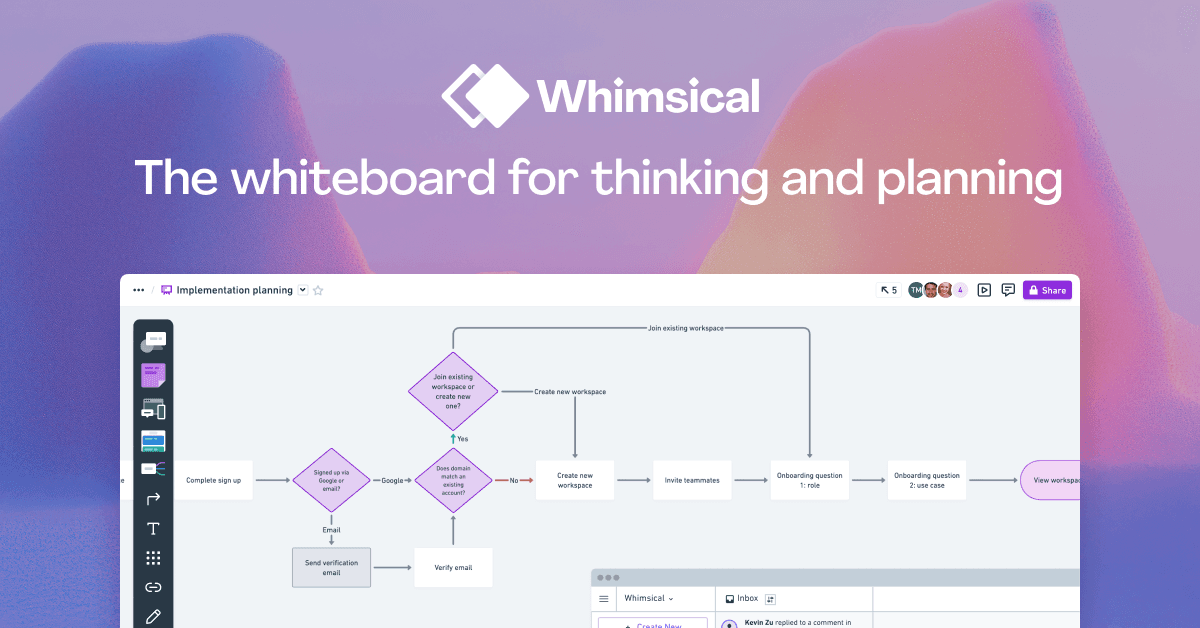
Whimsical earned a loyal product and engineering audience because it is fast and focused. It handles flows, wireframes, mind maps, and sticky notes with little setup. Teams switch when they want bigger boards in Miro, closer Figma work, AI maps built from source files, or deeper diagram tools.
This guide compares 7 Whimsical alternatives across the four jobs people use Whimsical for: team boards, wireframes, formal diagrams, and mind maps.
Before you switch, rebuild one board your team used in the past month. Add the parts that make it typical, invite an editor and a commenter, run the meeting or review it supports, then export it. That one trial shows you where editing is slow, where access breaks, and what an export loses. A feature list cannot show you that.
See Atlas for source-grounded mind maps
Explore Atlas research maps built from papers, notes, and source documents.
How to Choose a Whimsical Alternative
Start with the job you want to replace. A design team may need Figma files and fast comments. A product team may need a bigger whiteboard for planning. An engineering team may need formal flowcharts. A research team may need a map made from its source files.
Use these checks before switching:
- Price. Whimsical Pro is $10 per editor per month. FigJam and Lucidchart can cost less for small teams.
- Tool fit. Whimsical is tuned for fast work. Miro offers more board templates. Lucidchart goes deeper on formal diagrams.
- AI fit. Whimsical AI can start a diagram from a prompt. Atlas works from your files instead: it builds a map from a source and answers questions with citations.
- Migration fit. Import or rebuild one active board. Then check text, connectors, comments, permissions, and export quality before you move the rest.
For a side-by-side look at nine mind-mapping tools, see our mind-mapping software guide.
7 Best Whimsical Alternatives
Each pick below is best at a different job. Atlas comes first for maps built from source files. Then come team boards, formal diagrams, workshops, and free tools.
1. Atlas: Best for AI Mind-Map Synthesis
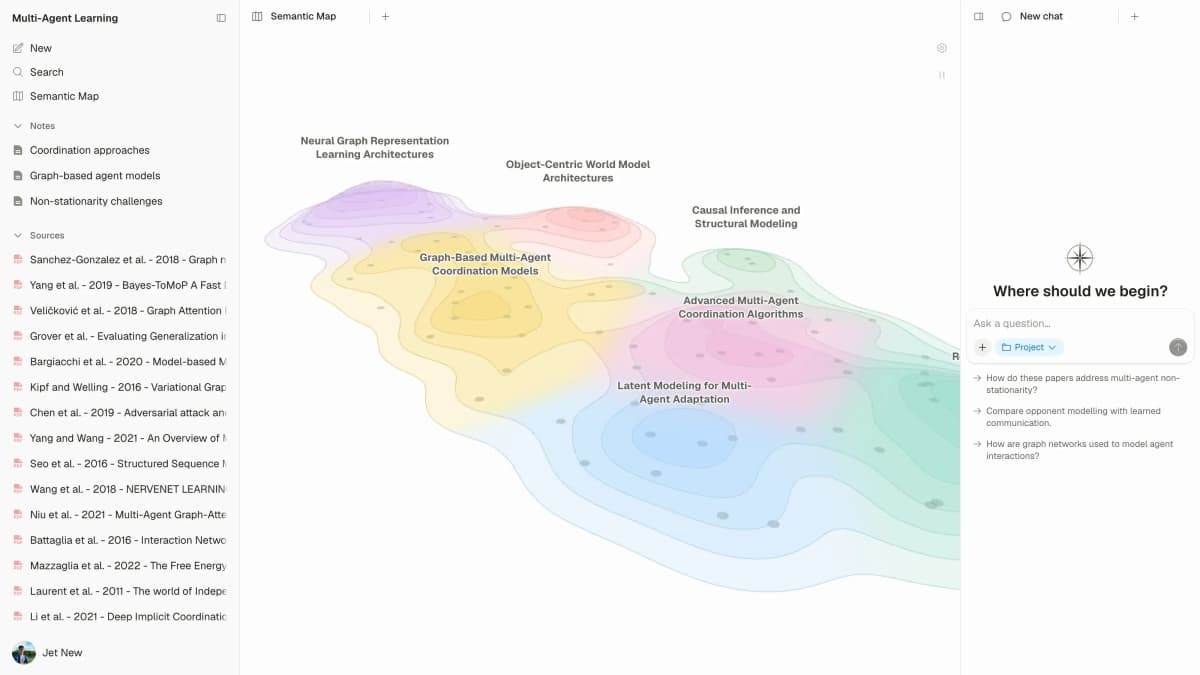
Atlas makes maps from your sources. Upload a PDF or write a note, and Atlas can draw a knowledge map of that one item. You can then edit its nodes, groups, and links. A separate semantic map lays out every source and note in a project, so related material sits close together. You can also ask questions across the project and get answers with citations.
Atlas does not replace a general whiteboard. It helps when the map should come from what you read, not from a blank canvas. Researchers and students get the most from it. Atlas has a free plan, and Plus is $20 a month.
2. FigJam: Best for Design Teams
FigJam is Figma's whiteboard. Figma's free Starter plan includes it. On the Professional plan, a Collab seat lists at $3 a month. Choose it when your diagrams sit next to Figma work.
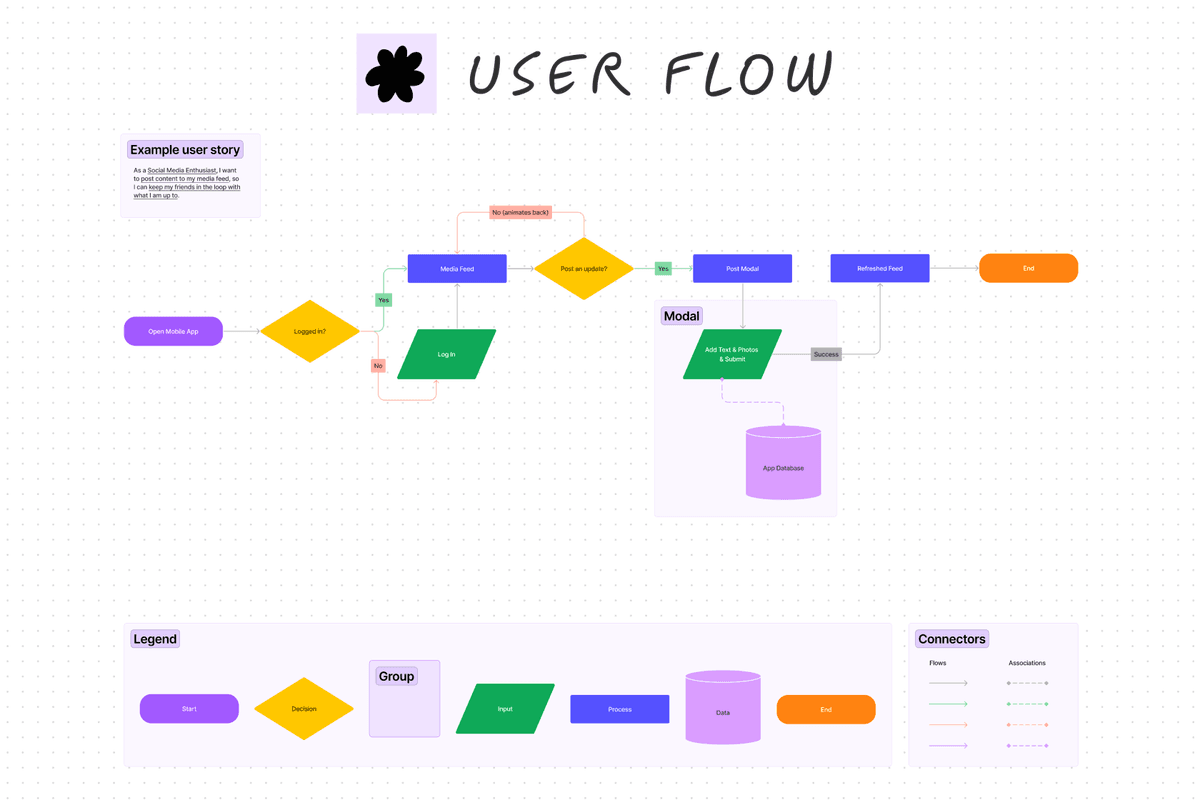
Design teams already in Figma get the most from FigJam. The official user-flow template below has start and end points, decision steps, and connectors, so it shows the kind of flow you can draw. It does not prove that FigJam files link to Figma Design files.
3. Miro: Broadest Whiteboard Alternative
Miro is the broader team whiteboard with templates, integrations, and SSO. Choose it for cross-team planning, large boards, and workshop programs.
Cross-functional teams get the most from Miro. The free plan keeps 3 boards editable. Starter is $8 per member per month, billed yearly.
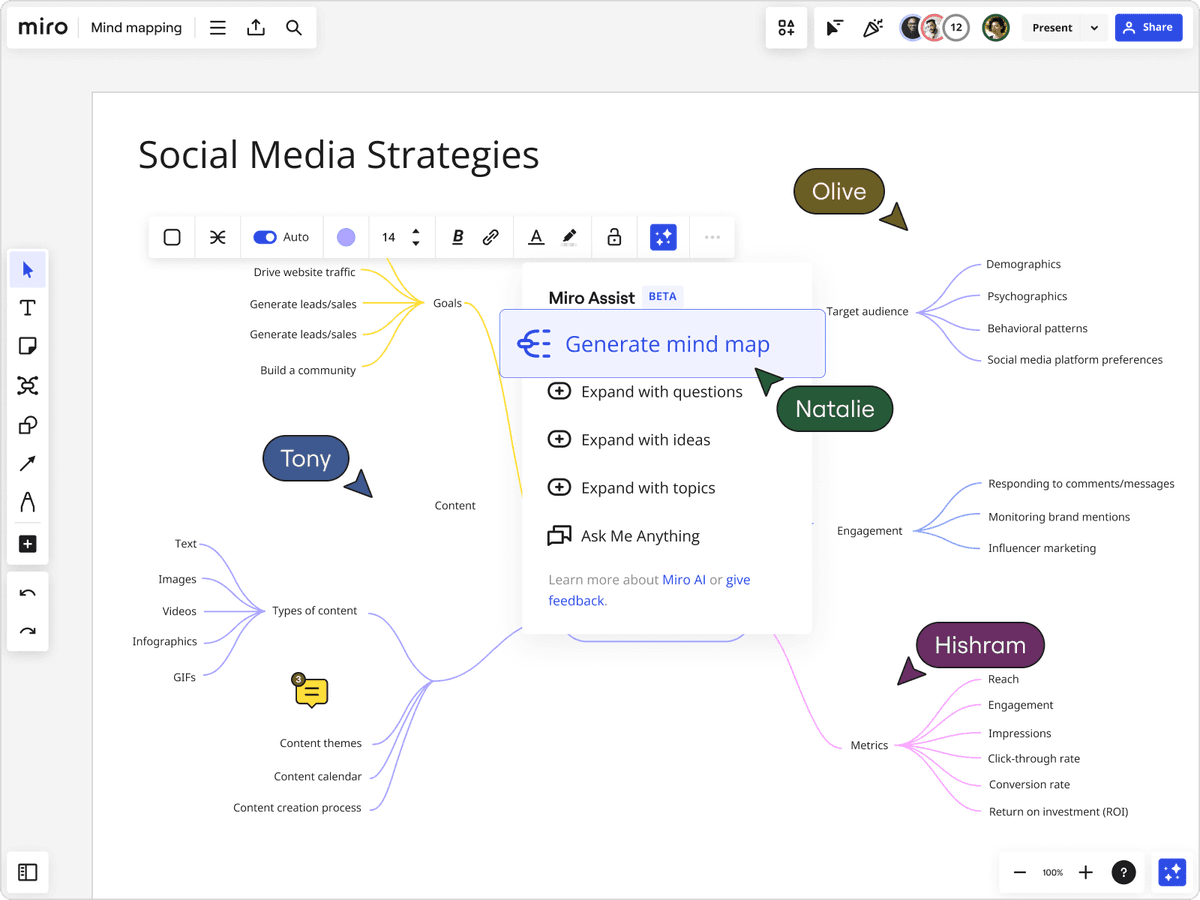
Miro's mind-mapping page shows the Assist menu for making and growing a mind map. From Miro mind mapping.
4. Lucidchart: Strongest Diagramming Alternative
Lucidchart is built for flowcharts, network maps, ER diagrams, and BPMN. Choose it when the diagram needs formal symbols and clear notation.
Engineering teams making technical diagrams are the best fit. The free plan allows 3 editable documents, and Individual is $9 a month.
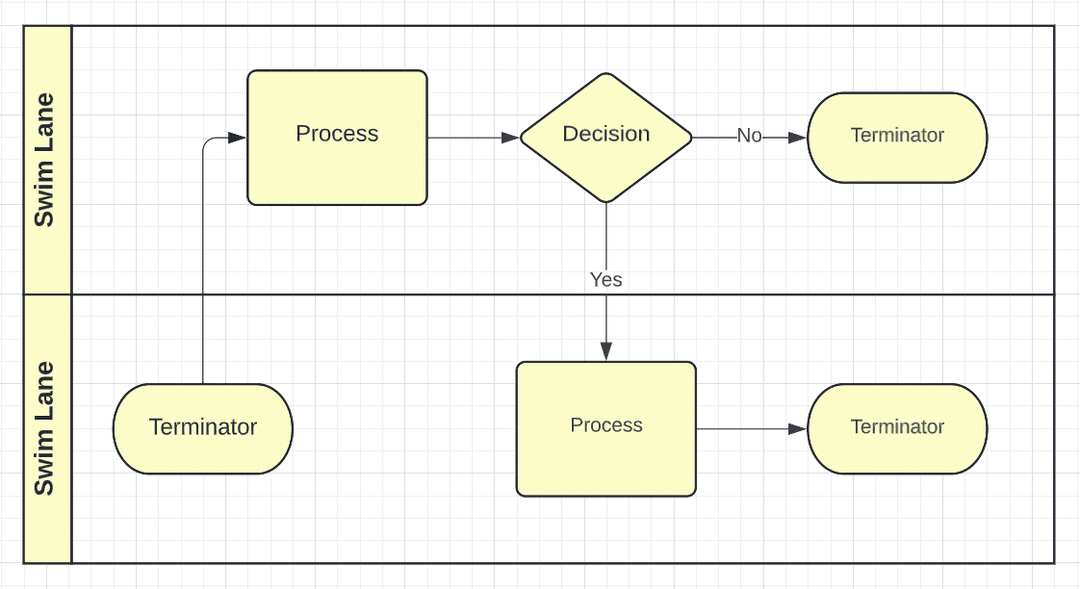
Lucidchart's official help page shows a flowchart with two swimlanes and standard flowchart symbols. The image shows a finished diagram. The editor itself is not pictured. From Create a flowchart in Lucidchart.
5. Excalidraw: Best Free Open-Source Pick
Excalidraw is an open-source whiteboard with a hand-drawn look. It runs in the browser and needs no account for basic use.
Use Excalidraw for quick sketches or if you prefer open source. The core tool is free. Plus costs $6 a month per user and adds team features.
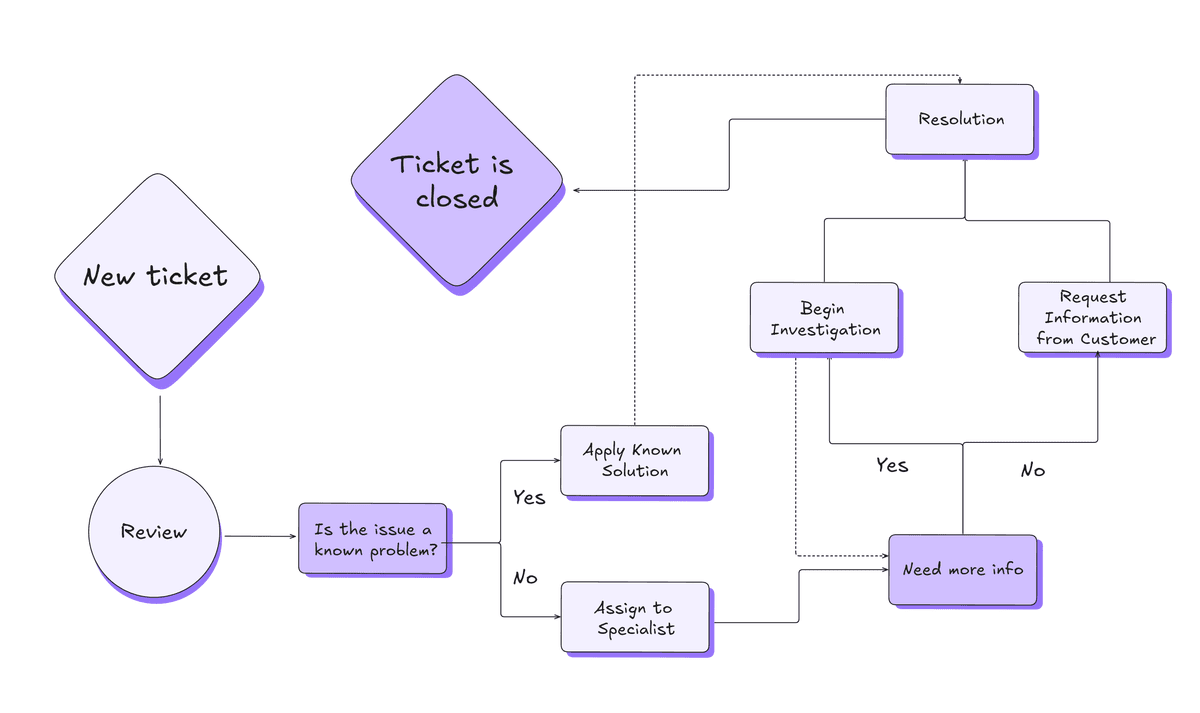
Excalidraw's official blog shows a flowchart drawn in its hand-drawn style. The image shows a finished diagram. The editor itself is not pictured. From Building Elbow Arrows in Excalidraw.
6. Mural: Best for Workshop Facilitation
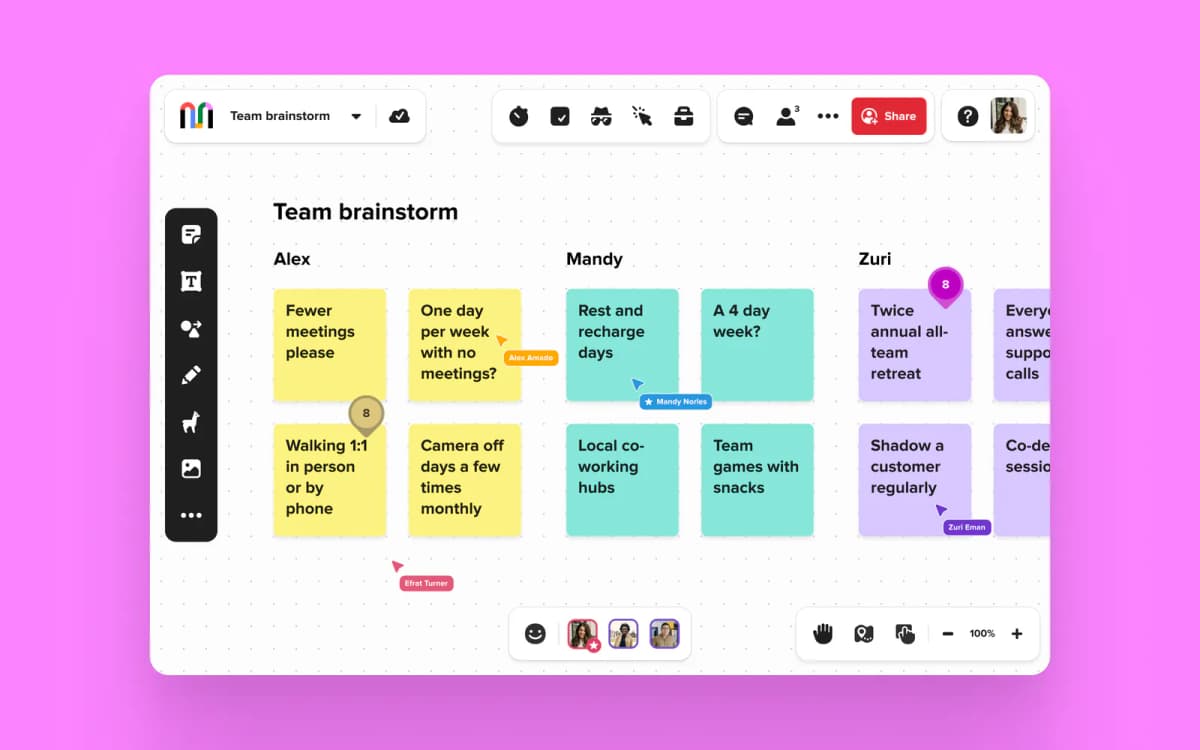
Mural focuses on workshops with sticky notes, voting, timers, and set templates. It is heavier than Whimsical, but stronger for live sessions.
Workshop and design-thinking teams are the best fit. Team+ is $9.99 per member per month billed yearly, or $12 billed monthly. The free plan keeps 3 murals editable at a time.
7. Diagrams.net: Best Self-Hostable Free Tool
Diagrams.net (formerly Draw.io) is free, runs in the browser or on the desktop, and can be self-hosted. It handles Whimsical-style flowcharts, wireframes, and ER diagrams.
Use Diagrams.net when the team wants a free tool or one it can host itself. The core tool is free.
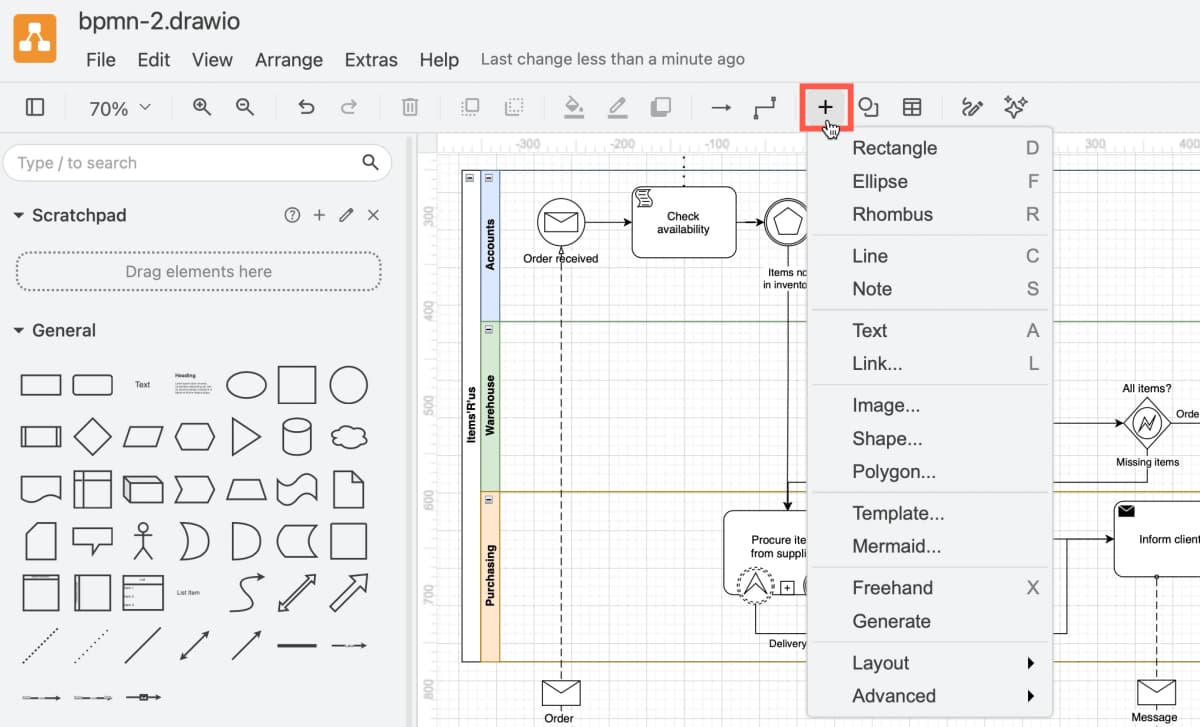
Official Diagrams.net editor screenshot with a BPMN canvas and its symbol library. It shows the editor. It does not compare output quality.
Comparison Table
Use this table to narrow the first shortlist. If the job is design work, start with FigJam. If the job is a formal diagram, start with Lucidchart or Diagrams.net. If the job is a mind map built from sources, Atlas is the one to try.
| Tool | Best For | Free Plan | Paid From |
|---|---|---|---|
| Atlas | Maps and cited answers from sources | Yes | $20/mo (Plus) |
| FigJam | Design teams | Yes (Figma Starter) | $3/mo (Collab seat) |
| Miro | Broad team boards | Yes (3 editable boards) | $8/member/mo, yearly |
| Lucidchart | Formal diagrams | Yes (3 editable docs) | $9/mo (Individual) |
| Excalidraw | Open source sketches | Yes | $6/user/mo (Plus) |
| Mural | Live workshops | Yes (3 editable murals) | $9.99/member/mo, yearly |
| Diagrams.net | Self-hosting | Yes | $0 |
Table 1: Whimsical rivals by job, free plan, and starting price.
Best Whimsical Alternative by Use Case
Choose the tool that matches the board your team makes most often. FigJam is best for Figma design work. Miro is best for broad planning boards. Lucidchart is best for formal technical diagrams.
Use cost, hosting, and workshop needs to break a tie. Excalidraw suits quick free sketches. Diagrams.net suits self-hosting. Mural suits live workshops. Atlas suits mind maps made from source files.
Costs, Collaboration, Privacy, and Migration
Your shortlist can change once you look at four things. Check the yearly bill, how many people edit at once, where private diagrams are stored, and how much work it takes to move your boards.
Annual Cost for Five Editors
List prices hide the real yearly bill. For a team of 5 editors, the starting prices add up like this:
| Tool | Per editor per month | Yearly (5 editors) | Notes |
|---|---|---|---|
| Atlas Plus | $20 (single user) | $1,200 (5 users) | Built for one person's research |
| Whimsical Pro | $10 | $600 | Viewers are free |
| FigJam (Collab seat) | $3 | $180 | Free Starter plan |
| Miro Starter | $8 (billed yearly) | $480 | Free plan keeps 3 boards editable |
| Lucidchart Individual | $9 | $540 | One seat each; free plan has 3 editable docs |
| Mural Team+ | $9.99 (billed yearly) | $599.40 | Visitors are free |
| Excalidraw Plus | $6 | $360 | Many teams use the free version |
| Diagrams.net | $0 | $0 | Free; paid only as a Confluence or Jira app |
Table 2: One-year cost for five editors across Whimsical and seven rivals, using public starting prices.
Each yearly figure is the listed price times five seats times 12 months. It leaves out tax, discounts, storage add-ons, AI credits, and the time spent moving boards. Use it to compare the shortlist. Your final invoice may differ.
Who pays matters more than the headline price. Whimsical and Mural both say viewers or visitors are free on every plan. Lucidchart's free plan stops at three editable documents. Atlas is priced for one person's research, so a five-seat chart makes it look costly for whiteboarding. Teams usually add Atlas for AI maps and cited answers. It is not a seat-for-seat Whimsical swap.
Real-Time Collaboration and Performance
Speed depends on the board, the device, the connection, and how many people edit at once. Test the boards your team makes instead of trusting a general speed claim.
Use one typical Whimsical board for every finalist. Rebuild its main flow, add the same images and comments, invite the same test users, and repeat the same zoom, search, edit, and present tasks. Note where the team waits, loses its place, or needs a workaround. A tool fails the trial if your weekly board cannot be edited and exported without losing something you need.
Workshop teams should also test the facilitation controls during the trial. Diagram teams should test connector routing and notation. Design teams should test the handoff to their design files. These are different jobs, so one shared cursor test cannot choose among them.
Privacy, Compliance, and Data Residency
Diagrams can hold org charts, customer flows, network maps, and product plans that are not public yet. Check the vendor's current security and privacy terms before you upload that kind of material.
| Question | Evidence to request | Reject the tool when |
|---|---|---|
| Where is board data stored? | Current data hosting and residency docs | The region you need is not offered |
| Who can open or export a board? | Role and guest permission docs | Guests get more access than the project allows |
| Can access be removed centrally? | SSO, user provisioning, and audit log docs | You cannot reliably remove people who leave |
| What leaves the workspace through AI features? | AI data use, retention, and model training terms | The terms conflict with company policy |
| Can the team leave with usable files? | Export formats tested on a typical board | The only export is useless for archiving or rebuilding |
Table 3: Questions to ask each vendor before you upload private boards.
Security and privacy terms change by plan and region. The vendor's current docs and your own contract are the evidence to rely on. A comparison article is only a starting point.
Migration From Whimsical
An imported picture of a board is not the same as editable boxes, connectors, comments, or permissions. FigJam's import guide, for example, treats plain image and document imports apart from board formats that turn into FigJam objects.
Use this order for any new tool:
- List active boards, reference boards, templates, and boards you can archive.
- Export one typical board in the formats your Whimsical workspace offers. Keep the source board and a static archive copy.
- Import the file into the new tool. Mark text, boxes, connectors, comments, links, and permissions as editable, static, or missing.
- Rebuild only the missing parts you need for the next real use of that board.
- Ask the board owner to run the normal meeting or review before you approve the new tool.
Test mind maps on their own. The outline can survive while the links between nodes become a flat picture. If the outline matters more than the look, keep the text structure first and rebuild the visual map second.
Next Step for Source Maps
Use this last check once your shortlist is down to the job you need done this week. Atlas belongs only in the source-backed map row.
| Job | Start with | Why |
|---|---|---|
| Source-backed mind maps | Atlas | Builds maps from uploaded sources and answers with citations |
| Figma team boards | FigJam | Lowest paid seat and native Figma fit |
| Large planning boards | Miro | More templates and stronger team controls |
| Formal technical diagrams | Lucidchart | Better notation for flowcharts, networks, and BPMN |
| Free diagrams | Diagrams.net or Excalidraw | No paid seat needed for basic use |
Table 4: Final Whimsical alternative shortlist by weekly job and recommended tool.
Most Whimsical alternatives start with a blank canvas. Atlas is only worth adding when the map should come from PDFs, notes, or research files. In that case, upload one source to Atlas and compare its knowledge map with a map you drew by hand in Whimsical.
Final Recommendation
Whimsical is still strong when you want fast work on a clean canvas. Choose FigJam for Figma teams, Miro for broad boards, Lucidchart for technical diagrams, Excalidraw or Diagrams.net for free diagrams, and Mural for workshops. Pick the tool that matches your weekly job.
See Atlas for source-grounded mind maps
Explore Atlas research maps built from papers, notes, and source documents.