


Use this 30-second test: if the map needs one center and branches, choose a mind map. If each line needs a verb, choose a concept map. My practical rule is branch-to-claim: start with branches when ideas are raw, then turn key branches into sentence-like claims when accuracy matters.

Map ideas from a research source
Generate an editable knowledge map, then explore its structure.
The Core Difference
A mind map is a tree with one central topic. Branches move outward from that center.
A concept map is a web of ideas. Lines can run in any direction, and each line gets a label that says how two ideas relate.
Structure Comparison
A mind map sorts ideas by place in a tree. A concept map explains ideas through named links. So a mind map answers "where does this fit?" while a concept map answers "how does this affect that?"
| Visual metaphor | Mind map | Concept map |
|---|---|---|
| Shape | Tree | Web |
| How to read it | Start at the center, then follow branches out | Pick any node, then read the link label to the next node |
| What the layout means | Position shows group and rank | Arrows show claims, cause, sequence, or dependency |
Table 1: Mind maps organize branches from one center; concept maps label relationships across a network.
Mind Map Structure
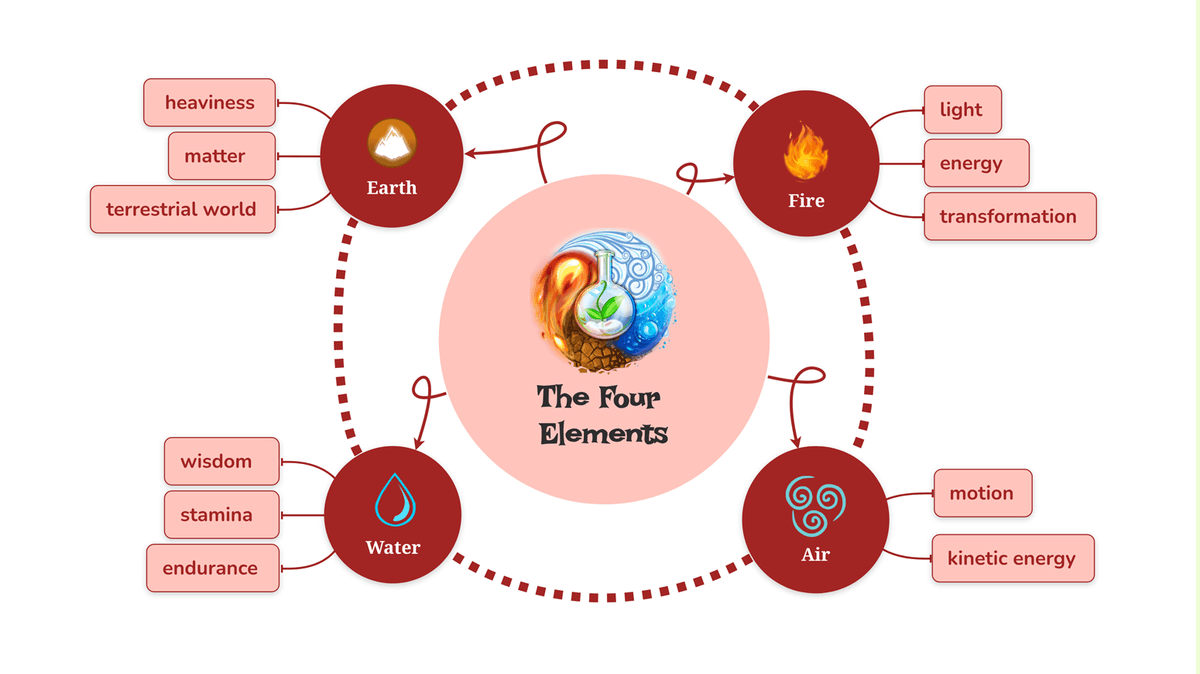
Mindomo.mindmaps, “Brainstorming four elements mind map,” used under CC BY 4.0; source pixels are unchanged.
Imagine a tree seen from above:
- Center: Main topic, such as "Climate Change".
- Main branches: Big groups, such as causes, effects, and fixes.
- Sub-branches: Details under each group.
- Small branches: Facts, cases, and notes.
Every item connects back to the center through its branch. You can trace each note back to the main topic. The layout is radial and grouped by category.
Concept Map Structure
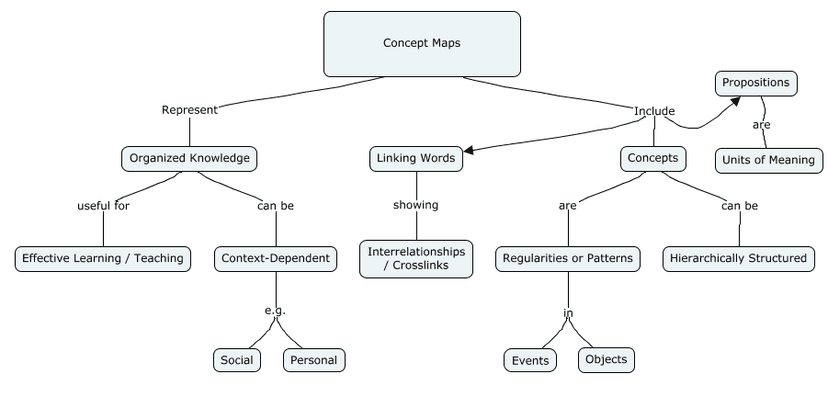
Erich Parker, “Concept Map” (2016), used under CC BY-SA 4.0.
Imagine a network or web:
- Nodes: Key ideas, such as climate change, emissions, sea level, trees, and clean power.
- Links: Named lines between ideas.
- Climate Change --"caused by"--> CO2 Emissions
- CO2 Emissions --"reduced by"--> Renewable Energy
- Climate Change --"leads to"--> Sea Level Rise
- Climate Change --"leads to"--> Ocean Acidification
- Deforestation --"increases"--> CO2 Emissions
Ideas can connect freely. There is no single center. Labels such as "caused by," "leads to," and "reduced by" are the point. They make each link clear.
Criteria and Methodology
Read the table as a format-choice guide. A row about speed or rough grouping favors a mind map. A row about named links or cross-links favors a concept map.
Use creation speed and reading direction as tie-breakers. Mind maps are faster to draft and read from the center outward. Concept maps take longer because every important link must state a relationship.
| Dimension | Mind Map | Concept Map |
|---|---|---|
| Structure | Hierarchical (tree) | Networked (web) |
| Central Topic | One required | Optional / multiple |
| Connections | Branch-based only | Any-to-any |
| Link Labels | Usually none | Required (linking phrases) |
| Reading Direction | Center outward | Any direction |
| Creation Speed | Fast | Slower (more deliberate) |
| Best Scale | Small to medium | Any scale |
| Revision Ease | Easy to add branches | Harder (relationships shift) |
| Visual Style | Colorful, organic | More structured, formal |
| Primary Use | Brainstorming, overview | Deep understanding, analysis |
| Cognitive Demand | Lower | Higher |
Table 2: These structural differences determine which map fits brainstorming, learning, or systems analysis.
When to Choose Each Map
Choose a Mind Map
Mind maps excel when you need speed, overview, or creative exploration. Choose a mind map when:
- You need a fast first pass.
- The topic has one clear center.
- You want to group ideas quickly and do not need to explain each link.
- The map is mainly for your own recall.
Brainstorming and idea generation: Mind maps are fast. Put a topic in the center, and branches flow naturally as you think of subtopics. The radial structure encourages divergent thinking, each branch can spin off in its own direction without worrying about how everything connects.
Example: Planning a research paper. Center: your thesis. Branches: potential sections, arguments, evidence sources, counterarguments. Sub-branches: specific points under each.
Learning new material: When you're encountering a topic for the first time, a mind map gives you a quick structural overview. You can see major categories and how a topic breaks down without getting lost in the complexity of cross-connections.
Example: Starting a new course. Create a mind map of the syllabus: center is the course name, branches are major units, sub-branches are key topics within each unit.
Organizing and categorizing: If your primary need is to group things into categories, mind maps are natural. The hierarchical structure is a visual taxonomy.
Example: Organizing your notes from a semester. Center: course name. Branches: exam topics. Sub-branches: key concepts and facts for each topic.
Meeting notes and presentations: Mind maps capture the structure of a discussion or presentation quickly. Main topics become branches, and details flow underneath without needing to think about cross-relationships in real time.
Choose a Concept Map
Concept maps work best when links matter more than groups. Choose a concept map when:
Understanding complex systems: When ideas interact in non-tree ways, concept maps capture what mind maps miss. This includes loops, many causes, and chains of events. The link labels show cause and function.
Example: Mapping the human immune system. Pathogens, antigens, T-cells, B-cells, antibodies, and memory cells all interact in complex ways that don't fit a simple hierarchy. A concept map shows how each component triggers, inhibits, or supports others.
Studying for deep comprehension: If you need to know how ideas relate, use a concept map. Writing "causes," "prevents," "requires," or "enables" makes the link clear.
Example: Studying supply and demand. A mind map lists supply and demand as two branches. A concept map links them: Supply --"interacts with"--> Demand --"sets"--> Price --"changes"--> Supply.
Identifying gaps in understanding: The act of labeling each line reveals what you don't know. If you can't say how two ideas relate, study that gap.
Example: Reviewing for an exam. Build a concept map of the material. Wherever you struggle to label a connection, that's where you need to study more.
Collaborative knowledge building: Concept maps are strong for groups building shared meaning. Clear labels prevent mix-ups. Everyone can see and discuss how ideas connect.
Example: A research team mapping papers on one topic. Each paper's key ideas become nodes. The team labels the links between findings.
Practical Mapping Workflows
Side-by-Side Examples
The fastest way to spot the difference is to ask what the layout proves. In a mind map, position shows the bucket. In a concept map, the arrow label states the claim.
Example 1: Studying Photosynthesis
As a Mind Map:
- Center: Photosynthesis
- Light Reactions: thylakoid, water, ATP, NADPH, O2
- Calvin Cycle: CO2, RuBisCO, G3P, glucose
- Requirements: light, water, CO2, chlorophyll
- Location: chloroplast, leaf cells
As a Concept Map:
- Light --"drives"--> Light Reactions
- Light Reactions --"produce"--> ATP and NADPH
- ATP and NADPH --"power"--> Calvin Cycle
- Calvin Cycle --"fixes"--> CO2
- Calvin Cycle --"produces"--> Glucose
- Water --"split during"--> Light Reactions --"releases"--> O2
- Chlorophyll --"absorbs"--> Light
The mind map helps a student check coverage. Did they list the inputs, places, and stages? The concept map tests cause and effect. Can they explain why light reactions matter to the Calvin cycle? Can they place water, oxygen, carbon dioxide, and glucose in the process?
Example 2: Project Planning
As a Mind Map:
- Center: Website Redesign
- Research: user interviews, analytics, competitors
- Design: wireframes, mockups, style guide
- Development: frontend, backend, testing
- Launch: content migration, QA, deployment
As a Concept Map:
- User Interviews --"guide"--> Wireframes
- Analytics --"shows"--> Pain Points --"guide"--> Design Priorities
- Wireframes --"tested by"--> User Testing --"leads to"--> Mockups
- Mockups --"become"--> Frontend --"needs"--> Backend
- Content Migration --"waits for"--> Backend --"checked during"--> QA
The mind map is useful for scoping a plan. The concept map is better for work order. It exposes risk. User research must guide wireframes before tests can validate the design. Content migration cannot be tested until the backend path exists.
A Three-Question Format Test
Use this quick test before opening a tool:
| Question | If yes, use | Why |
|---|---|---|
| Do you need to collect ideas quickly before judging them? | Mind map | Branching keeps the session fast and low-friction. |
| Do you need to defend why two ideas connect? | Concept map | The link label turns a line into a claim someone can challenge. |
| Will other people use the map to make decisions later? | Concept map | Named links reduce ambiguity when the author is not in the room. |
Table 3: Use these questions to choose the map format that makes each relationship easiest to explain.
Create an Effective Mind Map
Getting Started
- Write the central topic in the middle of your space.
- Add main branches for major groups. Aim for 4-7.
- Expand each branch with details.
- Add colors, one per main branch.
- Use images or icons where they aid memory.
Best Practices
- Keep labels short: One to three words per branch.
- Use the tree on purpose: Put key ideas closer to the center.
- Color consistently: Use the same color for the same branch.
- Leave room to grow: Don't crowd your first draft.
- Start rough, refine later: Your first version won't be your last.
Create an Effective Concept Map
Getting Started
- List the key concepts you want to map. A range of 10-25 works well.
- Put broad concepts near the top. Put specific ones lower.
- Draw lines between related concepts.
- Label every line with a linking phrase.
- Look for cross-links between separate parts of the map.
Best Practices
- Label every link: Blank lines defeat the purpose.
- Use sentence form: Each link should read as a sentence: Concept A --"linking phrase"--> Concept B.
- Include cross-links: Links between separate map areas often create the best insight.
- Revise more than once: First drafts rarely capture all links.
- Start with a focus question: "How does X relate to Y?" guides your map.
Tools for Both Methods
Mind Mapping Tools
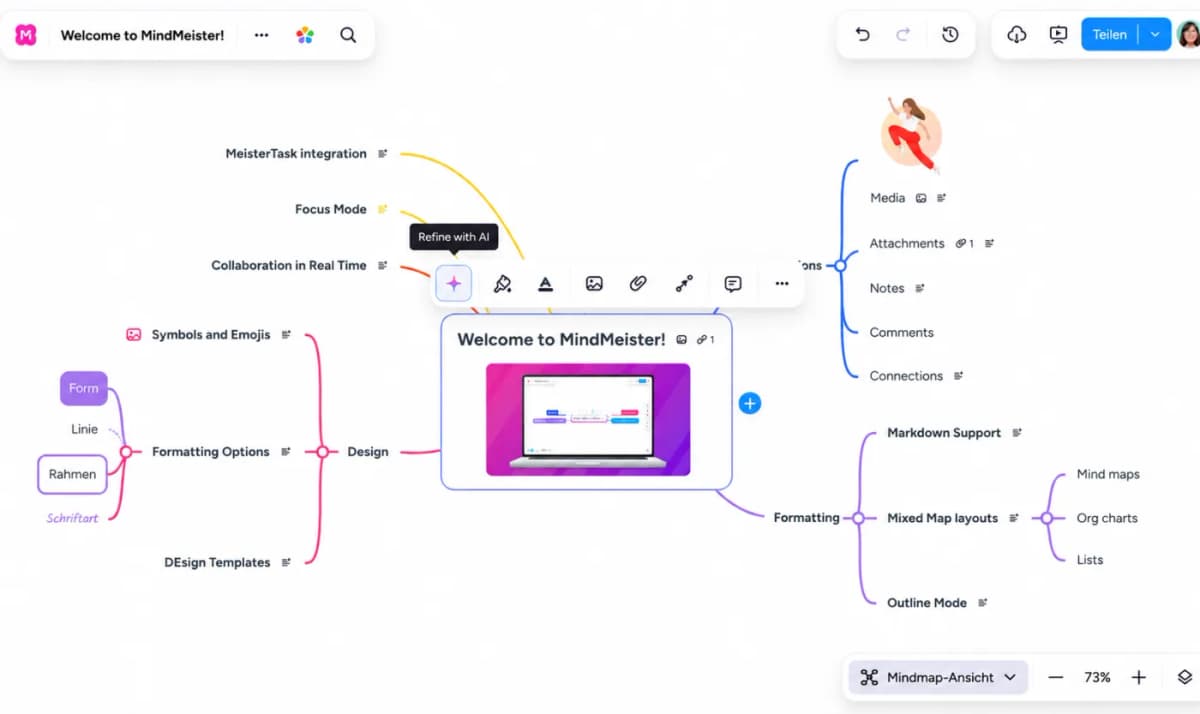
- MindMeister: Polished, collaborative, good for teams
- Coggle: Simple, beautiful, free tier available
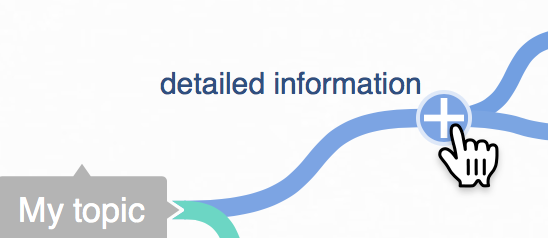
Use the plus button beside a topic to add another branch directly in Coggle’s canvas.
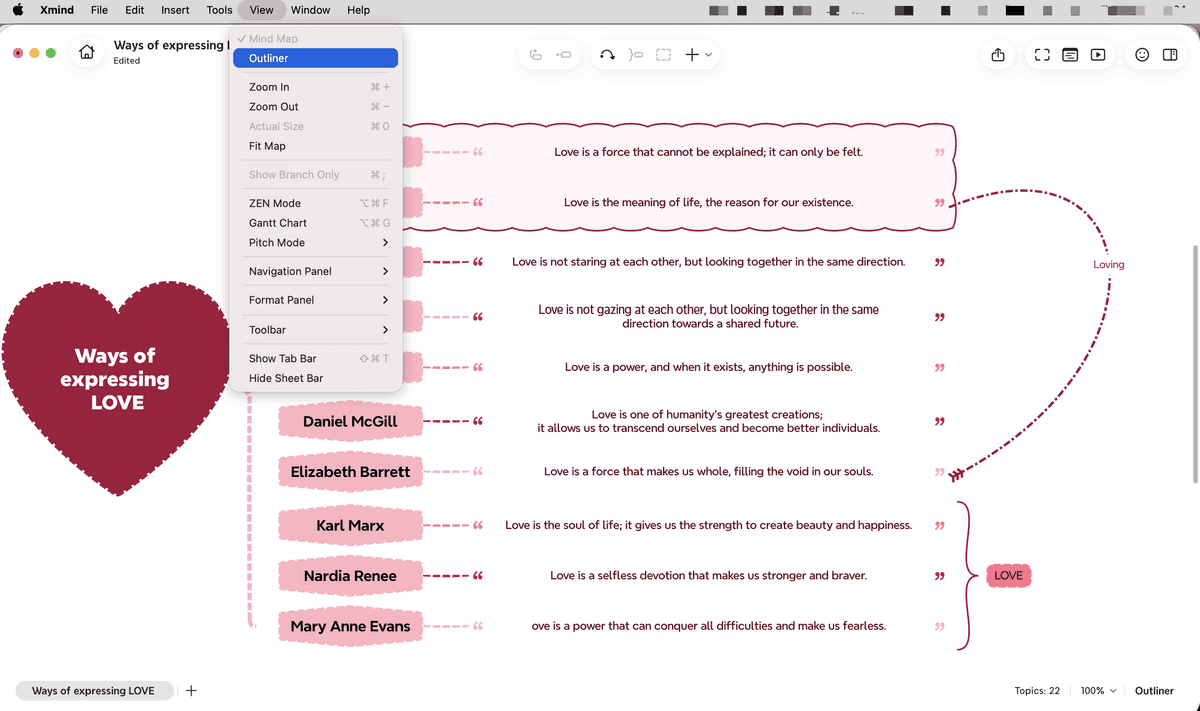
- XMind: Feature-rich, good for complex maps
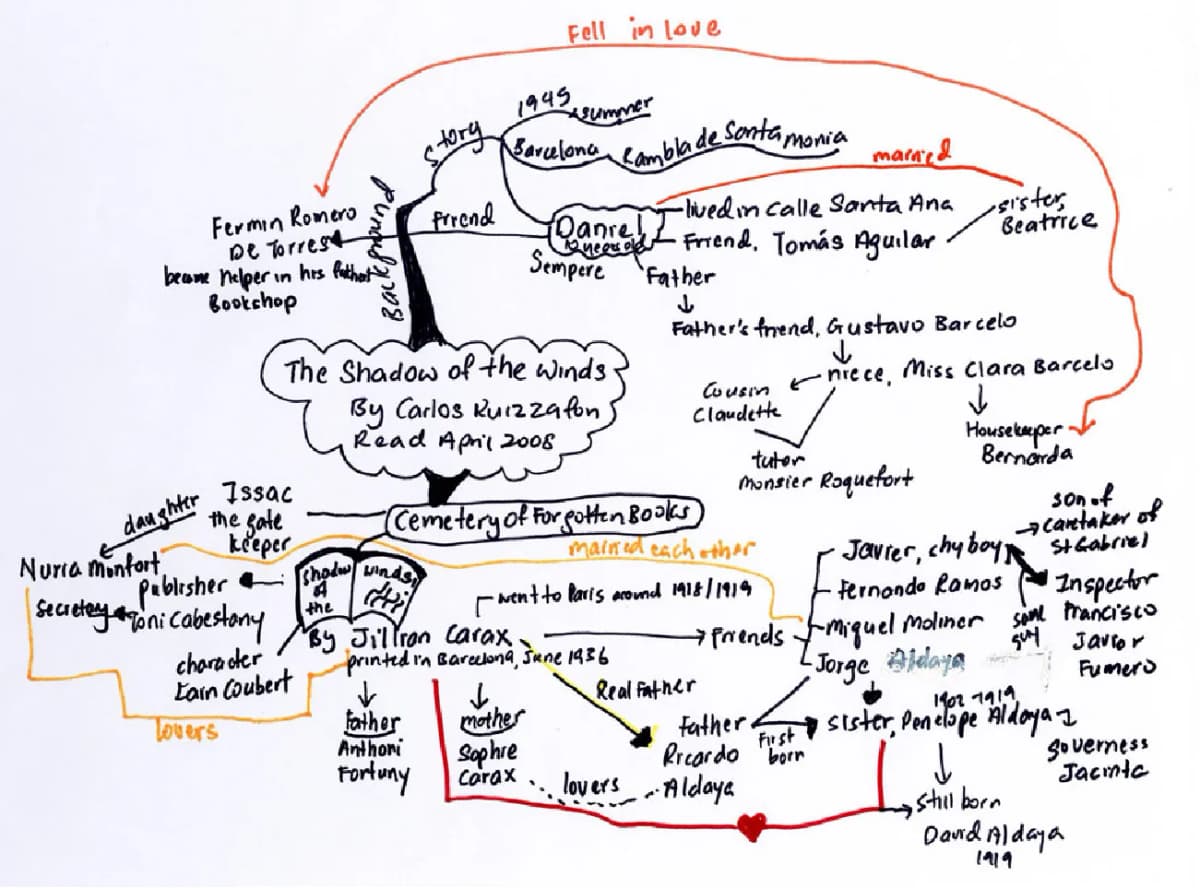
- Pen and paper: Still the fastest way to start
For a full comparison, see our best mind mapping software roundup.
Concept Mapping Tools
- CmapTools: Purpose-built for concept mapping (free)

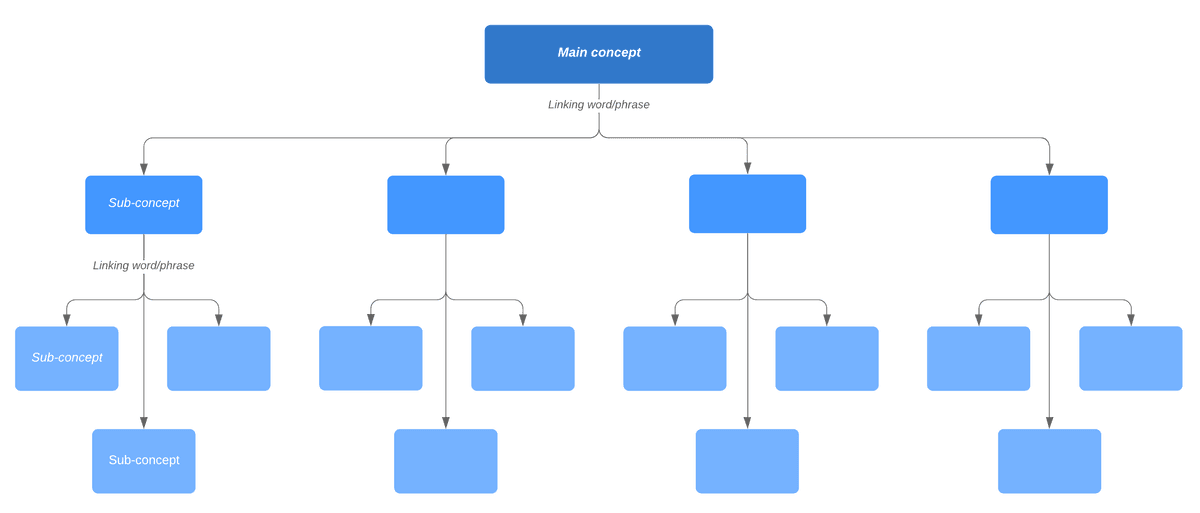
- Lucidchart: General diagramming with concept map templates
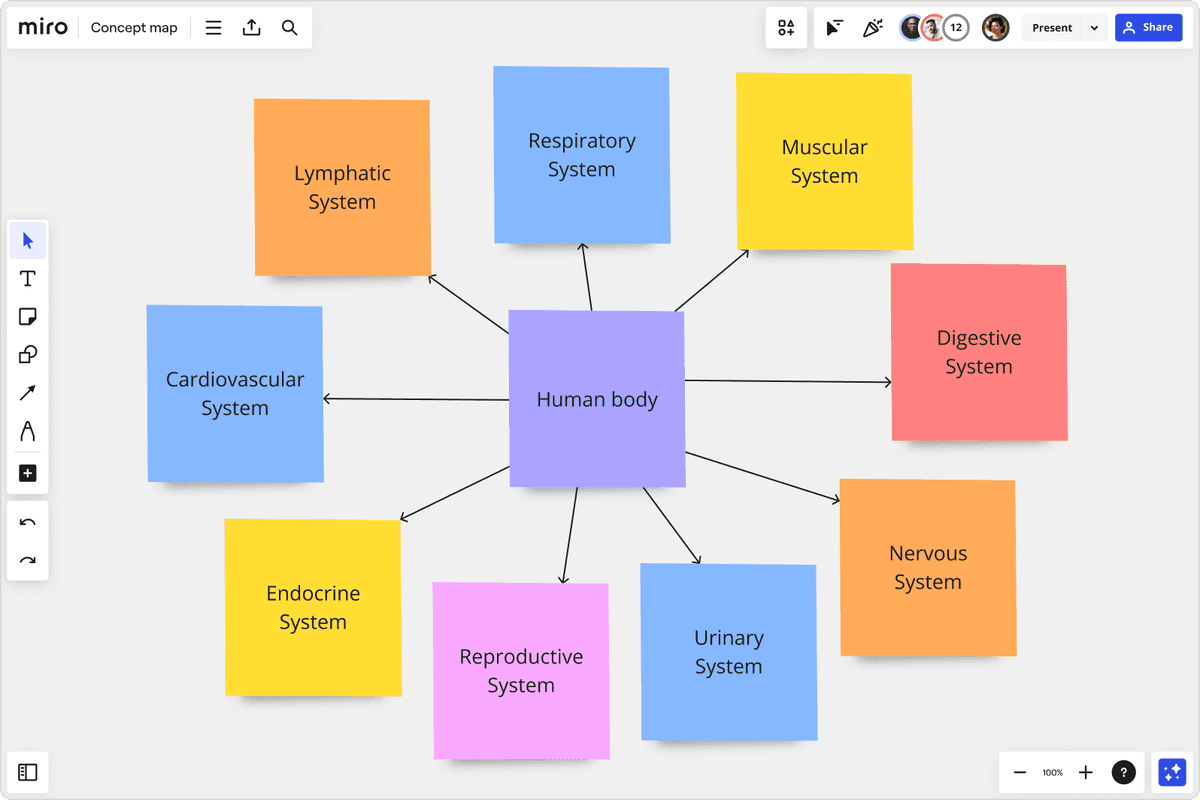
- Miro: Collaborative whiteboard that works for both
- Draw.io: Free, flexible, web-based
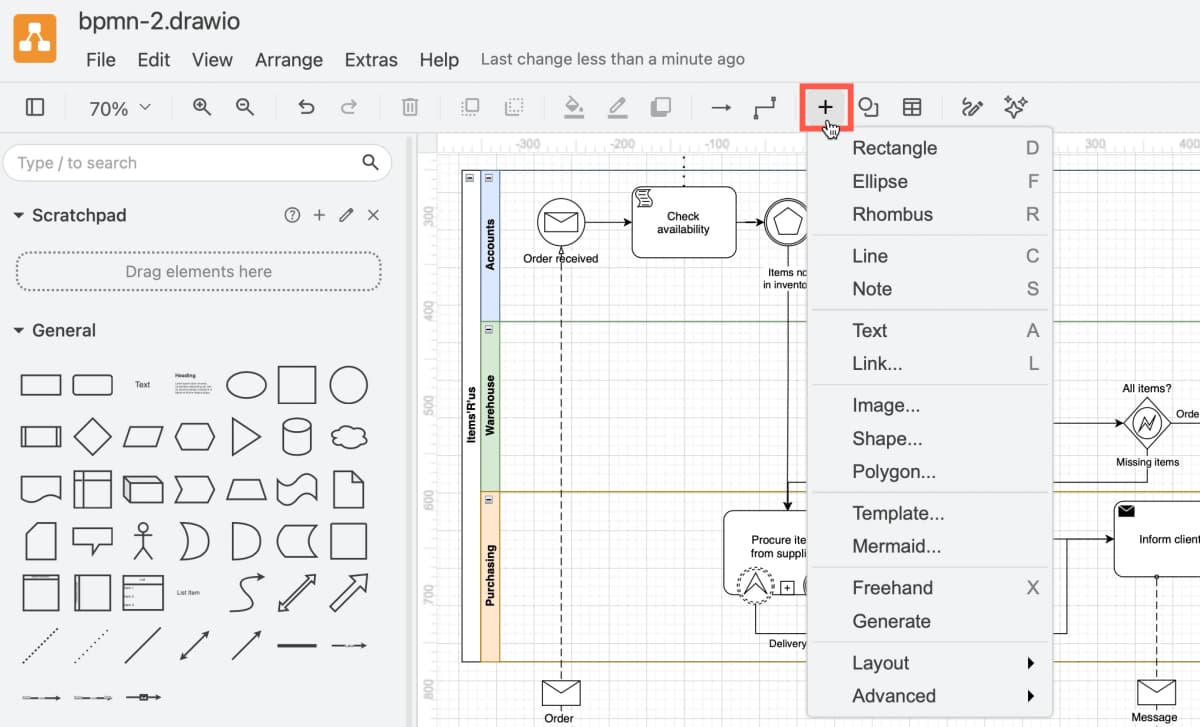
Note: draw.io has a BPMN process diagram open (swimlanes for Accounts, Warehouse and Purchasing) with the shape library on the left and the Insert menu showing Rectangle, Template, Mermaid and Generate. It is a free diagram editor where you draw both concept maps and mind maps yourself; nothing is generated from your notes.*
Tools That Support Both
Atlas takes an AI-powered approach to source-based mapping: upload PDFs, web clippings, and notes, then use the generated map as a starting point for review. That is different from drawing a mind map from memory, and it is most useful when the source set is too large to sketch by hand.
The advantage is not that AI replaces the learning work. It extracts candidates from your sources so you can spend more time checking, pruning, and naming the links that matter.
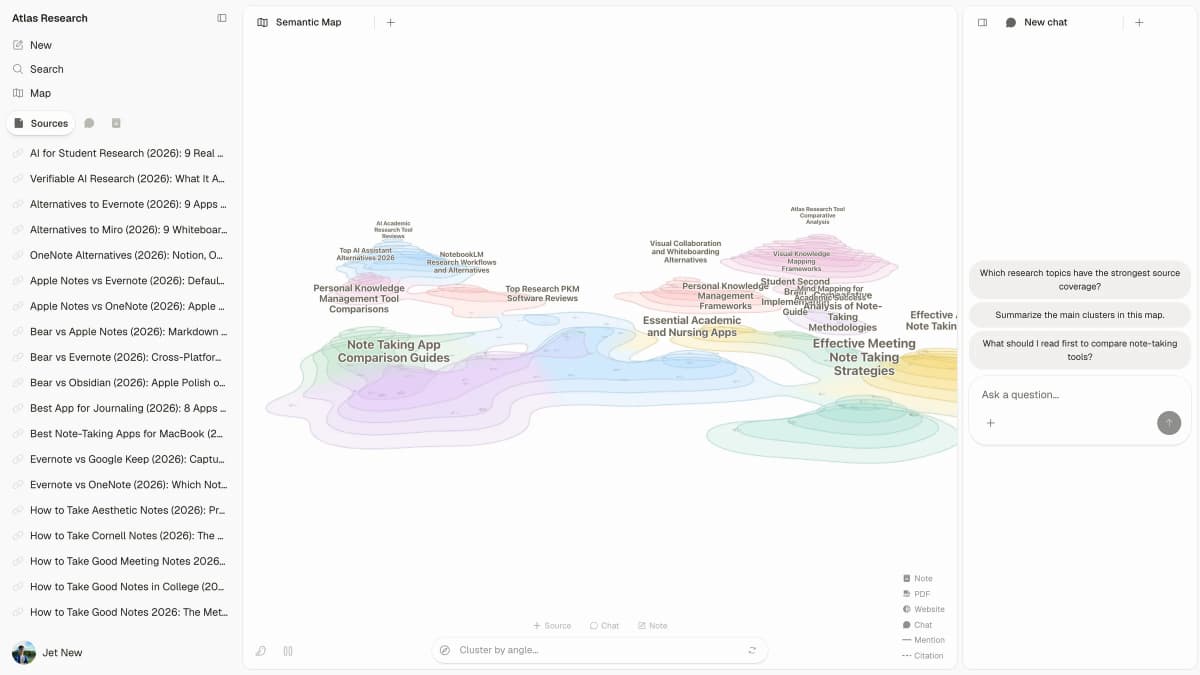
For more options, explore AI mind map generators.
How Mapping Tools Frame the Choice
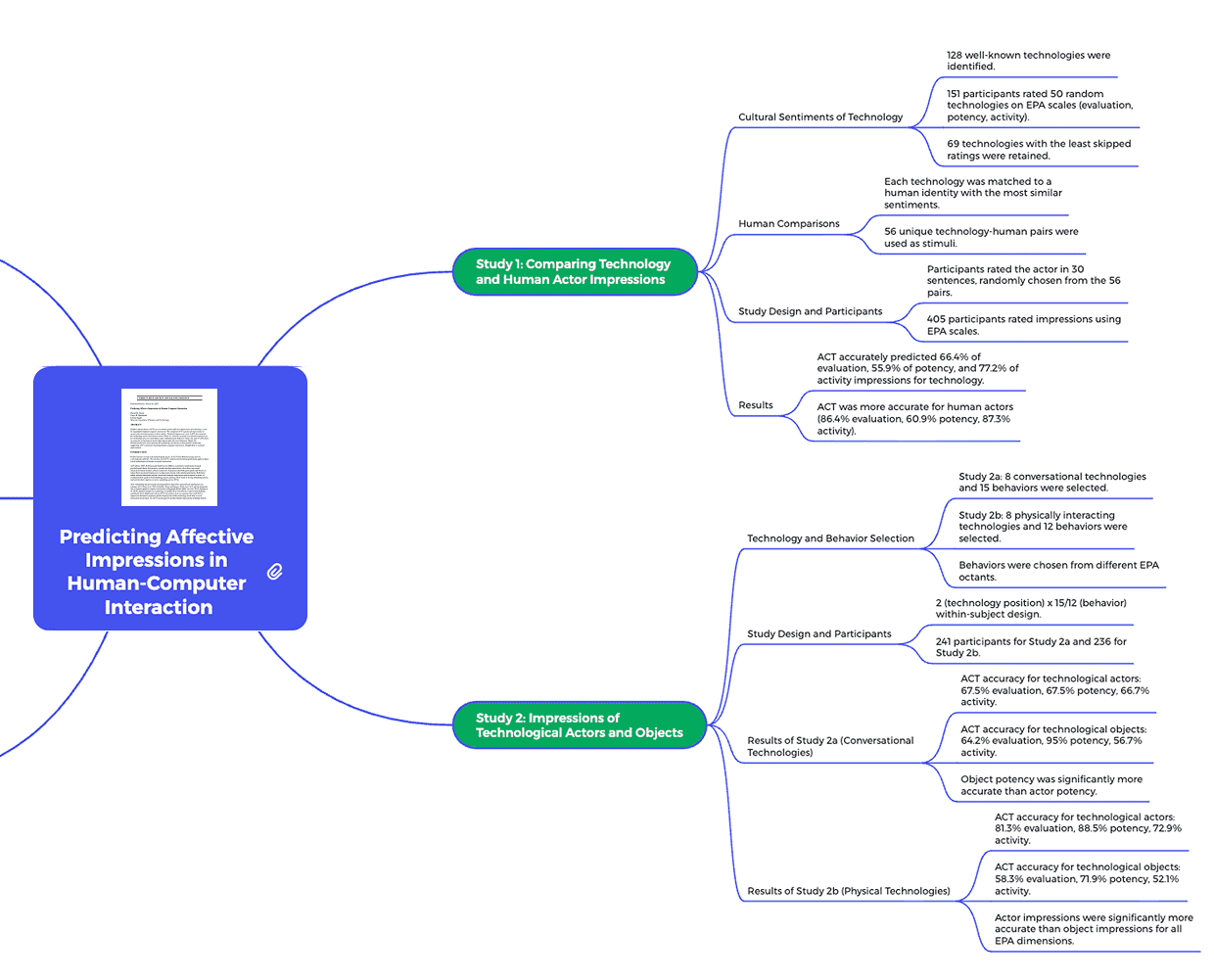
The tools that show up around this search phrase focus on different jobs. ClickUp frames mind maps as planning and task-organization aids. Mapify frames the choice around AI-generated maps from text. Xmind frames mind maps as flexible tree charts and concept maps as more verifiable because their links are named.
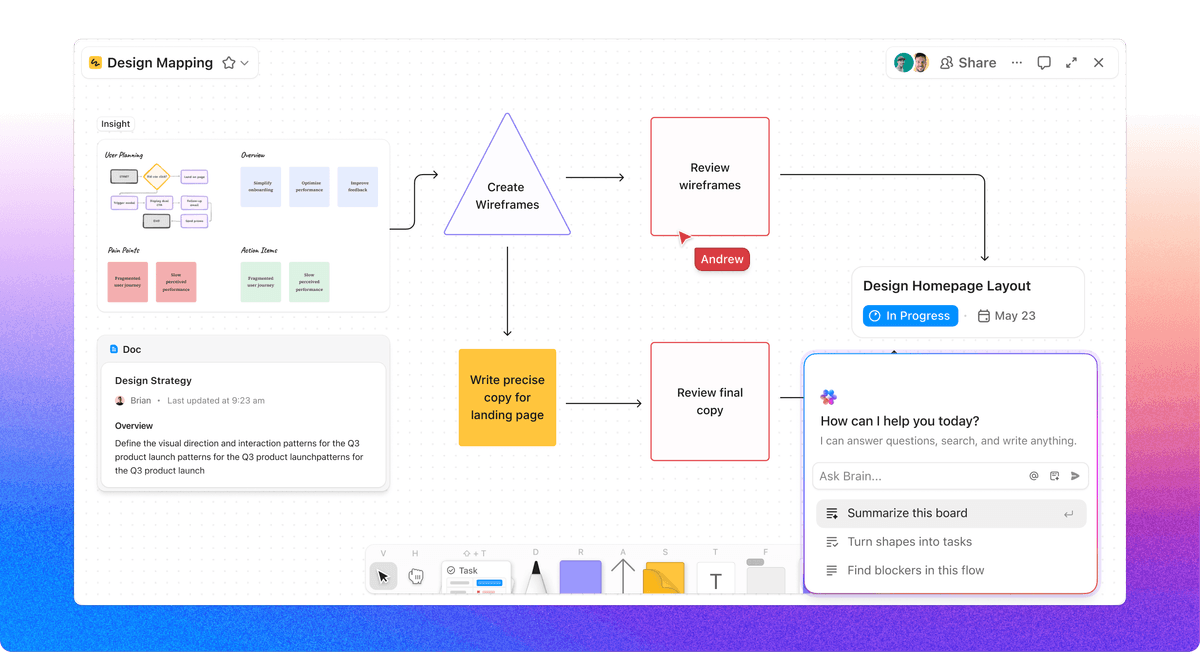
That spread is useful. Choose ClickUp-style mind mapping when the output becomes project work. Choose Mapify-style generation when you want a first draft from input text. Choose Xmind-style manual mapping when the goal is to clarify the structure yourself.
Combine Both Methods
Skilled visual thinkers often use both. Here are two hybrid approaches:
Mind Map First, Then Concept Map
- Create a mind map to brainstorm and group major ideas.
- Identify ideas that connect across branches.
- Rebuild as a concept map with named cross-links.
- Use the mind map for raw material. Use the concept map for deeper structure.
Concept Map Core, Mind Map Details
- Concept map the key links between major ideas.
- For each complex node, create a mind map that breaks it down.
- Use the concept map for the big picture. Use mind maps for detail.
Turn a Mind Map Into Claims
Use a branch-to-claim pass. It turns a rough mind map into a map you can defend.
- Circle any branch that has more than five child items.
- Pick two items from different branches.
- Ask, "Does one cause, limit, fund, block, or explain the other?"
- If yes, draw a new line and write the verb on the line.
- Delete any line you cannot read as a plain sentence.
For example, a project mind map may list "research," "wireframes," and "testing" as branches. The concept-map pass turns them into claims. Research guides wireframes. Wireframes guide tests. Tests change design priorities.
In our Atlas source-map reviews, this pass is the fastest quality check. A useful concept map has fewer loose nouns and more readable claims. If a line cannot be read aloud as a sentence, it is not ready yet.
Branch-to-Claim Audit
I applied that audit to the two examples in this article.
| Example | Mind-map branches | Concept-map claims | What changed |
|---|---|---|---|
| Photosynthesis | 4 branches | 7 claims | The map shifted from topic coverage to process flow. |
| Website redesign | 4 branches | 5 claims | The map shifted from work areas to project risk. |
Table 4: This is the practical difference. A mind map asks whether the topic list is complete. A concept map asks whether the claims between topics are true.
Final Choice Table
Use this table as the final tie-breaker.
If the task needs speed, choose the tree. If the task needs proof, choose the web.
| Your job | Better format | Why |
|---|---|---|
| Brainstorm fast | Mind map | It keeps one topic in view and lets branches grow quickly. |
| Study a system | Concept map | It forces you to name causes, links, and gaps. |
| Plan team work | Start with a mind map, then switch | Brainstorm first. Then map risks, owners, and dependencies. |
| Explain research | Concept map | Readers can check each claim by reading the link labels. |
Table 5: Mind maps favor speed and hierarchy; concept maps favor explicit relationships and systems thinking.
Tools and Research Evidence
Tool Choice in Practice
The category you pick depends partly on what you are mapping and partly on how you collaborate.
Mind-mapping tools: MindMeister, Coggle, Miro, XMind, and the open-source FreeMind. All build trees rooted at a central topic. MindMeister is strong for solo work. Miro is stronger for shared whiteboards. Tony Buzan's mind-mapping research tied the method to note-taking because the radial layout mirrors how ideas gather around one topic.
Concept-mapping tools: CmapTools, Lucidchart, Cacoo, and VUE. CmapTools comes from IHMC, the team behind the method. It remains the academic standard because it forces a label on every link. That rule is the core of Joseph Novak's concept-mapping work.
AI-augmented tools: Atlas, Heptabase, and Scrintal. All three offer mind-map-like canvases that AI can populate from uploaded sources. Useful for the discovery phase but not a replacement for the manual-mapping cognitive work that produces the learning benefit.
Educational Research and Retention
Education research compares the two formats more closely than most software guides do. Its findings can help you choose a map for study and recall.
Mind maps for first recall: A 2022 meta-analysis on mind mapping in education found better recall than linear notes. The effect was strongest for topics with a natural tree, such as history, biology groups, and vocabulary.
Concept maps for transfer: Joseph Novak's work points to stronger transfer. Transfer means using what you learned on a new problem. Link labels make learners state exactly how two ideas relate.
The combined approach: use mind mapping first, then concept mapping. The first pass gathers ideas. The second pass forces students to name the links. This pattern matches Cornell Center for Teaching Innovation guidance on visual study tools.
When AI Helps Most
AI tools that create mind maps from text are best for discovery. They surface topics you might miss. They are weaker during review, where choosing the links is the learning work. A practical split works well: let AI draft the map, then edit it by hand.
Knowledge Sharing and Review
Concept maps are stronger when the map has to travel beyond the person who made it. A branch label like "budget" or "causes" can mean different things to different readers. A labeled link such as "funding delay postpones pilot launch" is a claim the group can accept, reject, or revise.
That makes concept maps useful in study groups, curriculum planning, research teams, and project reviews. The map acts as an argument that the group can discuss. Mind maps still fit early group idea sessions because they keep the room moving. Once the group must agree on what the ideas mean, a concept map does more work.
History, Scale, and Project Fit
Concept mapping has an academic origin. The Cmap guide by Alberto J. Cañas and Joseph D. Novak traces the method to Novak's Cornell work in 1972. The method was built to help people learn by naming how ideas relate.
Mind mapping has a note-taking origin. Tony Buzan popularized the radial form for recall and idea capture. That is why mind maps feel natural when one person is trying to get thoughts out quickly.
Scale changes the choice. A 15-node map can work in either format. A 100-node mind map often turns into a branch maze. A 100-node concept map can still work if it is split by focus question and each section has clear link labels.
Tool Selection Questions
Which Format Fits Team Projects?
Use a mind map for the first planning session. Switch to a concept map when the team must agree on causes, risks, owners, or dependencies.
Which Format Works Better With AI?
AI can draft either format. It is better at listing topics than judging links. Treat the AI map as a first pass, then edit the claims yourself.
Which Format Scales Better?
Concept maps scale better for large systems because links can cross between areas. Mind maps scale better for short outlines because the tree stays easy to scan.
References
- Alberto J. Cañas and Joseph D. Novak, What is a Concept Map?
- Tony Buzan, mind-mapping research and method notes
- Cornell Center for Teaching Innovation, active and collaborative learning guidance
Common Failure Modes
Three patterns recur in failed mapping attempts and have predictable fixes.
The exhaustive-coverage trap: a map with 200 nodes is hard to read. The value comes from what you leave out. Maps with 15-30 well-chosen nodes usually beat maps with 100+ nodes for recall and transfer.
The wrong-format mismatch: a mind map can flatten topics with feedback loops. A concept map can be too slow for a single-topic brainstorm. Let the work choose the format.
The one-and-done artifact: a map drawn once has limited value. Redraw it after a few weeks of learning. What changes is the learning signal.
Next Step
Whether you choose mind maps, concept maps, or both depends on the job. Mind maps are for speed and structure. Concept maps are for depth and links. Both can be useful when you move from first draft to final review.
If your next task is mapping a source set, use mind mapping from sources as the next step. That guide shows how Atlas turns uploaded PDFs, notes, and web sources into an AI-generated map you can check against a hand-built version.
Map ideas from a research source
Generate an editable knowledge map, then explore its structure.