


Most teams leaving MindMeister want one of three things: a cheaper browser map, a broader whiteboard, or a map that fits their Microsoft or Apple tools. Mindomo is the closest browser replacement, Miro covers workshops, and MindManager fits Office-heavy planning.
MindMeister earned its reputation as a browser mind-map tool for live editing, task handoff, and shared maps. Teams switch when the job changes. Some need a full whiteboard. Some need Microsoft exports. Some need a cheaper browser map. A smaller group needs maps generated from research files rather than drawn by hand.
This guide ranks seven MindMeister alternatives for the team workflows MindMeister competes for. Solo users should weigh desktop editing and export quality more heavily than live collaboration.
The header photo is by Vitaly Gariev on Unsplash, used under the Unsplash License. It shows two colleagues grouping ideas on a wall as an illustrative planning activity. None of the compared products appear in it.
Explore a paper's Knowledge Map
Open a paper in Atlas to view its generated Knowledge Map.
Why Switch From MindMeister?
For a broader comparison of mind-mapping tools, see our mind-mapping software guide.
Teams usually leave MindMeister for one of three reasons:
- Price matters once every editor needs a paid seat. Check MindMeister's pricing page against the per-editor price of each alternative before you switch.
- The stack may point elsewhere. Microsoft 365 teams may get more value from MindManager's Office and SharePoint exports. Product teams often need Miro because it covers workshops, sticky notes, and flows too.
- The map may need to come from documents. Prompt-made maps help with brainstorming. Research work sometimes needs a map built from the papers themselves, with a way to check each point against the text.
What to Look For
Do not choose by feature count alone. Start with the work your team repeats every week. A class group needs low-cost browser maps. A product team may need workshop tools. A research student may need a map that stays tied to source files.
Check five things before switching:
- Whether the tool imports your old maps without cleanup.
- Whether live editing stays fast with your real team size.
- Whether pricing is per editor, per seat, or tied to an enterprise plan.
- Whether exports match the documents, slides, or task tools you use.
- Whether AI output can be checked against source files when the map supports research.
How to test those points in practice:
- Collaboration: test a real meeting map with at least three editors, and watch for cursor lag, comment flow, permissions, and whether non-editors can review without paid seats.
- AI: separate prompt-made maps, which are fine for brainstorming, from source-made maps, which matter when you need to trace each branch back to the material.
- Pricing: compare the first-year team cost and the plan that includes single sign-on (SSO). On Miro, for example, SAML SSO is listed on the Business and Enterprise plans, not on Starter.
If the fifth point is your main concern, see how source-grounded maps work from documents before choosing another blank-canvas tool.
Interface Snapshots
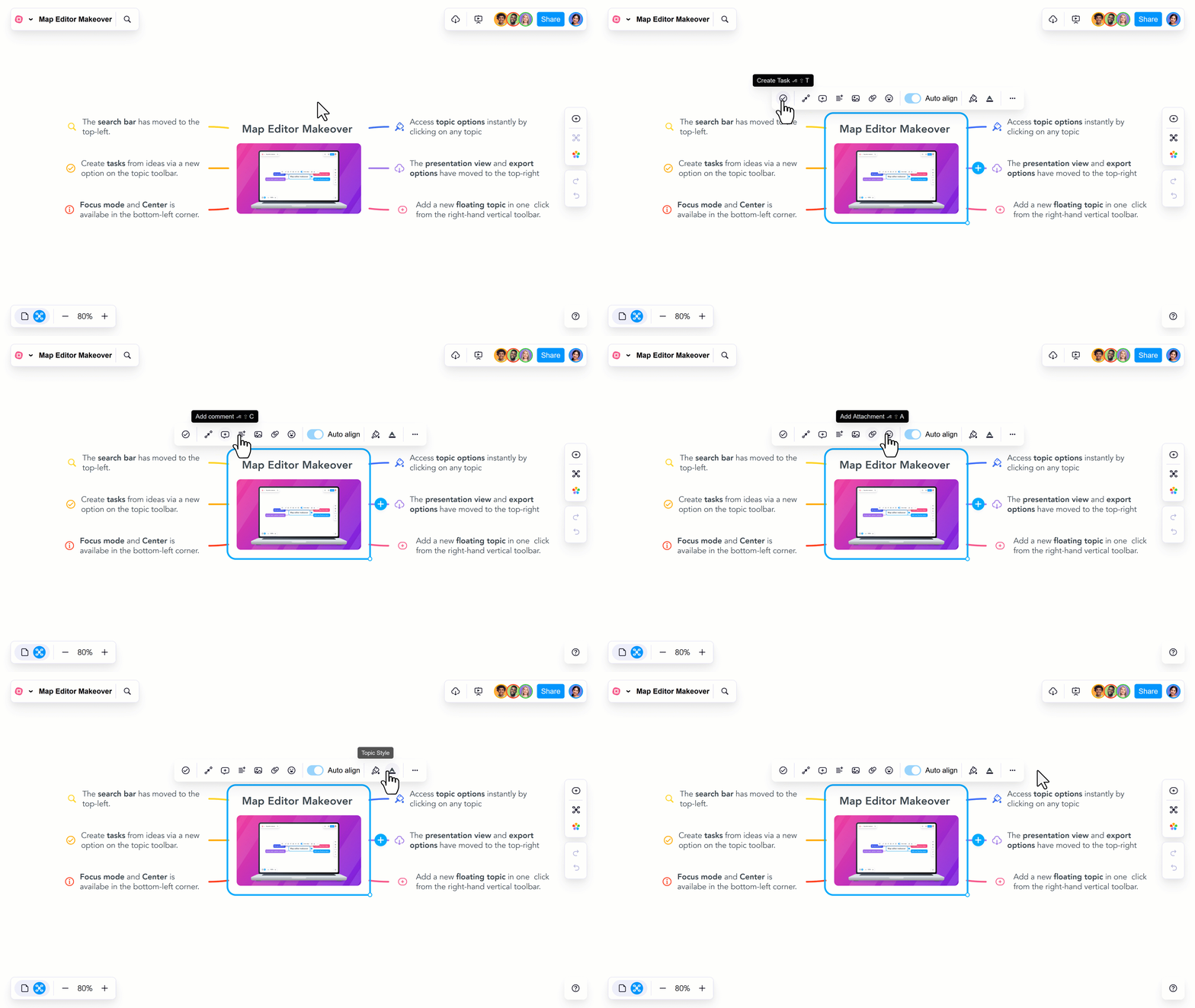
The MindMeister editor shows the manual browser map workflow that alternatives need to replace or improve.
Mindomo stays closest to MindMeister's browser map. Miro is a whiteboard. MindManager looks closer to business planning software. XMind, MindNode, and Coggle stay closer to classic mind maps. Atlas starts from uploaded sources instead of a blank canvas.
Use this table to compare the visual job each interface is built around before you scroll through the screenshots.
| Tool | What the interface shows | What it means for switchers |
|---|---|---|
| MindMeister | Manual browser map editor | The baseline is live branch editing and presentation work. |
| Mindomo | Browser map workspace | Choose it for a MindMeister-like workflow at a lower price. |
| Miro | Mind map inside a larger board | Choose it when workshops need more than a map. |
| MindManager | Business map with planning structure | Choose it for Office-heavy planning and reports. |
| XMind | Polished desktop-style map | Choose it for solo prep before sharing. |
| MindNode | Native Apple map document | Choose it for Apple-first individual work. |
| Coggle | Simple public browser map | Choose it when public diagrams are acceptable. |
| Atlas | Research map beside cited answers | Choose it when one researcher's map must come from source files. |
Table 1: The interfaces reveal whether each tool prioritizes manual mapping, workshops, planning, or source-grounded research.
7 Best MindMeister Alternatives
1. Mindomo for Browser-Based Mapping
Mindomo is the closest browser-based MindMeister replacement. It has live editing, presentation mode, and outline view. It also has a dedicated education offering with classroom features.
Choose Mindomo when price or school use is the main reason to switch. Its individual pricing includes a free plan limited to 3 diagrams, and paid plans add unlimited diagrams; team and education plans are priced separately.
This campaign map branches into audience, message, channels, and deliverables, with priorities and task details attached to work items. It gives switchers a concrete example of the browser-based map structure behind Mindomo's recommendation.
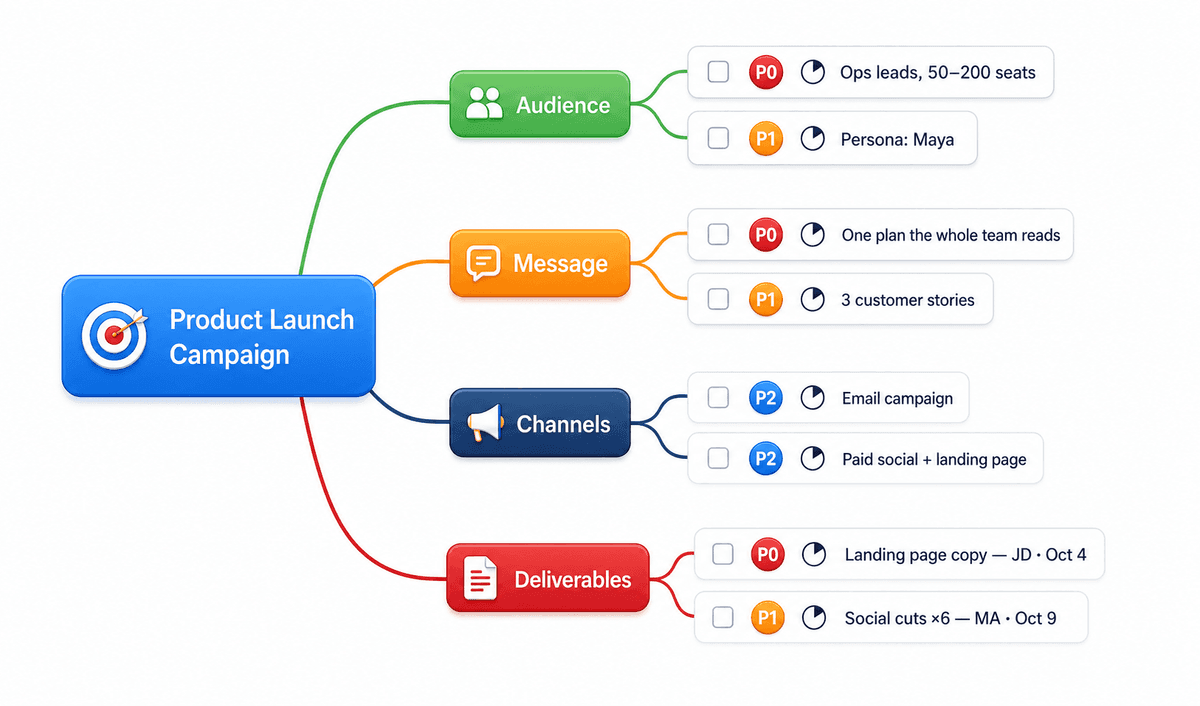
Mindomo keeps a campaign plan and its deliverables in one branching map. Via Mindomo's marketers page.
2. Miro for Cross-Functional Teams
Miro has a mind-map template and the broadest whiteboard in this list. Sticky notes, flowcharts, kanban, and Jira integrations can sit beside the map. Use it when one tool must cover maps, planning, retros, and workshops.
Choose Miro when product, design, and ops teams want one shared whiteboard. Miro's pricing page lists a free plan with 3 editable boards, Starter at $8 per member per month billed yearly, and Business at $20 per member per month billed yearly.
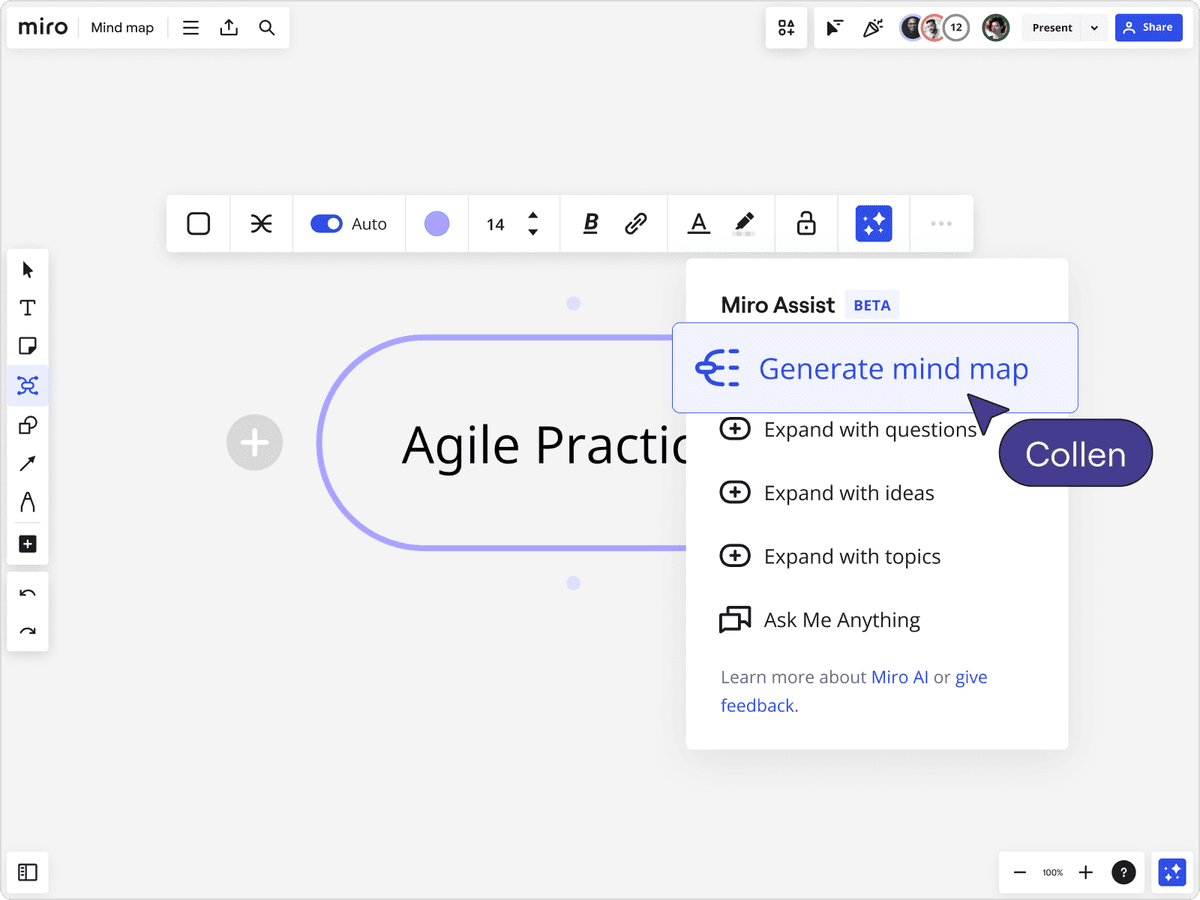
Miro Assist places a generated mind map on the broader whiteboard used for workshops.
3. MindManager for Microsoft Teams
MindManager is the corporate mind-map option. It has MS Office integration, exports to PowerPoint, Word, and Project, plus SharePoint and Teams support. It is desktop-first on Windows and Mac, with optional cloud co-editing.
Choose MindManager when the team already works in Microsoft 365 and needs maps that turn into Office documents and project plans.
This sample map links a product-development idea to priorities, owners, and dates. Those project details show how execution work can stay attached to branches; they are sample values, not product pricing.
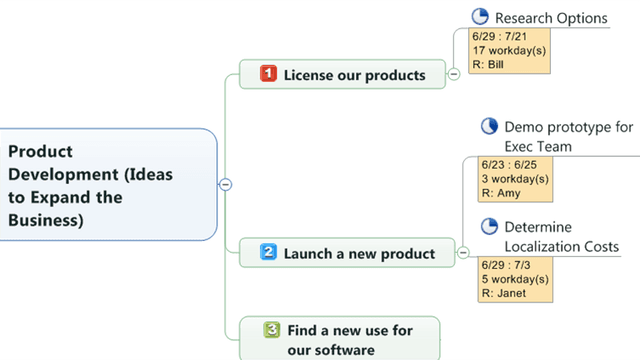
This sample business map connects product ideas to owners and dates, keeping planning detail with the branches. Via MindManager's brainstorming page.
4. XMind for Solo Desktop Work
XMind is desktop-first, with templates, themes, and offline use. It fits solo prep work inside a hybrid team. Build the polished map offline, then move the result into a shared canvas. It is weaker than MindMeister for live group editing.
Choose XMind for solo prep work. It has a free tier, with paid plans for more features.
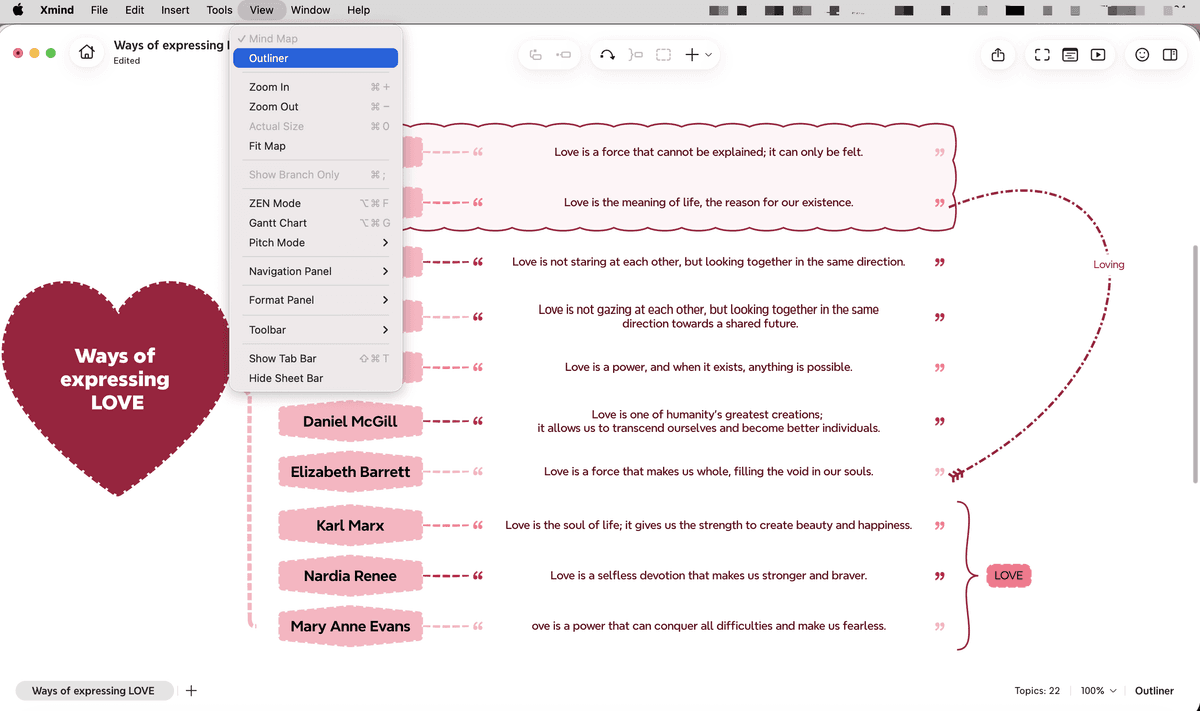
XMind's Outliner view supports individual map preparation.
5. MindNode for Apple-Only Teams
MindNode is a native Apple mind-map app for macOS, iPadOS, and iOS. It works well for Apple-only team members who want a native client. Pair it with a shared tool when the whole team needs one live map.
Choose MindNode for Apple-only work, especially when each person drafts their own map first.
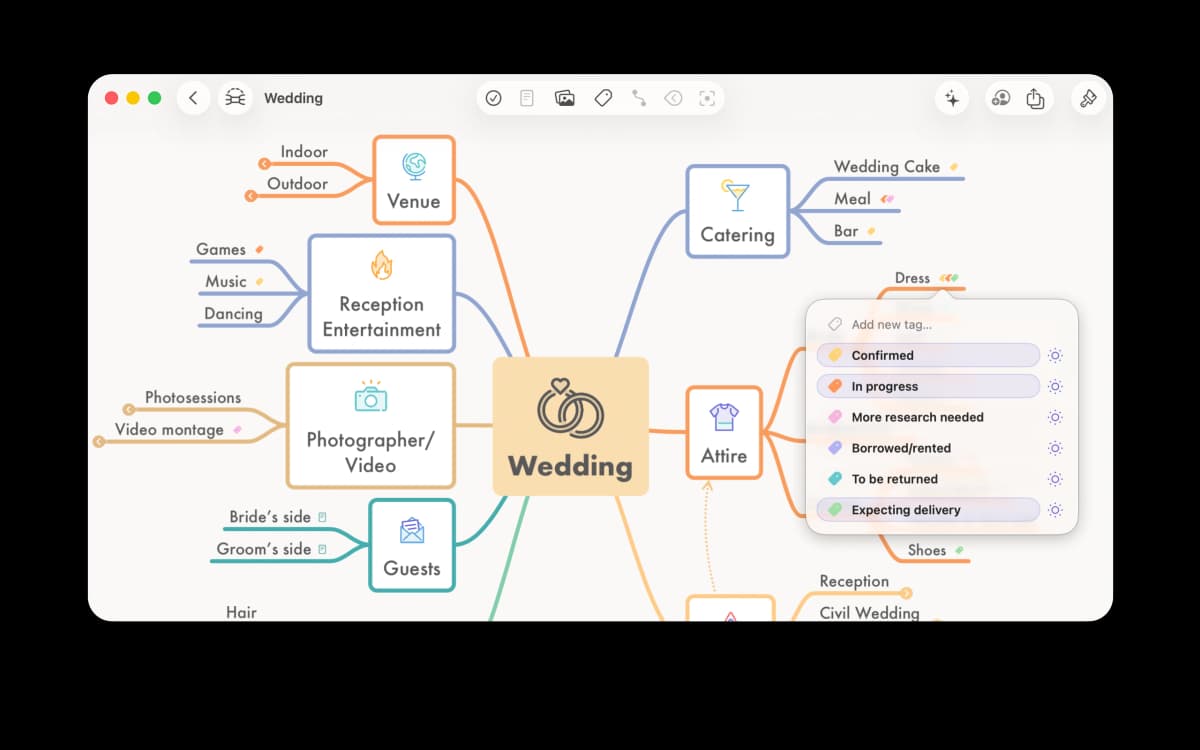
MindNode's sample wedding map organizes plans into colored branches with task tags. Screenshot from MindNode's press resources.
6. Coggle for Free Public Diagrams
Coggle is a browser mind-map tool with a free plan. Its Awesome plan is $5 per month and adds unlimited private diagrams. There is no download. It fits student projects, open-source docs, and teams that are comfortable sharing diagrams.
Choose Coggle for simple group maps on a small budget.
The plus button beside a topic adds another branch directly in Coggle's canvas. This is the editing action behind its simple map-first workflow; the screenshot does not show a diagram's sharing state.
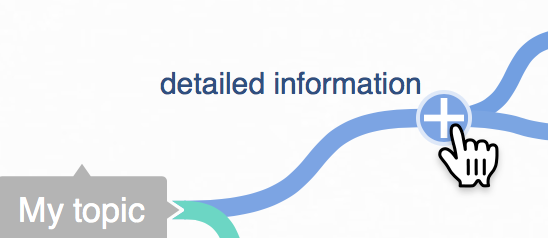
Use the plus button beside a topic to add another branch in Coggle's canvas. Via Coggle's mind-map help article.
7. Atlas for Maps From Research Sources
Atlas is a single-user research workspace. It does not offer real-time co-editing, so it does not replace MindMeister for group sessions. It fits a different job: you upload PDFs, web pages, and notes, then view a Knowledge Map of a source or note, or a Semantic Map that places your sources and notes by topic.
Choose Atlas when one researcher needs a map that comes from the papers and answers that cite the passages behind them. The Free plan includes 10 sources and 5 AI messages; Plus (US$20 a month, or US$16 a month billed yearly) and Pro (US$40 a month) add a larger library and AI allowance.
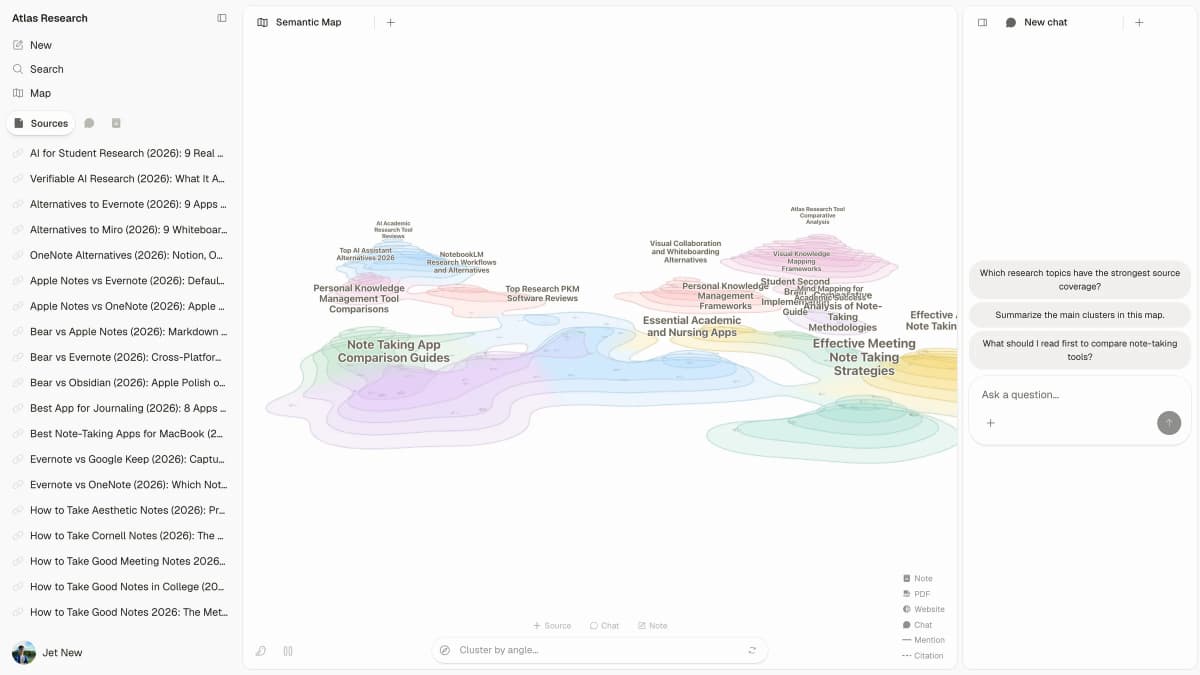
Atlas places paper topics on a Semantic Map beside the source list and a chat panel for questions. See the Atlas concept-map workflow for context.
Comparison Table
Use this table to build a shortlist. Pick the row that matches your main workflow first, then check live editing and the vendor's current pricing page.
| Tool | Best For | Free Plan | Real-time Collab | Where it falls short |
|---|---|---|---|---|
| Mindomo | Browser MindMeister replacement | Yes (3 diagrams) | Yes | Fewer workshop tools than Miro |
| Miro | Cross-functional whiteboarding | Yes (3 editable boards) | Yes | Map editing is one feature among many |
| MindManager | MS-stack corporate | Trial | Cloud co-edit | Desktop-first |
| XMind | Solo/desktop prep | Yes | Limited | Weaker live group editing |
| MindNode | Apple-only members | Yes | Limited | Apple devices only |
| Coggle | Simple browser maps on a budget | Yes | Yes | Basic styling |
| Atlas | Maps and cited answers from research files | Yes (10 sources) | No | Single-user; no live co-editing |
Table 2: Compare collaboration, platform fit, and per-editor pricing before replacing MindMeister.
Team Buying Factors
Best Alternative by Use Case
Read this as a routing table. Start with the use case closest to your team, then check that vendor's pricing.
| Use case | Best pick | Why |
|---|---|---|
| Lower-cost browser replacement | Mindomo | It feels closest to MindMeister's browser map. |
| Cross-functional workshops | Miro | It covers maps, sticky notes, flows, and team rituals. |
| Microsoft-heavy corporate work | MindManager | It exports to Office files and fits SharePoint or Teams. |
| Solo desktop prep | XMind | It works offline and has polished templates. |
| Apple-only work | MindNode | It is a native Apple app. |
| Simple maps on a budget | Coggle | Its free plan and low-cost Awesome plan cover simple maps. |
| Maps from research papers | Atlas | It builds maps and cited answers from uploaded material for one researcher. |
Table 3: The best replacement depends on whether the team needs live group maps, workshops, formal diagrams, solo planning, or source maps.
Pricing Questions to Ask
Per-editor prices change often, so read each vendor's current pricing page rather than relying on a list. Then ask three questions:
- Who needs edit rights? Some tools bill only editors and let others view. If most people only review diagrams, paying by editor can cost far less than paying for every seat.
- Which plan includes SSO? On Miro, SAML SSO sits on Business and Enterprise. Check where it sits for every tool on your shortlist.
- Is annual billing required for the listed price? Miro's Starter and Business prices, for example, are quoted billed yearly.
Collaboration at Scale
Mind-map tools need live editing to feel fast. The seven alternatives split into three groups:
- Live browser editing covers Mindomo, Miro, and Coggle, as well as MindMeister itself.
- Cloud co-editing covers MindManager, which is desktop-first with an optional cloud layer.
- Solo-first covers XMind, MindNode, and Atlas. They suit one person's work. Teamwork usually means export, import, or sharing the finished output elsewhere.
For workshops, check the tools around the map. Miro is a full whiteboard built for meetings, while map-only tools offer fewer meeting features. If your team runs weekly brainstorms, workshop depth may matter more than price.
Privacy and Compliance
Mind maps often contain private work such as org charts, customer journeys, hiring notes, or product plans. Before moving that material, read each vendor's security and privacy pages and confirm the certifications, data location, and SSO tier your organization requires. Ask for current documentation rather than relying on a third-party list.
Final Take
MindMeister is strongest for live browser maps. The alternatives win when the team needs a cheaper browser map, a broader whiteboard, a Microsoft workflow, or a native Apple app.
Choose Mindomo for the closest browser replacement, Miro for workshops, MindManager for Microsoft teams, XMind or MindNode for solo prep, and Coggle for simple maps on a budget. Choose Atlas only when one person's map should come from research files and keep citations attached.
If you want a desktop mind-map tool for individual work rather than a team workspace, compare MindNode and MindManager first.
Explore a paper's Knowledge Map
Open a paper in Atlas to view its generated Knowledge Map.