


NotebookLM is now Gemini Notebook, and it already has native Mind Maps. Stay with it when a source overview, topic questions and a downloaded map cover your task. Choose a NotebookLM alternative with mind maps when you need to edit branches, move the map to another app or keep working on a visual board.
Atlas fits an editable source or note map paired with cited project chat. Mapify and MindMap AI focus on map generation and exports. Heptabase and AFFiNE offer broader visual workspaces. This guide compares seven options by the actions you need, using their documented features rather than a speed benchmark. For broader replacements, see our NotebookLM competitors guide.

Map a source and check its claims
Edit a map, ask about a branch, and check the answer's citation.
Start with Gemini Notebook's Native Maps
Google's Mind Maps help describes a branching overview of uploaded sources. On the web, open a notebook and select the Mind Map chip in chat. The result appears in Studio. You can expand branches, select a node to ask about its topic, download the map, or share the notebook.
A download does not necessarily give you an editable file for another map app. Check that format before switching. Google also notes that some Play Books sources restrict artifact downloads and that the mobile app does not support native Mind Maps at present.
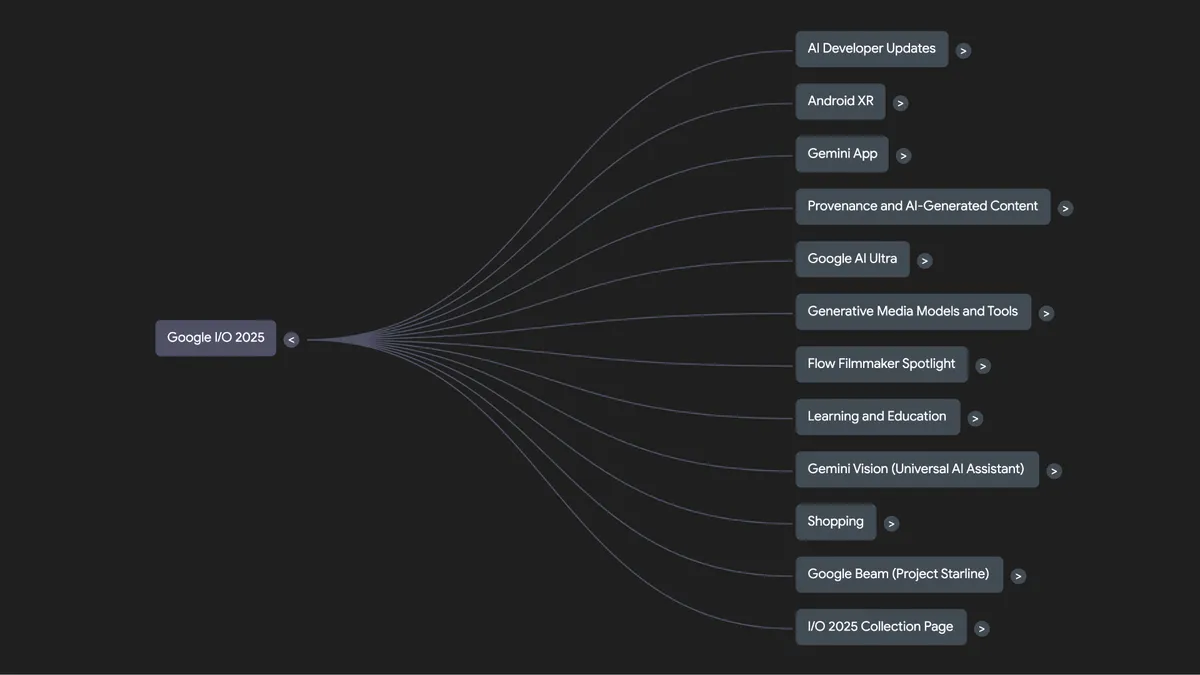
Google published this I/O 2025 mind map as an example created in NotebookLM. It shows a map result rather than the current Gemini Notebook interface; the article’s workflow details come from Google’s current Mind Maps help.
Atlas Knowledge Map Workflow
Atlas generates an editable map from a ready source or note. To map ideas from several papers, first write a synthesis note from the cited evidence you have checked. Open that note's map when you want to revise the combined structure.
Compare the Papers Before Mapping
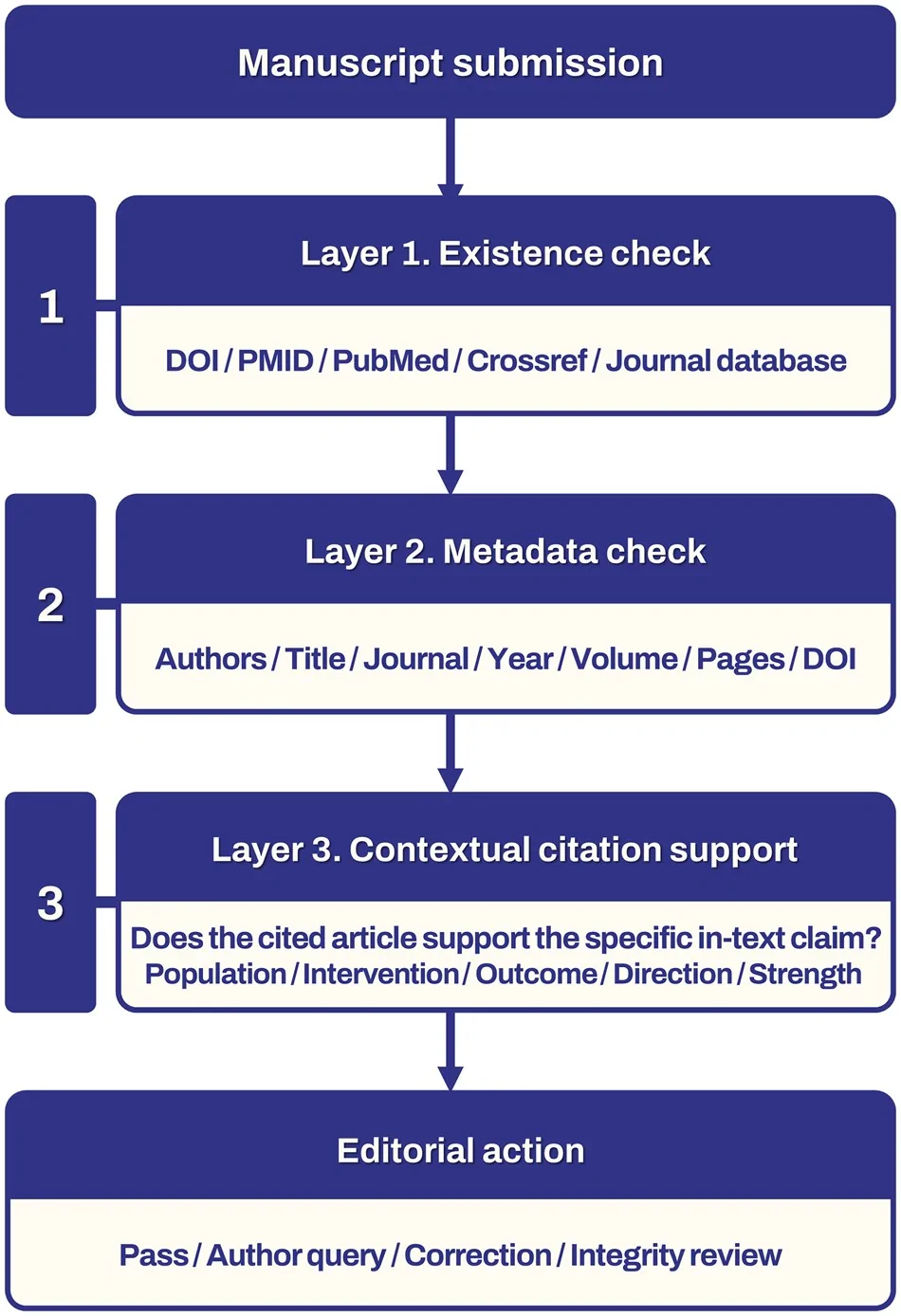
For example, suppose two papers discuss a treatment but use different study groups. A map branch might merge their findings into one label. Check that branch before using it in a review:
- Add the papers to an Atlas project and ask how their findings differ.
- Open the answer's citations and check the papers' wording.
- Write a note that preserves the difference between the groups.
- Open the note's Knowledge Map view and wait for its map.
- Select the uncertain branch and use Add to Chat. Ask which source supports the connection.
- Check the answer's citation, then edit the node or edge label if it hides a condition.
Inspect and Revise a Map Label
Map labels summarize the content used to make the map. They are not proof on their own, and every node is not guaranteed to open an exact cited passage. For related reading, see our guide to mind maps from documents.
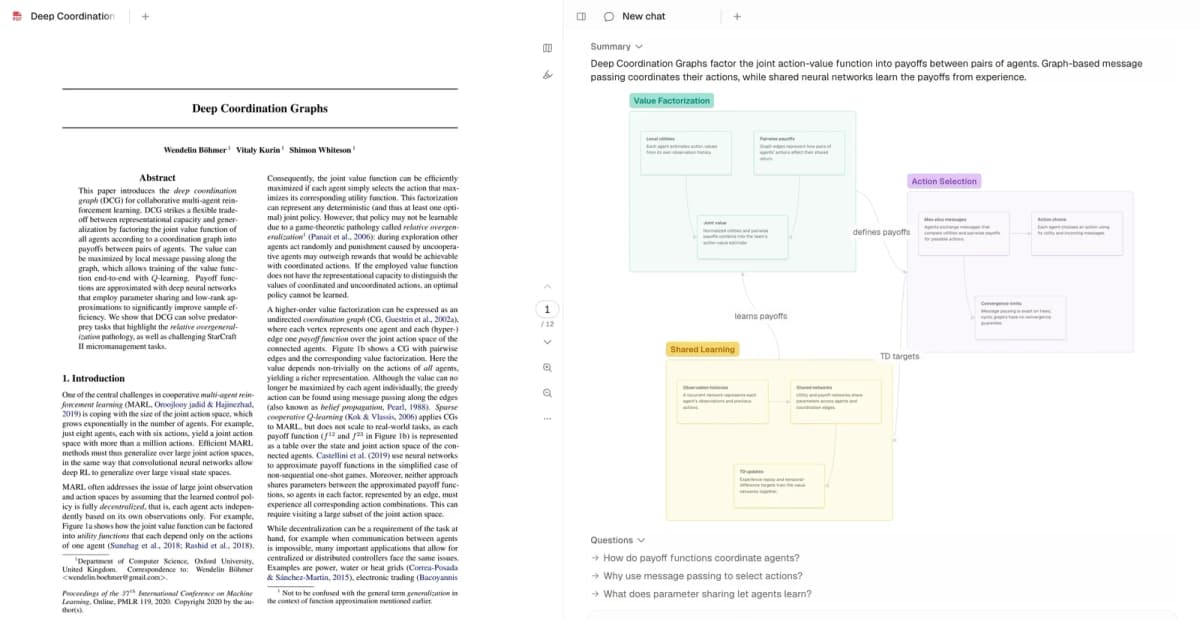
Note: Atlas opens the paper “Deep Coordination Graphs” beside its Knowledge Map: Value Factorization, Action Selection and Shared Learning, joined by edge labels such as “defines payoffs”, “learns payoffs” and “TD targets”. Those edge labels are what to inspect: if “defines payoffs” hides a condition the paper states, add the branch to chat, check the cited passage, and rewrite the label.
What to Look For
Choose a NotebookLM alternative with mind maps by the action the native map does not cover:
- Editing: Can you rename a node, move a branch and change a link without regenerating the whole map?
- Export: Can you reopen the downloaded structure in your next app, or is it a picture for a slide?
- Source checks: Can you find the document that supports a label? A cited chat answer and a clickable map node are different features.
- Storage: Does the task require a hosted workspace, local-first notes or a self-hosted service?
- Sharing: Do others need to view a finished map or edit it with you?
University of Western Australia guidance treats maps as a way to organize ideas and revise links. Choose controls that let you do that work, rather than judging a tool only by its first generated diagram.
Source-Control Matrix
Use this matrix to name the missing step before moving your files. Each row describes a distinct reason to test another tool.
| Replacement test | Why it matters | Best fit |
|---|---|---|
| Editable research map with source chat | Revise a source or note map, then check an uncertain link through cited chat. | Atlas |
| Portable map formats | Move the map into writing or presentation software with the required file type. | Mapify or MindMap AI |
| Source-input map with manual edits | Keep control of nodes and branches after generating a document outline. | SpawnGraph |
| Local-first visual notes | Work with docs and boards under the storage setup your team approves. | AFFiNE |
| Study maps and practice | Use maps alongside notes, flashcards and quiz questions. | Algor Education |
| A lasting visual knowledge base | Arrange cards, source notes and research across several sessions. | Heptabase |
Table 1: Decision checks for a Gemini Notebook mind map alternative.
Check Storage and Source Evidence
A map can reveal an unpublished research plan even when the full papers are absent. Review where files, map text, shared links and AI requests go before adding sensitive material. Local-first storage does not mean every AI request stays on your device.
If model choice is your main requirement, Open Notebook supports self-hosted source chat with cloud or local model providers. It is a separate option to investigate, rather than a verified native mind-map replacement in this list. You still need to maintain the service and review the chosen provider.
For any map, pick one important connection and ask what supports it. Read the source, look for a conflicting result and check whether the label preserves that difference. A visually neat tree can hide a disputed claim. A map that flags the dispute gives you something useful to investigate.
The American Educator concept-mapping guide distinguishes building a map from reading one. Use a generated map as a draft you review and revise, rather than treating generation as the entire study task.
7 NotebookLM Mind Map Alternatives
The seven entries below serve different jobs. Some generate a branching map, while others keep maps beside notes and source chat. The order starts with research use, then moves through export, study and visual-workspace needs.
1. Atlas for Editable Research Maps
Atlas combines source chat with maps that you can edit. Open a ready source or note's Knowledge Map view, then revise node text, move branches or change an edge label. Add a selection to chat when you want to check the claim behind it.
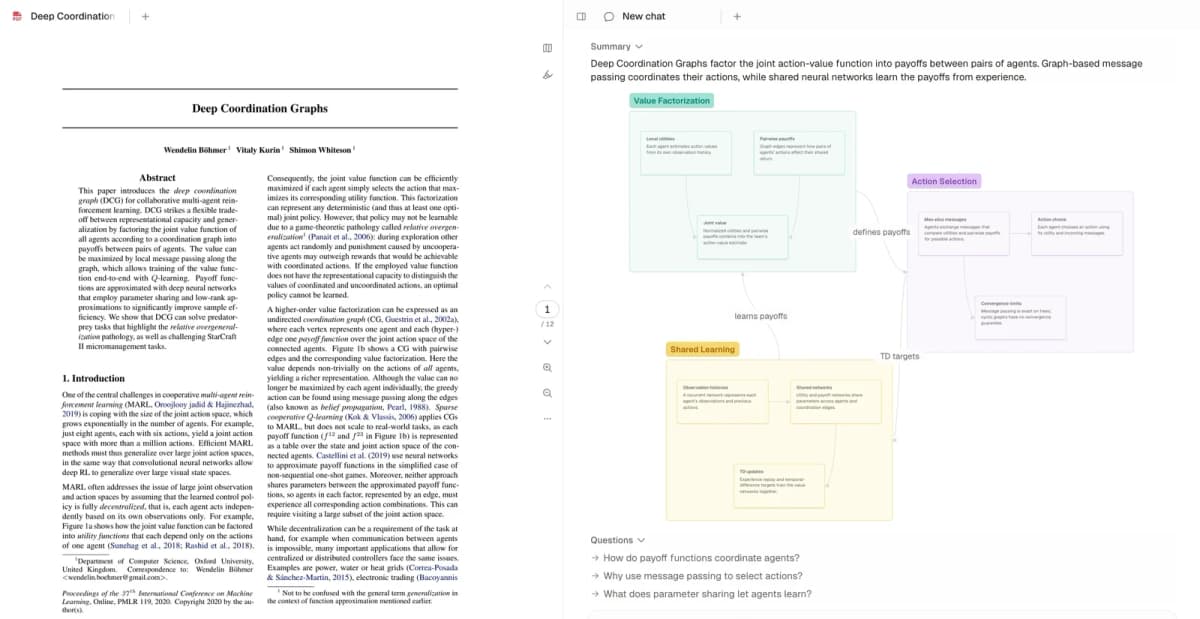 Atlas’s product example keeps a source paper, its map, and chat in one view.
The research benefit comes from keeping the map and the source check in the same project. A literature-review note can preserve findings from several papers before you map that note. The map summarizes the note, so open chat citations when you need the original evidence.
Downloads support PNG, JPG and SVG. Re-generating replaces the previous map, which matters if you have spent time editing it. Use manual edits when you want to preserve the structure. For the wider tool comparison, see Atlas versus NotebookLM.
2. Mapify for Content and Exports
Mapify describes maps from documents, web pages, videos, audio and other inputs. It also offers file chat and source links, so it should not be dismissed as a tool with no research features.
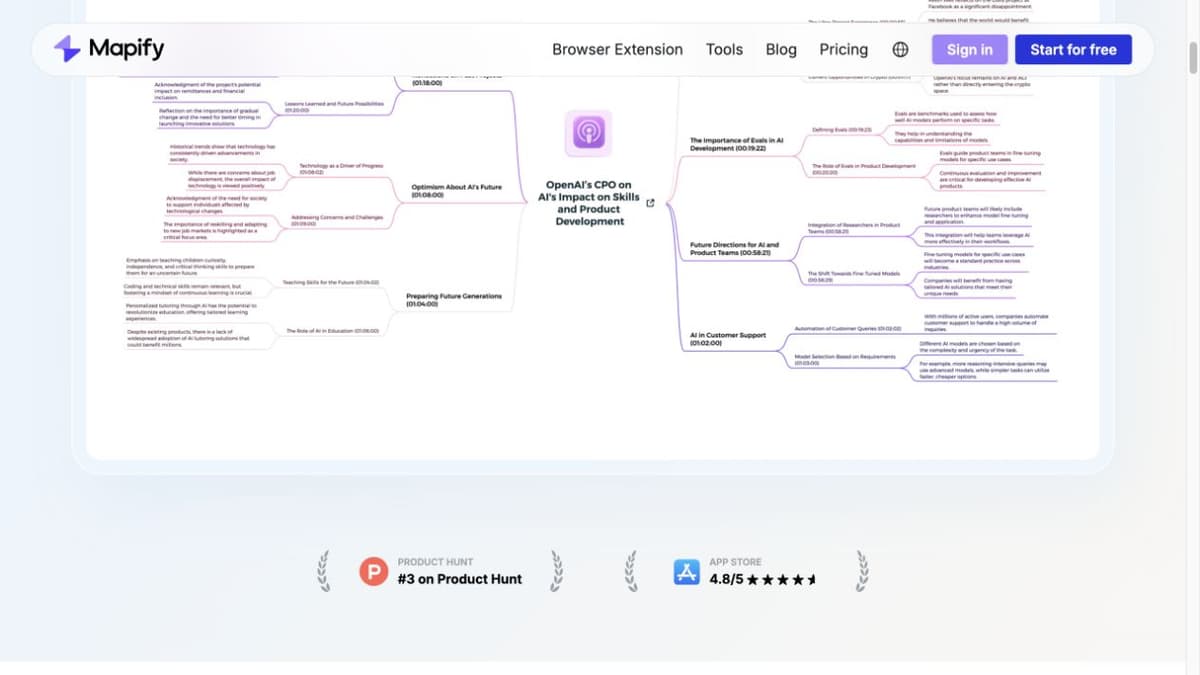
Mapify’s public page shows a mind map built from a video example. It illustrates the product’s map structure, while the article text separately describes its document inputs; this screenshot does not show a map generated from a PDF.
Choose it when you want to turn an input into a map and share or export the result. Its product page lists image, PDF and Markdown downloads. Check the format and plan that cover your next step before importing a large source set.
Try the same source you used in Gemini Notebook. Rename an important branch and export it, then check what survives when you open that file elsewhere. A PDF may suit a handout, while a writing outline may need text. Treat source links as items to inspect, rather than a guarantee that every branch is correct.
3. MindMap AI for Ongoing Revision
MindMap AI pairs a manual editor with AI chat for map refinement. You can bring in a file or prompt, revise the structure by hand, or ask the AI to focus and expand parts of it.
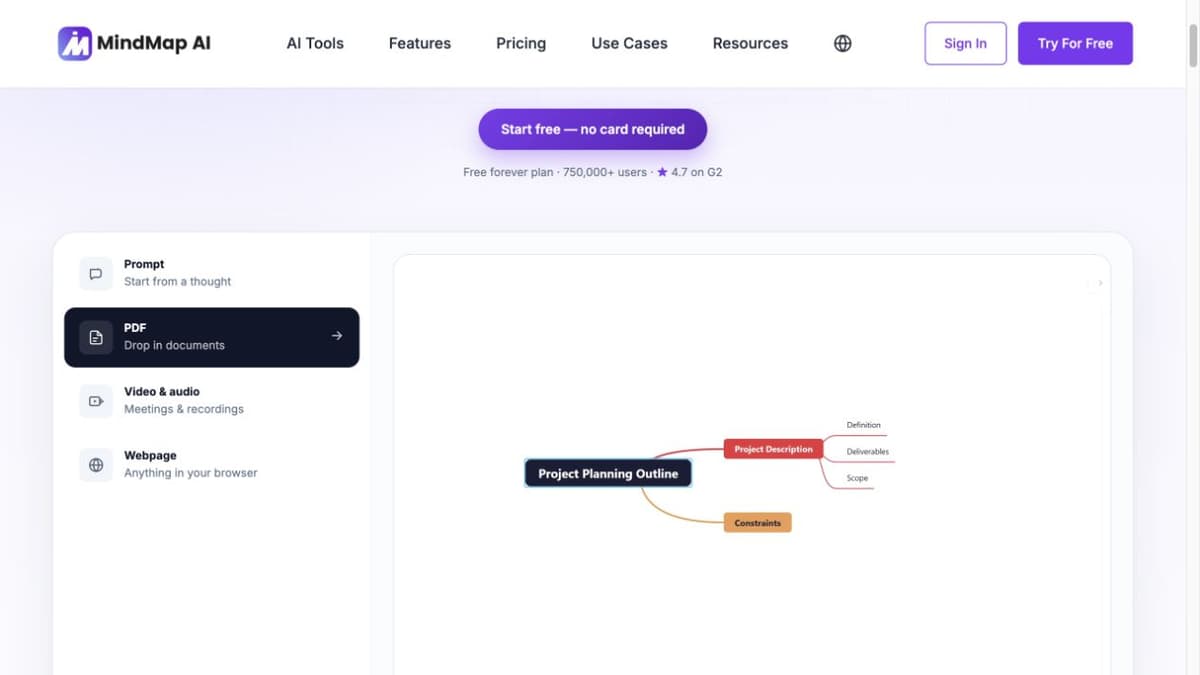
MindMap AI’s public product page has PDF mode selected beside an empty new-topic workspace. It illustrates the claimed source workflow, not a generated map or revision result.
Its documented exports include PDF, PNG, SVG, CSV, and Markdown. The free plan includes manual editing and an AI allowance. Larger uploads and some export options depend on the plan, so check what you need after the first draft.
Use it for a map that you expect to keep revising. Check a branch against the source before you expand it: more detail can repeat an initial mistake. The product describes content-based generation, but this review does not establish that every node opens a page-level citation.
4. Algor Education for Study Sets
Algor Education groups maps, notes, flashcards and quizzes into a study Set. Its assistant can answer questions about that material, and the map and text can be edited after generation.
Algor presents AI Mind Maps as one of its study formats. This is the vendor’s marketing page, not a generated map or quality comparison.
The useful distinction is the study routine around the map. Start from a course topic, check the map against your notes, then answer practice questions without looking at the branch labels. Use missed questions to decide which part to revisit.
Algor offers free and paid access with source limits. Check the number of pages your account can import before choosing it for a textbook. Gemini Notebook also offers study aids, so prefer Algor when its editing and Set workflow suit how you revise the material.
5. SpawnGraph for Editable Document Maps
SpawnGraph describes a document-to-map workflow with manual node editing, new branches and shared editing. It is a candidate when you want to keep changing the visual structure after the first map.
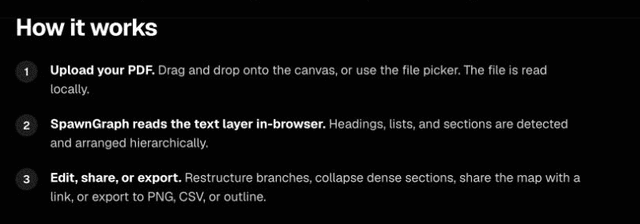 The official workflow page names these three steps; this image does not show a generated map.
This official page describes PDF-to-map steps but does not show a generated result. Marketing claims about local processing and editability are not independently verified by the capture.
Its own comparison separates visual maps from source-grounded chat: it does not present itself as a replacement for Gemini Notebook's Q&A and Audio Overviews. You might use Google for a cited explanation and a separate editor for the map you need to revise.
The vendor says document processing runs in the browser. Treat that as a claim to verify for the input and sharing mode you use, especially with private files. Check its current export and collaboration limits before planning a team workflow.
6. Heptabase for Visual Research Notes
Heptabase centers research on cards and whiteboards. It also advertises AI help with sources, PDF annotations and connected notes. The older description of it as a product with no AI chat is inaccurate.
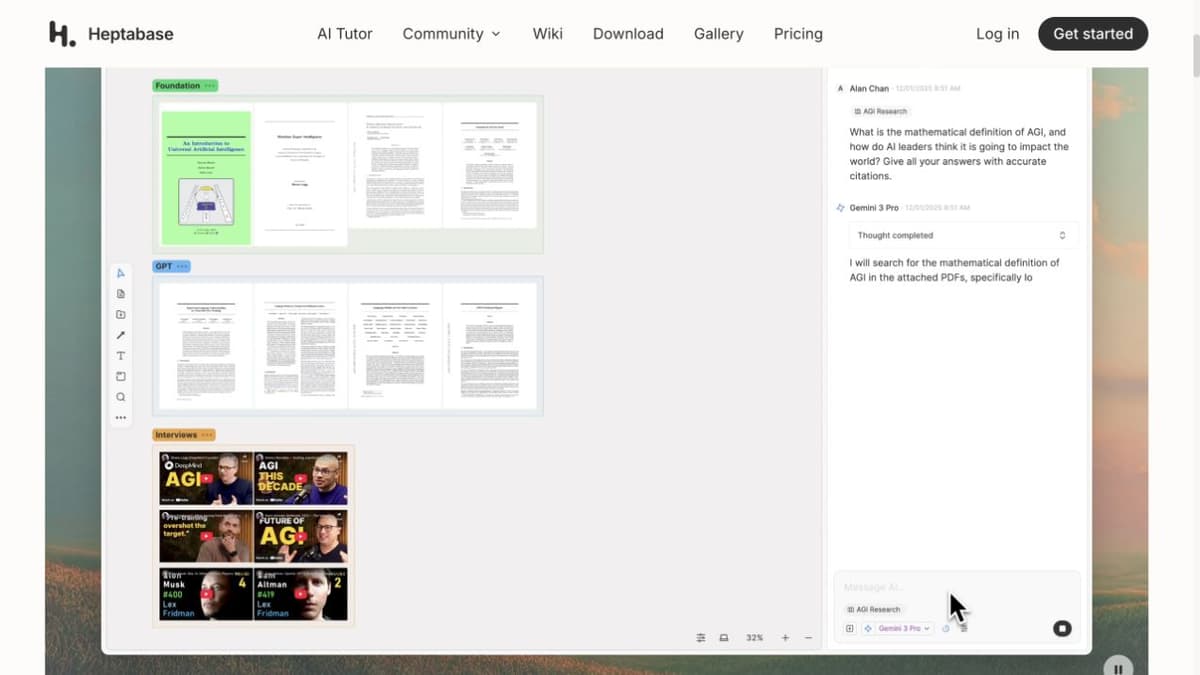
Heptabase’s public marketing page shows a whiteboard with grouped research cards beside an AI side panel. This image illustrates workspace layout only; it does not validate the example’s claims or the product’s accuracy.
Choose it when the visual board is where you organize a research project across weeks. A card can hold an idea or note that you place beside related material, while the source remains available for reading.
This differs from downloading a branching summary. You are building and maintaining a knowledge base, which gives you control but asks you to make more choices about structure. Test that card-and-board workflow before moving your archive, and review current access and subscription terms on the official site.
7. AFFiNE for Local-First Visual Notes
AFFiNE combines documents, whiteboards, databases and AI in an open-source, local-first workspace. It is worth considering when you want visual notes within a broader workspace and need to choose how that workspace is stored or hosted.
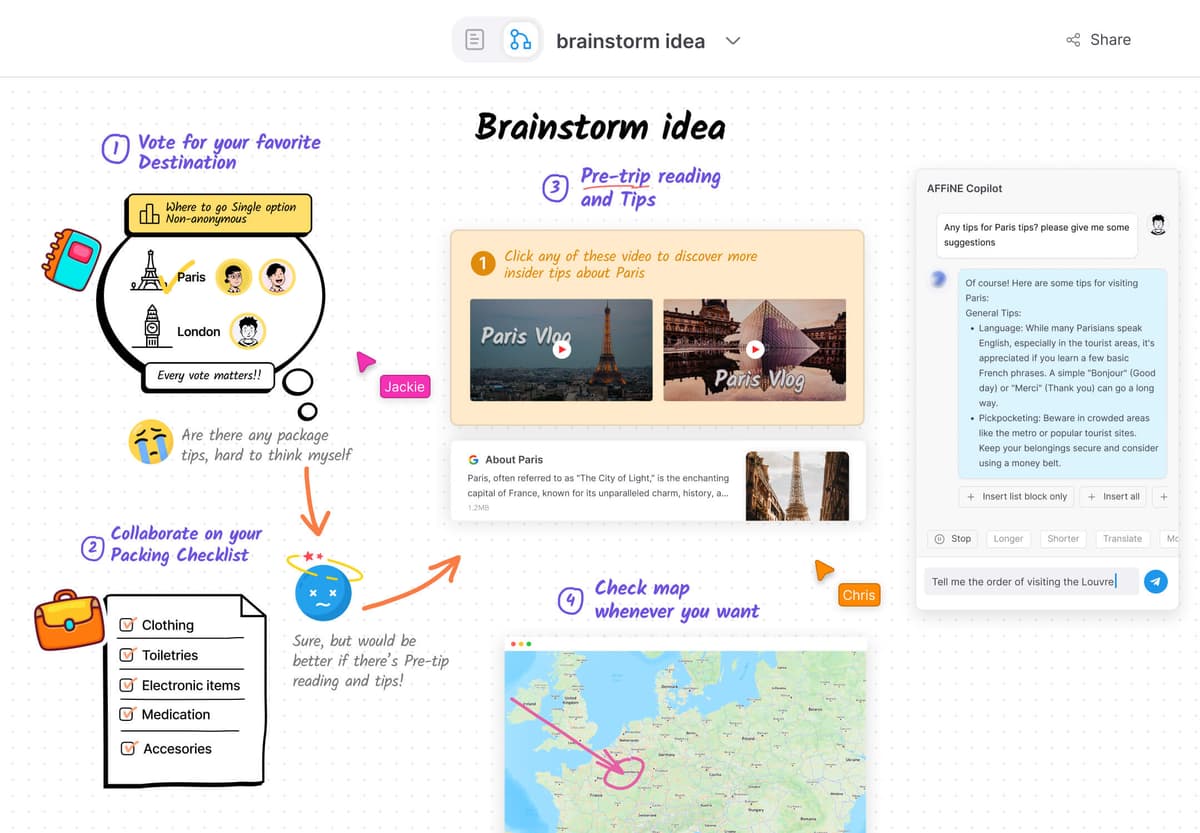
AFFiNE’s official homepage demonstrates its whiteboard and Copilot interface on a sample trip-planning board. It illustrates the broader visual workspace, not a document-generated research mind map.
Use the document and board tools to arrange ideas you want to keep revising. Check the current map controls and export formats against your task, rather than assuming that an open-source license makes every AI feature free or unlimited.
Local-first storage is distinct from the provider used for an AI request. Review cloud sync, hosted AI, and any self-hosted setup before adding restricted research. Choose AFFiNE for its workspace and storage choices. Its product page does not establish an automatic citation for every map node.
Comparison Table
Compare the main documented job of each option, then test the edit, export or source check your project needs.
| Platform | Main map workflow | What to check |
|---|---|---|
| Atlas | Edit a source or note map beside cited chat | Open the answer citation before keeping an uncertain link |
| Mapify | Generate maps from content and export them | Confirm the required file type and plan |
| MindMap AI | Revise a map with manual edits and AI chat | Check upload size and export access |
| Algor Education | Use maps within a study Set | Review source-page limits and question accuracy |
| SpawnGraph | Restructure a source-input map | Verify input processing and team permissions |
| Heptabase | Organize source notes on visual boards | Test the card-and-board workflow |
| AFFiNE | Keep visual notes in a local-first workspace | Review storage, sync and AI provider separately |
Table 2: Seven alternatives compared by map workflow and the next check to make.
Choose a Mind Map Alternative
Keep Gemini Notebook when its branching view and source chat answer the question. Downloading the map for a slide is already part of the native workflow. A new tool earns its place when it lets you do a specific task that remains awkward.
For editable research maps with cited chat, test Atlas's source or note workflow. For portable formats and repeated map revision, compare Mapify, MindMap AI and SpawnGraph. For study Sets, try Algor. For a visual workspace you maintain over time, compare Heptabase and AFFiNE.
Test one permitted source before moving a whole library. Change a branch, check a disputed claim and open the exported result where you plan to use it. Keep the tool only if that next step works.
Kosmik appeared in an earlier version of this comparison. Its official sunset notice reports closure on May 31, 2026 and says new signup is unavailable. Existing users should follow its export guidance rather than start a new research workflow there.
For more options, explore our guides on AI mind map generators, best mind mapping software, and NotebookLM alternatives.
Final Recommendation
Choose by the edit, export or source check you need after generation. Gemini Notebook covers a native source overview. Atlas gives you an editable source or note map with project chat for checking claims. Dedicated map editors and visual workspaces serve other tasks.
For adjacent workflows, compare the concept map generator and the guide to using NotebookLM. Keep the original evidence available whichever canvas you choose.
Map a source and check its claims
Edit a map, ask about a branch, and check the answer's citation.