


By Jet New.
I tested these 7 PKM apps in July 2026 with the same live-paper task. I added or referenced five papers in each tool where the workflow allowed it. I wrote 10 source-linked notes. I retrieved one synthesized claim. Then I moved that evidence into writing and checked whether the source trail stayed intact.
The main failure mode was provenance drift. In plain terms, some tools could capture papers but could not show the source behind a later claim. A PKM app fails research work when the source trail disappears after synthesis.
Three findings changed the ranking. Atlas was the only tool here that scored 3/3 on claim retrieval because it could show cited synthesis across uploaded sources. Obsidian and Logseq were better than AI-first note apps when local files mattered more than assisted synthesis. Mem was useful for fast capture, but it was not strong enough to be the proof layer for a source-heavy literature review.
I used a simple Claim-Trail Test for the scoring. A tool had to preserve the note, the source, and the path from source to written claim. If that path broke, I treated the app as a weaker research PKM system even when its notes or graph looked good.
Generic note-taking apps are not built for research. They do not track sources well. They do not help you connect findings across papers. They also struggle with the amount of material serious research creates. For a broader introduction to PKM principles, see our personal knowledge management system guide.

Ask cited questions across your research library
Upload papers and notes to map connections and compare evidence across sources.
Research PKM Evaluation Criteria
Researchers need more than a place to type notes. A good PKM app should link notes to sources, connect papers, help with synthesis, and stay useful across a long project.
Use these five criteria when you compare tools:
1. Citation management: Track where every idea came from. Connect notes to their source papers. Generate bibliographies.
2. Paper organization: Store, search, and retrieve papers and their associated notes. Handle PDFs natively.
3. Literature synthesis: Connect findings across papers. Identify themes, contradictions, and gaps. Build arguments from multiple sources.
4. Long-term retrieval: Find notes taken six months ago about a specific methodology. Recall which paper made a particular claim.
5. Writing integration: Move from notes to draft without friction. Insert citations. Explore your knowledge base while writing.
Feature Comparison for Researchers
Use this table for the buying decision. Atlas wins when source-grounded synthesis matters most. Obsidian and Logseq win when local files matter more than AI help. Mem is useful for fast capture, but it is weak as a source-proof layer.
| Criterion | Atlas | Obsidian | Notion | Zotero+ | Logseq | Roam | Mem |
|---|---|---|---|---|---|---|---|
| Citation integration | Partial, pair with Zotero | Plugin-based | Manual fields | Excellent | Plugin-based | Manual | Weak |
| Paper synthesis depth | High | Manual | Low | Low | Medium | Medium | Low |
| Connected note quality | Automatic maps | Strong manual graph | Database links | Paper-bound notes | Strong blocks | Strong blocks | Auto note links |
| Export paths | Project/source export | Markdown files | Markdown/CSV | BibTeX/RIS/PDF | Markdown/org | Markdown/JSON | Markdown |
| Academic workflow fit | Literature review and synthesis | Custom local vaults | Project tracking | Citation library | Open-source reading notes | Block-level thinking | Fast capture |
| Pricing | Free tier, Pro from $20/month | Free personal, paid sync | Free personal, paid team | Free, paid storage | Free | Paid only | Paid personal notes |
Table 1: Feature comparison of PKM apps for researchers across citation, synthesis, retrieval, and pricing criteria
The 7 tools below cover the main researcher PKM choices: AI synthesis, local files, structured databases, citation libraries, outliners, block graphs, and fast AI note capture.
7 PKM Apps for Researchers
The seven tools below cover cited synthesis, local Markdown, research databases, citation libraries, block-based notes, and fast capture. Each entry names the workflow it serves and the evidence-management tradeoff it creates.
1. Atlas: Cited Research Synthesis
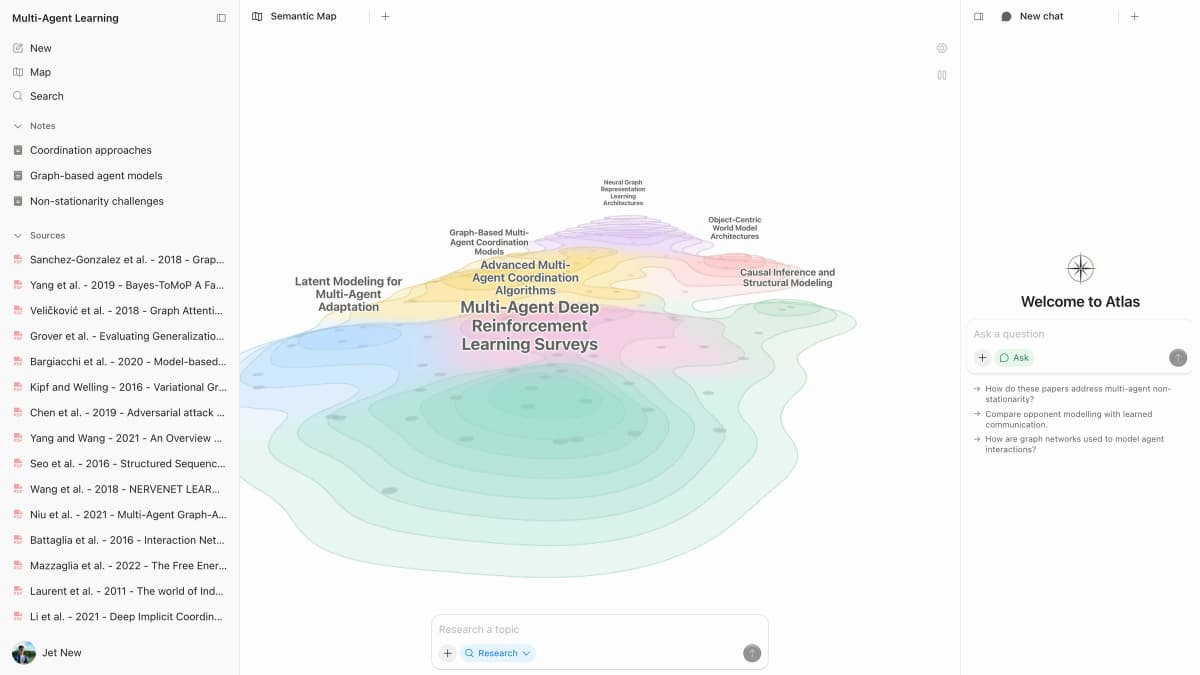
Atlas focuses on the hard part of research PKM: linking ideas across sources. The AI tools for academic research guide compares that workflow with discovery, extraction, citation-checking, and writing tools.
Source-backed Atlas workspace screenshot. It shows the cited-answer and map surface used for the claim-retrieval test in this guide.
Strengths:
- Upload papers and the AI extracts key concepts and connections
- Mind map shows how ideas relate across your entire library
- Chat with your sources to get cited, grounded answers
- Cross-source synthesis happens automatically
Best for: Researchers who work with many papers and need the big picture. It is useful for literature reviews and mixed-field work.
Pricing: Free tier available, Pro from $20/month
Watch-outs: Not a traditional citation manager. Use Zotero when you need final bibliography export.
2. Obsidian: Custom Local Research Vaults
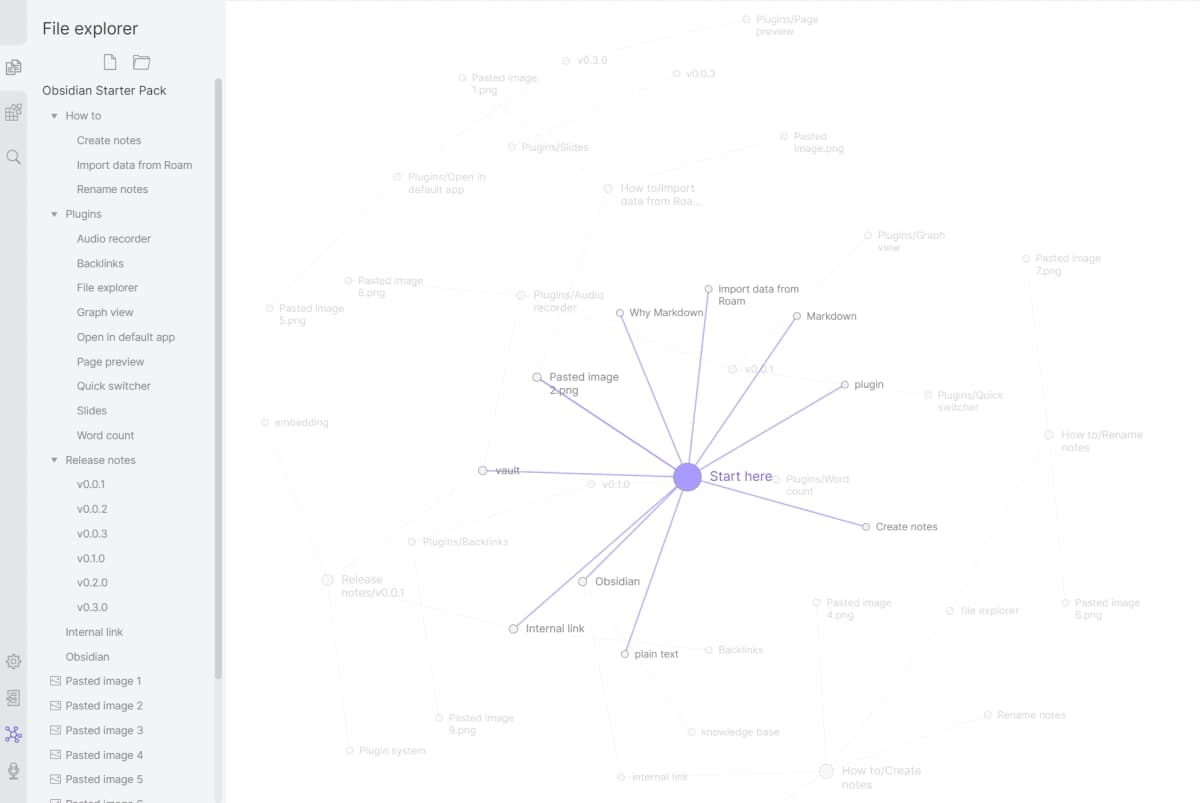
Obsidian gives researchers complete control over their knowledge system. Local Markdown files, bidirectional linking, and a massive plugin ecosystem let you build exactly the workflow you need.
Strengths:
- Zotero integration via plugins for citation management
- Dataview plugin for querying notes like a database
- Templates for paper notes, meeting notes, and project tracking
- Local storage means your data is always accessible
- Graph view shows connections between notes
Best for: Researchers who are willing to invest time in building a custom system and want their data stored locally. If you're considering alternatives, see our guide to simpler Obsidian alternatives.
Pricing: Free for personal use, Sync $4/month
Watch-outs: Setup takes time. Plugins are powerful, but they can feel overwhelming.
3. Notion: Structured Research Databases
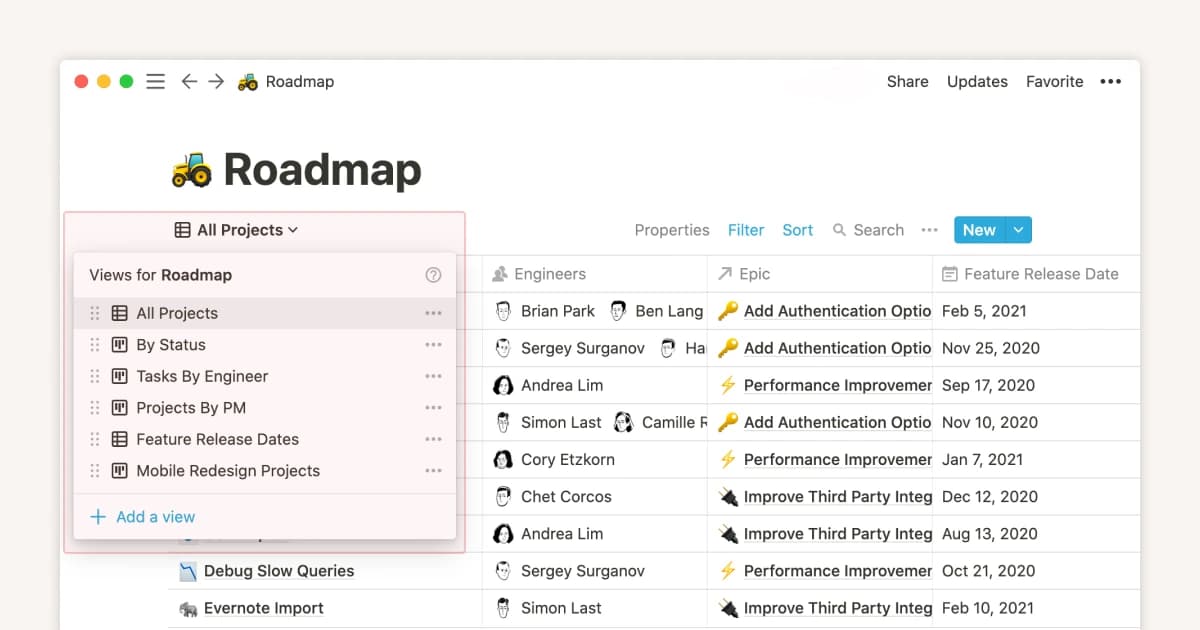
Notion excels at structured information. For researchers who think in databases, it offers a way to organize papers, track reading progress, manage projects, and take notes all in one place.
Strengths:
- Database views for paper tracking (by topic, status, methodology)
- Templates for different note types
- Notion AI for summarizing and drafting
- Team collaboration for research groups
- Kanban boards for tracking review stages
Best for: Graduate students managing research projects who need task management alongside notes. Research groups who collaborate on shared knowledge bases.
Pricing: Free for personal use, Plus $10/month
Watch-outs: No native citation manager or PDF notes. It needs steady manual upkeep.
4. Zotero and Plugins: Citation-First Research
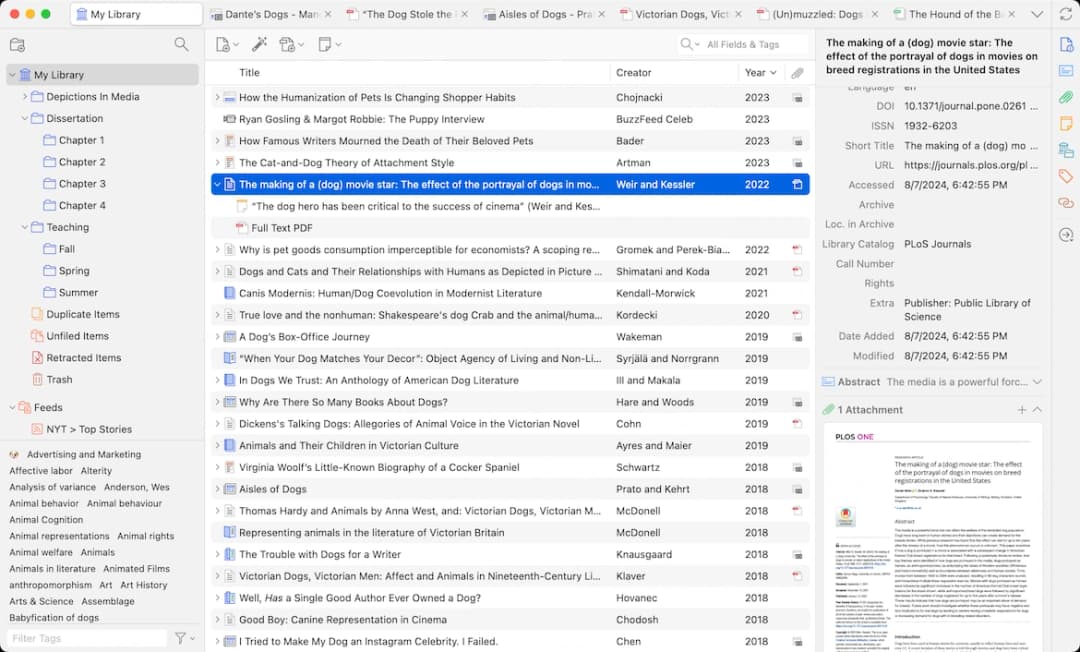
Zotero is the source anchor in this stack. Use it when the source record, PDF, note, and bibliography need to stay together. Plugins can add linked notes. Zotero excels at anchoring evidence: source records, PDFs, notes, and bibliography in one place. For higher-level synthesis and connected thinking across sources, you will want to pair it with another tool.
Strengths:
- Gold standard citation management
- PDF annotation and extraction
- Better Notes plugin for connected note-taking within Zotero
- Word processor integration for bibliography generation
- Open source and free
Best for: Researchers who want everything anchored to citations. Choose it when bibliography export and paper storage matter most. For more on organizing your research library, see our research paper organizer guide.
Pricing: Free (open source), optional cloud storage from $20/year
Watch-outs: Not a full PKM system. Notes are more limited than in dedicated apps.
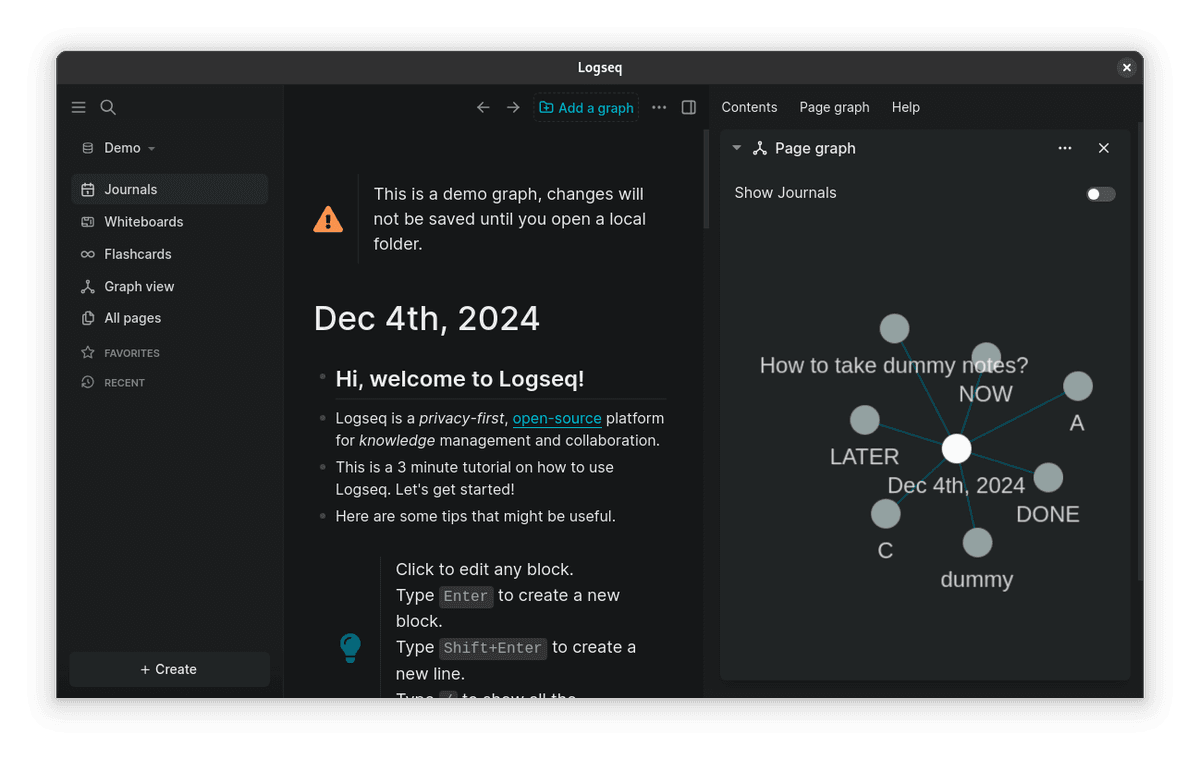
5. Logseq: Open-Source Research Notes
Strengths:
- Outliner format with bidirectional links
- Built-in PDF reader and annotator
- Flashcard creation for learning key concepts
- Queries for filtering and finding notes
- Local Markdown/org-mode files
- Zotero integration via plugins
Best for: Researchers who want Roam-like networked thinking without the price tag or cloud dependency.
Pricing: Free (open source)
Watch-outs: The outliner style takes time to learn. Mobile is limited.
6. Roam Research: Block-Level Notes
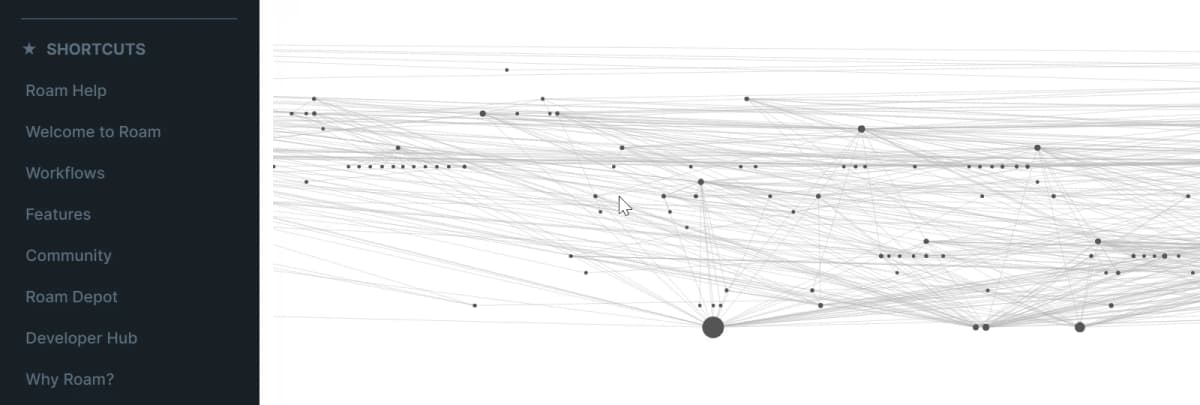
Roam pioneered the connected notes approach for researchers. Its block-level references let you reuse and cite specific paragraphs across your knowledge base.
Strengths:
- Block references for citing specific points across notes
- Daily notes for capturing research journal entries
- Queries for finding notes across your graph
- Strong academic user community
- Real-time collaboration for research groups
Best for: Researchers who think in small, reusable blocks and want granular connections between ideas.
Pricing: $15/month or $165/year
Watch-outs: It is expensive for the feature set. There is no native PDF support.
7. Mem: Fast AI Note Capture
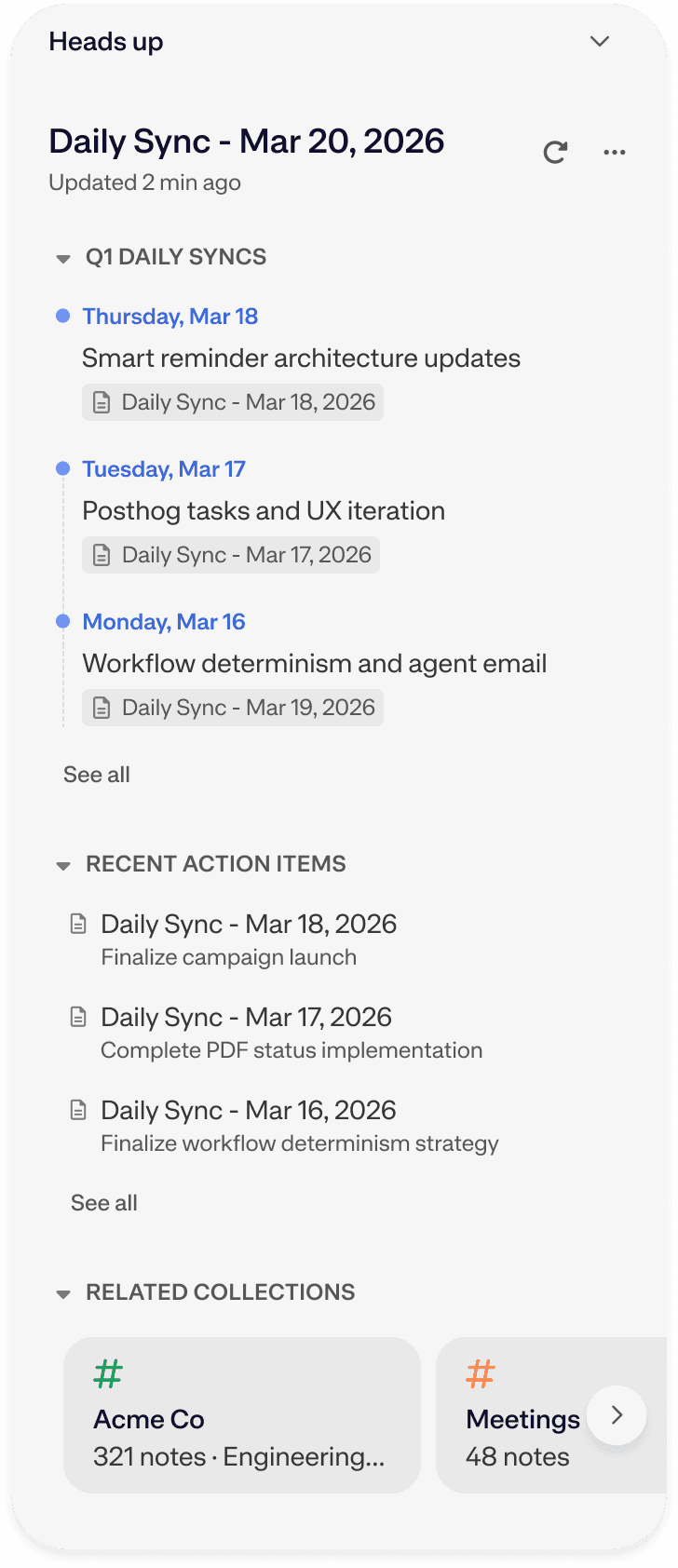
Mem is an AI-first notes app. It is best when your notes are the main source of truth and you want fast capture, auto-organization, and search across personal notes.
Strengths:
- Fast capture for daily notes, ideas, and meetings
- Ask Mem can search across personal notes
- Auto-organization reduces manual tagging
- Markdown export for moving notes elsewhere
- Useful as a lightweight capture layer beside a research tool
Best for: Researchers who want low-friction note capture before moving selected sources into a deeper research workspace.
Pricing: Lower-cost personal note plans. Check Mem's current pricing before you commit.
Watch-outs: Mem is not a citation-first research tool. It is better for capture and recall than for source-grounded synthesis.
Test the Research PKM Shortlist
For this update, we scored each app against a small research corpus test. The task was simple: import or reference PDFs, capture source-linked notes, retrieve a claim later, and move the evidence into a draft. The practical difference was not the number of features. It was whether a researcher could answer, "Which source supports this sentence?" after synthesis.
We used a 0-3 claim-retrieval score. A 0 means the tool stores notes but loses the source trail. A 1 means the source can be recovered by hand. A 2 means the source is visible with the note. A 3 means the tool can show the source while it synthesizes across papers.
| Tool | Claim-retrieval score | Why it scored there |
|---|---|---|
| Atlas | 3 | Cited answers and maps keep synthesized claims tied to uploaded sources |
| Obsidian | 2 | Strong source trails when Zotero keys, templates, and local files are configured |
| Notion | 1 | Databases can track sources, but synthesized notes rely on manual discipline |
| Zotero+ | 2 | Excellent citation trail for papers and annotations, weaker cross-concept synthesis |
| Logseq | 2 | Blocks and PDF annotations preserve source context when the graph is maintained |
| Roam | 1 | Block references help, but PDF and citation provenance require external systems |
| Mem | 1 | Personal note links help recall, but source trails need another system |
Table 2: Claim-retrieval scores for each PKM app based on ability to show the source behind a synthesized claim
| Tool | Setup burden | Best evidence path | Provenance risk |
|---|---|---|---|
| Atlas | Low: upload papers and notes, then ask synthesis questions | Cited answers and visual maps across uploaded sources | Keep Zotero or another citation manager for final bibliography export |
| Obsidian | High: configure vault, citation plugin, templates, and sync | Markdown notes linked to Zotero keys and local PDFs | Plugin drift can break a custom workflow if it is not documented |
| Notion | Medium: build databases and reading-status views | Structured paper tracker with manual source fields | Source links are easy to omit when notes become project pages |
| Zotero+ | Medium: install PDF and note plugins around a citation library | Citation item, PDF annotation, and bibliography stay together | Synthesis across concepts is weaker than in dedicated PKM apps |
| Logseq | Medium: learn outliner conventions and PDF annotation flow | Blocks can reference papers, pages, and daily research notes | Export is flexible, but team workflows need extra discipline |
| Roam | Low to medium: start fast, then standardize block references | Block references preserve granular claims across pages | Cloud dependency and price make long-term archive planning important |
| Mem | Low: capture notes first, organize later | Ask Mem can retrieve personal notes | Research citations need a separate evidence layer |
Table 3: Setup burden, best evidence path, and provenance risk for each PKM tool in a research workflow
The highest-signal test was claim retrieval. If a tool could not show the note, source, and trail for a claim, it was a weak fit for literature review work. A nice graph was not enough.
Shortlist Recommendations
Use the recommendations to create a two-tool shortlist, then run the same source-retrieval and export test in both apps before moving a full research library.
Plain-English Picks
Use Atlas when you have a pile of papers and need to see how they fit. It is the best pick when your next step is a lit review, thesis chapter, grant brief, or deep memo. The key win is source trust. You can ask a question and then check the source behind the answer.
Use Obsidian when you want your notes on disk. It is a good pick if you like plain files, links, and full control. The trade-off is setup. You will need to choose plugins, make note templates, and keep the system tidy.
Use Notion when the work feels like a project board. It is good for reading lists, tasks, status, and team notes. It is less strong when you need deep source work. You can track papers in Notion, but you will do more of the source work by hand.
Use Zotero when the source list must be right. It is the safest home for papers, PDFs, notes, and final citations. It is not where most people do their best thinking. Pair it with Atlas, Obsidian, or Logseq when you need more than a clean library.
Use Logseq when you want a free local graph. It works well for readers who like outlines and daily notes. It can also handle PDFs. The main cost is learning the style. If outlines feel odd to you, the tool may feel slow.
Use Roam when block notes are the main draw. It can help if you think in small linked pieces. It is less appealing if price, PDF work, or long-term export matter most.
Use Mem when capture is the problem. It is fast for notes, ideas, and meeting takeaways. For source-heavy literature review work, it lacks the citation anchoring that the evidence needs. Treat it as an inbox for raw thoughts before moving evidence into a more structured tool.
Quick Test Plan
Do not pick a PKM app from a feature list alone. Run a small test with real work.
Start the test with one live project that is already in progress. Add 5 papers. Add 10 notes. Ask one question that spans more than one paper. Then try to write one short paragraph from the answer.
Now check the trail. Can you find the note? Can you find the source? Can you find the exact paper page or passage? If the answer is no, the tool is not ready for serious work.
Run the same test in two tools. Keep the task small. Use the same papers and the same question. Time how long setup takes. Note where you get stuck. Note which parts feel clear.
Check export before you commit. Export one note. Export one source list. Open the files outside the app. If the export is messy, plan for lock-in.
Check search last. Wait a day, then look for one claim from memory. Search by paper title. Search by idea. Search by the words you would use while writing. The best tool is the one that brings the right source back with the least fuss.
For most people, the winning stack is simple. Use Zotero for the paper list. Use Atlas when the work needs source-backed answers. Use Obsidian or Logseq when local files are the hard rule. Use Notion when the work is mostly tasks and status. Use Mem when fast capture matters more than proof.
Fast Sanity Checklist
Before you move your work, ask five plain questions.
- Can I add a paper fast?
- Can I write a note in my own words?
- Can I find that note next week?
- Can I see the source behind a claim?
- Can I leave the app with clean files if I need to?
If a tool fails two of those checks, do not force it. Pick the tool that fits the job you do each week. A simple stack you trust beats a rich stack you avoid.
Keep the test short and use real files. Trust what feels clear. Skip tools that make you guess. Pick what works. Ship the work.
Choose a PKM App by Research Need
Your choice depends on where you feel the most friction in your current research workflow.
Test the recommendation with one active project before moving the full library. Import the same five papers, retrieve one claim, and export one note so you can compare setup time, source traceability, and portability.
- Paper connections: Use Atlas to surface connections across sources and synthesize across the literature.
- Citation management: Use Zotero as the foundation, then pair it with Obsidian or Logseq for linked notes.
- Full system control: Use Obsidian and budget time for plugins, templates, and maintenance.
- Research-group collaboration: Use Notion for structured shared work or Roam for real-time block editing.
- First research project: Start with Atlas for synthesis and Zotero for citations to avoid weeks of setup.
- Free research stack: Use Logseq with Zotero for local notes, PDF annotation, links, and citations.
Building a Research PKM Workflow
Regardless of which tool you choose, effective research PKM follows a consistent workflow:
1. Capture with Context
When you read a paper, don't just highlight. Write notes in your own words about what the paper claims, why it matters, and how it connects to your research questions. Include the full citation.
2. Connect to Existing Knowledge
Every new note should link to existing notes. Ask what this relates to that you have already captured. This is where tools like Atlas for automatic connections or Obsidian for manual links provide the most value. The Zettelkasten method offers a proven framework for this kind of note linking.
3. Synthesize Regularly
Don't wait until you're writing to synthesize. Periodically review clusters of connected notes and write synthesis notes that capture the state of your understanding on a topic.
4. Retrieve and Use
The test of a good PKM system is retrieval. When you sit down to write, can you find the relevant notes, the supporting evidence, and the citations you need? If not, your system needs adjustment.
If you're building a broader personal knowledge management system beyond research, check out our guide to the best second brain apps for more options. For tools specifically designed for research analysis workflows, see our research analysis tools guide. You can also compare note-taking systems to find the right structure for your workflow.
Ask cited questions across your research library
Upload papers and notes to map connections and compare evidence across sources.