


Most knowledge workers process 11,000+ pieces of information per week and forget 70% within 24 hours. A personal knowledge management system gives that flood a home. It helps you save useful ideas, connect them, and find them when work needs them.

Make your research library answerable
Upload papers, ask across them, and inspect every cited source passage.
Before You Start: PKM Software Patterns
Most PKM software nudges you toward a structure. Obsidian and Logseq fit linked notes. Notion and Capacities fit databases. Atlas fits source-heavy work where search and synthesis matter. Use this table to match the app to the way you work. For app-by-app tradeoffs, see our second-brain apps guide.
| Framework | Originator | Organizing principle | Best for | Learning curve |
|---|---|---|---|---|
| PARA | Tiago Forte | Actionability (Project / Area / Resource / Archive) | Knowledge workers shipping projects | Low |
| Zettelkasten | Niklas Luhmann | Atomic linked notes | Researchers, writers | High |
| Building a Second Brain (CODE) | Tiago Forte | Capture → Organize → Distill → Express | Course-style learners | Medium |
| Johnny Decimal | Johnny Noble | Numbered hierarchy (10 × 10) | Operations, IT, archivists | Low |
| LYT (Linking Your Thinking) | Nick Milo | Maps of content (MOCs) | Obsidian users | Medium |
| GTD-for-knowledge | Adapted from David Allen | Inbox → process → reference | Productivity-first thinkers | Medium |
Table 1: Comparison of PKM software patterns by origin, organizing principle, use case, and learning curve.
What Is a PKM System?
A personal knowledge management (PKM) system is a way to collect, sort, link, and find what you learn. It combines a method, such as Zettelkasten or PARA, with a tool, such as Atlas, Obsidian, or Notion. The goal is simple: past reading should help current work.
A PKM system includes the rules you follow and the app that supports those rules.
The idea is not new. Renaissance scholars kept "commonplace books" for quotes, notes, and ideas. Niklas Luhmann built a card-based system of 90,000 linked notes. That system powered 70 books and 400 academic papers over his career.
What has changed is scale. The average knowledge worker sees 11,000+ pieces of information each week across email, Slack, docs, articles, and meetings. Without a system, most of it is lost within days. Memory research shows the risk: people forget roughly 70% of new information within 24 hours unless they process and revisit it.
Note-Taking vs. Knowledge Management
Note-taking is capture. Knowledge work needs capture, links, and recall.
A note-taking system stores what you write down. A personal knowledge management system also:
- Connects ideas across sources. A note about behavioral economics links to your notes on habit formation and product design.
- Supports retrieval. When you need information, you can find it through search, browsing, or linked associations.
- Enables synthesis. You can combine ideas from multiple sources to produce new thinking.
If you have ever thought, "I know I've seen this before," a PKM system closes that gap.
Step 1: Define Your Knowledge Goals
Before choosing a method or tool, decide what the system must do. Different goals need different designs, so choose one primary use case first:
- Research. You read academic papers and need to track findings, connect themes, and build literature reviews.
- Learning. You're studying a field and want to retain and connect what you learn over months or years.
- Creative work. You collect ideas, references, and inspiration that feed into writing, design, or strategy.
- Professional development. You track insights from meetings, conferences, books, and courses that inform your work.
Most people have one main use case and one or two side uses. A graduate student might focus on research and use the same system for coursework. After you choose the use case, map your sources. List the places ideas come from, such as papers, articles, books, podcasts, conversations, meetings, courses, and social threads. This list tells you what capture must handle.
Before you save material, set limits. One big trap is the "collector's fallacy," saving everything because it might be useful someday. A useful PKM system is selective. Define what belongs and what does not. If you study machine learning, you probably do not need every article about productivity hacks.
Step 2: Choose Your PKM Method
Your method sets the rules for the system. It tells you what to save, where to put it, and how to link it. Start with one of these approaches.
If your method depends on papers, PDFs, and reports, test the source workflow early. In Atlas, upload one project folder. Ask a synthesis question. Check the cited passages before you save the answer as a note. Test one source-heavy project and see whether the cited answer becomes a reusable note.
Use this Source-Trail Test before you commit to a tool. Add three sources, write one note from each source, then ask one question that needs all three. Score the tool on whether the source trail stays intact.
| Test step | Pass condition | Why it matters |
|---|---|---|
| Capture | The source, note, and title stay together | You can trust where the idea came from |
| Link | The note can point to another note or source | Ideas can compound instead of sitting alone |
| Retrieve | Search finds the note with plain words | You can find it when memory fails |
| Synthesize | The answer cites the sources it used | You can reuse the answer in real work |
Table 2: Source-Trail Test for checking whether PKM software preserves the path from source to note to later answer.
Zettelkasten
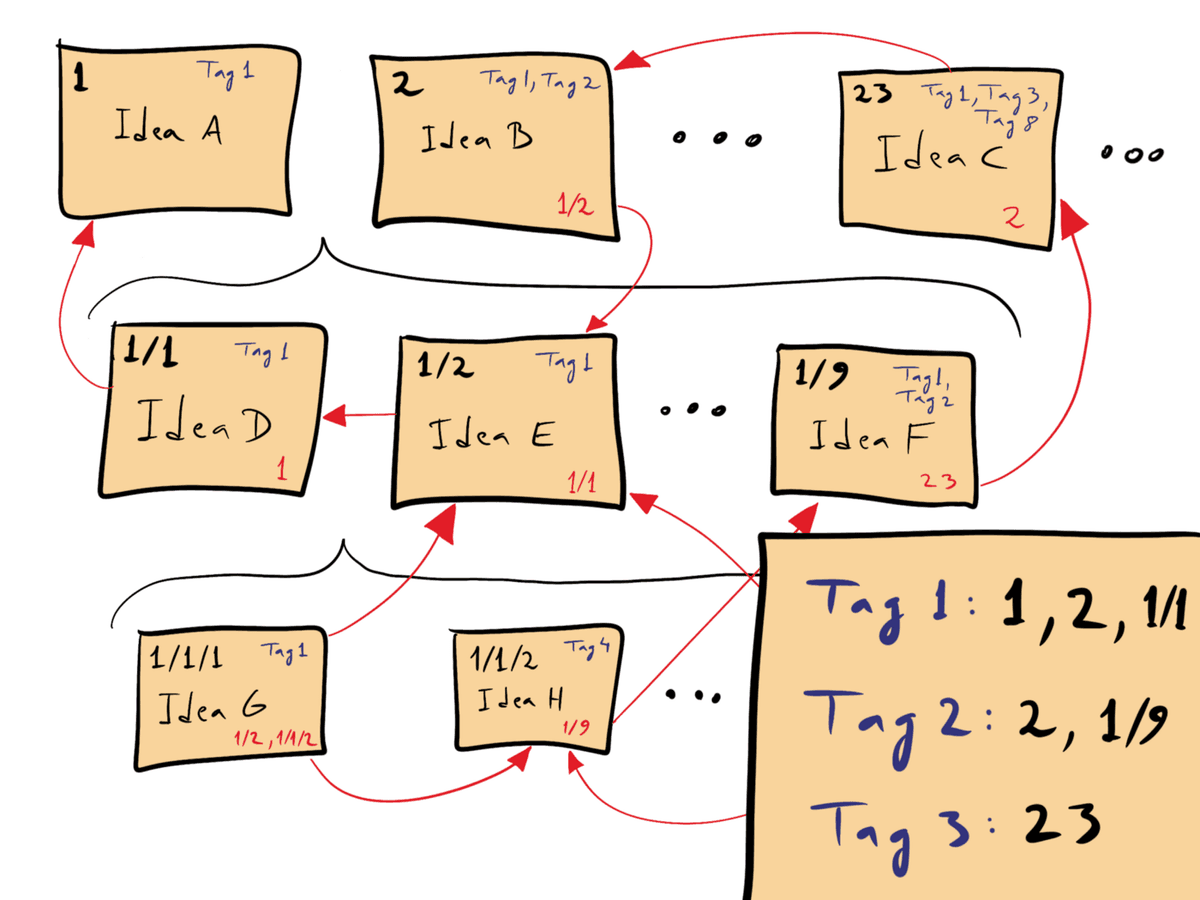
David B. Clear’s schematic shows numbered notes and cross-links. Reproduced under CC BY-SA 4.0 via Wikimedia Commons.

Niklas Luhmann's Zettelkasten method is built on atomic notes and bidirectional links. Each note contains one idea, written in your own words, and links to related notes. Over time, clusters of linked notes form lines of thought that you can follow, extend, and combine.
Best for: Researchers, writers, and deep thinkers who want to build a web of connected ideas over years. The Zettelkasten rewards consistency and produces compounding returns as the network grows.
How to start: Write one note per idea. Link each note to at least one existing note. Don't worry about folders or categories. Let structure emerge from connections.
PARA
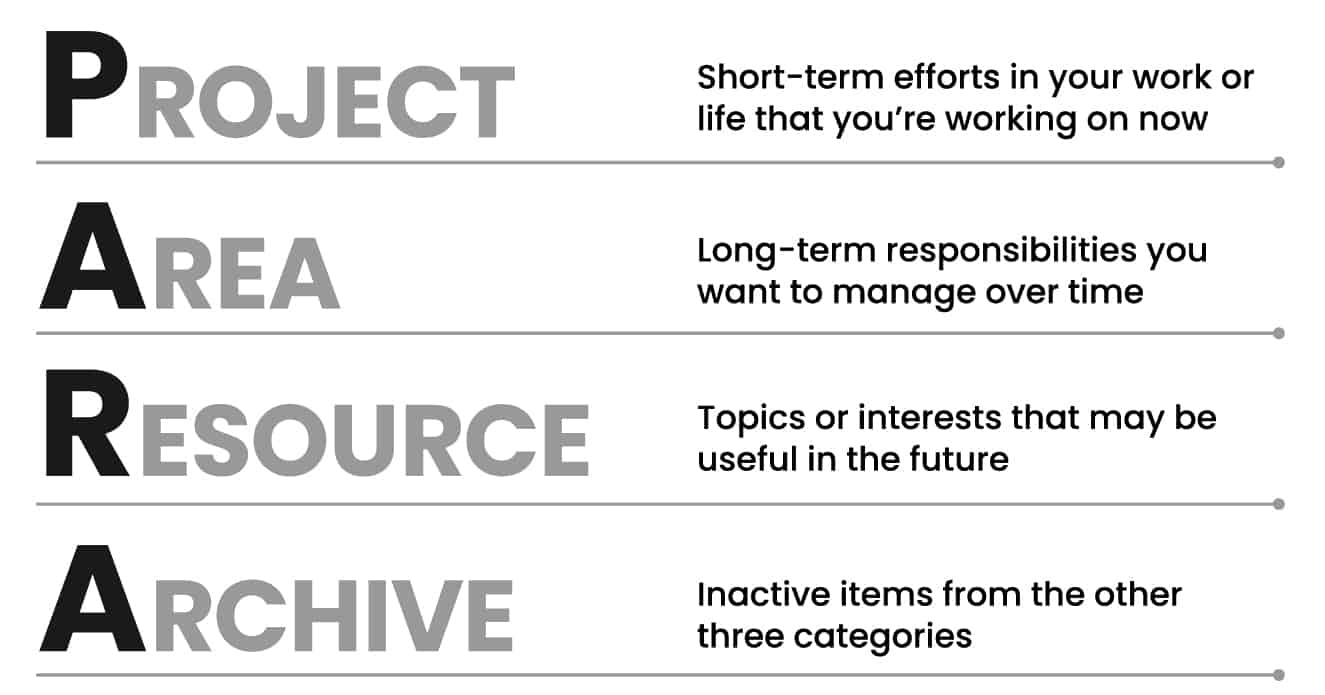
Forte Labs’ diagram defines Projects, Areas, Resources, and Archives. Source: PARA. The original image is shown unchanged; reuse remains limited to attributed editorial discussion.
Tiago Forte's PARA method uses four groups: Projects, Areas, Resources, and Archives. Projects are active work with a deadline. Areas are ongoing duties. Resources are reference material. Archives are inactive items.
Best for: People who want notes tied to active work. PARA keeps useful material close to current and near-term projects.
How to start: List your active projects and ongoing areas of responsibility. Sort your existing notes into the four categories. Review and re-sort monthly.
CODE Workflow
Tiago Forte's broader framework, Building a Second Brain, describes a second brain that uses the CODE process. CODE means Capture, Organize, Distill, and Express. You save useful ideas, sort them by use, pull out the key points, and turn them into work.
Best for: People who consume a lot of content and want a system that turns consumption into output. CODE emphasizes the full cycle from intake to creation.
How to start: Pick one capture tool. Use progressive summaries. Bold key passages, highlight the best parts, then write a short note at the top. Review weekly.
GTD (Getting Things Done)
David Allen's GTD system is mainly for tasks, but its reference filing can work as a basic PKM system. Items with no next action go into a reference file for later.
Best for: People who manage tasks, promises, and reference notes in one place. GTD focuses less on idea links and more on not dropping things.
How to start: Capture everything into an inbox. For each item, ask whether it is actionable. If yes, track it. If no, file it as reference or discard it. Review weekly.
Combining Methods
Many useful PKM systems borrow from more than one method. A common mix:
- PARA for broad groups (Projects, Areas, Resources, Archives)
- Zettelkasten for idea notes (atomic, linked, in your own words)
- Progressive summarization for source notes (layered highlighting)
- Weekly review from GTD (process inbox, update connections)
Choose one method first, then add elements from others as you discover what's missing.
Step 3: Set Up Capture
A PKM system is only as good as what goes into it. If capture is hard, you will skip it. Every useful article you read but do not capture is an idea you may have to find again later.
Establish a Single Inbox
All incoming information should flow to one place before you process it. Use one collection point. Pick a "Quick Notes" folder, a dedicated inbox in your tool of choice, or a plain text file.
Build Capture Channels
Set up channels that match your sources:
- Browser extension for saving web articles and bookmarks
- Mobile app for capturing ideas on the go: voice memos, photos of whiteboards, quick text notes
- Email forwarding to send newsletters and important emails to your inbox
- PDF import for research papers and documents
- Web clipper for saving specific sections of articles rather than entire pages
The 2-Minute Rule
When you process your inbox, use this rule. If you can file, tag, or connect a note in less than 2 minutes, do it now. If it needs more thought, leave it for your weekly review. This keeps the inbox from becoming another pile of loose notes.
Capture Guidelines
Not everything deserves a place in your system. Use these filters:
- Does this connect to something I'm working on or thinking about?
- Would I regret not having this in six months?
- Can I write a brief note about why this matters to me?
If you can't answer yes to at least one of these, don't save it.
Step 4: Organize Notes
Once captured, information needs a home. There are three primary approaches to organizing a personal knowledge management system, and each has tradeoffs.
Folders
Folders create a hierarchical tree. Every note has one location.
- Pros: Familiar, visual, easy to browse
- Cons: Rigid. An idea about "behavioral economics in product design" could go in Economics, Product Design, or Psychology. You have to choose one.
Tags
Tags allow multiple labels on a single note. One note can be tagged #economics, #product-design, and #psychology.
- Pros: Flexible, supports multiple categorizations
- Cons: Tags multiply fast. Without discipline, you end up with hundreds of tags and no consistent system.
Links
Links connect notes to other notes. Instead of putting a note in one category, you connect it to related notes.
- Pros: Mirrors how knowledge works through links and context. Supports unexpected discovery.
- Cons: Requires more effort upfront. The value compounds over time but is less visible early on.
Why Connections Matter More Than Categories
The most effective PKM systems prioritize links over folders. When you need information, you rarely think in categories. You think in associations. "What was that thing I read that related to X?" Link-based systems match this retrieval pattern.
Maps of Content (MOCs)
A Map of Content is a hub note for a topic. Instead of a folder for "Machine Learning," you create a note called "Machine Learning MOC." That note links to your machine learning notes by theme.
MOCs give you the easy browsing of folders and the freedom of links. Update the MOC as your notes grow.
Progressive Summarization
When you save a source (article, paper, book chapter), don't just save it. Layer your summaries over time:
- Layer 1: Save the full source
- Layer 2: Bold the key passages
- Layer 3: Highlight the most important bolded passages
- Layer 4: Write a brief summary at the top in your own words
Each layer makes the note more useful for future retrieval. You can scan Layer 4 in seconds or dive into the full source when needed.
Step 5: Establish Review and Retrieval Habits
A personal knowledge management system that you never revisit is just a more organized graveyard. The review habit is what turns a collection into a working system.
Weekly Review
Set aside 30 to 60 minutes each week to:
- Process your inbox. File, link, or discard everything that accumulated.
- Update connections. Link new notes to existing ones. Update MOCs.
- Archive stale notes. Move notes that are no longer relevant to an archive.
- Reflect. Skim recent notes and ask: what patterns am I seeing? What questions are emerging?
Spaced Retrieval
Revisiting notes over time strengthens memory and shows new links. Some tools do this with daily review features. Even without tool support, reread a few older notes each week.
Design for Both Search and Browse
Your system should support two modes of retrieval:
- Search: When you know what you're looking for. Strong search (including full-text and tag-based) handles this.
- Browse: When you're exploring. Links, MOCs, and graph views support unexpected rediscovery.
If your system is good at search but bad at browsing (or vice versa), you're leaving value on the table.
Source-Heavy PKM Workflows
Some PKM systems need a stronger source trail than others. Students, analysts, operators, and researchers often work from PDFs, reports, interviews, and long web articles. A note from those sources is useful only when you can trace it back.
Keep Source Links Attached
Source-heavy notes should show where each claim, quote, or finding came from. You may need to pair your PKM tool with a citation manager like Zotero or Mendeley. For more choices, see Zotero alternatives.
Synthesize Across Sources
Reading one source is not the hard part. The hard part is linking findings across 20, 50, or 100 sources. A source-heavy PKM system should show where sources agree, disagree, or answer different parts of the same question.
Without a synthesis habit, you reread old material. You miss links between sources. You rebuild the same context each time a project restarts.
Use AI Where Manual Linking Breaks Down
AI changes what is practical in source-heavy PKM. Tools with AI can:
- Surface connections across large source libraries that you'd never find by hand
- Answer questions across your entire library with cited answers
- Generate visual maps of how concepts relate across your sources
- Suggest related notes or papers when you're working on a specific topic
For large source libraries, AI-assisted PKM cuts the manual linking work that makes older systems hard to maintain.
Tool Workflow for a PKM System
The right tool depends on your method, your use case, and how much setup you're willing to do. Here are the top options.
Atlas
Atlas second brain workspace fits PKM systems built from PDFs, reports, web articles, and source-backed notes. Use it when you need answers from a set of sources, not just a place to write. The workflow is simple:
- Upload the sources for one project: papers, briefing documents, articles, or PDFs.
- Ask one synthesis question, such as "Which sources agree on the main adoption barriers, and which ones disagree?"
- Review the cited answer and open the linked source passages behind each claim.
- Save the useful answer as a note, then use the map view to find adjacent themes worth linking.
- During weekly review, ask a follow-up question against the same source set instead of rereading every document.
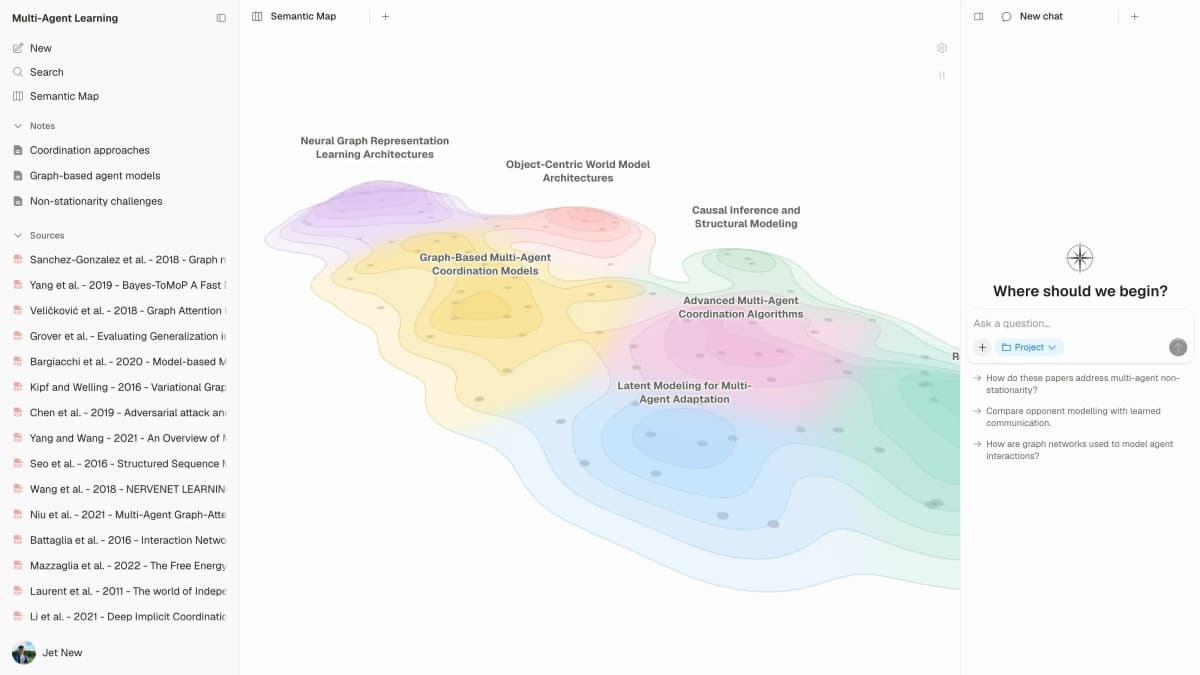
Atlas’s Semantic Map appears beside sources and project chat in a sample Multi-Agent Learning workspace. It illustrates the map view described above; the sample topic and papers are not a general PKM template. Source: Atlas.
This is the Atlas moment: your PKM system becomes searchable by question. You ask across the source set, inspect citations, and turn the answer into a reusable note. This helps when the source base is too large to keep in your head.
Walter Tay, Co-founder at Knoyo Health, described the same use case: "Atlas has been a real time-saver for me. I just needed a tool to help me wade through the sea of articles I come across daily."
Best for: Researchers and knowledge workers who want cited answers without building every link by hand.
Pricing: Pro from $20/month
Obsidian
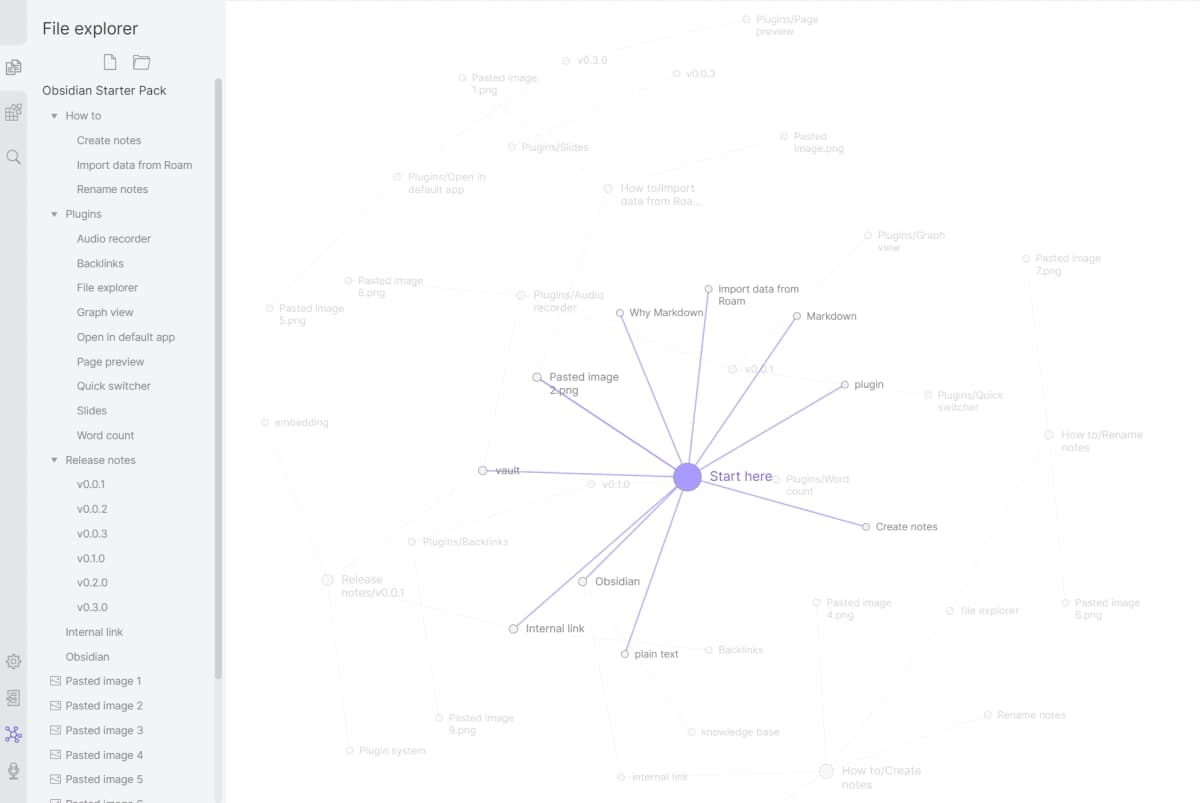
Source: official product material. Obsidian Graph View displays notes as nodes and links them through internal links.
Obsidian is a local Markdown editor with bidirectional links and a graph view. Its large plugin library lets you adapt it to many workflows.
Best for: Technical users who want control, local files, and time to set things up.
Pricing: Free for personal use, Sync $4/month, Publish $8/month
Notion
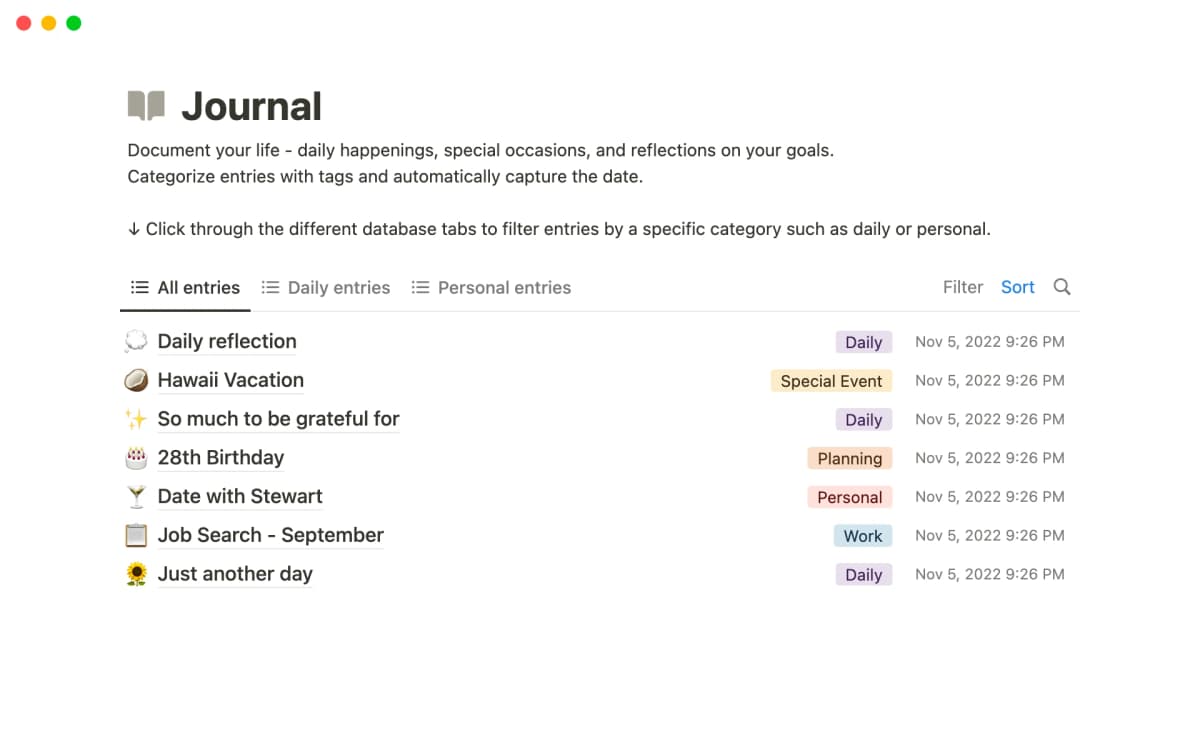
Source-native product or study evidence for the specific article discussion. Source: official product material.
Notion combines docs, databases, and wikis in one workspace. Its databases give you table, board, calendar, and gallery views. Notion AI adds search and summary features. For the broader option set, see Notion AI alternatives.
Best for: People who want notes, projects, and team wikis in one app.
Pricing: Free for personal use, Plus $10/month
Logseq
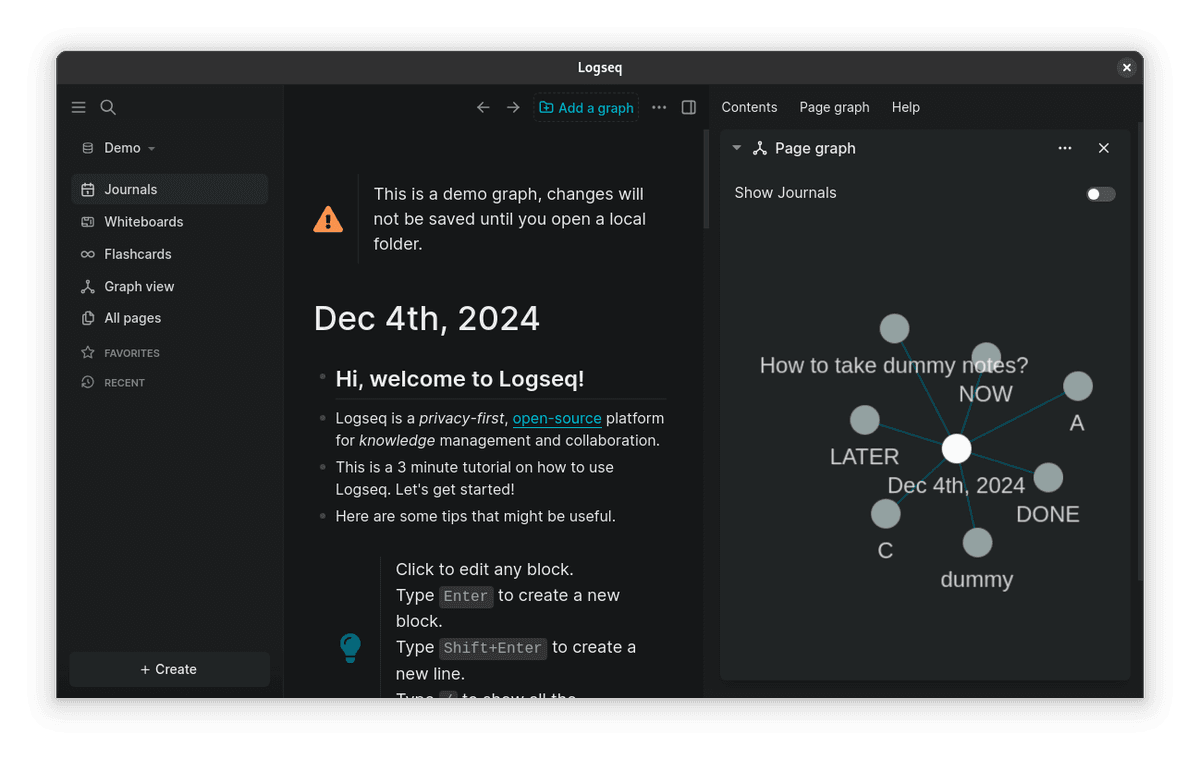
The Logseq example pairs a daily journal and nested blocks with a graph of linked example pages. Source: official product material.
Logseq is an open-source outliner with links and block references. It starts each day with a daily page, which suits people who think by date.
Best for: Users who like outlines and want an open-source Roam alternative.
Pricing: Free (open-source), Sync in development
Capacities
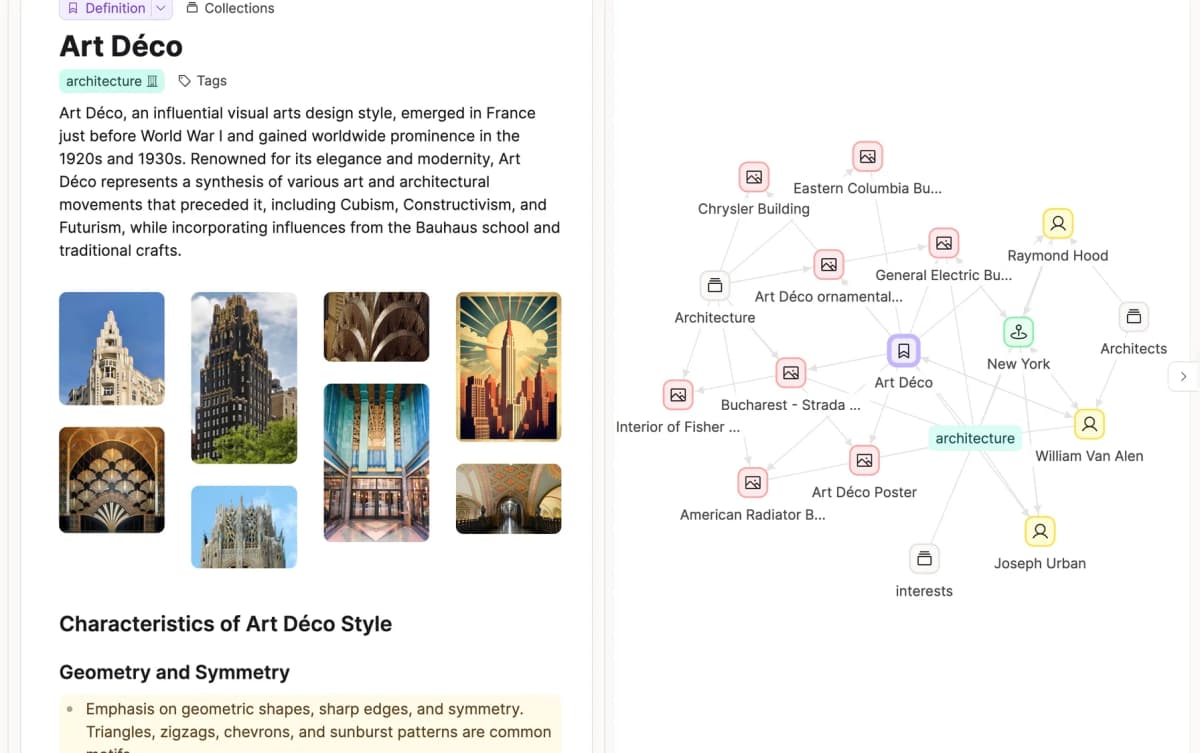
This Art Deco example links a definition to related images, places, people, and architecture objects, showing how typed notes connect. Source: official product material.
Capacities treats books, people, concepts, and projects as objects with fields and links. This works well if you think in entities rather than documents.
Best for: Visual thinkers who want a clean app and a gentle learning curve.
Pricing: Free tier available, Pro from $9.99/month
How to Choose
Match the tool to your method, not the other way around:
- If you want AI to handle organization: Atlas
- If you want full control and local storage: Obsidian
- If you need databases and team features: Notion
- If you prefer outliner-style and open source: Logseq
- If you think in objects and entities: Capacities
Start with the lowest-friction option that fits your workflow. Give it at least a month before judging. A PKM system gets better as notes build up.
Common Mistakes to Avoid
Most PKM systems fail because setup gets heavy, tools multiply, capture habits stay weak, or the review loop disappears. Use these checks before you blame the app.
- If setup takes more than one afternoon, remove fields, tags, and templates until capture feels easy.
- If notes are split across apps, pick one home for source notes and one home for tasks.
- If your inbox keeps growing, schedule one weekly pass and delete weak captures without guilt.
- If search fails, rewrite note titles in plain words you would actually type later.
Over-Engineering Before Starting
You don't need the perfect folder tree, tag list, or template set before you begin. Start with a plain inbox and one rule. Add structure only when the current setup starts to hurt. People who spend three weeks designing a system before writing a note rarely end up with a working one.
The Collector's Fallacy
Saving an article is not the same as reading it. Bookmarking a paper is not the same as understanding it. If your system has 500 saved items and 20 processed notes, the capture habit is ahead of the thinking habit. Be selective about what enters your system, and process what you capture.
Tool-Hopping
Switching tools every few months means your notes never build mass. The best system is the one you use often. Pick a tool, commit for six months, and then evaluate.
Neglecting Retrieval
A PKM system only helps if you use what's in it. If you never search your notes, reread old ideas, or follow links between concepts, you're just filing for its own sake. Build the retrieval habit with weekly reviews, question-driven searches, and regular browsing of your knowledge graph.
Copying Someone Else's System
YouTube videos showing elaborate PKM setups can be useful, but they can also send you down the wrong path. That person's system grew around their work. Copying it wholesale rarely works. Learn the core habits of capture, connection, and retrieval. Then adapt them to how you work.
PKM Tools and Software in 2026
A working PKM system is half method and half tool. Six app categories are worth knowing:
- AI-native workspaces: Atlas ($20/mo Pro) and Reflect ($10/mo) let you ask questions across notes and sources. Best when synthesis matters more than capture.
- Local-first Markdown vaults: Obsidian (free personal, $50/yr commercial) and Logseq (free, open-source) keep plain Markdown files on your device. Best for portability and long life.
- Database workspaces: Notion (free Personal, $10/mo Plus) and Capacities ($10/mo) treat notes as records in a database. Best for structured workflows and team use.
- Capture engines: Evernote (~$14.99/mo) and OneNote (free) help with fast capture, web clips, and OCR search. Best for clip-heavy work.
- Outliner blocks: Roam Research ($15/mo) and Tana ($14/mo) treat every bullet as a block you can query and link. Best for daily-notes users.
- Apple-ecosystem default: Apple Notes (free) and Bear ($29.99/yr) cover Apple-only users with iCloud sync, Smart Folders, and Markdown.
For a deeper tool-by-tool walk-through, see our personal knowledge management guide and best knowledge management software roundup.
Conclusion
A personal knowledge management system is a long-term bet. The returns are small in the first week, then grow over months and years. Someone with two years of linked notes can answer new questions faster than someone starting from scratch. A writer with a maintained idea library rarely faces a blank page. The practical question is how much knowledge you're comfortable losing while you wait to start.
The key habits are simple. Capture only what matters. Connect it to related work. Retrieve it often. Start with one method, one tool, and one habit. Add complexity only when you need it.
PKM is becoming AI-assisted. New tools can surface links, answer questions across your library, and map your sources. That removes some of the manual work that made older PKM systems hard to keep up.
Make your research library answerable
Upload papers, ask across them, and inspect every cited source passage.