


Both approaches help you save and use knowledge. They start from different ideas. Digital gardens grow unfinished thoughts in public or private. Second brains store useful material so you can find it later.

Research the sources behind your notes
Add papers to Atlas, ask a focused question, and inspect cited passages.
Quick Verdict: Which One Fits?
Choose a digital garden when you want ideas to grow through writing, links, and revision. It fits research, teaching, essays, and public learning.
Choose a second brain when you need a trusted place for notes, sources, tasks, and project material. It fits coursework, client work, meetings, and deadline-driven output.
Use both only if each has a clear job. Let the second brain handle capture and retrieval. Let the garden hold the ideas you want to revisit and refine.
Key Concepts
What Is a Digital Garden?
A digital garden is a set of linked notes and ideas that grow over time. It can be public or private. Unlike a blog, it does not need every page to feel finished. Some notes are rough seedlings. Others become evergreen pages that you update often. Readers move by following links instead of a date-based feed.
Digital Garden Principles
Growth matters more than polish. A note can be useful before it is finished. Plant a seed, tend it over time, and let it develop naturally.
Links matter more than folders. Ideas do not have to sit in one neat place. A note about behavioral economics might connect to cooking, game design, and urban planning if those links exist in your thinking.
Many gardens are public or semi-public. Readers can see the thinking process, not only the final answer. That makes the garden feel different from a private notes app.
Navigation is non-linear. There is no single "start here." You and your readers move through ideas by following links, and the useful path is often the one you did not expect.
Digital Garden Examples
- Andy Matuschak's working notes (evergreen note methodology)
- Maggie Appleton's digital garden (visual essays and design thinking)
- Gwern Branwen's site (long-form analysis with continuous updates)
These examples share one trait. Ideas stay alive and improve over time instead of freezing as one-time posts.
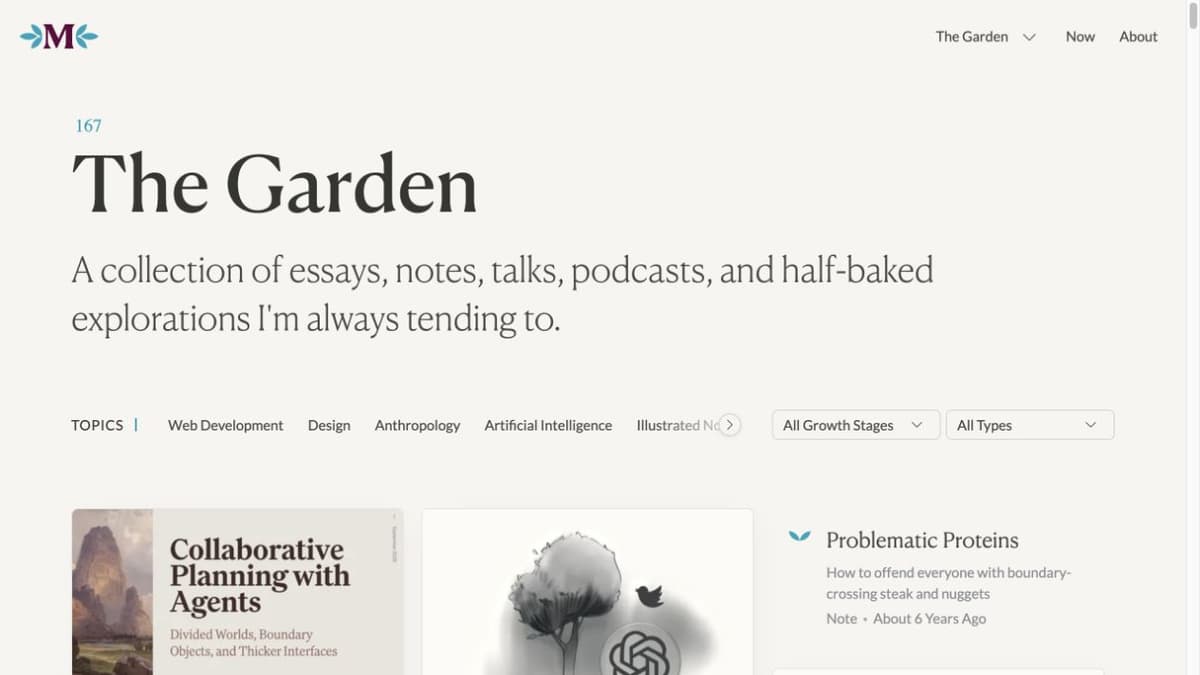
Maggie Appleton describes this public Garden as a collection of essays, notes, and explorations, organized with topic navigation. The visible count reflects the capture date, not a fixed measure of a garden.
What Is a Second Brain?
[The second brain is a personal knowledge management system popularized by Tiago Forte's "Building a Second Brain" method.](https://evernote.com/learn/what-is-the-building-a-second-brain-method-a-practical-guide) It uses tools as an outside memory. You save useful material, sort it, and return to it when work demands it.
Second Brain Principles
Capture what may matter later. Your mind is better for having ideas than for storing every detail.
Organize for action. The PARA system (Projects, Areas, Resources, Archives) sorts notes around the way each item will support your work.
Distill the source. Progressive summarization trims notes to the parts you expect to reuse.
Use the notes in real output. The point is writing, building, deciding, or teaching. A large archive is not the goal by itself.
The PARA Framework
| Category | Definition | Example |
|---|---|---|
| Projects | Short-term efforts with deadlines | "Thesis chapter 3" |
| Areas | Ongoing responsibilities | "Machine learning research" |
| Resources | Topics of interest | "Behavioral economics" |
| Archives | Inactive items | "Completed coursework" |
Table 1: PARA buckets, use cases, and examples.
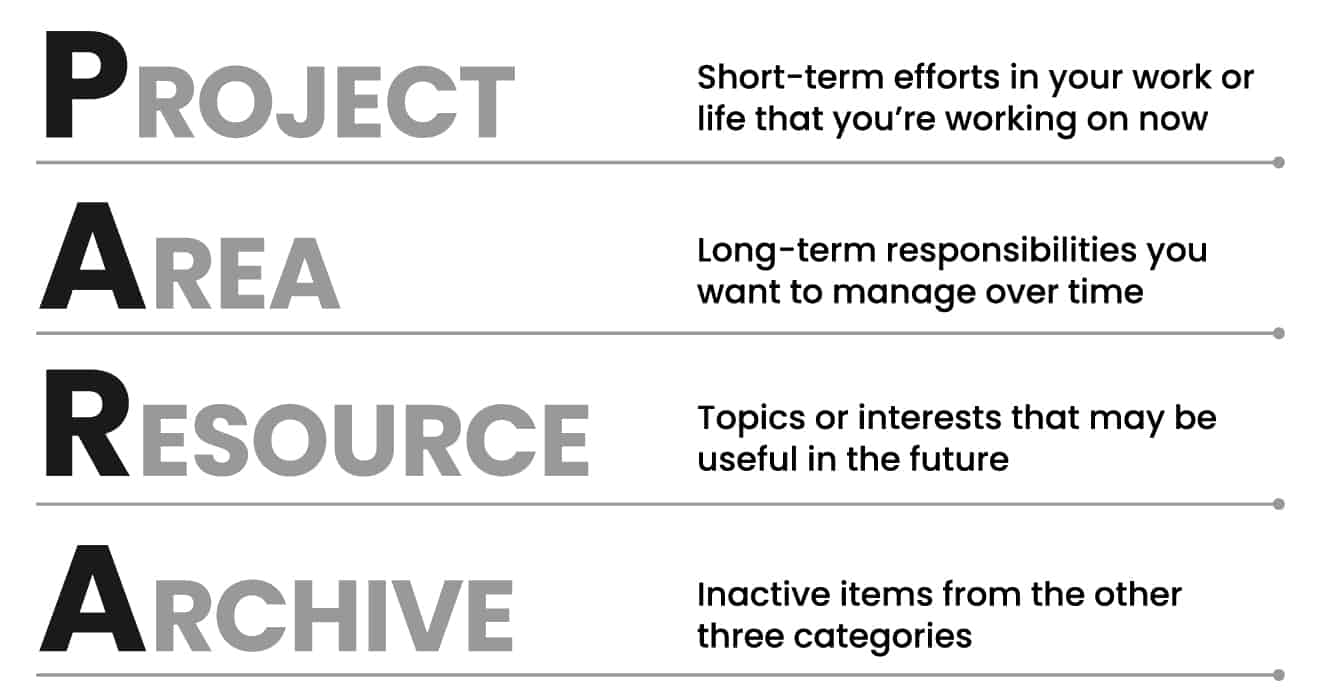
Forte Labs’ diagram defines the four PARA categories. It illustrates the organizing model described above. Source: Forte Labs.
For a deep dive into this methodology, see our guide on how to build a second brain.
Digital Garden vs Second Brain: Key Differences
These approaches share DNA (both are about managing knowledge intentionally) but differ in important ways.
| Dimension | Digital Garden | Second Brain |
|---|---|---|
| Philosophy | Knowledge as growing ecosystem | Knowledge as external memory |
| Organization | Associative, networked | Categorical (PARA) |
| Note state | Seedling to evergreen | Raw to progressively summarized |
| Primary goal | Develop thinking | Support action |
| Sharing | Often public | Usually private |
| Structure | Emergent, bottom-up | Defined, top-down |
| Maintenance | Continuous tending | Periodic review |
| Entry barrier | Low (start with one note) | Medium (need to learn PARA) |
| Risk of failure | Garden becomes neglected | System becomes burdensome |
| Time horizon | Long-term, indefinite | Project-driven, cyclical |
Table 2: Garden and brain differences in goals, form, sharing, and upkeep.
A Better Test: Stock, Flow, and Load
Robin Sloan's stock and flow lens makes the difference easier to see. Flow is the live stream of notes, clips, drafts, and questions. Stock is the durable work you can return to later.
We compared the two approaches with this lens and with cognitive load: how well each system turns incoming material into durable work, and how much mental effort it takes to retrieve and reuse a note.
A second brain turns flow into useful stock for projects. A digital garden turns stock back into living work through links, edits, and public trails. That is why a hybrid setup often feels better than a pure one. The brain protects capture. The garden protects growth.
Cognitive load theory gives a second test. A system should lower the mental effort needed to reuse a note. A second brain lowers load when each item has one next use. It raises load when Projects, Areas, and Resources blur. A garden lowers load when links reveal the next idea. It raises load when every note also needs a publishing choice.
| Test | Digital garden signal | Second brain signal |
|---|---|---|
| Stock | Evergreen pages improve with each pass | Reference notes stay ready for reuse |
| Flow | Drafts, links, and updates stay visible | Inbox items move into projects |
| Load | Links reduce the need to remember paths | Clear buckets reduce sorting doubt |
| Maturity | Notes can move from seedling to evergreen | Notes move from capture to archive |
Table 3: Stock, flow, and load tests for choosing a garden, brain, or hybrid note system.
Maggie Appleton's seedling, budding, and evergreen stages are useful here. They make note maturity explicit. A second brain usually hides that state inside folders or review dates. A garden can show it on the page, which helps readers judge how settled the idea is.
How to Compare Them
The best choice depends on the work your notes must support. Compare the two systems on five practical questions.
First, ask what the note is for. If it supports a live project, a second brain is usually cleaner. If it develops an idea across months or years, a garden is usually stronger.
Second, ask who needs to see it. Private notes, client files, and class material belong in a second brain. Public essays, teaching notes, and research trails can fit a garden.
Third, ask how much structure you want. PARA gives clear buckets. A garden gives looser paths through links.
Fourth, ask how you want to maintain it. A second brain needs inbox review and archiving. A garden needs revisiting, linking, pruning, and rewriting.
Fifth, ask what failure would look like. Second brains fail when capture turns into hoarding. Gardens fail when rough notes never get tended.
Which Approach Fits Your Work?
When to Choose a Digital Garden
A digital garden works well when:
You think by writing. If putting ideas into words helps you shape them, a garden gives you room to start early. You do not need a finished thought to plant a seed.
You work on long-term ideas. Dissertations, books, research programs, and teaching all benefit from notes that mature over months or years. The garden metaphor fits that pace.
You value wandering more than speed. Gardens reward side paths. If you like following unexpected links, the format will feel natural.
You want to share how your thinking changes. Public gardens show the process behind the conclusion. That matters for academics, writers, and teachers.
Who Thrives with Digital Gardens
- Academic researchers developing a research program
- Writers and thinkers building a body of work
- Teachers creating interconnected learning materials
- Anyone who finds folder systems stifling
When to Choose a Second Brain
A second brain works well when:
You need to get things done. If output is the goal, PARA keeps notes close to active projects.
You save a lot each day. Articles, meeting notes, lectures, and references need an inbox and a review habit. The second brain is built for that flow.
You want clear rules. If loose systems stress you out, PARA gives each item a home.
You switch contexts often. If you juggle many projects, PARA keeps each project's notes together. You can start work without hunting.
Who Thrives with Second Brains
- Knowledge workers managing multiple projects
- Students organizing coursework and research
- Professionals who consume large volumes of information
- Anyone who has tried freeform systems and found them chaotic
The Overlap: Zettelkasten
The Zettelkasten method sits between these two approaches. Like a digital garden, it values links and structure that grow over time. Like a second brain, it has clear rules: atomic notes, unique IDs, and explicit links.
If both approaches appeal to you, Zettelkasten might be the middle ground. It gives enough structure to reduce chaos while keeping the link-based feel of a garden.
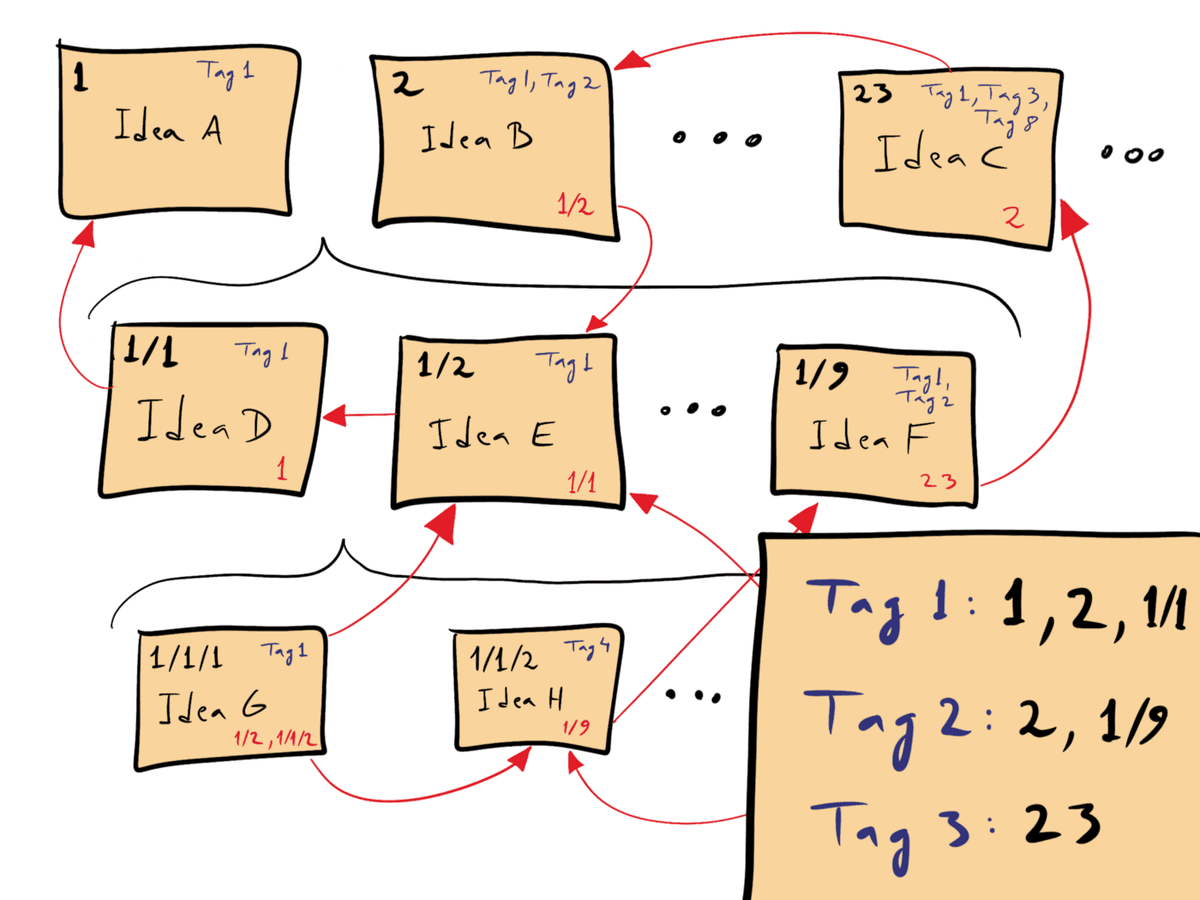
This published paper-note schematic shows unique note numbers and explicit cross-references; it illustrates the structure, not a digital garden interface. David B. Clear, The Writing Cooperative; image via Wikimedia Commons, CC BY-SA 4.0.

Tools, Hybrids, and Practical Trade-Offs
Tool Comparison for Each Approach
For research-heavy systems, the tool choice can extend beyond notes. If your garden or second brain includes PDFs, use these four ways to synthesize research papers. They show how to compare claims, methods, and gaps before you turn the findings into long-term notes.
Digital Garden Tools
| Tool | Strengths | Considerations |
|---|---|---|
| Obsidian | Bidirectional links, graph view, local files | Requires configuration |
| Quartz | Static site generator for Obsidian vaults | Technical setup required |
| Scrapbox | Fast page linking and shared wiki-style gardens | Best for teams comfortable with its syntax |
| Fabric | AI-assisted capture and search across saved material | More useful for capture than public gardening |
| Notion | Flexible, shareable pages | Less natural for interconnection |
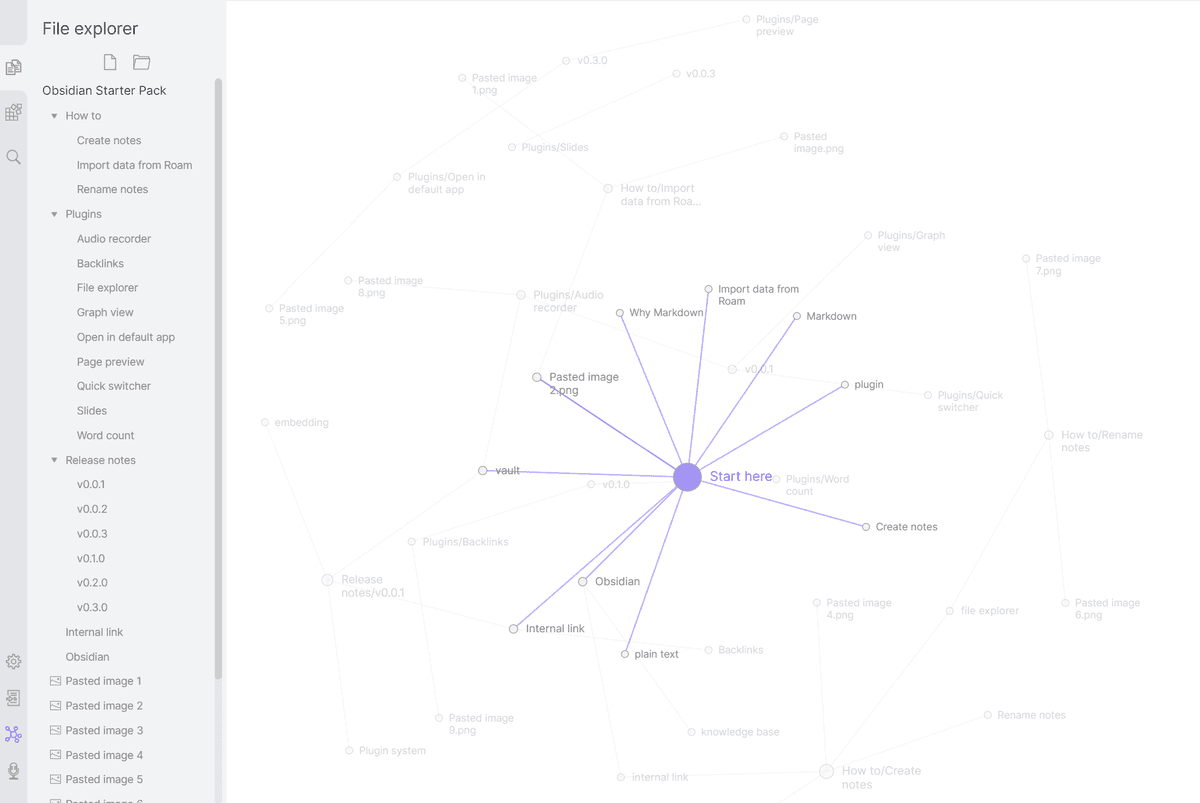
Garden tools for links, web pages, and setup needs.
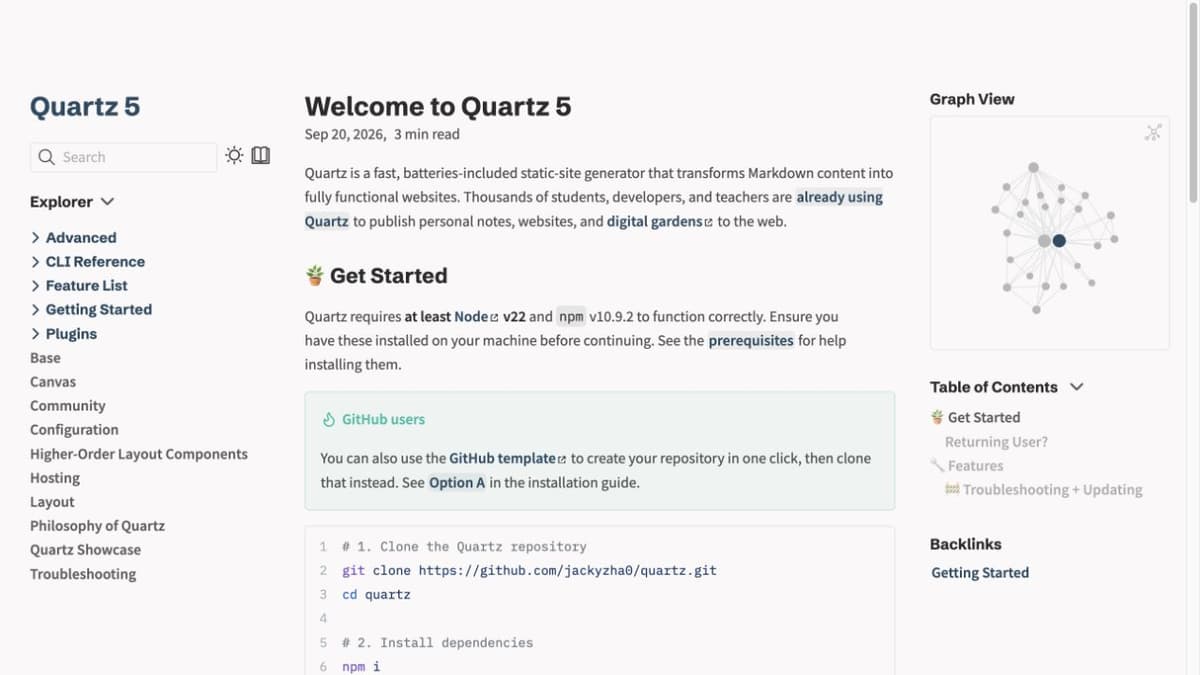
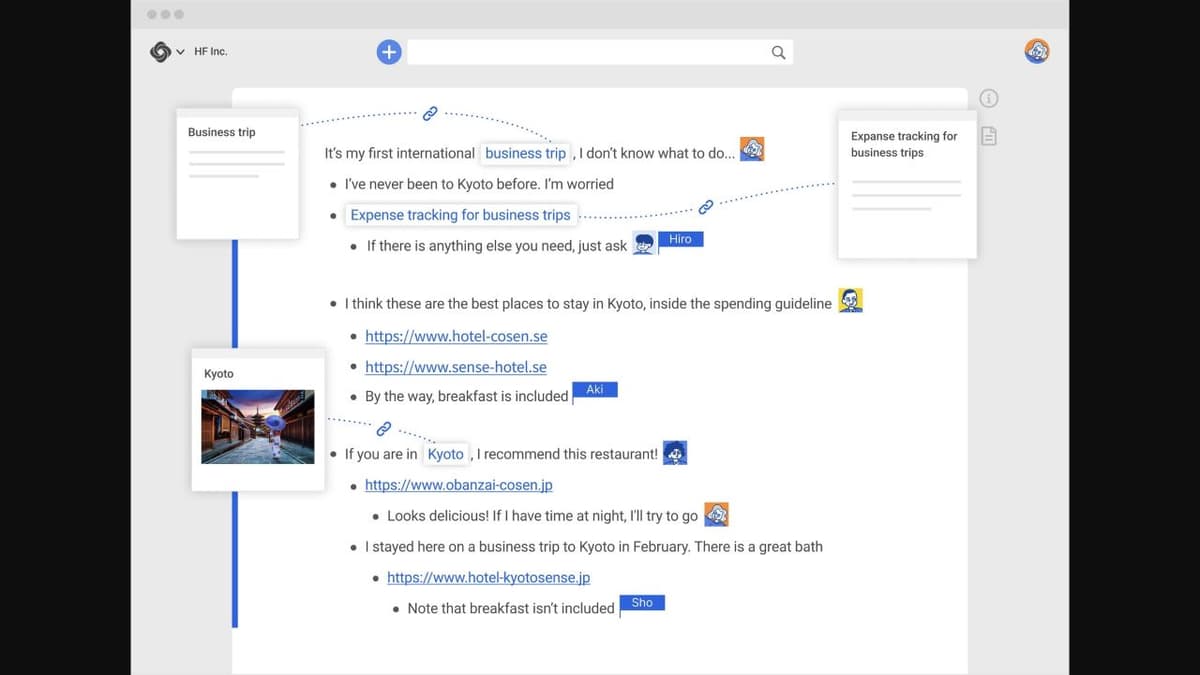
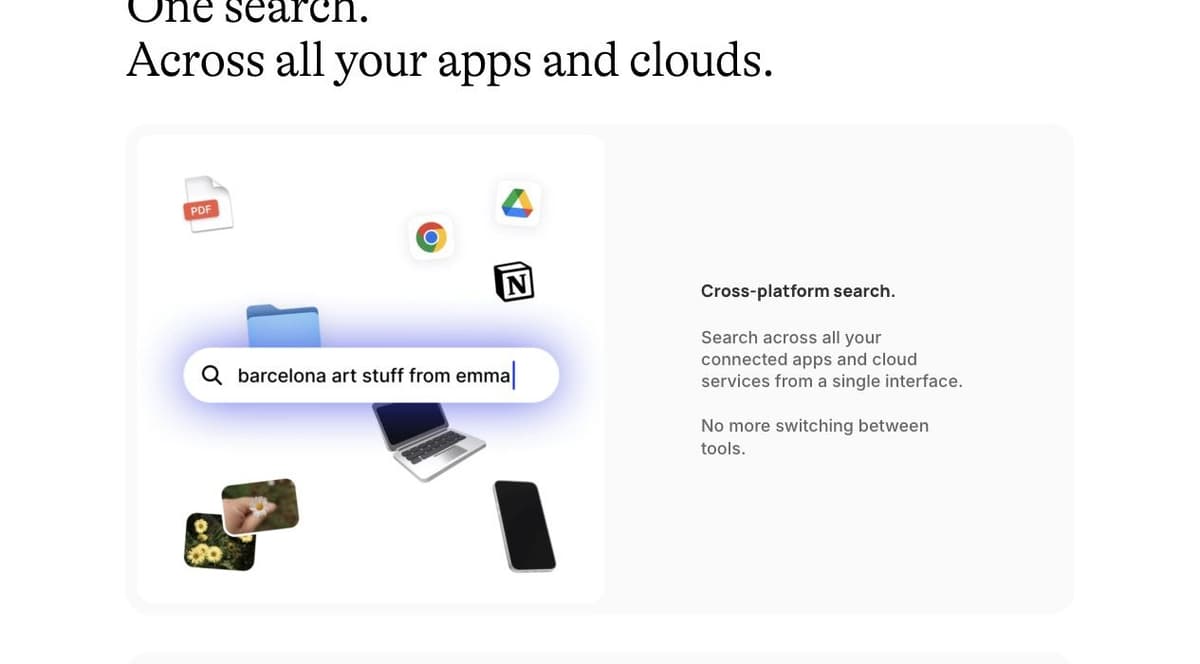
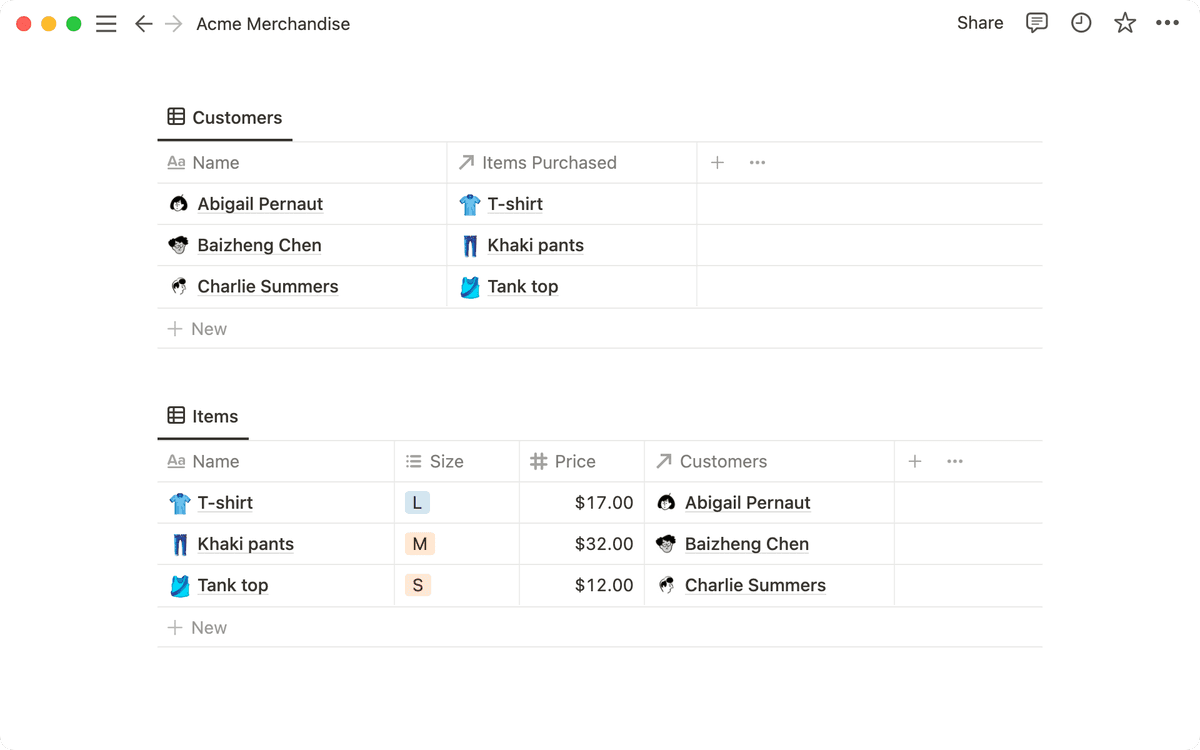
For research-heavy gardens, Atlas can sit beside the garden rather than replace it. It is most useful when notes include PDFs and source material that need careful synthesis.
Where Scrapbox and Fabric Fit
Scrapbox is closer to the digital garden side. It works well for linked pages, shared thinking, and wiki-like note trails.
Fabric sits closer to the second brain side. It helps with capture, search, and recall. The risk is that the inbox and long-term notes start to blur.
PARA
PARA is the main structure behind the second brain approach. It gives saved notes a project home. That makes it better for action than for open-ended idea growth.
Second Brain Tools
| Tool | Strengths | Considerations |
|---|---|---|
| Notion | PARA template, databases, views | Can become complex |
| Obsidian | Flexible structure, plugin ecosystem | Manual organization required |
| Capacities | Object-based organization | Newer, still evolving |
| Fabric | Capture, search, and AI recall across saved items | Can blur inbox and long-term notes |
Table 4: Brain tools for capture, review, search, and project work.
Atlas: Supporting Both Approaches
Atlas is not a replacement for either method. It is most useful when your PKM system contains research papers, PDFs, or dense source notes. The map can reveal clusters across those sources. The cited answers help you trace claims back to the original material.
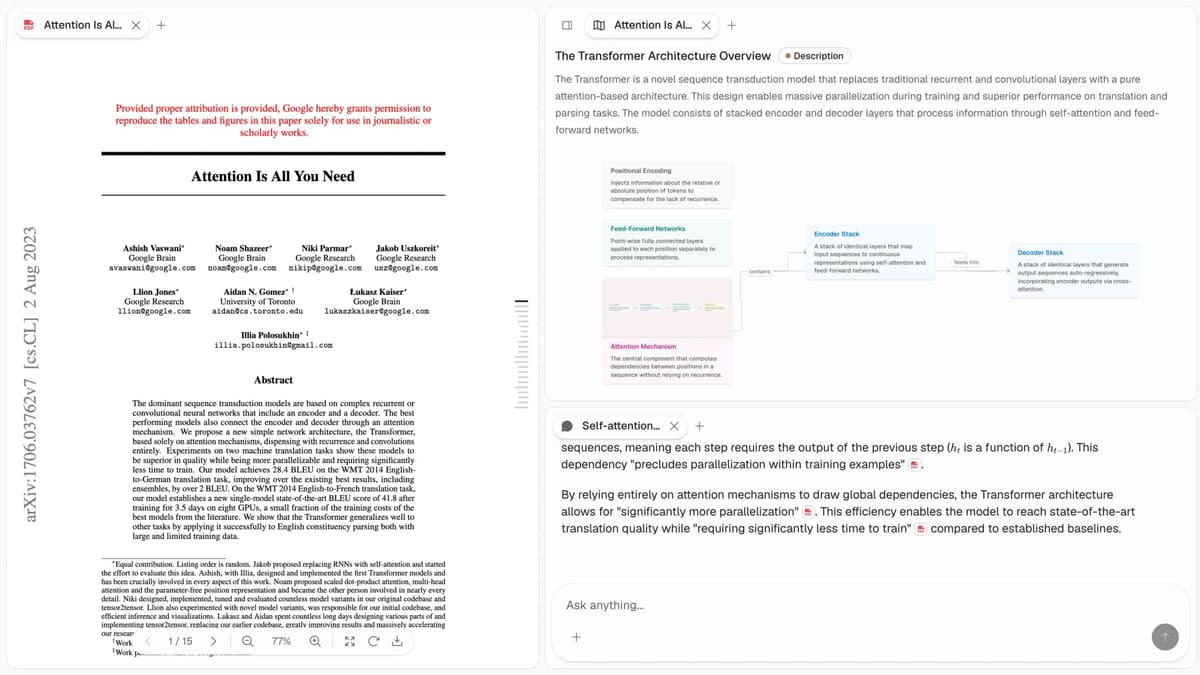
That makes Atlas a supporting layer for research work. Keep your garden or second brain as the place where your knowledge practice lives. Use Atlas when you need to synthesize sources before writing or revising those notes.
Hybrid Approaches
Many experienced knowledge managers blend both systems. Here are common hybrid strategies:
Garden for Thinking, Brain for Doing
Use a digital garden for research ideas, reading notes, and concepts that change over time. Use a second brain for meeting notes, project files, and procedures.
PARA Structure with Garden Zones
Organize with PARA, but treat some Resources as garden spaces. In those spaces, notes can link freely and grow over time.
Start with Brain, Evolve into Garden
Begin with the structured PARA approach to build the habit of capturing knowledge. As your notes grow and links appear, shift toward a more garden-like approach. Let connections matter more than categories.
The Maintenance Question
Both systems fail when they are not maintained. The work differs, though.
Digital garden maintenance looks like:
- Revisiting old notes to update or expand them
- Creating new links between ideas
- Pruning notes that no longer serve your thinking
- Planting new seeds from recent reading
Second brain maintenance looks like:
- Weekly reviews to process inbox items
- Moving completed projects to archives
- Updating area documents
- Progressive summarization of saved content
Ask which upkeep you would do each week. A realistic maintenance habit matters more than the system that sounds most appealing.
Three-Year Cost Comparison
Cost matters less than fit, but it matters. Here is what the common tool stacks for each approach run over three years for one person.
| Stack | Approach | Year 1 | Years 2-3 | 3-Year Total |
|---|---|---|---|---|
| Atlas Pro | Hybrid | $240 | $480 | $720 |
| Obsidian + Sync | Garden or brain | $96 | $192 | $288 |
| Obsidian + Quartz hosting | Public garden | $96 + $0-60 hosting | $192 + $0-120 | ~$300-450 |
| Notion Plus | Brain | $96 | $192 | $288 |
| Notion Plus + Notion Sites | Public garden | $96 + $96 | $192 + $192 | $576 |
| Capacities Pro | Brain | $96 | $192 | $288 |
| Roam Research | Garden-leaning | $165 | $330 | $495 |
Table 5: Three-year costs for common solo garden, brain, and hybrid stacks.
Static-site hosting for a Quartz-published Obsidian vault runs $0 on Vercel's hobby tier or Cloudflare Pages. Notion Sites adds $8/mo per published site. The cheapest public-garden setup is Obsidian + Quartz + free hosting. The cheapest private-brain setup is Logseq at $0 if you accept its sync tradeoffs.
Privacy and Audience Implications
The two approaches differ in privacy posture. A second brain is private by default, while a digital garden is public by default. This shapes what you write and where you store it.
Second brain risks are privacy risks. Cloud-hosted brains can hold years of meeting notes, client work, financial files, and private reflections. A vendor breach or subpoena can expose that material. Notion's incident history is publicly tracked, and Evernote had a 2013 breach that required a full password reset. Local-first tools such as Obsidian and Logseq reduce vendor risk, but you must handle backups yourself.
Public garden risks are audience risks. A public garden is more permanent than most writers expect. The Internet Archive's Wayback Machine crawls public sites often, and takedown is partial at best. Ideas you publish as "seedlings" today may be cited or screenshotted before you revise them. Decide which notes are public from the start.
Choose Your Approach
The digital garden and second brain are frameworks, not religions. Take what works from each, discard what does not, and build a system that matches how you think and work.
If you mostly need a reliable place to save and reuse notes, start with a second brain. If you mostly need a place to develop ideas, start with a garden. If you do research across many sources, keep the PKM method simple and add synthesis tools only where they reduce real work.
Choose Based on Your Output
The cleanest decision rule is to look at what you produce.
If you ship code, papers, or client work on deadlines, choose a second brain. PARA's project focus matches that rhythm. Notes that no longer serve a project can move to archive.
If you build a public body of work over years, choose a digital garden. Your audience benefits from seeing ideas develop, and linked evergreen notes can keep gaining value as you revisit them.
If you teach, advise, or research without fixed deadlines, use a hybrid. The brain handles course logistics, advisee notes, and grant deadlines. The garden holds ideas you return to across years.
If you are still figuring out what you produce, start with a brain. The structure prevents drift, and you can loosen it later. Starting with a garden too early often creates orphan notes and abandoned drafts.
Keep the System Useful
Common Failure Modes
Maintenance debt happens when you capture more than you process. A stricter intake rule helps more than another software switch. If you cannot summarize a saved item in one sentence within a week, delete it.
Methodology cosplay means spending more time configuring the system than using it. The signs are weekly tool reviews, frequent vault rebuilds, and complex templates. Set a hard cap on configuration time, such as one hour per quarter. Then return to writing actual notes.
Some gardens turn into performance. Public gardens that become curated portfolios lose the "rough seedlings welcome" quality that made the format useful. If every note is polished, you have a blog. That is fine, but name it correctly.
A second brain can become a graveyard. The warning sign is captured content that you never retrieve. Ask when you last opened a note older than six months. If the answer is "never," the system is write-only.
A Healthy Long-Term Practice
The best test is to look at people who have kept the practice for at least two years. Their habits tell you more than the method books. A few patterns show up again and again.
Veteran second-brain users tend to make PARA simpler. They often merge Areas and Resources because the boundary keeps slipping. Archives become a write-only zone. Their Projects folder stays small because old work moves out quickly. The system does less than the textbook version, but it works because upkeep is low. The lasting value comes from a handful of reference notes they update across projects.
Veteran digital gardeners tend to keep fewer, longer notes. Early excitement about tiny seedlings gives way to a smaller set of essays. Each one gathers what the writer now believes about a topic. Links still matter, but they serve fewer notes more deeply. The garden becomes a working reference with clear paths through it. The writer returns to the same pages year after year instead of always planting new ones.
Both patterns share one quiet feature. The practitioner stopped trying to capture everything. They write fewer notes, revisit them more often, and accept that most material is forgettable. The system serves the small fraction that earns a place in long-term thinking. If you are early in either practice, the most useful move is choosing what not to capture.
Research the sources behind your notes
Add papers to Atlas, ask a focused question, and inspect cited passages.