
7 Simpler Obsidian Alternatives for Easier Note-Taking
Obsidian alternatives that stay simple: Atlas, Notion, Bear, Capacities, Craft, and more scored on setup time, linked notes, export paths, and daily usability.
- Byline

Summary
Use a simpler Obsidian alternative when setup, plugins, or Markdown slow down daily notes.
The strongest simple picks are Atlas, Notion, Apple Notes, Bear, Capacities, Reflect, and Logseq.
Obsidian is best for local control. Simpler tools ask you to make fewer choices.
Atlas fits users who want connected notes and maps without maintaining backlinks by hand.
Obsidian's flexibility is both its strength and its weakness. If you spend more time tuning plugins than taking notes, a simpler app may be the better choice. Atlas is built for research synthesis: it gives cited answers from your notes and files, then turns connected sources into visual maps. That makes it useful when your Obsidian pain is manual linking, not just Markdown.

 Atlas
AtlasCompare simpler connected note apps
See eight apps compared on backlinks, graph views, AI connections, and pricing.
Why Do People Leave Obsidian?
For a benchmark of seven AI research assistants on a 200-paper corpus, see our AI research assistants guide. People usually leave Obsidian for six reasons:
- Setup takes too long.
- Core workflows often need plugins.
- Sync can feel harder than it should.
- The mobile app feels less polished than desktop.
- Markdown, YAML, and Dataview add a learning curve.
- Tweaking the vault can replace the habit of writing notes.
Disclosure: we make Atlas, one of the products discussed in this post. We publish our scoring criteria and name the workflows where simpler tools are stronger.
Before choosing a new app, name the tradeoff. Obsidian gives you control. The apps below give up some control so daily notes feel lighter.
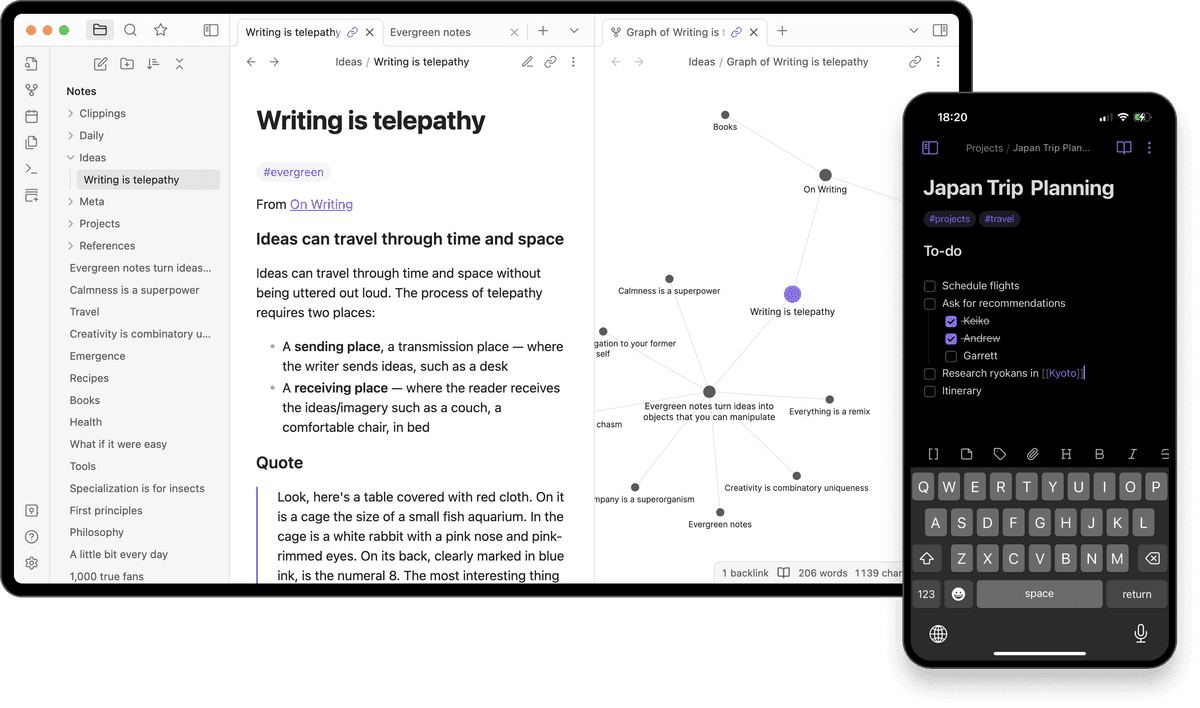
If you relate to any of these, the alternatives below might serve you better.
7 Simpler Obsidian Alternatives
The seven ranked alternatives remove different parts of Obsidian's setup burden. Compare each app's simpler workflow with the control, portability, or extensibility you would give up. Start with the limitation you most want to remove.
1. Atlas: AI-Connected Research Notes
Atlas uses cited AI search so you do less sorting by hand. Atlas second brain workspace takes a different path from Obsidian: it connects sources instead of giving you more tools to arrange notes. There are no folder debates, tag systems, or link chores.
What makes it simpler:
- No configuration. Works immediately
- AI handles organization and retrieval
- No plugins needed
- Search by describing what you want, not keywords
What you might miss:
- Full control over organization
- Local-first storage
- Plugin extensibility
- Markdown export
Atlas fits people who want connected notes without building every link by hand. A free tier is available, and Pro starts at $20 per month.
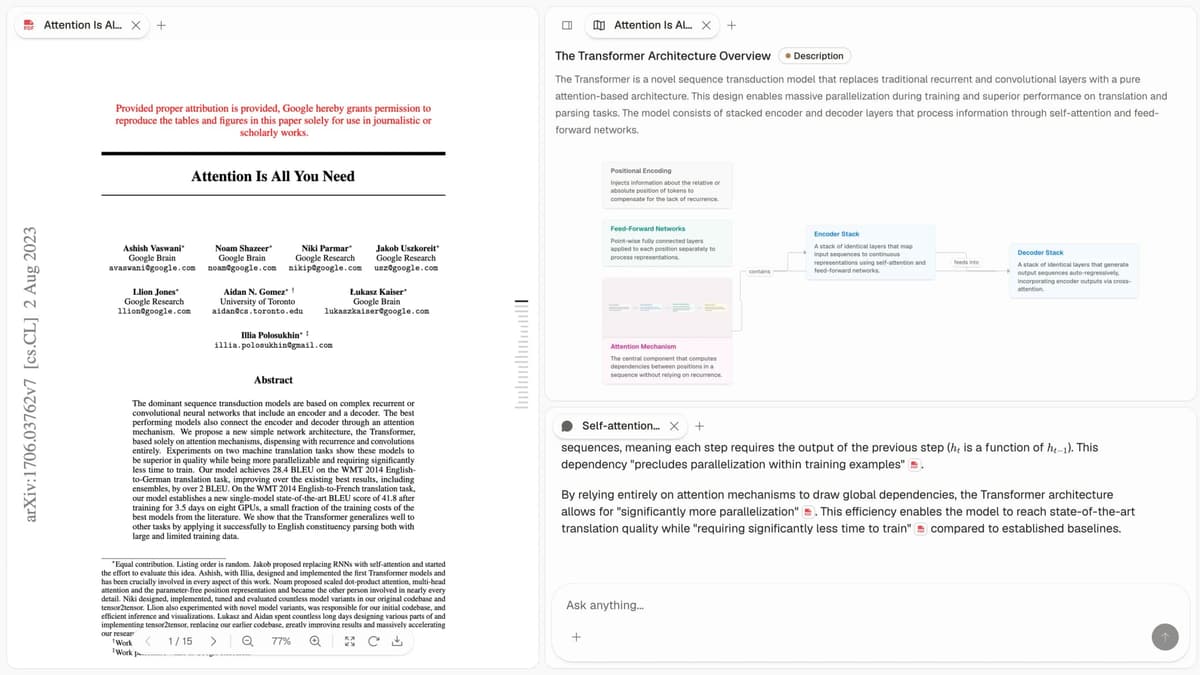
If your notes include PDFs, web clips, and research files, try Atlas on one real project. Upload a source set, then ask a question that needs proof from more than one note. This tests whether cited retrieval can replace the manual links you maintained in Obsidian.
2. Notion: Ready-Made Structure
Notion gives you a ready layout before you start writing. Database templates create repeatable pages, so you can save a page layout and reuse it instead of designing every workflow yourself.
What makes it simpler:
- Reusable pages reduce blank-page stress
- Tables keep pages consistent
- Polished UI with visual editing
- Works great out of the box
What you might miss:
- Offline access (cloud-only)
- Privacy (your data on their servers)
- Fast performance with large vaults
- Bidirectional link strength
Notion fits people who want structure more than full control. Personal use is free, while Plus costs $10 per month. Choose it when reusable templates and shared pages matter more than local Markdown files.
3. Apple Notes: No-Setup Capture
If you have Apple devices, Apple Notes covers everyday notes with no setup. iCloud sync, quick notes, basic links, and Apple Intelligence are built in.
What makes it simpler:
- Pre-installed, no download needed
- Instant sync across devices
- Quick notes from anywhere
- Built-in Apple AI features
What you might miss:
- Strong support outside Apple
- Advanced links
- Mind map view
- Export flexibility
Apple Notes fits Apple users who want notes that work without configuration, and it is free with an Apple device. For a direct head-to-head, see Obsidian vs Apple Notes.
4. Bear: Focused Markdown Writing
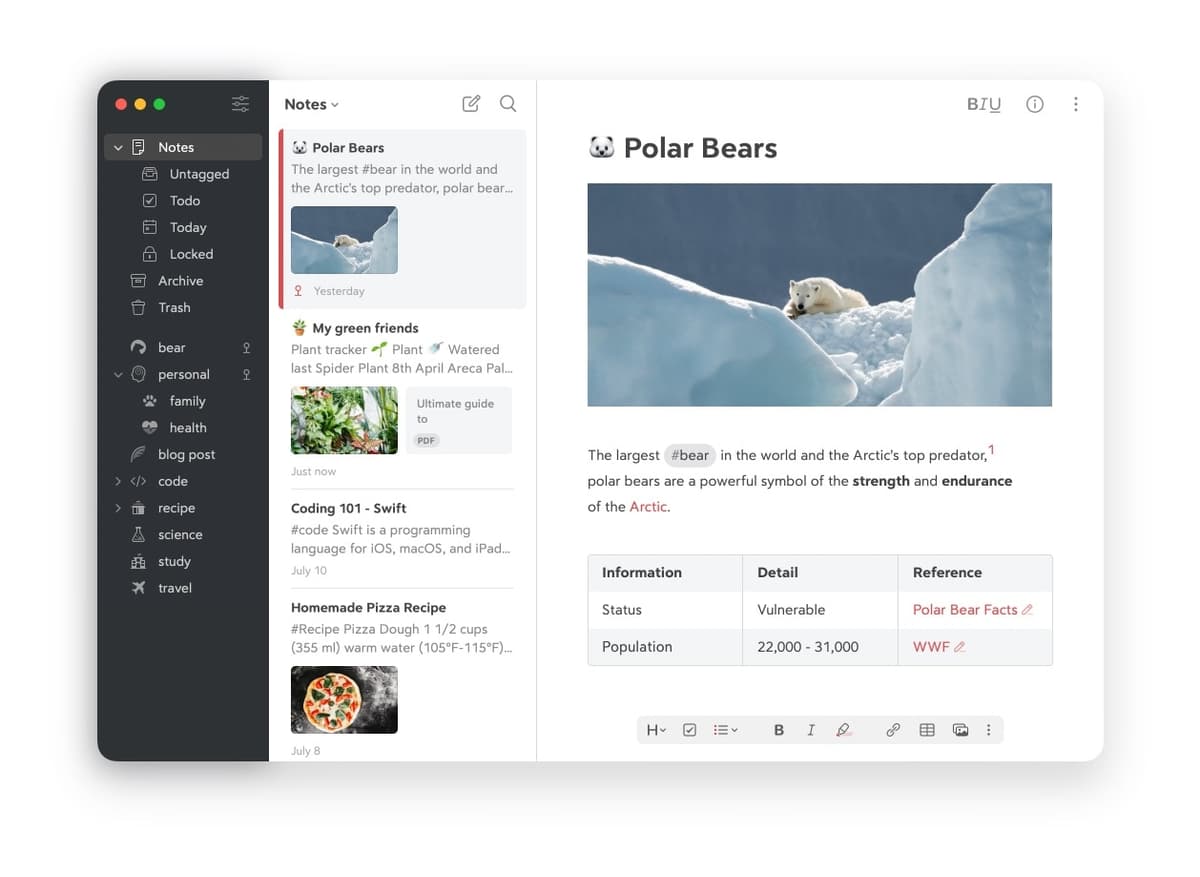
Bear keeps the writing surface focused. Bear supports Markdown, hashtags, and smooth sync without Obsidian's setup burden.
What makes it simpler:
- Clean, focused interface
- Hashtags instead of folders
- No plugins or themes to manage
- Just write, it handles the rest
What you might miss:
- Windows/Android support
- Advanced backlinks
- Plugin extensibility
- Full free usage
Bear fits Apple users who want clean Markdown notes without plugin work. The free tier covers basic use, while Pro costs $2.99 per month or $29.99 per year. For a head-to-head, Bear vs Obsidian tests both on the same workloads.
5. Capacities: Object-Based Notes
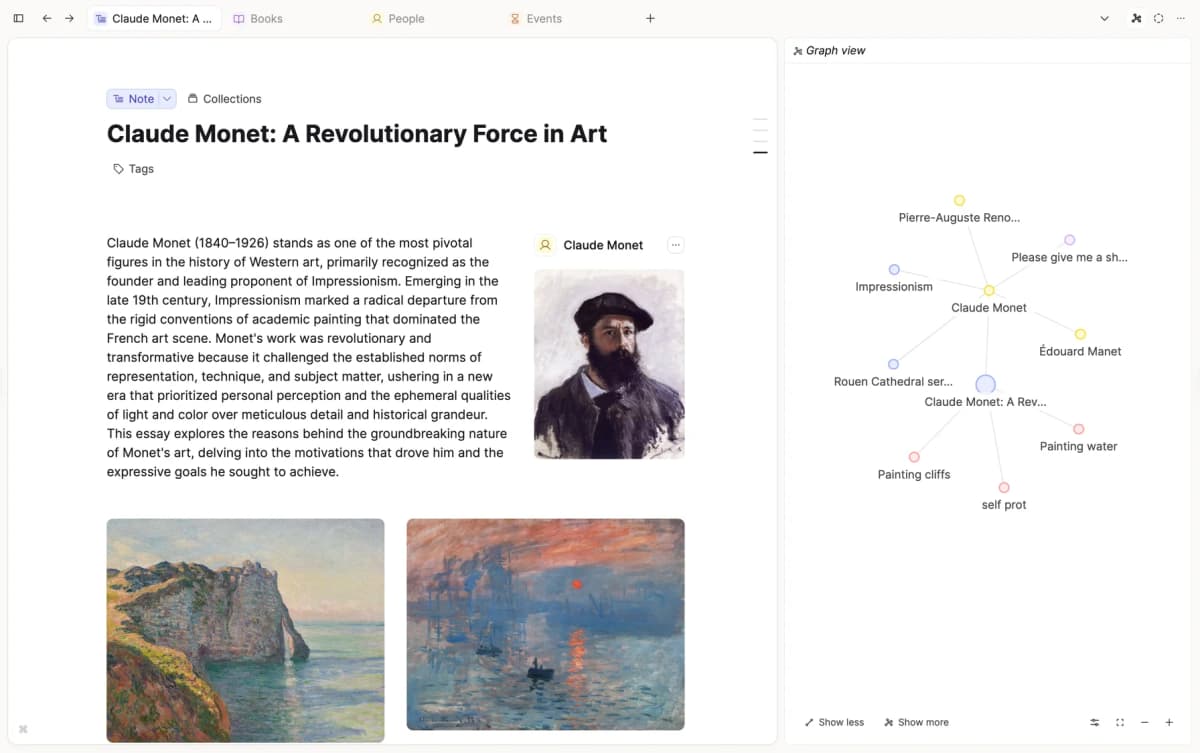
Capacities organizes by objects such as books, people, projects, and concepts. Think of an object as a reusable note type. That can feel easier than choosing a folder for every note.
What makes it simpler:
- Note types guide where notes go
- Daily notes for frictionless capture
- Visual graph is automatic
- Gentler learning curve than Obsidian
What you might miss:
- Local storage
- Plugin library
- Advanced queries
- Full Markdown control
Capacities fits people who think in "things" more than documents. A free tier is available, while Pro starts at $9.99 per month. For a head-to-head test, see Obsidian vs Capacities.
6. Reflect: Built-In AI
Reflect combines backlinks with built-in AI help, so you get a polished app without adding plugins.
What makes it simpler:
- AI assistant built in
- Clean, modern interface
- Private sync by default
- No plugin management
What you might miss:
- Free tier
- Plugin control
- Large community
- Offline-first approach
Reflect fits users who want AI help without building an Obsidian plugin stack. It has no free tier and costs $10 per month. Test its export and mobile workflow before moving a large local vault.
7. Logseq: Structured Local Outlines
Logseq is close to Obsidian in philosophy, but every note is made of bullets. That default form limits choices in a helpful way.
For the Roam-side framing, see Obsidian vs Roam Research. For the broader option set, see Logseq alternatives.
What makes it simpler:
- Bullets provide a default format
- Less blank-page paralysis
- Open source and local-first
- Built-in flashcards and queries
What you might miss:
- Traditional document format
- Obsidian's larger community
- Some advanced plugins
- Polish in certain areas
Logseq fits Obsidian users who like local linked notes but want more built-in structure. It is free and open source. For the head-to-head, see Obsidian vs Logseq.
Other Options for Narrower Needs
These tools did not make the top seven. Some solve narrow jobs. Some are small projects. Some are plain writing apps. Check them if the main picks miss your needs.
- Standard Notes fits private writing and encrypted notes, but its limited graph features make it less useful for connected research.
- Joplin keeps Markdown and local files in a standard app shell. It is simpler than a tuned Obsidian vault, although sync still needs configuration.
- Simplenote provides fast plain-text notes across devices. Treat it as an inbox or light journal rather than a knowledge graph.
- QOwnNotes fits users who want local Markdown and open-source control without Obsidian's plugin culture.
- TriliumNext supports self-hosted nested notes and custom fields. It offers more control than most simple apps, but requires more setup.
- SoloMD provides a quiet Markdown writing, preview, and file-control surface. Choose another app if backlinks and graph navigation matter.
- FocusWriter removes distractions for drafting. Use a separate app for links, retrieval, and long-term note management.
Simplicity and Features Compared
Use this table as a quick filter. Pick the app that removes your main Obsidian pain point, then check the sections above for what you give up.
| App | Setup Time | Linking | AI | Graph View | Price |
|---|---|---|---|---|---|
| Atlas | Minutes | Auto | ✓ | ✓ | Free/$20/mo |
| Notion | ~1 hour | Manual | ✓ | ✗ | Free/$10/mo |
| Apple Notes | Zero | Basic | ✓ | ✗ | Free |
| Bear | Minutes | Tags | ✗ | ✗ | $2.99/mo |
| Capacities | ~30 min | Auto | Limited | ✓ | Free/$9.99/mo |
| Reflect | Minutes | Manual | ✓ | ✓ | $10/mo |
| Logseq | ~1 hour | Manual | Plugins | ✓ | Free |
Table 1: Setup, links, AI, graph view, and price for each simple pick.
Choose an App by Your Main Problem
Start with the exact part of Obsidian that slows you down. Plugin maintenance, Markdown syntax, manual linking, device support, and distraction each point to a different replacement.
Test the shortlist with one active project before moving the vault. Capture a new note, retrieve an older idea, follow a link, and export the project so you can see whether the simpler workflow preserves the parts you need.
- Too much manual organization: Choose Atlas for AI-connected sources or Capacities for guided object types.
- Mixed devices: Choose Notion for broad device support; choose Apple Notes if every device is from Apple.
- Linked notes without Markdown syntax: Choose Notion or Capacities.
- Local notes with more built-in structure: Choose Logseq for its outline-first format.
- Focused writing: Choose Bear on Apple devices or Reflect across platforms.
- Built-in AI: Choose Atlas for cited source work or Reflect for general linked notes.
What to Check Before Switching
Before moving your vault, check what the simpler app removes, how your files will migrate, and whether Obsidian already fits the parts of note-taking you value most.
What Simpler Apps Remove
Most Obsidian alternatives give up at least one of these strengths:
- Local files: Most simpler apps live in the cloud. Logseq and Obsidian keep local files.
- Plugins: Obsidian has more than 1,000 plugins; simpler apps usually offer fewer add-ons.
- Full control: Simpler tools make organizational decisions for you, which reduces setup but also limits customization.
- Community help: Obsidian has a large collection of templates, guides, and support threads. Smaller tools offer fewer examples.
- Portable data: Obsidian stores Markdown files you control, while many other apps use their own file formats.
How to Move Your Notes
If you're moving from Obsidian, here's how to transition:
Step 1: Export Your Notes
Obsidian stores plain Markdown. Many other apps can import those files. Some need a small cleanup step.
Step 2: Don't Migrate Everything
Start fresh in the new tool. Only bring notes you reference. Most second brains are 90% never-accessed content.
Step 3: Give It Time
Use the new tool for 2-4 weeks before judging. A simpler app can feel limiting at first. Often, it is enough.
Step 4: Use the New App's Model
Don't try to recreate your Obsidian setup. Each tool has its own philosophy. Use the new app's native model and drop the parts of your old vault that created maintenance work.
When to Keep Obsidian
Keep Obsidian if:
- You enjoy tuning your setup
- You need a specific plugin
- Local files are essential
- You have already learned it
- Your vault is large and well organized
Obsidian is only a problem if it stops you from taking notes.
If you are also leaving Roam, see our guide to finding the right Roam Research alternative.
Three-Year Cost
Setup time is not the only hidden cost. Sync, mobile editing, and AI features push the sticker price up over three years. Here is a realistic per-person total for each pick.
| App | Year 1 | Year 2 | Year 3 | 3-Year Total | Notes |
|---|---|---|---|---|---|
| Obsidian + Sync | $96 | $96 | $96 | $288 | Reference baseline |
| Atlas Pro | $240 | $240 | $240 | $720 | AI inference included |
| Notion Plus | $96 | $96 | $96 | $288 | $8/mo billed annually |
| Apple Notes | $0 | $0 | $0 | $0 | Free with any Apple device |
| Bear Pro | $30 | $30 | $30 | $90 | Annual plan |
| Capacities Pro | $96 | $96 | $96 | $288 | $7.99/mo billed annually |
| Reflect | $120 | $120 | $120 | $360 | $10/mo, no free tier |
| Logseq | $0 | $0 | $0 | $0 | BYO sync via iCloud, Git, or Syncthing |
Table 2: Three-year cost for each app with common paid add-ons.
Bear's annual plan is $29.99/year on the App Store. It is the cheapest paid option if you stay inside Apple. Reflect publishes a $10/mo flat rate. Atlas costs more because AI search, source maps, and cited answers are bundled into the subscription.
Privacy and Data Handling
The "simpler" frame is mostly about UX, but data rules differ. Ask three questions before switching. Where do notes live? Are they locked at rest? Can the vendor read them?
| App | Storage | E2EE | Export Format | Notes |
|---|---|---|---|---|
| Atlas | Cloud | No | Markdown | Review current privacy terms before uploading sensitive notes |
| Notion | Cloud | No | Markdown, HTML | Privacy policy |
| Apple Notes | iCloud | Optional via ADP | RTFD, PDF | E2EE only with Advanced Data Protection on |
| Bear | iCloud | Inherits Apple | Markdown, BearNote | Notes live in your iCloud |
| Capacities | Cloud | No | Markdown | Privacy policy |
| Reflect | Cloud | Yes | Markdown | E2EE confirmed in privacy doc |
| Logseq | Local files | Via Git/iCloud | Markdown/Org | Same posture as Obsidian |
Table 3: Where notes live, encryption, and export choices.
Reflect is the only cloud app here with end-to-end encryption on by default. Bear and Apple Notes use Apple's iCloud model. iCloud protects data in transit and at rest. It is not end-to-end encrypted unless you turn on Advanced Data Protection. If your notes contain client work or private material, privacy should matter more than polish.
Long-Term Risks of Simpler Apps
A simpler interface can create new limits after the library grows. Test linking, mobile access, search, and export before committing important notes.
Limits That Appear Later
Picking a simpler tool solves the setup problem. It can create a new problem later. Plan for three patterns.
Bear's hashtag model works until you need links between two specific notes. Apple Notes links in one direction and does not surface backlinks. If you outgrow these, Markdown export helps, but the missing link history is gone.
Mobile apps can lag desktop apps. Capacities is strongest on desktop. Reflect starts from mobile. Its desktop app is simpler by design. Test the platform you use most before committing.
Large libraries expose weak search. Many simpler tools feel best under 5,000 notes. If you expect to pass that size soon, test search before migrating.
Common Migration Failures
The migration loop is common. A new tool feels simple because you have not filled it yet. Commit to one tool for at least a year before reconsidering.
Setup creep can return. Bear and Capacities still let you build complex systems. If you recreate your old vault inside the simpler tool, the tool was not the real problem.
Export quality is easy to overestimate. Markdown export can lose dates, files, or app-only fields. Test export before moving important notes.
What Long-Term Use Looks Like
The case for Obsidian depends on year three, not month one. The case for simpler apps should use the same test. Long-term users show a few clear patterns.
People who stayed with Apple Notes for two years use it as a fast inbox and search box. They keep a few folders. They rarely use links. Their note library is smaller than they expected because they delete more often. They report no regret about lost features.
People who stayed with Bear for two years lean on tags more than they expected. They accept the Apple-only limit as part of the deal. The clean editor mattered more than backlinks because writing was the real job. They moved photos and PDFs to Apple Files, then kept Bear for prose.
People who stayed with Capacities for two years say the object model is the main reason. Books, people, and projects each get a clear home. Graph view feels nice but not essential. Some users hit speed limits past about 8,000 objects.
People who stayed with Logseq for two years are mostly former Roam users who wanted local files. They use the outliner format for everything and stopped trying to convert it into prose. The flashcard feature became central or irrelevant within the first month, with little middle ground.
The common thread is simple. The tool stopped being interesting and became invisible. Leaving Obsidian paid off when the new app no longer demanded attention.
Final Shortlist Test
If your real pain is manual linking, test that job directly. Put one project into your shortlisted app and ask whether you can find the right note without remembering where you filed it. Use this final check to avoid picking a tool that solves the wrong problem.
| If your main Obsidian pain is... | Test this before switching |
|---|---|
| Too much setup | Can the new app feel useful on day one? |
| Manual linking | Can it connect related notes without chores? |
| Lost source context | Can it show the source behind an answer? |
Table 4: Quick tests for each Obsidian pain point.
For the Atlas path, start with the connected-notes workflow. Compare simpler connected note apps, including their backlinks, graph views, AI connections, and prices. Then check whether cited answers and a map view replace the manual graph work you were doing in Obsidian.
AtlasCompare simpler connected note apps
See eight apps compared on backlinks, graph views, AI connections, and pricing.
Frequently Asked Questions
Yes. Logseq, Capacities, and Reflect all offer backlinks with less complexity. Apple Notes and Bear have basic linking. Atlas creates connections automatically using AI.