

AtlasAsk cited questions over your notes in Atlas
Ask grounded questions across notes, then inspect the cited evidence.

Quick verdict
The best tool depends on the notes you have. Mindgrasp cleans up messy or pasted notes. Knowt turns study PDFs into notes and quizzes. NoteGPT handles lectures, PDFs, and visual notes in one place.
Evernote can summarize notes already in your account. Summary AI works with recorded conversations. Sharly adds page references to document summaries. QuillBot shortens text you paste into it. MindMap AI turns a note PDF into an editable map.
Atlas is useful when your notes and sources are already in a project. You can ask a question about them and open the exact passage behind the answer. This helps when you need to check where a claim came from. Always compare an AI summary with the original note, PDF, or recording before you reuse a number or quote.
Choose a note summarizer by input type
First, identify the material you want to summarize. A tool that handles pasted text may not accept audio or preserve PDF page numbers.
Messy or pasted notes
Mindgrasp turns rough notes into an organized summary and a list of action items. It suits shorthand, incomplete meeting notes, and text with little structure.
PDFs and study material
Knowt and NoteGPT accept uploaded PDFs. Knowt creates notes, quizzes, and follow-up questions for study. NoteGPT also works with lectures and other documents.
Notes you already keep in Evernote
If your notes are in Evernote, you can summarize them without exporting them. Evernote offers paragraph, bullet, meeting, and email formats.
Meeting or lecture recordings
Summary AI records and transcribes conversations. It then creates structured notes with decisions and action items.
Documents that need page references
Sharly summarizes PDFs, articles, and other documents. It includes page references and can compare several documents.
Notes you'd rather see as a map
MindMap AI turns an uploaded note PDF into a mind map with chapter summaries. This format can make links between ideas easier to see.
Notes or sources that need cited follow-up
Atlas helps you check claims before they enter a report. Add Markdown notes or source files to a project, then use an @mention to choose which ones Atlas should read. Each answer has a citation badge that opens the supporting passage.
Note summarizer AI tools compared
Use this table to match each tool to your material and desired result. Check current pricing and storage limits on the product site.
| Tool | Best-fit input | Useful output | Evidence or citation support | Claim to verify before choosing |
|---|---|---|---|---|
| Atlas | Notes or sources already added to a project | Source summaries and grounded answers | Citation badges link to the exact source passage | Does not record meetings or transcribe audio itself |
| Mindgrasp | Messy or pasted notes, uploaded documents | Clean summary and action items | No built-in citation inspection | Check current file types and free-tier limits |
| Knowt | Uploaded PDFs for students | Notes, practice quizzes, AI questions | Ties output back to the uploaded file | Confirm current upload limits and file types |
| NoteGPT | Lectures, PDFs, general study material | Summaries, visual notes, translation, AI chat | All-in-one assistant, citation inspection outside its scope | Refresh pricing and privacy claims before relying on them |
| Evernote | Notes stored in an Evernote workspace | Paragraph, bullet, meeting, or email-style summaries | In-workspace only, external citations outside its scope | Confirm whether it covers external uploads too |
| Summary AI | Meetings, calls, recorded conversations | Transcript, structured summary, decisions, action items | Timestamp search back into the recording | Check current recording-consent rules |
| Sharly | PDFs, articles, documents, audio | Custom summaries with page-number citations | Page references tie each point to a page and flag overlap across documents | Confirm file-format support before uploading a regulated document |
| QuillBot | Text already typed or pasted | Paragraph or bullet summary, adjustable length | No source-citation layer | Confirm current free-word limit |
| MindMap AI | Uploaded note PDFs | Editable mind map with chapter summaries | Ties nodes back to the uploaded file | Confirm current file-size limits |
Table 1: Use the last column as a checklist before you sign up or upload private material.
What to look for
Check these six points before you choose a tool:
- Accepted material: Can you upload pasted text, Markdown notes, PDFs, scans, or audio?
- Result: Do you need a paragraph, bullet list, action items, quiz, or mind map?
- References: Does each claim link to a page, passage, or timestamp?
- Easy checking: Can you move from the summary back to the original source?
- Private material: Do the storage and privacy terms fit your work?
- Several sources: Can the tool compare notes or claims across more than one file?
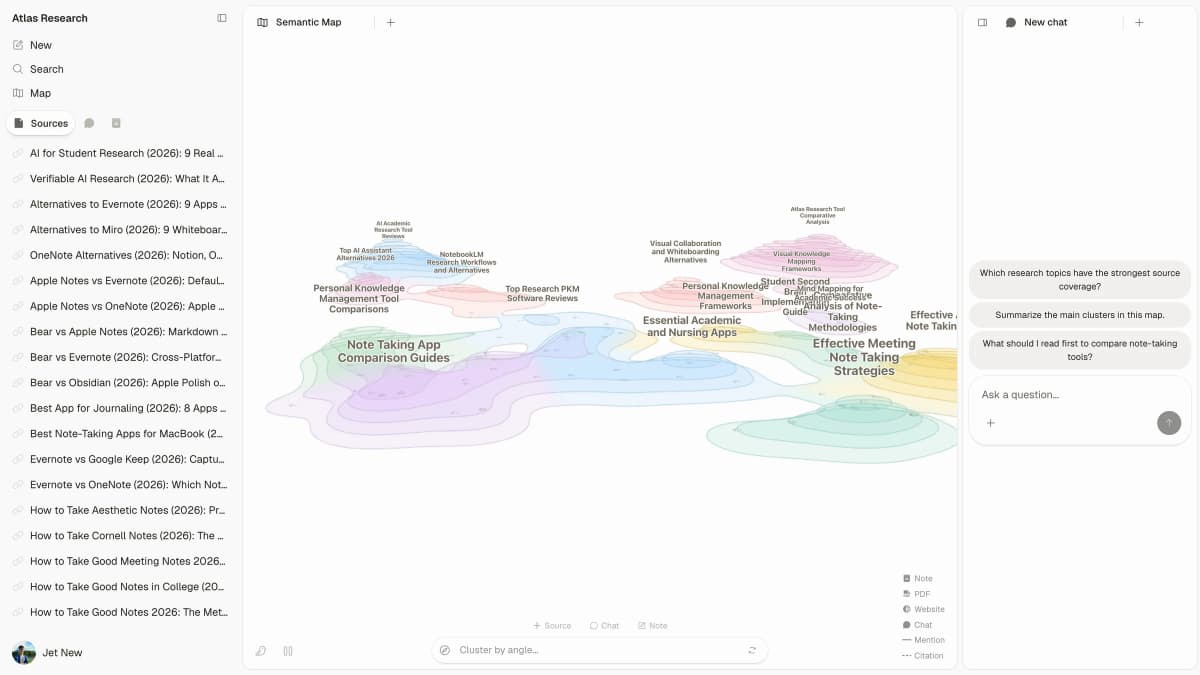
Where Atlas fits for cited notes
Atlas lets you ask questions about notes and sources stored in one project. Use this process when you need to check the evidence behind an answer:
- Add your Markdown notes to a project. If the notes came from a PDF, webpage, or paper, add that original source too.
- Wait for Atlas to process the source.
- Use an @mention to choose the note or source that Atlas should read.
- Ask a specific question about a claim, number, or conclusion.
- Open the citation badge linked to the answer.
- Read the full passage around the citation.
- Save only the part of the answer that the passage supports.
For example, a client-call note may list a budget as confirmed. Ask Atlas what the source says about that number. Open the cited passage and check the sentences around it. If the client said the budget was only an estimate, keep that condition in your note.
A note written from memory is your interpretation. It is not the same as the original evidence. Atlas can answer questions about that note, but its citation only shows what you added. Add the original source when you need to verify the claim itself.
Best note summarizer AI tools
1. Atlas
Atlas works with notes and sources stored in a project. Add Markdown notes, PDFs, webpages, or papers. Then ask a question and open the citation before you reuse the answer. Atlas does not record meetings, transcribe audio, scan paper, or replace a full note-taking app. Use it after your notes or sources are in a digital file.
2. Mindgrasp
Mindgrasp turns messy notes and uploaded documents into a summary and action items. It can organize incomplete work notes or notes typed quickly during a call. Check its current file types, length limits, and free plan before uploading a document.
3. Knowt
Knowt's PDF summarizer turns an uploaded PDF into notes, practice quizzes, and questions. It is best suited to exam preparation and coursework. Check its current upload limits and file types before adding a large PDF.
4. NoteGPT
NoteGPT combines lecture and PDF summaries with visual notes, translation, and AI chat. It suits students who want one app for several kinds of study material. Check its current price, usage limits, and privacy terms before adding private material.
5. Evernote
Evernote's AI summarizer works inside an Evernote account. It can create paragraph, bullet, meeting, and email summaries without an export step. Check whether the current version also accepts files stored outside Evernote.
6. Summary AI
Summary AI records speech and turns it into text. It lists key points, choices, and tasks. Time markers help you check a claim without replaying the full meeting. Check local consent laws and device support before you record other people.
7. Sharly
Sharly summarizes PDFs, articles, documents, and audio. It adds page references and can compare several documents. This can help with research or legal reading. Check its current file support and integrations before choosing it.
8. QuillBot
QuillBot shortens text you type or paste. You can choose a paragraph or bullet list and adjust the length. It suits typed meeting recaps and blocks of research notes. Check its current free word limit and file-upload support.
9. MindMap AI
MindMap AI turns a note PDF into an editable mind map with chapter summaries. It can help you connect themes across long lecture notes. Check its current file-size limit and export formats.
How to verify an AI note summary
Monash University advises students to check AI summaries against their own notes and source material. The method below uses the original source as evidence. Follow it before you cite, share, or act on a summary:
- Find the original note, PDF, transcript, or recording the summary was built from.
- Compare each key claim with the source.
- Check every number, date, and quote.
- Look for warnings or conditions that the summary left out.
- Keep your own notes separate from statements in the source.
- For high-stakes work, treat the summary as a draft until you have checked the source.
A review of AI summary tools also groups them by what they can read. A good match can save time, but you still need to check an important claim.
Which note summarizer AI should you choose?
Match the tool to your material:
-
Use Atlas when you need to ask questions across notes and open the source passage behind an answer.
-
Use Mindgrasp when the input is messy or pasted notes that need organizing.
-
Use Knowt when the input is a PDF and the output should be study material.
-
Use NoteGPT when you want one assistant across lectures, PDFs, and visual notes.
-
Use Evernote when your notes already live in an Evernote workspace.
-
Use Summary AI when the input is a meeting or recorded conversation.
-
Use Sharly when you need page-cited summaries across documents.
-
Use QuillBot when the input is text you've already typed or pasted.
-
Use MindMap AI when you'd rather see a map of related ideas than a paragraph. If your needs are broader, compare AI document summarizer tools, AI transcript summarizer tools, or smart note-taking apps. Check important claims against the original source before you use them.
Ask cited questions over your notes in Atlas
Ask grounded questions across notes, then inspect the cited evidence.