
Obsidian vs OneNote (2026): Markdown Notes or Free Canvas?
Obsidian vs OneNote 2026: pricing, structure, stylus, sync, plugins, AI. Clear tradeoffs across 8 criteria, plus when an AI-native workspace fits better.
- Byline

Summary
In 2026, use Obsidian for local markdown, backlinks, plugins, and typed knowledge bases. Use OneNote for free canvas notes and handwriting.
The guide covers price, structure, pen use, sync, plugins, AI, search, and Atlas.
Obsidian fits users who write more than they draw, while OneNote fits users who draw or handwrite more than they type.
Atlas becomes relevant when uploaded notes need mind maps and answers across source material.
Obsidian and OneNote are both strong note apps. They just fit different habits. The real choice is capture surface vs knowledge spine. OneNote is the better capture surface because it is fast, loose, visual, and easy to share. Obsidian is the better knowledge spine because it is plain text, linkable, local, and built for work you revisit. The break point is evidence: when notes must prove claims from source files, neither app should be the final layer. This guide compares price, structure, ink, search, plugins, sync, AI, and lock-in.
We scored six common workflows against three axes we use for note-tool reviews. The axes are capture speed, knowledge reuse, and team drag. The rubric is editorial and based on workflow review, so it should not be read as a lab benchmark. It helps avoid the usual mistake of ranking apps by feature count.
| Workflow test | Obsidian score | OneNote score | What the score means |
|---|---|---|---|
| Fast class or meeting capture | 2/5 | 5/5 | Pen and loose layout matter most. |
| Long-term idea reuse | 5/5 | 2/5 | Links and plain files matter most. |
| Shared team notes | 2/5 | 5/5 | Co-editing and permissions matter most. |
| Research source synthesis | 3/5 | 2/5 | Both need help once citations matter. |
Table 1: Workflow scores for Obsidian and OneNote across capture, reuse, collaboration, and source-backed research.
For wider context, see Notion vs Obsidian and our personal knowledge management guide.

 Atlas
AtlasAsk cited questions across research sources
Upload notes and PDFs, then trace each answer to its original passage.
Obsidian vs OneNote at a glance
Use this table to spot the main split fast: Obsidian wins text control, while OneNote wins pen work. For a wider app list, see our second-brain apps guide.
| Criterion | Obsidian | OneNote | Winner |
|---|---|---|---|
| Free tier | Unlimited personal use, local-first | Unlimited notes, 5 GB OneDrive | Tie |
| Paid from | $50/yr commercial, $8/mo Sync, $10/mo Publish | $9.99/mo (in MS 365 Personal) | depends on use |
| Structure metaphor | Markdown graph + bidirectional links | Sections + pages, freeform canvas | depends on use |
| Stylus + ink | Limited via plugins | Pen-first, palm rejection | OneNote |
| Plugins / extensibility | 1,800+ community plugins | Limited add-ins | Obsidian |
| Sync + offline | Local-first, paid Sync optional | OneDrive sync, offline desktop | Tie |
Table 2: Quick feature comparison for Obsidian and OneNote across pricing, structure, ink, plugins, and sync.
Pricing verified May 2026 from each vendor's public pricing page.
Obsidian vs OneNote by feature
The 9 comparison criteria
The two tools improve opposite workflows.
Both have real free tiers. Obsidian is free for personal use, then charges for optional Sync, Publish, and commercial support. OneNote is free with a Microsoft account and is also bundled with Microsoft 365.
The structure choice is graph or canvas. Obsidian builds a web of Markdown notes with backlinks. OneNote gives you pages, sections, and a free canvas where text, ink, and images can sit anywhere.
OneNote is the stronger pen app. It has palm rejection, ink-to-text on supported desktop flows, drawing tools, and lasso selection. Obsidian is text-first. The Excalidraw plugin adds drawing, but it does not turn Obsidian into a lecture-notes app.
Obsidian search is fast and queryable via Dataview. OneNote search includes OCR for images and handwriting.
Obsidian has 1,500+ community plugins. OneNote has fewer add-ins, but it fits well with Microsoft 365 and Power Automate.
Obsidian Sync is end-to-end encrypted. You can also sync the vault with iCloud, Dropbox, or Git. OneNote syncs through OneDrive and keeps desktop notebooks usable offline.
OneNote can use Microsoft Copilot with the right license. Obsidian uses community AI plugins, so setup and quality vary.
Obsidian stores plain Markdown files locally. OneNote stores notes in OneDrive in a proprietary format.
Pricing: where the money goes
Obsidian is free for personal use, with a $25 Catalyst tier for early access and supporters. Commercial support is $50/user/year. Optional add-ons:
- Obsidian Sync: $4/month billed yearly, or $5 billed monthly, with end-to-end encrypted sync and version history.
- Obsidian Publish: $8/month billed yearly, or $10 billed monthly, to host your vault as a public website.
OneNote is fully free with a Microsoft account, no time limit, no note count limit. Microsoft 365 Personal at $9.99/month bundles OneNote with Word, Excel, PowerPoint, and 1 TB OneDrive. Microsoft 365 Family at $12.99/month covers up to 6 people. Microsoft 365 Copilot for businesses is $30/user/month, Copilot Pro for consumers is $20/month.
For a solo user, both can be free. For a power Obsidian user with Sync, the realistic cost is $48/year on annual billing. For a OneNote user who wants AI, the cost starts with Microsoft 365 or a Copilot plan.
Structure: graph vs canvas
This is the single biggest difference and the one most comparisons skip.
Obsidian is a graph of Markdown notes. Every file is a .md file on your disk. Every [[link]] creates a two-way link. The graph view renders your vault as a visual network. Tags, folders, and properties add structure when you need it. The result is a fast knowledge web that can scale to tens of thousands of notes.
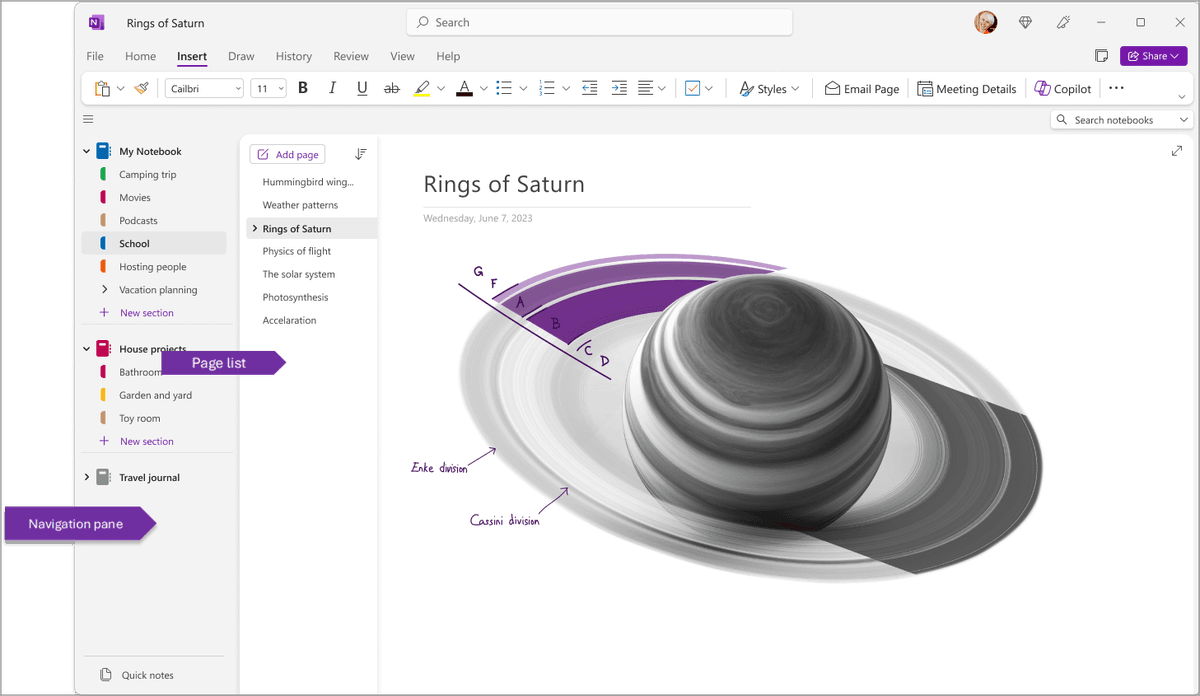
OneNote is a set of freeform pages. A page acts like paper. You click anywhere, type, drop an image, or draw with a pen. Notebooks contain sections, and sections contain pages. There is no graph and no link database.
For research, writing, and technical notes, the graph is stronger. It helps ideas link over time. For lectures, meetings, and sketches, the canvas is easier. It lets you put ink, text, and images where they belong.
Stylus and ink: OneNote's home turf
OneNote's stylus support is its clearest win. On Surface, iPad, and Wacom tablets:
- Palm rejection is reliable across years of refinement.
- Ink-to-text converts handwritten English, Japanese, and dozens of other languages in 1 click.
- Ink to math and diagram tools clean up rough pen work.
- Lasso selection moves and resizes ink as a unit.
Obsidian is a Markdown editor first. The Excalidraw plugin adds whiteboard-style drawing and works well for diagrams. It is still not the same as inking lecture notes on an iPad. Obsidian has no native ink-to-text and no app-level palm rejection.
If you handwrite more than you type, OneNote wins decisively.
Search: Obsidian's home turf for typed notes
Obsidian search is fast, operator-rich, and built for typed Markdown.
- Operators:
file:,tag:,path:,line:,block:,task:, regex. - Dataview plugin: SQL-like queries that treat your vault as a database. Build a "notes about machine learning created in 2025" view in 1 query.
- Search-and-replace across the vault with previews.
OneNote search indexes typed text, ink, and image OCR with no setup. The tradeoff is depth. In large notebooks, search can feel slower than a local Obsidian vault, and it lacks Obsidian's query tools.
If your notes are mostly typed Markdown, Obsidian wins. If you scan docs or write by hand, OneNote search is more useful.
Performance and speed
The speed difference is not just "local vs cloud." It is where delay shows up.
Obsidian keeps each note as a small local file. Opening a vault, jumping between files, and searching typed notes usually feels instant because the work happens on your device. The slow points are self-inflicted: too many plugins, heavy themes, or large Dataview queries.
OneNote feels fast while you capture. You can open a page, write anywhere, and paste images with little thought. The slow points tend to show up later, during sync, search, and export. A large notebook with images, ink, and PDFs depends more on OneDrive health and app cache state.
The practical benchmark is simple. If speed means "open and write now," OneNote is hard to beat. If speed means "find an old typed note and reuse it," Obsidian usually wins. If speed means "answer a question from five source files," both need an AI research layer.
Plugins: Obsidian's moat
Obsidian has 1,500+ community plugins as of 2026. Start with these groups:
- Dataview for saved queries across your vault.
- Templater for daily notes, meeting notes, and project pages.
- Excalidraw for whiteboard-style drawing.
- Smart Connections and similar tools for AI add-ons.
- Calendar and Periodic Notes for daily or weekly logs.
- Kanban for project boards inside the vault.
- Obsidian to Anki to turn notes into flashcards.
OneNote connects through Microsoft 365, Power Automate, and Microsoft Graph. That makes it useful at work, but less open to personal tweaks.
If you like extending tools, Obsidian wins. If you want a single polished default, OneNote wins.
Sync and offline
Obsidian keeps files on your device first. You can sync it three ways:
- Obsidian Sync at $4/month billed yearly: encrypted, official, with file history.
- iCloud Drive or Dropbox: free, broad app support, but tied to the cloud provider.
- Git: free and precise, but hard on mobile.
Offline access is automatic because the vault lives on disk.
OneNote syncs through OneDrive with any Microsoft account. The desktop app keeps the notebook local and works offline. Mobile keeps recent pages.
If privacy is the top concern, Obsidian's local files and encrypted Sync win. If you want setup-free sync, OneNote wins.
AI features in 2026
OneNote integrates with Microsoft Copilot. With a paid Copilot plan, it can sum up a page, draft text, and pull from Outlook, Teams, and OneDrive. That helps at work, but it is costly for many solo users.
Obsidian does not ship native AI. Plugins like Smart Connections, Copilot for Obsidian, and Text Generator connect to OpenAI, Anthropic, or local models such as Ollama. You bring your own API keys. Setup takes work.
Neither tool builds a cited, queryable knowledge graph out of the box. If you need answers that point back to PDFs, notes, and sources, you need a research workspace. A note editor is not enough.
When neither is right: AI-native knowledge workspaces
Both Obsidian and OneNote treat your notes as containers. You store information, then find it by browsing, searching, or following links. Obsidian's graph helps, but you still create the links. OneNote pages sit inside sections. Neither app answers questions across a full source library with citations.
Atlas is an AI-native knowledge workspace designed for that gap. Three differences worth knowing:
- Cited answers link each answer to the notes and sources behind it.
- Mind maps from sources show links across notes, web clips, and PDFs.
- Compounding context means each new note can improve later answers.
Atlas Pro is $20/month and is privacy-first. Atlas is the product behind this blog. If local Markdown is required, Obsidian is right. If a free Microsoft notebook is the fit, OneNote is right. Atlas is right when cited synthesis matters more than the editor.
Decision path
- Do you take handwritten notes regularly? OneNote.
- Do you want local-first Markdown with backlinks and plugins? Obsidian.
- Do you need cited answers across sources? If yes, finish the note-app decision first, then use a separate research layer for those sources.
- Default pick: use OneNote if cost is the key issue. Use Obsidian if file control matters.
For research, Obsidian is the better base if you write long notes and link ideas. OneNote is better if class notes, ink, and sketches dominate. For team notes, OneNote often wins because sharing is built in.
For adjacent comparisons, read Notion vs Obsidian, Notion vs OneNote, and OneNote alternatives.
Long-term ownership and team fit
Portability and lock-in
Obsidian wins on portability. Your vault is a folder of plain .md files. You can read them in any text editor and search them with any file tool. You can also track them in Git. Leaving Obsidian is easy if your notes are mostly text.
OneNote stores notes in a proprietary format inside OneDrive. You can export to PDF, Word, or a OneNote package. Large exports often lose detail, especially ink and embedded media. The lock-in is real, though Microsoft is unlikely to disappear.
Learning curve and collaboration
Obsidian asks for more setup on day one. A new user has to choose folders, learn links, pick plugins, and decide how to sync. The upside comes later. Once the vault has rules, templates, and saved queries, it bends to your work.
OneNote is easier in the first hour. Most people already understand notebooks, sections, and pages. If your team lives in Microsoft 365, sharing a notebook also feels natural. Real-time co-authoring and OneDrive permissions are built in.
Collaboration is the biggest team gap. OneNote is better for shared meeting notes, class notebooks, and project pages that several people edit. Obsidian can share vaults through Sync or Git. It still feels more like a solo system unless the team is technical.
Here is the simple rule. Choose OneNote for shared capture. Choose Obsidian for private knowledge work. Add a research workspace when the hard part is proving claims from sources.
Business model and the Notion middle ground
The funding model explains why these apps feel so different.
Obsidian sells optional paid services around a local app: Sync, Publish, and commercial support. That model rewards a strong core app and a large plugin base. It also means many advanced features come from the community instead of a central product team.
OneNote is part of Microsoft 365. That model rewards broad default use across schools, teams, and companies. The app does not need a huge plugin store because it is useful as a built-in part of Outlook, Teams, OneDrive, and Windows.
Notion sits between them. It is more structured than OneNote and easier to share than Obsidian, but it is cloud-first and less portable than a folder of Markdown files. If you want databases, docs, and team pages in one place, compare Notion before you choose either tool.
Choose by workflow
Decision guide by workflow
Use this workflow table after the feature table. It maps each choice to the job the tool handles best.
| Workflow | Pick | Why |
|---|---|---|
| Handwritten lecture notes | OneNote | Pen, canvas, and class flow matter more than backlinks. |
| Long research notes | Obsidian | Plain files and links help ideas build over months. |
| Shared team meeting notes | OneNote | Co-editing and Microsoft sharing are already there. |
| Personal knowledge base | Obsidian | Local files, tags, links, and plugins keep it yours. |
| Client workshop or whiteboard capture | OneNote | Fast ink, images, and loose layout beat strict structure. |
| Source-backed writing | Obsidian plus Atlas | Use Obsidian for notes, then Atlas for cited answers from files. |
Table 3: Workflow-based recommendations for choosing Obsidian, OneNote, or Obsidian plus Atlas.
The trap is picking the tool with the most impressive demo. Obsidian demos can make you spend days tuning plugins, themes, and maps of content before you have enough notes to need them. OneNote demos can hide the cost of weak links: pages are easy to fill but harder to turn into a long-term web. Pick the app that removes work this week, then add structure only when the pain is real.
Plain English use cases
Pick Obsidian if your notes start as words. It is best when you read, write, tag, link, and come back months later. It works well for a thesis, a book plan, a code wiki, or a long-term idea bank.
Pick OneNote if your notes start in a room. It is best when you hear a talk, draw a quick box, mark up a slide, or share a page with a group. It works well for class notes, sales calls, team standups, and client work.
Do not pick either app just because it has more features. Pick the one with less drag in your daily work. If you will not link notes, the graph is waste. If you will not use a pen, the canvas is less of a win.
When to pick Obsidian
- You write more than you draw, and your notes are mostly typed.
- You want a local-first, plain-file vault you control.
- You value bi-directional links, the graph view, and the 1,500+ plugin ecosystem.
- You are willing to invest a few hours in setup and customization.
- Privacy, portability, and longevity matter to you.
When to pick OneNote
- You take handwritten notes regularly on iPad, Surface, or Wacom.
- You want a free tool with zero setup that works inside Microsoft 365.
- You think visually and prefer infinite canvas to structured pages.
- You photograph whiteboards or scan documents and need built-in OCR.
- You value Microsoft 365 integration with Outlook, Teams, and Word.
Cost, privacy, and migration
Three-Year Cost in Real Numbers
| Scenario | Obsidian | OneNote |
|---|---|---|
| Solo, free tier | $0 (free personal) | $0 (free with Microsoft account) |
| Solo with sync | $144 (Sync, $4/month x 36) | included in M365 Personal ($299.97 at $99.99/year x 3) |
| Solo with AI | bring own API key, ~$5-20/month | M365 Personal + Copilot $20/mo → $720 over 36 months |
| 5-person team | $750 (Commercial support $50/user/year x 3) | varies by Microsoft 365 business plan |
| Commercial support | $50/user/year | included only if the company already pays for M365 |
Table 4: Three-year cost scenarios for Obsidian and OneNote across solo, AI, and team use cases.
Per Obsidian's pricing page and Microsoft 365 pricing, the cost picture depends on context. For solo personal use, Obsidian is cheapest: free, with optional $4/month Sync on annual billing. For a company that already pays for Microsoft 365, OneNote may add no new line item. Obsidian's $50/user/year commercial support is the cost that teams often miss.
Privacy and Data Handling
| Property | Obsidian | OneNote |
|---|---|---|
| Encryption at rest | Local (your disk) | AES-256 (BitLocker on M365 backend) |
| Encryption in transit | N/A (offline) or TLS via Sync | TLS 1.2+ |
| End-to-end encryption | Yes (Obsidian Sync) | Per-section password (notebook-level) |
| Trains on your data | No (no cloud, no AI) | No (per Microsoft 365 commitments) |
| Data residency | Your machine | Multi-region (configurable on Enterprise) |
| Open file format | Yes (Markdown) | Partial (.one proprietary) |
Table 5: Privacy and data-handling differences between Obsidian's local files and OneNote on Microsoft 365.
Obsidian has the stricter default. Your notes stay on your device unless you add sync. Obsidian Sync adds end-to-end encryption with a passphrase you hold, so Obsidian's servers cannot read your notes. OneNote runs on Microsoft 365 infrastructure and can fit regulated teams that need broad compliance programs. For the highest personal privacy bar, Obsidian wins. For enterprise compliance, OneNote on Microsoft 365 wins.
Migration Between the Two
Moving from OneNote to Obsidian is possible, but not clean. OneNote does not export to Markdown directly. The usual path uses a third-party tool, such as OneNote2MD or ConvertOneNote2MarkDown, to convert .one files. Ink and handwritten notes often become images or get dropped. A 500-page notebook can take 4-10 hours to clean up after import.
Moving from Obsidian to OneNote is less common. Obsidian exports as Markdown, but OneNote does not import Markdown natively. The realistic path is manual copy and paste, or PDF export with lost editability. Most users who try this direction abandon it.
Next step for research sources
If the chosen note app later holds papers and reports that need cross-source checks, add Atlas only for that separate synthesis job. Upload the relevant sources, ask a question that requires more than one document, and open the cited passages before reusing the answer.
Real-World Workflows Compared
A typical Obsidian day starts in the vault. The Daily Notes plugin creates today's note. You capture meeting notes, link to project notes with [[wikilinks]], and run a Dataview query for open tasks. At the end of the day, you can commit the vault to Git for history. The pattern is do-it-yourself and plain text.
A typical OneNote day starts from Outlook or the OneNote app. A meeting invite can create a linked notebook page. During the meeting, you type anywhere, draw anywhere, and add images beside the notes. Afterward, the page sits with the attendees and date. The pattern is freeform and tied to Microsoft 365.
The two apps answer different questions. Obsidian answers "what knowledge am I building over years?" OneNote answers "what did I capture in this meeting?"
Final verdict
In 2026, Obsidian wins for typed knowledge work, PKM, and portable files. OneNote wins for handwriting, visual pages, and Microsoft 365 work. First, pick by workflow. Do you type, or do you handwrite? Then pick by platform. Do you want file control, or do you live in Microsoft 365? Use Atlas when the missing piece is cited retrieval across your sources.
AtlasAsk cited questions across research sources
Upload notes and PDFs, then trace each answer to its original passage.
Frequently Asked Questions
Obsidian is better for power users who want a local-first, plain- Markdown vault with backlinks and a plugin ecosystem, OneNote is better for users who want a free, freeform, stylus-friendly notebook inside Microsoft 365. Obsidian's bi-directional links and graph view are unmatched for connecting ideas across hundreds of notes. OneNote's stylus inking and infinite canvas are unmatched for handwritten and visual notes. Pick Obsidian if you write more than you draw, OneNote if you draw more than you type.