

"Organize website" can mean 4 different jobs. You may need to plan the pages of a site you own, save useful links, sum up one web page, or study a set of web pages as sources. A sitemap tool plans pages and menus. A bookmark app saves links for later. A page summary tool handles one URL. Atlas fits when you need to ask questions across selected pages and check the source text behind each answer.
The split changes the best tool. A site owner planning a menu does not need the same app as a student saving links or a researcher checking web sources.
If you are trying to read pages aloud, use an AI website reader. Stay here when the main job is organization: site pages, links, short page notes, or work with cited sources.

Organize website sources in Atlas
Add selected web pages, ask cited questions, and map their connections.
What to look for
Start with the thing you need to sort: site pages, saved links, one web page, or a set of sources. Use these 4 routes before you compare apps.
- Plan the website. Arrange pages, menus, and sections before a launch, redesign, or move.
- Save the link. You are collecting articles, references, tools, examples, or competitor pages and need retrieval later.
- Sum up the page. Turn one URL into a short view, key points, or a mind map.
- Study pages as sources. Keep page notes, answers, citations, and maps tied to the source text.
Atlas belongs in the fourth route. It is not a site builder, host, CMS, crawler, sitemap planner, or bookmark app. Use it after you know which public pages matter and need to study them as a source set.
If you need to launch a site, choose a builder or CMS. If you need a technical SEO check, use a site audit tool. This guide does not cover either job.
For help planning a site, use site-structure guides from Web Project Guide and the University of South Alabama. They explain how to group pages around user needs before you choose a tool.
Website organization tools compared
The table shows what each tool sorts. It keeps sitemap tools, bookmark apps, page summary tools, and Atlas in their proper roles.
| Tool | Best for | Input | Organization method | AI role | Source-check behavior | Main limit |
|---|---|---|---|---|---|---|
| Atlas | Cited organization of selected website sources | Direct public web page URLs and other project sources | Summaries, grounded questions, source links, and Knowledge Maps | Helps triage and map processed sources | Strong when citations are inspected against the original passage | Use a crawler or sitemap tool for whole-site structure |
| Octopus.do | Website planning and visual sitemaps | Site pages, sections, and planning notes | Visual sitemap and page hierarchy | Supports sitemap and content planning features | Planning evidence, rather than source citations | Does not organize external pages as research evidence |
| Slickplan | Larger sitemap and content-planning projects | Pages, hierarchy, content plans, and collaborators | Sitemap builder with planning views | Includes AI-assisted sitemap support | Planning context rather than cited source answers | Better for owned-site structure than reading web pages |
| Raindrop.io | Saved links and bookmark libraries | URLs, articles, media, and collections | Collections, tags, filters, highlights, previews, and search | Useful for retrieval | Keeps saved material reachable | Use a source workspace for citation-first research |
| mymind | Private AI-assisted memory for saved material | Articles, notes, bookmarks, images, and ideas | AI-assisted recall, smart spaces, links, and visual memory | Helps retrieve saved material | Source checks depend on what you saved | Use another workflow for sitemaps or citations |
| Glasp | Web and PDF highlights | Highlighted pages, PDFs, notes, and authors | Highlights, tags, search, exports, and sharing | Summaries and chat over saved highlights | Good when highlights preserve context | Best for highlight recall and passage capture |
| Mapify | Turning one web page into a mind map | A webpage URL | Summary and mind-map view | Summarizes and structures page content | Treat maps as orientation, then verify source text | Not a long-term source library by itself |
| NoteGPT | Quick article and webpage summaries | A webpage URL or link | Summary, markdown extraction, mind map, and chat | Summarizes and chats over web content | Useful for overview, but verify important claims | One-page summaries are not project organization |
Table 1: Match the row to the thing you need to sort. Use a sitemap tool for site pages and a bookmark or highlight app for a reading list. Use a summary tool for one long page. Use a source workspace when several pages must support your claims.
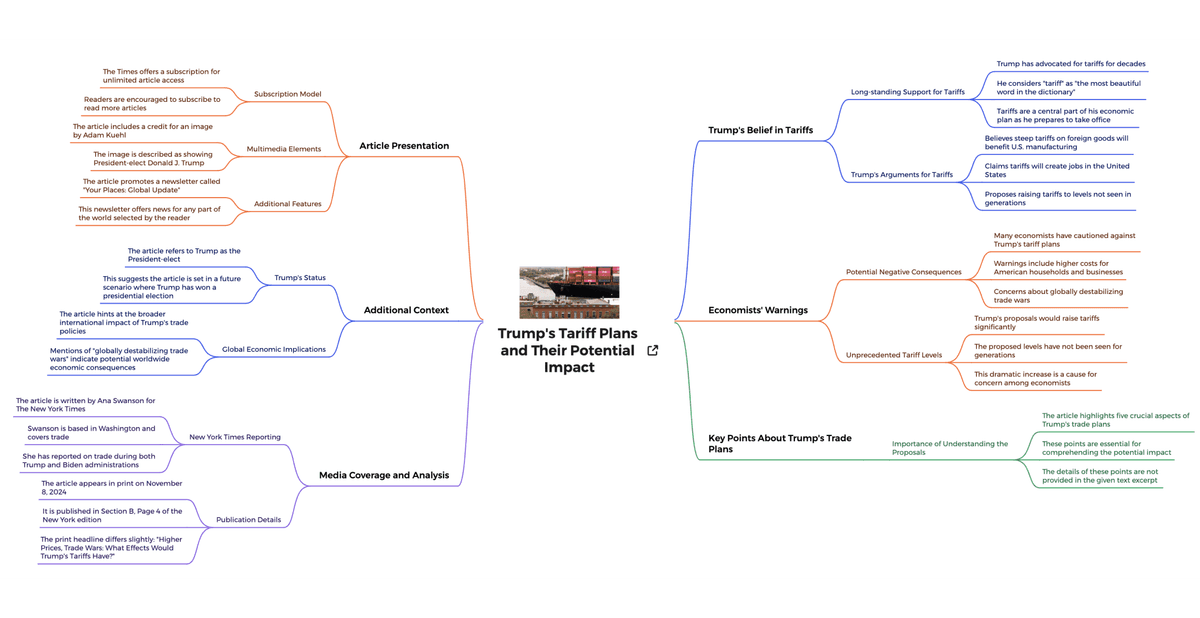
The Mapify example turns one web page into a mind map. This is useful when you need a quick view of one URL. It does not store a full link library or plan the pages of a site you own.
Use the map to find your way through the page. Check the original text before you reuse a claim.
When Atlas fits website sources
Atlas fits when web pages are more than saved links. They may support a paper, market scan, policy memo, literature review, or other research project.
Start with the exact pages you need. Add public URLs for the article, report, guide, or reference page. Skip pages blocked by a login, paywall, consent screen, or script. Also skip search pages, feeds, and homepages with little main text.
Follow this sequence for important web sources.
- Add direct URLs. Import the exact public pages. A broad homepage rarely has the text you need.
- Check the saved text. Make sure Atlas captured the main text before you ask a question or build a map.
- Read the page notes. Use each short summary to choose what to read in full.
- Ask a focused question. Ask about one source or the whole set. Open the linked text behind any answer that matters.
- Make a Knowledge Map. Use the map to see claims, methods, and links across the pages.
- Check before reuse. Open the original page before a claim enters your final work.
This goes beyond bookmark cleanup. Atlas helps you study a set of web sources and check the text behind its answers.
Best website organization tools
1. Atlas
Atlas is best for studying selected web pages as a source set. Use it when you need short page notes, cited answers, source links, and a Knowledge Map tied to the pages you chose.
It fits work such as comparing sources, reading reports, checking guides, and collecting policy pages. It also connects with workflows for an AI that cites sources or a research paper analyzer when the source set mixes websites and papers.
Atlas does not plan a page tree, manage thousands of bookmarks, crawl a domain, or design a new site. It works with the pages you choose.
2. Octopus.do for sitemaps
Octopus.do is best when "organize website" means planning the pages of a site. Its sitemap shows the page tree, planned content, and team edits for a site you own or want to rebuild.
Choose it when you need to decide where pages belong, how the menu works, or what each page needs before a build. A sitemap does not read and check claims inside outside web pages.
3. Slickplan
Slickplan also helps plan a site's pages. It can build a sitemap, nest pages, plan content, search the plan, and let a team work on it.
Use it when a team needs one view of the menu and page tree. If you need to check claims inside saved pages, use a source or summary tool instead.
4. Raindrop.io for bookmarks
Raindrop.io is best for saved links. It groups bookmarks with folders, tags, filters, previews, and highlights. It can also find duplicate or broken links and search saved page text.
Use it when links have become hard to find. A bookmark library helps you return to a page, but it does not answer across those pages with cited source text.
5. mymind
mymind is a private place to save articles, notes, bookmarks, images, and ideas without building a folder tree. It acts more like a personal memory than a sitemap tool.
Use it when fast saving and recall matter more than a set folder plan. If a claim needs a citation, use a tool that keeps the path back to the source.
6. Glasp
Glasp is best for marking text in web pages and PDFs. It can group, export, and help you return to those marked passages.
Choose Glasp to collect passages as you read. Choose a source workspace to ask questions across full pages and check citations before reuse.
7. Mapify
Mapify turns one URL into a short summary and mind map. Its browser add-on can start that view from the page.
Use it for a quick view of one page. It is not a link library, site plan, or cited research workspace.
8. NoteGPT
NoteGPT also gives a quick view of one web page. Add a URL to get a summary, Markdown text, a mind map, or a chat about that page.
Use it when speed matters. For important work, check each key claim in the original page before you trust the summary.
Website organization limits to check
Each tool can fail in a different way. A sitemap may plan pages without reading what they say. A bookmark can outlive a page or point to stale text. A summary can miss a caveat or make a claim sound too strong.
Atlas has limits too. It works best with a direct public URL that has open main text. It may miss pages behind a login, paywall, large script, or cookie wall. Search pages, feeds, and homepages often lack enough text.
Source-capture checklist
Use this checklist before you rely on a web page as a source.
- Is the exact URL the source you need rather than a broad homepage?
- Is the main article, report, or documentation text accessible?
- Did the tool capture the relevant content rather than navigation chrome?
- Does the short page note help you choose what to read next?
- Are important answers linked back to source passages?
- Does the map help you check the source instead of replacing that check?
- Have you checked any claim you plan to quote, cite, or reuse?
If any answer is no, you can still save the page in a bookmark list or site map. Do not yet use it as proof for a claim.
Which website organization tool should you choose?
Start with what you need to sort. A sitemap, bookmark list, single web page, and cited source set each need a different tool.
| Your job | Best fit |
|---|---|
| Plan an owned website's structure, hierarchy, and navigation | Octopus.do or Slickplan |
| Save and retrieve links, highlights, articles, or personal web material | Raindrop.io, mymind, or Glasp |
| Summarize one web page, extract markdown, create a mind map, or chat over a URL | Mapify or NoteGPT |
| Turn selected website pages into cited sources | Atlas, because the work moves beyond saved links into summaries, questions, source checks, and a Knowledge Map you can verify |
Table 2: Choose Atlas only when selected pages need a citation trail. For site planning or link search, another tool will be faster.
Use a document organizer when most sources are files. If you need to build a site, use website AI to choose a site builder or app builder.
Organize website sources in Atlas
Add selected web pages, ask cited questions, and map their connections.