


Otter.ai pioneered AI meeting notes. The category is now crowded, and raw transcript quality is no longer the only reason to switch. In 2026, ask a simpler question. Does the tool fit your meeting app, privacy rules, sales stack, and follow-up workflow? This guide covers 8 alternatives that hold up, with real prices, tradeoffs, and workflow-specific picks.
For wider context on meeting workflows, see our best meeting notes app and how to take good meeting notes guides.
Ask Atlas about meeting notes
Add a text transcript, ask a question, and inspect the cited passages.
What should you compare in Otter.ai alternatives?

For a phase-by-phase walkthrough drawn from interviews with fourteen students, see the student's guide to AI research.
Eight criteria predict the right tool for your workflow:
- Price and free tier. Otter Free caps transcription at 300 minutes/month. Fathom's free tier is unlimited.
- Platform fit. Zoom, Google Meet, and Microsoft Teams are table stakes. Webex, GoToMeeting, and in-person meetings narrow the field.
- Bot policy. Some companies block meeting bots. Granola captures on-device, Microsoft Copilot works inside Teams, and Fathom now advertises bot and no-bot capture. For the broader option set, see Microsoft Copilot alternatives.
- Transcript quality. Most tools are close on clear English. Accents, crosstalk, and product jargon create the real gap.
- Summary format. Look for clear decisions, owners, dates, and follow-up tasks. Long notes are not always better notes.
- Handoff path. Sales teams need CRM sync. Product teams may need Slack, Notion, Linear, or Asana.
- Privacy controls. Check SOC 2, GDPR, data retention, regions, and training settings.
- Search and recall. The best setup lets you find old decisions, not just store transcripts.
The 8 alternatives worth picking
These picks are ranked by fit. Start with the constraint that would make you leave Otter.ai: free minutes, bot policy, CRM handoff, human review, or Microsoft 365 control.
At a glance:
-
Fathom is the free-plan pick for Zoom, Meet, and Teams.
-
Fireflies is the sales pick when notes must sync to a CRM.
-
Granola is the no-bot pick for Mac-heavy teams.
-
tl,dv is the free clip-sharing pick for multilingual teams.
-
Rev is the human-review pick for legal, research, and journalism.
-
MeetGeek is the meeting-analytics pick for managers.
-
Atlas is the recall layer when meeting notes need cited answers across a wider workspace.
-
Microsoft Copilot is the Teams-native pick for Microsoft 365.
1. Atlas connects notes to other sources
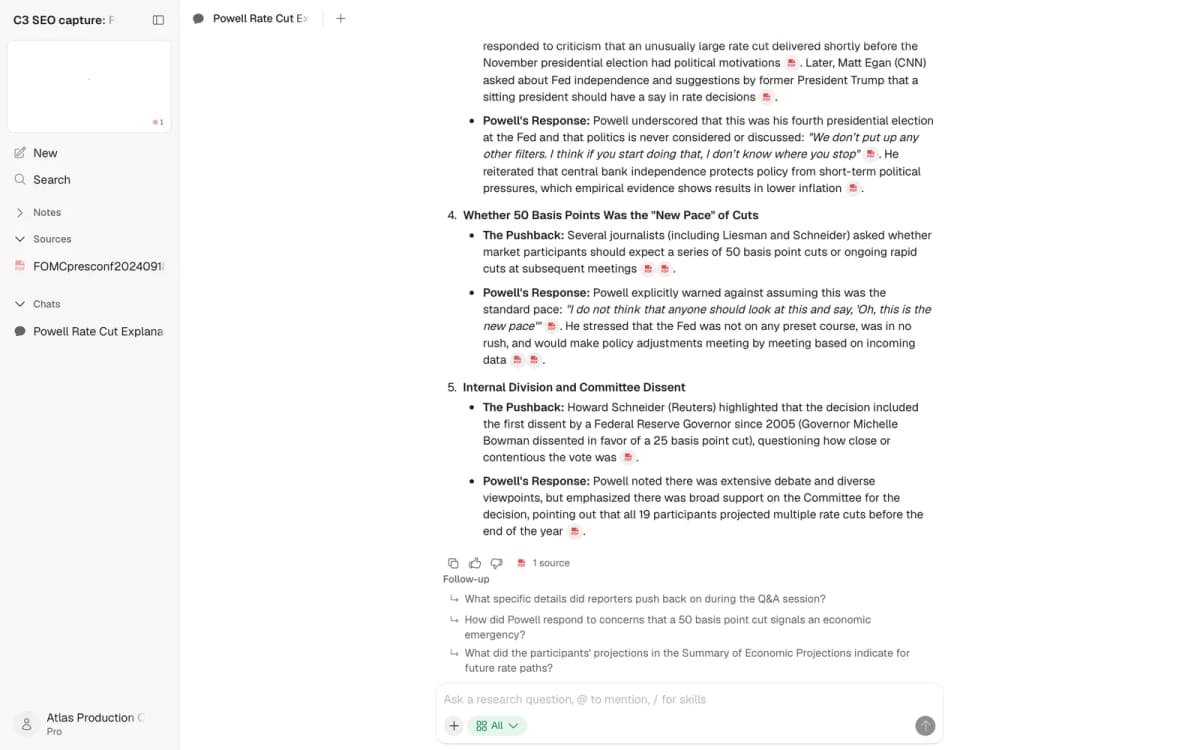
Atlas suits people who want to ask questions across meeting transcripts and other project sources. It is a web app with a Free plan of up to 10 sources and 5 AI messages; Plus costs $20 each month with hundreds of AI messages a month and up to 1,000 sources.
Atlas is a research workspace, not a recorder. You add transcripts exported from another tool as PDF or Word files, or as notes, next to the documents and web pages they relate to. Three things it adds after capture:
- Cited answers: ask "what did we decide about pricing in Q1" and the answer carries numbered citations that open the transcript passages it used.
- Knowledge maps: generate a map of a transcript or note to see the topics it covers.
- One project for meetings and documents: transcripts sit beside the specs, reports, or papers they discuss, so one question can draw on both.
It does not replace a meeting transcription tool. You still need Fathom, Fireflies, Granola, or Otter to capture the call. Atlas is the step after it.
If post-call extraction is the missing step, the meeting transcript summarizer guide compares tools that turn a transcript into decisions, tasks, and reviewable notes before those records move into a longer-term workspace.
2. Fathom for no-cost meeting notes
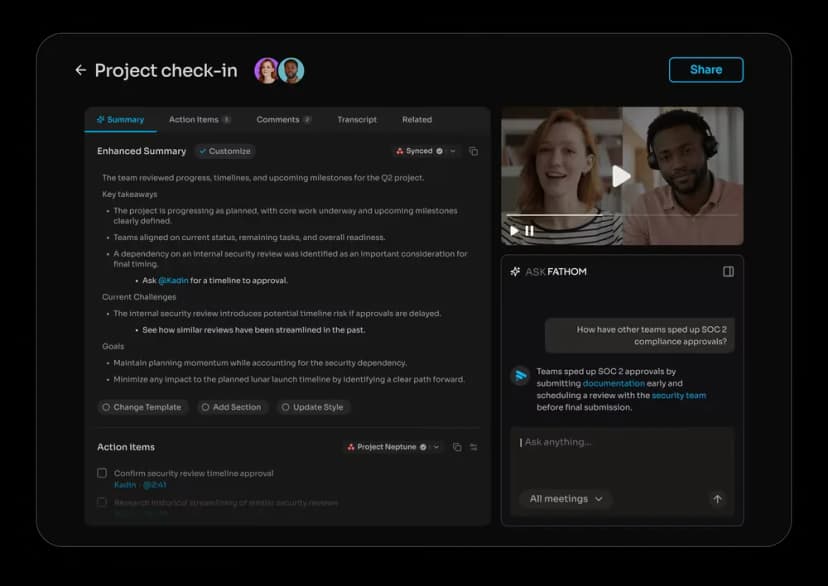
Fathom suits individuals and small teams on Zoom, Google Meet, or Microsoft Teams. Its free plan includes unlimited recordings and transcriptions with instant AI summaries; some AI features, such as action items and Ask Fathom, have limited use. Premium costs $20 per user each month ($16 billed yearly), Team $19 ($15 yearly), and Business $34 ($25 yearly).
Fathom notes cover tasks, key points, and topic timestamps. The team plans add shared meeting libraries, CRM sync, and analytics. Fathom now markets capture "bot or no bot," so it is no longer only a bot-based pick.
Use it when you want a low-friction free tool for Zoom, Meet, or Teams. Skip it when in-person mobile capture is the main job.
3. Fireflies sends notes into a CRM
Fireflies suits sales teams that need CRM updates and call analysis. It works with Zoom, Google Meet, Microsoft Teams, Webex, and in-person mobile recordings. It has a free plan plus Pro, Business, and Enterprise plans billed per seat; check the current price on its pricing page.
Fireflies focuses on the work after the call. It turns meetings into transcripts, notes, tasks, sentiment signals, talk-time data, and CRM updates for Salesforce, HubSpot, Pipedrive, and Zoho. It also supports bot joins, a Chrome extension, mobile capture, a desktop app, dialers, and file uploads.
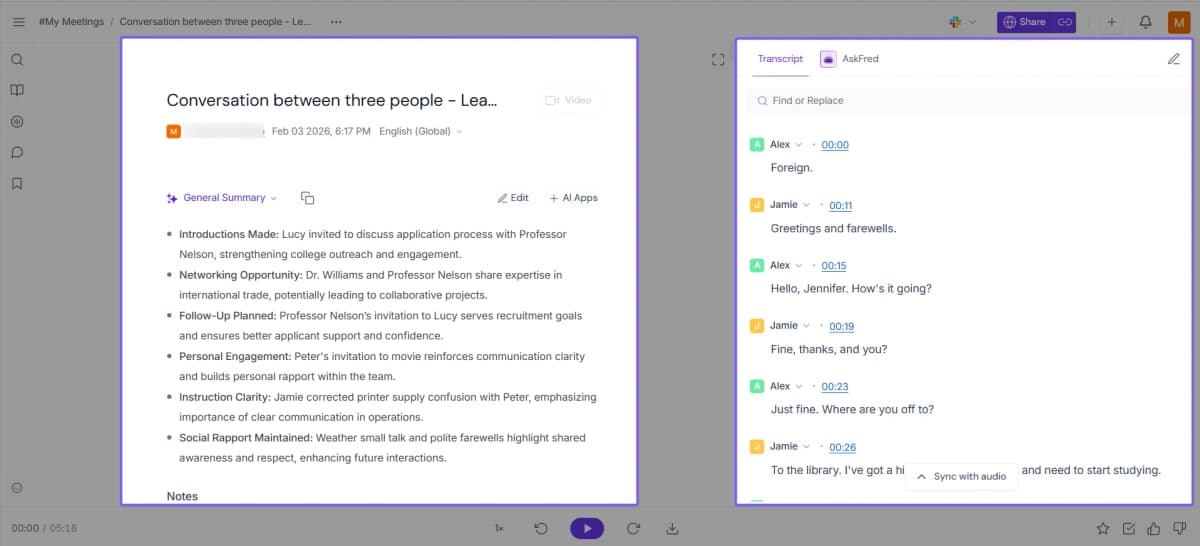
The Notepad keeps the summary and transcript side by side, so readers can check a recap against the recorded conversation. Image source is the official Fireflies Notepad guide.
Use it when meeting notes must land in a CRM. Skip it if you want the lightest personal note app.
4. Granola records without a meeting bot
Granola suits people who take their own notes and want AI to fill in detail. It has desktop, iOS, Android, and Apple Watch apps. The Basic plan is free; Business costs $14 per user each month and Enterprise $35.
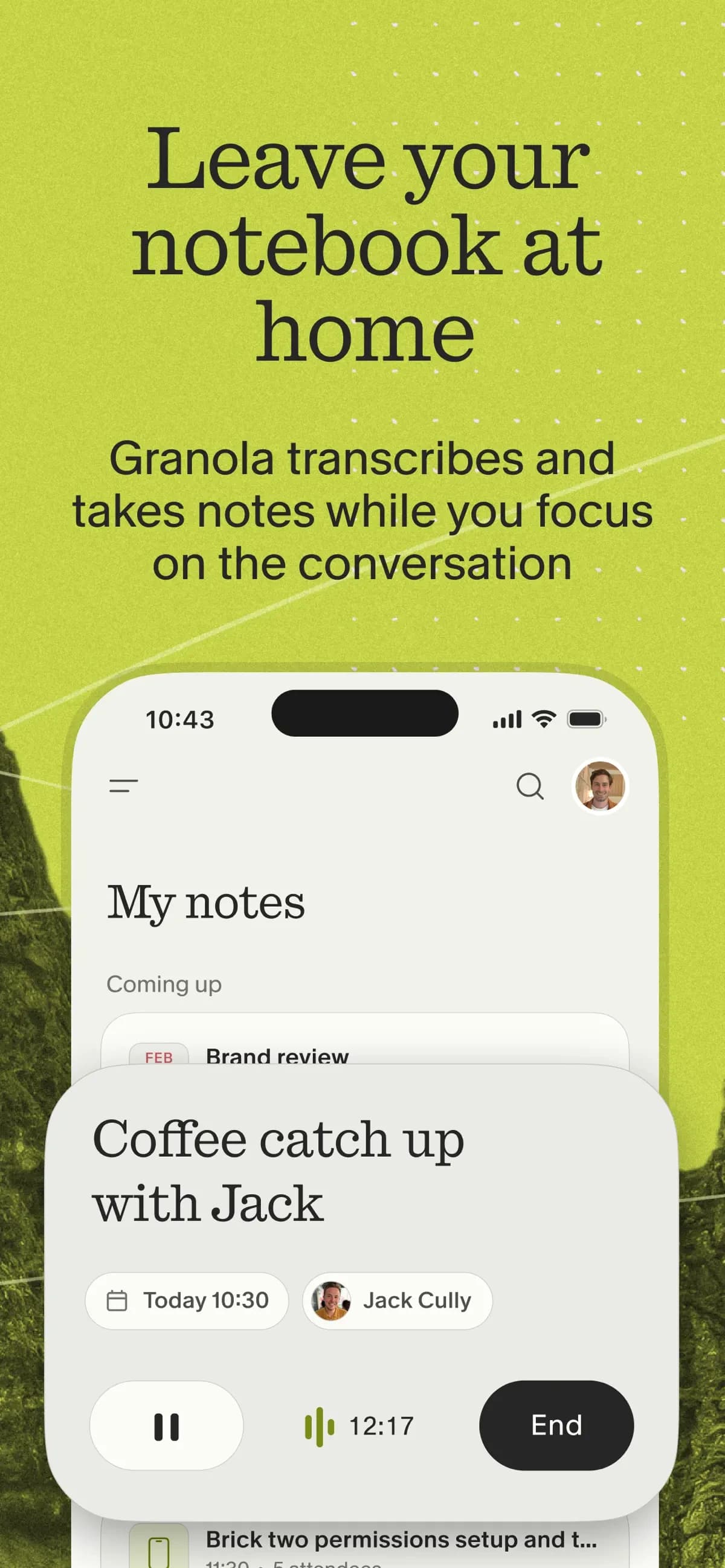
Granola captures audio on your computer without sending a bot to the meeting. You take manual notes during the call. Afterward, Granola adds the transcript and cleaned-up bullets. Your judgment sets the structure, and AI fills in detail.
Use it when a visible bot would be awkward or banned. Skip it if your team wants a shared recording library with video playback.
5. tl;dv makes clips easy to share
tl;dv suits teams that want free recording on Zoom, Google Meet, and Microsoft Teams. It has a free plan. Pro costs €18 per seat each month billed yearly (€29 monthly) and Business €29 yearly (€39 monthly).
tl;dv offers free recordings, AI notes, timestamped clips, 30+ transcript languages, and integrations with Notion, Slack, and HubSpot. Pro adds custom templates and workflow automation.
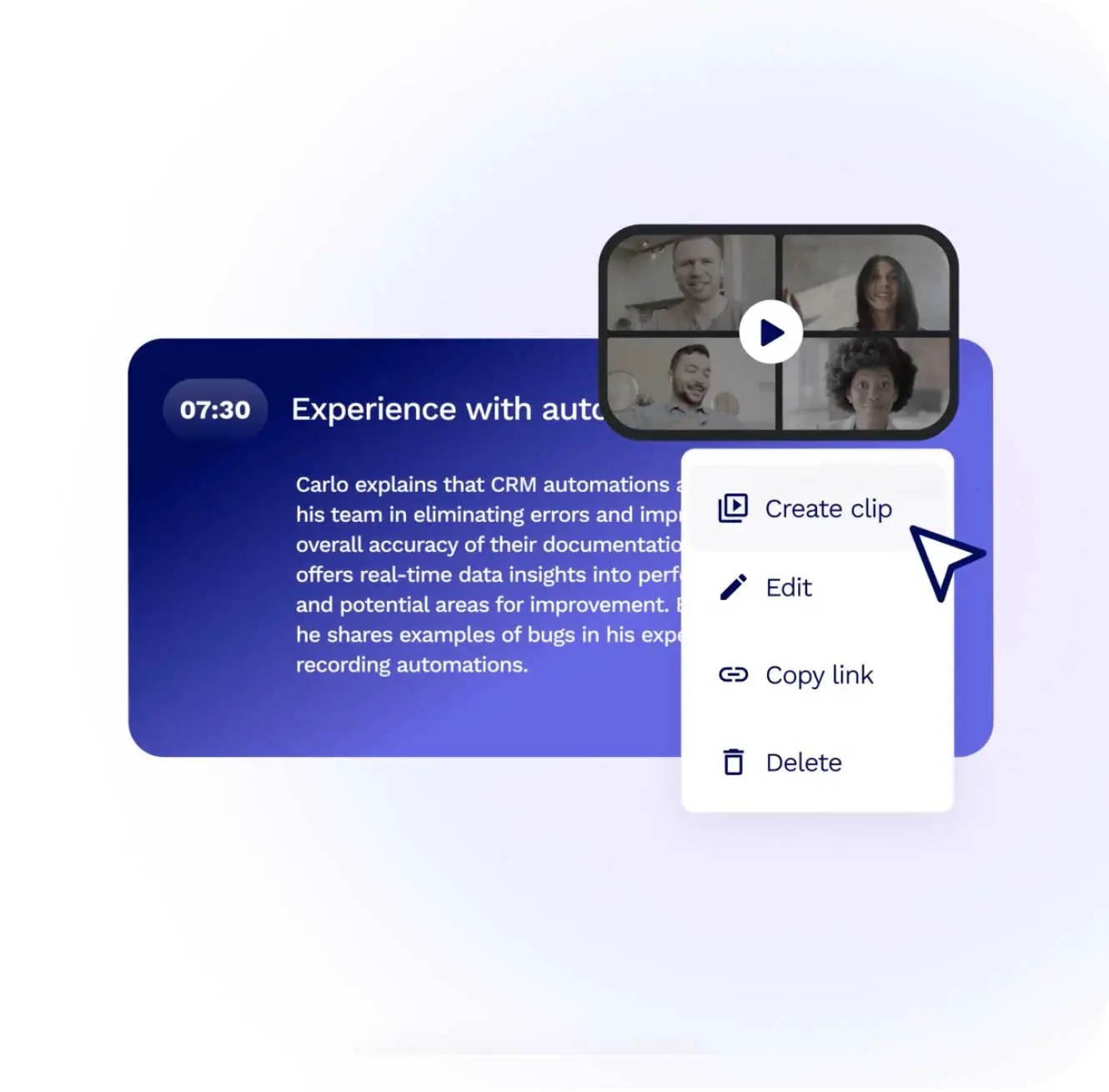
Use it when free recording and clip sharing matter more than deep CRM features. Skip it if summary polish is your main concern.
6. Rev offers human-reviewed transcripts
Rev suits legal, journalism, and research work where accuracy matters more than speed or price. You can upload recordings or use an integration such as Zoom. Human transcripts start at $1.99 per minute. AI minutes come with plans: Free includes 45 minutes a month, and Essentials costs $29.99 a month ($25.49 billed yearly) with 5,000 AI minutes per user.
Rev pairs AI transcripts included in its plans with human-edited transcripts at premium rates. For legal, research, or journalism work, the human tier is the accuracy pick.
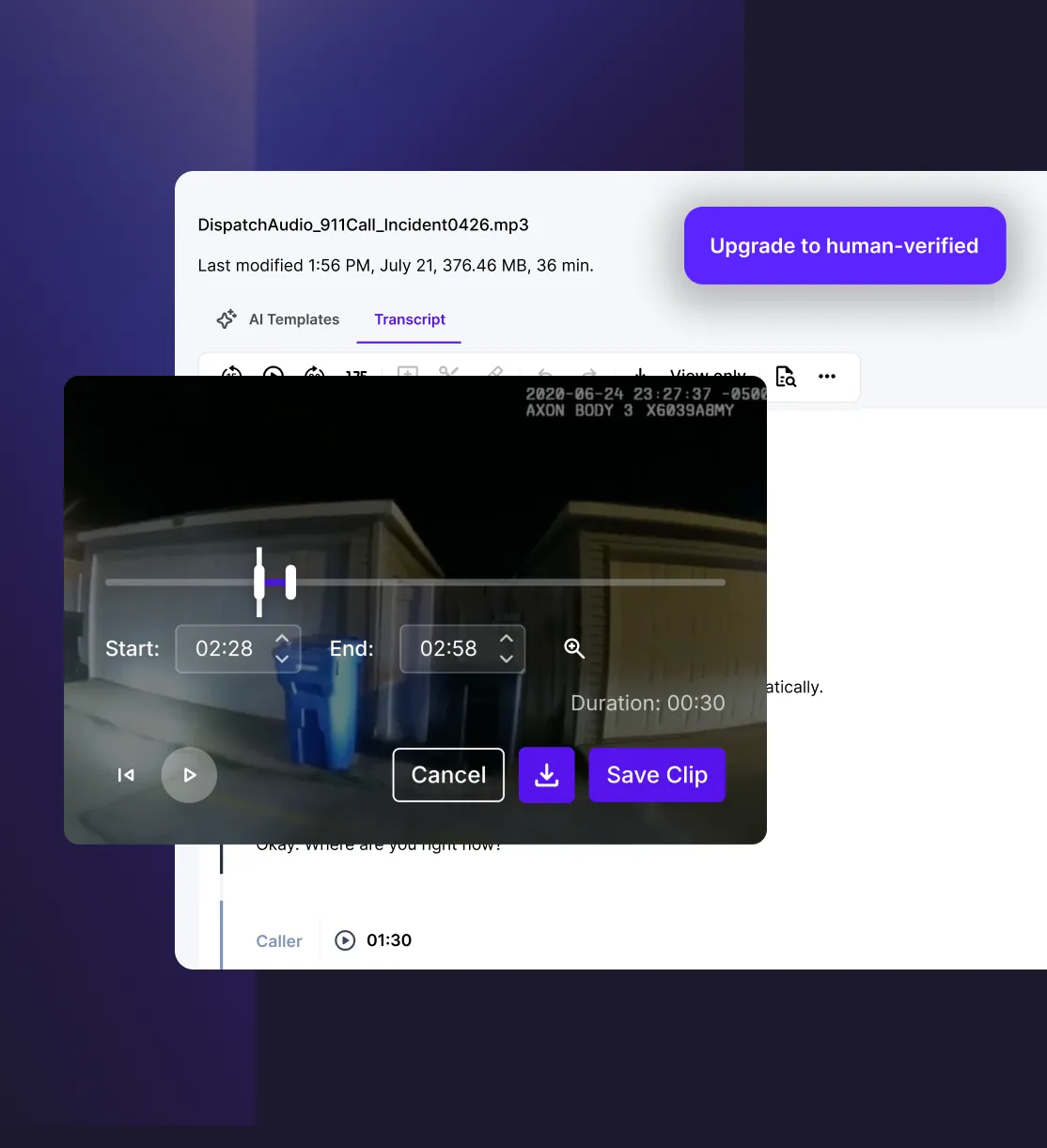
Use it when accuracy matters more than speed or app integrations. Skip it for high-volume internal meetings.
7. MeetGeek tracks meeting trends
MeetGeek suits teams that want meeting metrics and trend analysis across Zoom, Google Meet, and Microsoft Teams. The free plan includes 3 hours of transcription each month. Pro is listed at $15.99 per user each month and Business at $27, with lower yearly rates; Enterprise pricing is custom.
MeetGeek combines transcripts with meeting stats, sentiment, topic tracking, and auto highlights. It is useful for managers who want to see patterns across a team's meetings.
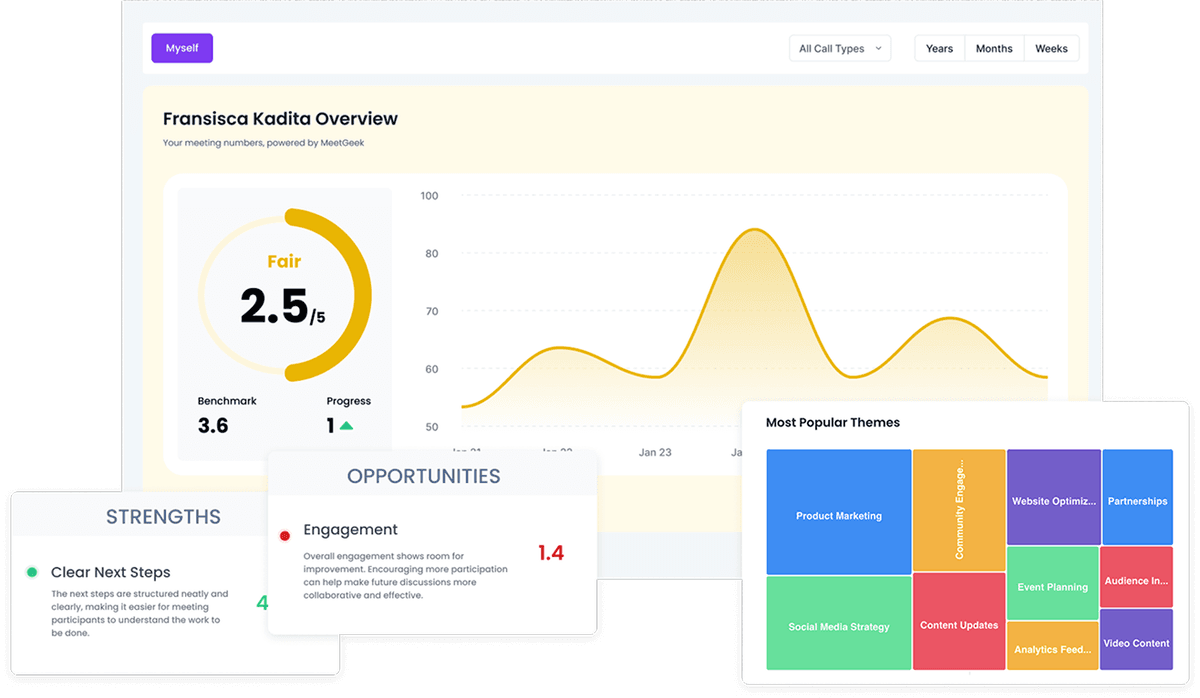
Use it when analytics matter. Skip it when you only need a simple transcript and recap.
8. Microsoft Copilot stays inside Microsoft 365
Microsoft Copilot suits organizations that already use Microsoft 365 and Teams. Microsoft 365 Copilot costs $30 per user each month for business use.
Microsoft 365 Copilot ships native Teams transcripts and AI notes inside the Microsoft tenant. There is no third-party meeting bot. It also ties into Outlook, Word, and Power Automate. This is the right choice for enterprises already paying for Copilot.
Use it when Teams and tenant control are non-negotiable. Skip it if you run meetings across several platforms.
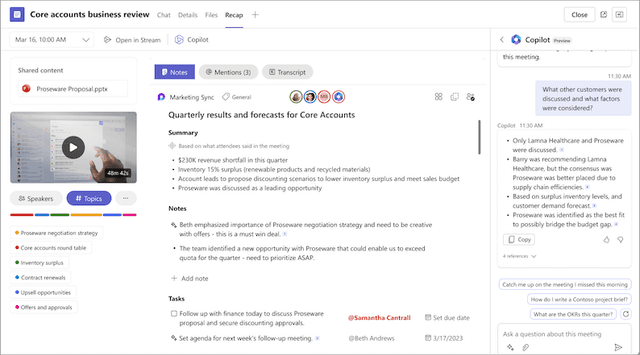
Microsoft's support example shows a Teams recap, task list, and Copilot pane. It illustrates the follow-up workflow, not the accuracy of its generated notes. Source: Microsoft Teams meeting recap.
What changed since older Otter.ai comparisons
Older comparison posts often split the market into "meeting bots" and "manual upload tools." That split is now too coarse. Fathom's own site now says it supports bot and no-bot capture. Fireflies can capture through a meeting bot, Chrome extension, mobile app, desktop app, dialers, and file uploads. Granola also moved beyond desktop notes. Its pricing page now lists iOS, Android, and Apple Watch apps on every plan.
That shift changes the buying process. First ask how the tool captures the meeting. Then ask where the note needs to go. A sales team may still choose Fireflies for CRM handoff. A founder may choose Granola because no bot joins the call. A Microsoft tenant may choose Copilot to keep data inside Teams. A researcher may choose Rev when a human transcript matters more than speed.
Comparison table
Read this as a routing table. Check the "best for" column before price. The wrong capture model will fail even if the tool is cheap.
| Tool | Price | Best for | Bot? |
|---|---|---|---|
| Atlas | Free / $20/mo | Cited questions across transcripts and documents | N/A |
| Fathom | Free / from $15/mo yearly | Unlimited free transcription | Bot or no bot |
| Fireflies | Free / per-seat plans | CRM-integrated sales | Yes |
| Granola | Free / $14/mo | No-bot capture | No |
| tl,dv | Free / from €18/mo yearly | Multi-language teams | Yes |
| Rev | Free 45 AI min / $1.99/min human | Human-grade accuracy | No |
| MeetGeek | Free 3 hrs / from $15.99/mo | Meeting analytics | Yes |
| Microsoft Copilot | $30/mo | Microsoft 365 enterprises | No |
Table 1: Starting price, main workflow, and bot status for eight Otter.ai alternatives.
How to pick
Use this four-step decision tree to reduce the list to one or two tools:
- Are bots blocked at your company? Granola or Microsoft Copilot (Teams).
- Are you on a sales team using Salesforce or HubSpot? Fireflies.
- Do you want unlimited free transcription on Zoom/Meet/Teams? Fathom.
- Do you want to ask cited questions across transcripts and related documents? Pair a transcriber with Atlas. See how cited AI answers work, then use how to use AI to take meeting notes for prompt patterns once a transcriber is in place.
If two tools remain, run the same recorded meeting through both. Choose the one that identifies speakers correctly, produces the summary format your team will use, and sends action items to the right destination.
When NOT to switch from Otter.ai
Otter.ai still wins in a few cases. It has a large user base, strong in-person support through the mobile app, and a mature feature set. If you have years of Otter recordings in one place, the migration cost is real.
Cost, privacy, and transcription accuracy
Pricing for a five-person team
Most Otter alternatives publish per-seat pricing that looks similar at first glance. The yearly cost changes once you add seats, and minute caps matter too. Here is the yearly cost for 5 seats on each tool's yearly billing, from the vendors' pricing pages on 21 October 2026:
| Tool and plan | Per seat / month (yearly billing) | 5 seats / year | Transcription allowance |
|---|---|---|---|
| Otter Pro | $8.33 | $499.80 | 1,200 min/mo |
| Otter Business | $19.99 | $1,199.40 | Unlimited meetings |
| Fathom Team | $15 | $900 | Unlimited |
| Granola Business | $14 | $840 | Not stated |
| tl,dv Pro | €18 | €1,080 | Not stated |
| Microsoft 365 Copilot | $30 | $1,800 | Tied to Teams |
Table 2: Yearly cost for a 5-person team at each vendor's listed yearly per-seat price.
Fathom's free tier is the outlier: unlimited recordings and transcriptions at zero cost are rare in this category. Microsoft 365 Copilot has the highest sticker price, but that seat also covers Word, Excel, and PowerPoint. Rev sells human transcripts by the minute, so it suits a few high-stakes recordings rather than every internal call.
Privacy and recording storage
Meeting transcripts contain client names, deal sizes, pay talks, and internal plans. Before you pick a tool, check four things on its security page and in your admin settings: whether transcripts are used to train models and whether you can opt out, how long recordings and transcripts are kept, which data region holds them, and which audits (such as SOC 2) the vendor reports. Microsoft 365 Copilot keeps Teams meeting data inside your Microsoft tenant, which is the main reason regulated teams choose it.
Transcription accuracy on real audio
Word error rate (WER) is the share of words a transcript gets wrong. Vendors rarely publish comparable WER figures for the same audio, so do not trust a single accuracy ranking. Accents, crosstalk, and product jargon cause most errors. The fair test is to run one of your own recorded meetings through two shortlisted tools and count the mistakes in names, numbers, and decisions. Rev's human-edited transcripts are the option when the record must be checked line by line.
Final verdict
In 2026, the best Otter.ai alternatives are clear by use case. Choose Fathom for the free plan. Pick Fireflies for sales, Granola for no-bot capture, and tl,dv for multilingual teams. Use Rev for human review, MeetGeek for analytics, and Microsoft Copilot for Microsoft 365. Use Atlas only as the synthesis layer above a transcriber. Pick on platform, privacy, and handoff depth.
Ask Atlas about meeting notes
Add a text transcript, ask a question, and inspect the cited passages.