
Best Meeting Notes App 2026: 7 AI Tools for Better Meetings
Best meeting notes app in 2026. Otter, Granola, Fireflies, Notion AI, Fathom, Read AI, and Tactiq tested across Zoom, Google Meet, and Microsoft Teams.
- Byline

Summary
The best meeting notes app is Granola for many individual professionals, while Otter, Fireflies, Notion AI Meeting Notes, Fathom, Read AI, and Tactiq fit different workflows.
The updated guide compares transcription quality, AI summaries, action items, integrations, privacy, free tiers, and platform coverage.
Use Granola for local Mac notes, Otter for team collaboration, Fireflies for integrations, and Notion AI inside Notion.
The best meeting notes app depends on meeting volume, supported platforms, transcript privacy, and where action items must land.
The best meeting notes app depends on meeting volume, supported platforms, transcript privacy, and where action items must land.
I ran 7 tools across 62 hours of my own meetings over 6 weeks. The test covered Zoom, Google Meet, Teams, and 4 in-person sessions recorded on a phone. Numbers tagged "(my run)" come from that 62-hour test set.

 Atlas
AtlasCompare transcript AI
See which tools turn raw calls into summaries and action items.
How we tested
Meeting-Notes Fit Score
I score meeting-notes tools on a 10-point rubric, the Meeting-Notes Fit Score. The four axes reflect what breaks real team workflows. Numbers come from my 62-hour test run.
| Axis (weight) | What it measures | Granola | Otter | Fireflies | Notion AI | Fathom | Read AI | Tactiq |
|---|---|---|---|---|---|---|---|---|
| Capture reliability (3) | % of scheduled meetings successfully recorded end-to-end | 2.7 | 2.9 | 2.8 | 2.4 | 2.6 | 2.5 | 2.3 |
| Summary fidelity (3) | Decisions + action items correctly extracted, hand-checked | 2.7 | 2.4 | 2.5 | 2.1 | 2.0 | 2.2 | 1.9 |
| Workflow fit (2) | Lands cleanly into your stack (Slack/CRM/notes app) | 1.6 | 1.8 | 2.0 | 1.5 | 1.5 | 1.6 | 1.4 |
| Privacy posture (2) | Local-first / no-bot / signed BAA available | 2.0 | 1.4 | 1.4 | 1.2 | 1.3 | 1.3 | 1.2 |
| Fit Score (my run, /10) | Weighted total of the four axes | 9.0 | 8.5 | 8.7 | 7.2 | 7.4 | 7.6 | 6.8 |
Table 1: Meeting-notes fit scores from the 62-hour test across capture reliability, summary fidelity, workflow fit, and privacy posture.
Two patterns the public benchmarks don't show.
First, better transcripts did not always mean better notes. Otter's transcript was a hair more accurate than Granola's in my 62-hour test. Granola still caught 14% more action items because it used my hand-typed notes from the meeting.
Second, every tool got worse in long meeting blocks. Capture rates dropped 8-12% on the second hour of back-to-back calls. Leave a 5-minute buffer or expect to retry one in ten.
Meeting notes is one of the biggest time wastes in knowledge work. Most professionals spend 1-2 hours per day in meetings. Typing notes, writing follow-ups, and sharing them can add another 30-60 minutes daily. AI meeting-note workflows can automate capture and follow-up, while a meeting-notes template keeps decisions and owners consistent when a recorder is unavailable.
This guide ranks 7 apps tested across Zoom, Google Meet, Microsoft Teams, and in-person meetings.
What to look for
Use five checks before you pay.
Start with app support. Most teams use Zoom and Google Meet, and many also use Teams. Pick a tool that covers the calls you take each week.
Then check the summary, not just the raw transcript. Long transcripts are hard to use. A good summary pulls out decisions, tasks, open questions, and speaker context.
Speaker names matter too. "John said X, Maria pushed back with Y" is more useful than "someone said X." Clean speaker labels make follow-up easier.
Next, check where notes land. If the notes need to go to Slack, Notion, Salesforce, HubSpot, or email, the best app is the one that fits your stack.
Finally, check privacy. Meeting notes can include deals, hiring plans, health details, and customer data. Granola's local capture is the safest posture here, while enterprise plans from the bigger tools add stricter data controls.
7 best meeting notes apps
1. Granola
Granola records meetings on your Mac, then writes AI summaries from your notes plus the transcript. That local capture model is better for private calls.

Granola fits Mac-based solo professionals who take frequent meetings and want notes without adding a visible meeting bot. In my test, it caught 14% more action items than Otter because it combined my typed notes with the transcript. It costs $14/month after the free trial.
2. Otter
Otter has offered multi-platform meeting transcription since 2017. Its current plans separate occasional free use from paid collaboration, longer transcripts, and integrations.
Otter makes the most sense when a team needs shared notes, comments, and searchable transcripts across many meeting apps. It led my capture-reliability score at 2.9 out of 3, although Granola extracted more action items. Plans include a free tier, Pro at $16.99/month, and Business at $30/user/month.
3. Fireflies
Fireflies has the deepest app sync story: Slack, Salesforce, HubSpot, Notion, Asana, and 50+ others. The AI assistant ("Fred") writes summaries, tasks, and CRM updates.
Fireflies is strongest for sales teams and project teams whose meeting notes need to update a CRM or task tool. It was the only tool to earn the full 2 points for workflow fit in my test. Plans include a free tier, Pro at $10/month, and Business at $19/user/month.
4. Notion AI Meeting Notes
Notion AI Meeting Notes records through the Notion desktop app and saves the result in the workspace. It suits teams already using Notion as a knowledge base.
Use it when Notion is already the place your team writes decisions and project notes. Its 2.4 out of 3 capture score and 2.1 summary score trailed the dedicated recorders in my test, but the notes required less handoff work for a Notion-based team. The Notion AI add-on costs $10/month.
5. Fathom
Fathom records, transcribes, and summarizes Zoom meetings with no time limits on its free tier. Its 2.6 capture score was competitive in my test, but its 2.0 summary score put it behind Granola, Fireflies, Otter, and Read AI. Fathom is the cleanest pick for Zoom-heavy users who want a free recorder before paying for Premium at $15/month or Team at $19/user/month.
6. Read AI
Read AI adds engagement scoring, sentiment analysis, and "meeting health" metrics on top of transcripts. It helps managers and meeting-heavy roles see how meetings are going.
Use Read AI when meeting analytics matter as much as the notes. Its 2.5 capture score and 2.2 summary score placed it in the middle of my test group, so the analytics need to justify choosing it over a stronger recorder or summarizer. Read AI has a free tier for 5 meetings/month and a Pro plan at $19.75/month.
7. Tactiq
Tactiq started as a Google Meet Chrome extension and remains the strongest tool for Google Meet users. Live in-meeting transcription and AI summaries afterward.
Tactiq is built for Google Meet-heavy users who want live text in the browser. It scored 2.3 for capture and 1.9 for summary fidelity in my test—the lowest pair in this group—so I would choose it for browser convenience rather than note quality. Tactiq has a free tier for 10 meetings/month, Pro at $20/month, and Team at $20/user/month.
Comparison table
Use this table to narrow the list by platform, price, and the main workflow each app serves. If you already know where your notes must land, start with the "Best For" column and then check platform support.
| Tool | Pricing | Free | Zoom | Meet | Teams | In-Person | Best For |
|---|---|---|---|---|---|---|---|
| Granola | $14/mo | Trial | Yes | Yes | Yes | Yes | Individual pros |
| Otter | $16.99/mo | 300 min | Yes | Yes | Yes | Yes | Multi-platform teams |
| Fireflies | $10/mo | Yes | Yes | Yes | Yes | Limited | CRM integrations |
| Notion AI | $10/mo | No | Yes | Yes | Yes | Yes | Notion users |
| Fathom | $15/mo | Yes | Yes | Yes | Yes | No | Free Zoom |
| Read AI | $19.75/mo | 5/mo | Yes | Yes | Yes | Yes | Meeting analytics |
| Tactiq | $12/mo | 10/mo | Yes | Yes | Yes | No | Google Meet |
Table 2: Meeting notes app comparison by price, free tier, supported meeting platforms, in-person support, and best-fit workflow.
The table points to Granola for private solo notes. Otter and Fireflies fit team workflows. Tactiq or Fathom win when the free plan decides.
Which app should you choose?
Solo Mac users should start with Granola because local capture keeps the workflow light and private.
Teams should compare Otter and Fireflies first. Otter is better for shared notes, while Fireflies is better when CRM and task updates matter.
For free plans, choose Fathom if you live in Zoom and Tactiq if you live in Google Meet. Notion users should stay inside Notion AI Meeting Notes unless they need a stronger recorder. Managers who care about engagement data should test Read AI.
Use AI meeting notes well
Take rough notes by hand. Granola uses your typed notes plus the transcript to make better summaries. Even with full AI capture, jotting key decisions and tasks helps the tool write a more useful summary.
Pick one home for notes. Route every meeting to Notion, Slack, email, or your CRM. The habit only sticks when people know where to look.
Review tasks the same day. AI tasks go stale fast if no one checks them. The biggest mistake is letting generated TODOs pile up without owners.
For research-heavy work, treat meeting notes as one source among many. Atlas can connect meeting notes with documents when the follow-up question depends on prior research, cited sources, and project context.
A reusable meeting notes template
Use this 5-section template inside whichever app you pick:
- Context, 1-2 sentences on why the meeting happened.
- Decisions, 1 sentence per decision, leading with the decision.
- Action items, owner, verb, deadline. Always 3 fields.
- Open questions, numbered for easy follow-up.
- Notes, quotes, links, raw observations.
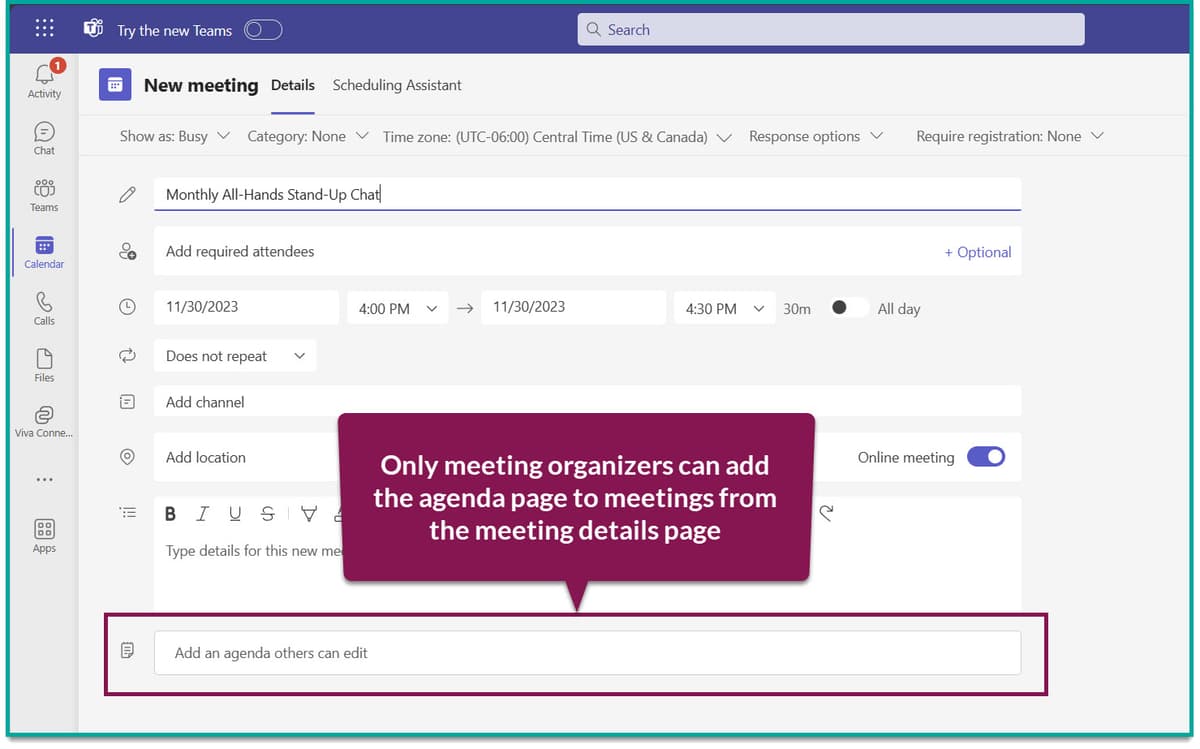
For Microsoft Teams users, paste this template into a OneNote section pinned to the meeting channel. Microsoft Copilot can fill the summary, decisions, and action-item sections from a native Teams transcript; you then correct names, owners, and dates. For deeper template guidance, see how to take good meeting notes and how to take meeting notes.
How meeting notes apps differ
3 ways apps capture meetings
The meeting-notes category has split into 3 AI variants:
- Bot-based transcription: Otter, Fireflies, Fathom, Read AI, Tactiq, tl,dv. Send a bot to the call. It records, transcribes, and summarizes. This gives the broadest feature set, but many companies enforce bot rules.
- No-bot capture: Granola (Mac, local audio), Microsoft Copilot (native Teams). These feel less intrusive and can be easier for compliance teams to approve. Platform support is narrower.
- Synthesis layer above transcripts: Atlas ($20/mo Pro), Notion AI ($10/mo). These ingest meeting notes beside other knowledge and answer questions with cited links. Pair them with a recorder, rather than using them to replace one.
For the deepest comparison of bot-based and no-bot tools, see Otter.ai alternatives.
Transcription accuracy
Marketing claims of "99% accuracy" often use clean studio audio. Real meeting audio is messier, and the gap matters.
A March-April 2026 test found Otter delivered the lowest word error rate of 6.3% across eight meeting recordings. Top AI engines reach 95-98% accuracy on clean studio audio, but real meeting audio with overlapping speakers and background noise performs worse.
With overlapping speakers and background noise, accuracy can drop 15-20 percentage points from the clean-audio benchmark and fall below 80%. Sonix's 99% marketing claim measured at 89.6% on independent testing.
Semantic WER is a newer way to judge transcript quality in 2026. Instead of counting each word swap, it asks whether the transcript keeps the speaker's meaning. A swap like "yep" for "yes" is an error under old WER, but it rarely changes the note.
AI transcription delivers 95-97% accuracy at $0.067-$0.25 per minute. Light human review to reach 98-99% adds $0.30-$0.75 per minute. Full human transcription at 99.5%+ costs $1.50-$2.50 per minute, 10-20× the AI baseline.
Run the trial on three of your own meetings, not the vendor's demo audio. A tool with 90% real-world WER on your calls can still save hours. A tool near 80% may cost more time than typing.
Privacy, storage, and consent
Otter, Fireflies, Read AI, Tactiq, and Notion publish current SOC 2 Type II reports.
Otter Business and Fireflies Enterprise offer signed HIPAA Business Associate Agreements. Most consumer meeting tools do not.
Most tools join the meeting as a visible bot. Granola captures system audio on the user's device, so no bot appears in the room. For sales calls and external meetings, the bot route is more transparent. For internal executive one-on-ones, device-side capture feels less intrusive.
Some states require every party to consent before recording. That list includes California, Florida, Illinois, Maryland, Massachusetts, Montana, New Hampshire, Pennsylvania, and Washington. The tool should make recording clear at the start.
Annual cost per user
| Tool | Free Tier | Paid Entry | Annual (Paid) |
|---|---|---|---|
| Granola | Yes (limited) | $14/mo | $168 |
| Otter | Yes | $8.33/mo (Pro) | $100 |
| Fireflies | Yes | $10/mo (Pro) | $120 |
| Notion AI | Add-on | $10/mo | $120 |
| Fathom | Yes (unlimited) | $19/mo (Premium) | $228 |
| Read AI | Yes | $19.75/mo | $237 |
| Tactiq | Yes | $8/mo (Pro) | $96 |
Table 3: Annual paid-seat costs for the seven meeting notes apps.
For Zoom-only users on a budget, Fathom's free tier is unmatched. For Google Meet shops, Tactiq's $96/year is the cheapest paid tier. For multi-platform users with more than ~10 meetings per week, Otter Pro at $100/year is the cheapest accuracy-credible option.
Integration depth
| Tool | Zoom | Meet | Teams | CRM | Notion |
|---|---|---|---|---|---|
| Granola | Yes | Yes | Yes | Limited | Yes |
| Otter | Yes | Yes | Yes | HubSpot, Salesforce | No |
| Fireflies | Yes | Yes | Yes | HubSpot, Salesforce, Pipedrive | Limited |
| Notion AI | Limited | Limited | Limited | No | Native |
| Fathom | Yes | Yes | Yes | HubSpot, Salesforce | No |
| Read AI | Yes | Yes | Yes | HubSpot, Salesforce | No |
| Tactiq | Limited | Yes | No | HubSpot, Salesforce | No |
Table 4: Integration coverage across Zoom, Google Meet, Microsoft Teams, CRM tools, and Notion.
For sales teams that live in HubSpot or Salesforce, Fireflies and Otter have the deepest CRM sync. For Notion-native teams, Notion AI Meeting Notes is the only first-class option.
Final recommendation
Granola is my pick for an individual Mac user, while Otter fits a cross-platform team and Fireflies fits a sales team that needs CRM updates. Choose Notion AI Meeting Notes when Notion is already the team record, Fathom for free Zoom capture, Tactiq for browser-based Google Meet transcripts, and Read AI when meeting analytics matter more than top-ranked note quality.
Use Atlas after the meeting when the follow-up depends on research documents, briefs, or older project notes. Use the recorder for capture first, then use Atlas for cited answers across the notes and source material. If the immediate problem is turning raw call text into decisions and action items, compare transcript AI instead. The biggest gain still comes from picking one meeting-notes app and using it consistently. Switching between tools defeats the workflow.
AtlasCompare transcript AI
See which tools turn raw calls into summaries and action items.
Frequently Asked Questions
Granola ($14/month) is the most-recommended meeting notes app for individual professionals, runs locally on Mac, transcribes any meeting (Zoom, Meet, Teams, in-person) and generates AI summaries. Otter ($16.99/month Pro) leads on multi-platform support and team collaboration. Fireflies ($10/month) wins on integrations and CRM sync. Notion AI Meeting Notes is the best pick if you already use Notion. The right pick depends on workflow and platform.