

A usability test plan sets out what your team needs to learn, who should take part, which tasks they will try, and how the sessions will run. Its key link is between a research question and a task that lets you observe relevant behavior.
Write that link before filling a session schedule.
For example, “Can people find a room that meets their needs?” is a research question. “Click the room filter” is an instruction that gives away a route.
A useful plan gives people a realistic goal and lets you see how they pursue it. Keep the choices about recruitment and observation clear enough for a researcher to review.

Trace test tasks to research questions
Compare your research notes with the task planning guidance.
What a usability test plan contains
A plan makes the study's purpose, scope, and steps clear to the team. Maria Rosala's research-plan guide sets out its core parts: goals, who will take part, method, and linked study forms. It notes that a research plan for a usability study is often called a test plan.
The name matters less than whether people can understand and carry out the work.
Keep three documents distinct. The plan explains the study. A facilitator guide contains the introduction, tasks, and prompts used during a session. A usability test report records what happened and what the team learned. Link these documents so later readers can trace a finding back to the conditions under which it was observed.
In a moderated test, a person watches users attempt tasks with a service or prototype. GOV.UK's testing guidance describes that form of observation. This guide focuses on preparing such a human-run study. It does not supply a finished script, a sample-size calculation, or test results.
Decide what the test must reveal
Start with the decision the team faces. “Improve booking” is too broad to guide a session. “Decide whether people can identify a suitable room without staff help” gives the team something to investigate.
GOV.UK's round-planning guide asks teams to agree what they need to learn and which assumptions matter before choosing the method.
Choose a question about behavior
Ask what a task can reveal. Can a person find the information needed to make a choice? Can they complete a change? A request for opinions about a brand needs a different approach.
Hoa Loranger's planning checklist distinguishes design-related behavioral questions from attitudinal questions. Narrow the study to questions that its tasks can answer.
Write a goal without UI clues
Give the participant a reason to act and enough context to understand it. Leave out button names and the intended path.
Tingting Zhao's practical advice explains how task cues can steer people. Check the wording against the interface: even a natural phrase can become a hint if it copies a control's label.
Define the observation rule in advance
State what you will watch for and what counts as completion. Record when the moderator gives help. If a participant reaches the end only after a hint, that is a different observation from reaching it alone.
This distinction is a proposed recording rule for your team to review. It keeps your notes interpretable without claiming that every study must use the same scoring system.
Worked question-to-task plan
The following plan is fictional. It concerns a proposed library room-booking study. There is no actual prototype, earlier study, recruited participant, or finding behind the rows.
The research questions and tasks show how to plan the work; the team would still need to check whether they fit its real service and users.
Suppose the team wants to learn where people struggle to choose and change a room booking. It will use three separate starting states, so a failure in the first task does not make the later tasks impossible. Each state must be prepared and checked by the researcher before the session.
| Research question | Proposed participant task | What the observer would record | Open recruitment choice |
|---|---|---|---|
| Can people find a room that fits a group and time? | You need space for four people next Thursday from 6 to 7 pm. Find an option that works for you. | Chosen room, date, time, stated reason, and any moderator help. | Which likely users book for groups, and what devices do they use? |
| Can people understand a booking limit? | Your group may need the room for longer. Find out how long you can use it in one visit. | Rule found, interpretation in the person's own words, and where they looked. | Should the study include people who have never booked before? |
| Can people change an existing booking? | Your meeting is now on Friday. Change the prepared booking to fit the new day. | Final booking details, errors or dead ends, and help given. | Which users need booking changes, and what access needs must be supported? |
Table 1: These tasks are candidates, not validated prompts. The researcher must decide whether the scenario is believable, whether the needed dates and rooms exist in the test setup, and whether each end point can be observed.
The NN/G checklist emphasizes concrete tasks matched to goals. Use a pilot to expose wording or setup problems before involving recruited users.
Correct a leading task
A weak version of the first task is, “Select Group Rooms, apply the evening filter, and book the first result.” It tells the participant where to go and what to choose.
The revised task in the table gives the group size and time need. It leaves the path and choice open. That change helps the team observe a route instead of rehearsing its own instructions.
The revision also changes what the team must prepare. The prototype needs at least one plausible option and enough information to assess it. If it cannot show availability, the task may fail because of missing test material.
Record that limit as a setup problem; do not treat it as evidence that the participant could not use a working feature.
Keep observations separate from conclusions
An observer might later note that a person opened several pages before finding a rule. That note alone would not prove the navigation caused the delay. In this fictional plan, reserve space for the path, comments, help, and test state. Interpret those observations after the session, with their context. There are no actual observations to report yet.
Resolve recruitment and session decisions
State who should take part and why. Include past use of the service, devices, and access needs. Rosala's guide connects those choices to the screener, the questions used to find people who fit the study. For the worked plan, the team still needs to decide whether to include new and past users. Do not turn that open choice into a reason to rule someone out.
Choose the sample for the study's purpose and the claims you plan to make. Loranger's checklist warns that scores from a small qualitative study may not reflect all users. You might find a problem worth fixing without knowing how common it is.
A study designed to estimate a success rate needs a different basis for its sample. No single small user count can settle every question about which groups to include or how precise a score will be.
Name who will run the session, take notes, prepare the prototype, and review findings. State how people will give consent and how any recordings will be kept. GOV.UK's round-planning guidance covers access needs, recording, roles, and setup.
The people in charge must check that the plan follows your team's rules. A written checklist does not itself grant permission to collect or use someone's data.
Keep an open-decision note with an owner and next step for each item. In the worked example, the researcher would choose the user groups and what to record. The product owner would check that each test state works. The person who arranges sessions would check access and consent needs. A plan can be ready for review while those choices remain open. It is not ready for live sessions just because its prose is complete.
Review research and tasks in Atlas
Use Atlas to compare text that informs the plan. Add permitted earlier research notes, the team's defined questions, and the task guidance you intend to follow. Wait for those sources to finish processing. Keep source names clear enough to tell a past finding from a proposed task.
If you are combining several notes, start with a source comparison workflow that preserves where each claim came from.
Start a chat. In Ask a question, type @ and select the named sources. Beside +, choose Project only to prevent new web or literature searches. Earlier chat context may still include external material, so start a fresh chat if that context would confuse the review.
Ask for a narrow comparison, such as the following planning check.
Compare the named research notes, our questions, and the task guidance. For each proposed task, identify its research question, relevant source passage, possible interface cues, and unresolved setup or recruitment choices. Do not invent past findings, users, or test results. Keep unsupported links open for human review.
Open the citation markers and read the source passages with their surrounding context. A note about trouble finding opening hours does not automatically justify a claim about changing bookings.
Follow a claim-to-source check to confirm that the evidence actually supports the question being tested. If the cited source is wrong, mention the intended source and ask again; remove an unsupported claim if it cannot be traced.
Review the suggested tasks yourself. If a draft says “Click Group Rooms,” remove that cue and restore the user's goal. Then compare the revision with the planned test state.
For a disputed source interpretation, use a close reading of the research text before changing the question. Atlas can organize this comparison; it cannot establish that the task works with real participants.
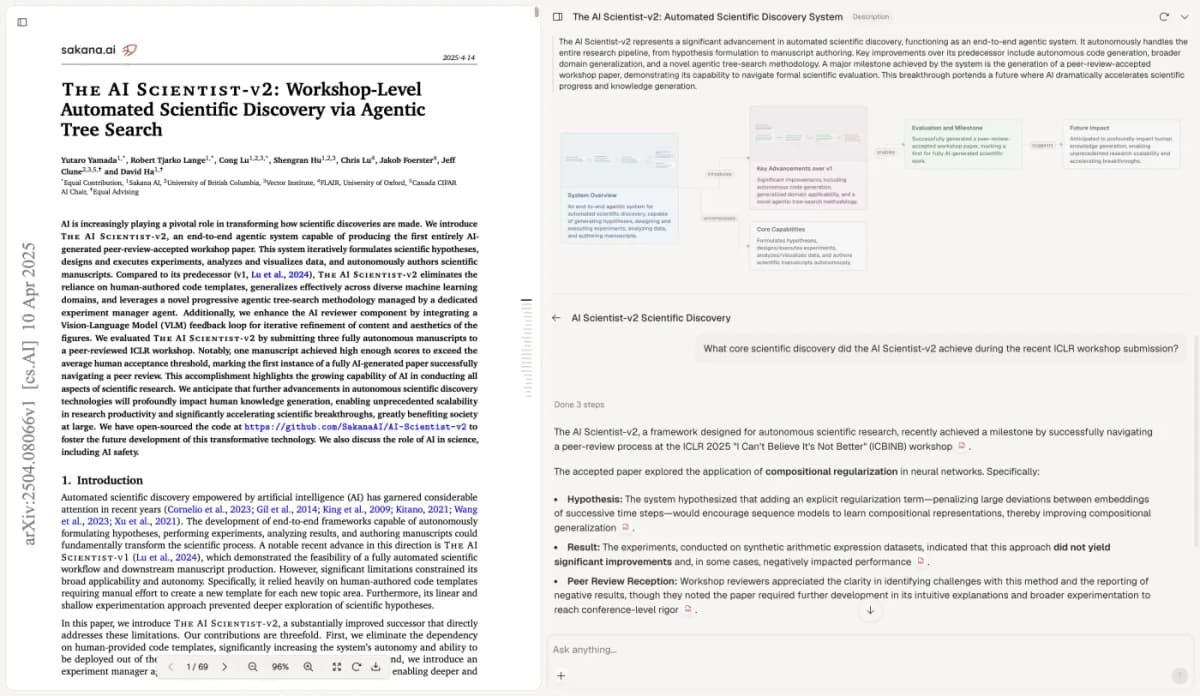
Atlas citation-review capture showing The AI Scientist-v2 by Yutaro Yamada and colleagues (2025), under CC BY 4.0. No paper content was edited. The capture illustrates checking source support; it does not depict this fictional booking plan or a usability test.
To save the work, select New, then Note. Add the corrected question-to-task map, source links, observation rules, and open decisions. Wait for Saved.
Give the note a title that identifies the product version and planned study, so the team can review the same record. Do not turn an open recruitment choice into a completed action just to make the note look finished.
Pilot the plan before live sessions
Run a practice session to check the tasks, wording, timing, and prototype state. GOV.UK's preparation guidance recommends trying the session with a team member.
A practice run checks readiness; it does not replace the intended participant sample or establish findings about users.
Record what changed after the pilot. If a task depends on a booking that was never prepared, fix the setup. If the wording exposes a button label, revise it. If the observer cannot tell whether a goal was reached, refine the recording rule before the live study. Keep the version of the plan and guide used for each round.
Hand the reviewed plan to the people responsible for recruitment and sessions. Include unresolved choices, the owners who will settle them, and the limits of the expected findings. The output of this planning work is a clear basis for human research. Actual observations and recommendations come from the study that follows.
Trace test tasks to research questions
Compare your research notes with the task planning guidance.