











Chat with PDF

Chat with your PDFs

Ask your paper or report a question and get an answer with citations. Understand difficult passages, explore the findings, and read the original alongside the chat.

Ask your PDF a question

Create an Atlas account, then add your PDF to start asking questions.

HSYZAWT

Used by 10,000+ researchers.

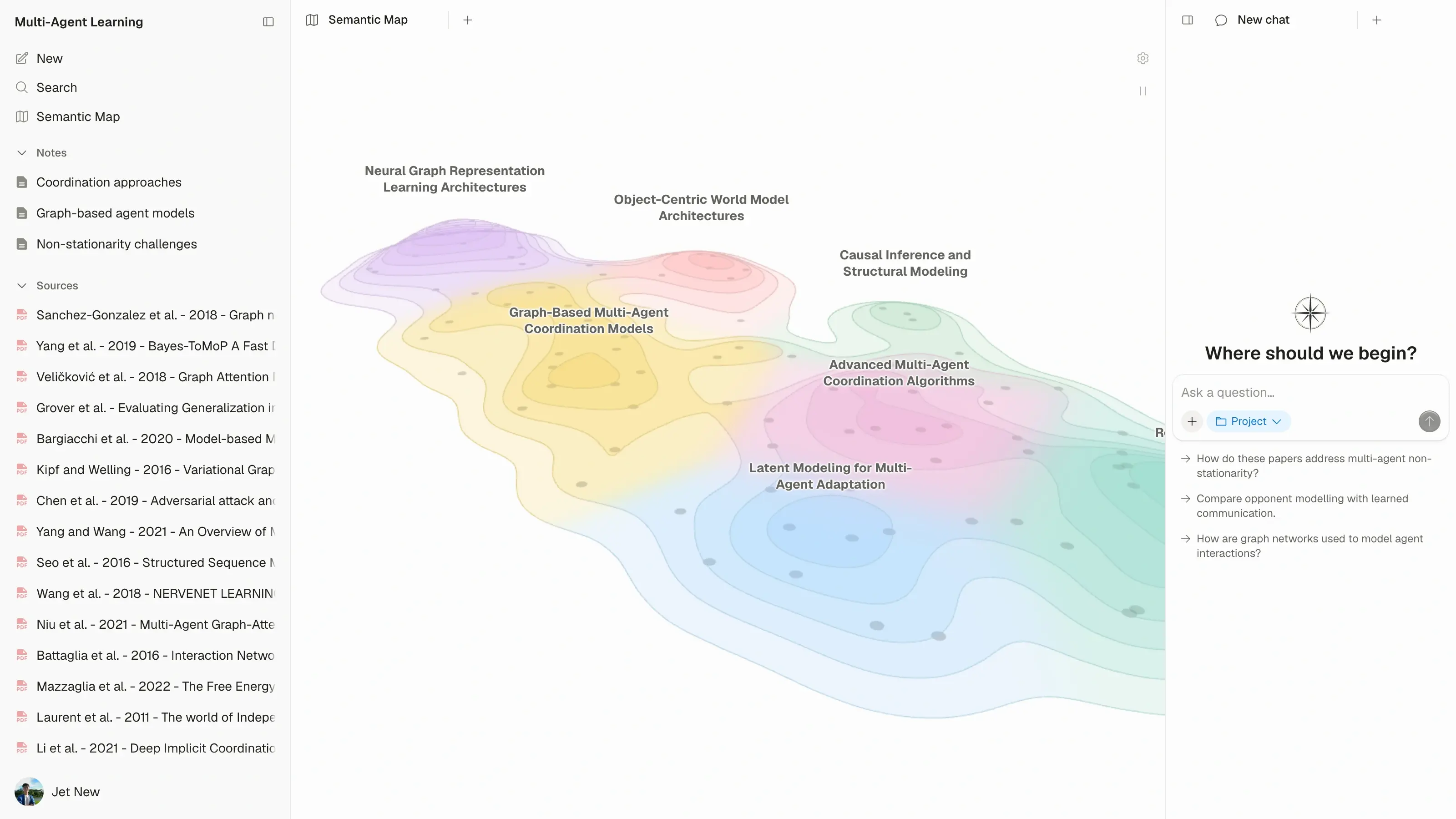
Atlas workspace showing a horizon-view semantic map of 110 multi-agent learning research papers
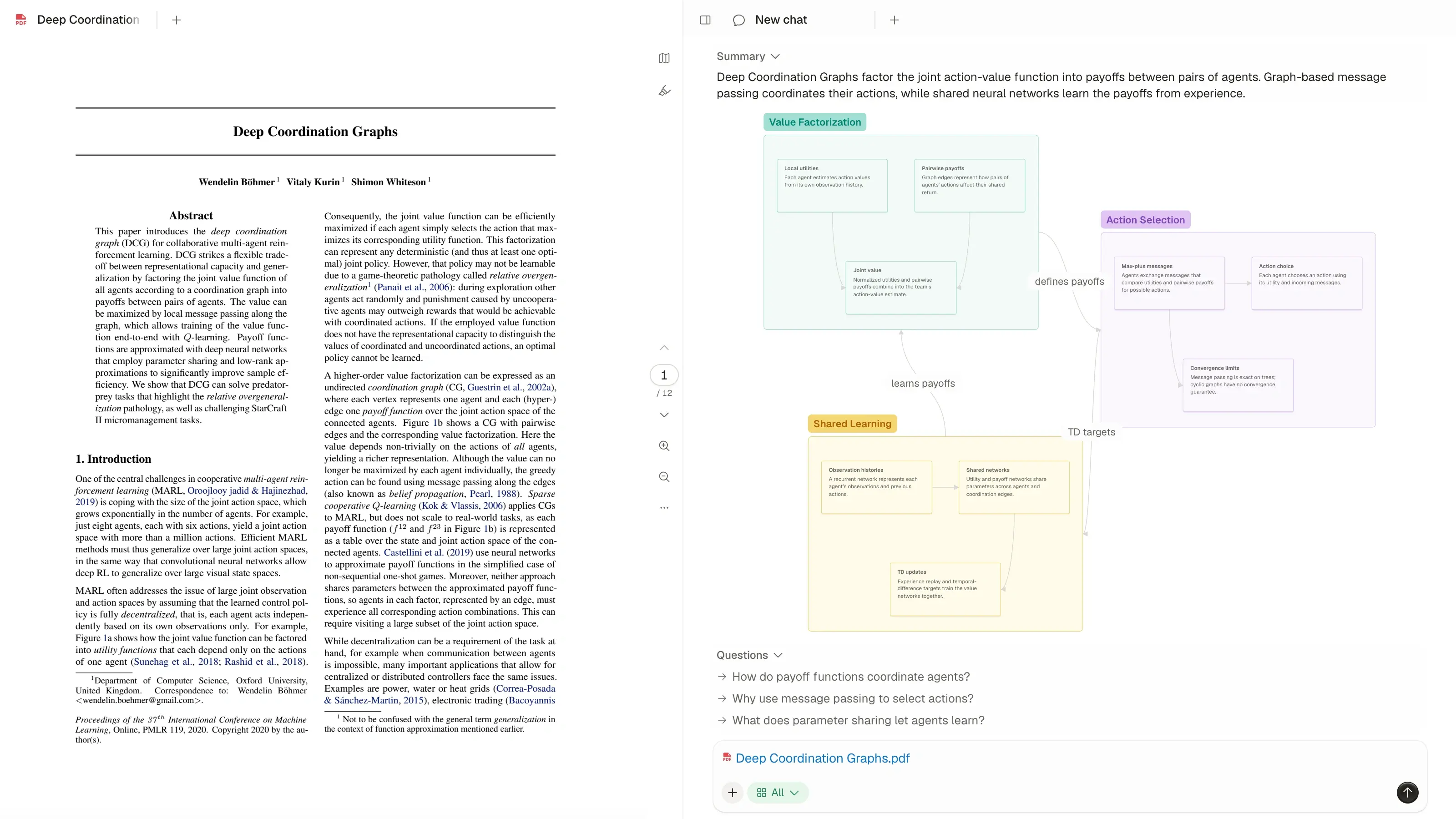
Atlas PDF reader alongside the paper’s knowledge map and chat
CambridgeMITStanfordHarvardOxfordETH ZurichTsinghuaNUSUC BerkeleyTokyoSeoul National

How to chat with a PDF

Upload your document to Atlas. Once it is ready, ask what you want to understand and follow the conversation from there.

  1. Upload your PDF

    Upload the document to your Atlas project.
  2. Ask your question

    Ask about a passage, method, result or argument.

  3. Open the citation

    Read the original context alongside the answer.

Bring papers and reports into your project. Explore supported sources.

Get answers to the questions a summary leaves open

A summary gives you the overview. PDF chat helps you understand the details: an unfamiliar method, a difficult passage, or the evidence behind a finding.

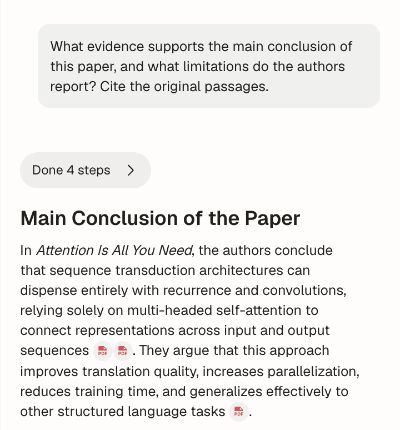
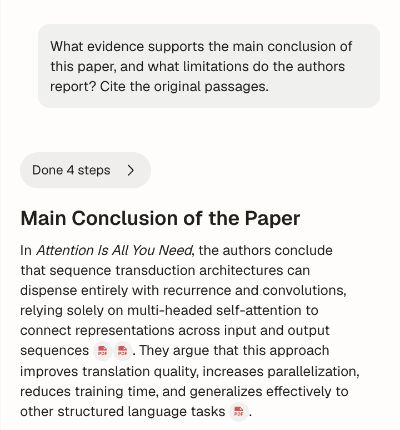
Ask about the paper's findings and the evidence behind them.

Read the answer beside the original PDF

Follow an answer's citation to the document and read the passage in context. Keep the chat and PDF side by side as you work through the explanation.

Use Atlas as an AI PDF reader when you want help understanding what the document says and why it matters.

How to follow citations to a source
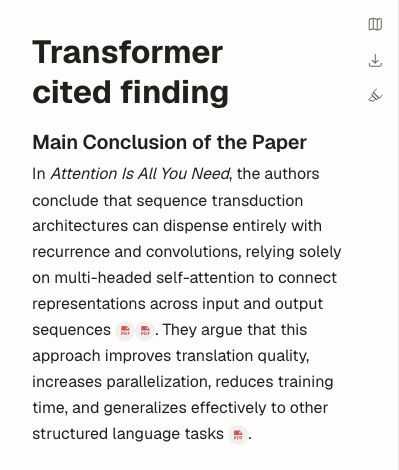
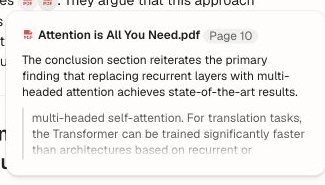
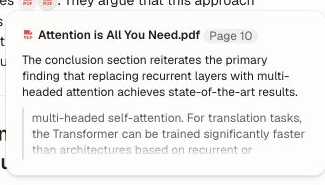
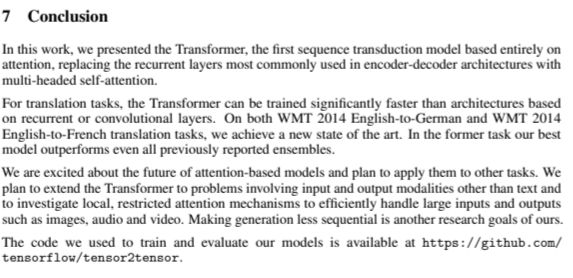
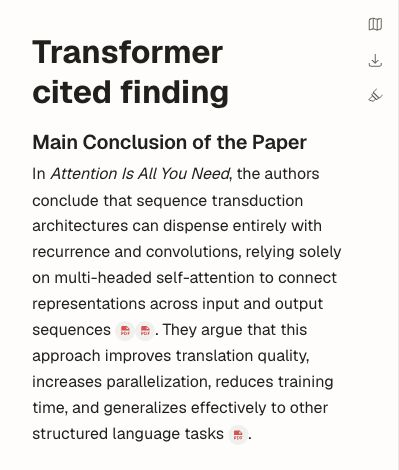
Open a citation to read the paper's conclusion beside the answer.
Original conclusion on page 10 of Attention Is All You Need, opened from the answer citation.
Open a citation to read the paper's conclusion beside the answer.

AI document analysis for papers and reports

Work through a document's reasoning one question at a time. Understand what it claims, how the research was done, and what the results mean.

When you need to compare several papers, bring them together in a literature review.

  • Arguments

    Understand the claim and the reasoning behind it.

  • Methods

    Understand how the research was carried out and which assumptions matter.

  • Findings

    Understand the results and the conclusions the authors draw.

Explore AI literature review

Save answers as research notes

Save an explanation or finding as a note alongside your PDF. Return to it when writing, comparing papers or continuing your research.

A saved answer stays in the same project as the paper.
Your research notes stay with the project.

Chat with PDF FAQ

What would you like to ask your PDF?

Bring your document to Atlas and start with the question on your mind.

Create an account to start. See plans and limits.