


An AI paper reader can mean either hardware or software. Viwoods sits on the hardware side with small e-ink readers that add AI reading help. The software side covers tools that explain, annotate, translate, summarize, or answer questions about research papers.
- Pick e-ink hardware when glare, battery life, portability, and focused reading matter most.
- Pick paper-reader software when the job is upload, explanation, annotation, translation, or quick Q&A.
- Pick Atlas when the answer needs citation badges, source passages, and evidence checks across papers before you reuse the note.

Compare papers with cited answers
Add papers, ask a comparison, and inspect cited evidence behind each answer.
AI paper reader criteria
The phrase "AI paper reader" covers both devices and software. Start by deciding which one you need.
- Screen comfort matters when you read full papers for long sessions. A small e-ink reader can be the right answer even if its AI layer is basic.
- Explanation depth matters when a methods section, equation, or unfamiliar term blocks progress. Highlight-and-explain tools are built for that moment.
- Source trail matters when the output will support a literature review, memo, or draft. The reader should be able to open the original passage and check the claim.
- Multi-paper work matters when an answer depends on several sources. At that point, the reader needs more than a single-paper summary.
AI paper reader comparison table
Use the table as a first cut. The better choice depends less on the word "reader" and more on whether you need comfortable reading, faster explanation, or proof you can inspect later.
| Option | Best fit | Evidence path | Atlas fit |
|---|---|---|---|
| Atlas | Cited questions and evidence inspection | Open citation badges and source passages | Use when source checking is the job |
| Viwoods AiPaper Reader | Portable monochrome e-ink reading | Check product and review pages for device details | Use Atlas after papers become sources |
| Viwoods AiPaper Reader C | Color e-ink for diagrams and visual reports | Check the official color model page for display and AI claims | Useful later if notes need cited synthesis |
| Explainpaper | Highlighting confusing paper text | Compare the explanation with the paper passage | Pair with Atlas when the question spans papers |
| Paper Digest AI Reader | Browser-based PDF reading and paper Q&A | Inspect whether the answer points back to the article | Pair with Atlas for source-grounded follow-up |
| Open Paper | Annotation and deeper paper understanding | Keep annotations tied to the paper context | Pair with Atlas when notes need synthesis |
| Moonlight | PDF reading with explanation and translation help | Check selected text and surrounding paper context | Pair with Atlas for cited answers across sources |
Table 1: AI paper reader options split into hardware comfort, paper explanation, and source-checked research workflow support.
Atlas fits when you need to check an answer against a paper. Add the paper, ask a focused question, and open the citation badge. Read the cited passage before you save the answer.
Atlas paper comparison workflow
Here is the Atlas check I would use after a paper reader helps me find or understand a study. Add the paper as a source, then ask a narrow question such as, "What evidence does this paper give for the intervention effect, and what limitation changes how I should use it?"
- Add the relevant papers or source material to Atlas. Use academic paper search when you know the DOI, arXiv ID, title, author, or topic.
- Ask a grounded question that the papers can answer.
- Open the citation badges in the answer.
- Read the source passage and nearby context with the citation trail in mind.
- Save or reuse the answer only when the cited passage supports the claim.
This source trail is what makes an AI answer useful for research. Open the cited passage, compare it with the claim, and decide whether the paper supports your note.
Use this citation-opening step as the line between an explanation aid and a research workflow. If the reader cannot inspect the cited passage and nearby context, treat the answer as a lead until the original paper confirms it.
AI paper reader options
Atlas
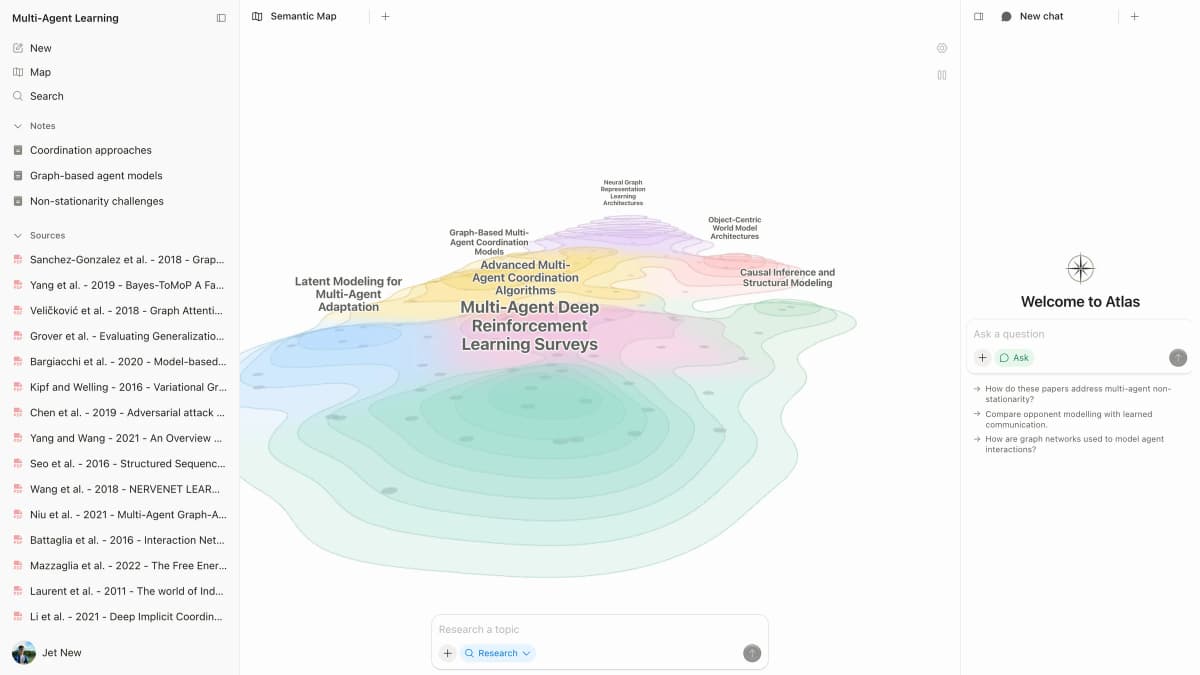
Atlas fits the verification step after reading. Add papers as sources, ask a grounded question, and open the citation badges. Inspect the cited passages before reusing the answer.
That makes Atlas a poor substitute for an e-ink device and a strong fit for source-grounded follow-up. Use it when the paper reader has helped you find or understand material, but the next step is cited synthesis.
Viwoods AiPaper Reader
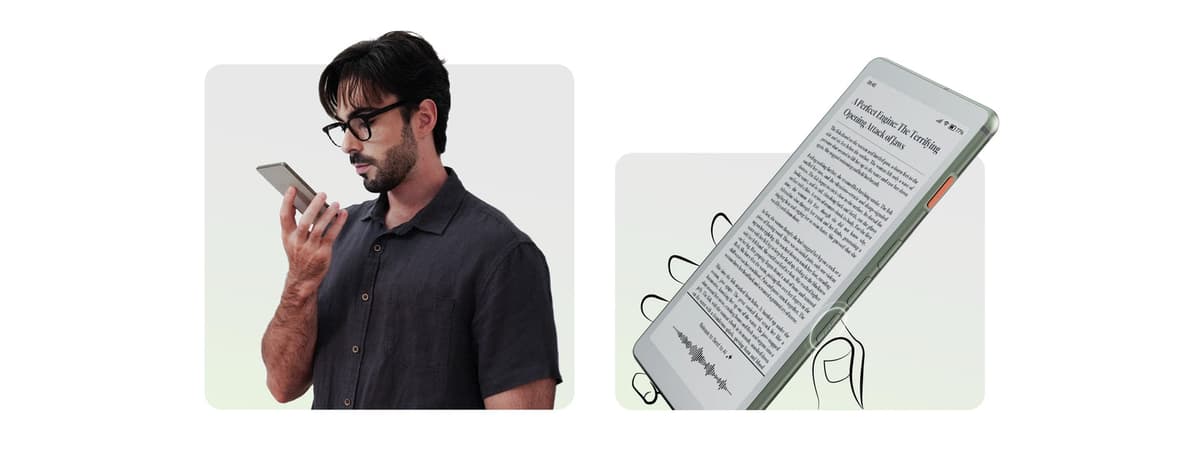
Viwoods fits the hardware meaning of AI paper reader. Choose it when you want a portable e-ink screen, less glare than a tablet, and on-page AI help while reading.
I would not choose it as the main system for a literature review. The hard part of research is often checking and reusing evidence after the reading session.
The best Viwoods buyer is someone who already knows they want a dedicated reader. If your main pain is "I need to understand this paper faster," software will usually matter more than the device.
Viwoods AiPaper Reader C
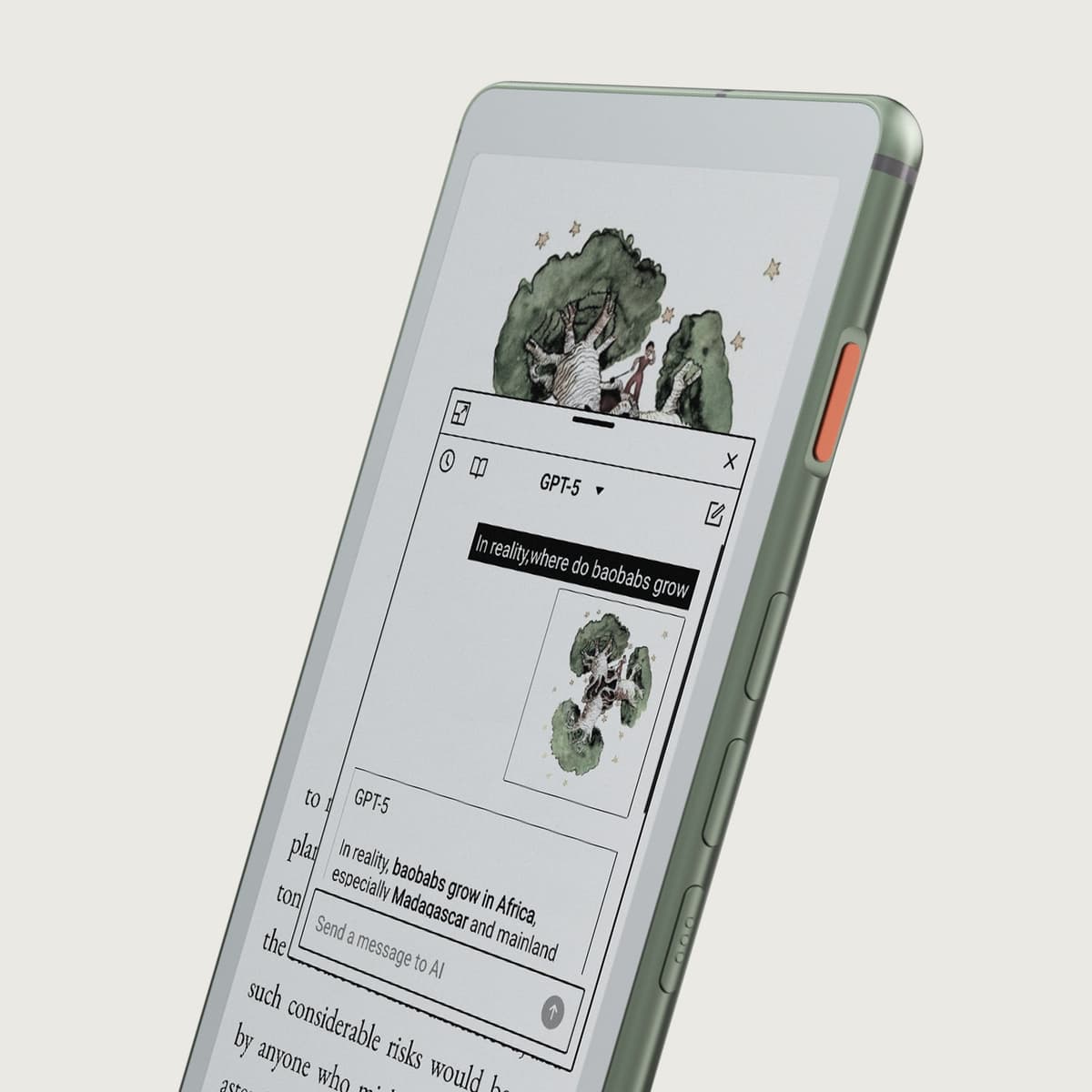
The color model fits visual papers, reports, charts, comics, and diagrams. Color e-ink helps when the page uses visual cues that a monochrome reader flattens.
For mostly text-based academic reading, the color upgrade is less important than note export, source traceability, and whether the AI answer can point back to the passage.
Explainpaper
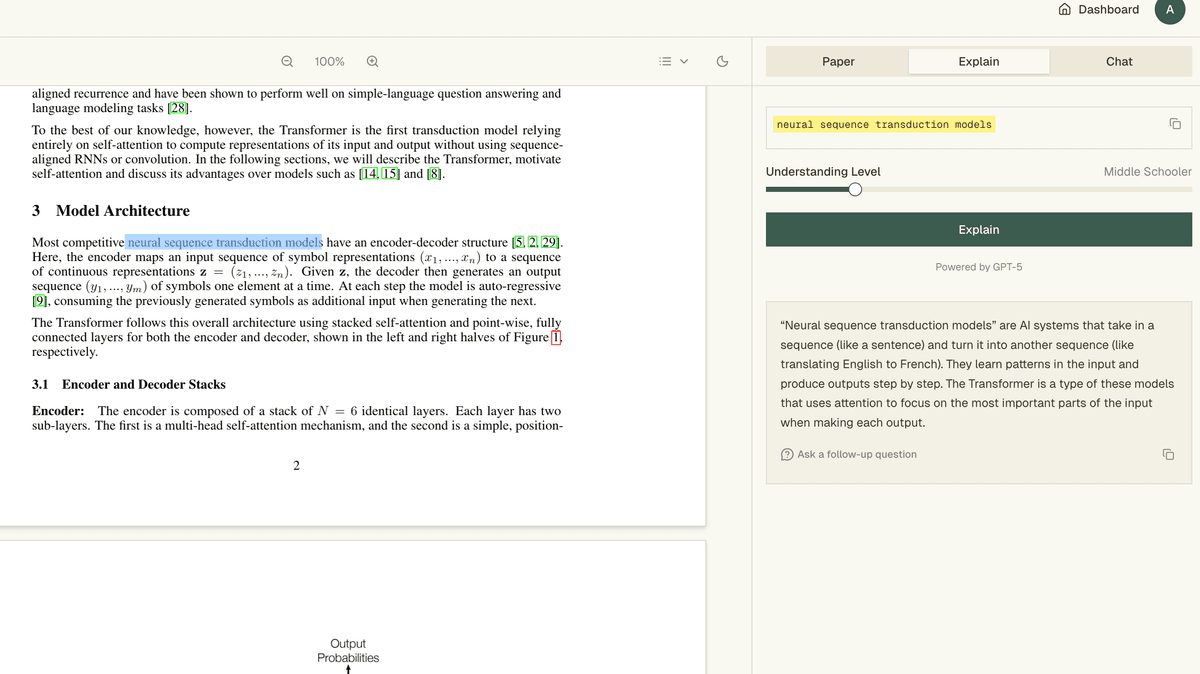
Explainpaper fits the "help me understand this passage" job. Upload a paper, highlight confusing text, and ask for a simpler explanation.
That helps during first-pass reading, especially when the paper uses new terms or compressed methods language.
The limit is scope. A highlighted explanation can help with one passage, but it does not prove that a later synthesis claim is supported across several papers.
Paper Digest AI Reader
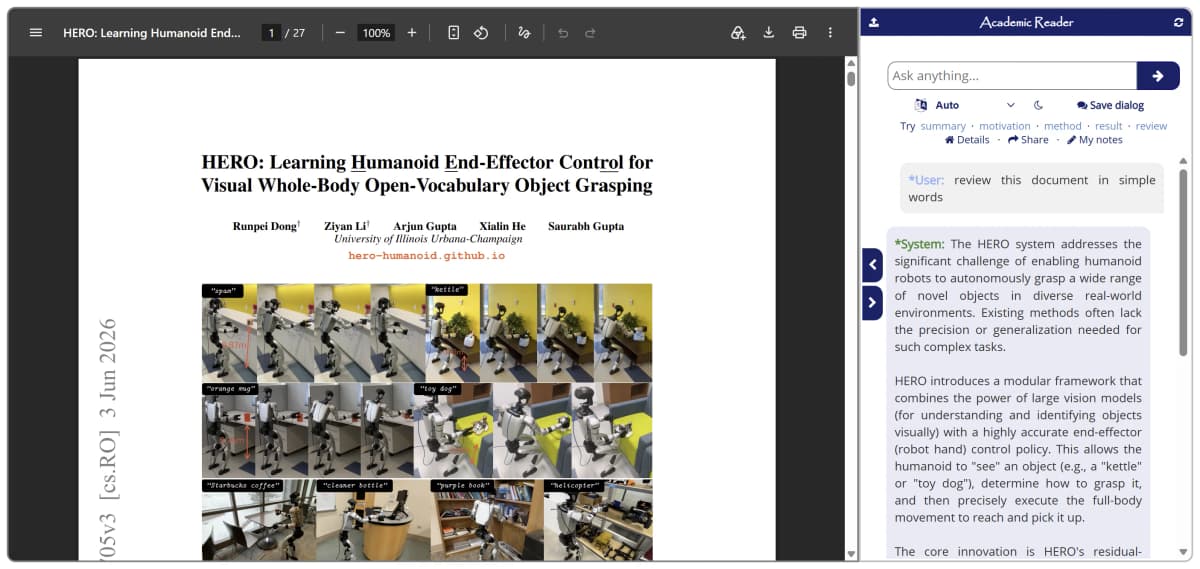
Paper Digest fits readers who want a web-based academic reader and quick answers about PDF articles. Treat it as paper-reading software rather than e-ink hardware.
I would use it for first-pass paper understanding, then check any important claim against the PDF before moving the claim into a literature review.
Open Paper
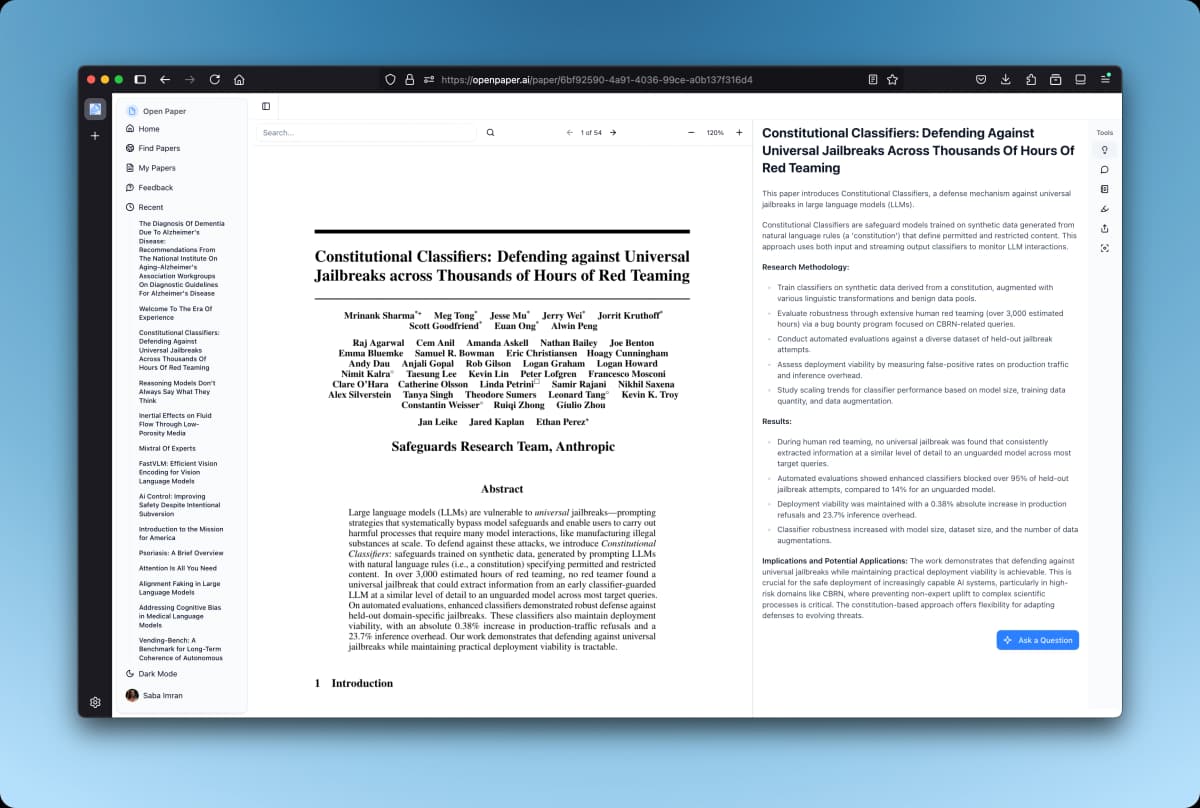
Open Paper fits a paper workspace where annotation and comprehension matter together. It is a better fit than a generic chat tool when the reader wants paper context to stay visible while making notes.
Check export and citation behavior before depending on it for a team review.
Moonlight
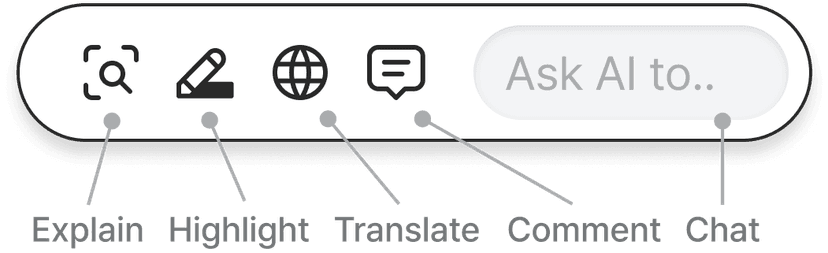
Moonlight fits paper reading with selected-text explanations, translation, and context-aware help. It is strongest when a passage in the PDF blocks progress.
For final notes, the same rule applies. Keep the answer tied to the paper passage you can inspect.
Verification rules before trusting AI paper answers
Treat every AI paper answer as a research lead until the source passage supports it. Run the check before the note enters a draft, matrix, or client memo.
Start by finding the exact sentence or table in the paper that supports the claim. Read the nearby method, result, and limitation text. If the cited passage only supports part of the claim, narrow the note instead of carrying the broader version forward.
Then check the source path. A useful AI paper reader should make the original passage easy to open, keep context near the answer, and make unsupported claims visible enough that you can catch them.
Choose an AI paper reader
Choose Viwoods if the purchase is mainly about a focused e-ink reading device. Choose Explainpaper, Paper Digest, Open Paper, or Moonlight if the problem is understanding the paper on screen. Choose Atlas when the answer has to survive source checking across one or more papers.
For low-risk reading, a quick explanation can be enough. For literature reviews, research memos, and evidence-backed writing, I put citation inspection ahead of convenience. The best AI paper reader is the one that lets you move from reading to a claim you can defend.
Working with legal files instead of papers? See the legal document organizer guide. For reports and web articles, compare the tools in our Articles AI guide. To check themes in interviews or other text, read the qualitative coding AI guide.
Compare papers with cited answers
Add papers, ask a comparison, and inspect cited evidence behind each answer.