

A retrospective cohort study looks at a group's past exposure and later outcomes after those events have taken place. The team looks backward from today, but the study's logic still runs from exposure to outcome. A group with one exposure is compared with a group with another or no exposure.
To read or plan such a study, draw its timeline and check which records support each step. The word “retrospective” does not tell you who belongs in the group. Nor does it show that the dates are clear or that missing records leave the findings unchanged.

Check the sources behind your design note
Compare published methods with verified notes about historical records.
What makes the study retrospective
A cohort is a group whose outcomes are tracked over time. In a retrospective study, the events being studied are already in the past when the work begins. The NCI definition of historic cohort study gives this other name. It describes the use of past records to compare groups with different exposure traits.
Keep two clocks separate. Study time runs from entry into the cohort through the time when outcomes are tracked. Research time is when the team gathers and reviews the records. Events can have happened years ago while the team works out their order today. Check the dates in the paper. The year it was published is not the start of follow-up.
Retrospective does not mean case-control
Both designs can use past records. Cohort logic begins with a group and compares outcomes across exposures. Case-control sampling starts with outcome status and compares exposure histories; that guide explains the selection logic when reading an outcome-selected study. The CDC field manual explains how these groups are formed. Ask how people entered the study, not just whether the team looked back.
Prospective describes a different research timeline
A prospective cohort follows people as outcomes occur. A retrospective cohort works from earlier events. Some studies combine past records with later follow-up. Setia's cohort overview abstract notes that cohort studies can use either approach or both. Neither label proves that a dataset is complete or a design is valid.
A published retrospective cohort example
The CDC's 2004 Pennsylvania outbreak report describes an outbreak linked to a residential facility. The team checked event attendance, food exposure and later illness.
Use this historical report to read the study methods. It does not provide current clinical guidance.
Keep the groups in the report distinct. The team interviewed 315 of 349 people who might have been at risk. The retrospective cohort analyses for the two most recent events used data from 77 attendees.
Those groups served different roles. Using 315 as the denominator for the two-event comparison would misread the report.
People entered the analytic group because they had attended those events. The team compared illness by food exposure. It did not form the group by choosing only people who became ill.
The report links pasta salad with illness and traces the food supply to snow peas. Keep that broader investigation distinct from the cohort comparison itself.
Read the design before the effect estimate
Start with four questions: who was in the cohort, what counted as exposure, what counted as the outcome, and which dates were studied?
The CDC epidemiology lesson uses this outbreak as an example. Read the original report for the rules the study used; a teaching summary cannot replace them.
Record those four parts from each paper, then list what you would need to know in your project.
The published team had access to records and reports about events and illness. That does not prove your team has similar records, permission to use them, or the same way to find outcomes.
Check historical records before drawing conclusions
The table below is an original teaching aid. Its notes are fictional and do not describe the CDC study or an actual patient database.
The rows keep checked facts separate from open questions for discussion with the data owner about a proposed study.
| Element to check | Fictional availability note | Question or bias concern | Human next step |
|---|---|---|---|
| Defined cohort | A roster exists, but entry rules are not documented. | Who could enter the group, and who is absent? | Confirm the roster's scope and record the eligibility rules. |
| Exposure and date | One log lists an exposure; some dates are blank. | Can exposure be placed before the outcome? | Check how dates were recorded and retain unknown timing. |
| Outcome and date | Events are recorded only within one service. | Could events elsewhere be missed? | Ask the data owner what the record system captures. |
| Follow-up window | Last-contact dates differ across records. | Are people observed for comparable periods? | Define the usable observation window with the research team. |
| Other group differences | Some background fields were never collected. | Which differences could affect the comparison? | Document absent fields and take the question to the methods team. |
Table 1: Do not turn “a field exists” into “the field is reliable.” A column can be present even if its meaning changed during the years studied. A blank outcome field can mean no recorded event, no contact, or a failed link.
Ask the data owner to explain the system. The research team must then judge whether it fits the question. If a paper samples cases and controls from a defined cohort, use the nested case-control guide to check event-time eligibility and control selection. The cohort's retrospective timeline does not, by itself, establish that sampling rule.
The CDC field manual stresses clear exposure and outcome rules. Ask what the records captured, who recorded it, which rule they used, and when. Keep unknown values unknown. A blank does not always mean “no.”
Record permission separately from availability
A public methods paper tells you about that paper's design. It is not permission to use a separate database. Keep access approval, field definitions, and the research question as distinct parts of the review.
Use permitted method papers and checked notes that can be shared. This workflow does not require patient records in Atlas.
Keep bias questions beside the evidence
Past records may save waiting for outcomes, but the team has less control over what was recorded. Setia's overview abstract names losses during follow-up as a source of bias.
Old data does not always make the work cheap or quick. Access, linkage, and gaps can still take substantial work.
Check whether the groups are measured alike
Ask whether exposure and outcome were captured in the same way across groups and time. A change in the system can look like a change in risk if one group's events are easier to find. Record the question and what is known. Field names alone cannot tell you how to correct the problem.
Keep association distinct from a causal conclusion
Exposure groups can differ in ways that also relate to the outcome. This is one reason a design label does not prove cause and effect. The CDC lesson explains why the groups being compared matter.
A causal claim needs its own assumptions and review by the team. A cited summary cannot make that judgment for them.
For reporting, the STROBE hub provides a cohort checklist. Use it to examine what a report describes.
Finding text about a bias does not resolve it. A reporting review has a different job from judging whether the data and design are sound.
Compare methods and notes in Atlas
Atlas can compare supplied method papers and checked project notes. It can help draft a note with source links and open questions. It cannot access patient records, judge their quality, run survival or causal analysis, or certify the study design.
Prepare a bounded comparison
Add the permitted method sources and checked study notes, then wait for processing to finish. Start a fresh chat if earlier messages include unrelated evidence. Choose Project only beside + to avoid new web or literature searches. Earlier chat context remains available. Check the scope of the chat as well as the sources.
In Ask a question, type @ and select the papers and notes. Send a request such as:
Compare how the selected papers define the cohort, exposure, outcome, and observation period. Show the cited method passages. Separately map what my verified notes establish about available records. Keep missing dates, unknown access, and bias questions open. Do not infer data quality or claim that a published study's records are available to my project.
Use the approach in research synthesis to keep differences between papers clear. Ask which source supports each part of the design. A merged account of several papers could describe a plan that no study actually used.
Correct unsupported transfers
Open the numbered citations for the papers and project notes. Check the group, date range, and limits beside each claim.
An answer may say “your database has complete outcomes” when the note only says “an outcome field exists.” Remove that unsupported claim. Record what the note supports and what the data owner still needs to confirm.
The source-checking workflow explains why you need to read the text behind each citation. A marker can point to relevant material without supporting the whole sentence.
Ask for a narrower statement or leave the match unresolved when the passage does not settle it.
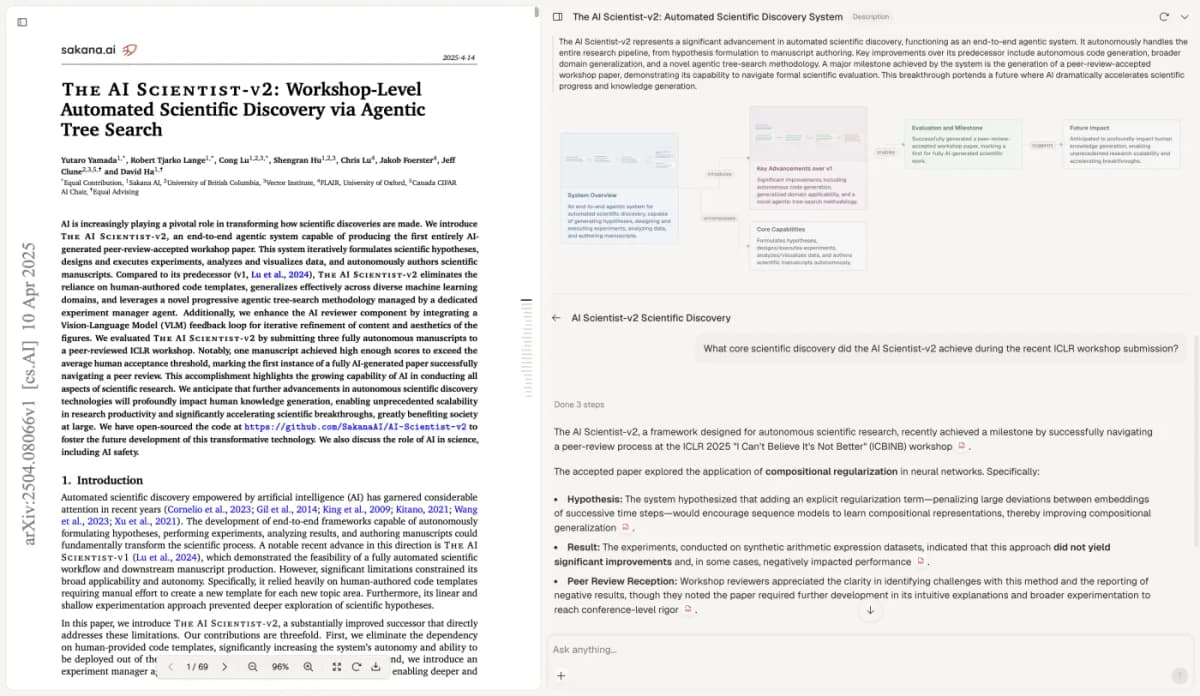
This archived Atlas view shows a different paper. It illustrates checking cited text, not patient-record access or a test of cohort-design accuracy. The visible paper is The AI Scientist-v2: Workshop-Level Automated Scientific Discovery via Agentic Tree Search, by Yutaro Yamada, Robert Tjarko Lange, Cong Lu, Shengran Hu, Chris Lu, Jakob Foerster, Jeff Clune, and David Ha, licensed under CC BY 4.0. The screenshot copy is unchanged; its capture date is unknown. The authors do not endorse this guide.
Save the checked design note
Select New, then Note, to save the corrected work. Include the published design elements, project-record evidence, contrary passages, and open questions. Wait for Saved. Label it as a working note rather than an approved design. The paper-analysis workflow can help organize further source reading as the team resolves each question.
Take the checked note to your team
Ask the researchers and data owners to resolve questions about dates, coverage, access, and analysis. Update the note with the support for each decision. If the records cannot support the question, keep that clear. A polished plan still needs evidence behind it.
Before writing the report, return to the relevant STROBE checklist and your field or journal's rules.
The reading workflow gives others an account they can check. It shows what is known and what remains open. The team still owns the design, data review, and analysis.
Check the sources behind your design note
Compare published methods with verified notes about historical records.