
In Vivo Coding: Keep Participant Words as Codes
Learn in vivo coding with a transcript example: select exact participant phrases, keep their context and citation, then explain your coding decisions.
- Byline

Summary
In vivo coding uses a participant's exact words as a code label.
The researcher chooses the excerpt, checks the speaker and wording, and records why the phrase matters.
These early labels need more comparison before they can support a theme.
In vivo coding names a qualitative code with a participant's own word or short phrase. The label stays close to how the person described an experience, even when a researcher's summary would be shorter.
Suppose a fictional student says: “By Friday, I was running on empty.” Running on empty could be an in vivo code for that passage.
You still need to check who said it and what “by Friday” means. Atlas can help you inspect a cited passage in supplied material. You decide whether to use the code.

Atlas

Check participant phrases in Atlas
Add transcripts, inspect cited phrases, and save a checked coding note.
Define an in vivo code
An in vivo code is an exact word or phrase from the person whose account you are analyzing. The Latin term means “within the living,” but the practical rule is simpler: if the label is your paraphrase, it is not an in vivo code.
The technique is useful when the speaker's wording carries a meaning that a broad topic label would flatten. In the example above, running on empty may suggest exhaustion and depletion. It does not, by itself, tell you the cause or prove that every student felt the same way.
John Saldaña's qualitative analysis chapter treats in vivo and descriptive coding as distinct strategies. It also pairs coding with memo writing. The Oregon State methods textbook shows how a person's words can become an early label. The work continues beyond that label.
A code still involves a choice
The participant supplied the words, but you selected the span and applied it to a piece of data. Another reader might choose a different phrase from the same answer. Record the question that prompted it, the speaker, the nearby lines, and your reason for choosing it.
In vivo and descriptive labels differ
The difference lies in who supplied the label's wording. Both approaches can help in an early coding pass. A descriptive code names a topic in the researcher's words; an in vivo code preserves the participant's wording.
| Fictional segment | Candidate label | Label type | What to check |
|---|---|---|---|
| Student A: “By Friday, I was running on empty.” | running on empty | In vivo: exact participant phrase | Read what happened during the week before interpreting the metaphor. |
| Same segment | weekly workload pressure | Descriptive: researcher's summary | Check whether workload, rather than another demand, caused the feeling. |
Table 1: Weekly workload pressure might become a useful analytic label. It is not a quotation from Student A, and the one sentence does not establish its cause. You could keep both labels provisionally, with a memo explaining their different jobs.
The distinction is visible in the Oregon State coding chapter. If you need a broader first-pass procedure that allows many label forms, see open coding.
Choose a phrase without losing its context
Start with a question relevant to the study, then read a whole answer or fieldnote passage. A phrase should help you understand what the speaker is doing or describing. Do not collect colorful fragments without checking their setting.
Verify the source before copying
Confirm the speaker ID and source location. Compare the transcript with the recording when the study's permissions and workflow allow it. Note uncertain transcription, interruptions, or a question that may have shaped the response. Preserve the phrase exactly as it appears in the checked source.
If a transcript says “I felt sort of shut out,” do not silently change the code to shut out and call it the person's exact phrase without explaining the shortening. A selected substring can be an in vivo code, but your record should show the full utterance and your selection.
Keep a small decision record
For each candidate, write the case ID, line or time range, exact phrase, surrounding meaning, proposed code, and a short memo. The memo answers: Why these words? What else could they mean? Which nearby passage or case should be checked next?
This follows the logic of memo writing alongside coding. It also helps you notice when the same wording means different things in different accounts.
Build a phrase-to-code evidence table
The three extracts below are entirely fictional. The students, transcripts, and line numbers were invented for this teaching example. Imagine a study asking how students seek help during a demanding term.
| Source and speaker | Exact fictional phrase | Surrounding meaning | Proposed in vivo code | Researcher memo |
|---|---|---|---|---|
| T01, Student A, lines 12–16 | “running on empty” | After describing shifts and classes, A says, “By Friday, I was running on empty.” | running on empty | May describe exhaustion from combined demands. Check the next answer for what A did when help was offered. |
| T02, Student B, lines 31–35 | “save the question for later” | B says the tutor was available but felt the question was too small to bring up. | save the question for later | May show hesitation, not lack of access. Compare with B's later account of asking a friend. |
| T03, Student C, lines 44–49 | “couldn't find the door” | C describes searching the course site for office hours, then giving up. | couldn't find the door | Metaphor may refer to navigation. Check whether C meant a literal room, a web link, or both. |
Table 2: The exact phrase column contains a short substring of each invented utterance. The source and context columns let a reader return to the whole answer. The memo marks interpretation as a question rather than smuggling it into the quoted label.
Read beyond the memorable words
Student C's couldn't find the door is vivid. It may be about a web link, a physical room, or a broader feeling of exclusion. Those are different readings. The next question and neighboring lines decide which are plausible.
In a published study of data analysis, Maher and colleagues stress close reading of the data. Finding a segment with software does not replace that reading.
Compare and revise the codes
After coding a few passages, compare how each phrase works in its own account. Ask whether two phrases refer to similar experiences, and whether a counterexample changes your reading. Keep the source locator beside each comparison.
Keep, split, or group with a reason
Suppose another fictional student says “running on empty” about sleep loss. Student A meant the split between paid work and class. You could keep the same phrase as a code, with a separate memo for each case. You might also split the cases before making a broad claim.
Group codes only when the comparison explains something useful. A possible category such as barriers to seeking help would need more than these three invented rows. It would also need attention to cases that do not fit.
The Oregon State chapter separates early codes from later ideas. For a way to develop patterns across a dataset, see inductive thematic analysis. The person's words remain evidence. The theme is the researcher's tested reading.
A phrase is not a theme
A vivid phrase may be useful, but it is not a theme on its own. The same is true of a phrase that recurs. Check who used it, what they meant, and what cuts against your reading.
If a case resists the pattern, negative-case analysis offers a way to study that tension.
The Maher and colleagues study describes memos and data tools as aids to the researcher's work. A list of phrases cannot make the claim for you.
Next step: check cited phrases in Atlas
Add transcripts or notes you have permission to use to an Atlas project. Mention a small set of sources with @, then ask one focused question.
Atlas's public guides support source mentions, cited answers, opening citations, and saved notes. They do not show complete phrase retrieval or a formal coding database.
In the selected interview transcripts, find candidate phrases participants use to describe asking for help. For each candidate, give the speaker or source, a citation, and nearby context. Keep the wording as written. Mark uncertainty instead of deciding the code or theme for me.
Open every citation. Check the speaker, exact words, preceding question, and following answer against the transcript. Reject a phrase if the citation is wrong or the context changes its meaning. Record your choice and reason in a note or your study's coding system.
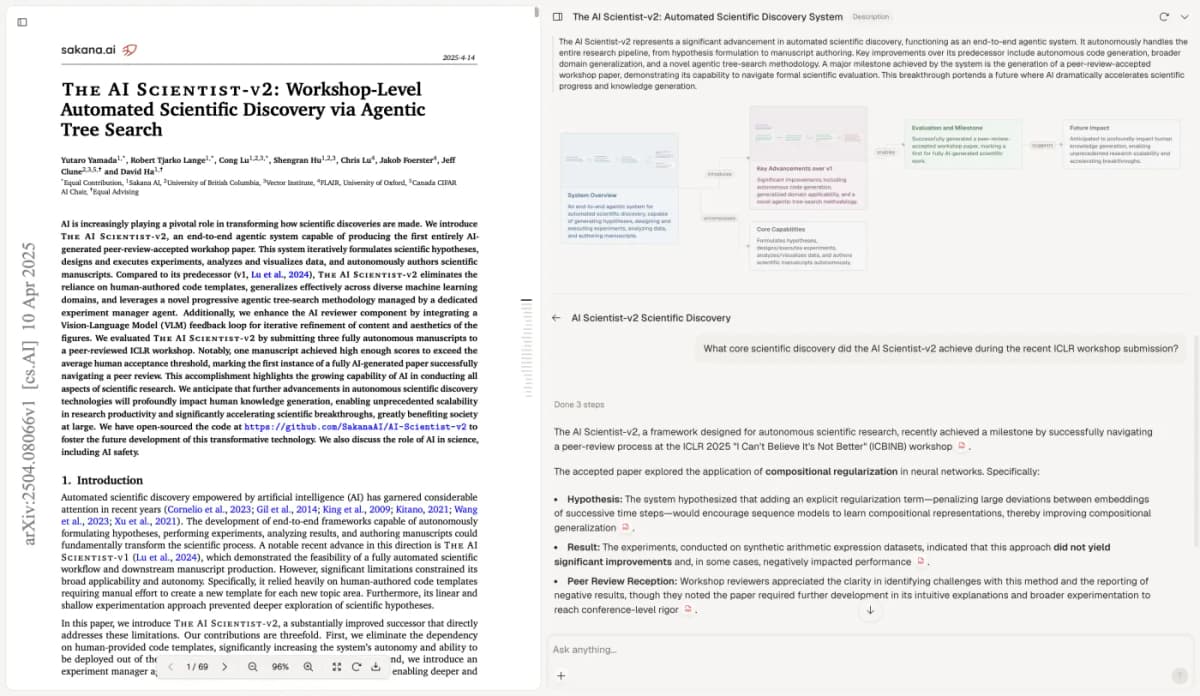
The screenshot below shows an unrelated research paper beside an Atlas answer with citations. It illustrates opening a cited source for review; it does not show interview coding or prove complete quote extraction.
Keep interpretation and limits visible
An in vivo code can preserve a speaker's expression, but selection can still favor memorable wording. Revisit quieter passages and cases that challenge your first reading. Keep a memo on why you included or excluded a phrase.
Transcription and translation change what “exact words” means. For a translated interview, say that the code comes from the translation. Keep the first-language segment when you can.
If you remove filler words, join sentences, or edit a quote, mark the change. Do not attribute a made-up or reworded line to a participant.
Distinctive wording may identify a person even without a name. Follow the study's consent and data rules before you share a quote or upload a transcript.
In the published analysis by Maher and colleagues, software helps with storing and finding data. The researcher still has to read and make sense of it.
The useful result is a traceable path from a speaker's words to your provisional label and then to a revisable interpretation. Keep that path visible as you continue the analysis.
Atlas
Check participant phrases in Atlas
Add transcripts, inspect cited phrases, and save a checked coding note.
Frequently Asked Questions
It is a coding technique that uses a participant's exact word or short phrase as the code label for a relevant data segment.