


For NotebookLM vs ChatGPT, start with the source check your study task needs. Gemini Notebook fits selected readings and native study outputs. ChatGPT fits guided explanations, file analysis and broader research. Both need you to read the evidence before you keep a claim.
NotebookLM is now Gemini Notebook. The renamed product has notes, maps and exports as well as source chat. Changing the name does not require moving your reading materials.
This guide starts from a course packet or papers you already have. The ChatGPT-first comparison covers the broader assistant choice. Use the checks below to decide whether your next study step needs another app.
Atlas is an option for cited project chat and a synthesis note. Try it when that workflow fills a specific gap. A source citation alone is not a reason to add a third tool.

Verify your sources in Atlas
Compare selected sources and inspect the citations behind each grounded answer.
Which Fits a Source-Based Study Task?
Choose Gemini Notebook when you want to ask about selected readings, explore a source map or generate review materials. Keep it if you can inspect the relevant passage and save the note you need.
Choose ChatGPT when you want step-by-step help with a concept, file work or a wider research question. Study mode and Deep Research serve distinct jobs. Check the mode and source controls before comparing their answers with a notebook response.
Neither product is inherently more accurate based on this feature review. A fair choice needs the same task, the same evidence and a check of the claim. This article gives a procedure rather than invented accuracy scores.
Compare by research job
Decide what the answer should help you do:
- Understand a reading: Ask what the selected source means and where it supports the explanation.
- Practice a skill: Work through a question, answer without help and review what you missed.
- Compare papers: Keep methods, results and limits separate for each source.
- Find missing context: Use research tools when the supplied readings do not answer the question.
- Keep a finding: Save the claim with its source and caveat so you can check it later.
The tool should match the next action. A source map may help you see the topic outline. A guided explanation may help you solve a problem. Neither proves that you can explain the idea without the answer.
Use your own course rules when studying assessed work. Upload only material you are allowed to share with the service. Ask for help understanding the reasoning, then do the part you are expected to complete yourself.
Source grounding and citations
Gemini Notebook's Selected Sources
Google's chat guide describes source citations and selecting material for a question. Ask about one claim or contrast, then open its supporting text. Read enough context to check whether the answer overstates it.
The source guide covers supported files and imports. Web pages and YouTube transcripts have their own limits. Supported Drive sources can sync updates, while other changed files may need a fresh import.
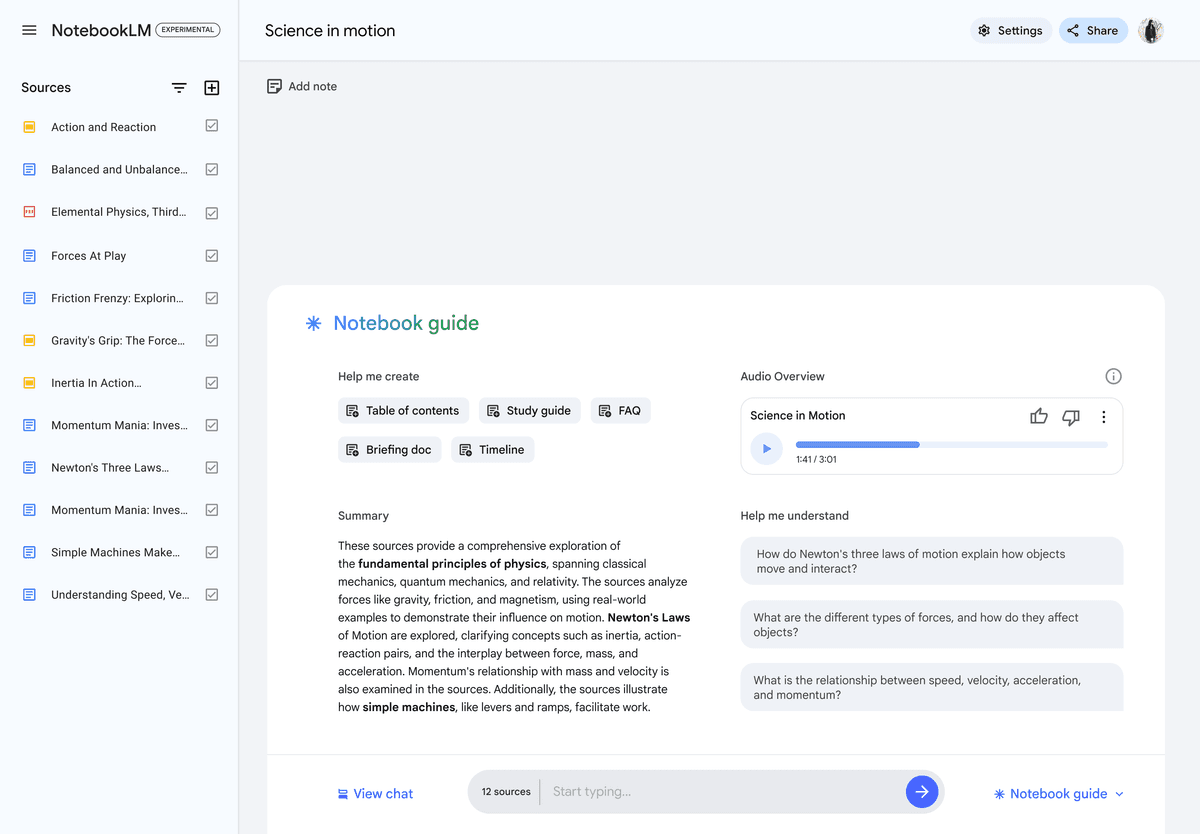 This retained image uses the former NotebookLM name and an older notebook guide. It shows source selection, rather than the entire current Gemini Notebook interface.
A notebook can contain permitted sources from different courses. Select the sources that belong to the question. Similar terms may have different meanings across courses, so ask which source supplies each definition.
Google now also offers experimental agentic chat features. Check the mode's context and output path. Do not assume every answer in the renamed product uses only the files you selected for a standard source question.
ChatGPT's File and Research Context
ChatGPT can compare documents, extract relevant text and work with spreadsheets. OpenAI's file-upload guide explains supported tasks and limits. Tell it which files and pages matter, then check the extraction against the original.
For a question that needs more research, Deep Research can use uploaded files, the web and eligible connected apps. You can review its plan and source choices before it runs. Reports include citations or source links.
Source control is therefore available in both products. The practical question is whether the selected mode gives you the evidence path you need. A general chat answer and a cited research report should not be treated as the same setup.
Check What the Citation Supports
Read the source behind each important claim. Confirm the sample, measure and conditions. If a paper finds an effect only under one condition, keep that condition in your note.
A cited answer can still miss a key qualification. Ask what each source contributes when the answer merges several papers. Keep an unresolved conflict visible instead of asking the tool to force agreement.
For a literature review, record where the supporting text can be found. A source title, stable link and page detail may help the next reader more than a copied answer with no context.
Broad reasoning, files, and web research
Guided Learning in ChatGPT
OpenAI's Study mode guide describes guided questions, step-by-step explanations and checks of your understanding. You can supply course materials and ask it to wait for your answer before giving feedback.
Study mode is used in regular chats. It is not available in Projects, GPTs or Temporary Chats. If you organize course files in a Project, test the learning workflow in the appropriate chat rather than assuming the same feature exists there.
A useful task is to explain a concept, try a fresh problem and identify the step you missed. Check the explanation against the course source. Guided learning can still make mistakes and does not establish a grade improvement.
Native Study Outputs in Gemini Notebook
Gemini Notebook offers source-based review formats such as Audio Overviews, quizzes and maps. Choose a format that helps you study the material. The student workflow guide shows how to return from a missed concept to its source.
Google's Mind Map help describes topic questions, downloads and sharing, with mobile restrictions. A map can orient you to a reading. Revisit the source before relying on a branch label as a fact.
The notes guide covers written notes, saved responses and Docs or Sheets export. Those exports create separate copies. Later changes do not sync back, and sharing permissions do not carry over.
Broader Work and Account Limits
ChatGPT's capabilities overview covers drafting, search, coding and data work. Projects keep chats, files and instructions together. Plan and workspace settings affect the available tools and context.
Google's usage guide describes compute refreshing after five hours until the weekly ceiling. Complex prompts, long chats, sources and outputs affect usage. Old daily chat or audio quotas are not a sound basis for choosing a plan.
ChatGPT upload, storage and research limits are also separate controls. Check the current upload help and in-product research counter. A tool that accepts a file may still be unable to run the next research task under your current allowance.
For private material, review the account's data controls and retention terms. OpenAI's retention guide explains that Library copies can remain after a chat is deleted. Google's privacy guide distinguishes personal feedback from qualified work or school account handling.
NotebookLM vs ChatGPT compared
Use the table to choose a task and its final check. It summarizes documented workflows. It does not report a head-to-head test of accuracy or speed.
| Research job | Gemini Notebook | ChatGPT | Final check |
|---|---|---|---|
| Selected reading questions | Source chat with citations | Uploaded-file questions | Read the supporting passage |
| Guided practice | Native review materials | Study mode in regular chats | Try the problem without help |
| Paper comparison | Choose the notebook sources | Compare supplied files | Keep each method and caveat |
| Wider research | Source discovery and mode-dependent research | Deep Research with source controls | Inspect sources used |
| Visual review | Native source Mind Maps | Ask for an outline or explanation | Check labels against the reading |
| Reusable notes | Written notes and Google-file exports | Chats and Project context | Keep source details with claims |
| Cited project synthesis | Notebook review may cover it | File or research mode may cover it | Try Atlas only for a distinct project need |
Table 1: Study-task comparison based on current Google and OpenAI documentation linked in the preceding sections. A third workspace is an option to test when the existing evidence check does not fit your task.
The table is useful only if the output matches your work. If you need a quiz, test whether the questions cover the assigned concepts. If you need a memo, check whether the draft preserves the source's limits.
For Projects-specific setup and memory, see ChatGPT Projects vs NotebookLM. This page keeps that feature within the broader study and source-review choice.
Verify sources after the comparison
Try this hypothetical task with two papers: one reports an effect and the other does not. The goal is a checked synthesis note that explains the difference. These are suggested steps, with no claimed product test result.
- Use the same evidence. Keep the two papers and the question constant. In Gemini Notebook, select them. In ChatGPT, supply them and check the mode's source controls.
- Ask for separate claims. Request each paper's method, sample, result and limit. Ask for support that you can inspect for each row.
- Read the source. Open the cited material or return to the named page. Check whether the result and qualification match the answer.
- Write the unresolved point. Explain why the findings differ if the papers support that explanation. Otherwise say what still needs checking.
- Test the handoff. Save the note and reopen its source references. Confirm that a reader can tell which paper supports each claim.
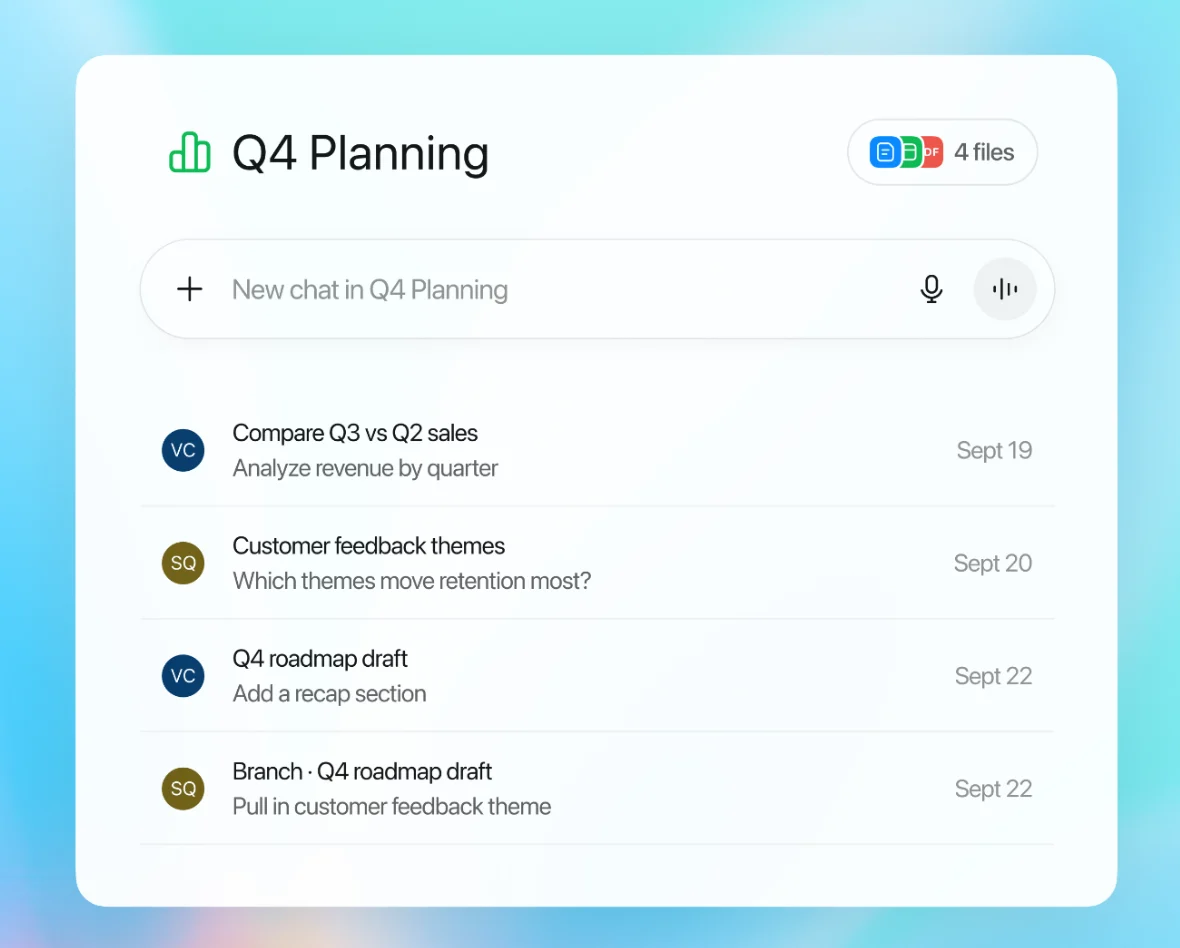
Atlas can support this task within a project. Add the papers, wait for processing and mention the sources in a focused chat question. Open the answer's citations and save the useful comparison in a note after checking it.
If you want a visual outline, open that source or note's Knowledge Map. Atlas's semantic map is a separate view of related items in the current project. Neither nearby items nor map labels prove citation support for a claim.
When a claim is hard to trace, ask the chat to separate what each source contributes. Check the revised answer too. This step can be useful in all three tools, so keep the workspace that makes your own review easiest.
Which should you choose?
Choose Gemini Notebook when the readings are already selected and native review outputs help you study. Its notes and exports may be enough for the result you need. Keep it if the source check works.
Choose ChatGPT when the next task needs a guided explanation, a file transformation or wider research. Use the appropriate mode and inspect the evidence. Do not equate its broad capabilities with a guarantee of accuracy.
Use both when they serve repeated, distinct steps. For example, review a source in the notebook, then practice explaining it in a regular ChatGPT study chat. Read the course text again if either answer adds a claim the source does not support.
Try Atlas when cited project chat, source reading and a synthesis note fill a specific gap. It is not required merely because the final answer needs citations. Its map workflow comes from a source or note, rather than an automatic account-wide knowledge graph.
Choose the fewest tools that let you read, check and keep the finding. Keep the original materials and their caveats whichever app you use. For a wider replacement search, see NotebookLM alternatives.
Verify your sources in Atlas
Compare selected sources and inspect the citations behind each grounded answer.