


NotebookLM is now Gemini Notebook. It remains a standalone Google app, suited to research that starts with a selected source set. It is built around notebooks. You add sources, ask questions over them, and create notes, reports, audio overviews, mind maps, or data tables.
Perplexity is the better fit when the job starts with the open web. Ask a question, get an answer with citations, then keep follow-up work in Projects when the search becomes a longer task.
For source-heavy work, verification is the final step. After first-pass reading, keep the key sources together. Ask a comparison question. Inspect the cited passages before you reuse the finding in a review, memo, report, or decision note.

Compare your own sources in Atlas
Add selected sources, ask a comparison question, and inspect the cited evidence.
Decision criteria: sources, search, and synthesis
The choice is mostly about source control.
Google's NotebookLM source help says a source is a copy or synced version of a document you import or upload. NotebookLM uses those sources to answer questions or complete requests. That helps when you already know the reading packet. The packet can include PDFs, Docs, Slides, Sheets, web URLs, pasted text, YouTube URLs, images, audio files, and other supported source types.
Google also says each NotebookLM notebook stands on its own. NotebookLM cannot read across several notebooks at the same time. That boundary helps with a class module, client packet, due diligence folder, or paper set. The model's work stays tied to that notebook.
Perplexity starts from a different place. Its help center says Perplexity gives direct answers, uses current web facts, and cites sources. Projects add a workspace for research tasks and team work. They also support file search and custom instructions.
Perplexity supports file uploads, but long files may be read through selected relevant parts. Its Projects retain files, instructions, searches, and Computer tasks. They are private by default, with viewer and editor permissions. Connector files added to a Project are copies: fetch them again when the original changes.
Google Drive sources in Gemini Notebook can auto-sync when the notebook opens. Notebook capacity and compute are separate constraints: check Usage for the five-hour allowance and weekly limit. If you attach the notebook in the Gemini app, wider tools can join the conversation; Studio and shared notebooks remain in the standalone app.
One product is not better for every job. Start with the job. Do you need to find sources, or do you need to analyze sources you already trust?
- If you are still finding sources, Perplexity is usually the faster first step.
- If you already have the source set, NotebookLM usually gives you more control over the reading context.
- If you need to turn source-backed findings into reusable project knowledge, plan a separate evidence-check step.
NotebookLM vs Perplexity compared
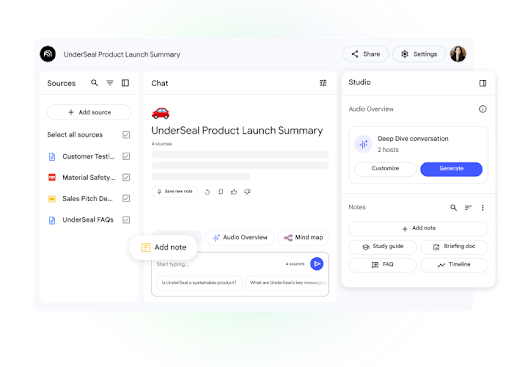
This legacy screenshot shows the standalone source workspace before the Gemini Notebook rename. It illustrates the selected-source workflow rather than current Perplexity Projects or Google integration menus.
This matrix retains the July research framework, with Google and Perplexity product boundaries refreshed against official help in October 2026. It avoids price, quota, and model-name claims because those details change quickly. For NotebookLM source search, Google documents Fast Research and Deep Research inside the source workflow.
| Workflow stage | NotebookLM fit | Perplexity fit | Verification risk |
|---|---|---|---|
| Discover | Can search for web or Drive sources from the notebook and can use Deep Research to compile source candidates. Best when discovery feeds a notebook. | Strongest when the question starts with the web, current events, broad exploration, or academic and news citations. | Weak sources found during search can follow the work into later notes. |
| Collect | Strong for bounded notebooks with uploaded or synced sources. Useful when the source list should stay visible and selectable. | Projects can organize threads, files, sources, and collaboration around a research task. | Scattered chats and files make later review harder. |
| Ask | Good for asking about selected notebook sources, narrowing to specific sources, and generating notebook artifacts. | Good for direct answers that synthesize multiple web sources and support follow-up exploration. | Broad prompts can blend sources unless the answer names what supports each claim. |
| Verify | Citations and source panels help with notebook-specific checks, but you still need to inspect the original passage. | Citations make web answers traceable, but source quality and relevance still need review. | Open cited passages before a claim moves into a draft, memo, or decision. |
| Synthesize | Good for turning a known source set into summaries, reports, tables, study aids, and overviews. | Good for synthesizing a live answer across web results and project materials. | Keep disagreement visible instead of merging all sources into one smooth answer. |
| Reuse | Best when the reused output stays close to the notebook and Google export path. | Best when the reusable work is a Project, session, or web-backed research thread. | The more often a claim will be reused, the more important the source trail becomes. |
Table 1: The key difference is the starting boundary. Both products can point to sources in different ways. NotebookLM asks you to build or select a source set. Perplexity helps you search, answer, and organize from a wider field.
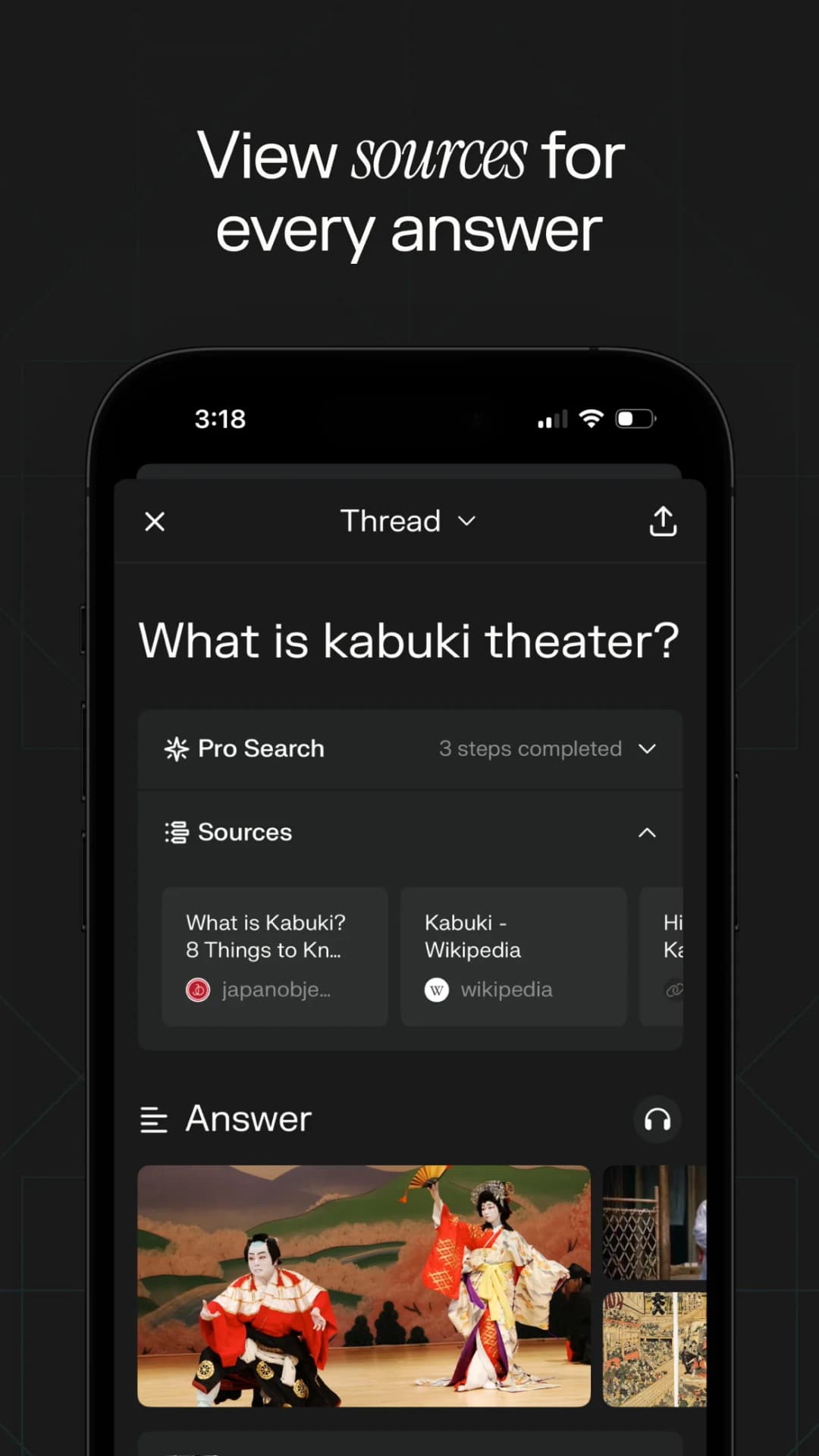
The expanded panel exposes the sources behind this example answer. The screenshot illustrates source visibility; it does not validate those sources or the answer.
Source-check handoff
Source checks are where the NotebookLM vs Perplexity choice can change.
NotebookLM keeps you close to a known packet. Perplexity helps you range across the web. Once you choose the sources that matter, move them into a cited workspace such as Atlas. Add them to a project, then ask a focused comparison question. For example:
- Add the papers, reports, web pages, notes, or transcripts to one project.
- Ask a question that names the comparison. Try "Where do these sources disagree on the cause of churn?" or "Which source gives the strongest evidence for the intervention?"
- Ask Atlas to keep sources apart when an answer blends evidence together.
- Open citations for the claims that will appear in writing or a decision.
- Save the synthesis only after the cited passage supports the claim.
Perplexity can help you find web material. NotebookLM can help you read and shape a known packet. Atlas keeps the verified source comparison when the output needs to last beyond one answer.
Which should you choose?
Choose NotebookLM if your source set is already known. It fits a course packet, reading list, report folder, legal packet, interview set, or group of papers. It also fits when you want Google's notebook outputs. Those include audio overviews, reports, mind maps, flashcards, quizzes, and data tables.
Choose Perplexity if the research starts with a question rather than a fixed source set. It is stronger for current facts, web search, source finding, quick comparison, and Projects where the question keeps branching. It also helps when you want web and connected-file context in the same flow. Check your plan, connector, and team settings.
Use both when the job has two phases. Start in Perplexity to find the field. Then move selected sources into NotebookLM when you want to read and question a bounded set. Or start in NotebookLM with a source packet, then use Perplexity to check what the open web adds.
A fast answer can help you orient. A notebook summary can help with first-pass reading. A cited source trail matters when someone else will ask, "Which source supports this sentence?"
For nearby choices, use the NotebookLM competitors guide for a job-based market view, NotebookLM alternatives for a replacement decision, and Atlas vs Perplexity for that pair. If the Google comparison is the main question, check NotebookLM vs Gemini and the broader Gemini alternatives route. For a wider research stack, read AI tools for academic research and AI that cites sources.
Final recommendation for NotebookLM vs Perplexity
NotebookLM wins when you want controlled source work inside a notebook. Perplexity wins when you want web answers and source discovery. For work that depends on evidence, compare the chosen sources, inspect citations, and keep the checked synthesis where you can reuse it.
Compare your own sources in Atlas
Add selected sources, ask a comparison question, and inspect the cited evidence.