


AI tools can save time at many points in a research project. They can help you find papers, read a hard section, collect study facts, compare results, check sources, or edit a draft. No single product handles all of these jobs well, so start with the part that needs help.
Disclosure: I’m Jet New, the founder of Atlas. Atlas is included where its source-grounded workflow fits; the other tools retain their genuine strengths. This is a sourced comparison, not a proprietary benchmark.
For comparing findings across a researcher-selected source set, Atlas is the best fit in this guide. It answers one prompt across a project and lets you open the source passage for each claim.

Compare findings across your papers
Ask one question across your papers, then open the passage behind each citation.
What to look for in a tool
A research workflow is the sequence of jobs that takes you from a question to a checked draft. Most projects include six:
- Find papers: Search for studies that may answer your main prompt.
- Choose papers: Decide which studies belong in your project and record why.
- Collect details: Copy the same facts from each paper, such as sample size, method, and result.
- Compare findings: Work out where the papers agree, where they disagree, and what may explain the difference.
- Check claims: Open the source paper and confirm that it says what your notes or draft claim.
- Write the paper: Turn the checked facts into clear prose.
Most products help with only one or two of these jobs. That is enough when the tool solves the problem that is taking your time.
Next, find out what the tool can search. Some products search the web. Others search sets of scholarly papers known as academic databases. Atlas and NotebookLM can answer from files you place in a project. The search range controls which sources can support an answer and which ones the tool may never see.
Before an AI answer enters a thesis, review, or published paper, open the source. The paper, page, passage, table, or citation should support the claim you plan to make.
If the bottleneck is reading rather than discovery or writing, compare AI reading assistants by source type before adding another broad research tool.
Best AI tools at a glance
Match your current task to the second column, then read the final column to see what remains your responsibility.
| Tool | Use it to | When to use it | Free version? | What it cannot do |
|---|---|---|---|---|
| Atlas | Compare findings across papers you chose | After choosing papers | Yes | Find every relevant paper or record why you rejected one |
| Elicit | Collect the same study details in a table | While reviewing many papers | Yes | Resolve unclear details without your review |
| Semantic Scholar | Find academic papers | At the start of a search | Yes | Cover every field and publication equally |
| ResearchRabbit | Find related papers from papers you trust | After finding several useful papers | Yes | Prove that you found every relevant paper |
| Scite | See how later papers cited a study | When checking an important claim | Limited | Judge the quality of the citing study for you |
| Consensus | Get a quick answer from research papers | When learning about a focused question | Yes | Show all the differences between the studies |
| SciSpace | Explain difficult parts of a paper | While reading | Yes | Preserve every detail in a simplified explanation |
| NotebookLM | Ask questions about sources you add | While reading or comparing a fixed set | Yes | Find what is missing from your source collection |
| Paperpal | Improve the language in a draft | After checking the claims | Yes | Decide whether a scientific claim is true |
| Perplexity | Learn basic terms and find web sources | When entering a new topic | Yes | Replace a search of academic databases |
| ChatGPT Deep Research | Create a broad report with citations | When you need an overview | Limited | Repeat a saved search of academic papers |
| Claude Research | Explore several possible explanations | When a question needs several web searches | Limited | Record which papers you included and why |
Table: match each research task to a tool, then check what that tool cannot decide for you.
12 best AI research tools
1. Atlas: compare findings across your papers
Atlas belongs after you have chosen the papers for a project. You can then chat with your library and ask one prompt that draws facts from many sources. This is more useful than reading a separate summary of each paper.
The answer can compare methods, results, and reasons across the project. Each claim carries a citation that opens its source passage. Atlas does not replace the earlier search or the record of which papers you accepted and rejected.
Try this synthesis prompt
After adding 5 to 10 papers, ask:
Across these papers, where do the authors agree and disagree about the treatment's effect? For each finding, list the people studied, the method, the result, and the main limitation. Cite every claim. If the papers do not provide a detail, say that it is missing.
Check the cited answer
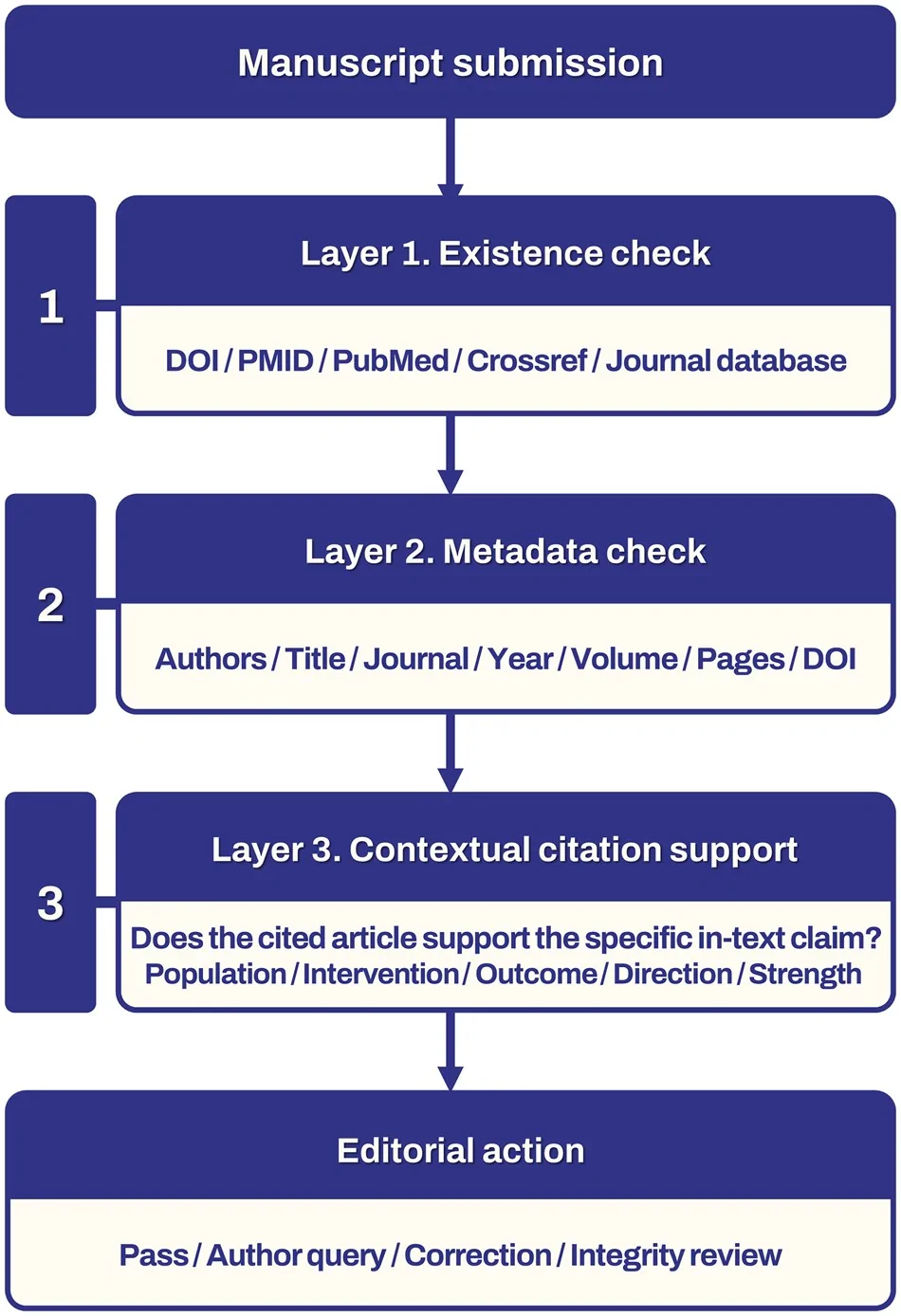
- Open each numbered citation and read the highlighted passage.
- Check that the passage supports the exact claim. A passage about the same topic may support a different claim.
- When papers disagree, compare who they studied and how they ran the study.
The shared prompt forces a comparison rather than a row of unrelated summaries. Asking for the same four facts from each paper makes disagreements easier to spot and check.
The cited-answer panel places a numbered source beside each claim. Opening the citation reveals the supporting passage, where you can confirm that the people, method, and result match the answer.
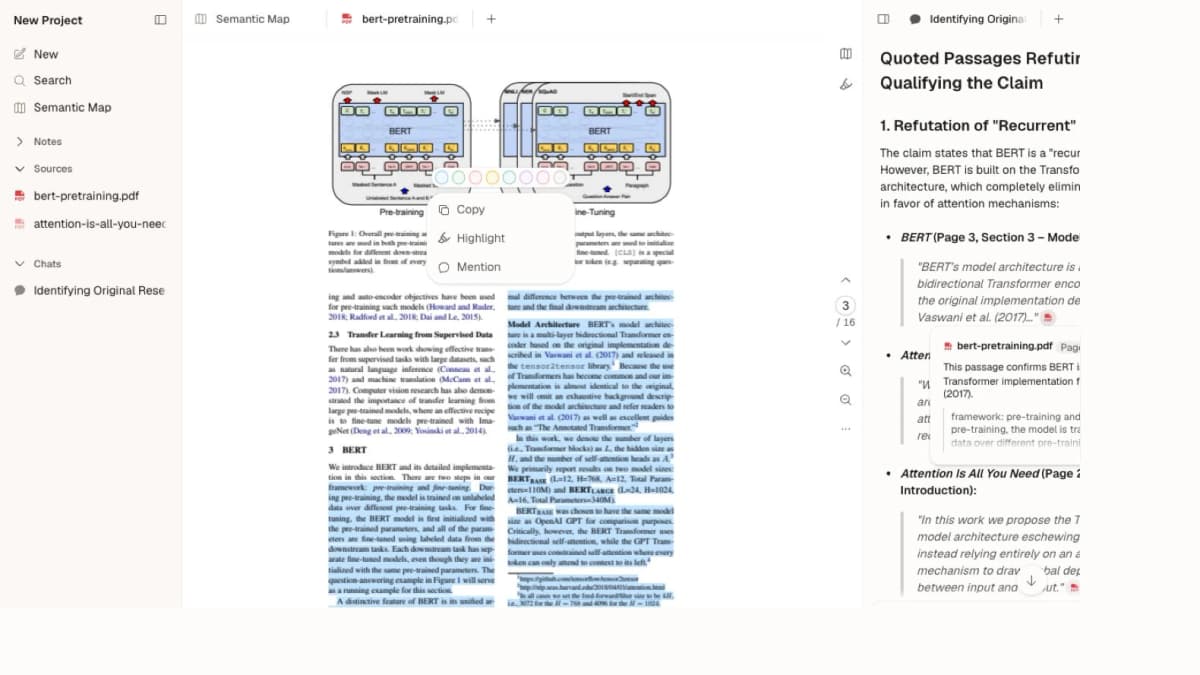
This Atlas capture shows a passage from the BERT paper selected beside answer claims linked to source text. Open the cited passage and check whether it supports the claim.
2. Elicit: collect details from every paper
Elicit helps when you need the same facts from many studies. You might collect the sample size, treatment, method, result, and main limit from each paper. The table gives each paper a row and each requested fact a column.
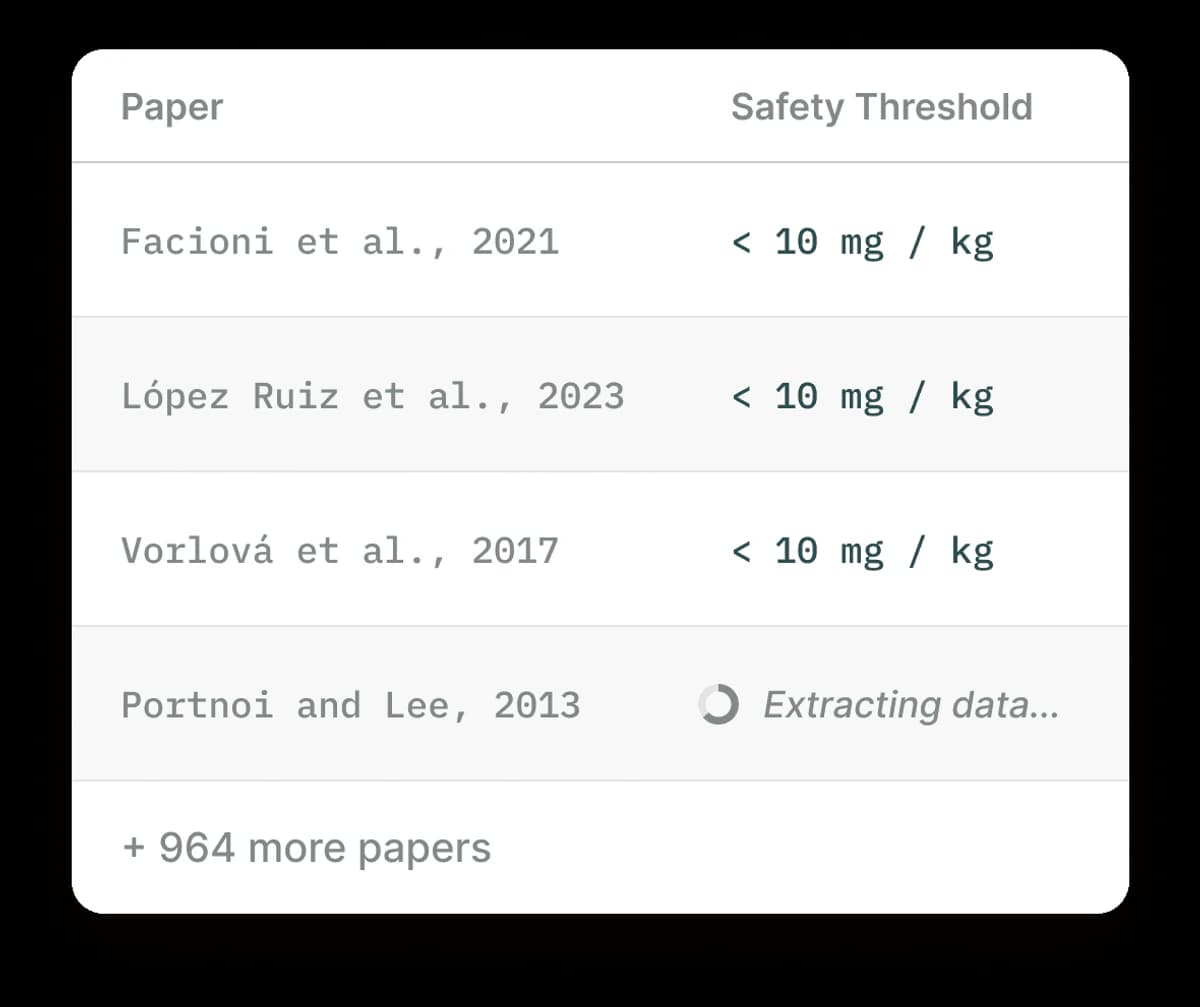
Note: Elicit's data extraction table includes one row per paper and compares the same extracted fact, here a safety threshold, across every study, with one row still extracting and 964 more papers listed below. Source: Elicit.
This layout shows differences that are hard to see in separate summaries. Check key cells against the full paper, especially when the source is unclear or omits a requested fact. You still decide which papers belong in the review.
3. Semantic Scholar: find papers for free
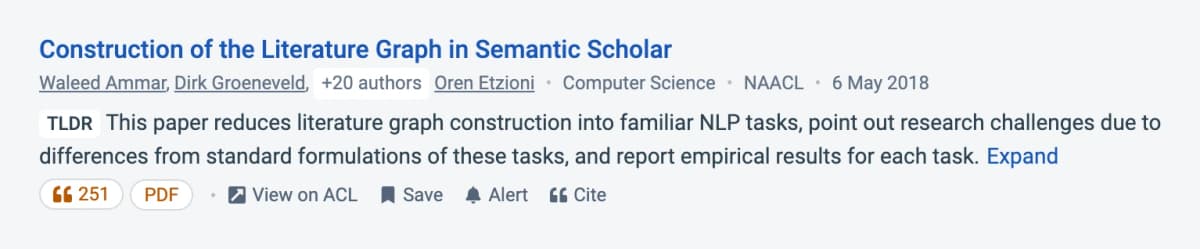
Semantic Scholar is a free search engine for academic papers. Early in a project, it can search by topic, save good papers, follow citation links, and send alerts about new work.
Some paper pages include a short AI summary called a TLDR. It can help you decide whether to open the paper, but it cannot support a claim in your work.
A thorough search should also use the databases named by your field because no single search engine covers all papers or full text.
4. ResearchRabbit: find related papers
ResearchRabbit expands a search from papers you already trust. Starting with a few good papers produces a map of related work, authors, and citation links.
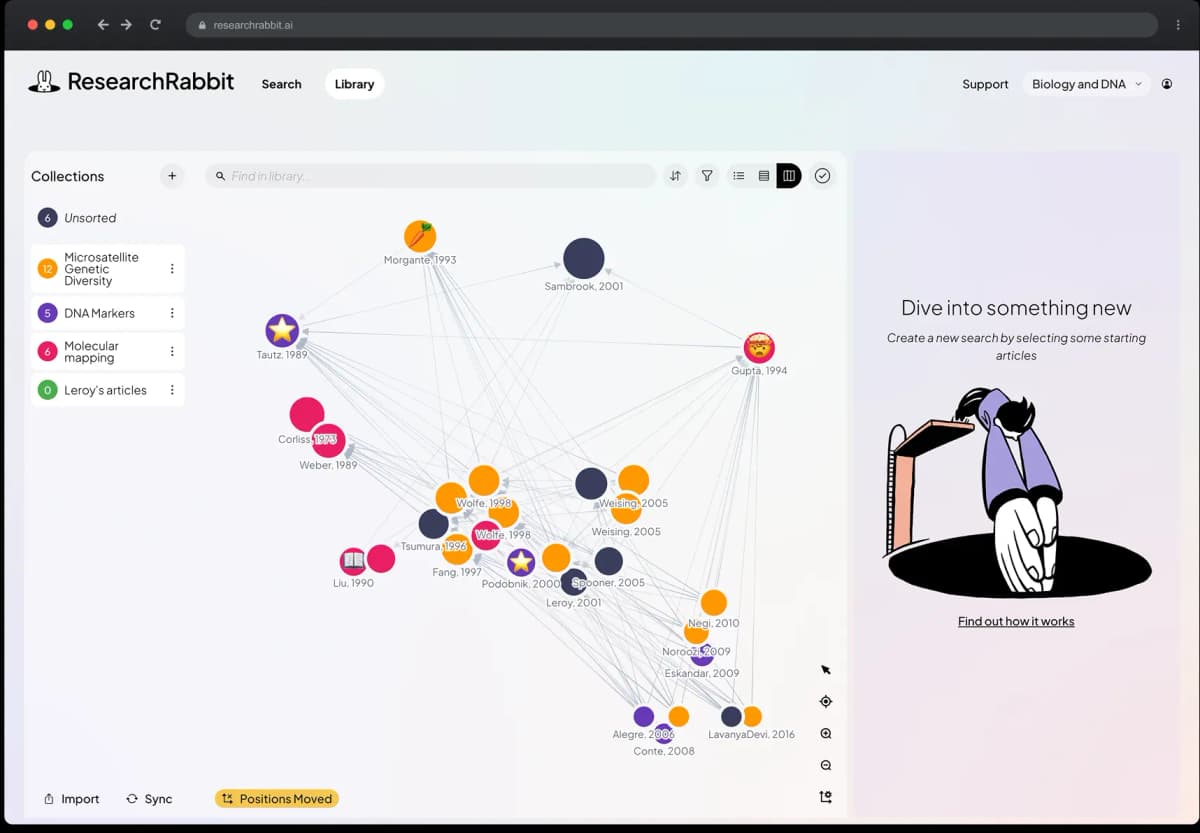
Each node is a paper, while the lines show citation or topic links. Clusters can reveal new keywords, research groups, and older work that led to your starting papers. Read the title, abstract, and methods of each strong result before adding it to the review.
Because the map follows known links, it may miss good papers outside the starting network. Pair it with a normal database search because the map cannot prove that your search is complete.
5. Scite: inspect citation context
A citation count shows how often other papers cited a study, but not what the authors said about it.
Scite shows the sentence where a later paper cites an earlier one, then labels that citation as supporting, disagreeing, or merely mentioning.
Scite helps most when a key claim depends on one paper or when authors disagree about a result. Read the full passage around each citation. The label cannot judge the later study or decide which result is stronger. Access often requires a paid plan or a school account.

6. Consensus: answer focused research questions
Consensus is designed for focused questions that research papers can answer. The strongest questions name the group, treatment or condition, and result you care about.
For some yes-or-no questions, the Consensus Meter shows how many of the papers it found point toward yes, no, or a mixed answer.
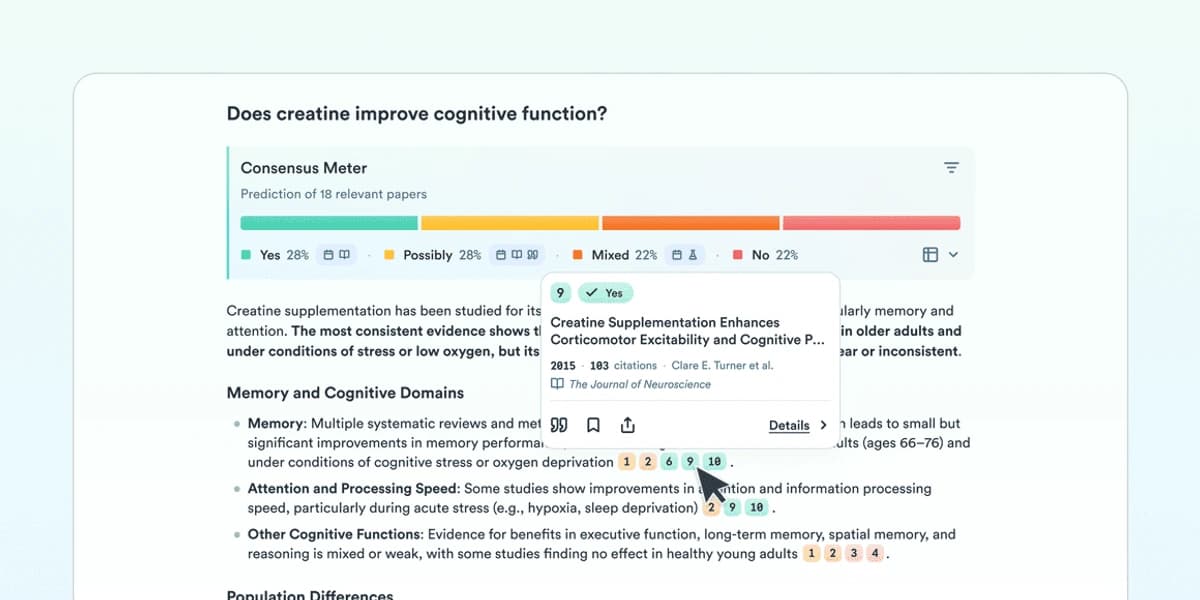
The meter gives a quick view of the papers it found. Its count may hide large gaps in sample size, study quality, methods, and measured results. Read the papers before treating the count as a conclusion.
7. SciSpace: understand difficult papers
SciSpace explains selected text, tables, equations, and research terms. It is useful when one difficult section prevents you from understanding the rest of a paper.
Prompts such as "What does this variable mean?", "Why did the authors choose this test?", and "What does this table say in words?" keep the answer tied to one problem. Include units and labels when they affect the meaning.
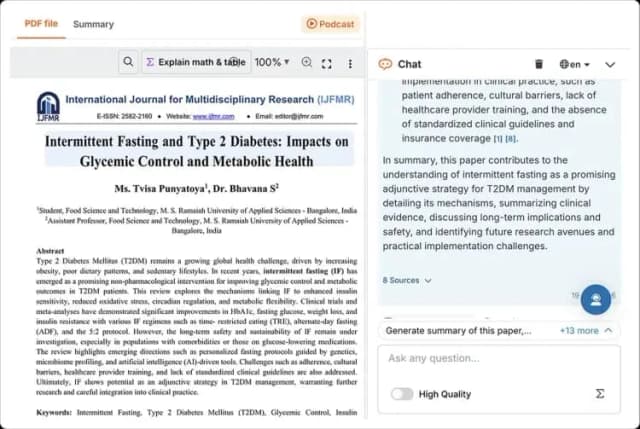
This SciSpace example pairs an uploaded paper with a chat answer and an eight-source count. It illustrates the reading workflow, not the quality of the paper or answer; compare any explanation with the source section before relying on it.
8. NotebookLM: question a set of sources
NotebookLM answers prompts about sources you add to a notebook. Its citations link back to that material, and it can suggest web sources for you to review before adding them.
A notebook can hold a course reading list, interview transcripts, reports, or the papers for one thesis chapter. Keep projects separate when they follow different rules about which sources are allowed.
NotebookLM cannot tell you that a key paper is missing or that the source set is biased. Its answers are only as complete as the notebook. Our NotebookLM alternatives guide compares other tools for a chosen set of sources.
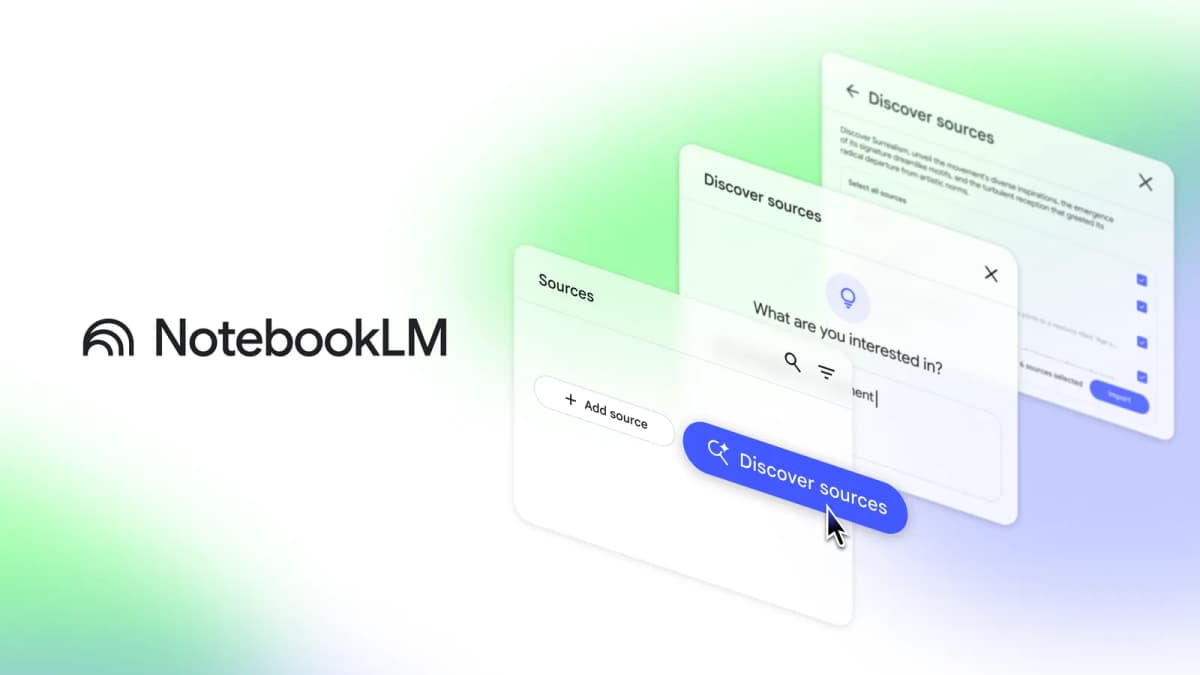
Google's product screenshot shows the source-discovery step; review suggestions before adding them to a notebook.
9. Paperpal: improve an academic draft
Paperpal helps edit an academic draft. It can fix grammar, shorten phrases, rewrite sentences, translate text, and run checks before you submit the paper.
Edit only after you have checked the claim and its source. Review changes to technical terms, cause and effect, numbers, or doubt because smoother wording can still alter the meaning. Paperpal can improve a sentence, but it cannot decide whether the claim is true.
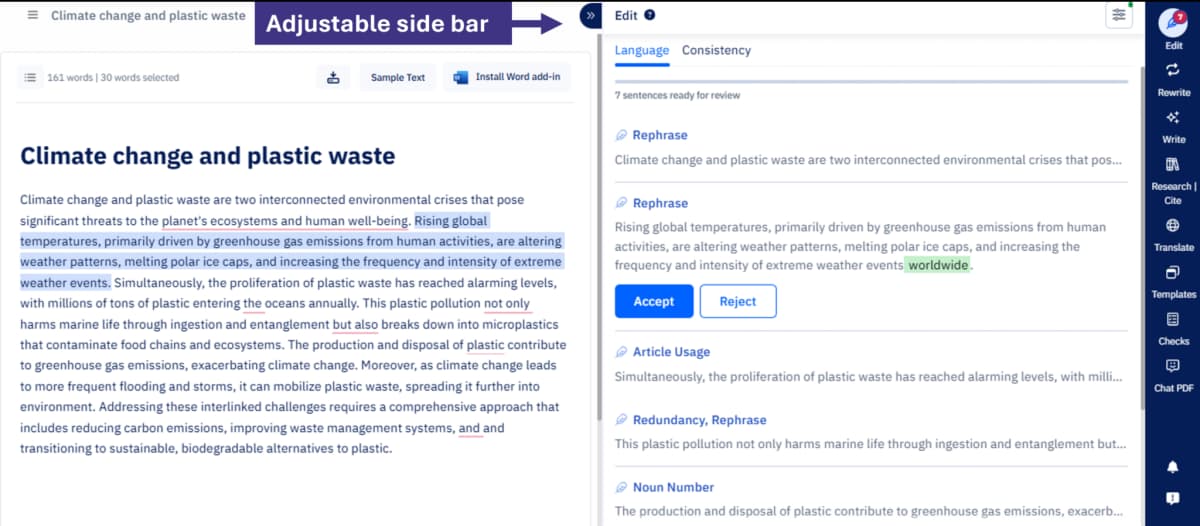
Paperpal's April 2025 editor example uses a climate-change draft; it illustrates the editing layout, not research evidence.
10. Perplexity: learn about a new topic
Perplexity searches websites and returns an answer with source links. It can teach you the common terms in a field, point to key groups or data, and supply leads for a later paper search.
Check each link before saving it. A citation may lead to a company site, news story, search snippet, or broad guide rather than a research paper. Once you know the field's terms, repeat the search in Semantic Scholar and the databases used in that field.
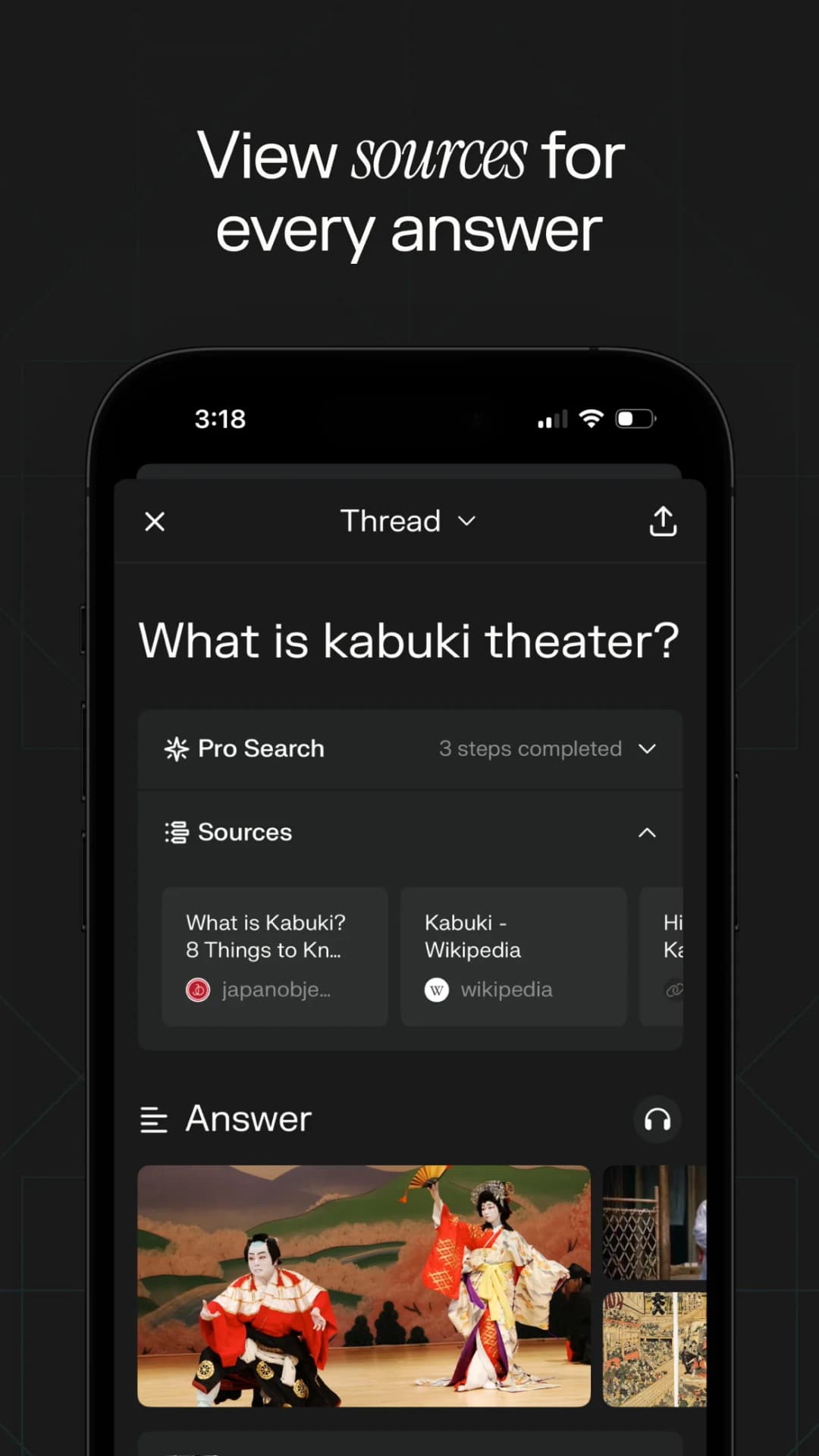
This App Store example asks about kabuki theatre rather than an academic topic. It shows where a Perplexity answer exposes web sources for review.
11. ChatGPT Deep Research: build a report
ChatGPT Deep Research can search websites, uploaded files, and connected apps. It plans a set of searches before returning a report with citations.
This broad search helps when a prompt spans research papers, public policy, state data, and current websites. Tell the tool which sources may support a claim and which ones should provide background only.
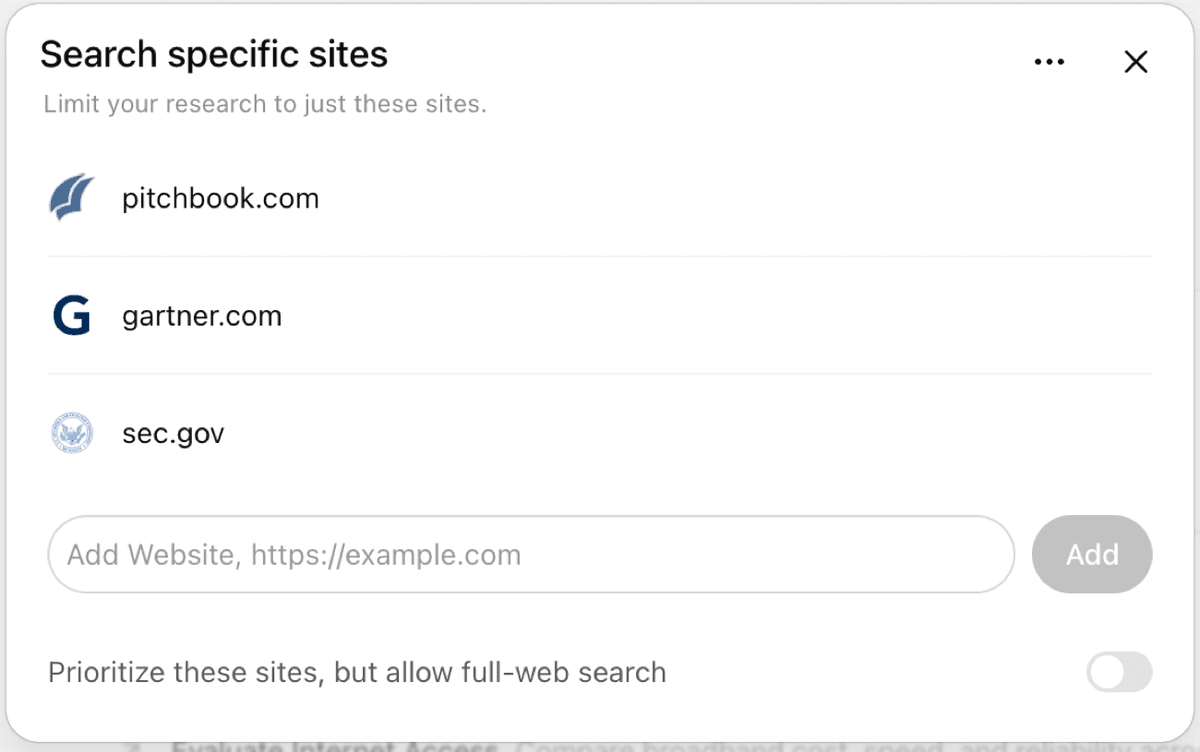
Read each source behind a claim that could change your result. A polished report may connect facts in a way that its cited pages do not support. Our ChatGPT alternatives guide compares other general AI tools.
12. Claude Research: explore complex questions
Claude Research runs a series of web searches and uses earlier results to decide what to search next. Connected apps can also become part of the search.
It works well for weighing different reasons, finding open questions, or joining public facts with working files. Name the kinds of sources you trust, and ask the report to separate sourced statements from its own conclusions.
Long searches can use much of a paid plan's allowance. Repeat key searches in academic databases and save the exact terms, just as you should with Perplexity or ChatGPT Deep Research.
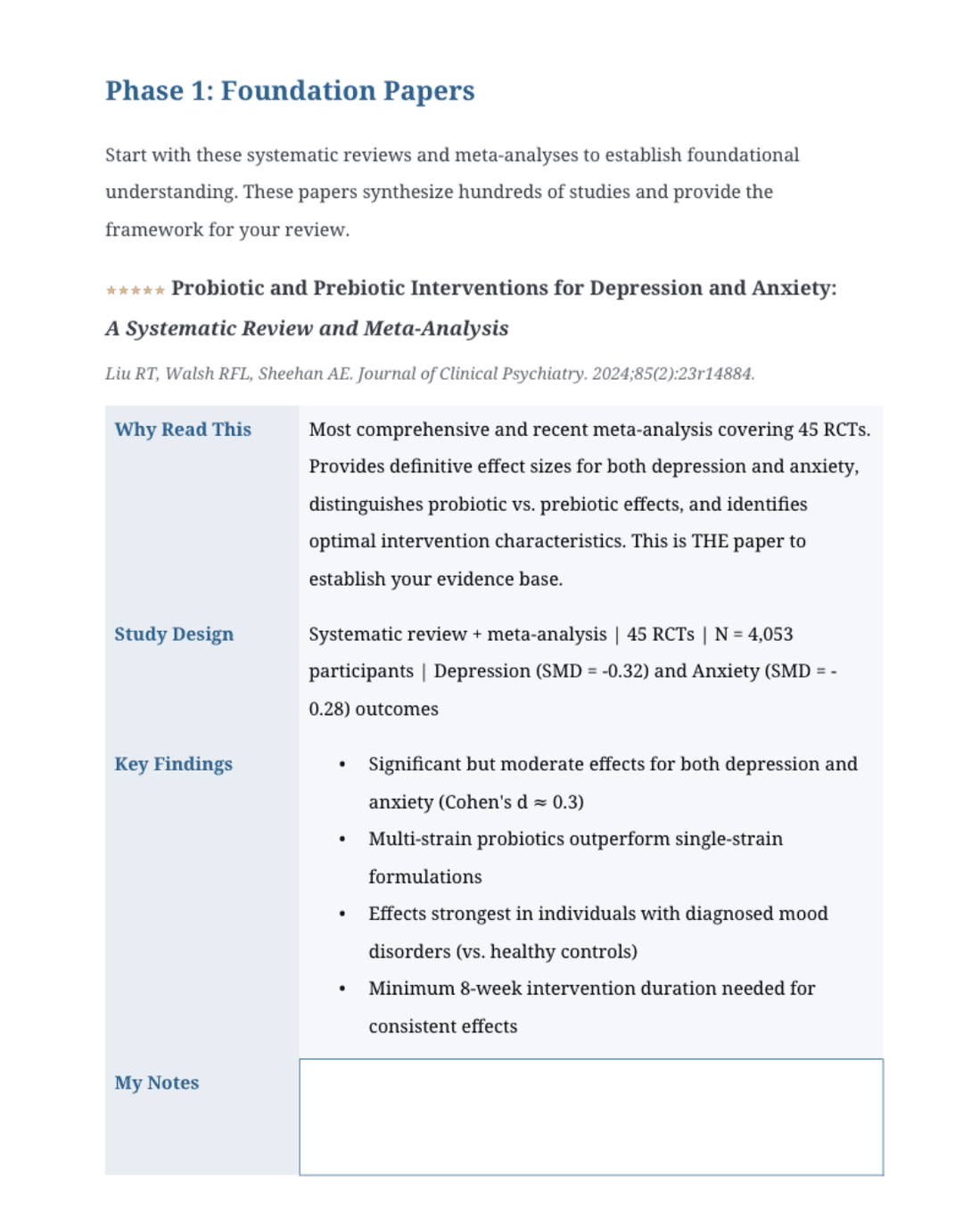
Anthropic's Claude Academy example shows a PubMed literature-review roadmap, including a foundation-papers phase. Treat it as a product demonstration and verify the cited studies and findings in their original papers.
Choose tools for your research project
For a thesis or dissertation
Begin with Semantic Scholar, then expand strong papers through ResearchRabbit and store the reading list in Zotero. SciSpace can help when a method, equation, or table blocks your reading. Once a chapter's papers are set, Atlas can compare the findings and Paperpal can edit the checked claims.
For a structured literature review
A structured review follows a written plan for finding, choosing, and comparing papers. Search each academic database named in that plan and save the exact search terms.
Rayyan or Covidence can record which papers enter the review and why. Elicit then collects the same facts from each paper, while Scite helps check key citations. Atlas can compare the findings and link each claim to a source passage after the final set is ready.
For a fast overview of a field
Perplexity, ChatGPT Deep Research, or Claude Research can teach you the common terms, main debates, and good starting sources. Take those terms into Semantic Scholar and the field's academic databases. The first web guide should not become the final search.
For a fixed reading list
NotebookLM suits readings, transcripts, or reports that you want to query together. Atlas is the better fit when you need to compare what many papers say and inspect the passage behind each claim.
How to choose an AI research tool
- What can it search? Check whether the tool searches websites, academic papers, the sentences around citations, or only files you add.
- Can you see the evidence? Make sure you can open the paper, page, passage, or table behind an answer.
- Does it solve your current problem? A good paper search tool may be a poor choice for comparing findings, and the reverse is also true.
- Can you export the research? Check whether you can export papers, notes, tables, and citations into the system where you write.
- What happens to your files? Read who can access uploaded files and whether the provider may use them to train models.
- What must you decide yourself? You or your review team must choose the papers, judge how trustworthy each study is, explain the findings, and approve the final claims.
Test a tool with 6 papers
Test a tool with 6 papers you already know: 1 familiar paper, 1 difficult methods section, 1 scanned PDF, 1 result reported mainly in a table, and 2 papers that disagree.
- Ask a question whose answer you know, then open the cited passage.
- Check whether the tool reads tables, column headings, footnotes, and references correctly.
- Ask why the 2 papers disagree and see whether the answer preserves both results.
- Request the same study details from every paper and inspect the missing values.
- Export one useful result and check the exported file.
An independent study found that research AI was better at exploring a topic than pulling exact facts. It also struggled to repeat the same search. Check the source before moving a generated claim into your notes or draft. See Useful for Exploration, Risky for Precision.
Free AI tools for academic research
If you need a free way to build a reading list, choose Semantic Scholar for the first search and ResearchRabbit for related papers. NotebookLM can then answer prompts about a small set of papers.
Atlas, Elicit, Consensus, SciSpace, Paperpal, and Perplexity also offer free access with limits. ChatGPT Deep Research, Claude Research, and Scite may need a paid plan or school account. Check the product page and your library because access rules change.
Before paying, test the product with your own PDFs and confirm that its answers lead back to the source. Inspect an exported table, note, or citation as well. Larger reviews and team projects are more likely to need a paid plan.
What AI should not decide
- Do not let a chat tool decide whether you found all relevant papers.
- Write down why you included or rejected each study.
- Use the accepted method in your field to judge the quality of each study.
- Read the source before repeating an AI claim or citation.
- Cite the paper, dataset, or source document rather than the AI summary.
- Upload private files only to systems your school approves. Never share papers or data without permission.
- Follow the AI rules set by your school, funder, publisher, and journal.
- Keep a named researcher responsible for the meaning and final words.
Zotero stores papers and citation details, while Rayyan and Covidence record which papers enter a review. Crossmark shows updates. Retraction notices mark papers that journals have withdrawn, and PubPeer holds public comments about published studies. Our guide to AI for literature reviews places these checks in a written review process.
Compare your papers with Atlas
Atlas can show where findings agree or conflict once you have chosen the papers. You can inspect each cited passage before the claim enters your own work.
Compare findings across your papers
Ask one question across your papers, then open the passage behind each citation.