


AI for academic writing is the use of AI to plan an argument, check sources, format refs, and polish a draft. It can help with the work around writing, but it can also get you into trouble if you let it invent claims. The safe line is simple. Use AI to support your thinking. Keep the argument, source choices, and final wording under your control.
Jet New, Research Engineer: I tested this guide by running each AI tool through an actual writing workflow. That meant checking where the tool starts, what evidence it keeps, and where the human author has to take over.

Synthesize sources before you write
Ask across your papers and inspect citations before drafting your argument.
The Source-to-Draft Risk Rubric
I used a five-point Source-to-Draft Risk Rubric to judge each tool in this guide. Give the tool 1 point for each check it passes:
- It starts from real sources.
- It lets you inspect the source behind an answer.
- It fits the place where you write, such as Word, Google Docs, Overleaf, or a notes app.
- It leaves a clear trail you can disclose to an advisor, teacher, or journal.
- It helps with one stage of writing instead of trying to write the whole paper.
A 4 or 5 point tool is safer for research-grounded work. A 2 or 3 point tool may still help with brainstorming or editing. A 0 or 1 point tool should not be used for source claims.
Here is how I scored the tools after applying the rubric to the writing tasks in this guide:
| Tool | Source-to-Draft score | Use it for |
|---|---|---|
| Atlas | 5/5 | Cited answers across uploaded sources |
| Elicit | 3/5 | Paper discovery before writing |
| Claude | 2/5 | Outline feedback and rough review |
| ChatGPT | 2/5 | Brainstorming and rewrite help |
| Writefull | 3/5 | Language polish inside a manuscript |
| Trinka | 3/5 | Grammar and technical wording |
| Zotero | 3/5 | Reference storage and metadata |
Table 1: Source-to-Draft scores for academic writing AI tools across source grounding, draft fit, disclosure trail, and workflow scope.
These scores reflect how each tool performed within a research-writing workflow. Match the tool to the risk level of the writing task.
What Is AI for Academic Writing?
AI for academic writing means using AI to support tasks such as reading, outlining, drafting, editing, citation checks, and formatting. Ethical AI academic writing keeps the argument, source choices, and final wording under your control.
Not all AI tools are equal for academic work. Use these criteria before you pick one:
- Ethical use fit: Does the tool support work you can disclose, or does it generate text you must hide?
- Source accuracy: Does the AI ground its answers in real sources, or does it invent refs?
- Cross-paper work: Can the tool work across many papers at once, or only one file at a time?
- Drafting assistance: Does it help you write, or write for you? The distinction matters for integrity.
- Editing quality: Does it understand research prose, or only basic grammar?
- Disclosure needs: What must you report to your school or journal?
- Policy fit: Is the tool safe under your program's rules?
Keep these criteria in mind as you read the tool guidance below.
Best AI Tools by Task
Use Atlas only when the writing problem starts with source evidence. A good Atlas job has three parts:
- Source set: upload the papers, notes, or PDFs for one section.
- Question: ask what the sources agree on, where they conflict, or which paper supports a claim.
- Writing step: use the cited answer as an evidence map, then write the paragraph yourself.
Worked example: before drafting a literature review paragraph, ask Atlas, "Across these six uploaded papers, where do the authors agree and disagree about the intervention?" A useful answer should name the point of agreement, show the source passages behind it, and flag any paper that disagrees. That output is not the paragraph. It is the map you use before writing the paragraph in your own voice.
Use this short list by task:
- Atlas: cited source work across your own papers.
- Paperpal: paper-style writing help and submission checks.
- Jenni: draft support for students who need guided writing prompts.
- Elicit: paper search before the draft.
- Claude: outline feedback and rough review.
- ChatGPT: brainstorming and rewrite help you will verify.
- Writefull or Trinka: sentence polish and technical wording.
- Zotero: reference storage and citation metadata.
For this update, I used a simple setup test. I asked four questions. Does the tool start from sources? Can it work inside the draft? Can it keep cites intact? What would a student or researcher need to disclose? Each answer came from running the tool through an actual writing task.
- Atlas starts from your uploaded sources. The useful output is a cited answer you can trace before writing.
- Elicit starts from the research question. It helps with paper discovery, but you still need Zotero, Mendeley, or another manager for final refs.
- Claude and ChatGPT start from the prompt. They are fast for rough help, but any source claim needs manual verification.
- Writefull and Trinka start from an existing draft. They fit the revision stage better than the source-synthesis stage.
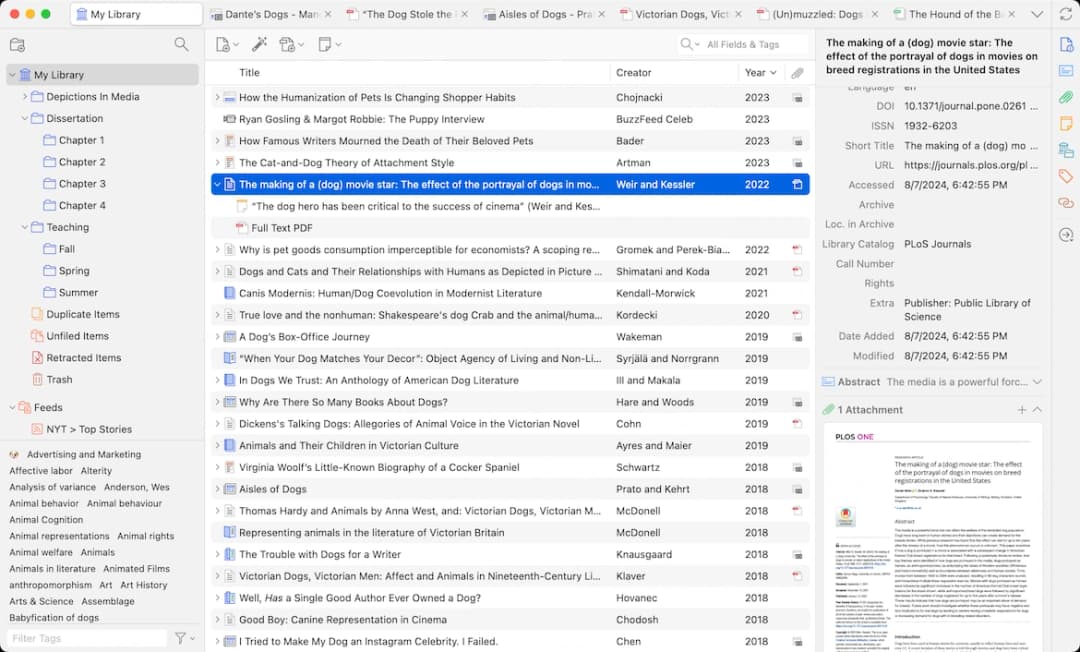
- Zotero starts from a library. It is the stable place to keep metadata, PDFs, and bibliographies.
Use one strict rule. If you cannot point to the source passage after the AI answer, do not use that answer as evidence.
Check source and citation accuracy
For research writing, you need AI that grounds its answers in real sources. Plausible claims are not enough. This is the key difference between AI tools that cite sources and general-purpose chatbots.
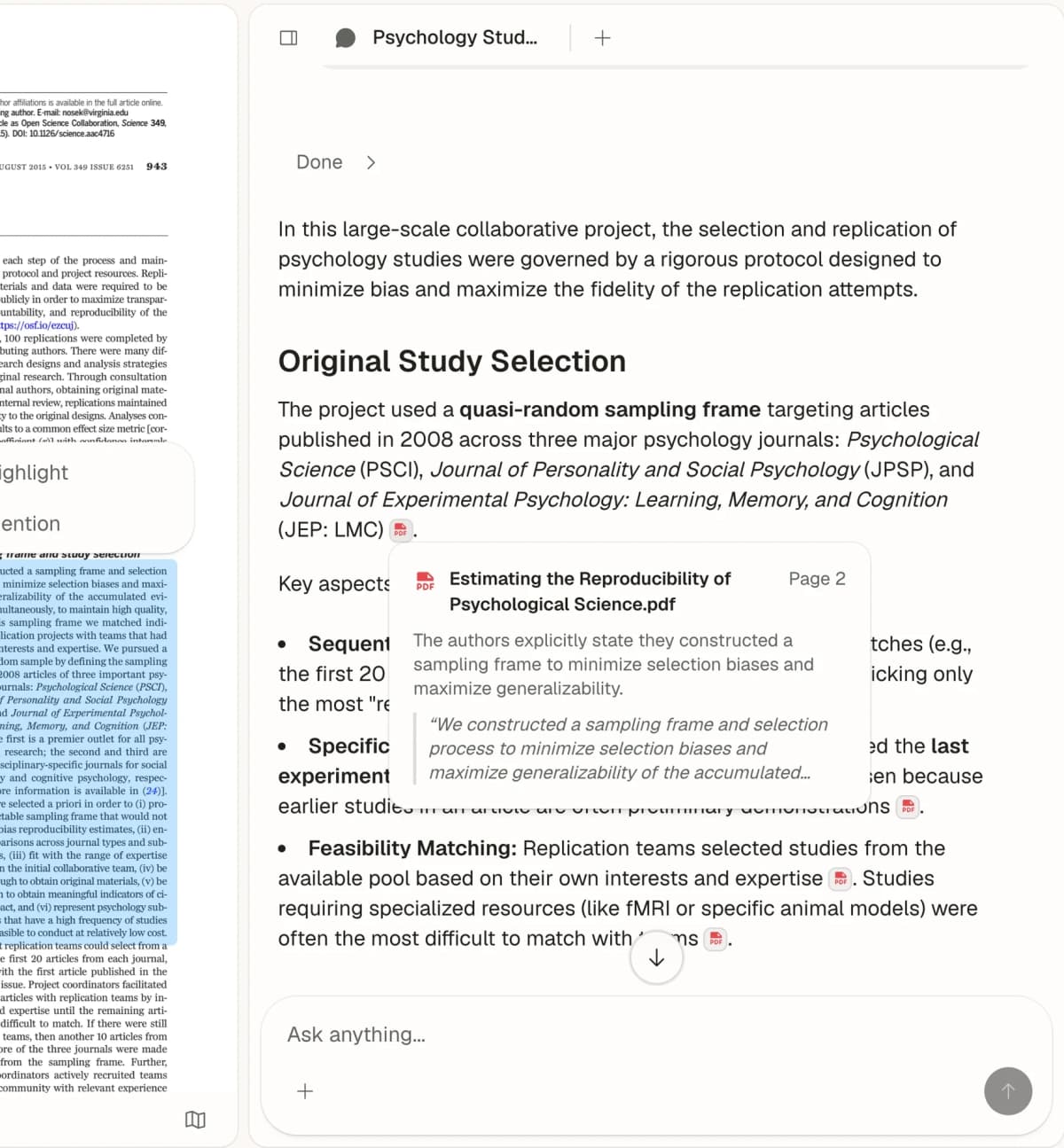
Atlas keeps the source-grounding rule visible. Upload your papers, ask a question, and check the quoted source passages before you draft.
What to avoid
Never use a general AI chatbot to generate "facts" for your literature review. AI can hallucinate citations (fabricating paper titles, authors, and findings that do not exist). Always verify that cited papers are real and say what the AI claims they say.
Best Tools Through the Writing Process
AI is safest before and after the draft. It can help you explore ideas, check sources, track refs, edit sentences, and format a paper. It is riskier when it writes the argument itself.
Use this risk map:
- Brainstorming is low risk and usually useful.
- Literature review is useful, but you must check sources.
- Outlining is low risk when AI critiques your own plan.
- Drafting is high risk because the argument must be yours.
- Editing, refs, and formatting are lower risk because the rules are clearer.
The pattern is practical. AI is useful when the task has a checkable answer or a clear rule. It is weaker when the task depends on your judgment.
Stage 1: Brainstorming
This is where AI shines with the least risk. At this stage, the goal is generating material to think with. Nothing you produce here goes directly into a submitted draft.
What AI can do
- Generate research questions from a broad topic area
- Find gaps in the work you have read
- Suggest angles you have not considered
- Map related concepts and sub-topics
- Challenge your assumptions with counterarguments
Recommended tools
-
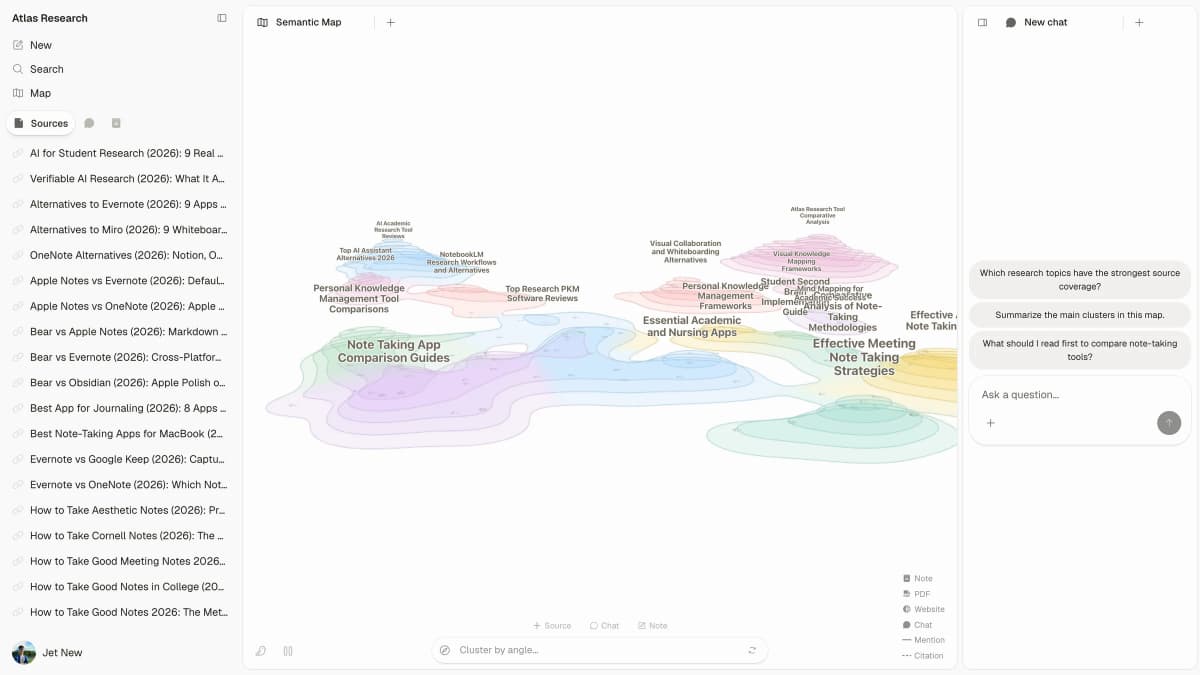
Atlas: Upload your sources and explore the mind map to find links between papers. Use it when your ideas need to stay tied to what the literature says. See our guide to AI for literature review for more on this approach.
-
Claude: Best for subtle brainstorming. Upload your proposal, reading notes, or rough ideas. Ask for feedback, other angles, or possible objections.
-
ChatGPT: Good for rapid idea generation. Useful for getting unstuck when you are circling the same ideas. Atlas is most useful before drafting. Upload 6 to 10 papers for a section. Ask one source question. Use the cited answer to decide what your paragraph should argue. Atlas shows which source supports each claim before you write.
If your main risk is source accuracy before drafting, synthesize your research sources before you start writing.
Best practice
Treat AI brainstorming as raw material. Most ideas will be broad. Cut weak angles, combine useful ones, and connect the rest to your own sources.
Stage 2: Research and literature review
AI saves the most time when you are finding, reading, and comparing sources. This is also where grounding matters most.
Tools for research
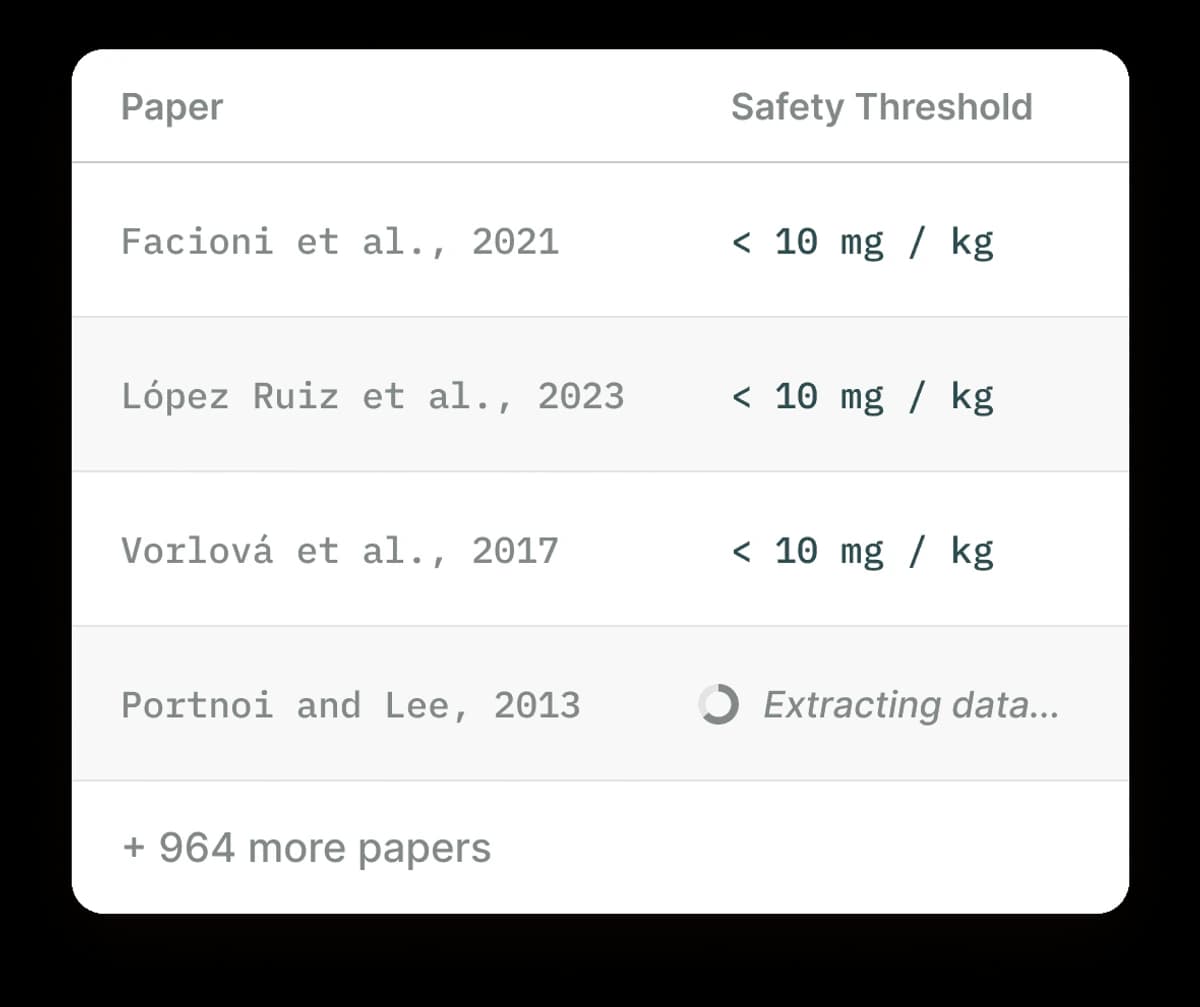
- Atlas helps connect claims across your uploaded sources.
- Elicit is useful for semantic paper search.
- Semantic Scholar helps with free paper search.
- ResearchRabbit is useful for citation network mapping.
- Consensus helps answer research questions from published studies.
- Perplexity helps with current web information, but check source quality.
For a deeper comparison, see our guide to the best AI research assistants.
Stage 3: Outlining
A strong outline is the backbone of a strong paper. AI can help you test structure without writing the paper for you.
How to use AI for outlining
- Describe your argument to AI in plain language
- Ask for structural feedback: "Does this outline have logical gaps?"
- Ask for another structure: "How else could I structure this argument?"
- Test your logic: "What objections would a reviewer raise to this structure?"
Prompt for outline feedback
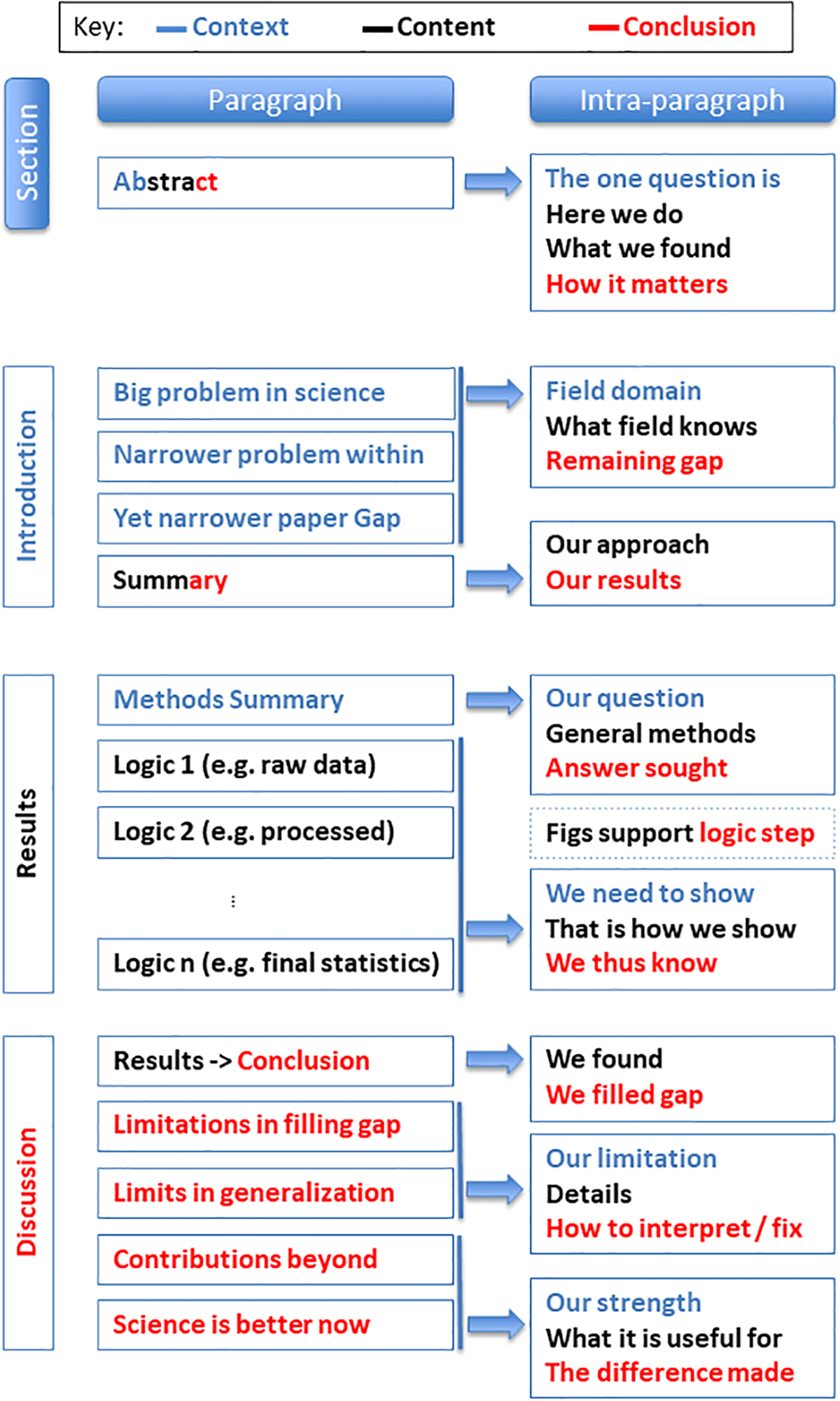
Use this prompt after you have a draft outline: "I am writing a [paper type] for [audience]. Here is my current outline. Where are the logical gaps? What am I missing? What should I reorder?"
With this approach, AI reviews the logic and structure of your plan. You keep the argument.
Stage 4: Drafting
Drafting is the highest-risk stage because this is where your own contribution lives. It is also where it is easiest to let AI do too much.
Ethical AI use during drafting
Acceptable:
- Using AI to get past writer's block with a rough paragraph you will rewrite
- Asking AI to explain a concept in simpler terms so you can write about it more
- Having AI suggest links between sections
- Using AI to paraphrase your own awkward sentences
Problematic:
- Having AI write entire paragraphs or sections that you submit as your own
- Using AI to create arguments or analysis that you have not rebuilt yourself
- Relying on AI to make claims about sources you have not read yourself
A practical approach
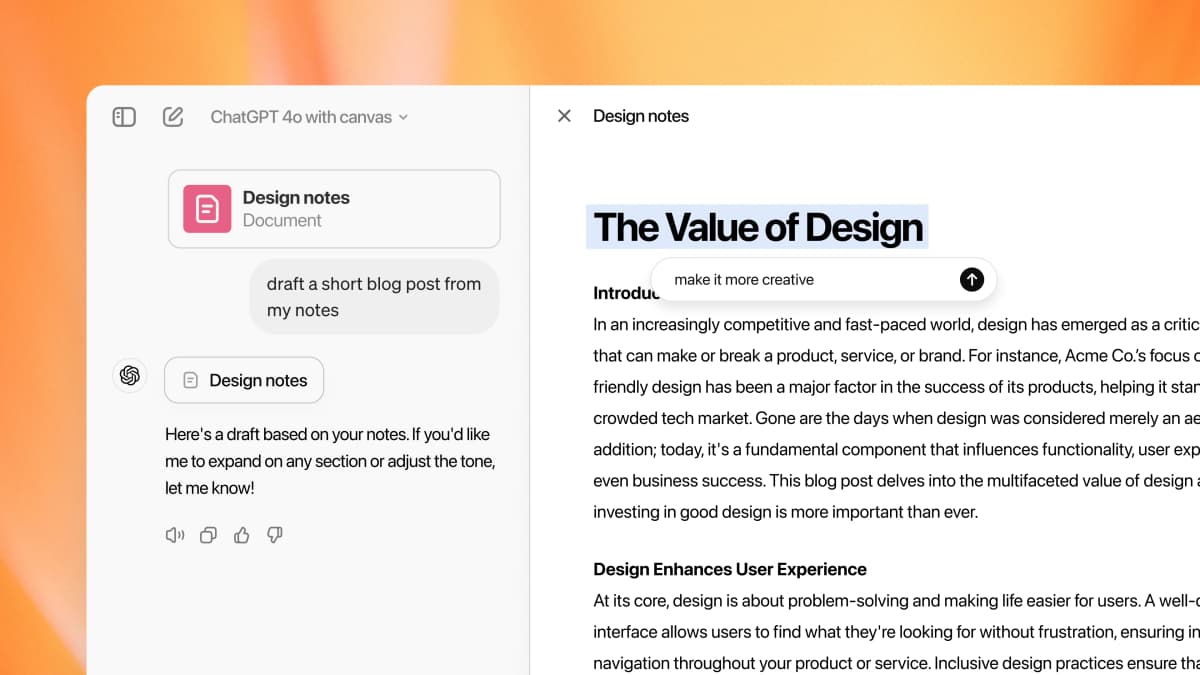
Write your first draft yourself, even if it is rough. Then use AI to find unclear passages, weak claims, and missing links. Revise from that feedback. You stay the author, and AI becomes a reviewer.
Stage 5: Editing and revision
Editing is the least controversial stage. The draft already exists. All the claims and arguments are already in place. AI works on sentence-level clarity, grammar, and phrasing.
AI editing tools
- Grammarly is best for general grammar and clarity.
- ProWritingAid helps with style and clarity checks.
- Writefull is built for research language and paper-style phrasing.
- Claude or ChatGPT can give substantive feedback when you verify the advice.
- Trinka is built for research grammar and technical terms.
Writefull
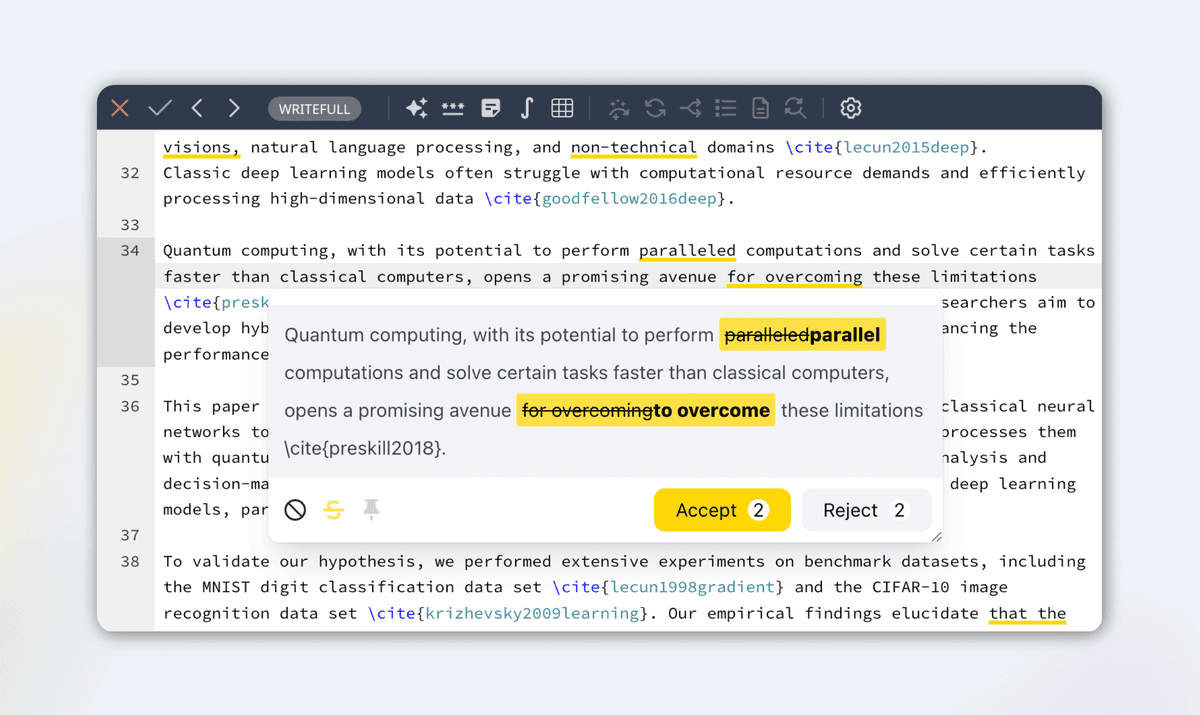
Writefull is built for research writing. It checks grammar and phrasing. It also shows how published papers express similar ideas. It works inside Overleaf and Word.
The best version of that workflow happens inside the draft editor. In Writefull for Overleaf, language suggestions appear on LaTeX text. You can accept or reject each edit while the equation, source, and section stay visible.
Trinka
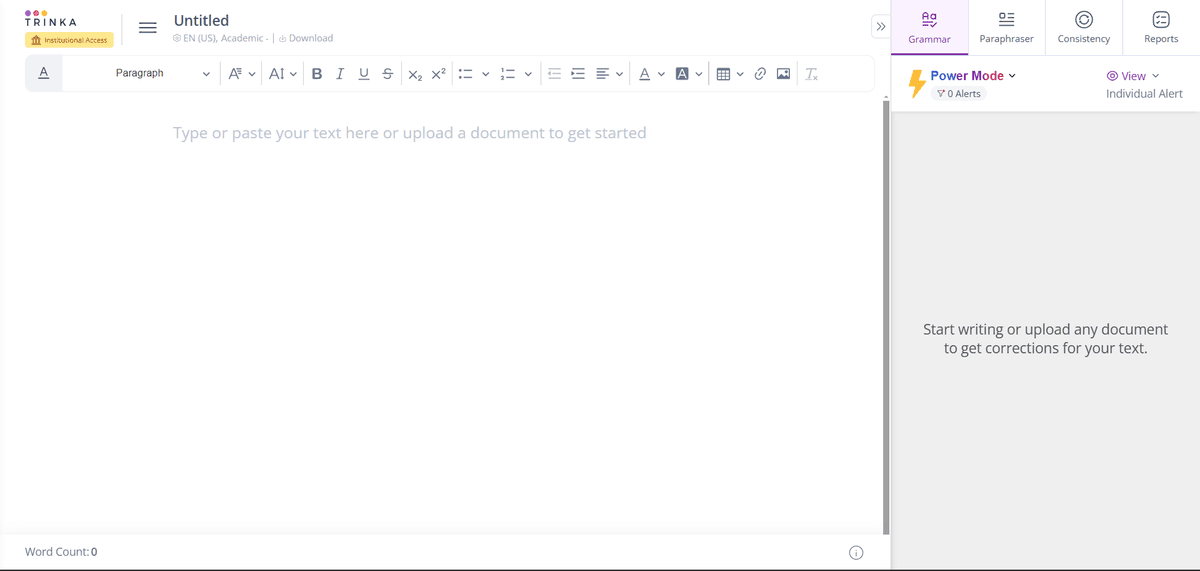
Trinka focuses on research and technical writing. Use it to check grammar and field terms.
Editing workflow
- Self-edit first: Read your draft aloud. Fix obvious issues.
- Structure check with AI: Ask Claude or ChatGPT to find argument gaps and unclear logic.
- Language edit with specialist tools: Run through Writefull or Trinka for paper-style phrasing.
- Final proofread: One last manual pass for nuance and voice.
Stage 6: References
Refs follow rules, but mistakes are easy to miss. AI can help here.
Tools for references
Atlas: Upload your sources, ask cited questions, and trace each answer back to the right paper.
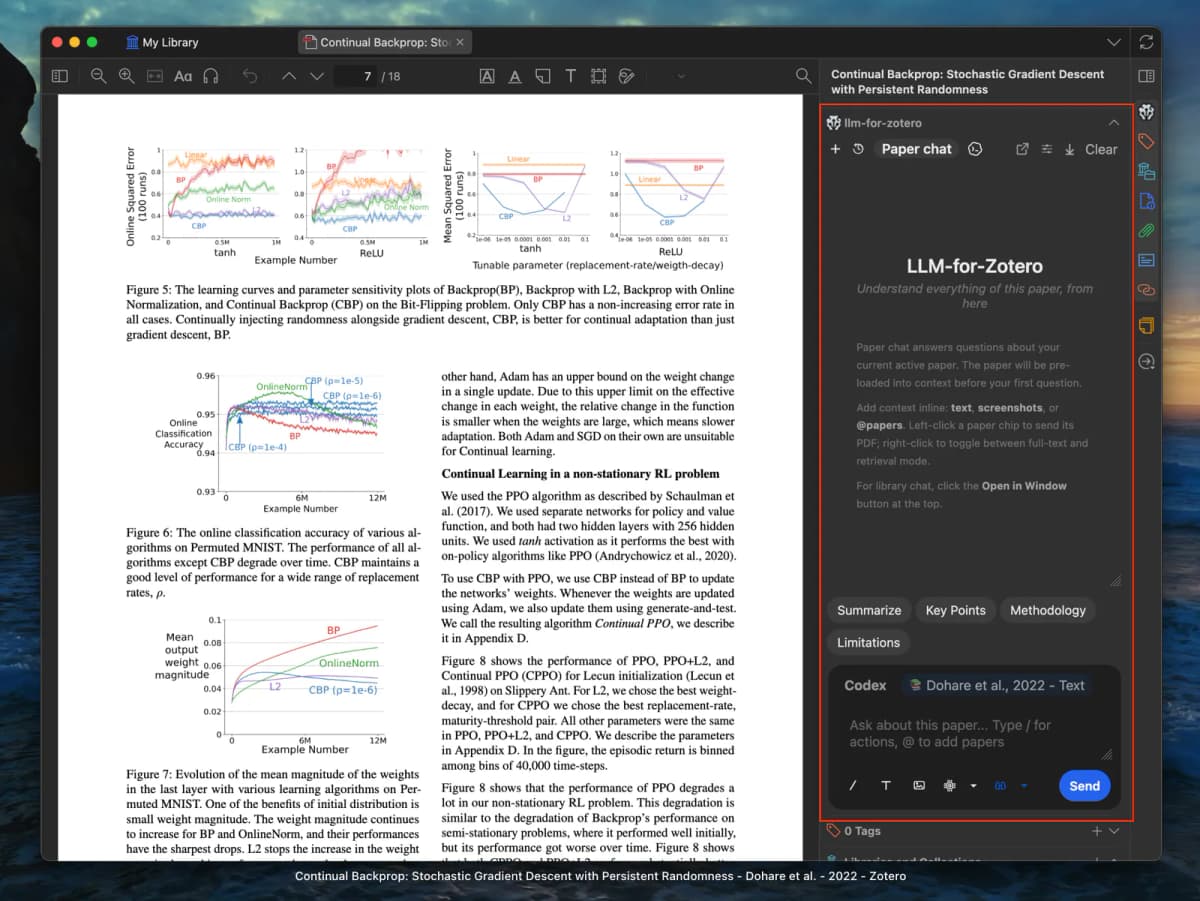
Zotero + AI plugins: The standard reference manager, now with community AI plugins for better search and sorting. See our guide to citation tools for research for a broader look.
Elicit: Exports refs from search results in standard formats.
Scite: Shows whether later papers support, dispute, or only mention a source, so you can judge context.
Reference mistakes AI can catch
- Mixed formatting across references
- Missing fields (DOI, volume, issue)
- Mismatch between in-text cites and the reference list
- Over-reliance on secondary sources
Follow Academic AI Rules
This section matters more than any tool pick. Rules keep changing, and a careless workflow can create real risk.
Check your institution's policy
Rules vary by school:
- Some schools ban all AI use in assessed work
- Others require disclosure but permit AI help
- A growing number encourage AI use with clear transparency rules
- Most journals now have AI disclosure rules
You are responsible for knowing your school's policy before using any AI tool. Ignorance is not a defense. For a practical example of how schools frame this, the UNC Writing Center's generative AI guidance separates allowed learning support from work that replaces your own thinking.
Disclose how you used AI
Use a plain ethical test. If you could describe your AI use to your advisor without embarrassment, the workflow is probably safe. If you would hide it, reconsider.
Keep the contribution yours
In a paper, your contribution is:
- The research question and its framing
- The choice and review of sources
- The argument and its structure
- The interpretation of evidence
- The conclusions and what they mean
AI can support all of these. If AI creates the substance of any of them, the work is no longer yours.
Use a specific disclosure
For your methods section:
"AI tools were used while preparing this manuscript. [Tool names] assisted with [specific tasks: literature search, grammar checking, etc.]. All analysis, arguments, and interpretations are the author's own work."
Compare Tools Before You Choose
The "best AI for academic writing" and "best AI to write papers" questions come up often. The answer is the same for both: no single AI writes a strong paper end to end. The strongest workflow uses two or three tools, each covering a different stage.
For research-grounded drafting, Claude ($20/month Pro, free tier, 200K-token context) is the strongest general-purpose option. It handles long documents and can give useful feedback on structure. Upload your sources and notes, then ask for draft sections you expect to revise heavily.
For source-grounded writing, choose Atlas ($20/month) when claims must trace back to specific papers. Ask a question across your uploaded sources. Inspect the cited passages. Use that answer as the evidence map for your own paragraph.
For chat-style brainstorming and rough drafting. ChatGPT Plus ($20/month) is fine for ideation. Avoid for source-grounded work.
For paper-style polish, Writefull and Trinka are built for scholarly English. They usually fit research prose better than Grammarly.
The strongest "best AI to write papers" workflow combines Atlas or Claude for grounded drafting with Writefull or Trinka for language polish. A one-tool workflow usually loses either grounding or phrasing.
Where Atlas fits
Atlas fits before drafting, when you need to turn papers and notes into source-backed answers. Use it to ask what your sources agree on, where they conflict, and which passage supports a claim. Then write the paragraph yourself from that map.
Plans, pricing, and discipline fit
Pricing changes often, so treat these as public-plan reference points rather than buying advice. The useful question is not "which tool is cheapest?" Ask which tool removes the most risk at this stage of the paper.
Use the price point as a rough filter:
- Atlas: Pro at $20/month. Strong for source work across papers, weak for final prose polish.
- Claude: free tier plus paid Pro. Strong for long-context outline feedback, weak for verified refs without checking.
- ChatGPT: free tier plus paid Plus. Strong for fast brainstorming, weak for source-grounded claims.
- Elicit: free tier plus paid plans. Strong for paper discovery, weak for polishing your own prose.
- Writefull: product-specific plans. Strong for STEM and journal-style polish, weak for source synthesis.
- Trinka: free tier plus paid plans. Strong for technical writing and grammar, weak for literature mapping.
- Zotero: free local app, paid storage optional. Strong for reference storage, weak for AI reasoning over many papers.
The discipline split is simple. STEM and medical writers need clean refs, equations, terms, and journal phrasing. Writefull, Trinka, Atlas, Zotero, and Scite matter more there. Humanities and social science writers often need argument maps across books, PDFs, notes, and debates. Atlas, Claude, Zotero, and careful disclosure matter more there.
Match tools to your writing platform
Tool fit changes when you look at the place where the paper is written.
-
Word and Google Docs: use these when collaborators need comments, track changes, or advisor review. AI can support notes and edits. Keep the shared draft history in the platform itself.
-
Overleaf and LaTeX: use these when the paper needs equations, strict journal templates, or conference formatting. Writefull fits here because it works inside Overleaf.
-
Atlas: use it before drafting when you need cited answers across papers, notes, or PDFs.
-
Zotero or Mendeley: keep these as the reference store. AI can suggest sources, but the citation manager should hold the final metadata. There is also a more advanced pattern: split the writing job into specialist roles. One AI pass can help find papers. Another can critique methods. A third can check journal format. PaperOrchestra, a 2026 multi-agent research system, tests this idea for LaTeX manuscript generation from raw research materials. That does not make full paper automation a safe student workflow. It does show why ordinary one-chat drafting is the wrong mental model. Academic writing AI is moving toward source, method, format, and revision roles.
Check privacy and data controls
Academic AI tools create three risks that many "best tool" lists skip.
First, your files may include unpublished findings, interview notes, patient data, or draft work under review. Do not upload private files until you know your school's rules and the tool's data controls. For restricted research, ask your supervisor, lab, or data office first.
Second, AI detectors are not a safety plan. Turnitin, GPTZero, and similar tools can be part of a school workflow. They can still be wrong. The safer move is to keep notes, outlines, source marks, draft history, and clear disclosure of allowed AI use.
Third, workflow fit matters more than feature count. If you write in Word or Overleaf, editing tools inside the editor reduce friction. If you manage a large source library, Zotero and a cited-answer workspace matter more. If your work depends on interviews, private PDFs, or field notes, privacy review comes first.
Use ChatGPT for checkable tasks
ChatGPT for research writing is overrated for some tasks and underrated for others.
ChatGPT works well for brainstorming research questions. It can make rough section drafts that you will rewrite. It can also simplify a hard concept before you explain it yourself. It can suggest a bridge between two sections.
ChatGPT becomes risky when you ask it to create "facts" or citations. It can invent paper titles, authors, and findings. Its analysis is often bland and hedge-heavy. Final-draft prose can carry tells such as overuse of "it's important to note," "examine into," and similar stock phrases. Experienced reviewers spot these quickly.
Better ChatGPT alternatives depend on the job. Use Claude for long-context feedback. Use Atlas for cited source work. Use Writefull for paper-style phrasing. For the broader picture, see chatgpt alternatives.
In 2026, ChatGPT is useful for brainstorming and editing. It is not the right primary tool for source-grounded work.
Build an AI-Assisted Writing Workflow
Choose this workflow if you want AI assistance without handing over your argument or losing track of the evidence behind it.
- Research, weeks 1 to 3
- Use Atlas to build your knowledge base and explore source links.
- Use Elicit to search for relevant papers by topic.
- Use ResearchRabbit to discover citation networks.
- End with an organized source library and a short list of themes.
- Outline, week 4
- Draft your initial outline from your own analysis.
- Ask Claude for structural feedback on gaps and logic.
- Revise the outline from that feedback.
- End with a section-level plan.
- Draft, weeks 5 to 8
- Write the first draft in your own words.
- Use Atlas to check claims against uploaded sources.
- Ask Claude to flag unclear passages for revision.
- End with a complete first draft.
- Revise, weeks 9 to 10
- Read the draft aloud and fix obvious issues.
- Use Writefull or Trinka to polish paper-style phrasing.
- Get human reviewers to read it.
- Verify citation accuracy before submission.
- End with a polished manuscript.
For a walkthrough of the literature review stage, see our step-by-step guide to writing a literature review with AI.
Write Better Academic Papers, Faster
AI does not replace the hard thinking in a paper. It can remove friction from search, source work, ref checks, and editing. Used transparently, the right tool stack lets you spend more time developing and explaining original ideas.
For source-grounded writing, the safer pattern is the same from start to finish: keep the evidence visible, write the argument yourself, and use AI only where you can check the output.
Synthesize sources before you write
Ask across your papers and inspect citations before drafting your argument.