


Literature review AI is the use of search, screening, extraction, and synthesis tools to support a scholarly review. It does not replace the review method. It helps with bounded tasks while the researcher keeps control of scope, evidence, and interpretation.
AI helps only when each tool has a clear job. Use one tool to find papers. Use another to screen them. Use a third to pull data. Then use a synthesis workspace to connect the papers you kept. Keep the final judgment with the researcher.

Synthesize screened papers with cited answers
Add papers, ask cross-source questions, and inspect citations.
How Literature Review AI Works
The average systematic review takes 67.3 weeks from registration to publication (Borah et al., 2017). AI can cut discovery and screening time by 50-70%. That time saving matters most when it moves effort from clerical work into analysis. Use the workflow below for a thesis chapter, systematic review, or scoping review.
For a tested benchmark of seven AI research tools on 200 papers, see our AI research assistants guide.
An AI-assisted review uses a different tool at each stage. Search tools help you find papers. Screening tools sort likely keeps from likely rejects. Data tools pull methods, samples, and outcomes into tables. Synthesis tools connect findings across the final paper set.
A literature review follows a known process. Define the question. Search for studies. Screen for inclusion. Extract data. Then synthesize the findings. Each stage has a different bottleneck.
Traditional bottlenecks:
- Discovery: Keyword search misses related papers that use different words
- Screening: Reading 500 abstracts to find 50 relevant papers takes weeks
- Extraction: Copying study details into sheets by hand causes errors and eats hours
- Synthesis: Connecting findings across dozens of papers is hard and slow
If these bottlenecks sound familiar, you know why the traditional process breaks at scale. AI helps only when the tool matches the bottleneck. Do not use a chat model for every task.
What AI Can and Cannot Do
This distinction matters. AI can help with parts of a literature review, while the researcher remains responsible for the method and conclusions.
AI can:
- Find papers that keyword search misses
- Rank papers by likely fit
- Pull methods, sample sizes, and outcomes from papers
- Summarize one paper at a time
- Surface connections across multiple papers
AI cannot:
- Make final keep-or-reject decisions for your review
- Judge study quality like a domain expert
- Develop your argument
- Ensure coverage of hard-to-find papers
- Replace your own argument
With that boundary clear, here is the stage-by-stage plan.
Who Literature Review AI Is For
Use literature review AI if you need help with a large paper set. It is useful for search, first-pass screening, data tables, and theme maps.
Do not use it as the author of the review. Use it to inspect sources, then decide for yourself what the field means.
Why AI Does Not Change the Method
A literature review is not just a pile of summaries. It is an argument about what a body of work shows. AI can speed up parts of the work, but it does not change the burden of proof.
Use a simple evidence-control framework:
| Researcher decision | AI can help with | Researcher must still own |
|---|---|---|
| Question | Suggest search terms | Set scope and definitions |
| Search | Find near matches | Decide where to search |
| Screening | Rank likely fits | Make keep-or-reject calls |
| Extraction | Pull fields into a table | Check the source text |
| Synthesis | Surface themes | Write the final claim |
Table 1: This matters because an AI tool can make a review look complete before it is complete. The method still needs source control, inclusion criteria, and an audit trail. The value of the review comes from the researcher's judgment about quality, gaps, and meaning.
Limitations of Literature Review AI
AI tools have clear limits in a scholarly review. They can miss papers outside their index. They can rank papers for the wrong reason. They can pull a result from the wrong part of a paper. They can also make a weak paper set look tidy.
Treat each output as a possible lead. It becomes a finding only after you check the source, judge the method, and place the paper in the wider body of work.
The Evidence-Control Test
The core question is simple: who controls the claim? In a rigorous review, the researcher controls the question, search boundary, inclusion rule, quality judgment, and final interpretation.
AI can help you find similar papers, group themes, and draft comparison tables. You must decide whether the evidence supports a conclusion about the field.
Use this test before trusting any AI output:
| AI output | Evidence-control question | Keep only if |
|---|---|---|
| Search result | Which database or corpus produced it? | You can rerun or document the search path |
| Screening rank | Which inclusion rule did it apply? | A human reviewer can override and record the reason |
| Extracted field | Which passage supports the field? | The source passage is visible and checked |
| Theme cluster | Which papers create the pattern? | Each theme links back to included papers |
| Draft sentence | Which cited finding backs the sentence? | The claim survives source review |
Table 2: This is where AI changes the communication layer more than the evidence layer. Generative tools can help explain a pattern, write a transition, or turn a table into prose. They do not make a weak search complete, a low-quality study reliable, or an unsupported synthesis true.
Research Agenda for AI-Assisted Reviews
The next frontier is not full automation. It is better accountability. AI-assisted literature reviews need clearer reporting on five points:
- Search trail: which databases, tools, prompts, alerts, and dates made the paper set.
- Screening checks: how AI rankings changed screen time, missed papers, and reviewer conflicts.
- Data checks: how often AI fields matched the source PDF after human review.
- Theme checks: whether each theme points to exact papers and passages.
- Access: whether teams without large budgets can use the same tools and databases.
This agenda matters for scholarly communication. AI may help reviewers spend less time on summary work and more time on analysis.
That only works if the field reports how the work was done. A review that hides prompts, tool settings, and source checks is harder to trust than a slower manual review with a clear audit trail.
How to Choose Literature Review AI
Choose tools by review stage, audit trail, and source control.
| Need | What to check | Why it matters |
|---|---|---|
| Discovery | Corpus size, citation graph, export format | You need broad search without losing references. |
| Screening | Blind review, conflict handling, PRISMA logs | Formal reviews need decisions you can defend. |
| Extraction | Table fields, source links, export quality | Extracted data must be checked against papers. |
| Synthesis | Cross-paper questions, cited answers, maps | Trace each final claim to the source text that supports it. |
Table 3: The best tool is the one that narrows the next task without hiding evidence.
Plain-English Workflow
Use this short path when the tool list feels too long.
Start with your question. Write it in one plain line. Name the group you study. Name the outcome you care about. Name the setting if it matters.
Next, make a search list. Add the main words from your question. Add two or three near words. Ask a librarian or adviser if the list looks too thin.
Then search in more than one place. Use one AI search tool. Use one standard database too. Save the results in one place. Keep the source link for each paper.
Now screen in passes. First read titles. Then read abstracts. Keep a note for each reject. Do not let AI make the final call.
After that, read the full papers that survive. Pull out the method, sample, setting, and main result. Keep this in a table. Add page notes when a claim will matter later.
When the set is final, move to synthesis. Ask what the papers agree on. Ask where they clash. Ask which groups or settings are missing. Check each answer against the source text.
Last, write the review in your own voice. AI notes can remind you what to cover, but you must explain the pattern and why it matters.
Match the tool to the next task:
- Use a search tool to find more papers.
- Use a screening tool to reduce a long list.
- Use a data tool to build a clean table.
- Use a synthesis tool to compare how papers fit together.
- Use a chat tool with care when you need help shaping a draft.
The tool should make one small task easier while keeping the sources visible. You still make the final call, and a tidy output cannot make a weak paper set strong.
Save each file. Save each reason. Save each quote you plan to use. These small notes make the final write-up much easier.
Keep the stack small. One tool can search. One tool can screen. One tool can help you write. More tools often mean more mess.
Literature Review AI Tool Examples by Stage
- Best for finding papers: Elicit or Semantic Scholar.
- Best for screening papers: Rayyan or ASReview.
- Best for formal review teams: Covidence.
- Best for synthesis after screening: Atlas.
Use this list as the short version. The sections below explain when each tool fits.
Where Atlas Fits in Synthesis
Atlas earns its place only after you have a paper set. Do not use it to replace database search or screening. Use it when the next job is to connect included papers.
Imagine you kept 42 studies on student retention. Upload those PDFs to Atlas and ask which interventions improved retention, and in what settings. Then open the cited passages behind the answer. Group the papers by intervention type, student group, method, and outcome. That gives you a source-backed map for the synthesis section.
Use Atlas in this order:
- Upload the final PDFs from your review.
- Ask one question across the set.
- Open the cited passages behind the answer.
- Map papers by theme, method, group, or result.
- Turn strong clusters into a review outline.
If your corpus is already screened, the next task is synthesis.
Stage 1: Find Papers With AI Search
The Problem
You search PubMed for "remote work productivity" and find 200 papers. But studies using "telecommuting outcomes" or "work-from-home effects" may not show up. Keyword search depends on words. Different fields use different terms for the same idea.
Every missed paper is a gap someone else may catch. You may not know what you missed until a reviewer points it out.
AI Tools for Discovery
Elicit is the strongest single tool for AI-powered paper discovery.
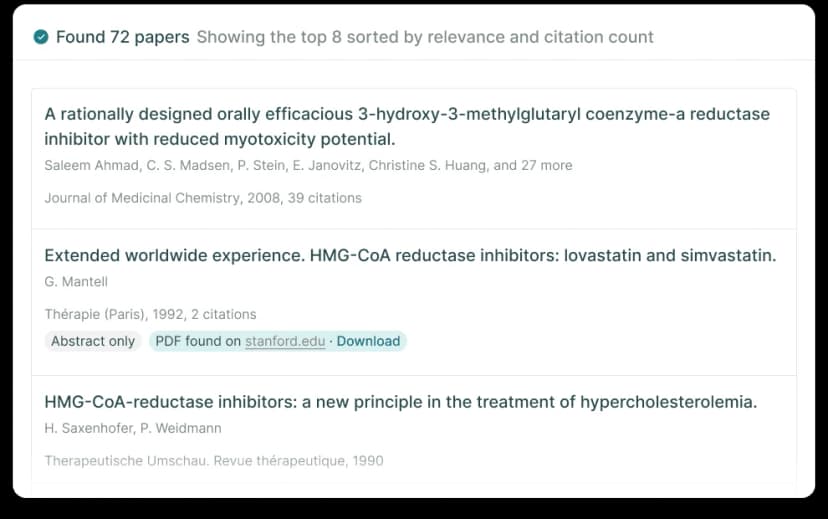
Elicit’s example search view lists papers with relevance and citation counts. Source: Elicit.
- Search with a plain question such as "How does remote work affect employee productivity?" This can find papers that use different terms.
- Searches 125M+ papers from the Semantic Scholar corpus.
- Pulls abstracts, methods, sample sizes, and findings into a table.
- Free tier includes 5,000 credits per month, enough for a moderate literature search.
Semantic Scholar is a free paper search tool with AI features.
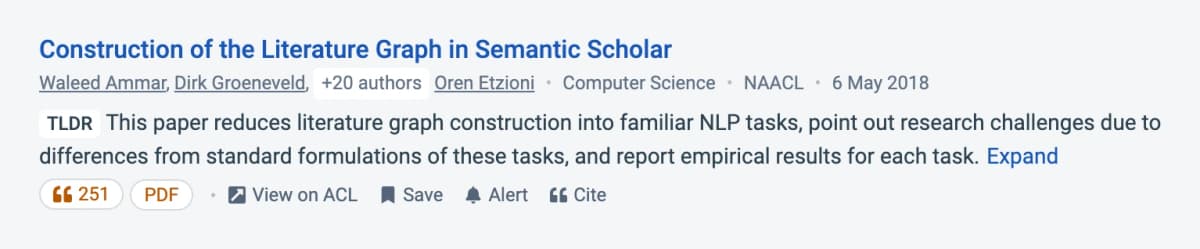
The paper-level TLDR gives researchers a quick discovery cue to verify against the article itself. Source: Semantic Scholar.
- Short summaries help you judge a paper before reading the abstract.
- Research alerts notify you when new papers match your interests.
- Citation graphs show the influence network around any paper.
- Free with no usage limits.
ResearchRabbit finds papers by following citation links between them.
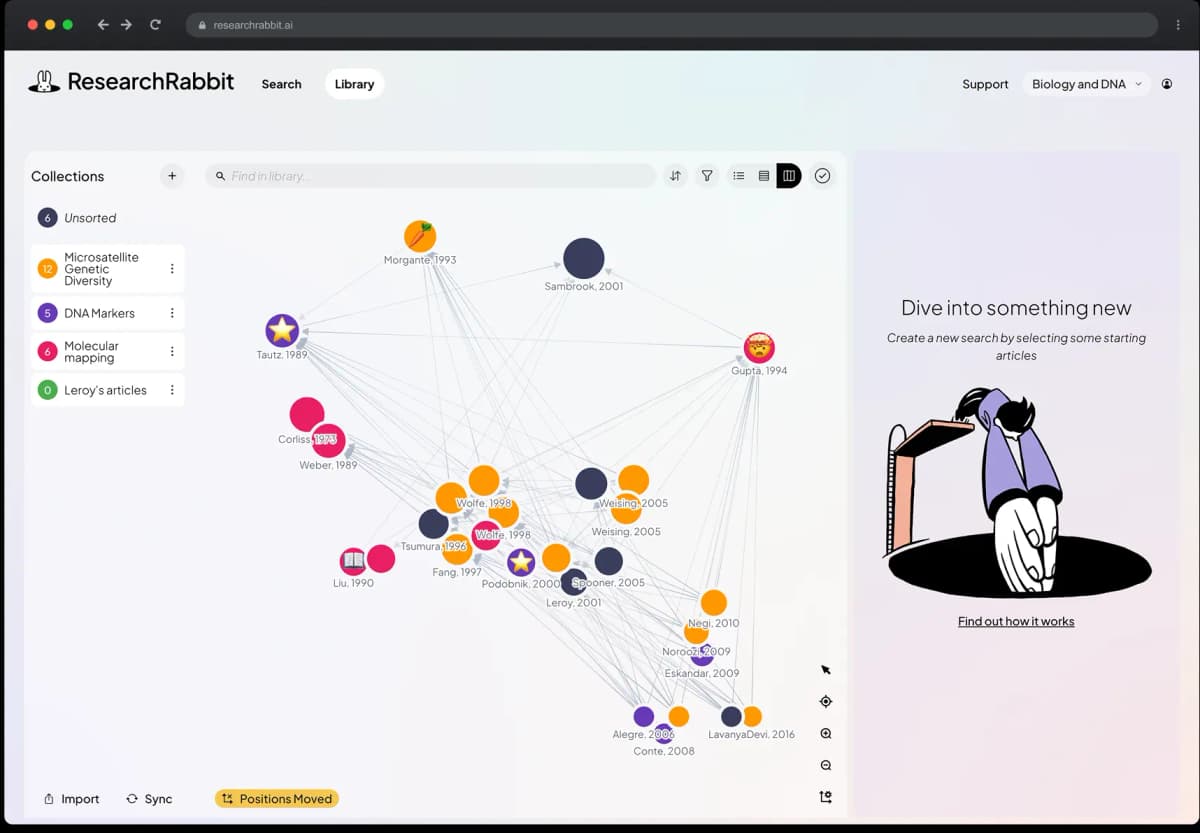
ResearchRabbit visualizes relationships among papers. Source: ResearchRabbit.
- Add seed papers you know are useful. ResearchRabbit finds what they cite, what cites them, and nearby papers.
- Visual exploration shows clusters of related work.
- Good at finding foundational papers and recent work in adjacent fields.
- Free to use.
Discovery Workflow
- Start with Elicit: Search your primary research question. Export the top 50-100 results.
- Expand with ResearchRabbit: Add 5-10 of your best papers as seeds. Explore citation networks for papers Elicit missed.
- Check consensus: Use Semantic Scholar or Consensus to understand where the field agrees and disagrees.
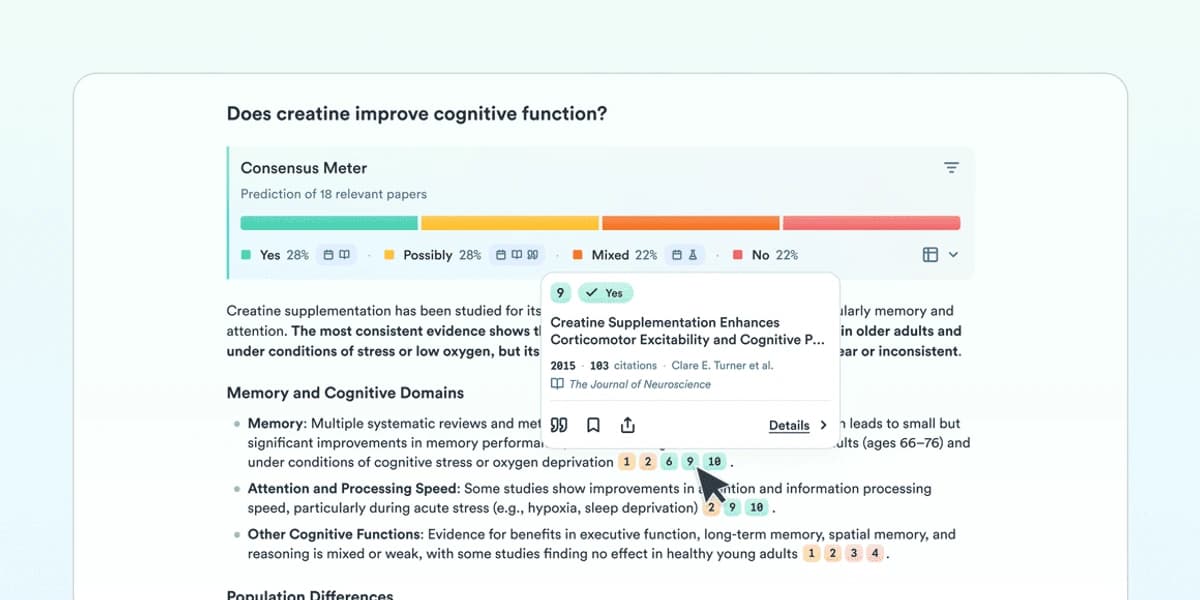
Consensus groups papers around a question; use those groups as a reading map and inspect the cited studies before drawing a conclusion. The visible example asks about creatine and cognitive function. Source: Consensus.
- Build your library: Save the papers you plan to screen in one reference manager or workspace.
- Set alerts: Configure Semantic Scholar alerts for ongoing monitoring as new papers are published.
What AI Cannot Do at This Stage
- Determine whether a paper is relevant to your specific angle (only you know your research question's nuances)
- Judge methodological quality from metadata alone
- Define your inclusion and exclusion criteria
- Replace field expertise for assessing whether your search is complete
Stage 2: Screen and Sort Candidate Papers
The Problem
You now have 300-500 candidate papers. Maybe 50-80 fit your review. Reading every abstract is slow. Wang et al. (2020) found that title and abstract screening can take about half the person-hours in a systematic review.
AI Tools for Screening
Rayyan is purpose-built for systematic review screening with AI assistance.
- Upload your candidate papers (supports RIS, BibTeX, and other standard formats).
- After you screen 30-50 papers by hand, Rayyan learns your keep-or-reject pattern.
- Blind collaboration mode allows dual screening, a requirement for systematic reviews, without bias. For a deeper look at PRISMA-compliant tools, see our guide to AI systematic review tools.
- Generates PRISMA flow diagrams from your screening decisions.
- Free for individuals, paid plans for teams.
ASReview is the open-source option for AI screening.
- Uses active learning: the AI updates its relevance predictions after each decision you make.
- Published research shows ASReview can cut manual screening by 80% or more.
- You can self-host it, so the data can stay on your machine.
- Free and open-source with no usage limits.
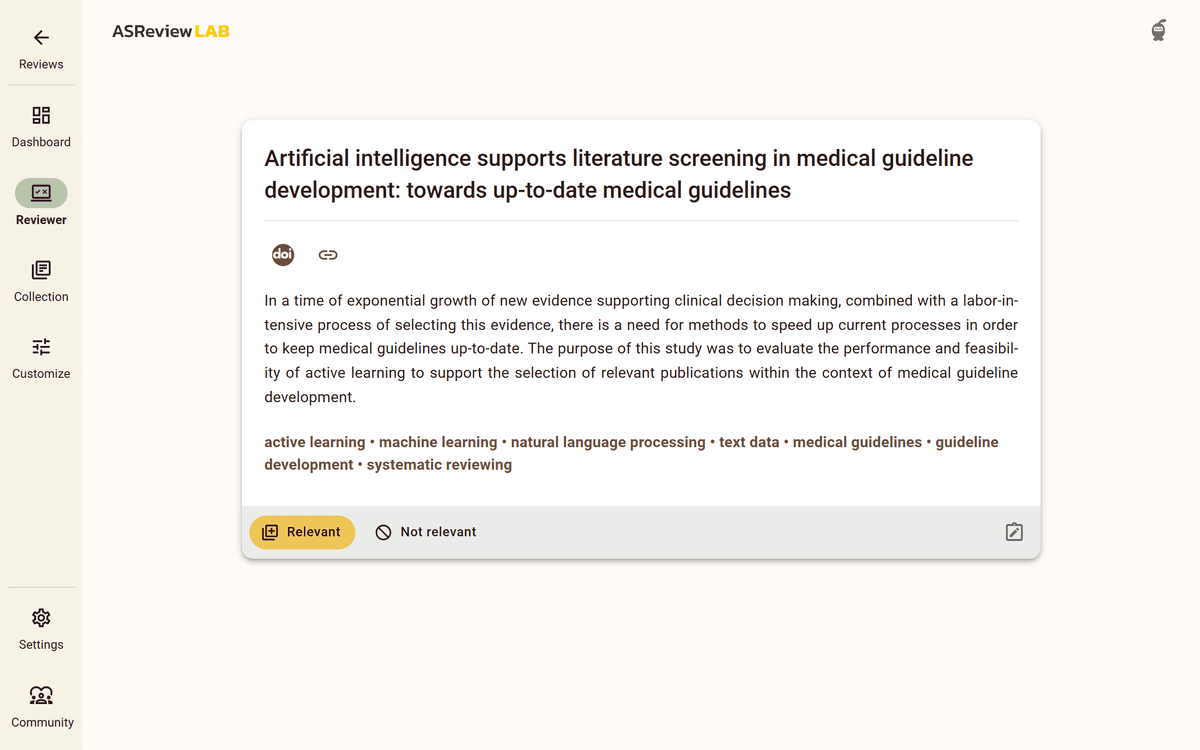
ASReview updates its ranking as reviewers label records. This official documentation example shows a medical-guideline paper, not a reviewer's own screening set. Source: ASReview screening guide.
Elicit works for less formal screening when you don't need PRISMA compliance.
- Bulk import papers and AI ranks them by relevance to your research question.
- Pull methods, sample sizes, and outcomes without reading full papers.
- Filter by year, sample size, or method.
- Export to spreadsheet for further analysis.
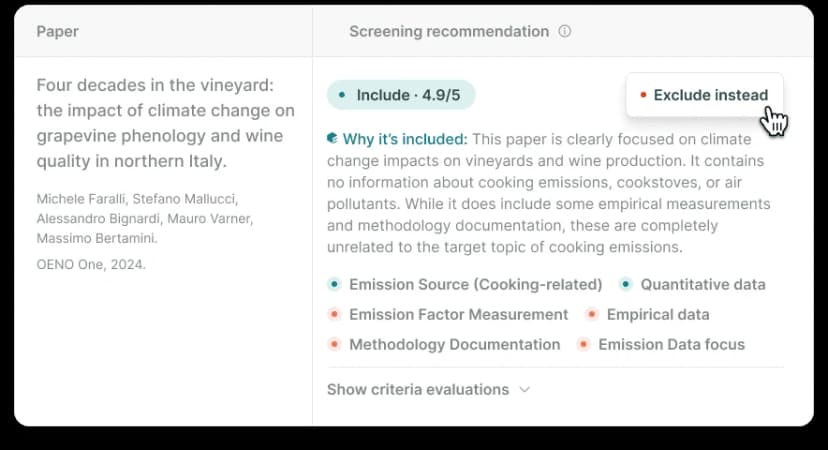
This Elicit example shows an inclusion recommendation with its rationale; the displayed review topic is a product demo. Source: Elicit.
Scite adds citation context to your screening decisions.
- "Smart Citations" show whether later papers support, dispute, or mention a paper in passing.
- A paper disputed by many others needs closer reading than one others support.
- Helps you choose which papers need close reading.
Screening Workflow
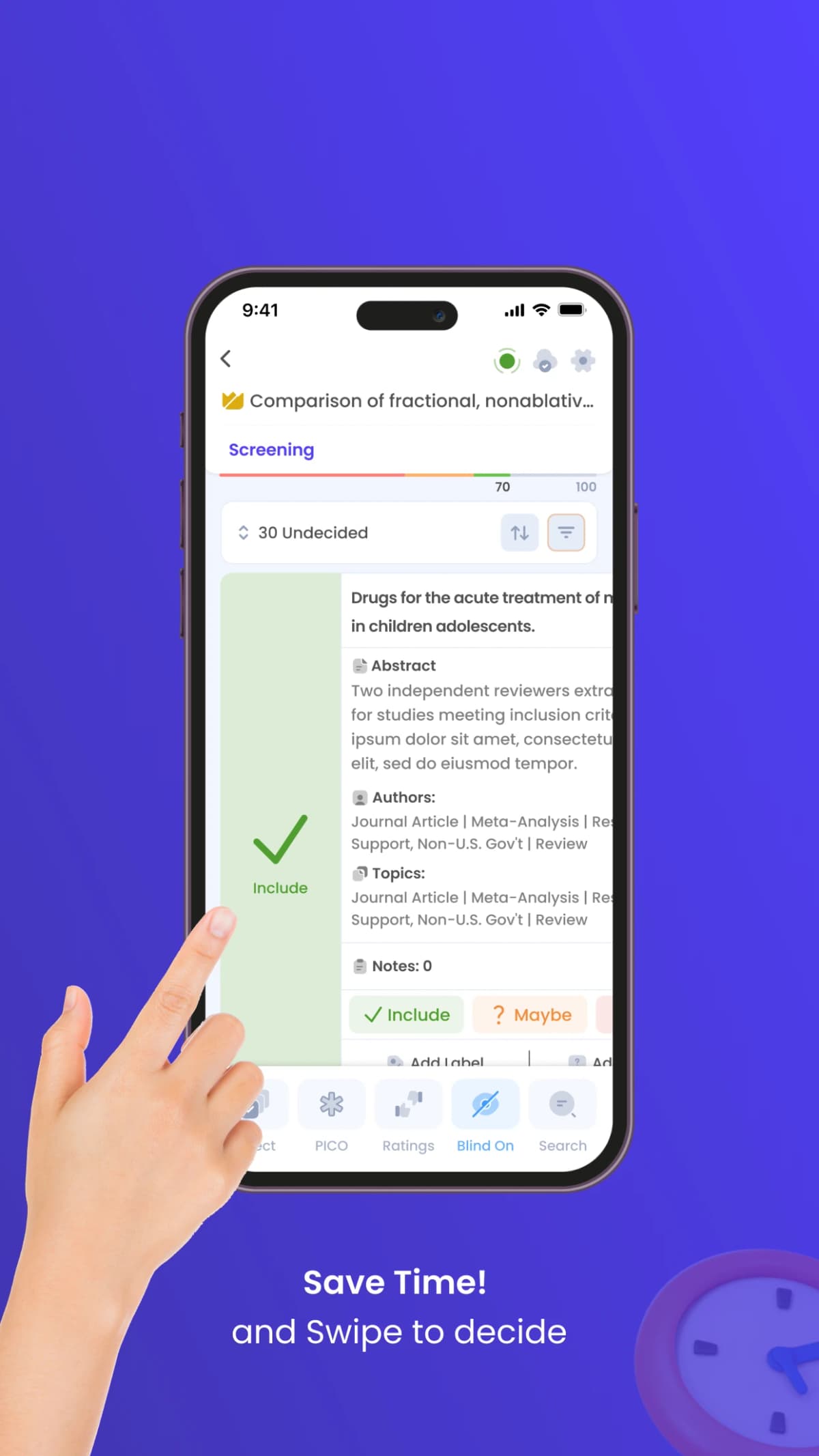
Rayyan’s official App Store demo shows the screening controls; its displayed title and abstract are demo content, not study evidence. Source: Rayyan on the App Store.
- Import all candidate papers to Rayyan (for systematic reviews) or Elicit (for narrative reviews).
- Define your inclusion criteria before screening begins. Write them down.
- Screen 30-50 papers manually to train the AI. This takes 2-3 hours but saves days later.
- Let AI rank remaining papers by predicted relevance.
- Focus manual review on borderline cases. AI handles the clear includes and excludes. You review the uncertain middle.
- Document the process with a PRISMA diagram or screening log.
What AI Cannot Do at This Stage
- Make final inclusion or exclusion decisions (you must review all AI suggestions)
- Apply subjective or context-dependent criteria
- Replace dual screening requirements for systematic reviews
- Account for your specific research angle when ranking relevance
Stage 3: Run a Formal Review
If your review must follow PRISMA or Cochrane rules, use a review platform. General AI tools do not give enough audit trail.
Use Covidence when you need two reviewers, exclusion reasons, data forms, and PRISMA output. Use Rayyan when you want faster screening with AI ranking and easier team review.
When You Need a Systematic Review Platform
- You are writing a formal review or meta-analysis
- Your school, funder, or journal requires a clear screening method
- You need two reviewers and conflict handling
- You must produce a PRISMA flow diagram
Covidence
Covidence is widely used for health science reviews.
- Imports from PubMed, Embase, and other databases.
- Title and abstract screening with two reviewers.
- Full-text screening with notes and exclusion reasons.
- Data forms you can adapt to your review.
- PRISMA flow diagram generation.
- Pricing: Free for Cochrane reviews, from $240/year for others.
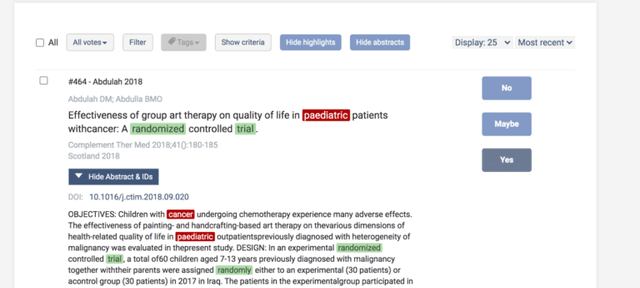
This Covidence product screenshot shows the record-level screening workflow; it is an example interface, not a review result from this article. Source: Covidence.
Rayyan
Rayyan combines AI screening with review protocol support.
- AI relevance prediction after initial manual screening.
- Blind collaboration mode for unbiased dual screening.
- Integration with reference managers (Zotero, Mendeley, EndNote).
- PRISMA diagram generation.
- Pricing: Free for individuals, premium plans for teams.
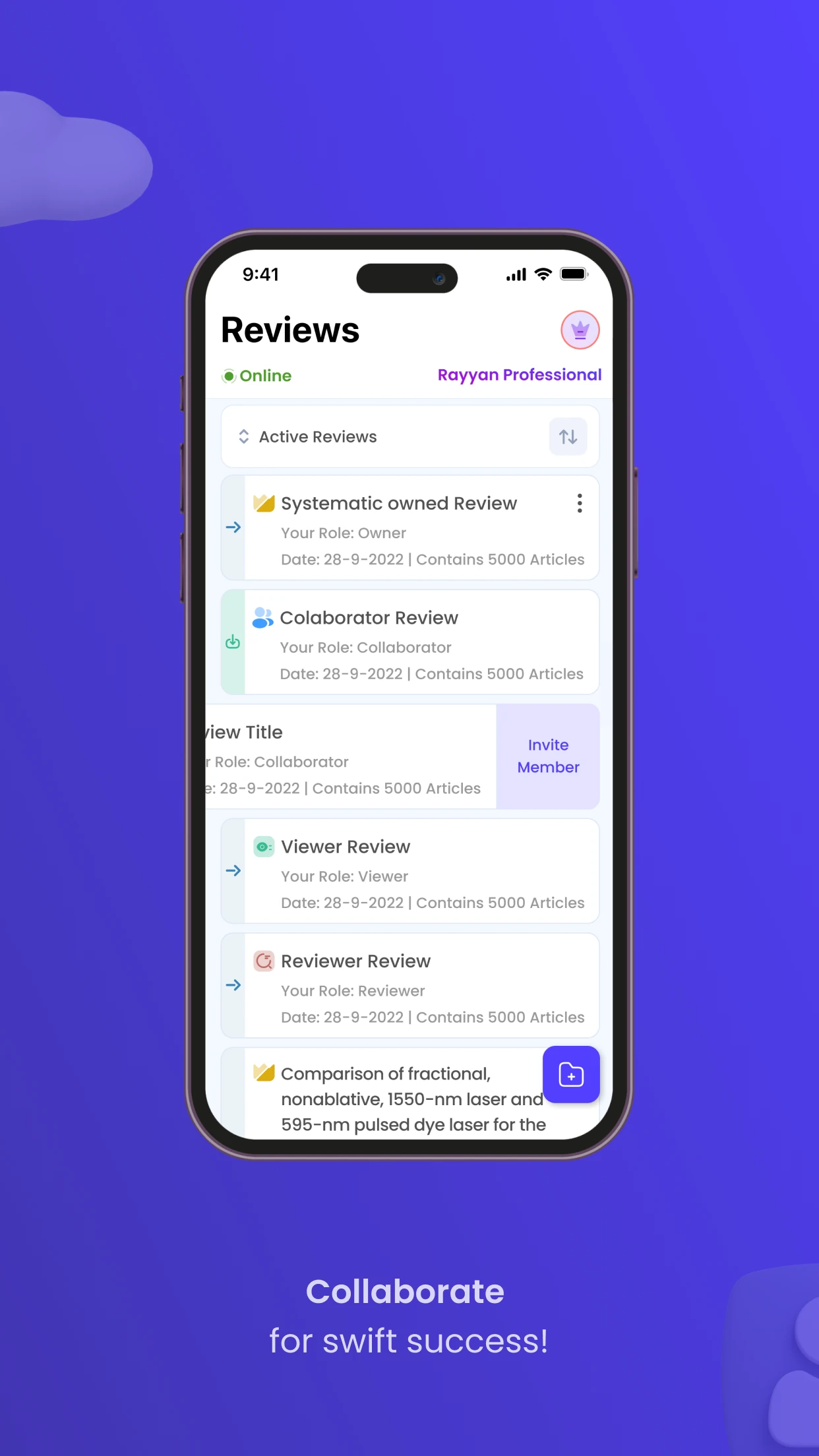
This official App Store demo shows review roles in Rayyan’s mobile interface; it does not represent a study’s screening results. Source: Rayyan on the App Store.
Integration with Other Tools
These platforms handle screening and data capture. They do not cover search or synthesis well. A practical stack combines them with other tools:
- Discovery: Elicit, Semantic Scholar, ResearchRabbit
- Screening: Rayyan or Covidence
- Synthesis: Atlas, Elicit, or manual methods
The key is clean export. Most tools support RIS, BibTeX, or CSV files.
Stage 4: Synthesize and Write
The Problem
You have screened the papers and pulled the data. Now comes the hard part. You need to connect 30, 50, or 100 papers into themes. You also need to show where studies agree, where they clash, and what the pattern means.
This is where many reviews stall. The mechanical work is done, but the analytical work is still open. Without a good workspace, synthesis becomes a memory test.
AI Tools for Synthesis
Atlas is built for the synthesis stage. It turns the papers you kept into a connected workspace with cited answers.
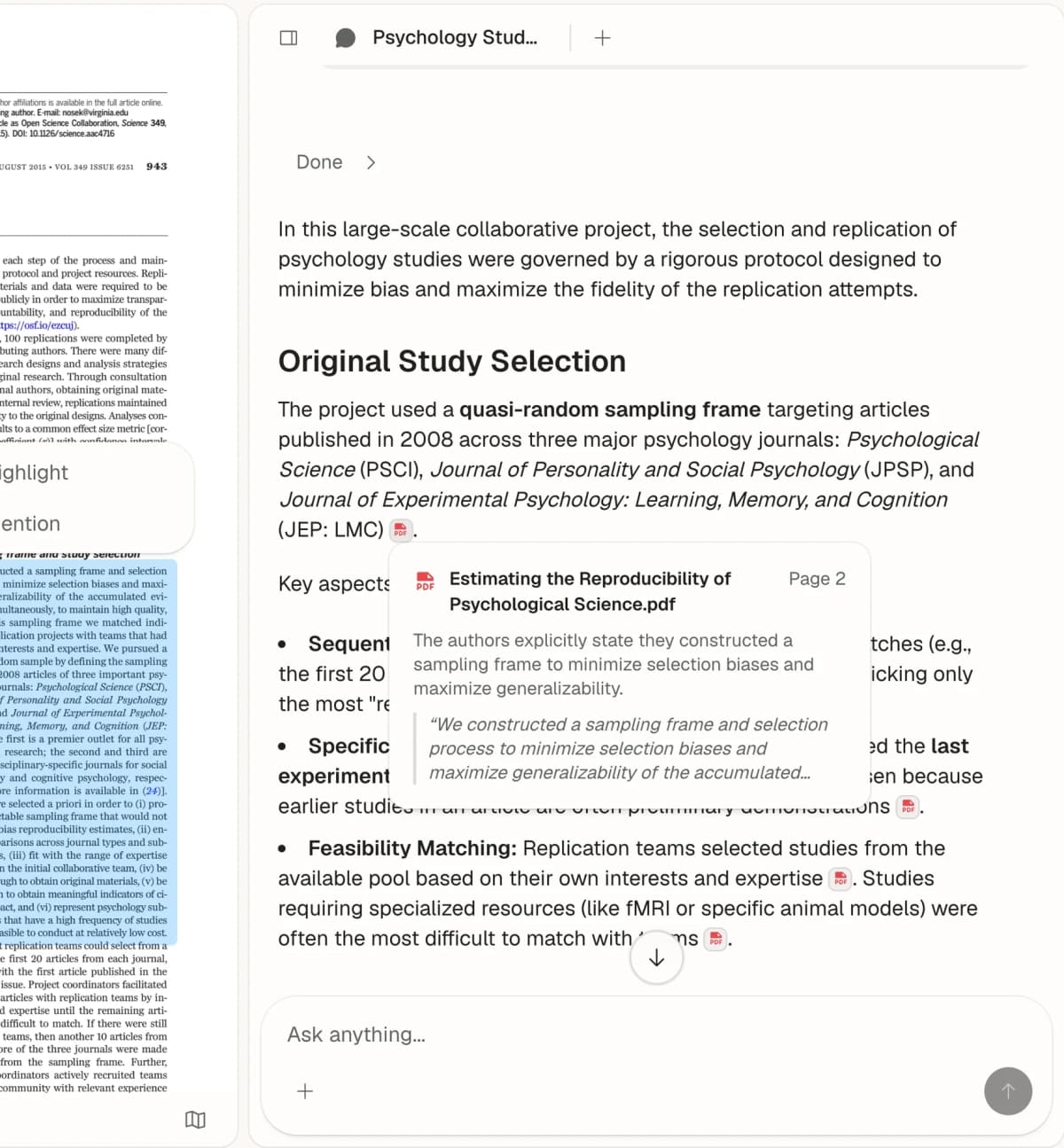
Atlas keeps a source passage beside a cited answer so a researcher can inspect evidence during synthesis. This example uses a psychology replication paper, not the fictional retention corpus described earlier. Source: Atlas.
- Upload only the papers that survived screening.
- Ask a cross-paper question such as "Which interventions improved retention, and in what settings?"
- Review the cited answer and open the source passages before using the claim.
- Use the map to group papers by method, population, outcome, or theme.
- Turn the strongest clusters into your synthesis outline.
Atlas is not the discovery database or the screening protocol. It is the synthesis layer once the corpus is assembled.
For the complete post-screening method, read the research synthesis workflow.
Elicit supports structured comparison across papers.
- Create tables that show how studies measured the same outcome.
- Identify gaps: which groups, methods, or questions are missing?
- Track trends across publication years.
- Export tables for direct use in your write-up.
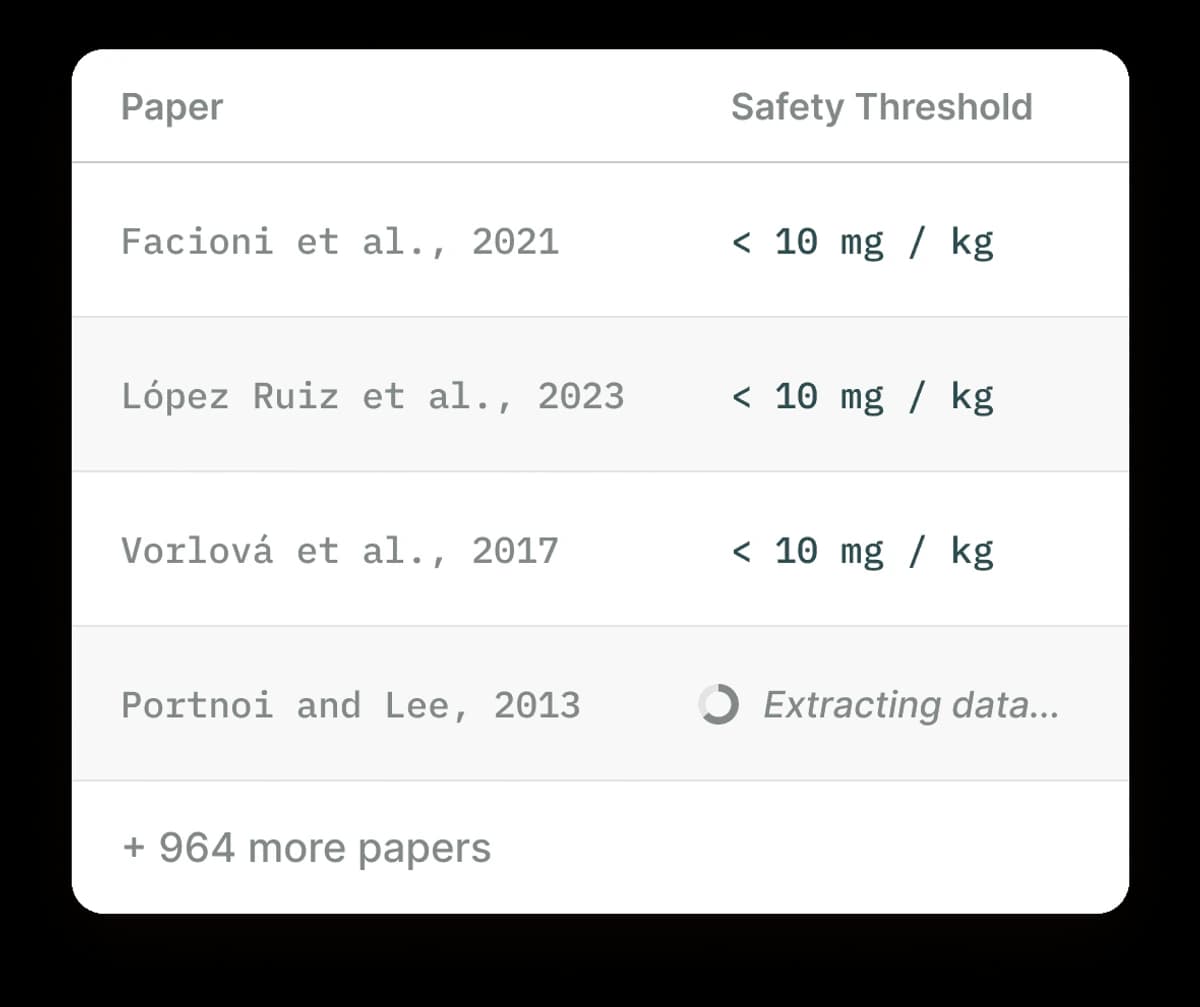
Elicit’s table view supports structured comparison across papers. Source: Elicit.
Claude or ChatGPT can assist with drafting, but treat outputs as rough starting points.
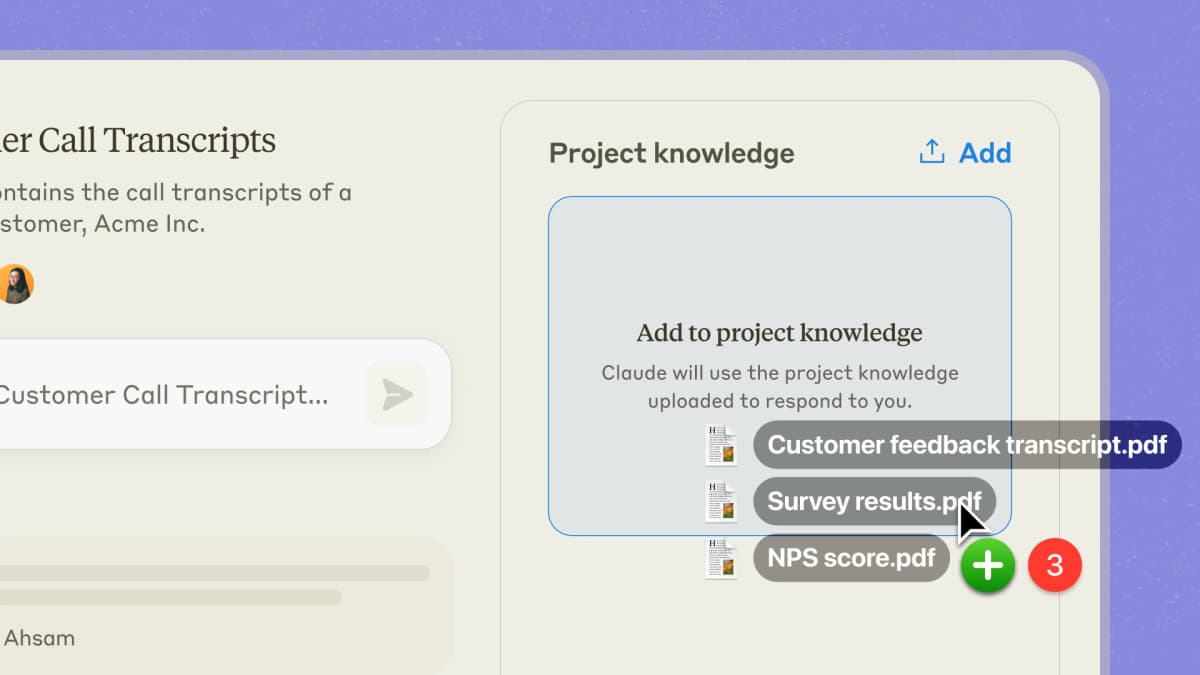
Anthropic’s product illustration shows a Claude Project with uploaded knowledge files; its customer-call example is not a literature-review corpus. Source: Anthropic Projects.
- Upload your data tables and ask for theme groups.
- Generate draft sections that you then rewrite with your analytical voice.
- Identify contradictions and areas of agreement across your data.
- Your own analysis must carry the section. AI-drafted synthesis without heavy revision will read as shallow to reviewers.
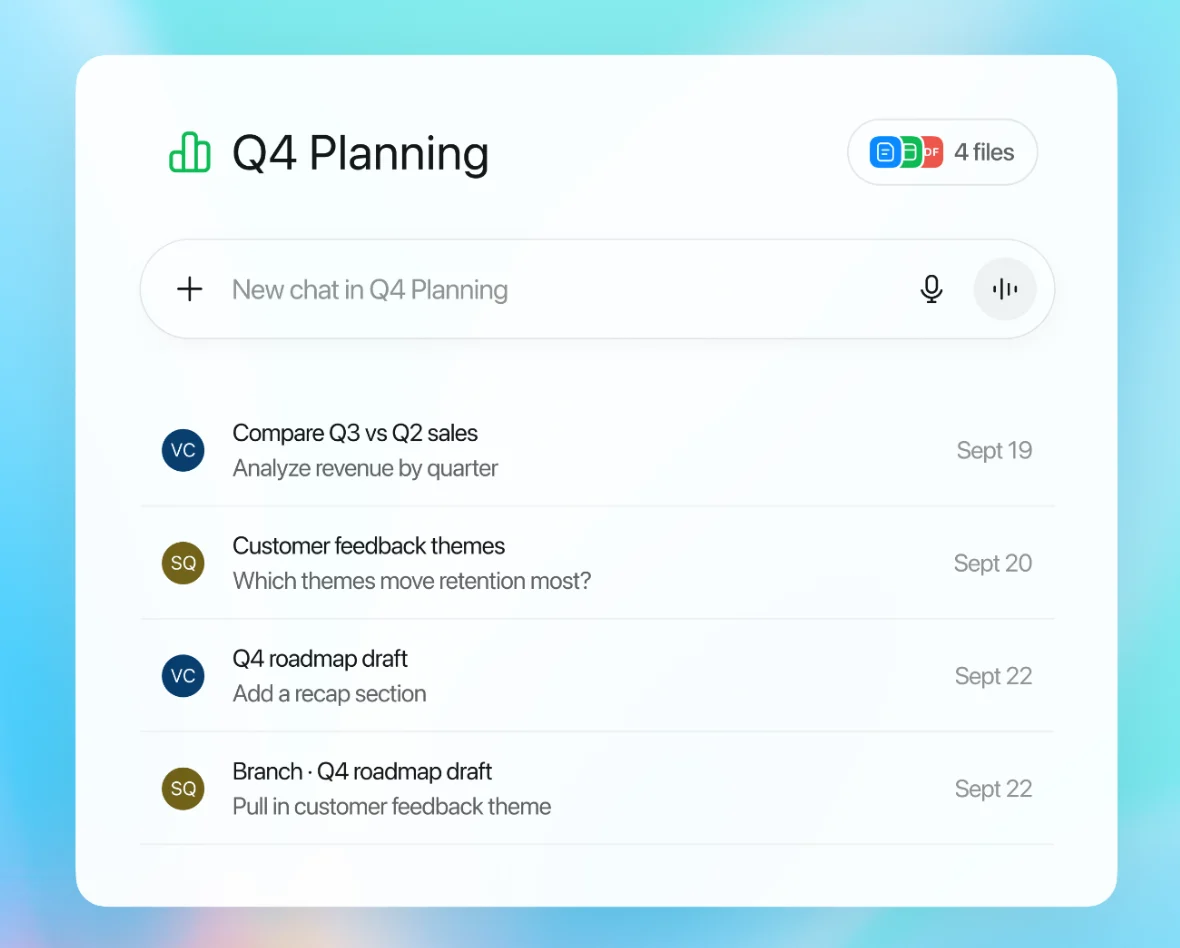
Note: OpenAI’s Projects screenshot shows a project holding its own files and chats, so later questions reuse the same uploaded material. For a literature review, put the papers in one project and ask for a synthesis table, then check each claim against the paper because answers do not link to page passages. Source: OpenAI Help Center.
Synthesis Workflow
- Build your workspace: Upload the included papers to Atlas.
- Map the set: Group papers by theme, method, or finding.
- Ask across papers: Try "What do these papers say about [specific subtopic]?"
- Check the citations: Open the source passages before using a claim.
- Make tables: Use Elicit for study-by-study comparisons.
- Name your themes: Pick the 3-5 themes that will structure the review.
- Verify every claim: Before you submit, match each cited claim to its source.
Pricing and Alternatives by Review Stage
Use this table to avoid tool sprawl. The current review stage should decide which tool you add.
Start with the stage you are in now. If you are still searching, use search tools. If you are screening, use a review tool. If you already have PDFs, use a synthesis tool.
Use the stage table to choose the tool that matches the next research decision.
For deeper reviews and pricing details, see our comparison of the best literature review software.
| Tool | Stage | Best For | Pricing |
|---|---|---|---|
| Atlas | Synthesis | Map papers and ask cited questions. | $20/mo Pro. |
| Elicit | Search, screening, and data | Find papers and make data tables. | Free tier. Plus $12/mo. |
| Semantic Scholar | Search | Free paper search with short summaries. | Free. |
| ResearchRabbit | Search | Explore papers through citation links. | Free. |
| Scite | Screening and analysis | See how later papers cite a study. | Free trial. From $12/mo. |
| SciSpace | Reading and data | Explain papers and terms. | Free tier. Premium from $12/mo. |
| Rayyan | Screening | Rank and screen review papers. | Free for individuals. |
| ASReview | Screening | Use open-source active learning. | Free. Open source. |
| Covidence | Screening and data | Manage formal review protocols. | From $240/year. |
| Consensus | Search | Check research claims across papers. | Free tier. Premium $8.99/mo. |
Table 4: Use discovery tools early, screening tools for selection, and synthesis tools after the final paper set is stable.
Recommended Tool Stacks
Solo PhD student (narrative review):
- Atlas for synthesis and mind mapping
- Elicit + ResearchRabbit for discovery
- Elicit for screening
- Budget: $12-24/month
Research team (systematic review):
- Atlas for team synthesis
- Elicit + PubMed for discovery
- Rayyan or Covidence for dual screening
- Elicit for extraction
- Budget: $30-50/month per person
Scoping review or rapid review:
- Atlas for visual mapping of the field
- Elicit + Semantic Scholar for discovery
- Elicit for light screening
- Budget: $12-24/month
Common Literature Review AI Mistakes
Trusting AI Summaries Without Verification
AI can misread a paper or mix results from different sections. A summary can help with the first screening pass. Read the original paper before you judge any study that plays a key role. One wrong finding can weaken the whole review.
Over-Relying on a Single Discovery Tool
No AI tool covers everything. Elicit searches the Semantic Scholar index, so missing papers in that index will not appear. ResearchRabbit follows citation links, so isolated studies can be missed. Use at least two search methods. Add database searches in PubMed, Scopus, or Web of Science.
Ignoring Citation Context
A paper cited 200 times is not always important in the way you think. Many citations may be routine methods notes. Some may be critical. Scite helps by showing whether later papers support, dispute, or mention a paper in passing. That context matters when you write the synthesis.
Skipping Manual Screening in Systematic Reviews
For journal systematic reviews, AI can rank papers for screening. Review all included and borderline papers by hand, and keep a clear method that reviewers can audit.
Not Documenting Your AI-Assisted Methodology
Record which AI tools you used, how you used them, and at which stage. A clear methods note can say: "Papers were found with Elicit and ResearchRabbit, then screened in Rayyan." Many journals now require AI disclosure.
Conclusion
AI tools can shorten parts of a literature review. The quality still depends on your question, source checks, judgment, and synthesis.
The workflow matters more than any single tool. Use AI to search, screen, extract, and synthesize. Verify outputs. Document your methods. Keep your scholarly voice.
Researchers who build this workflow now will carry that edge into every review they write. Those who wait may spend months on work their peers finish in weeks. For a ranked platform list, see our guide to the best AI tools for academic research.
Use the ranked comparison above when you need to pick the full stack. Use Atlas when the corpus is already assembled and the next job is cited synthesis.
Synthesize screened papers with cited answers
Add papers, ask cross-source questions, and inspect citations.