


Choose a PDF chat tool by the files you read and the way you check its answers. Atlas suits cited research in a project, NotebookLM brings a source set into one notebook, and Acrobat combines AI help with PDF review tools. This guide profiles 13 tools. The feature table includes Denser and PDF.ai as two additional options.
Some PDF chat tools focus on one source. Others let you ask across whole libraries. Some prioritize source-grounded answers. Others offer deeper reasoning with more risk. This guide covers what matters so you can pick the right tool. For the exact head-term buyer path, use the Chat PDF tools comparison.

Chat across PDFs with passage citations
Upload several papers, ask one question, and inspect every cited passage.
Buying criteria for PDF chat
For tools that also help with paper discovery and research workflows, see our AI research assistants guide.
The most important features in a PDF chat tool are accuracy and source grounding. A grounded answer uses the uploaded PDF as its evidence. You also need multi-source support if you query several PDFs at once. Tables, figures, citation links, and pricing all matter for heavy use.
The comparisons below describe product capabilities and workflow tradeoffs. For a closer look at paper reading, our Chat With a Paper comparison covers Atlas, ChatGPT, NotebookLM, Anara and Jenni across ten capabilities, including citation navigation, figure selection and annotations. Its scope is those five products and the reading interactions recorded in the matrix.
Grounding and citations
Before comparing tools, check these basics:
-
Accuracy and source grounding: Does the tool answer from your source? Does it mix in general knowledge? For research and professional use, source grounding matters.
-
Multi-source support: Can you chat across several PDFs at once? Single-source chat is fine for one paper. Cross-source querying helps with synthesis.
-
Context window: How much of your source can the AI see at once? Longer sources need larger context windows.
-
Citation quality: Does the tool point to the passage it used? Can you verify the answer?
-
Persistence: Does your work persist between sessions? Or do you re-upload every time?
Workflow fit
Use the criteria differently by job. A student reading one article can accept more friction than a team reviewing contracts. For paper work, value source links, saved libraries, and notes you can export.
The Four-Question PDF Chat Test
Use these four checks on your own files to assess citation navigation, scanned pages, table handling and long-document reading.
- Upload one clean text PDF, one scanned PDF, one table-heavy PDF, and one long report.
- Ask each tool to quote the exact sentence that supports its answer and name the page.
- Compare the answer against the linked passage before trusting the summary.
| Test | What a good tool does | Red flag |
|---|---|---|
| Clean text PDF | Answers with a linked passage and page reference | Gives a correct summary but no source trail |
| Scanned PDF | Runs OCR or states it cannot read the scan | Pretends to understand unreadable text |
| Table-heavy PDF | Preserves row and column meaning | Invents totals or merges table rows |
| Long report | Finds buried caveats across the full document | Answers from the first retrieved section only |
Table 1: Four-question PDF chat test for cites, OCR, tables, and long reports.
Keep a note of any answer you cannot verify. A failed check may reveal a file-processing problem or a missing feature. Investigate it before relying on the answer in work that requires evidence.
Security and pricing checks
The best tool to chat with a PDF is not always the tool with the smoothest chat box. For real work, check three details before you upload private files.
| Check | What to ask | Why it matters |
|---|---|---|
| Security and privacy | Does the vendor train on uploads, encrypt files at rest, support deletion, and offer enterprise controls? | PDFs often contain contracts, patient data, research drafts, or internal reports. |
| File support | Does it handle scanned PDFs, tables, images, long PDFs, and non-English documents? | A chat tool that fails OCR or tables will answer from an incomplete document. |
| Pricing | Is the limit based on pages, files, questions, seats, or AI credits? | Free tiers are useful for tests, but heavy PDF review gets expensive when limits are hidden. |
| Export and integration | Can you export notes, citations, answers, or API results? | If the answer cannot leave the tool cleanly, it becomes hard to cite, review, or automate. |
Table 2: PDF chat checks for privacy, file support, pricing, and export needs.
For regulated or private work, prefer tools that state their training-data policy and expose team controls. Students and casual readers can put more weight on a generous free tier.
File support and pricing snapshot
Use this table as a first filter. Pick tools that match your file type and device needs before comparing AI quality.
| Tool | File and OCR fit | Cross-device fit | Pricing pattern |
|---|---|---|---|
| Atlas | PDFs, notes, web sources, and cross-document research libraries | Web workspace | Free tier, Pro for heavier research |
| ChatPDF | Text PDFs and quick single-file Q&A | Web | Free daily limits, low-cost Plus |
| NotebookLM | PDFs, Docs, URLs, YouTube, audio, and source notebooks | Web and mobile app | Free with Google account, higher limits through Google plans |
| Adobe Acrobat | Strongest for PDF-native OCR, comments, signing, and review | Desktop, web, mobile | Acrobat subscription and AI add-on model |
| Smallpdf | PDF utility workflows with light AI chat | Web and apps | Free utilities with paid plans |
| SciSpace | Academic PDFs, equations, and paper explanations | Web | Free tier with paid upgrades |
| Paperpal | Academic PDFs, manuscripts, and writing drafts | Web | Free tier with paid plans |
| Paperguide | Research PDFs, paper discovery, and writing projects | Web | Free tier with paid plans |
Table 3: PDF chat tools compared by file support, device fit, and pricing pattern.
The Tools Compared
The 13 profiles below describe different PDF workflows. Start with the job you need to complete, then use the tables to compare the relevant features and limitations.
- Atlas: best for multi-PDF research workspaces with cited answers and source maps. Use it when you need cited answers across several PDFs.
- ChatPDF: best for fast single-file questions.
- NotebookLM: best for free project notebooks with grounded source answers.
- Claude: best for deep reading and careful reasoning.
- ChatGPT: best when PDF chat is one task inside a broader AI workspace.
- Humata: best for team review of professional PDFs.
- Unriddle: best for inline concept links while reading.
- Adobe Acrobat: best for teams already reviewing PDFs in Acrobat.
- Lumin PDF and Smallpdf: best when AI help sits beside PDF utilities.
- SciSpace, Paperpal, and Paperguide: best for paper reading, writing, and review.
Atlas
- Best for building a connected knowledge workspace from multiple PDFs over time.
Atlas keeps PDFs, notes and other sources in a project. You can ask about one paper or compare selected sources, then open the answer's citations to inspect the supporting passages.
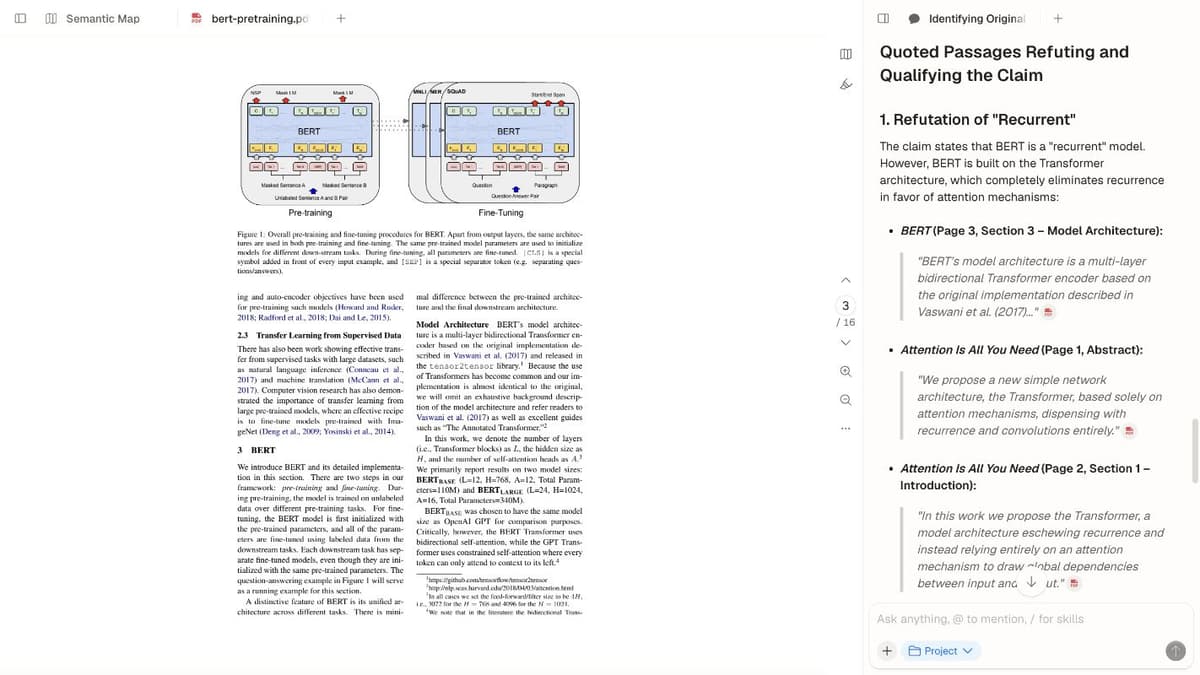
Atlas screenshot showing a PDF source beside a cited answer and source map. It is shown in the Atlas entry as Atlas-specific evidence.
Strengths:
- Cross-source synthesis. Ask questions that span multiple PDFs.
- Mind map shows how sources and concepts connect.
- Grounded responses with citations.
- Note-taking alongside your sources.
Limits:
-
Cloud-based, with no offline access.
-
Less suited for occasional single-file questions.
-
Source processing must finish before you can inspect the available content.
-
Pricing: free tier available, Pro from $20/month.
-
Best when you work with PDFs often and want them to grow into a connected knowledge system. It is a strong fit for literature reviews and ongoing research.
ChatPDF
- Best for quick, simple questions about a single PDF.
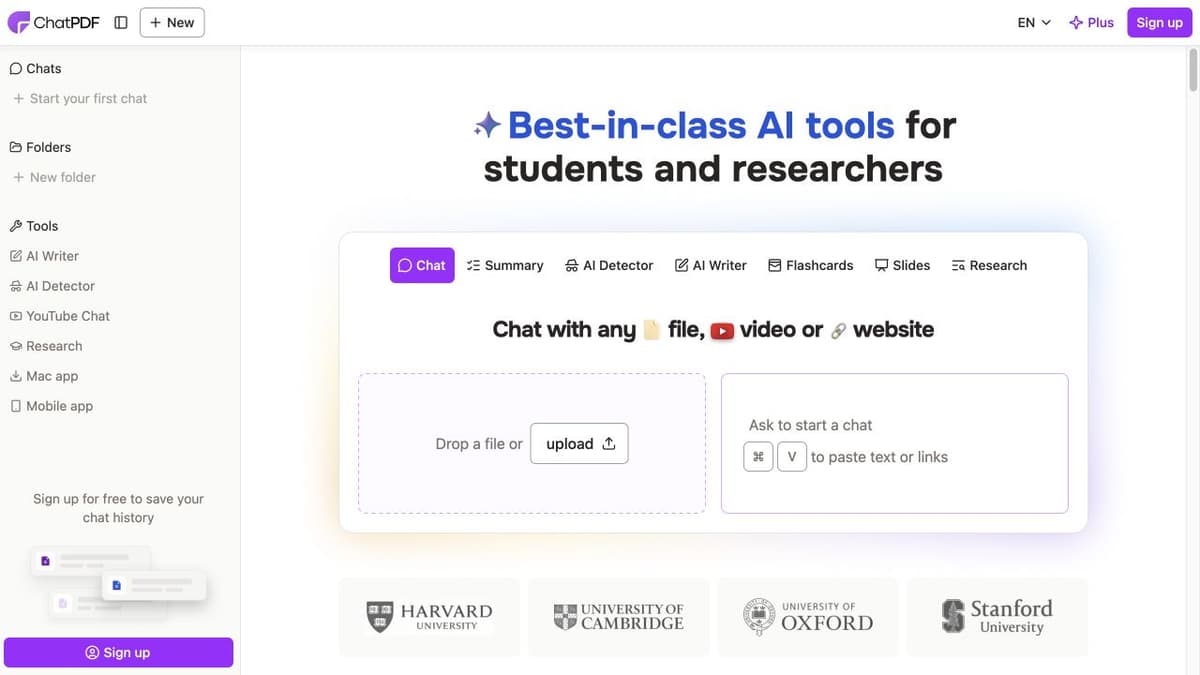
ChatPDF was one of the first dedicated PDF chat tools, and it remains one of the simplest ways to upload a PDF, ask questions, and get answers. No account is required for basic use.
Strengths:
- Simple setup. No account needed for basic use.
- Fast processing.
- Citations with page numbers.
- Works well for single-source queries.
Limits:
-
No knowledge growth between sessions.
-
Limited context window on the free tier.
-
No cross-source review.
-
Pricing: free tier with 2 PDFs/day and 50 pages each, Plus $5/month.
NotebookLM
- Best for project research with many sources and audio summaries.
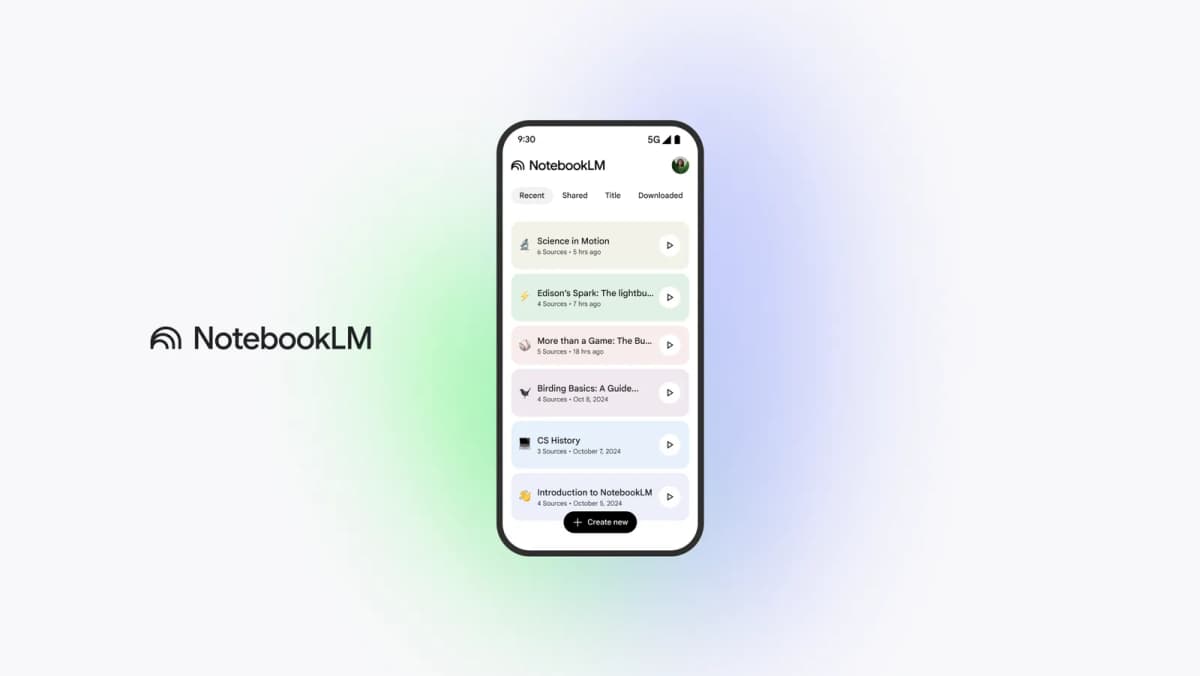
Google's Gemini Notebook, formerly NotebookLM, supports 50 sources per notebook on Standard, with larger capacities on paid plans. Choose the sources for a question and inspect its cited passages. Source capacity and the compute allowance for chat and Studio are separate limits.
Strengths:
- Grounded AI, with answers tied to sources.
- Multi-source questions inside one notebook.
- Audio overviews for review.
- Free with a Google account.
- Handles many source types beyond PDFs.
- Mind Maps summarize sources within a notebook.
Limits:
-
50 sources per notebook.
-
No cross-notebook chat.
-
Google account required.
-
Limited export options.
-
Pricing: a free allowance, with higher capacities through qualifying Google AI or managed-account plans. Check the current account and region terms.
-
Best when you have a defined project with specific sources and want rigorous source grounding. For more details, see our guide to NotebookLM.
Claude
- Best for careful review of complex sources.
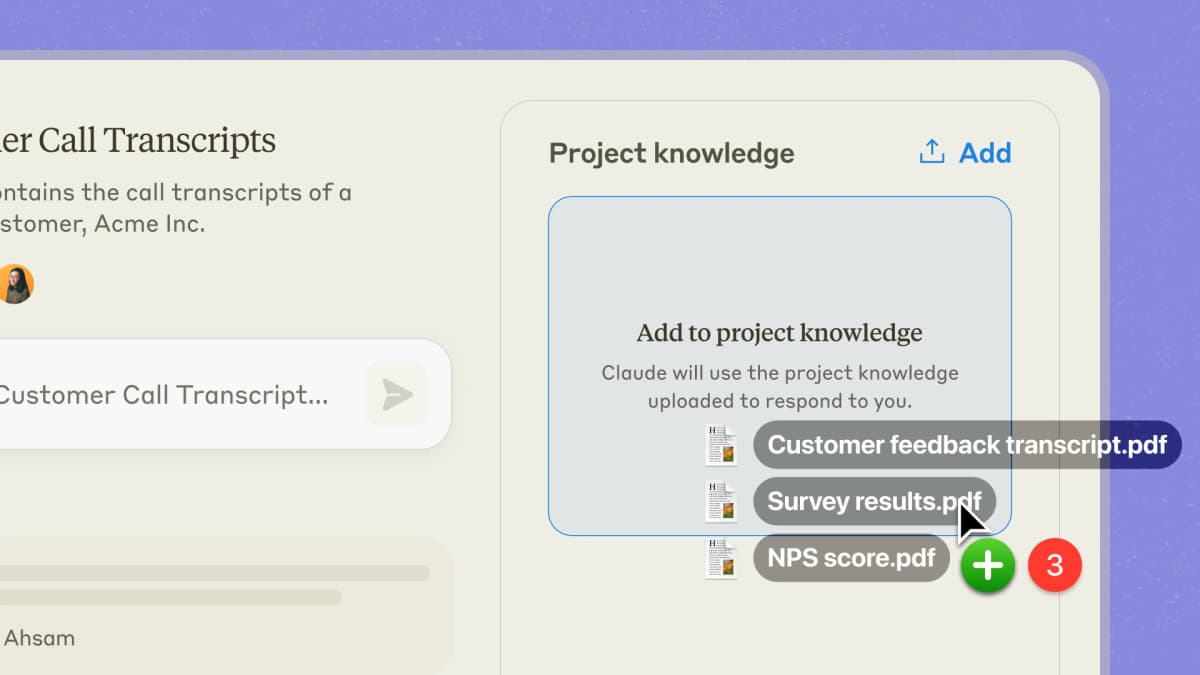
Anthropic's Claude stands out for reasoning quality. Projects let you upload sources and keep context across chats.
Strengths:
- Strong reasoning and nuance.
- 200K token context window for long sources.
- Projects feature for persistent source context.
- Good at explaining complex ideas.
- Strong at comparison work.
Limits:
-
May draw on training data beside your source.
-
No visual mind map.
-
No dedicated PDF features such as highlights or page links.
-
Pricing: free tier available, Pro $20/month.
-
Best when you need careful reading of complex sources. It fits contracts, technical papers, and policy work.
ChatGPT
- Best for broad source review inside a general AI tool.
ChatGPT handles PDF uploads beside broad general knowledge. Its PDF handling is one task inside a broader AI workflow. Nature covered how researchers use ChatGPT-like tools with papers.
Strengths:
- Broad general knowledge can help explain context.
- Code tools can analyze data from PDFs.
- Custom GPTs for specialized workflows
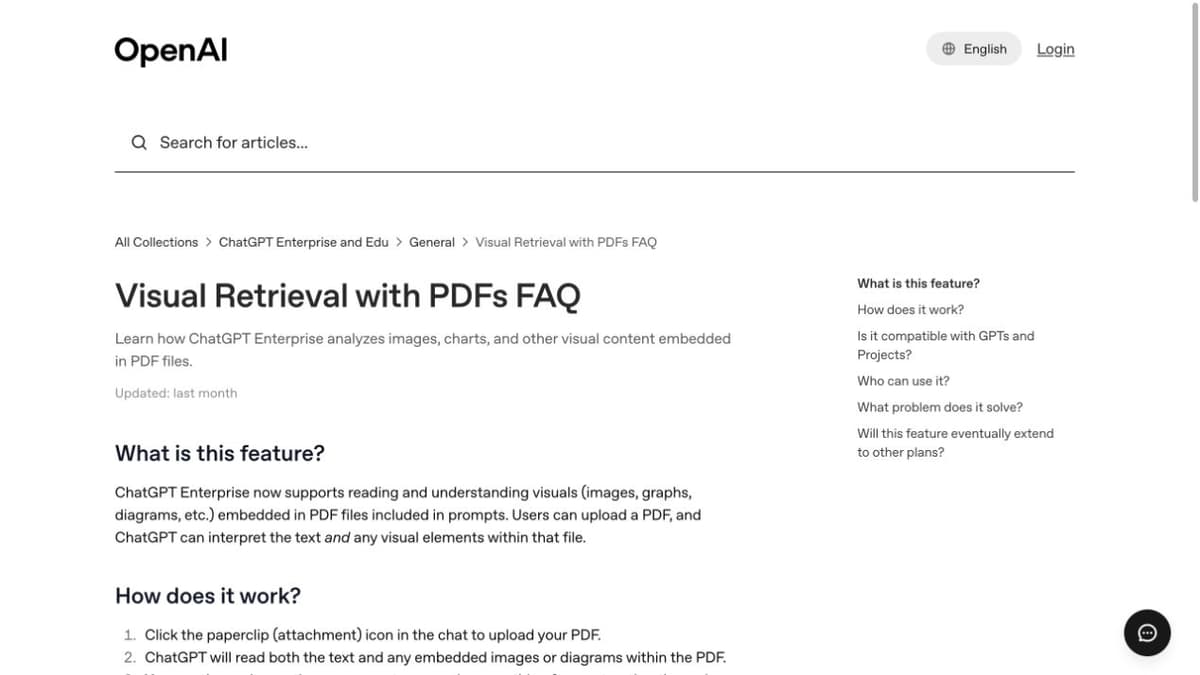
- Multimodal PDF handling for images, charts, and tables.
Limits:
-
May mix training data with source content.
-
Citation navigation and visual PDF reading depend on the available product features and file.
-
Source context can fade in long chats.
-
No persistent source library.
-
No mind map or cross-source links.
-
Pricing: free tier with limits, Plus $20/month, Team $25/user/month.
Humata
- Best for team source review.
Humata focuses on team and business use cases. It handles contracts, reports, and compliance files. Teams can share and review together.
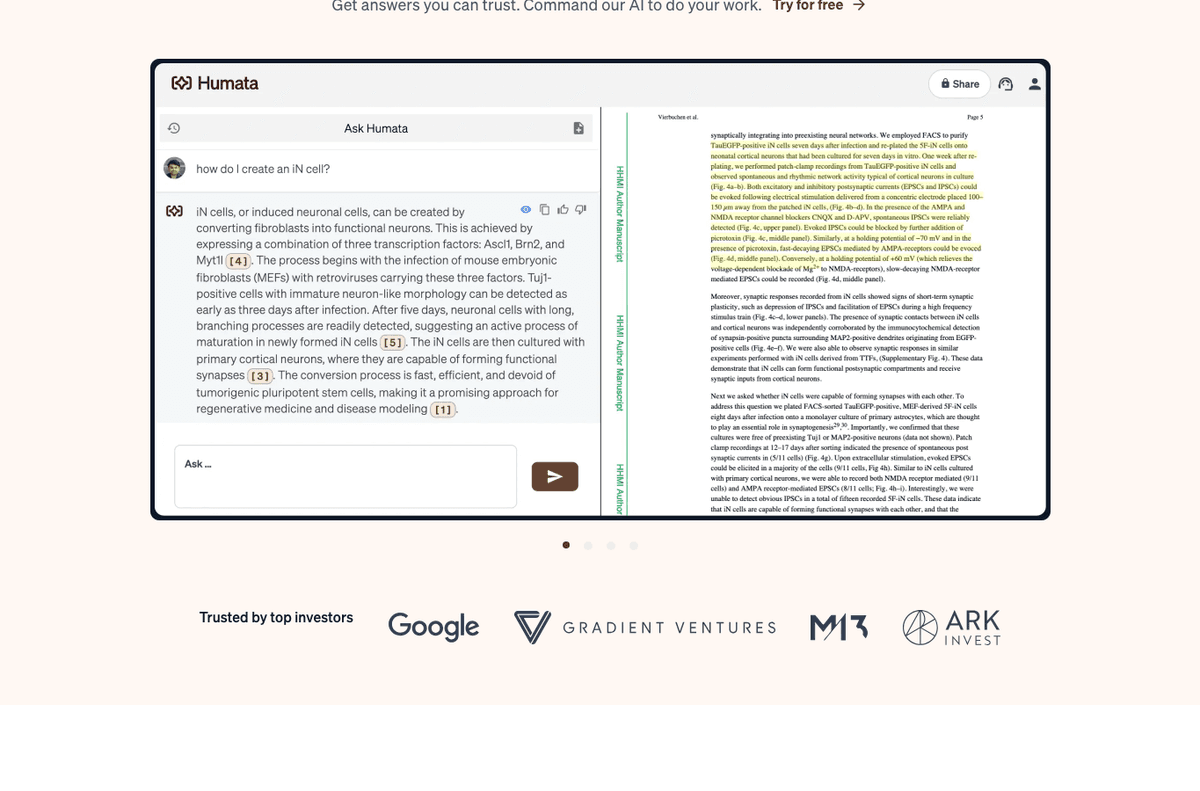
Humata screenshot captured from the official Humata homepage on 2026-07-02. It shows the side-by-side PDF review pattern and citation markers that matter for team source checks.
Strengths:
- Strong page-level citations.
- Team sharing and review.
- Handles long sources well.
- Workspace tools for source management.
- Enterprise security options
Limits:
-
Higher price than some alternatives.
-
No mind map.
-
Less suited to academic research.
-
Pricing: free tier with 60 pages/month, Student $1.99/month, Expert $9.99/month, and Team pricing.
Unriddle
- Best for researchers who want AI-generated concept links within sources.
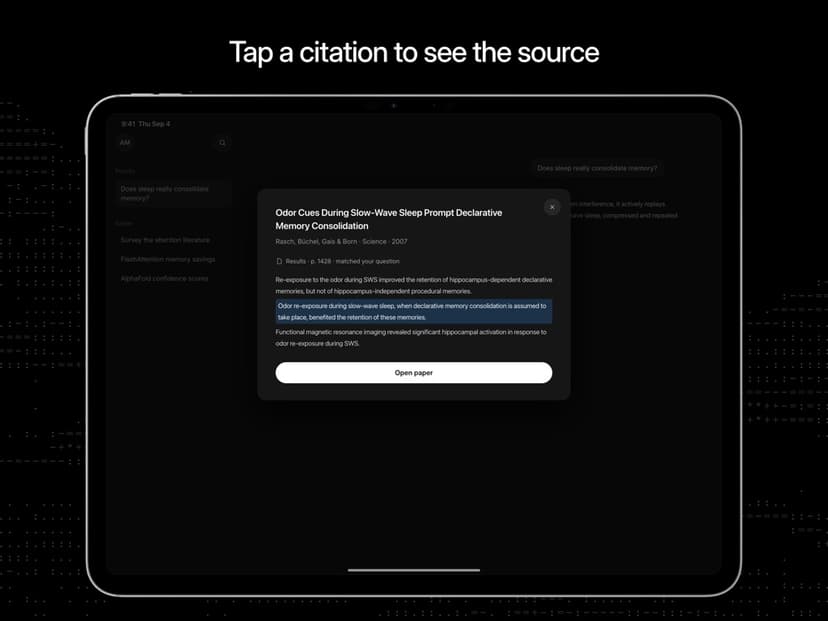
Unriddle creates links inside your sources. It highlights terms and connects them to related content and short explanations.
Strengths:
- Auto-generated concept links.
- Good for unfamiliar technical content.
- Source library with cross-references.
- Clean reading interface.
Limits:
-
Concept links can be noisy.
-
Smaller scale than major AI platforms.
-
Limited team features.
-
Less suited to occasional single-file questions.
-
Pricing: free tier available, Researcher $16/month, Team pricing available.
Adobe Acrobat
- Best for teams already reviewing PDFs in Acrobat.
Adobe Acrobat AI Assistant is strongest when PDF chat must sit inside Acrobat. Acrobat already handles OCR, page links, comments, signing, and sharing. The AI layer adds summaries and Q&A.
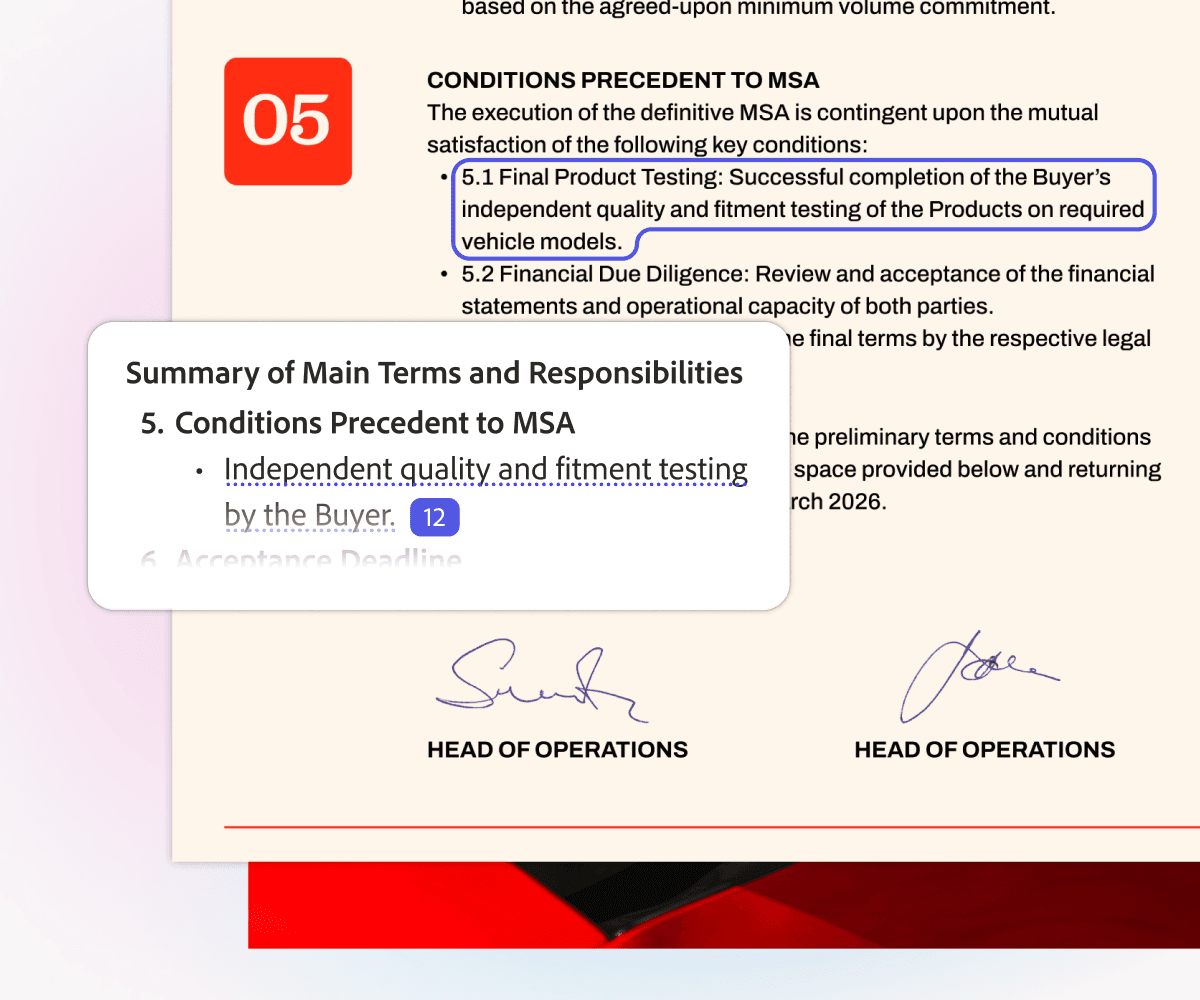
Official Adobe Acrobat AI Assistant product image from Adobe's Acrobat generative AI page, captured on 2026-07-02. It shows summary output tied to a highlighted PDF passage.
Strengths:
- Mature PDF handling, OCR, comments, and review tools.
- Familiar interface for teams that use Acrobat.
- Useful summaries for long contracts, reports, and manuals.
- Strong fit when PDFs must stay inside Acrobat.
Limits:
- Less useful as a long-term research workspace.
- Weaker for cross-source knowledge work.
- AI features are tied to Adobe plans.
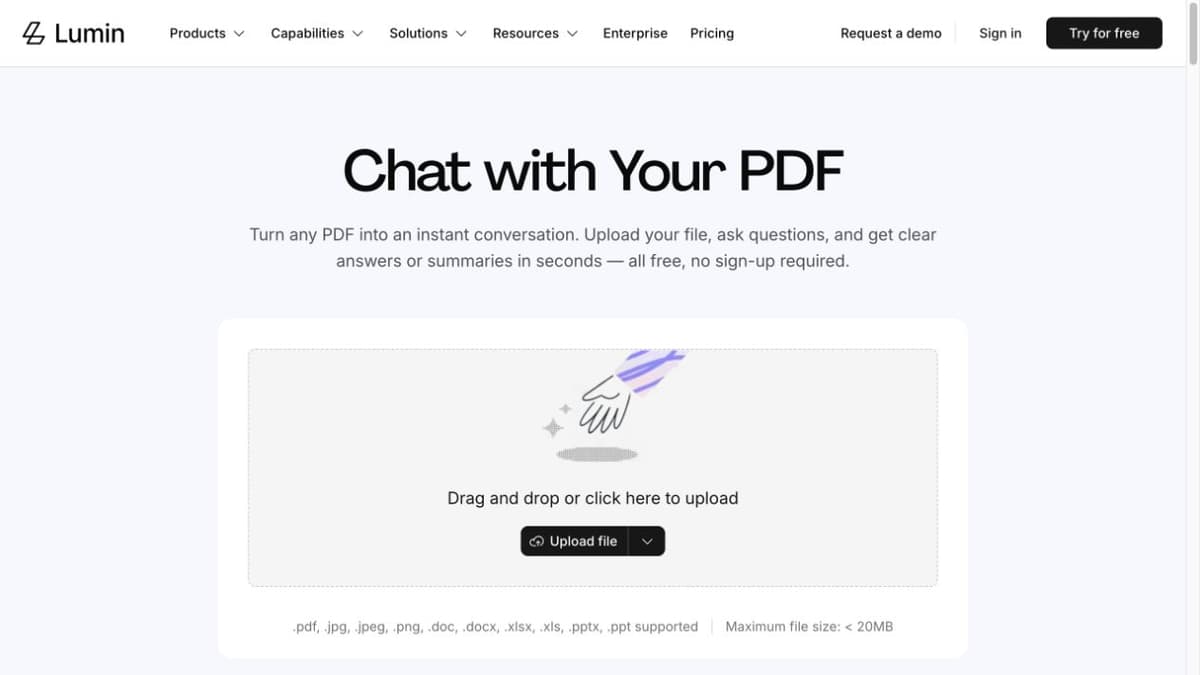
Lumin PDF
- Best for browser-based PDF collaboration with lightweight AI help.
Lumin PDF is useful when the job is reviewing and marking up PDFs with others. Its AI features help with summaries and quick questions. The core product focuses on editing, notes, and sharing.
Strengths:
- Good browser-based PDF viewing and notes.
- Sharing is central to the workflow.
- Useful for quick summaries before deeper review.
Limits:
- Not built for strict academic citation workflows.
- Cross-PDF synthesis is limited.
- AI output still needs source checks before reuse.
Smallpdf
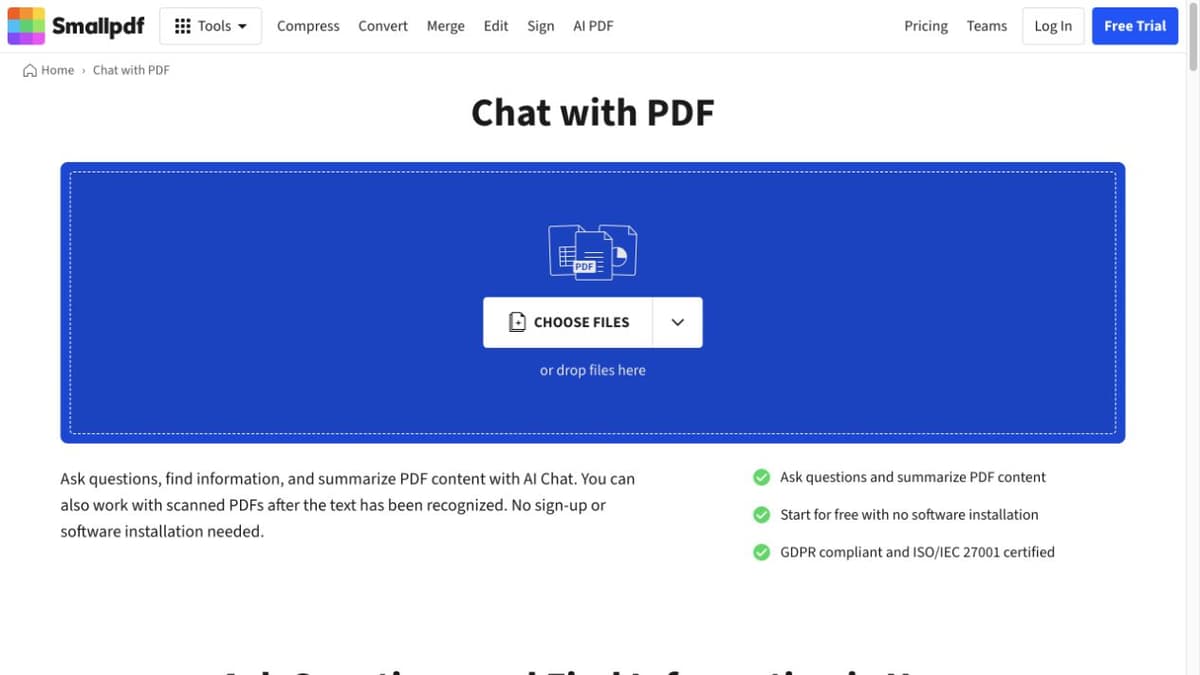
- Best for quick PDF utilities plus occasional AI chat.
Smallpdf is best known for conversion, compression, merging, splitting, and signing. Its AI PDF features are fast and useful for light questions.
Strengths:
- Easy for occasional PDF tasks.
- Strong PDF utility suite.
- Good fit for casual summaries and simple Q&A.
Limits:
- Not a persistent research workspace.
- Limited depth for multi-document synthesis.
- Lighter citation checks than specialist tools.
SciSpace
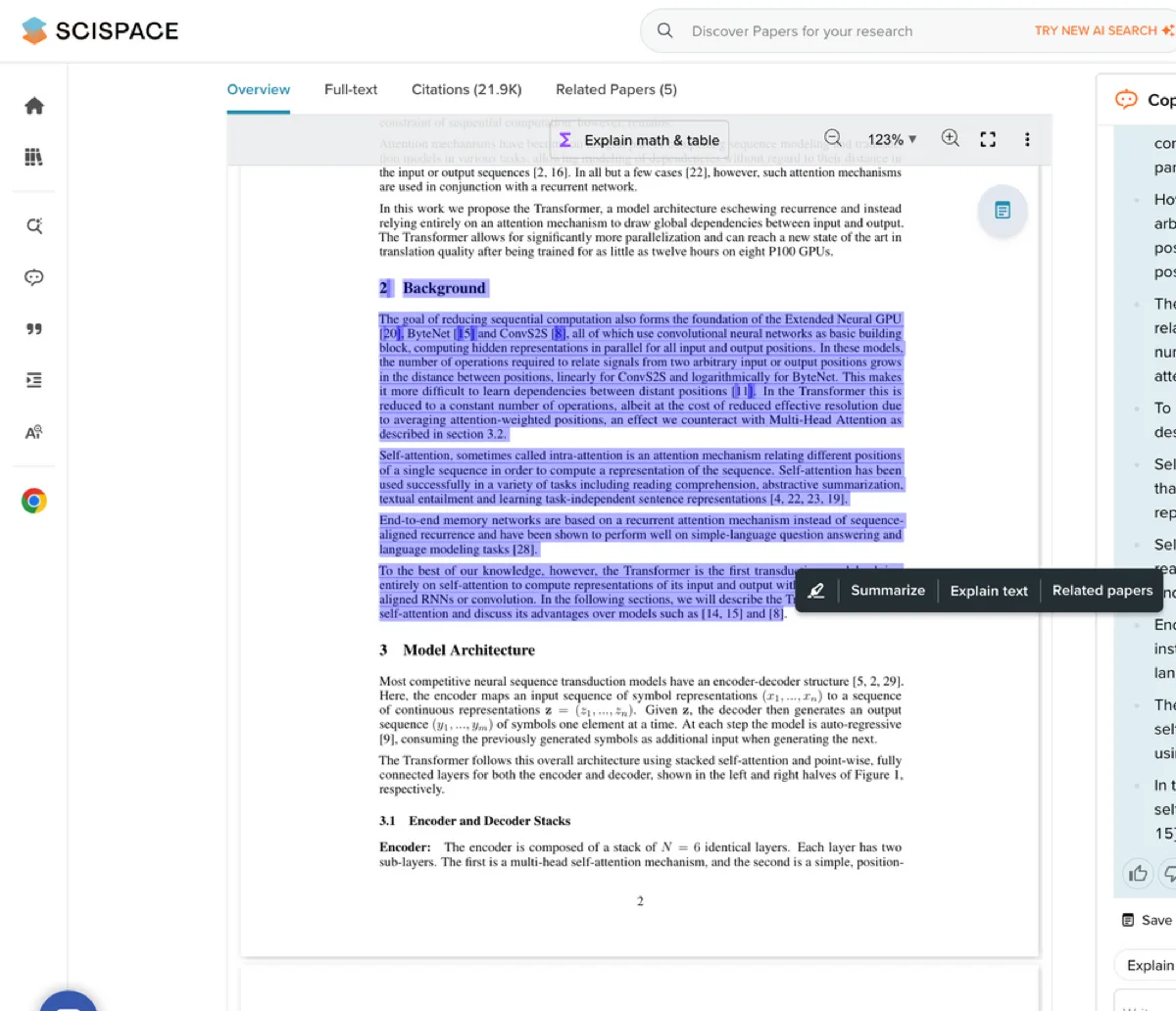
- Best for understanding dense academic PDFs.
SciSpace is built for paper reading. Its Copilot explains passages, terms, and tables. It handles dense papers well.
Strengths:
- Strong paper reading experience.
- Helpful explanations for methods and equations.
- Useful for students and cross-field researchers.
Limits:
- Better for reading one paper than building a long-term workspace.
- Less suited for contract or operations PDF review.
- Export and synthesis tools are weaker than focused workspaces.
Paperpal
- Best for paper writing support with PDF-aware help.
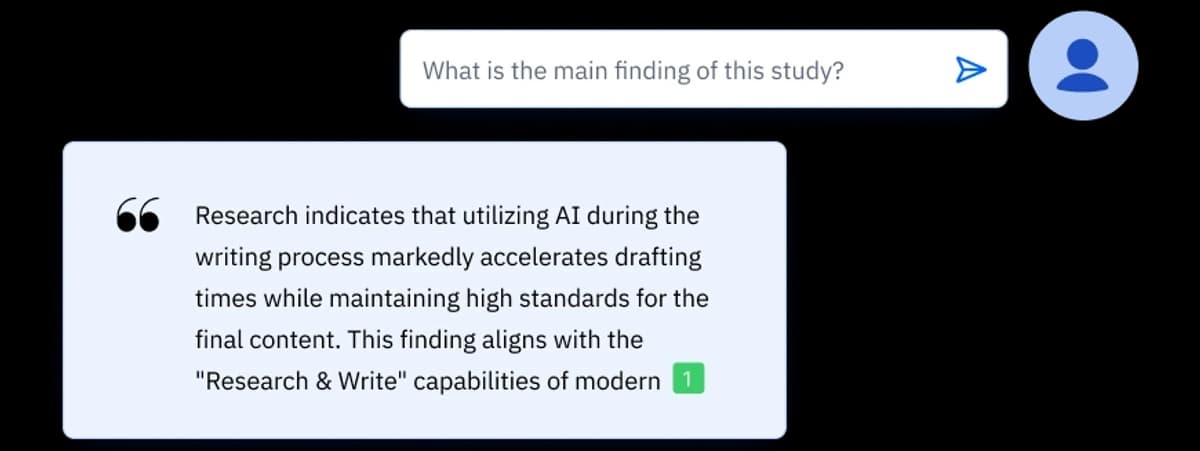
Paperpal is strongest when PDF chat sits next to writing. It helps researchers read papers, improve drafts, check language, and manage citation-aware writing.
Strengths:
- Good fit for students and researchers writing papers.
- Helpful when reading and drafting happen together.
- Paper-first focus.
Limits:
- Less useful for broad business PDF review.
- Not the best fit for long-running source maps.
- Source checks still need human review.
Paperguide
- Best for literature review workflows.
Paperguide is built around papers, literature review, and writing support. It is a better match for research projects than for contracts or operations PDFs.
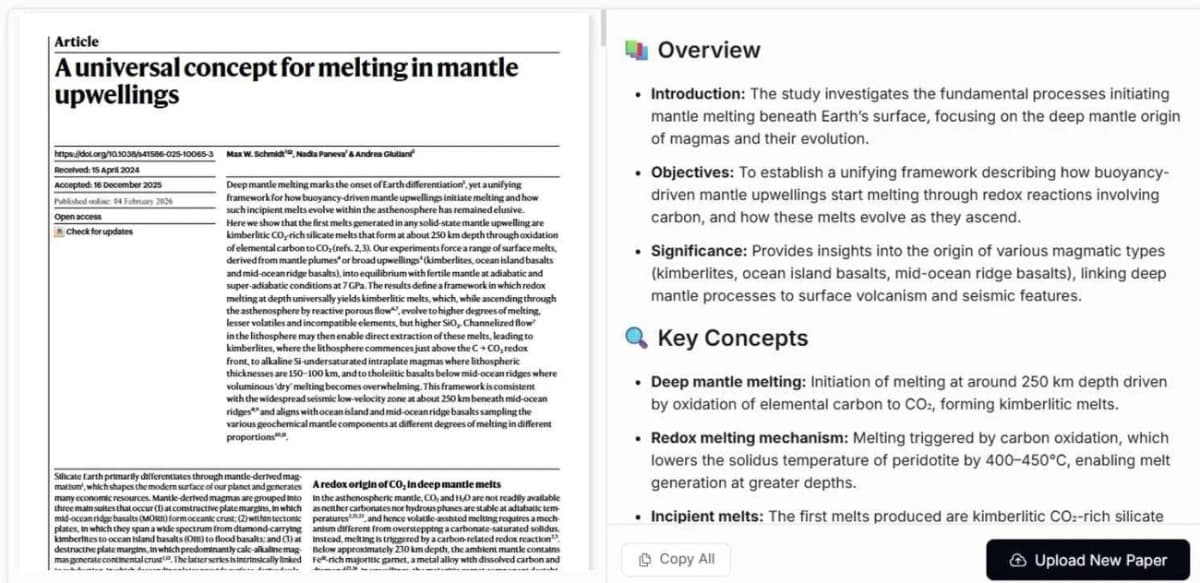
Strengths:
- Combines paper search, PDF reading, and writing support.
- Good fit for literature review workflows.
- Useful when you need a research PDF helper.
Limits:
- Less suited for business PDF operations.
- Not as broad as general AI chat tools.
- Citation checks still need source review.
Feature Comparison Table
Use this table to narrow the shortlist by workflow. It includes the 13 profiled tools plus Denser and PDF.ai. Check the selected product's current plan and file support before paying.
| Feature | Atlas | ChatPDF | NotebookLM | Claude | ChatGPT | Humata | Unriddle | Adobe Acrobat | Lumin PDF | Smallpdf | SciSpace | Paperpal | Paperguide | Denser | PDF.ai |
|---|---|---|---|---|---|---|---|---|---|---|---|---|---|---|---|
| Multi-PDF chat | Yes | No | Yes (50 max) | Limited | Limited | Yes | Yes | Limited | Limited | Limited | Limited | Limited | Yes | Yes | Limited |
| Mind map | Yes | No | Yes, within a notebook | No | No | No | Limited | No | No | No | No | No | No | No | No |
| Citations | Yes | Yes | Yes | Partial | Yes, PDF navigation in the report | Yes | Yes | Yes | Partial | Partial | Yes | Yes | Yes | Yes | Yes |
| Audio summaries | No | No | Yes | No | No | No | No | No | No | No | No | No | No | No | No |
| Persistent library | Yes | No | Yes | Projects | No | Yes | Yes | Documents | Documents | No | Library | Drafts | Projects | Knowledge base | Basic |
| Concept linking | Auto | No | No | No | No | No | Yes | No | No | No | Yes | Limited | Limited | No | No |
| Collaboration | Yes | No | Basic | Team | Team | Yes | Limited | Yes | Yes | Limited | Limited | Limited | Limited | Team | Limited |
| Offline access | No | No | No | No | App | No | No | App | No | No | No | No | No | No | No |
| Free tier | Yes | Yes | Yes | Yes | Yes | Yes | Yes | Limited | Yes | Yes | Yes | Yes | Yes | Trial | Yes |
| Starting price | $12/mo | $5/mo | Free | $20/mo | $20/mo | $1.99/mo | $16/mo | varies | varies | varies | varies | varies | varies | varies | varies |
Table 4: PDF chat feature table for multi-PDF support, cites, libraries, teams, and pricing.
How to Choose the Right Tool
The right PDF chat AI tool depends on your work, so choose the tool that fits your files and gives you sources you can check.
- Use Atlas when PDF work is routine and you need cites, source maps, and cross-document synthesis.
- Use ChatPDF for one fast PDF upload when setup time matters most.
- Use NotebookLM for a fixed source set, grounded answers, and audio summaries.
- Use Claude for legal, technical, or policy files that need deeper reasoning.
- Use Humata when a team needs shared review, access controls, and source trails.
- Use Denser or PDF.ai for repeat questions over one stable PDF set.
- Use SciSpace, Unriddle, Paperpal, or Paperguide for papers, drafts, and lit reviews.
- Use Adobe Acrobat AI Assistant when your team already works in Acrobat.
- Use Smallpdf or Lumin PDF when AI is a helper beside PDF edits and browser review.
- Use ChatGPT if PDF chat should stay inside a general AI workspace you already use.
If the shortlist looks close, pick the option with sources and exports you will check after the chat.
The Deeper Question: Chat vs. Knowledge
Most PDF chat tools answer what one source says. A knowledge workspace answers how that source connects to the rest of your work.
When you upload a paper to a chat tool, you get answers about that paper. When you upload it to a workspace, it connects to every other paper, note, and idea in your collection. That difference matters most for researchers and professionals who build domain knowledge over years.
If you use AI-powered reading tools, decide whether you need one-off answers or a system that grows with your work. The best document AI tools guide covers the wider category.
Hallucination and Citation Accuracy in Practice
When an AI answers from a PDF, check both the answer and its source location. Three failure modes matter.
-
Wrong-page cites: The model returns a correct answer but cites the wrong page. Always click the citation link before quoting. Tools that cannot link to the source page are risky for school work.
-
Confident number errors: An answer can include a number that is absent from the file or belongs to another row in a table. Re-check numbers against the original page, including their units and labels.
-
Missed context: The model answers from one retrieved chunk and misses qualifying language elsewhere. Ask it to quote the most relevant paragraph, then read the full paragraph.
For claims you will reuse, open the cited page, read the surrounding passage and compare its wording with the answer. Narrow or remove any statement the source does not support.
Chat across PDFs with passage citations
Upload several papers, ask one question, and inspect every cited passage.