


AI document review tools do three kinds of work. Some answer questions and cite your files. Some pull set fields and tables from forms. Others help you screen research papers. Pick the kind that matches your final output. No tool leads all three groups.
Atlas comes first because cited review is the main topic here. The facts below come from vendor help pages checked on August 10, 2026. This is an editorial review, not a hands-on test.

Check answers against your documents
Upload your files, ask a cross-document question, and open the cited passages.
Choose by document job
Use a cited workspace for open questions. You may ask where contracts disagree or which papers support a claim. A good answer names its sources and lets you open the right passage.
Use a field tool when you know the output in advance. It can pull an invoice number, date, total, table row, or key-value pair. These tools feed apps and databases. They are less suited to a debate spread across ten reports.
Use a research tool when you need to find papers, screen them, or fill an evidence table. Elicit, Consensus, and Scholarcy focus on papers rather than mixed business files.
For a narrower choice between paper triage, article queues, book chat, cited synthesis, and audio access, see the AI reading assistant comparison.
How this comparison was built
This guide routes tools by job. It does not score them. Each tool has a clear fit in its current help pages. Those pages were checked on August 10, 2026.
The review asked five questions:
- Which files or sources can it take?
- Does it answer questions, pull set fields, or search for papers?
- Can you trace an answer or value back to the source?
- Can you export the result in a useful form?
- Where does the vendor draw the product's limits?
Plans, limits, and data terms can change. This guide links to price pages instead of copying rates. It makes no private claims about speed, cost, or accuracy. Run a trial with your own files and your chosen plan.
What to check before choosing a tool
Check the evidence behind each answer
A source badge helps only if it opens the right file and passage. The PDF AI tool comparison gives a full check. Read the passage, match it to the claim, and look for conflicts. Google says NotebookLM opens quoted source text. Elicit shows quotes for its paper fields.
Define the output first
A chat answer, a CSV table, and a list of screened papers are not the same output. One product may handle all three poorly. Pick the output before the tool.
Use the hard files in the trial
Use scans, long PDFs, split tables, odd layouts, and files that disagree. Write the fields or questions before the trial. Decide what proof will count before you see the answers.
Read the terms for your plan. Consumer and work plans may differ. Check data use, human review, storage, deletion, location, access, and contract needs before you add private files.
Check the handoff. The result may need to become a note, report, source list, sheet, API reply, or database row. Make sure the tool can export what you need.
AI document review tools compared
| Tool | Strongest job | Evidence surface | Output path | Important boundary |
|---|---|---|---|---|
| Atlas | Cited review across project sources | Citations open source passages | Answers, notes, and project synthesis | Not a dedicated high-volume forms API |
| NotebookLM | Reading and asking questions inside a notebook | Inline citations to notebook sources | Chats and generated notebook artifacts | Built around notebook sources rather than operational extraction |
| Claude Projects | Flexible analysis with persistent project context | Project knowledge used in chats | Conversational analysis and drafted work | Not a predefined field-extraction pipeline |
| ChatGPT Projects | General analysis and writing around uploaded files | Uploaded project sources and optional web citations | Chats, files, and drafts | Broad assistant rather than a document-control system |
| Google Document AI | OCR and structured field extraction | Processor output and confidence data | API output for cloud workflows | Requires implementation and field-level validation |
| Azure Document Intelligence | Prebuilt and custom document models | Structured text, layout, fields, and coordinates | REST API and client libraries | Cloud service, not a ready-made reading room |
| Amazon Textract | AWS-native text, forms, tables, and queries | Blocks with confidence and geometry | JSON and downstream AWS workflows | Extraction primitives require application code |
| Elicit | Systematic-review screening and extraction | Supporting quotes from papers | Review tables and research exports | Specialized for scientific literature |
| Consensus | Academic search and cited synthesis | Generated text tied to research papers | Search results, analyses, and library workflows | Searches scholarly literature rather than arbitrary company files |
| Scholarcy | Fast structured summaries of individual papers | Flashcards retain references, figures, and tables | Flashcard and bibliography exports | Better for triage than cross-corpus decisions |
Table 1: Use the table to make a short list. Then run the same files and questions through each tool.
The 10 best AI document review tools
1. Atlas
Atlas works best when one answer needs support from several sources. It can take PDFs, public web pages, YouTube transcripts, papers, and text notes. Once a source is ready, Atlas finds likely passages and cites key claims. You can open each passage and check the answer.
Finding a passage is not the same as proving a claim. Atlas can join evidence from several sources. The AI literature-review guide shows that wider process. Keep the source open when a claim has high stakes or the files disagree.
Choose Atlas when sources, questions, notes, and cited answers should stay in one project. Use a field API when each file must produce a fixed set of values.
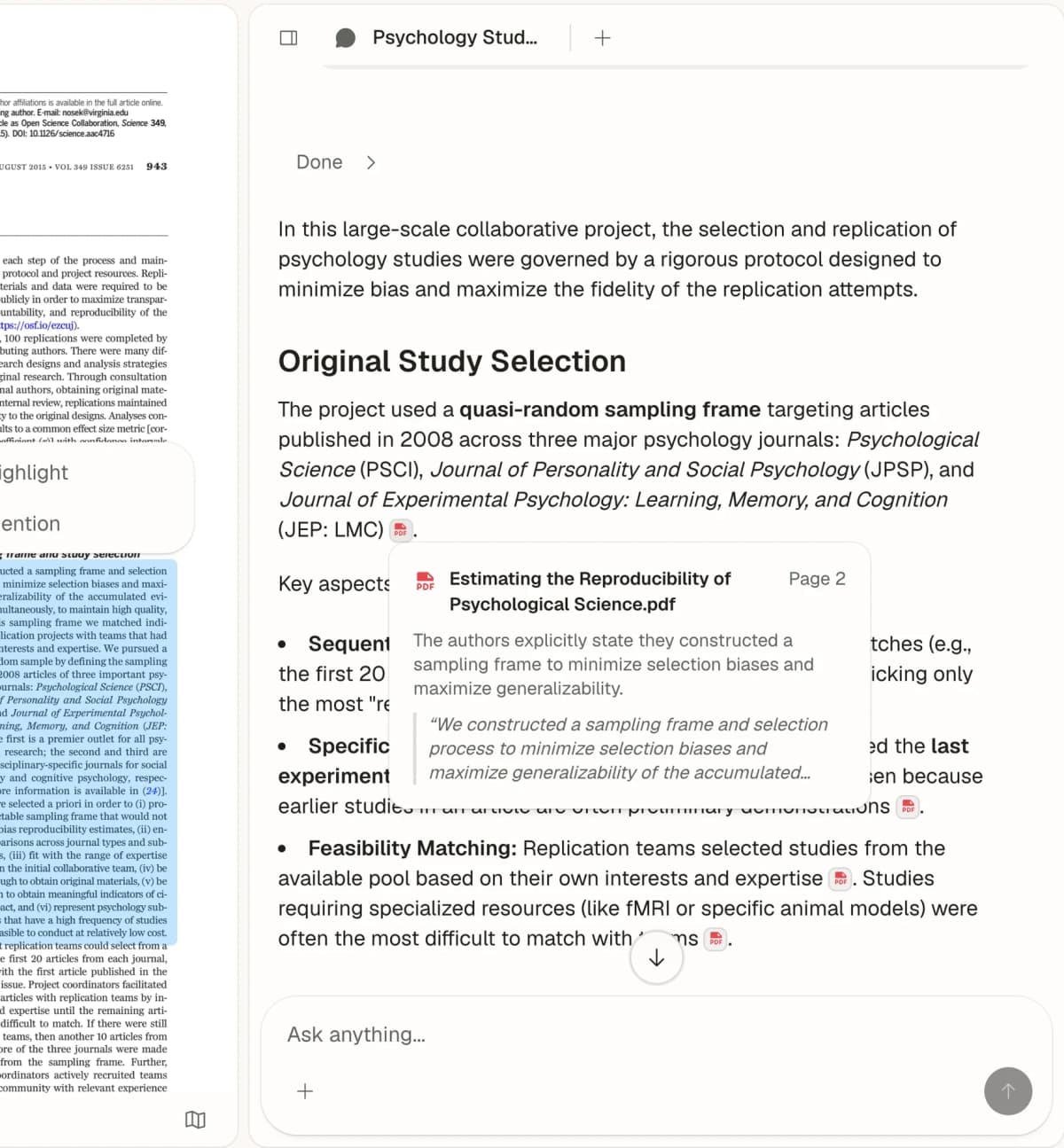
Atlas shows an answer beside the cited passage in a research PDF. Open the source text to check how it supports the answer. Source: Atlas Chat with Paper.
Best fit: cited questions across a changing set of sources.
Trial: upload several typical files, ask a question that requires more than one source, and inspect each citation in the answer.
2. NotebookLM
NotebookLM works well for one set of sources. Google's overview lists PDFs, web pages, YouTube, audio, Docs, and Slides as source types. Its chat guide says a cited answer can open the quoted text in place.
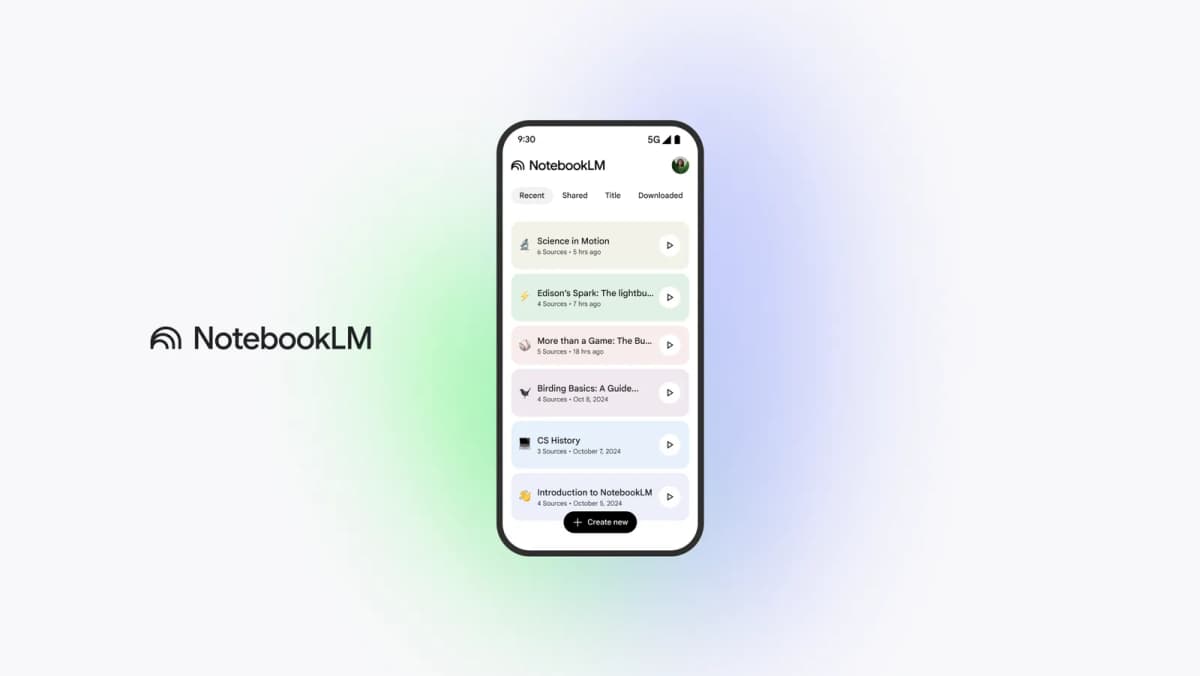 Google’s NotebookLM app preview shows a notebook list and source counts.
This makes NotebookLM good for study, briefs, and a focused reading set. It is a weaker fit for a stream of fixed fields or rows.
Google's privacy notice covers normal use, feedback, and added rules for work and school users. Read the terms for the account you will use.
Best fit: source-grounded reading and Q&A inside one notebook.
Before choosing it: confirm source limits, supported imports, export needs, and the terms attached to the intended Google account.
3. Claude Projects
Claude Projects keeps chats, rules, and source files in one place. Anthropic says you can add files, text, and code. If the source set grows too large for the chat window, Projects can search it for likely text.
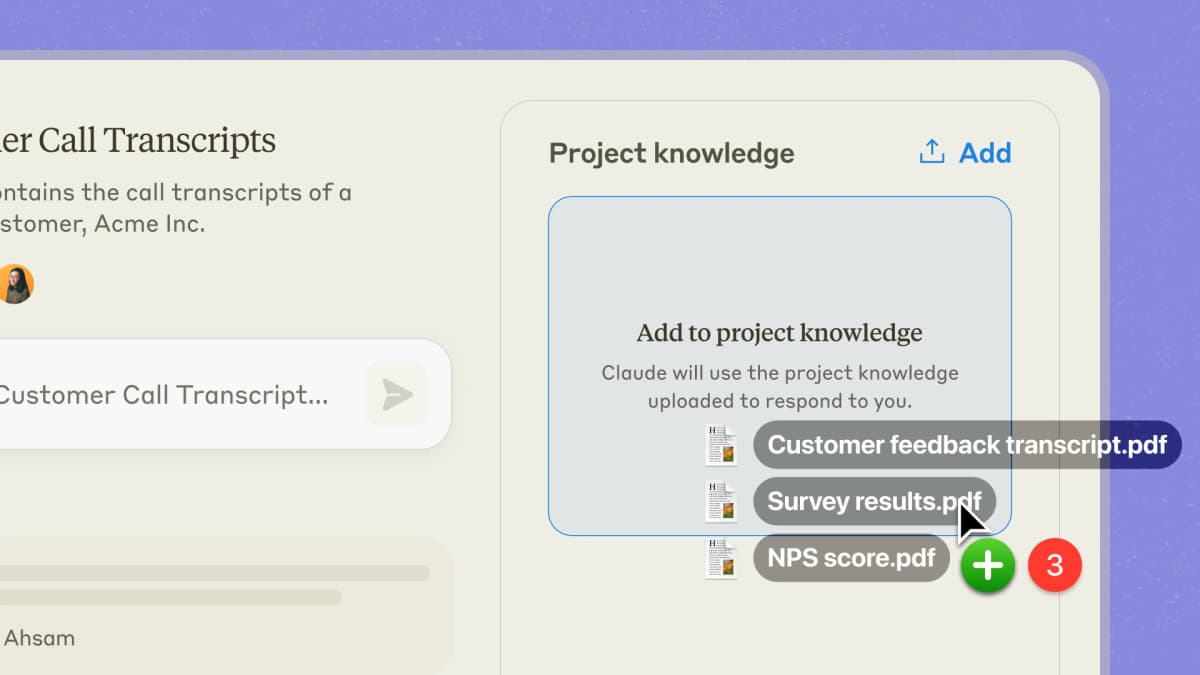 Anthropic’s Projects announcement depicts a project knowledge panel with source files attached.
Use it for open analysis around one client, case, or study. It does not replace a field tool with set columns and review queues.
Best fit: open analysis and writing around one project.
Before choosing it: verify project limits, the source-tracing behavior required by the work, exports, collaboration controls, and commercial data terms.
4. ChatGPT Projects
ChatGPT Projects keeps chats, files, and project rules together. OpenAI offers Projects on free and paid plans. File limits and team tools vary by plan. The file upload guide lists current limits. The ChatGPT alternatives guide covers other broad assistants.
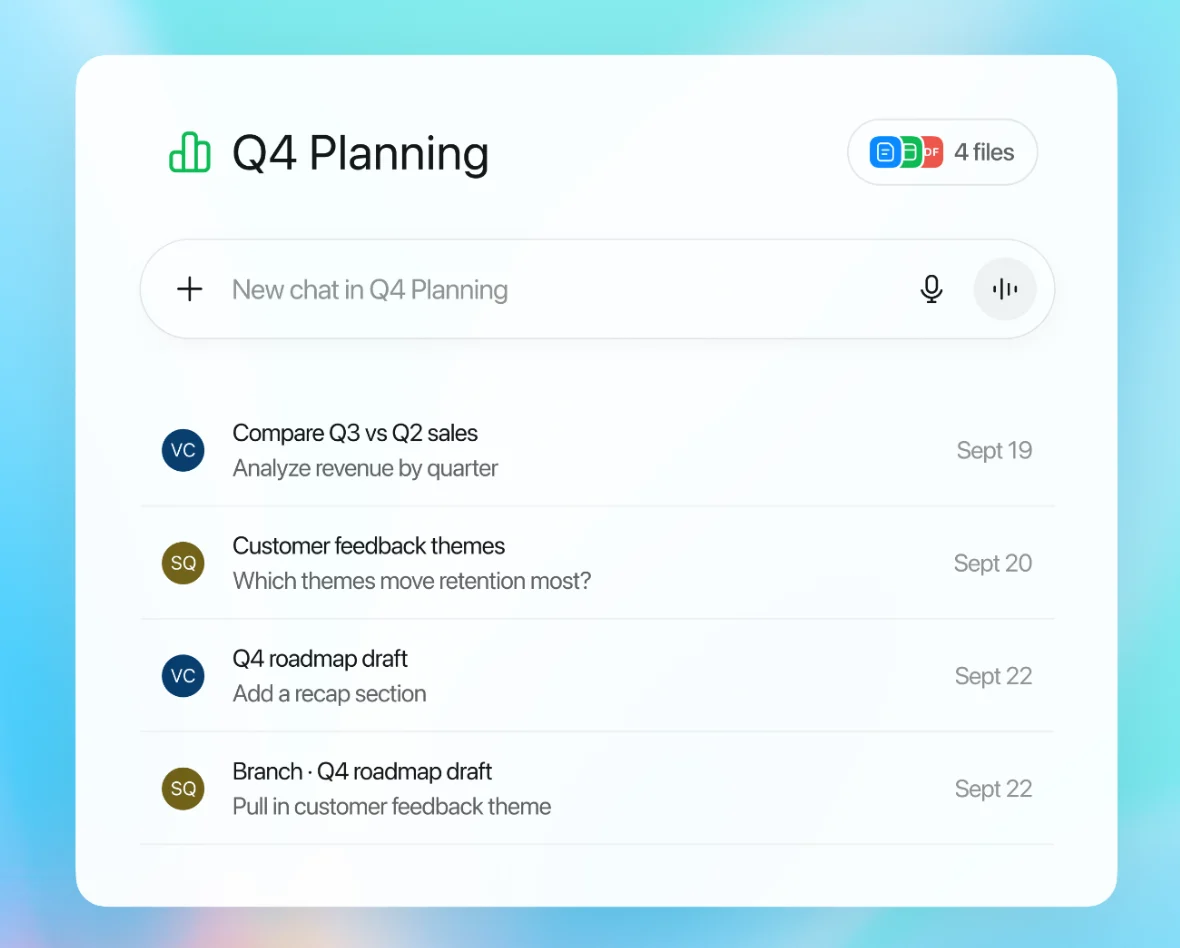 OpenAI’s Projects example shows four files alongside saved chats and a new chat field. It illustrates persistent project context, not extraction accuracy.
ChatGPT fits jobs that mix file review with writing, sheets, images, or web search. Its wide scope is also the tradeoff. It is not a field pipeline with set models and review rules.
Best fit: mixed file review and writing in one assistant.
Trial: test whether answers remain traceable enough for the risk of the task, and verify data controls for the intended subscription.
5. Google Document AI
Google Document AI is an API that turns files into set data. It can read text, layout, forms, invoices, and custom fields. Its price page lists separate rates for those tasks.
This fits repeat files better than document chat. The buyer still owns the setup. That includes field rules, pass levels, error review, and checks when a layout changes.
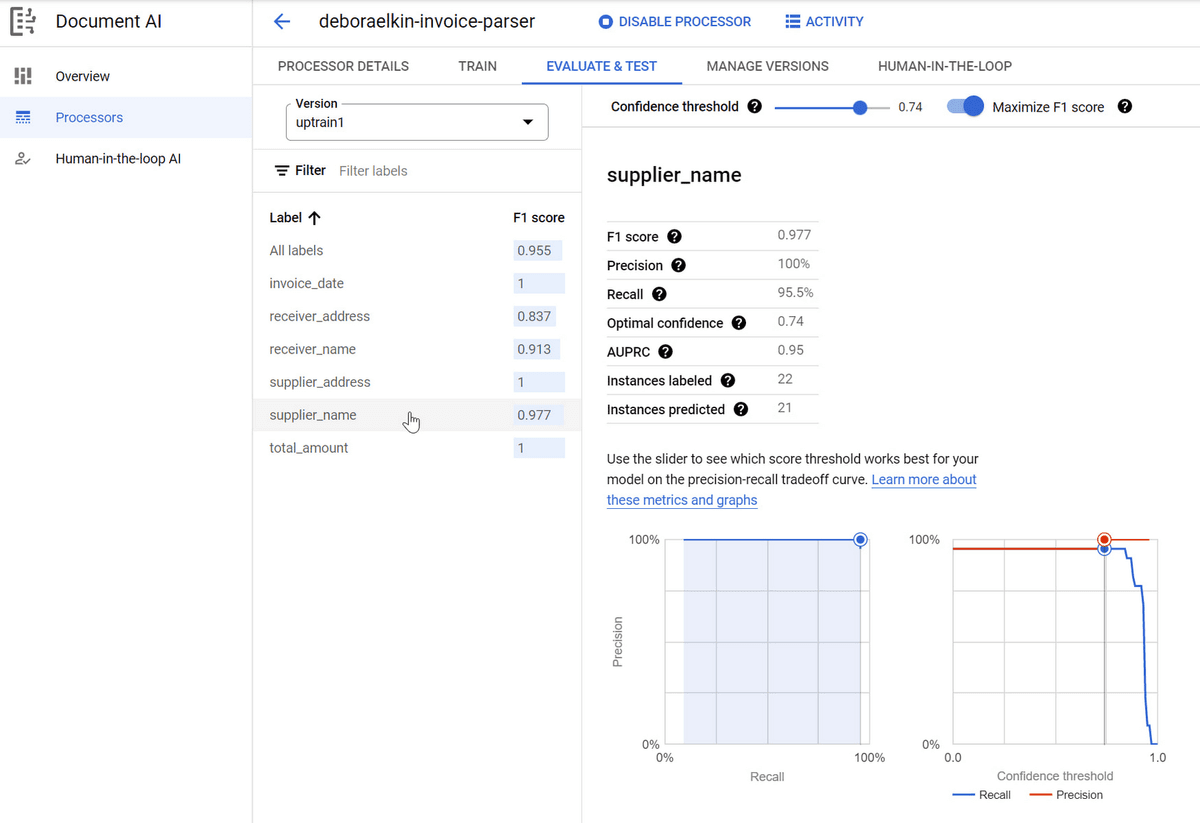
Google Cloud’s October 2022 screenshot shows Workbench’s evaluation panel with field-level F1, precision, recall, and threshold controls. The current interface may differ. Source: Google Cloud Workbench guide.
Best fit: repeat form and invoice work on Google Cloud.
Trial: create a typical validation set and measure each required field, including changed templates and low-quality scans.
6. Azure Document Intelligence
Azure Document Intelligence can read text, layout, tables, marks, boxes, key-value pairs, and set fields. It has ready-made and custom models. Apps can call it through REST or code kits.
Choose it when a Microsoft stack needs set data from files. The model guide lists current API versions and file limits.
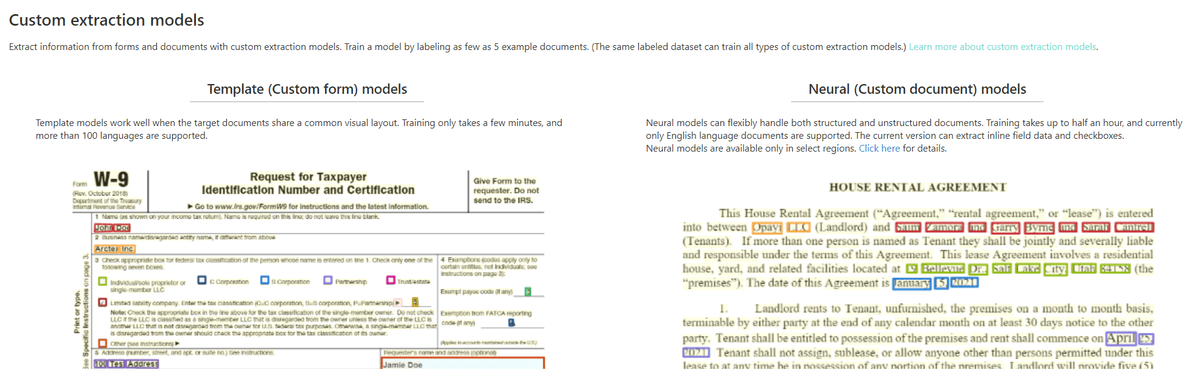
Microsoft Learn’s official example shows fields highlighted in a W-9 and rental agreement by custom extraction models. It illustrates sample output, not a live Azure Studio screen or an accuracy guarantee. Source: Custom extraction models — Document Processing Models.
Best fit: Azure teams that need set fields and tables.
Before implementation: validate the current API version, regional availability, file limits, field accuracy, and downstream review path.
7. Amazon Textract
Amazon Textract reads typed and hand-written text. It can also find forms, tables, query answers, bills, receipts, IDs, and loan files. Results come back as linked blocks with a location and confidence value. AWS has one-page calls and longer batch jobs.
Textract is a building block. It can return tables, key-value pairs, signs, and layout. Your app must set the pass level and send weak results to a person.
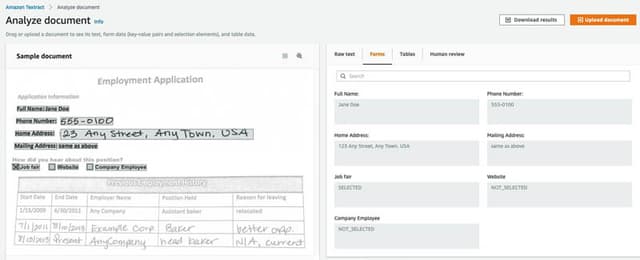
AWS’s official example shows the Analyze Document console with an employment-application form and extracted key-value fields. The screenshot is from 2021, so the current console may look different; it does not prove extraction accuracy. Source: AWS Textract example.
Best fit: AWS apps that need text, forms, and tables.
Before implementation: test supported file types, languages, page modes, quotas, confidence handling, and the cost of the surrounding app.
8. Elicit
Elicit is built for formal paper reviews. Its systematic review workflow covers search, screening, data fields, and a report. Elicit tells users to check each field against a quote from the paper. Its export guide covers tables and source-list formats. Access varies by plan.
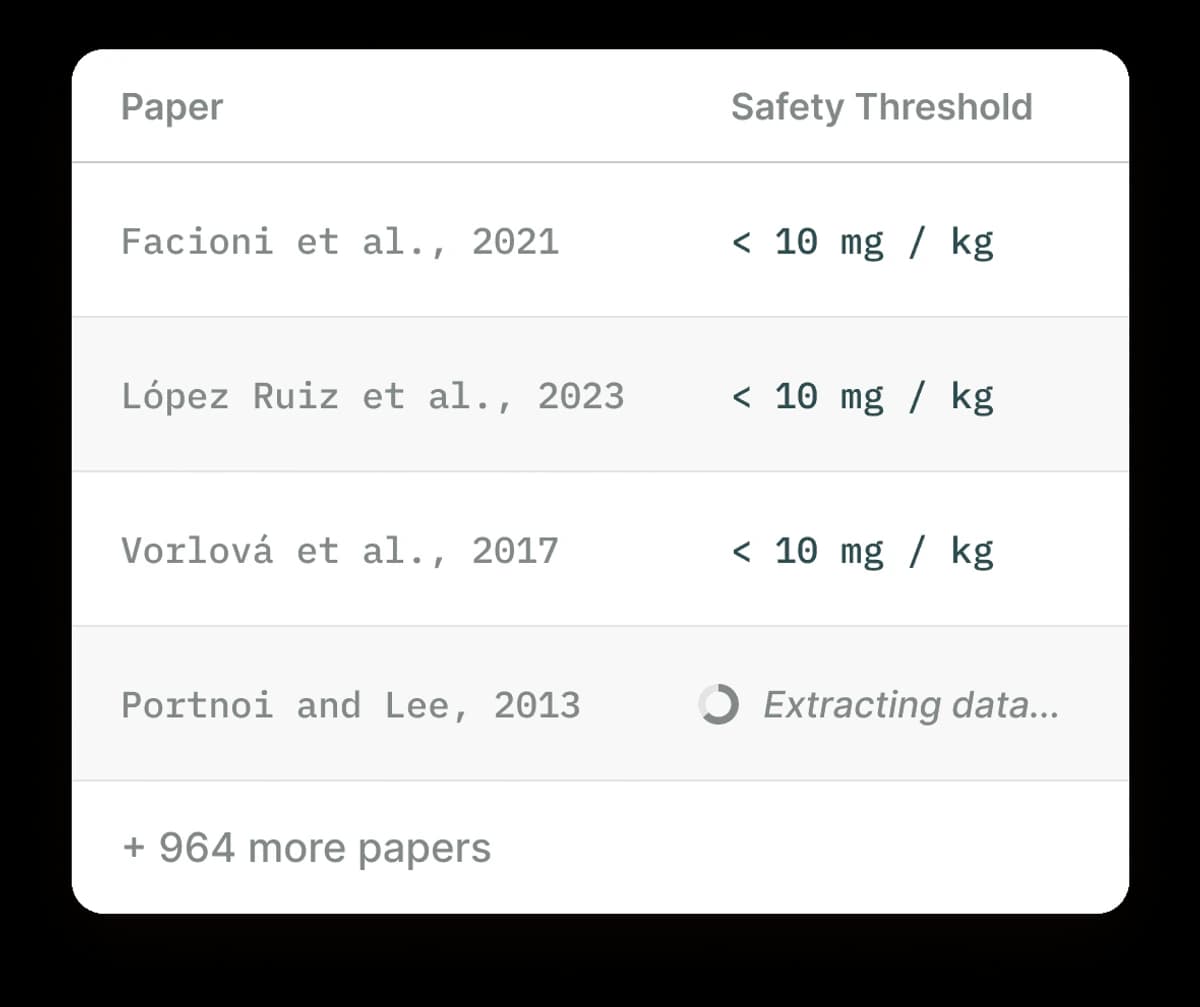 Elicit’s product image shows the structured paper-extraction table discussed above.
Use Elicit to collect the same study facts from many papers. It is less suited to bills, contracts, or a mixed company archive.
Best fit: screening papers and filling a study table.
Trial: check paper coverage, full text, field rules, source quotes, and export access.
9. Consensus
Consensus searches published research. Its help page says each AI summary links back to papers. It offers plain-language search, word search, filters, questions about one paper, saved lists, and cited overviews.
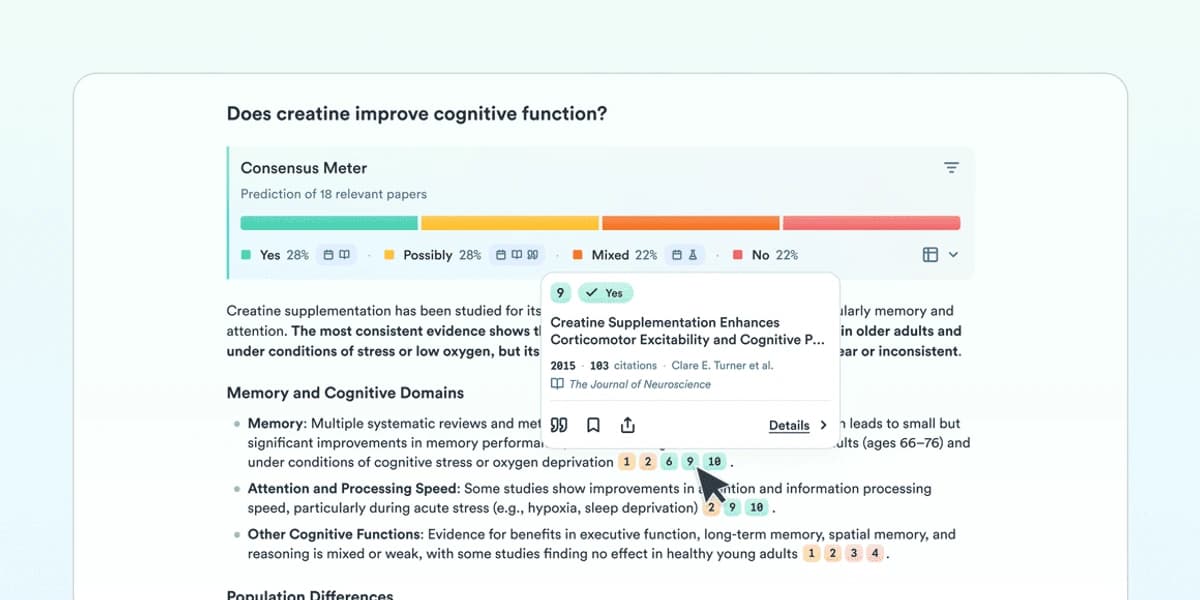 Consensus’s product screen shows how its meter summarizes positions across cited studies; the example question concerns creatine.
Choose Consensus when you first need to find and grasp the research. Use a project workspace for private files you already have. Use Elicit when the end product is a set screening or study table.
Best fit: finding papers and getting a cited overview.
Trial: open the papers, check full-text access, and read the studies before you rely on the overview.
10. Scholarcy
Scholarcy turns a paper into a summary card. Its help site covers highlights, notes, sources, figures, tables, and exports. The import guide lists PDF, Word, HTML, XML, and PowerPoint files.
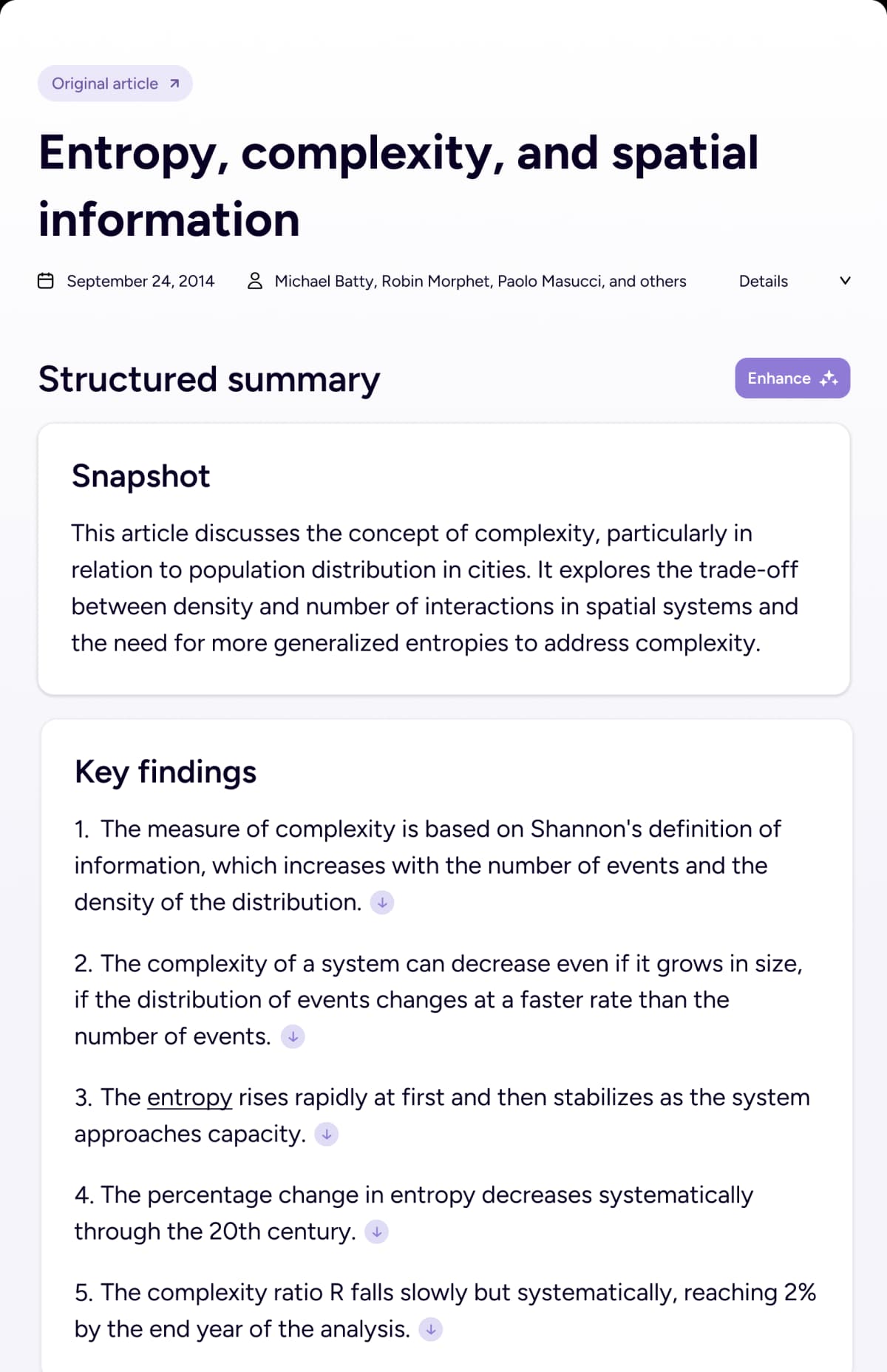
The preview shows Scholarcy's structured summary for one paper, including its snapshot and key findings. It can help you triage a paper, but read the methods, results, limits, and source text before using a claim.
Best fit: fast paper triage and saved summary cards.
Trial: compare the summary against the paper and confirm that its export format fits the next research step.
What these tools do not prove
Vendor help pages show what a tool aims to do. They do not show which tool is most accurate on your files. This guide gives no score and names no winner for all jobs. It also makes no privacy claim beyond the linked terms.
A source link does not prove an answer is right. It may open a passage that is weak, cut short, or out of place. Read the source for high-stakes claims. Check whether another file says the reverse.
A confidence value is not a pass rule for your team. Set a limit for each field. Send weak results to a person. Keep a labeled test set with scans, odd files, and changed layouts.
A good short trial does not prove long-term cost or uptime. Count setup, errors, review time, exports, storage, and access rules in the full choice.
Final recommendation
Start with the thing you need at the end.
- For a cited answer across your files, try Atlas, NotebookLM, Claude Projects, and ChatGPT Projects.
- For fields, tables, or JSON, try Google Document AI, Azure Document Intelligence, and Amazon Textract.
- For paper search, screening, or study tables, try Elicit, Consensus, and Scholarcy.
Run the same sample files through each choice. Ask one question that needs more than one file, then read each key source. For field tools, compare each value with a labeled answer. For paper tools, check source range, quotes, and exports.
Atlas fits when a growing source set should stay in one place. You can ask across it and trace key answers back to passages. Upload a small group of files and use the checks in this guide. If you need a fixed table of fields, choose a field service instead.
Check answers against your documents
Upload your files, ask a cross-document question, and open the cited passages.