


Google AI tools for research help with search, reading, source chat, writing, code, data, and science work. Treat them as a toolkit with separate handoffs. Scholar finds papers, and Gemini Notebook, formerly NotebookLM, works from selected sources. The Gemini app explores broad questions. Docs supports drafts, Colab runs code, and Gemini for Science targets harder science tasks.

Connect the sources in your Google workflow
Keep Google for search and drafting, then map and question your source set.
What Is Google AI for Research?
Google AI for research is a workflow made from several apps. Google Scholar handles paper search. NotebookLM handles source-grounded reading. Gemini explores broad questions. Docs helps with writing. Colab handles code and data. Gemini for Science supports lab-style tasks.
The best way to use the stack is to assign each tool a job. Use Scholar to find sources. Use NotebookLM when your answer must stay tied to uploaded papers. Use Gemini or Deep Research when you need a wider scan of the web. Use Docs and Colab once the work turns into writing, code, or data.
Choose by the evidence needed for the answer. Use Scholar to find papers and Gemini Notebook to question selected sources. Use the Gemini app or Deep Research for a broader scan. If the sources sit in separate notebooks, assemble the documents needed for the comparison in one place; another workspace does not automatically retrieve every project in your account.
Source Trail Test
We used a Source Trail Test: can the tool keep a cited paper trail as the work moves from search to draft? The prompt was: "compare three source-backed findings, turn them into a draft outline, then show where each claim came from." We scored each handoff on a 0-2 scale. A 2 means the source trail stayed visible. A 1 means the answer was useful but required manual checking. A 0 means the handoff needed another tool.
| Research handoff | Google tool tested | Source-trail score | What we saw |
|---|---|---|---|
| Search to source set | Scholar plus Gemini | 1 | Discovery was broad, but the saved reading state stayed thin. |
| Source set to answer | NotebookLM | 2 | Claims stayed tied to uploaded sources inside one notebook. |
| Broad scan to report | Gemini Deep Research | 2 | Cited scans worked well when the task asked for sources. |
| Claim to data check | Colab | 1 | Code and charts worked, while paper notes lived elsewhere. |
| Draft to long-term memory | No single Google tool | 0 | The durable source map needed Atlas, Zotero, Obsidian, or another workspace. |
Table 1: Source Trail Test scores for moving one cited research question across Google's research tools.
Examples of Google AI Research Tools
Each Google tool handles a different research job. The gaps column matters when your work needs citations, long-term source memory, or a review process that outlasts one notebook. Use this table to match your current job to the right tool rather than to compare the tools against each other.
Start with the row that owns your next task. Add a specialist only when the Google tool loses the source trail, cannot manage the growing library, or lacks the review method your project requires.
| Tool | Primary Use | AI Features | Cost |
|---|---|---|---|
| Google Scholar | Paper discovery | Limited (sorting, related papers) | Free |
| NotebookLM | Document analysis | Full (chat, summaries, audio) | Free / Plus |
| Gemini | General AI assistant | Full (reasoning, search, code) | Free / Advanced |
| Google Docs AI | Writing assistance | Moderate (drafting, editing) | Workspace plans |
| Google Colab | Code and data | Full (AI coding, analysis) | Free / Pro |
| Gemini for Science | Scientific research tasks | Multi-agent hypothesis and code workflows | Experimental / Google Labs |
Table 2: Google research tools by primary job, AI role, and cost model.
Google AI Research Workflow
Use Google tools in sequence. The stack works better when each step has a clear owner.
Where Atlas Fits
Google tools can carry one project from search to draft. They are weaker when your source set needs to grow across terms, classes, or years. Atlas can sit beside the Google stack here. Upload sources, ask cited questions across the whole set, and build a visual map as the library grows.
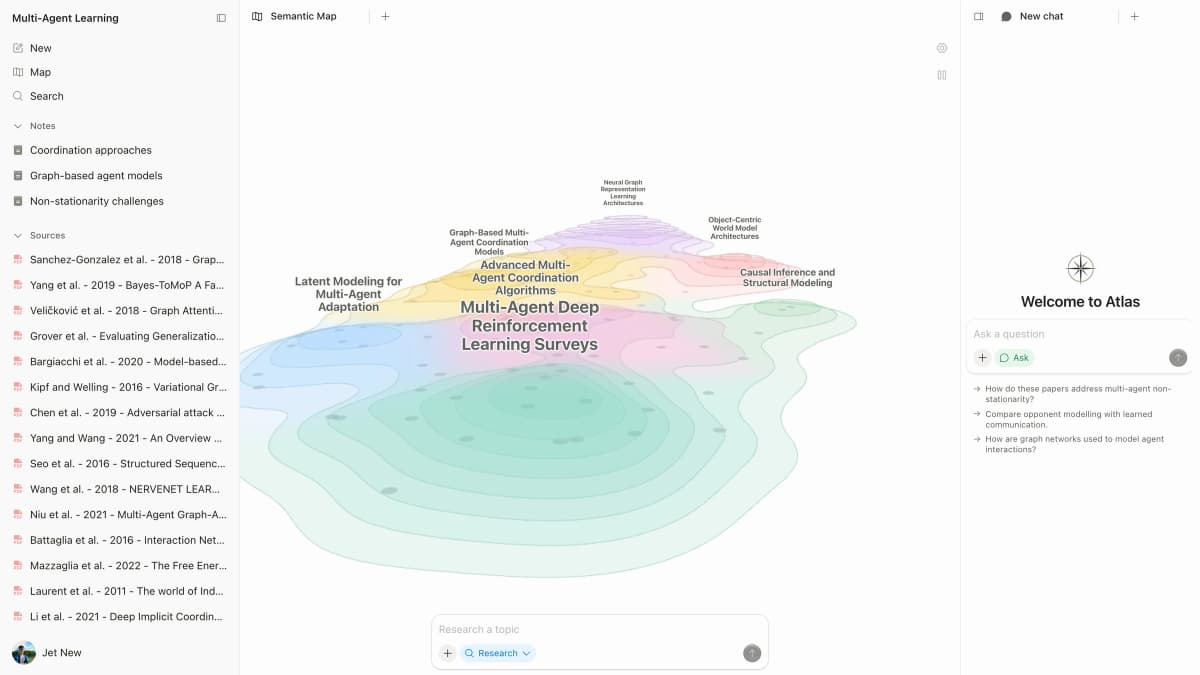
Six-Step Workflow
- Find core papers with Scholar.
- Use Gemini or Deep Research for broad topic scans.
- Upload key papers to NotebookLM for source chat.
- Use Colab when the project needs code or data work.
- Draft in Docs once the argument is clear.
- Keep long-term source memory in a dedicated workspace.
Let's examine each Google tool.
Google Research Tools by Job
Google Scholar for Paper Discovery
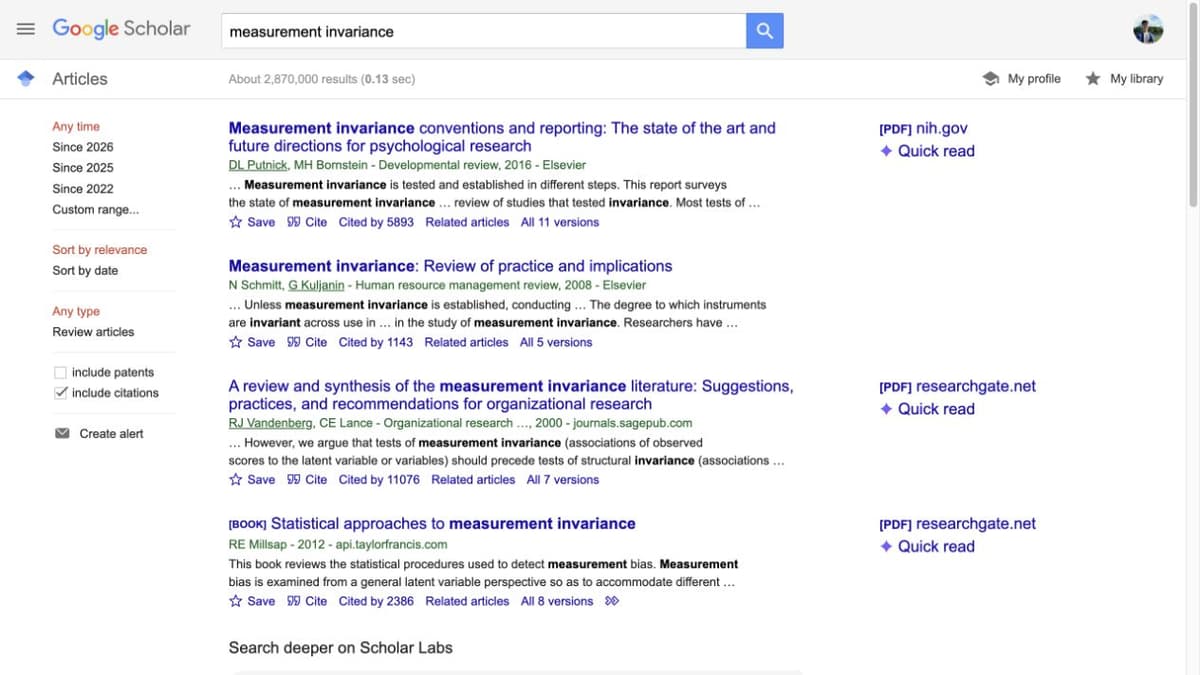
What Google Scholar Does
Google Scholar indexes hundreds of millions of papers, patents, court opinions, and other scholarly sources. It is the most complete free academic search engine, and nearly every researcher uses it.
Scholar AI Features and Limits
Google Scholar uses ranking signals more than chat-style AI:
- Related articles: Finds papers with similar topics or citations.
- Cited by / Versions: Shows later papers and other copies.
- Author profiles: Tracks a researcher's papers and citations.
- Alerts: Emails you when new papers match a search.
Scholar does not summarize papers, chat with a document, or pull study fields into a table. Search queries also work best as keywords instead of full questions, so follow this sequence:
How to Use Google Scholar
- Start with keyword searches for your topic.
- Use "Cited by" to find newer work building on key papers.
- Use "Related articles" to explore nearby work.
- Set up alerts for ongoing topics.
- Search for a specific paper to find its citation count.
- Use author profiles to review a researcher's published work.
- Track how citation counts change over time.
You can also combine Scholar with NotebookLM. Find papers in Scholar, then upload the files to NotebookLM to ask questions about them.
| Scholar strengths | Scholar gaps |
|---|---|
| Large academic index | No AI summaries or source chat |
| Free to use | Search works best with keywords |
| Familiar to reviewers and collaborators | Limited filters and sorting |
| Works with university library links | No built-in reading or notes |
Table 3: Google Scholar is strong for free paper discovery but does not replace source reading or synthesis.
NotebookLM for Source Analysis
What NotebookLM Does
Gemini Notebook is the current name for NotebookLM. Create a notebook, add supported sources, then ask questions about that set. Web and Drive discovery and Deep Research can help find material to review before import; notebook chat uses the sources you select.
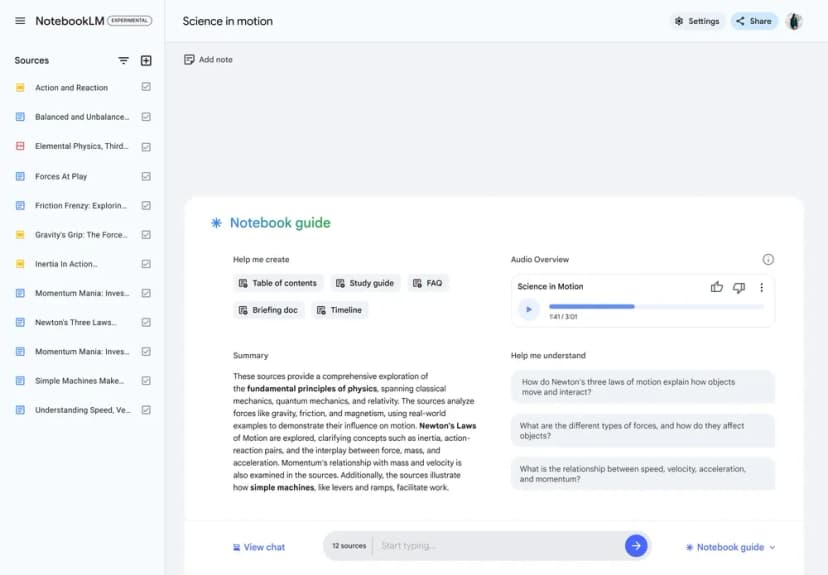
NotebookLM AI Features
NotebookLM is the strongest Google tool when the source text matters:
- Source-grounded chat: Ask questions and get cited answers.
- Audio overviews: Listen to podcast-style source summaries.
- Study guides: Turn sources into study notes.
- Timelines and FAQs: Create structured review aids.
- Multi-source answers: Ask across several uploaded sources.
How to Use NotebookLM
For paper analysis:
- Upload PDFs of key papers.
- Ask about methods, findings, and limits.
- Generate audio overviews for quick screening.
- Use study guides for review.
For literature review:
- Upload a batch of related papers.
- Ask the same question across sources.
- Summarize the key themes.
- Use citations to trace claims back to specific papers.
For learning new domains:
- Upload textbook chapters or review articles.
- Ask clear questions at your level.
- Generate study guides for key topics.
- Listen to audio overviews while commuting.
For a deeper look at other tools, see our NotebookLM alternatives guide. Students can also check our NotebookLM for students guide. For known issues, see NotebookLM limitations.
NotebookLM Strengths
- Strict source grounding reduces source hallucination.
- Audio overviews are useful.
- Free tier is generous.
- Citation links are clear.
NotebookLM Gaps
- Each notebook is isolated.
- Sources and saved notes remain scoped to a notebook.
- Docs and Sheets exports need their own content and permission checks.
- Mind Maps show ideas within a notebook; inspect sources behind a proposed relationship.
- Source limits constrain large projects.
Gemini and Deep Research
What Gemini Does
Gemini is Google's general-purpose AI assistant. It can answer broad questions, draft outlines, reason over files, and use Google search. It is useful before you know which papers matter.
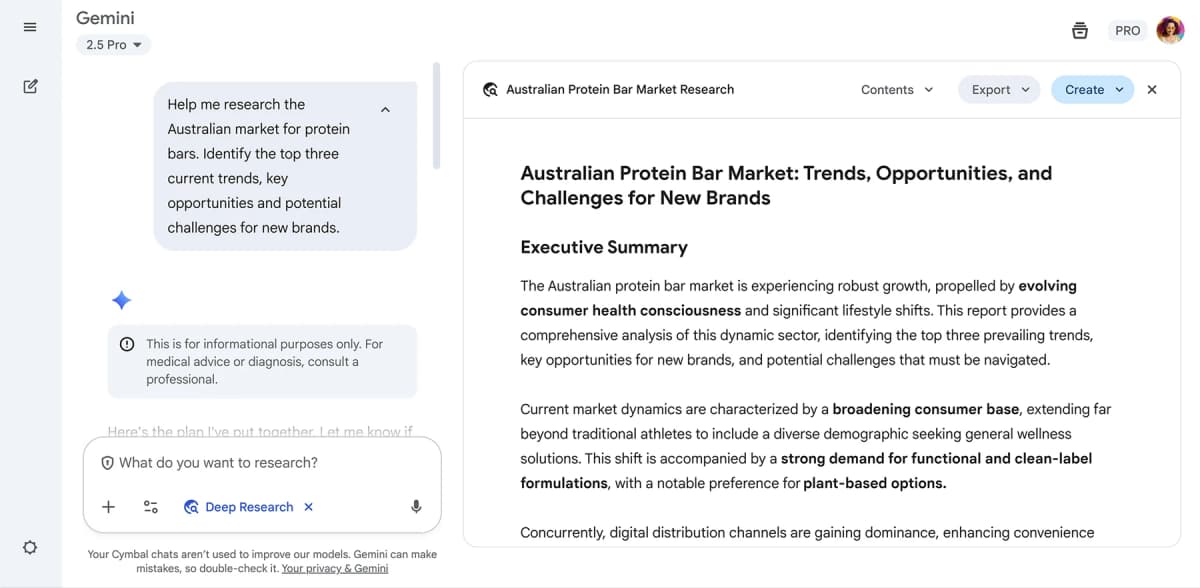
Deep Research is the Gemini mode built for research workflows. Google's 2026 Deep Research Max announcement says the agent can plan, search, use files and remote tools, and create cited reports. It can also build native charts. That makes it closer to a web research agent than a simple chatbot.
Why Deep Research Differs From Chat
Deep Research is agentic. It does more than answer a prompt. Google says the API version can search the web, use uploaded files, call remote MCP tools, run code, and stream interim reasoning steps. It can also make charts inside the report.
| Deep Research layer | What it adds for researchers |
|---|---|
| Planning | You can review and refine the research plan before the run. |
| Tool use | The agent can combine search, files, code, and remote tools. |
| Grounding | Reports can cite web pages, PDFs, CSVs, images, audio, and video. |
| Output | The result can include text, citations, charts, and infographics. |
Table 4: Deep Research capabilities that make it closer to a research agent than a normal chat surface.
For a student, this is useful for a broad topic scan. For a lab or company, it is closer to a research pipeline. It can gather context first, then feed a more formal workflow.
How the Developer API Changes Workflows
The app version of Deep Research is useful when a person wants one cited report. The Gemini API Deep Research Agent changes the shape of the workflow because developers can run the agent through the Interactions API as a background task, review a plan before execution, and choose tools such as Google Search, URL Context, Code Execution, MCP servers, and File Search.
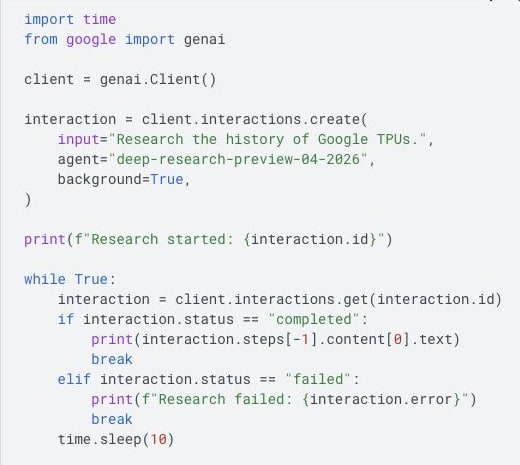
Research teams can split the work into 5 steps:
- Use Deep Research for the broad scan and cited report.
- Use collaborative planning when the scope, sources, or exclusions need review before the run.
- Enable visualization only when the answer needs charts, graphs, or other visual output.
- Use File Search or an MCP server when the report must include private corpora or domain tools.
- Move the final source set into a citation manager or source workspace before writing.
This makes Deep Research strongest at context gathering. It still needs a handoff once the work becomes a durable paper library, review matrix, or thesis workspace.
Gemini Features for Research
- Research Q&A: Ask broad questions with web citations.
- Document work: Upload files for Gemini to read.
- Deep Research mode: Run a longer web research plan with cited sources.
- Code generation: Write scripts for data work.
- Workspace links: Summarize email, analyze sheets, and draft docs.
How to Use Gemini
Use Gemini for three kinds of work:
- Explore a topic: Ask a broad question, run Deep Research for a cited overview, then ask narrower follow-up questions.
- Improve a draft: Draft a section, ask for feedback on the argument, or turn research notes into an outline.
- Work with data: Generate Python or R code, explain a statistics output, or help clean a dataset.
Gemini Strengths
- Broad knowledge base.
- Web search for current information.
- Strong at code and data tasks.
- Works across Google apps.
Gemini Gaps
- Not source-grounded by default.
- Less focused on papers than NotebookLM.
- Citation quality varies.
- Not built for long-term source memory.
Gemini for Science
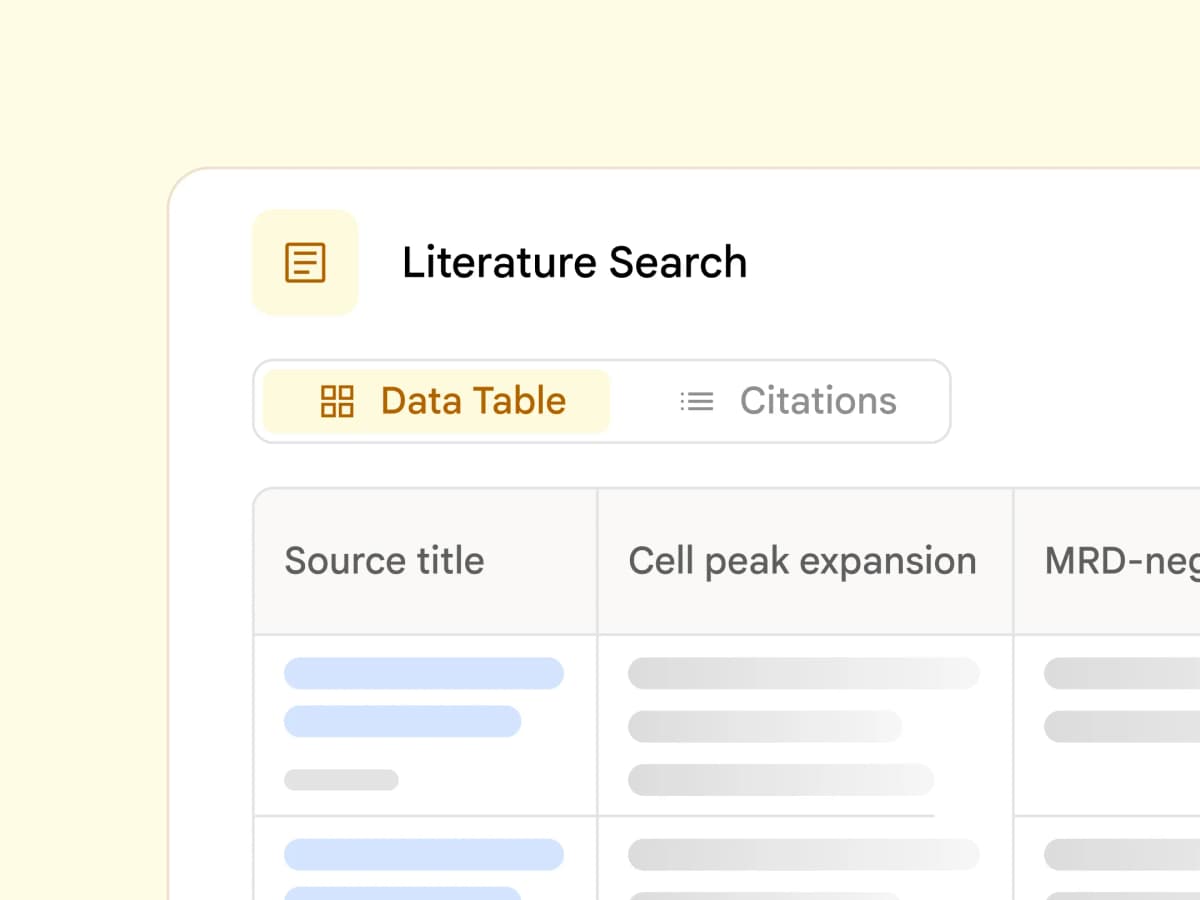
Gemini for Science is Google's more specialized research branch. Google describes it as tools and experiments for science work. One part is a multi-agent system. It can look for knowledge gaps and propose testable plans.
This matters because "Google AI tools for research" now means more than Scholar plus NotebookLM. The stack also includes research agents for hypothesis work, code search, and scientific discovery. These tools are most relevant for lab teams, technical researchers, and students working with methods or data.
The practical limit is access and fit. Some Gemini for Science tools live in Google Labs or research programs. They are not a replacement for a citation manager, a review protocol, or a personal source library.
Google's Research Infrastructure
The Google research stack also includes infrastructure, not just end-user apps. Google AI Research points to work across AlphaGo, robotics, health, weather, quantum, edge AI, and protein design. Those projects show where Google's AI work has shaped science before it becomes a tool in Scholar, Gemini, or NotebookLM.
Google Cloud for researchers covers the other side of the stack: compute, public datasets, AI infrastructure, and research programs for large-scale work. That matters when a project moves beyond reading papers and into modeling, simulation, or data pipelines.
Use this split when choosing tools. Scholar, NotebookLM, Gemini, Docs, and Colab are the user-facing layer. Gemini for Science, Google Labs, Google Cloud, and Google AI Research are the infrastructure and experiment layer.
Google Docs AI for Drafting
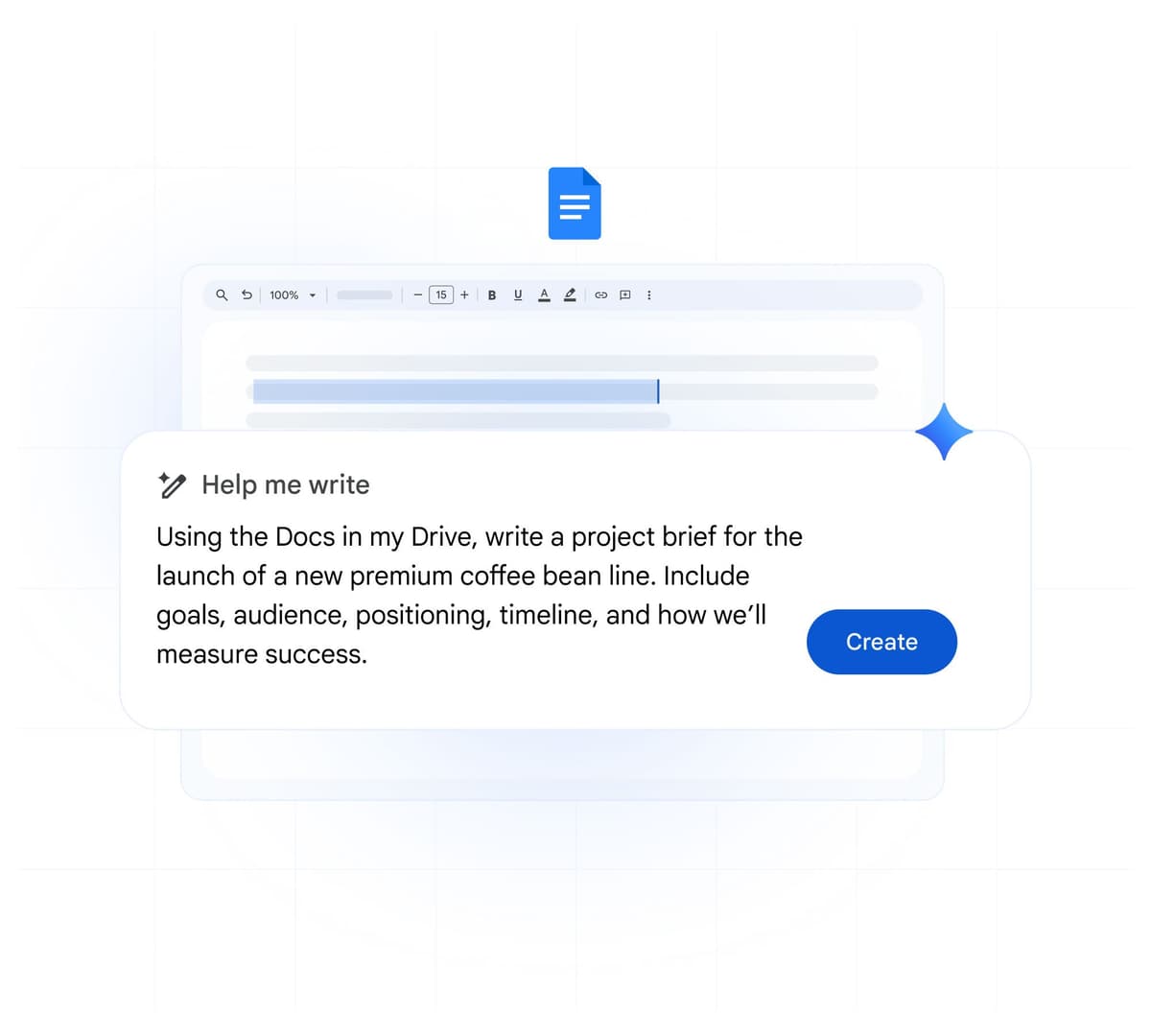
Google Docs includes AI features through Workspace. "Help me write" can draft, rewrite, and summarize. This helps when the research has moved from reading into writing.
Strengths: Connected to your existing workflow, low friction, good for overcoming writer's block.
Gaps: Not research-aware, no citation support, and not tied to your uploaded source set.
Google Colab for Computation
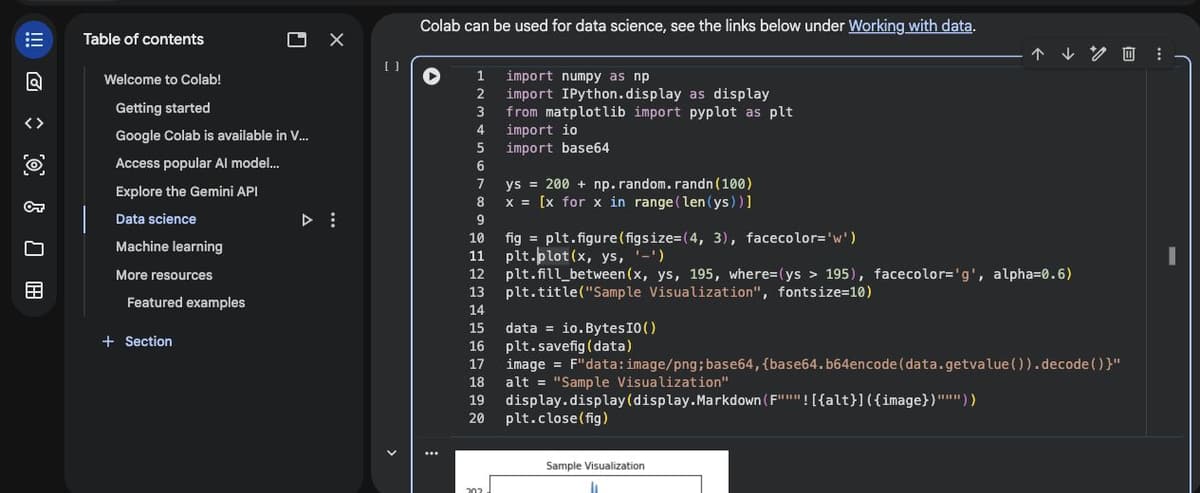
Google Colab provides free cloud Jupyter notebooks with GPU and TPU access. Its AI features help with code, debugging, and data work. That makes it useful even when coding is not your main skill.
Describe the task in plain language, and AI can generate Python code. Upload data, run stats, make charts, and share notebooks with collaborators. The Colab handoff works best after the source-reading step: export the variables or claims you need to test, keep the cited paper notes in NotebookLM or a source workspace, and use Colab for the code path.
Strengths: Free GPU access, easier coding, shared notebooks, and repeatable data work.
Gaps: Not a source library. Sessions have time limits. Storage is temporary.
Where Google Needs Help
Workflow Gaps
Google's research toolset covers search, reading, data, and writing reasonably well. It does not give you one persistent, connected knowledge base for your research over time.
- Google Scholar finds papers but does not organize what you read.
- NotebookLM reads sources but each notebook is an island.
- Gemini can use supported synced notebooks alongside broader tools; check which context produced a claim.
- Docs stores writing but not the links between sources.
- Colab runs code but does not manage your paper trail.
These gaps are manageable for a short project. They become harder for a thesis, a lab program, or a professional topic that compounds over years.
In this review, the stress test was whether a question could move across the whole workflow without losing its source trail. Google handles the handoffs from search to reading to draft. The weak point is the long-term source map after the draft is done.
You do not have to replace Google's tools to solve that gap. Many researchers use Scholar for search and NotebookLM for project reading. Zotero handles citations. Atlas can become the connected source workspace when the work needs cited chat across a growing library.
For more on filling gaps in your research toolkit, see our guide to the best AI research assistants. You can also compare NotebookLM with Claude in our NotebookLM vs Claude Projects breakdown. For file-focused apps, explore the broader document AI tools field.
Google vs. Dedicated Research Tools
Google covers the broad path from search to draft. Dedicated tools go deeper in narrow jobs. That includes citations, formal reviews, and long-term source memory. Use the table to decide where Google is enough and where a specialist tool earns its place.
| Capability | Google Ecosystem | Dedicated Alternatives |
|---|---|---|
| Visual Mind Maps | None | Atlas |
| Paper Discovery | Scholar (excellent) | Elicit, Semantic Scholar |
| Document AI Chat | NotebookLM (strong) | Atlas, Claude Projects |
| Knowledge Management | Weak | Atlas, Obsidian |
| Citation Management | None | Zotero, Mendeley |
| Structured Extraction | None | Elicit, Scholarcy |
| Citation Context | None | Scite |
| Systematic Review | None | Rayyan, Covidence |
Table 5: Research capabilities Google covers directly versus jobs that usually need dedicated research software.
Privacy and Security Checks
Do a privacy pass before uploading sensitive work. Google processes NotebookLM sources and Gemini files. Gemini chats may also be used under Google's activity settings. Choose stricter controls when needed.
For public papers, class notes, and web research, the risk is usually low. For draft papers, patient data, legal work, or private company work, check your school or company policy first. If needed, use approved tools.
Building the Complete Research Stack
Google's AI tools for research are useful when you give each one a narrow role. Start with Scholar for paper search. Move to NotebookLM for source chat. Use Gemini for broad questions and Deep Research. Use Colab for data. Use Docs for drafts.
Then add specialist tools where the Google stack stops. Zotero handles citations. Elicit and Semantic Scholar help with paper triage. Atlas handles the long-term source map that Google does not provide.
Connect the sources in your Google workflow
Keep Google for search and drafting, then map and question your source set.