


NotebookLM is now Gemini Notebook. Google changed the name in July 2026. The app still works from the sources you add and makes cited answers and study aids. The broader Gemini app is a separate tool for web research, Google context, and drafting.
So the old search phrase “NotebookLM vs Gemini” now means Gemini Notebook versus the Gemini app. Atlas enters later, when you want to compare a chosen set of sources and check the source text.

Verify your source comparison in Atlas
Add selected documents, compare their claims, and inspect every citation.
Quick verdict
Choose Gemini Notebook—the new name for NotebookLM—when answers should stay within your class files, papers, notes, or links. Choose the Gemini app when you need those sources plus web research, other tools, Google context, or drafting. Use Atlas later to compare the source set and inspect cited text.
Google’s rename post says the core source-based role has not changed. Google’s current help page explains how a notebook can work in the Gemini app and which work stays in Gemini Notebook.
For more, see NotebookLM alternatives, NotebookLM vs ChatGPT, and NotebookLM vs Perplexity.
Use this split:
- Gemini Notebook is source-notebook first.
- The Gemini app is broad-assistant first.
- Atlas is one follow-up workspace for cited checks across chosen sources.
What to compare first
Gemini Notebook starts from sources you choose. Its chat uses those sources, and it makes notebook items such as study aids. Use it when the question is, “What do these sources say?”
The Gemini app has a wider scope. On some accounts, it can use a Gemini Notebook notebook while also drawing on the web and other tools. This helps with drafts and open research. It also means the app is not the same as source-bound notebook chat.
For more on Atlas and Gemini, read Atlas vs Gemini. For student use cases, read Gemini for students.
Google's integration help says notebook names, sources, and custom instructions sync between the apps. Shared notebooks are excluded from Gemini app context. Eligible Play Books sources and Studio generation stay in Gemini Notebook. Check availability for your account and region.
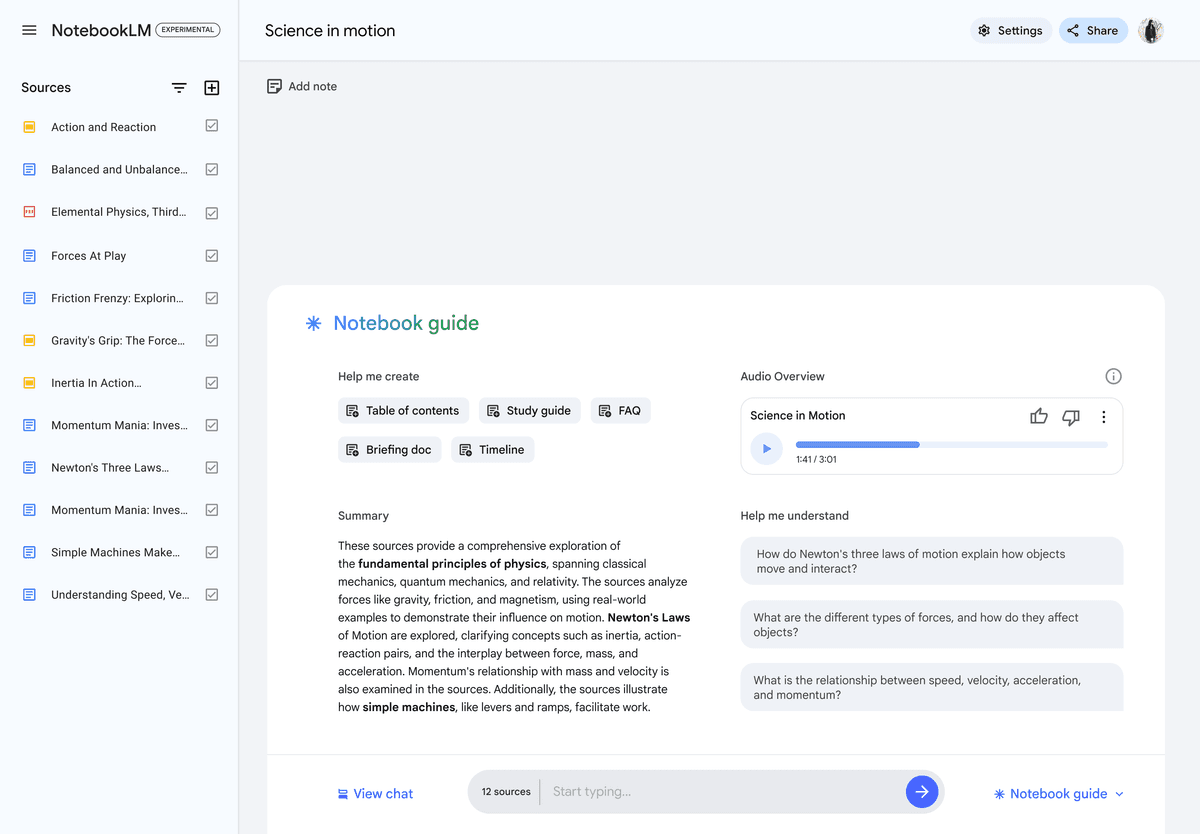
This standalone NotebookLM workspace shows sources, chat, and Studio controls. Google renamed the standalone notebook product Gemini Notebook; this older view does not show notebook integration inside the Gemini app.
Gemini Notebook vs Gemini app
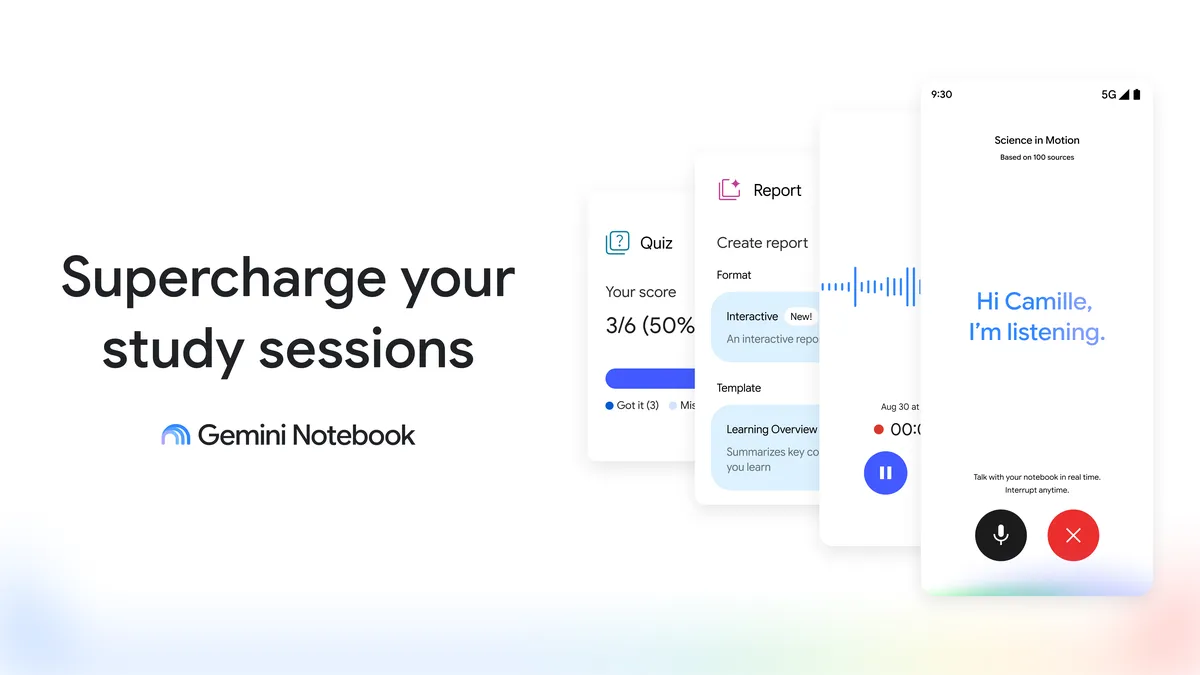
Google’s September 2026 promotional artwork depicts Gemini Notebook report, quiz, and real-time conversation examples; Google says these features are rolling out over time.
| Workflow stage | Gemini Notebook fit | Gemini app fit | Verification step |
|---|---|---|---|
| Understand selected sources | Best fit when the answer should stay inside a notebook | Useful when a supported notebook is added as context | Compare the same sources with citation badges before reuse. |
| Study from class materials | Strong for source-grounded answers and notebook study outputs | Strong when the lesson also needs broader context or tools | Check claims before using them in graded work. |
| Research beyond the notebook | Limited to the notebook sources in chat | Better for web research and wider exploration | Save the final sources you decide to trust. |
| Draft from research | Useful for source-aware notes and artifacts | Better for drafting with broader context | Verify factual claims before final copy. |
| Notebook artifacts | Created and managed in the standalone product | Not all standalone artifacts are available in the app | Return to Gemini Notebook for artifact work. |
| Shared notebooks | Collaboration inside Gemini Notebook | Shared notebooks are excluded from app context | Keep shared source work in the standalone app. |
| Verification | Provides citations back to notebook sources | Broader answers still require source checks | Use cited comparison and passage inspection. |
Table 1: This matrix compares workflow boundaries, not model quality. Gemini Notebook keeps the answer close to selected sources; the Gemini app can extend the job beyond them.
If your real question is "which Google AI tool should I use for research?", compare Google AI tools for research.
Studying and source-heavy research
Gemini Notebook is usually the safer first stop for studying from known sources. Add the course readings, transcript, notes, or links. Ask questions that should stay inside that source set. Use notebook outputs as a first pass, then open citations before relying on a point.
The Gemini app fits student jobs that go beyond source review. It can use a supported notebook while also helping plan a study session, explore the web, make practice prompts, or turn notes into a draft.
For research, use this split:
- Use Gemini Notebook to understand a fixed source set.
- Use the Gemini app to research more broadly, draft, or connect the task to Google context.
- Use a cited workspace such as Atlas when the final answer needs comparison across chosen sources.
If you are comparing other research assistants, see ChatGPT alternatives, Claude for research, and NotebookLM vs Claude Projects.
That last step matters when an answer will go into a paper, memo, review, slide deck, or team decision. A cited answer still needs inspection. Open the passage and read the surrounding context.
Here is an Atlas follow-up at this stage:
- Add the selected papers, notes, transcripts, or web pages.
- Ask a grounded source question about the claim you plan to reuse.
- Open citation badges and read the source text behind the answer.
For citation-first workflows, see AI that cites sources.
That is still part of the legacy NotebookLM vs Gemini decision: choose the standalone notebook for source-bounded work, the Gemini app for broader work, and Atlas only when the chosen source set needs a cited check before reuse.
Google ecosystem workflows
Choose the Gemini app when research needs Google context, the web, other tools, or drafts that go beyond a notebook.
Choose Gemini Notebook when the work must stay close to a set of files and source-based answers.
Notebooks can appear in the Gemini app, but the two apps still do different jobs. Gemini Notebook chat stays within notebook sources. The Gemini app can mix notebook context with the web and other tools. Studio generation stays in Gemini Notebook, and shared notebooks are excluded from Gemini app context.
Usage and privacy also depend on the app. Gemini Notebook uses compute-based limits with five-hour refreshes and a weekly ceiling. The integration help distinguishes Notebook data handling from Gemini chats governed by Keep Activity. Review the settings where you will actually chat before adding sensitive sources.
For a company, choose Gemini Notebook Enterprise when a team must work within a set of files. Choose Gemini Enterprise for wider company search, linked data, or agent tasks. Google says the two can work together. Access can vary by plan, project, region, and rollout.
For a student or researcher, the practical version is a stage choice. Use the Google tool that fits the research stage. Then move the sources that matter into a cited workspace such as Atlas when you need to verify them.
Students choosing a broader AI stack can also compare best AI tools for students and free AI tools for students.
Verify Gemini Notebook outputs
The check depends on which app made the claim. In Gemini Notebook, open the cited text and read around it. In the Gemini app, find out whether the claim came from the notebook, the web, or another tool. Then check that source before you reuse the claim.
Use this when the final claim needs a source trail after either tool:
- Pick the sources that matter from Gemini Notebook, the Gemini app, the web, or class files.
- Check whether the claim came from the notebook or from the Gemini app's wider context.
- Add those PDFs, papers, sites, or notes to Atlas when you need a second check.
- Ask a grounded source question, such as "Where do these sources agree and disagree about the evidence for this claim?"
- Ask for the answer by source if the first answer blends the notebook with wider context.
- Open citation badges for any claim you plan to reuse.
- Read the surrounding passage before saving the finding.
Atlas keeps the source open while the answer shows cite badges. You can check a Gemini draft or Gemini Notebook note before it leaves your workspace.
Atlas shows the source and cited answer together, so the final check is clear.
Use this after a Gemini Notebook study session when a citation needs a second read. Use it after the Gemini app drafts a research note when the source trail is unclear. Keep Google for notebook work, research, and drafting. Use Atlas only when the chosen source set needs cited comparison before the answer leaves your notes.
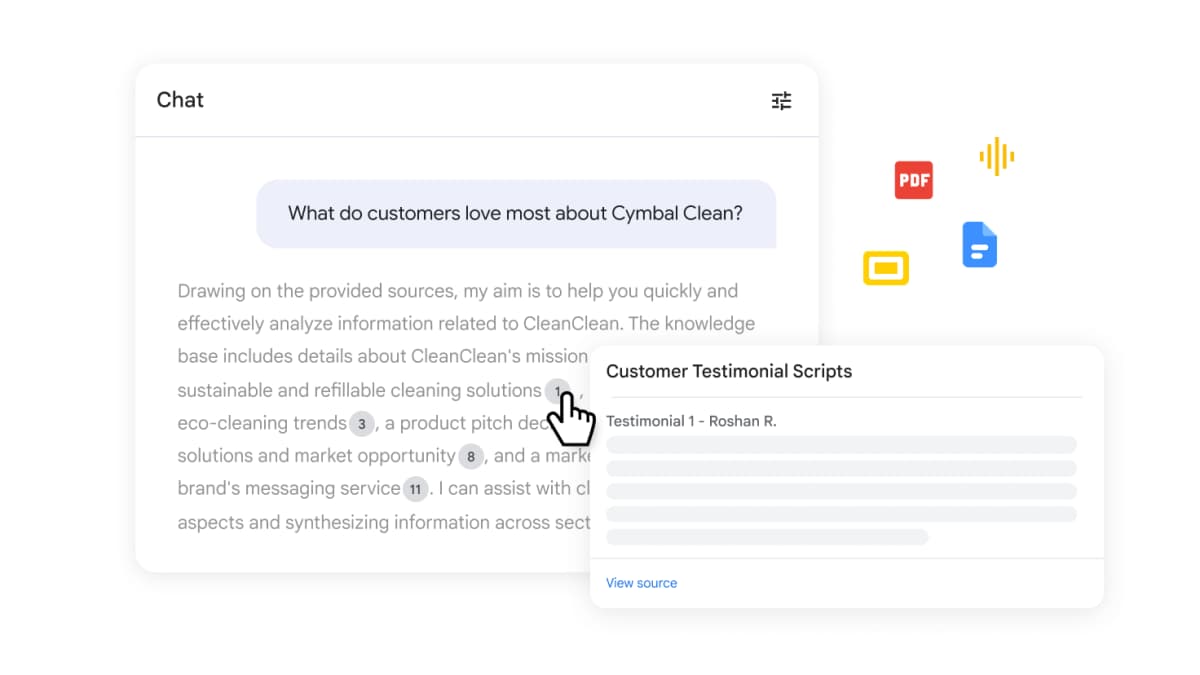
Google Workspace’s current Gemini Notebook page shows an answer citation preview and a View source control. This illustrates where to inspect a source link; the interface itself does not establish that an answer is accurate. Source: Google Workspace.
Which should you choose?
Choose Gemini Notebook—the product formerly named NotebookLM—when the source set is already known and the goal is to understand it. It keeps source review close to uploaded files, notes, links, and notebook outputs.
Choose the Gemini app when the research workflow needs a broader assistant. It fits web research, planning, drafting, Google context, and tasks that move outside a fixed notebook.
- Gemini Notebook: choose it for a source set, source questions, notebook artifacts, cited notes, and close reading.
- Gemini app: choose it for web research, drafting, Google context, and broader tools.
- Both: use Gemini Notebook to read the sources, then use the Gemini app to research, organize, or draft with broader context.
- Atlas: use it when the answer needs a cited check across exact sources before you reuse the claim.
Verify your source comparison in Atlas
Add selected documents, compare their claims, and inspect every citation.