


AI tools help students most when each one has a clear job. Use ChatGPT to work through a hard concept, NotebookLM to study a set of readings, Grammarly to edit a draft, and Quizlet to practice. Use Atlas when a paper depends on facts from PDFs, readings, or web pages that you need to check.
The tool should help you learn rather than do the learning for you. Any claim in your final work should still lead back to a source your teacher or classmate can check.

Compare course sources in Atlas
Add readings, compare evidence, and inspect citations before using an AI answer.
Quick answer
For most students, the strongest AI setup is a small stack:
-
Use Atlas to compare papers or course readings and open the passage behind each cited answer.
-
Use ChatGPT to explain a hard idea, guide your practice, and work through examples.
-
Use NotebookLM to ask questions about a set of readings you have added to a notebook.
-
Use Grammarly to find errors and suggest edits when your school allows it.
-
Use Quizlet to make flashcards, take practice tests, and review what you forget. Do not use a smooth AI answer as proof in an assignment. Find the original source and read the passage yourself. Follow the AI rules for your class and school.
How to choose AI tools for school
Start with the school task. An AI that explains a concept has a different job from one that supplies a fact for a paper. A rough explanation can still help you learn. A claim in submitted work needs a source you can inspect.
Use these criteria before paying for another app:
- The task: Do you need help learning, reading sources, editing, making flashcards, recording a lecture, or finding facts?
- The source: If the tool gives you a claim, can you open the page or passage behind it?
- Your own work: Does the tool help you reason, or does it write the argument for you?
- Class rules: Some teachers allow AI for ideas or edits but not drafting. Ask when the rule is unclear.
- Private data: Use a school-approved tool for private class, research, or student data.
- Plan limits: Check how many files, sources, and chats the free plan allows.
- The next step: Make sure notes, citations, or flashcards can move into the app where you finish your work.
Best AI tools by study job
Use the table to match a tool to your task. Studying for a biology exam is not the same job as comparing six policy papers for a seminar.
Atlas
Atlas helps with research across several sources. Use it to compare readings, map a paper, and open the passage behind an answer before you write.
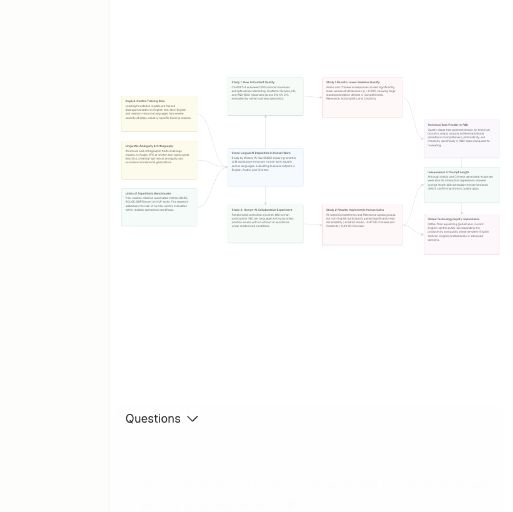
This crop shows Atlas's concept map for one imported research article. The map summarizes one source; its nodes are not citations or independently verified findings. Source: Wesley W. Koo, “Cross-lingual effects of AI-generated content on human work”, Scientific Reports (2025), CC BY 4.0.
| Study job | Strong fit | What it helps with | Evidence risk before using the output |
|---|---|---|---|
| Compare evidence across documents | Atlas | Adding course PDFs, readings, papers, websites, or notes, then asking grounded questions, opening citation badges, comparing sources, and generating maps from source material. | High but manageable. Inspect the cited passage, read surrounding context, and save only findings that the source supports. |
| Understand a concept or practice a problem | ChatGPT | Step-by-step explanations, guided practice, examples, and study prompts. | Medium. Good for learning support, but verify factual claims and avoid submitting generated reasoning as your own. |
| Study uploaded course material | NotebookLM | Asking questions over selected notebook sources, reviewing source material, and focusing on a bounded set of readings. | Medium to high. Check which sources are selected and confirm that the answer actually comes from the relevant material. |
| Revise writing transparently | Grammarly | Proofreading, rewriting suggestions, brainstorming, citation help, plagiarism checks, and AI-use transparency features. | Medium. Revision help is safer than outsourcing the argument. Disclosure rules still come from the class or institution. |
| Build flashcards and practice tests | Quizlet | Flashcards, practice tests, study guides, homework help, and adaptive review from study material. | Low to medium. Useful for memory and practice, but it does not verify research claims for essays or lab reports. |
| Search the web for current background | Perplexity, Gemini, or another web-connected assistant | Fast orientation, source discovery, and current-event checks. | High. Open the cited pages, check dates, and avoid using a web summary as the final source. |
| Capture lectures or meetings | Otter.ai or a school-approved transcription tool | Transcripts, summaries, and searchable class discussion notes. | Medium. Transcripts can miss words, speakers, or context, so check the recording or class materials before quoting. |
Table 1: Many students need more than one tool because the jobs differ. ChatGPT can explain a concept, but it does not remove the need to check a source. Quizlet helps with practice, while a literature review depends on what the assigned papers say. Atlas handles that source check.
For more detail, compare AI tools for academic research, learn how to study with selected sources, see how to chat with documents, or review AI tools that cite sources.
If your final work is a diagram rather than an essay, see our Lucidchart for students guide. Check the sources first, then draw the result.
ChatGPT
ChatGPT works well as a general tutor. Ask it to explain an idea, guide your practice, or give examples. Check any facts before you use them in submitted work.
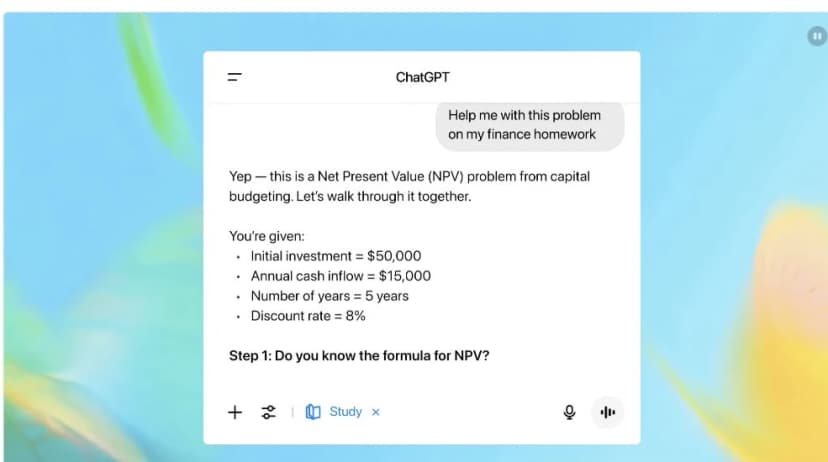
OpenAI’s launch video illustrates Study Mode’s guided interface; its finance example does not establish tutoring accuracy or learning outcomes. Source: OpenAI.
NotebookLM
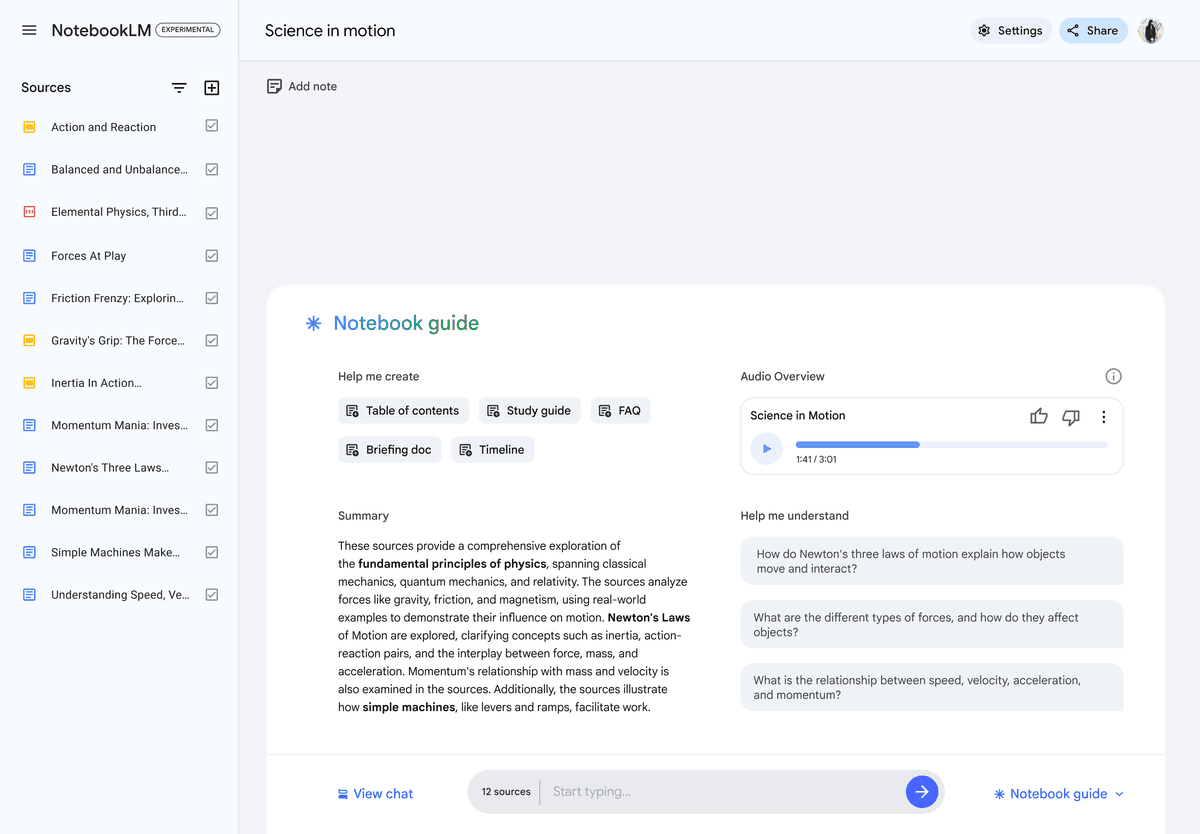
This earlier official NotebookLM view shows a 12-source notebook and study actions. Google now calls the standalone product Gemini Notebook. It does not establish current feature availability or answer accuracy. Source: Google for Education.
NotebookLM helps you study a set of readings in one notebook. Add the sources you want it to use, then check the citations in each answer.
Source-grounded research workflow
Research carries more risk than everyday study help. A summary can help you start reading. A paper, slide deck, or lab report needs claims that the source truly supports.
In Atlas, a source-grounded workflow looks like this:
Add materials
Add the sources that should support your answer. These may be course PDFs, assigned readings, research papers, web pages, video transcripts, or notes.
Ask precisely
Ask a clear question that names the fact, method, author, reading, or comparison you need. Mark each part of the answer that you may reuse.
Verify citations
Open the citation for each claim you may use. Read the cited sentence and the text around it. Keep only what the source supports.
A useful prompt is specific: "Compare the two assigned papers on how they measure student retention. Cite each claim and note any limit the authors mention." This is easier to check than a broad question such as "What do my readings say?"
Atlas citations help you check an answer; they do not check it for you. If a citation is missing or points to the wrong text, ask a narrower question or name the source. Do not use the claim until you can support it.
A Knowledge Map can make a long paper easier to scan. Use it to find the claims, methods, and support. Return to the source text before turning a map item into a sentence in your work.
When to choose AI for school
Use AI when it keeps you involved in the work. It can explain an idea, make practice questions, suggest edits, organize readings, or help you find a source passage. Do not let it replace the reasoning your teacher wants you to practice.
The risk rises when the tool does the part you are meant to do:
- It writes the argument instead of helping you develop one.
- It invents support or hides where a claim came from.
- It gives a citation that does not support the claim.
- It rewrites so much that the final work no longer sounds or thinks like you.
- It uses class, student, patient, client, or research data in a tool your school has not approved.
- It hides AI use when the instructor requires disclosure.
For research, checking the source matters more than getting a fast answer. A quick summary can help you start. The final claim must still point to the reading, data, or class material that supports it.
Choose a simple student AI stack
Most students do not need a dozen AI subscriptions. Start with three tools and add another only when you find a task the first three cannot handle.
First, choose one AI tutor. ChatGPT, Claude, Gemini, or a tool from your school can explain ideas, make practice questions, and walk through a problem. Use it to practice while doing the reasoning yourself.
Second, choose one place to study source files. NotebookLM works well when your class readings live in one notebook. Atlas fits when you need to compare sources, inspect cited answers, and map papers before writing.
Third, add one tool for the final task. Grammarly can help you edit. Quizlet can help you practice and remember. A transcript tool can help when much of the class is spoken.
One habit matters more than the app: check the original source before reusing an AI claim. If the tool cannot show where a claim came from, keep it out of submitted work.
Conclusion
The best AI tool depends on the school task. Use a general AI tutor to learn, a study app to practice, an editing tool to improve a draft, and a research tool when claims need sources.
Speed helps with everyday study. Research needs a clear path back to the source. One tutor, one study or practice tool, and one research workspace will serve most students better than a long list of similar apps.
Compare course sources in Atlas
Add readings, compare evidence, and inspect citations before using an AI answer.