


Lucidchart for students is a good choice when your school gives you access. It also fits assignments that need a formal diagram. Use it for flowcharts, process maps, concept maps, org charts, and group diagrams with comments and templates.
Check access before you choose the tool. Lucid access may come from a direct school account, Lucid Education Suite, Canvas, an LMS path, or a student discount page. Do not assume every student gets the same free account.

Map class sources with citations
Check class sources and map cited findings before building the final diagram.
Quick verdict
Use Lucidchart when your course asks for a clear diagram. It also fits when your school supports Lucid or your group needs comments on a formal visual.
Choose another tool when the assignment has a different center of gravity:
- Use draw.io for a free technical diagram tool with local or chosen storage.
- Use Lucidspark or Miro when the work starts as a whiteboard or group brainstorm. This student whiteboard guide covers that board-first choice in more detail.
- Use Canva when the final deliverable is a polished slide or class graphic.
- Use Whimsical for fast flowcharts, mind maps, and lightweight project visuals.
- Use Creately for class templates and many diagram types in one workspace.
- Use Visio when the class, job, or team expects Microsoft diagram files.
- Use Atlas before diagramming when the hard part is checking what your sources say.
For source-heavy assignments, separate two jobs. Lucidchart can help you draw the final map. Atlas can help you check readings, compare claims, make a source map, and follow citations before you draw. For the broader study stack, compare best AI tools for students and free AI tools for students.
How Lucidchart for students works now
There is no single "Lucidchart for students" path that applies to every school. Check these access routes in order:
- Direct account: Lucid's help pages describe school access for eligible students and teachers.
- School access: Some schools provide Lucid Education Suite through a campus software portal or LMS.
- Canvas route: Some courses put Lucid assignments in Canvas, WebCampus, or a local school flow.
- Student discounts: Discount sites may show student offers. Use them as a lead, then confirm the terms with Lucid or your school.
- Regular free plan: If no school path exists, check the current Lucid plan first. Know the limits before your group depends on it.
University pages are examples. One school may give students Lucidchart and Lucidspark through Canvas at no extra cost. Another may require direct signup, a course invite, or a paid plan.
Where Lucidchart helps students most
Lucidchart is strongest when the assignment needs structure. Choose it for a clean flowchart, system diagram, process map, concept map, org chart, or class visual.
It is less useful when the real work is messy brainstorming, slide design, or checking evidence from readings. In those cases, use a whiteboard, design tool, or source workspace before you polish the final diagram.
What to look for
Use this rubric before you choose:
- Access: Can you get it through your school, or will your group hit plan limits?
- Assignment fit: Is the output a formal diagram, a brainstorm, a slide graphic, or a technical handoff?
- Group work: Do classmates need comments, live edits, or teacher feedback?
- Templates: Does the tool have the diagram type your class expects?
- Export: Can you submit the final file in the format your course wants?
- Technical format: Do you need UML, ER diagrams, network diagrams, or process rules?
- Source traceability: Can you see which reading supports each claim in the diagram?
- Verification: Can you inspect the source passage before using the claim?
Lucidchart handles many diagram jobs well. It does not verify your research for you. If a diagram box makes a claim from a paper, read the source passage first.
Comparison matrix
| Tool | Best student job | Access caveat | Collaboration fit | Source support | Final-output fit |
|---|---|---|---|---|---|
| Atlas | Source maps and cited synthesis | Check current Atlas plan and source limits | Good for research workspace sharing | Citation badges and source passages | Verified notes before a diagram |
| Lucidchart | Formal diagrams, flowcharts, concept maps | Check education or school access | Strong for comments and shared editing | Manual source tracking | Polished diagrams |
| Lucidspark | Brainstorming before the diagram | Often school-suite dependent | Strong whiteboard collaboration | Manual source tracking | Early ideas and group boards |
| draw.io | Free technical diagrams | Free online and no sign-up path to verify | Good when storage is shared | Manual source tracking | UML, ER, network, flowcharts |
| Miro | Group whiteboards and AI-assisted diagrams | Check student or free-plan limits | Strong canvas collaboration | Manual source tracking | Workshops, boards, diagrams |
| Canva | Presentation visuals | Check current free and education access | Good for design teams | Manual source tracking | Slides, graphics, simple diagrams |
| Whimsical | Fast flowcharts and mind maps | Check current student access and limits | Good lightweight collaboration | Manual source tracking | Quick project visuals |
| Creately | Education templates and many diagram types | Check education and plan terms | Good for classroom visual work | Manual source tracking | Concept maps and class diagrams |
| Visio | Microsoft diagram handoff | Do not assume every school account includes it | Good in Microsoft workflows | Manual source tracking | Enterprise and technical diagrams |
Table 1: For broad switching options, see Lucidchart alternatives. This student guide is narrower: school access, class work, and source-heavy study.
Best Lucidchart alternatives and complements for students
Atlas
Atlas is a source workspace. Use it when the diagram depends on readings, papers, PDFs, websites, or notes that need to be checked.
Add the sources to a project and ask a grounded question. Compare sources, generate a knowledge map from a dense reading, and inspect citation badges before turning findings into a Lucidchart, draw.io, Miro, or Canva visual.
For a wider research-tool comparison, see AI tools for academic research and AI that cites sources.
Lucidchart
Lucidchart is the best first choice when your school supports it. It fits formal diagrams, flowcharts, process maps, concept maps, org charts, and group diagrams that need teacher or teammate feedback.
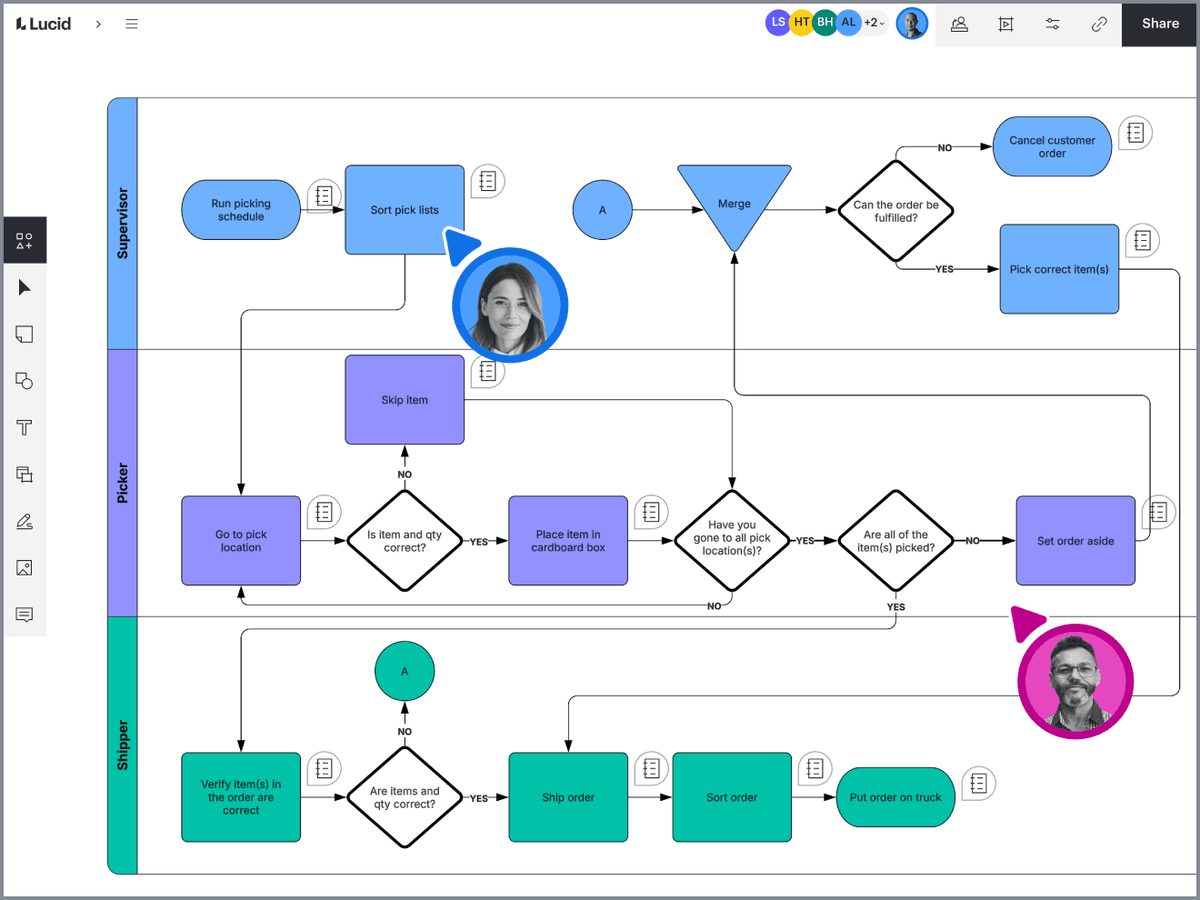
Lucidchart’s vendor demo shows a shared order-picking process map and flowchart controls. It illustrates the diagramming surface, not a student project or a research result. Source: official product example.
Use it for the final visual. Keep source notes nearby if the diagram depends on research claims.
Students who want adjacent classroom tools can also compare best study apps for college students.
Lucidspark
Lucidspark fits the messy stage before a formal diagram. Use it when your group needs sticky notes or an open whiteboard. Then move the final structure into Lucidchart.
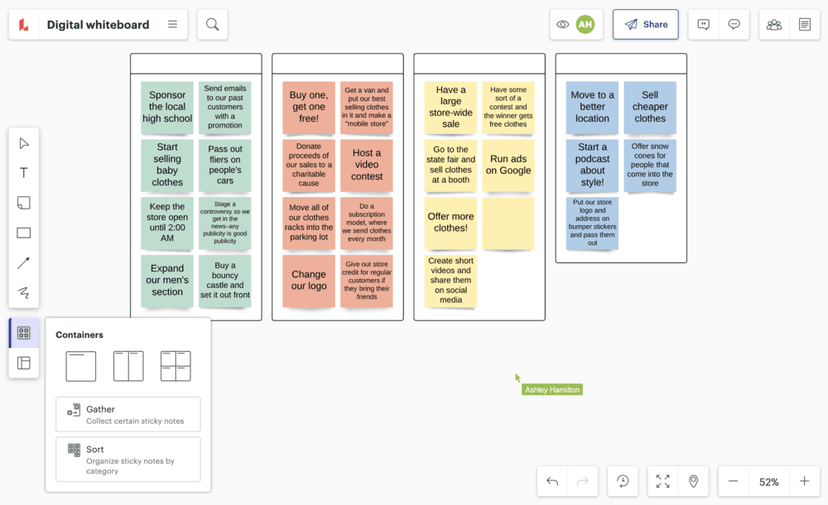
Lucidspark’s demo board shows a collaborator cursor, grouped sticky notes, and Gather and Sort controls. The apparel-store ideas are vendor-demo content, not a student activity. Source: official product example.
It is a complement more than a replacement. Check whether your school suite includes both Lucidchart and Lucidspark.
If the board work is the main job, compare broader Miro alternatives before choosing.
draw.io
draw.io is the strongest free starting point when you need diagrams without a heavy account flow. Its public site describes free use, no sign-up, open source licensing, local storage, and live shared work.
Choose draw.io for UML, ER diagrams, network diagrams, flowcharts, and technical class work when the format matters most.
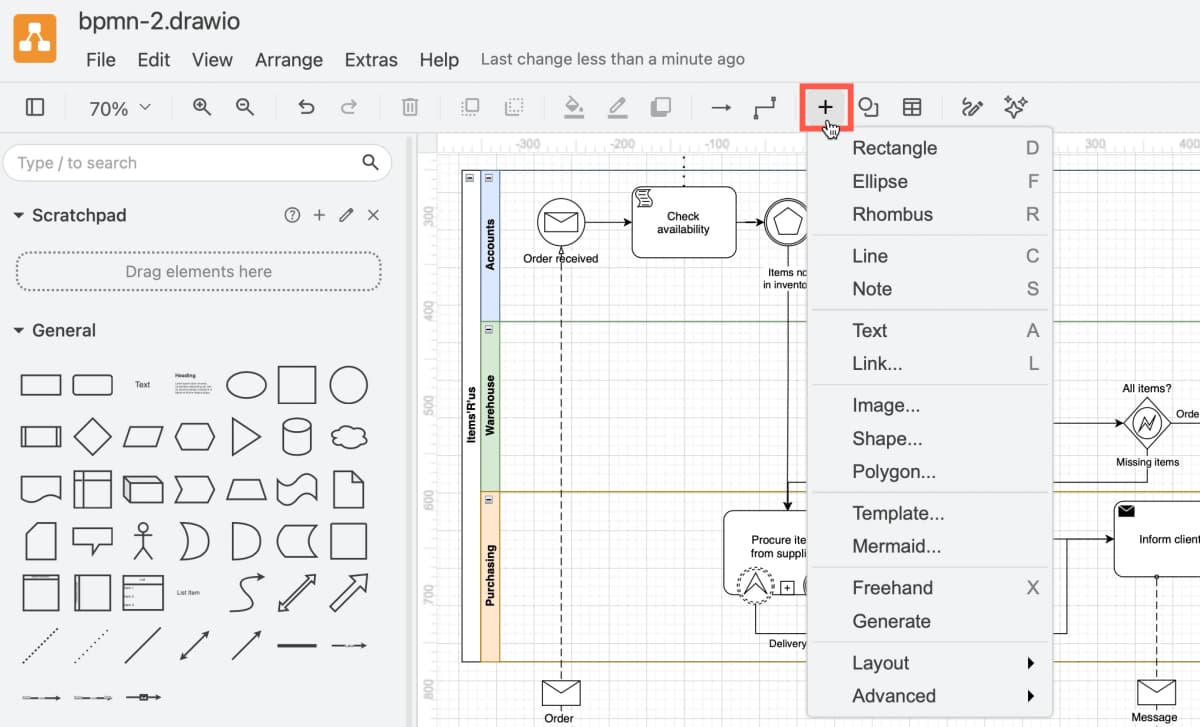
The official editor screenshot shows a BPMN example and diagram controls; the flow is vendor-demo content, not a student assignment.
Miro
Miro is better when the assignment is a shared board rather than a strict diagram. Its diagram page covers AI flowcharts, UML, ER diagrams, templates, and whiteboards.
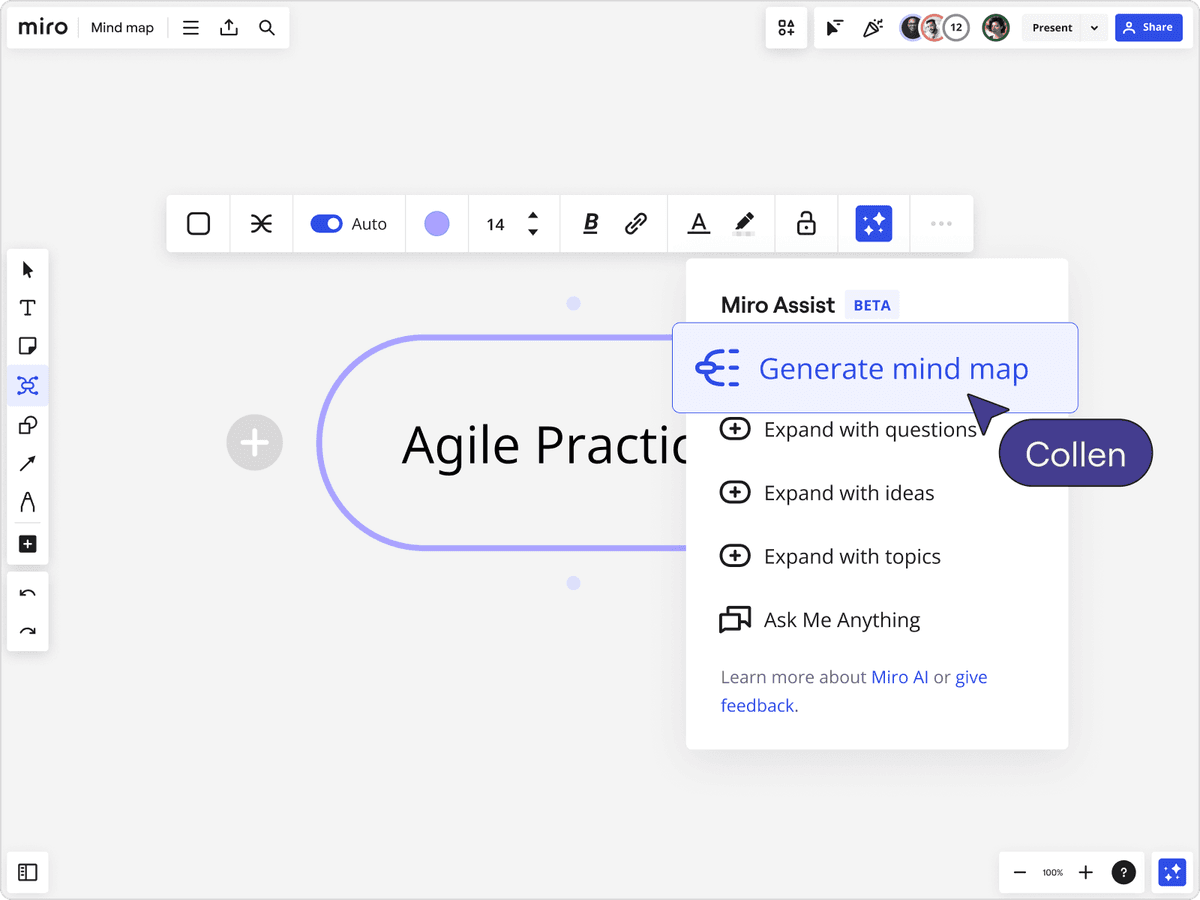
Miro’s demo shows a shared mind-map canvas, collaborator avatars, sharing controls, and the Miro Assist menu. The “Agile Practices” label is vendor-demo content, not a student project. Source: Miro mind-map page.
Use Miro for workshops, product maps, group planning, and open boards. Use Lucidchart or draw.io when the final diagram needs stricter rules.
If your school work starts with classroom boards rather than formal diagrams, the broader Miro alternatives guide can help you compare whiteboards, diagram tools, and source-heavy handoffs.
Canva
Canva is useful when the diagram must look good in slides. It fits Venn diagrams, cycles, simple process visuals, class posters, and slide graphics.
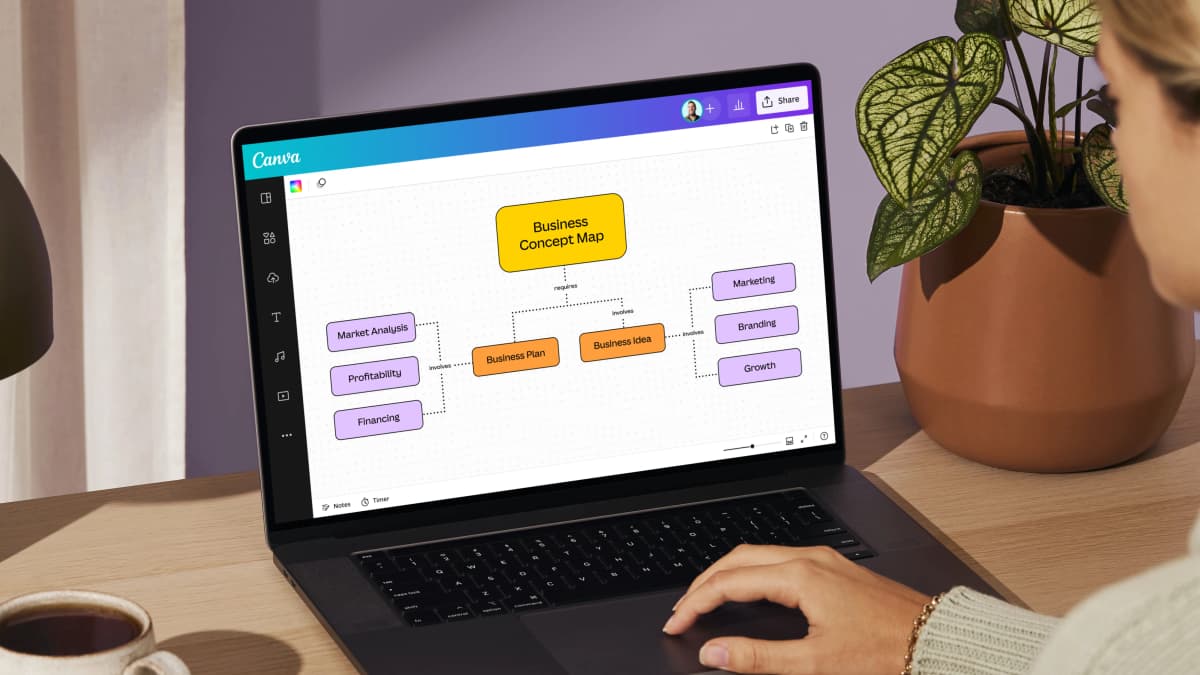
Canva’s product-page example shows a concept map on its whiteboard canvas. The business-planning labels are vendor-demo content, not a student study map. Source: official product example.
Do not choose Canva as your technical diagram source of truth. It is a design tool first.
For research-first class projects, pair the slide visual with the source-checking steps in students guide to AI research.
Whimsical
Whimsical fits quick flowcharts, mind maps, and lightweight group diagrams. It is a good option when you need speed and clarity more than deep technical notation.
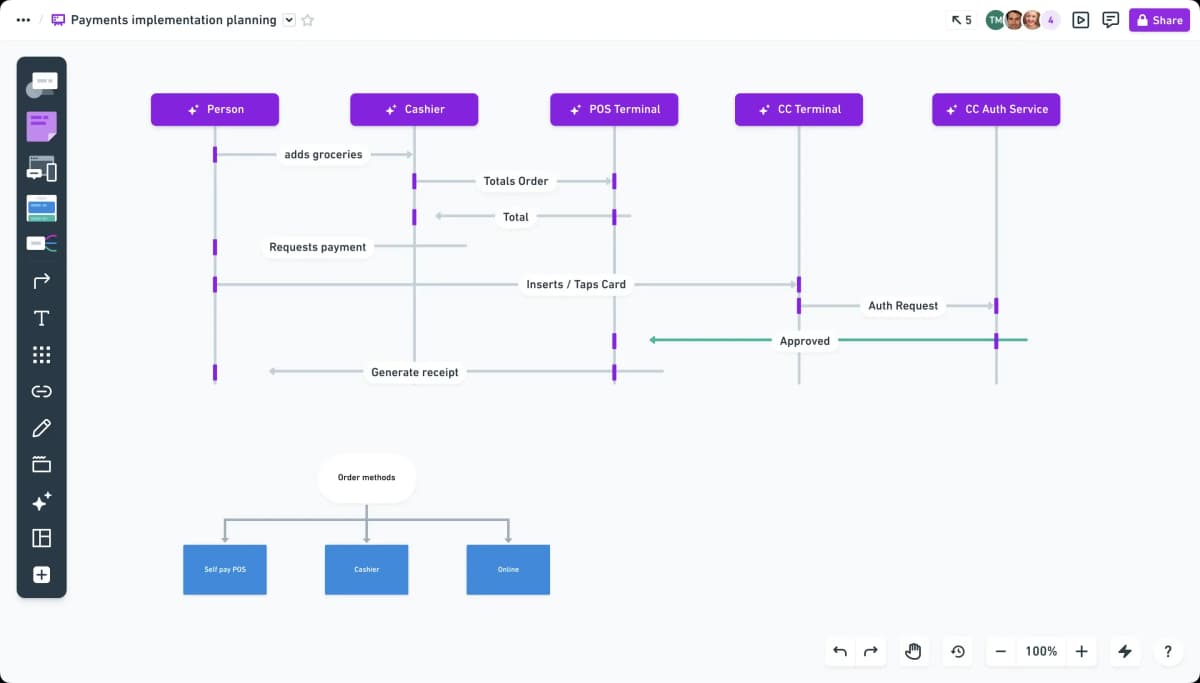
Whimsical’s official product example shows a payments sequence diagram, a second flowchart, collaborator avatars, and board controls. The payment labels are vendor-demo material, not a student assignment. Source: Whimsical flowcharts.
Check the current free plan and student or teacher access before you base a semester-long diagramming routine on it.
Creately
Creately is worth checking when the class needs many diagram types, school templates, and shared visual work. It can fit concept maps, subject diagrams, and class visuals.
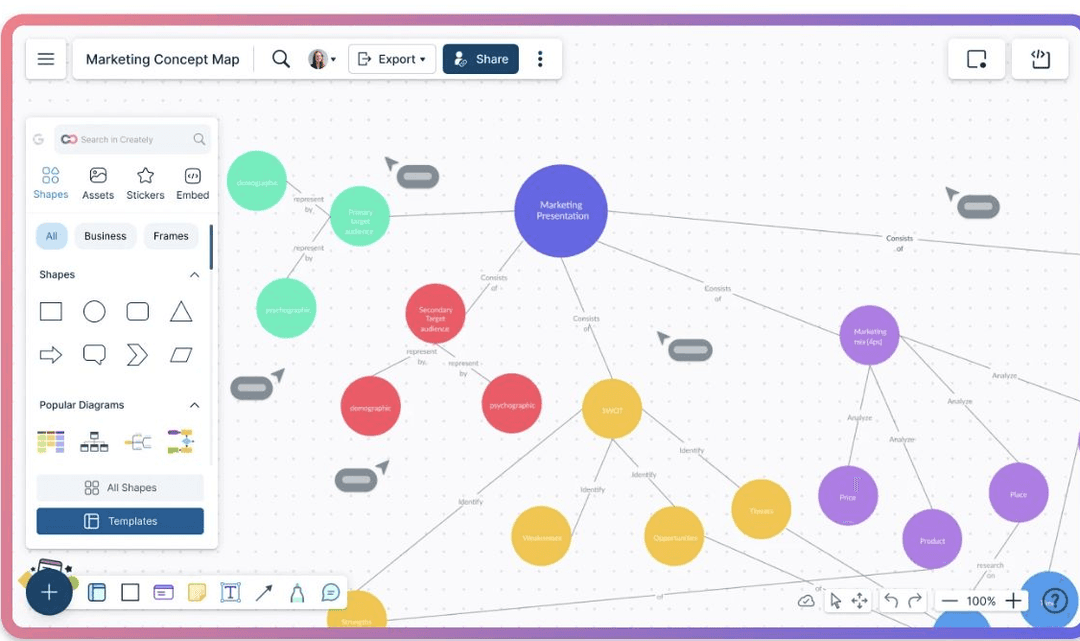
Creately’s concept-map page shows its editor, shape palette, templates, and share/export controls. The marketing labels are vendor-demo content, not a school template or student work. Source: Creately concept-map page.
Do not assume a universal student plan. Check the current education and pricing pages.
Microsoft Visio
Visio is the right answer when the course, internship, or workplace expects Microsoft diagram files. It fits formal flowcharts, templates, Microsoft 365 workflows, and enterprise handoff.
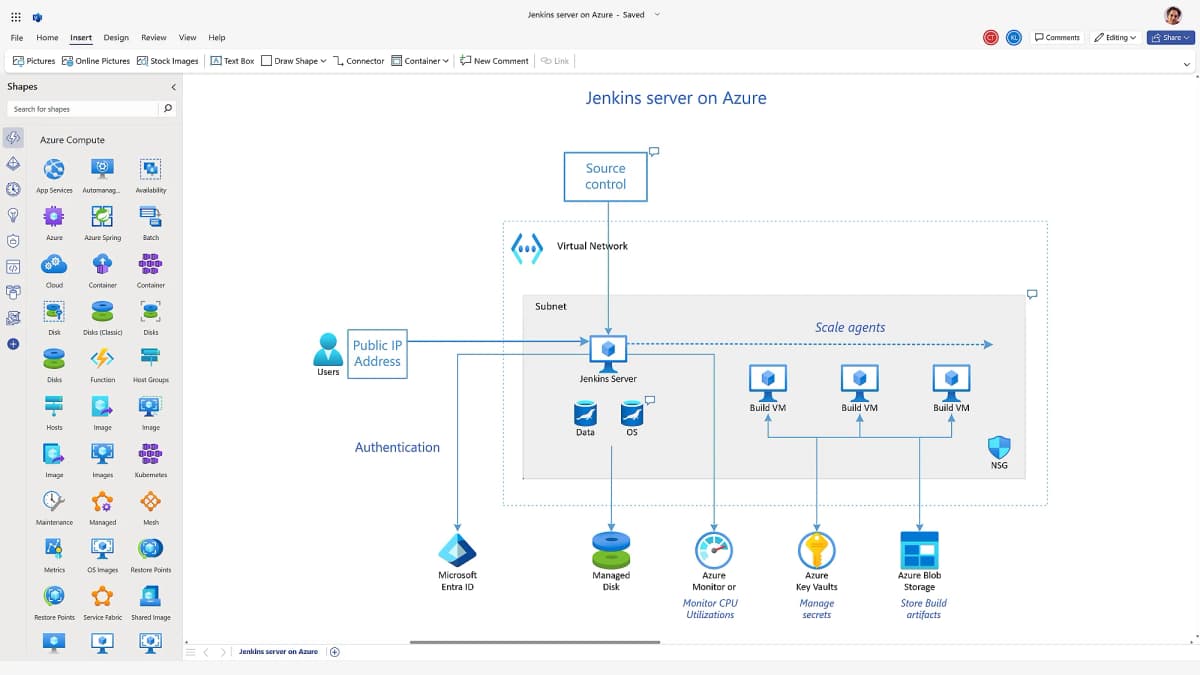
Microsoft’s product-page example shows a Visio editor with a cloud architecture diagram. It is vendor-demo content, not a student assignment. Source: Microsoft Visio.
It may not be included in every student Microsoft account. Check your school license before you choose it for a group.
A source-grounded visual study workflow
Use these source-checking steps when your diagram will become part of graded work. For a deeper source-map example, see mind map from documents.
In Atlas, the source-checking step stays visible before the final diagram is drawn. The workspace can show the source document, a source map, and a grounded answer with citation markers, so the student can inspect the passage behind each claim before copying it into Lucidchart, draw.io, Miro, Canva, or Visio.
Verify claims against source passages before polishing the diagram.
- Add the readings, papers, PDFs, websites, or notes that matter to Atlas.
- Ask a focused question, such as "Which sources explain the steps in this process, and where do they disagree?"
- Ask for a synthesis across sources if the first answer is too broad.
- Generate a knowledge map for the dense source or topic you need to diagram.
- Open citation badges for the claims you plan to reuse.
- Read the surrounding passage as well as the highlighted sentence.
- Move only verified findings into Lucidchart, draw.io, Miro, Canva, or Visio.
This keeps the drawing job separate from the evidence job. The diagram tool helps you communicate. The citation-checking steps help you avoid putting unsupported claims into the diagram.
Which should you choose for source-heavy assignments?
Use Lucidchart if your school provides access and your assignment needs a formal diagram. It is a strong student option for flowcharts, process maps, concept maps, and group diagrams that need a clean final file.
Use draw.io if you need a free technical diagram tool. Use Lucidspark or Miro if your group is still brainstorming. Use Canva if the visual must sit inside polished slides. Use Visio if your course expects Microsoft files.
Use Atlas before the final diagram when the hard part is research. A good-looking diagram can still be wrong if the claims inside it are not supported. Check the source first, then draw.
Map class sources with citations
Check class sources and map cited findings before building the final diagram.