


Miro is worth using when school work needs a shared board. Use it for a brainstorm, class task, group plan, concept map, diagram, slide plan, or semester workspace.
Miro says its Education plan is free for eligible students and staff at qualifying accredited schools. Student teams still have limits. Check the current Miro Education plan before a class depends on it. This matters if you need more than 10 student team members or plan to use Miro AI often.
The main boundary is source checking. A Miro board can help you sort claims, sources, and choices. Sticky notes do not verify whether a source supports a graded claim. If the task depends on PDFs, papers, readings, sites, or class notes, use Miro for the board. Use a source-grounded workspace for the cited answer.
Atlas fits at the cited-analysis stage. Add the sources, ask focused questions, inspect citation badges, compare evidence, and bring the checked finding back into Miro.

Check your sources before you board them
Add course sources, ask grounded questions, and inspect citations before reuse.
Miro Education access for students
Start with access. The Education plan changes the answer to "Is Miro free for students?"
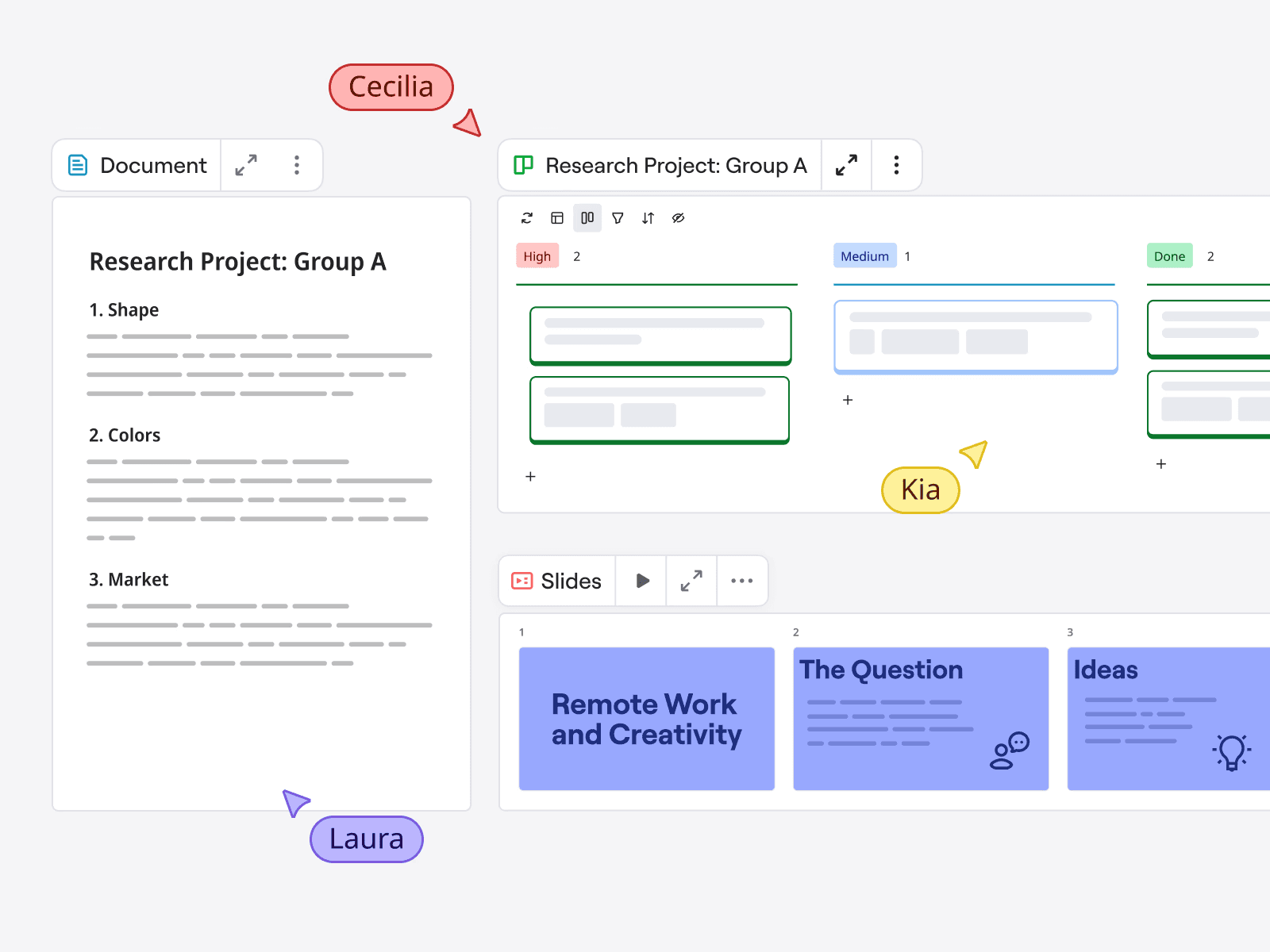
Miro presents this as a collaborative student-project board example. It shows a board layout, not Education-plan eligibility or a specific student's account.
Who qualifies
Miro's current Education plan page says the plan is free for staff and students at qualifying schools. Miro lists accredited middle schools, high schools, colleges, universities, technical schools, MBA schools, and online schools that award degrees. Schools without accreditation do not qualify. Miro also excludes training programs, churches, hospitals, public libraries, and research labs.
To apply, students submit Miro's form with a school email or proof of school status. Miro says a school ID or school web page can support the request. A response may take up to 10 days. If you already have a Miro profile, approval may add another team to your dashboard. Before class work starts, open the Education team from that dashboard.
Student limits to check
For student planning, these are the limits that matter most:
- Student Education teams are valid for two years. Miro says students can reapply with proof of continued student status when the term ends.
- Student teams have 10 members. Educator teams have different limits, so do not copy teacher-facing seat counts into a student group project.
- Each email can have one Education team, with one Team Admin.
- Education plans include active boards, private boards, custom templates, exports, voting, timer, board backup, and other class features.
- Miro says Education plans do not include email support. They also exclude video chat, Rally, Azure Cards, and Asana Cards.
- Miro AI Workflows are limited on Education. Miro says Free, Starter, and Education plan members can run up to 5 Flow runs per team member. They also get generalized Sidekick access.
Refresh those facts before a deadline. Plan details, AI access, support terms, and eligibility language can change faster than a semester syllabus.
Where Miro helps students most
Miro is strongest when the output is a shared board. Use it when people need to see the same structure, move ideas around, and agree on a plan.
Board jobs
Good student use cases include:
- Finding paper topics, project paths, design ideas, or slide angles.
- Mapping a concept, timeline, process, system, argument, or case study.
- Running a group project board with task owners, meeting notes, decisions, and open questions.
- Preparing a class workshop, seminar task, critique board, or peer feedback round.
- Turning rough notes into a presentation flow before moving slides into their final format.
- Keeping a semester board where each week or assignment has its own frame.
- Using an education template as a starting point instead of designing a board from scratch.
Miro templates support that kind of work. The template gallery includes lesson plans, syllabi, onboarding, class tasks, concept maps, and diagrams. If the assignment is more about diagrams than boards, compare the tradeoffs in Lucidchart for students before you build the wrong workspace.
If you are comparing the rest of your study stack, the free AI tools for students guide covers adjacent research, writing, and note tools without turning this Miro setup into a full software roundup.
University teaching pages make the same point in plainer terms. Johns Hopkins describes Miro as a way to keep a semester board students can revisit. The University of Sydney's Miro group-activity case study emphasizes monitoring group work and preserving activity records.
Oxford's Miro teaching page adds the practical caveat: students need practice time, clear instructions, and accessibility checks.
A board that feels obvious to its builder may feel like a maze to a teammate joining five minutes before class. Students may need practice time, naming rules, and a clear first frame. Dense boards, tiny sticky notes, color-only labels, and huge canvases can also make it harder to join in.
Evidence jobs
Use this decision frame before you commit:
| Student job | Use Miro when | Add Atlas when |
|---|---|---|
| Class activity | The goal is participation, sorting, voting, or shared reflection. | The activity asks students to support claims with readings or papers. |
| Group project | The team needs a shared plan, timeline, owner list, and decision log. | The final recommendation depends on comparing evidence across sources. |
| Concept map | The output is a visual map of terms, relationships, or arguments. | The map needs cited support for each connection or claim. |
| Presentation planning | The team needs to arrange sections, examples, visuals, and speaker notes. | The slides need traceable evidence before claims are reused. |
| Semester board | Students need a running workspace that preserves weekly activity. | Old notes need to become searchable, citable findings for a paper. |
| Source-heavy assignment | Miro can park questions and organize themes. | Atlas should handle PDFs, papers, websites, grounded questions, and citation checks. |
Table 1: That board-job-versus-evidence-job split prevents a common mistake. A polished board can still contain claims no one has checked against the source.
Workflow: board in Miro, evidence in Atlas
The handoff is direct. Miro holds the shared board. Atlas handles the source work behind it.
Source-traceability checklist
Use this workflow when your board starts filling with claims from papers, PDFs, course readings, websites, lecture notes, or reports:
- Mark the claim in Miro. Put the claim, question, or source link in the evidence parking lot. Do not label it verified yet.
- Add the material to Atlas. Import the PDF, site, paper, YouTube lecture, Markdown note, or text note when it should become part of the project source set. Use an attachment only when the file is temporary context for one chat.
- Ask a grounded question. Use a focused prompt such as:
Which source supports the claim that remote collaboration improved participation, and what limitation does the author mention? - Inspect the citation badge. Open the cited passage, read the surrounding context, and check whether the answer overstates the source.
- Compare evidence. Ask follow-up questions when sources disagree. Ask again if the answer has no citation or the cited passage is weak.
- Return a verified note to Miro. Bring back the finding, source name, page or passage cue, caveat, and decision. Keep the detailed source work in Atlas so the team can inspect it again.
Worked example
A group begins in Miro with a board for a class talk on whether digital whiteboards help seminar participation. The brainstorm has sticky notes for engagement, access, group work, and teacher setup time. At this point, the board is useful, but it has not proven anything.
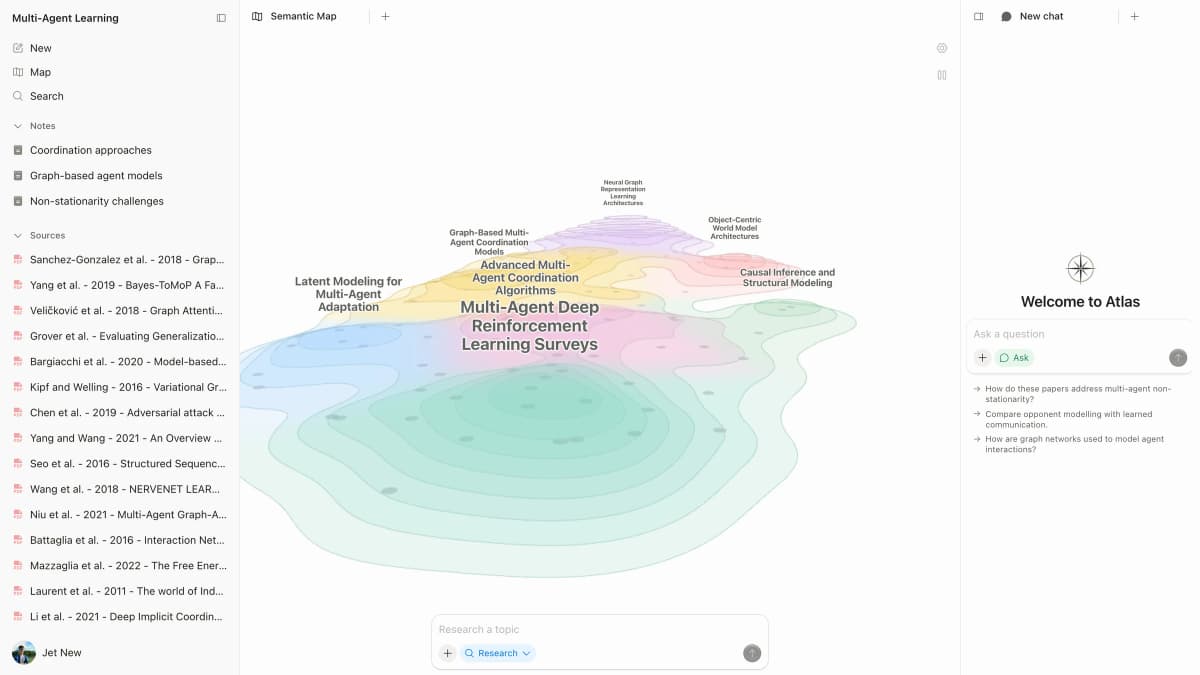
This Atlas product example shows a paper workspace and map beside the prompt area. It is separate from the fictional class board above and does not show a verified finding; inspect each cited passage before moving a note back to Miro. Atlas product.
The team moves the readings into Atlas, asks which sources discuss participation, and checks each citation badge. One source supports revisitable class work. Another warns that setup and practice time affect adoption.
If the board starts looking like a research map, the mind map from documents guide shows the adjacent source-first workflow. For source-heavy class work, use the AI research assistant tool guide to plan the research side without replacing the Miro board. The group brings a pair of checked findings back to Miro: one supporting claim and one caveat, each with a source cue and claim-strength note.
That is the useful division of labor. Miro helps the group see the argument. Atlas helps the group decide whether the argument is supported by the sources.
Set up a student board
Start smaller than you think you need. A student board should make the next action obvious to a teammate who has not attended every meeting.
Five frames to use
Use five frames:
- Home frame. Put the assignment name, deadline, team members, links, and the current status here. This is where late joiners land.
- Project or assignment frame. Break the task into the problem, audience, research question, final output, rubric, and open issues.
- Evidence parking lot. Drop source links, article titles, screenshots, quotes to verify, and questions that need source checking. Label this as unverified until someone checks the source.
- Decision log. Record what the team decided, when, and why. A decision without a reason is hard to defend later.
- Export or presentation frame. Keep final diagrams, slide flow, screenshots, or talking points separate from messy working notes.
Name frames with verbs or deadlines. Good labels include Readings to check, Claims we can defend, Slides for Friday, and Questions for instructor. A label like Ideas is fine for the first 10 minutes, but it becomes useless once the board has 80 sticky notes.
Before inviting the whole group, check team membership and access. Miro community threads show repeat confusion around Free teams, Education teams, payment prompts, and board ownership. Treat that as friction to plan around. Then open your dashboard and confirm the board is inside the Education team. Test access with one teammate before class depends on it.
If a board matters after graduation, export or back up the key frames early. Do not wait until a final portfolio or capstone board is locked behind an account you no longer control.
Templates, AI, and class limits
Templates are useful when they reduce board setup time. They are less useful when they hide the actual work under a template that does not match your assignment.
For students, the safest way to use a template is to copy the structure, then remove anything you will not maintain. A lesson plan template may be useful for a teaching practicum. A concept map template may fit a literature review. A to-do template may help with group accountability. A detailed workshop template may be too heavy for a three-person class presentation.
Check these before class:
- Does the template match the output: discussion, map, project plan, diagram, slides, or reflection?
- Can every teammate understand the first frame without a walkthrough?
- Are instructions written on the board where late teammates can find them?
- Are colors and labels meaningful without relying on color alone?
- Is there a place for source links and source-check status?
- Can the final output be exported or copied into the assignment format?
Miro AI can help with board work, but do not build the project around a feature your plan barely includes. Miro says AI Workflows include Sidekicks and Flows. Its current help page says Free, Starter, and Education plan members get up to 5 Flow runs per team member. They also get generalized Sidekick access. Treat that as a planning limit. If your class task needs repeated AI runs, confirm current limits before the session.
For graded research, use Miro AI outputs as drafts or board material. Before a claim goes into the final work, ask the source-check questions. Who checked the source? Where did the claim come from? Does the cited passage support the sentence you plan to submit? The broader AI that cites sources guide covers the same verification problem when students are choosing tools beyond a whiteboard.
If the class material is mostly PDFs, compare AI PDF chat, chat with PDF, and best AI PDF reader workflows before you copy claims into a board.
Recommendation
Use Miro if your school work needs a shared board. It is a strong fit for brainstorms, diagrams, class tasks, group plans, concept maps, workshops, slides, and semester boards. The Education plan can make it free for eligible students. First check the team, term, support, and AI limits.
Do not use Miro as the only system for source-heavy assignments. A board can organize the project. It cannot make a claim true, complete, or well supported. Keep a visible boundary between ideas, sources to check, verified findings, and final decisions.
Use Atlas alongside Miro when the assignment depends on evidence. Add the readings, ask grounded questions, inspect citations, and compare sources. Then bring the checked result back into the board. You keep Miro's group board and the source trail needed for a paper, slides, or a graded recommendation.
For adjacent student workflows, compare the research-tool options in best AI tools for students, the note-workflow advice in how to organize research notes, and the student workspace tradeoffs in Notion for students. If you are comparing visual-mapping tools specifically, Coggle alternatives and alternatives to Miro are better follow-up reads than adding more Miro detail here.
If your question is broader than student use, read the direct Atlas vs Miro comparison. If you are deciding whether to leave Miro entirely, use the Miro alternatives guide instead.
Check your sources before you board them
Add course sources, ask grounded questions, and inspect citations before reuse.