


The best Lucidchart alternative depends on why you want to switch. Miro works well for team whiteboards. diagrams.net offers free drawing with more control over file storage. Visio suits firms that rely on Microsoft. Gliffy works inside Confluence, while Whimsical helps product teams sketch flows. IcePanel and tools that turn code into diagrams suit software design.
Atlas serves a different need. It does not draw flowcharts, UML, BPMN, ERDs, or wireframes. Use it when a diagram must reflect facts from papers, reports, rules, interviews, or technical files. Atlas can help you compare those sources and map their claims before you draw.

Compare sources in Atlas
Inspect citations and map imported evidence before diagramming.
Quick verdict
Use this shortlist before reading every entry:
- Miro: for whiteboards, workshops, and team input.
- Creately: for diagrams that sit next to plans, notes, fields, and project data.
- diagrams.net: for free drawing and control over file storage.
- Microsoft Visio: for firms that use Microsoft templates and diagram types.
- Gliffy: for diagrams that must live in Confluence.
- Whimsical: for quick product flows and wireframes.
- SmartDraw: for firms that want many ready-made diagrams.
- OmniGraffle: for detailed drawing on Apple devices.
- IcePanel: for teams that map software systems.
- Atlas: for mapping and checking facts from source files before drawing.
For a close Lucidchart replacement, start with Miro, diagrams.net, Visio, Gliffy, Creately, or SmartDraw. If the hard part is working out what the diagram should say, add the source files to Atlas first. Check the claims, map the main ideas, and then draw the final version in the tool your team uses.
What to compare before switching from Lucidchart
Start with the reason you want to switch. A long feature list will not tell you whether the tool fits your files, team, and review process.
- Drawing types: Does it support the flowcharts, UML, ERDs, BPMN, network maps, or wireframes you use?
- Team review: Can people edit at the same time, leave notes, control access, and approve changes?
- File control: Can you keep files in the cloud, on a device, or on your own server?
- Other apps: Does it work with Microsoft 365, Atlassian, Google Drive, or your coding tools?
- AI and sources: Can you check the source behind AI output, or does it only draw from a prompt?
- Where work lives: Can the final diagram stay in Confluence, a code repo, a project board, or research notes?
- Cost to move: How much work will it take to move old files, templates, links, and team habits?
The costly mistake is choosing a tool from a polished demo without checking where the final file must live. A process map may need legal review, a place in Confluence, an IT check, and links to research. A workshop board may not meet those needs.
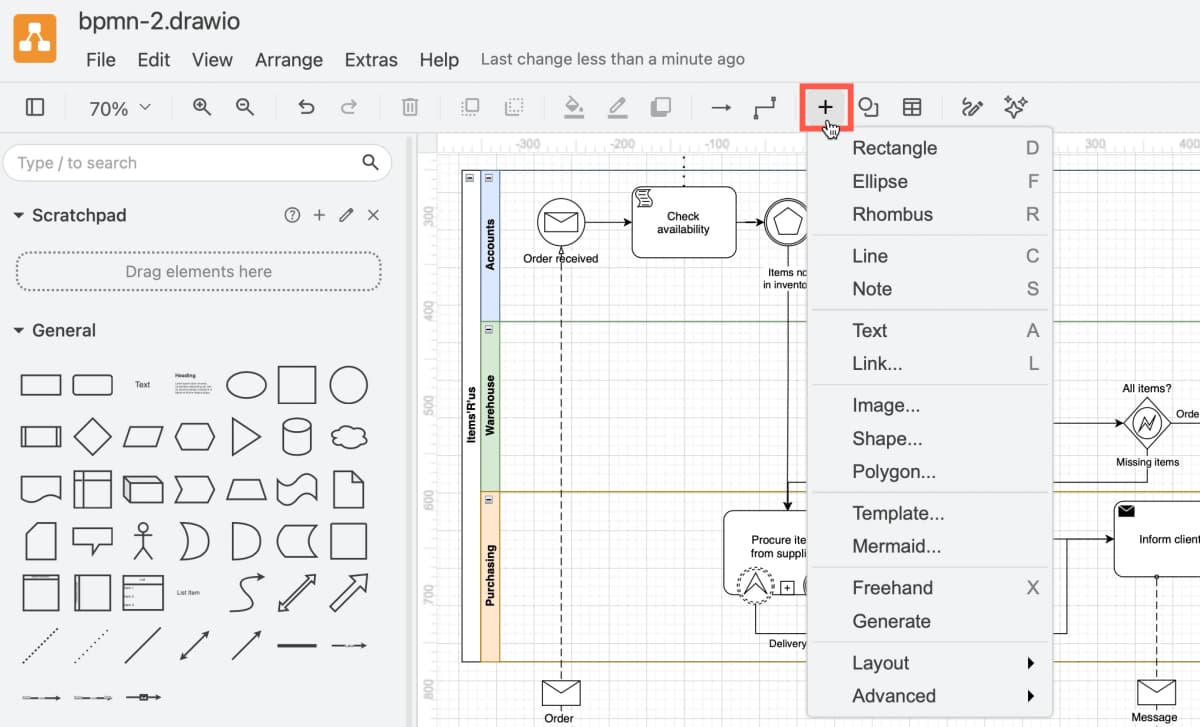
The draw.io guide shown above shows what a free Lucidchart rival can offer. The app has a symbol list, a BPMN canvas, a toolbar, and menus for text, images, Mermaid, and layout. Test the symbols you need, how files export, and where the finished work can live.
Source notes for this comparison
This draft uses official product pages for current product-positioning claims.
- Lucidchart
- Lucid AI
- Miro mapping and diagramming
- Creately
- diagrams.net security
- Microsoft Visio
- Gliffy for Confluence
- Whimsical
- SmartDraw
- OmniGraffle
Secondary and community sources provide switching language and sub-intent evidence:
- IcePanel's architecture-diagram article
- TechnologyAdvice
- The Digital Project Manager
- PuzzleApp
- Self-hosted diagramming thread
- Salesforce community thread
Official product pages carry the tool claims.
Lucidchart alternatives by switching job
| Switching job | Best starting option | Direct Lucidchart replacement fit | Ecosystem fit | Source or citation grounding | Claims to verify before buying |
|---|---|---|---|---|---|
| Source-grounded visual synthesis | Atlas | Adjacent source-workspace role | Research, analysis, documentation from sources | High | Source type support, citation needs, map verification |
| Broad team whiteboarding and diagramming | Miro | Medium to high | Cross-functional teams | Low | Board limits, security settings, diagram depth, export needs |
| Visual project work with diagrams and data | Creately | High for workspace-style teams | Product and operations work | Low | Plan limits, data fields, integrations, admin model |
| Free or storage-controlled diagramming | diagrams.net | High for many diagrams | Local files, desktop, Drive, wiki workflows | Low | Storage path, collaboration model, export behavior |
| Microsoft-approved enterprise diagrams | Microsoft Visio | High | Microsoft 365 and enterprise IT | Low | Plan inclusion, collaboration, stencil needs |
| Atlassian documentation diagrams | Gliffy | High inside Confluence | Confluence and Jira teams | Low | Atlassian plan fit, import/export, permissions |
| Product-builder flows and wireframes | Whimsical | Medium | Product and design planning | Low | Diagram complexity, workspace limits, admin needs |
| Template-heavy enterprise diagramming | SmartDraw | High for some enterprise teams | Office and diagram-template workflows | Low | Pricing, admin controls, current integrations |
| Apple-native precision diagrams | OmniGraffle | Medium | Mac, iPad, iPhone | Low | Windows/browser needs, collaboration requirements |
| Software architecture documentation | IcePanel or diagram-as-code tools | Medium for architecture-specific work | Engineering documentation | Low | C4 support, repo workflow, team adoption |
Table 1: This table is the main distinction many roundups blur. Most Lucidchart alternatives replace the drawing canvas.
Atlas helps the team decide what the diagram should say, check the evidence, and turn source material into a map that can be verified.
The best Lucidchart alternatives
1. Atlas
Choose Atlas when you must first work out what source files say. Add papers, reports, meeting notes, rules, or technical files. You can ask questions across them, open the cited text, and make a Knowledge Map.
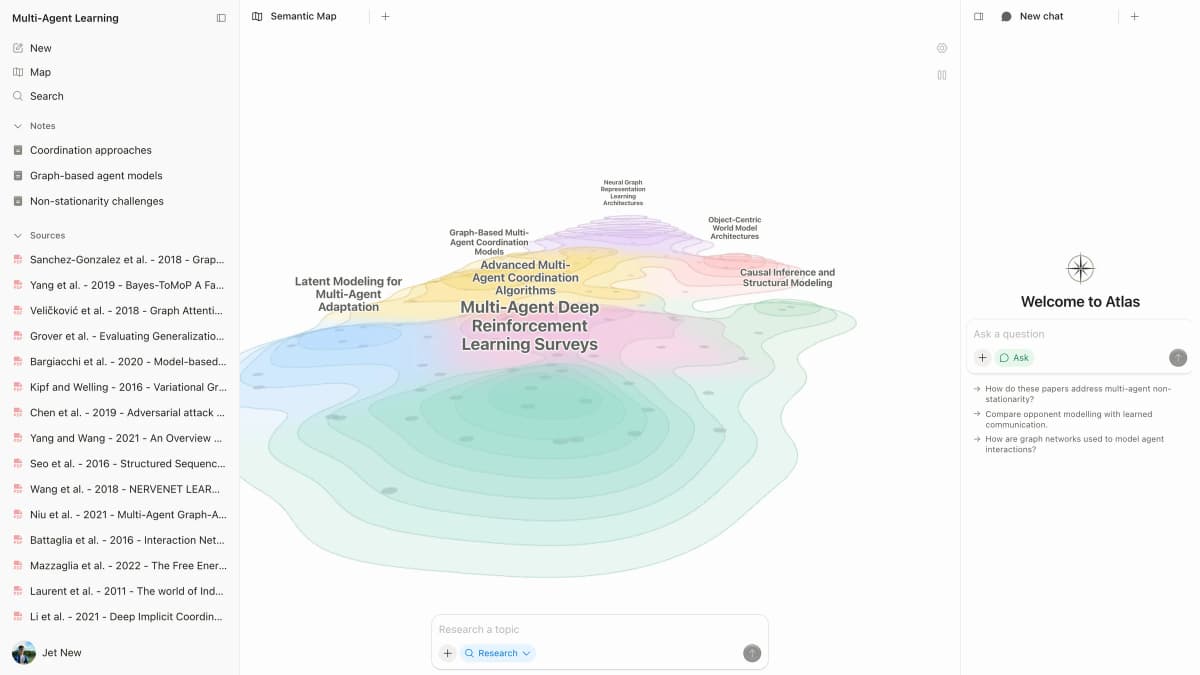
Atlas does not draw a BPMN process, UML class, ERD, or wireframe. It helps turn source files into checked answers and a map. You can then use those results to plan the final drawing.
2. Miro
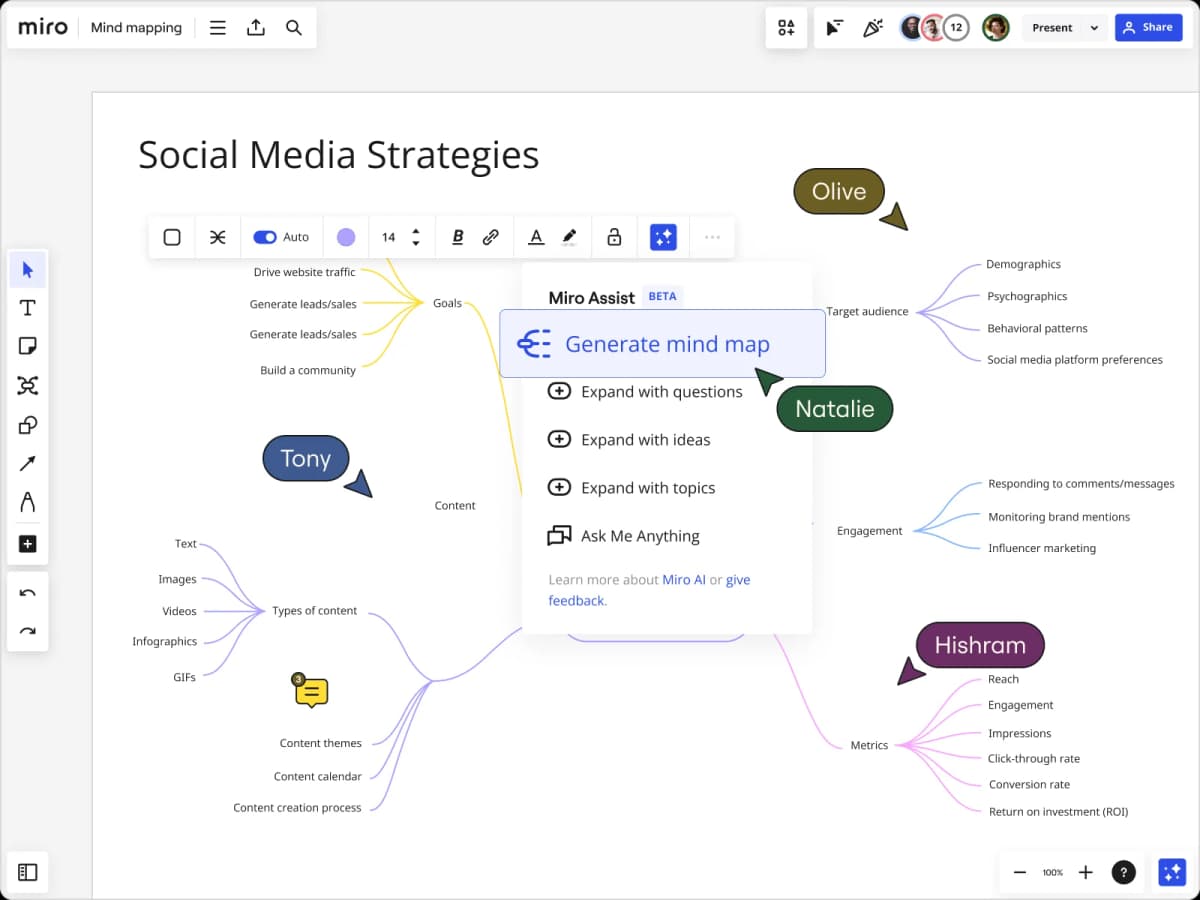
Choose Miro when the team wants diagrams on a shared board. It works well for workshops, product plans, brainstorms, and customer journeys. Teams can place diagrams next to sticky notes and comments.
Miro is broader than a drawing app. If you need strict symbols, tight file rules, or storage outside a board, also test Visio, diagrams.net, or a tool made for software design.
3. Creately
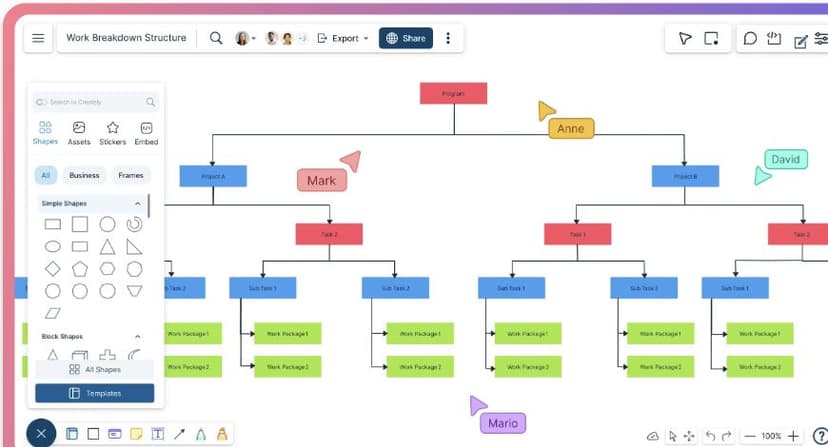
Choose Creately when a diagram is one part of a larger work area. It can keep charts, notes, files, custom fields, and search in the same place. That suits plans and work processes that need more than a drawing.
If you only need a free flowchart, Creately may offer more than you need. Check its current plan limits and app links before moving a team.
4. diagrams.net
Choose diagrams.net, also called draw.io, when you want a free tool or need control over file storage. It is a strong first test if cost or cloud storage caused the switch.
Teams should test who owns each file, how review works, and whether shared edits and exports meet their needs. These details matter when replacing a managed tool.
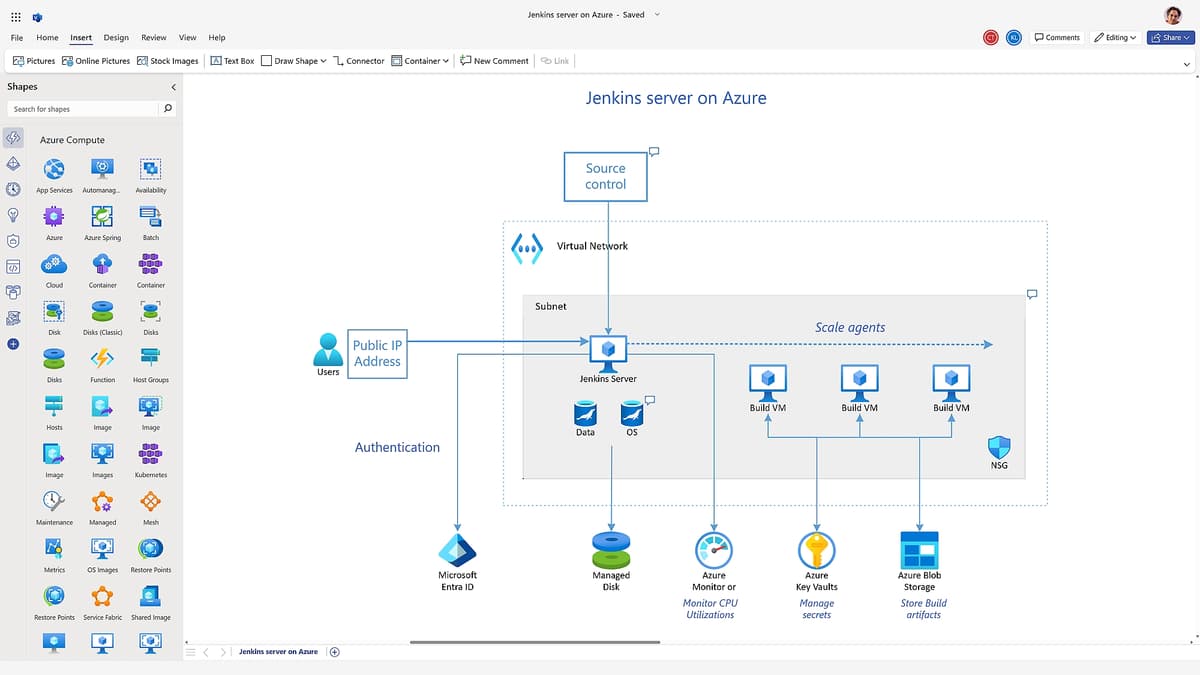
5. Microsoft Visio
Choose Visio when your firm trusts Microsoft 365 and needs its diagram types, templates, stencils, and IT controls. It is a common fit for network maps, software plans, ERDs, and UML work.
Visio may be a safe choice for IT but less fluid for product workshops. Check which Visio tools your Microsoft plan includes.
6. Gliffy
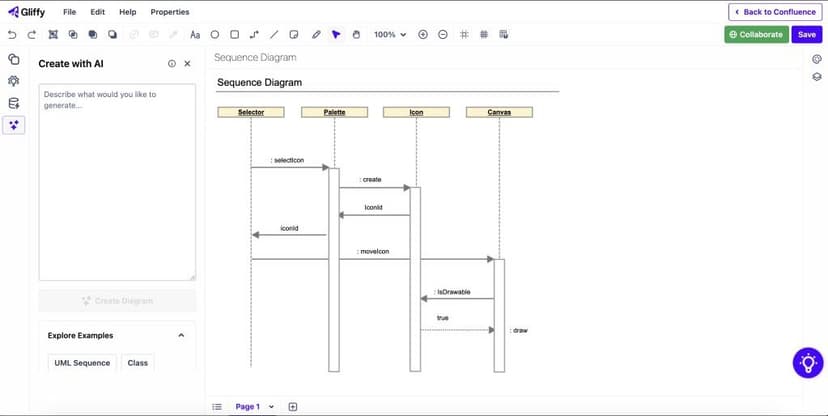
Choose Gliffy when diagrams need to live in Confluence. Keeping the drawing next to the written record can save an Atlassian team time.
Gliffy has a narrower role than a broad whiteboard. Teams may need another tool for early product work or for checking claims across research files.
7. Whimsical
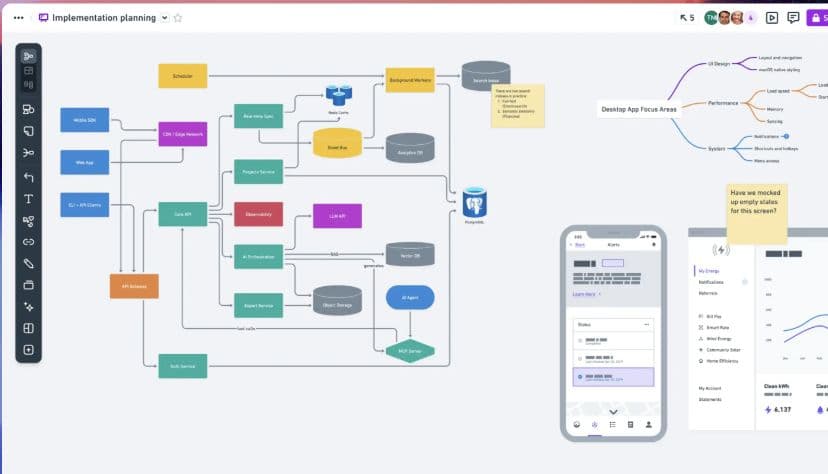
Choose Whimsical for quick product flows, wireframes, and planning boards. It helps product and coding teams agree on a path without a heavy setup.
For strict symbols, large stencil sets, or detailed software models, also test Visio, diagrams.net, or a tool made for that work.
8. SmartDraw
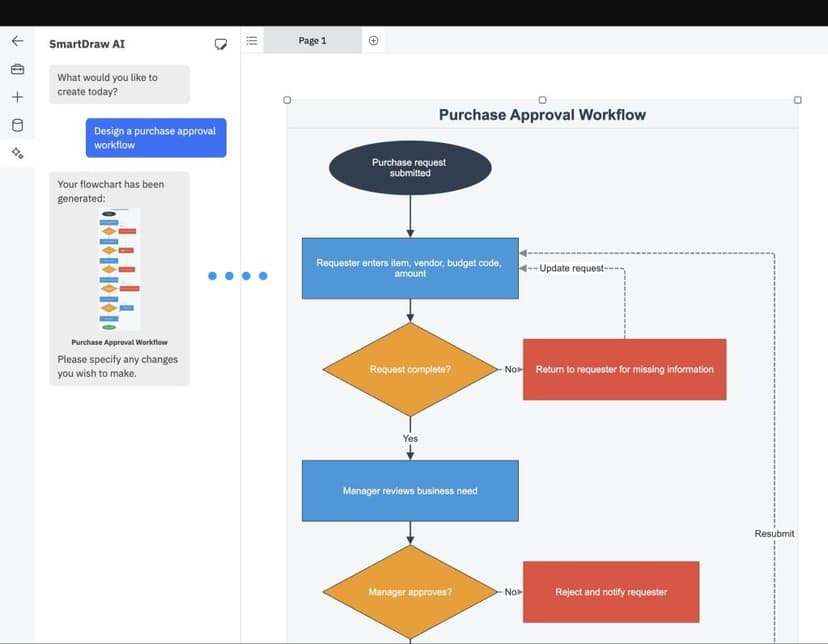
Choose SmartDraw if your team wants many ready-made business diagrams. SmartDraw promotes its templates and tools that speed up drawing.
Treat a vendor's comparison page as a sales claim. Check current prices, admin tools, and app links on official pages before buying.
9. OmniGraffle
Choose OmniGraffle for detailed layout on a Mac, iPad, or iPhone. It is a weaker fit for Windows teams or groups that need everyone to edit in a web browser.
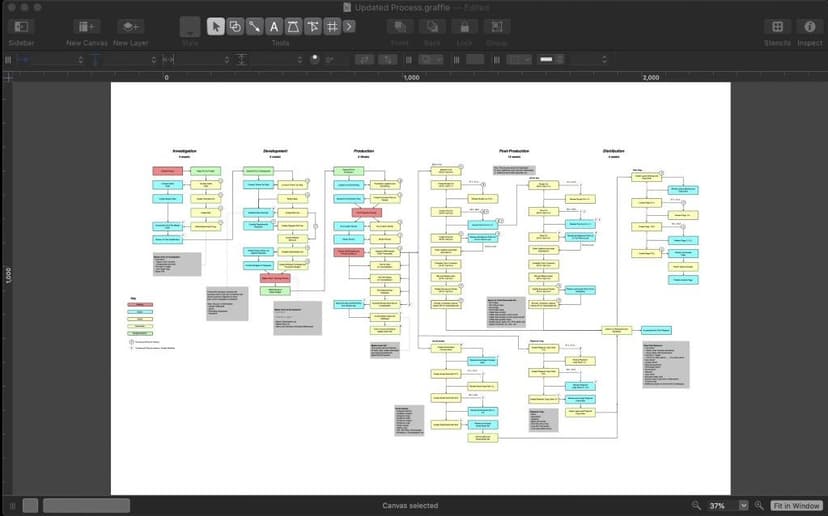
10. IcePanel and architecture-specific options
Choose IcePanel or a code-based diagram tool for software design. These tools can keep C4 views and system choices close to the code and team docs.
Their narrow focus helps software architects but can get in the way of sales, operations, or simple process maps.
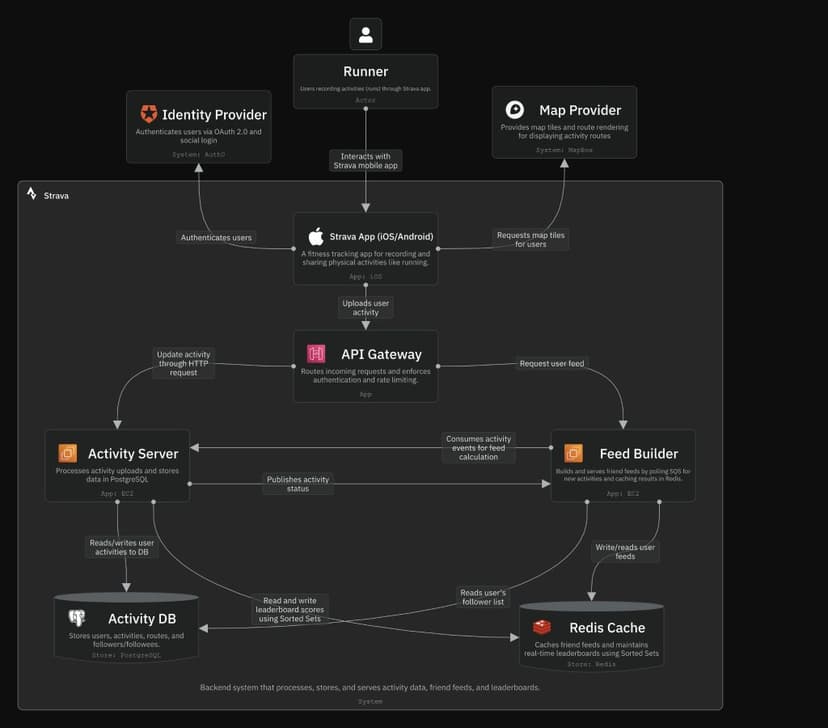
Source comparison workflow before diagramming
When a diagram makes factual claims, check the source files before drawing boxes. Find which file supports each claim, where sources disagree, and which text should guide each label.
Most Lucidchart rivals handle boxes, lines, comments, exports, and file storage. They do not always show which report or paper supports a box. Test that source-checking step on its own:
- Use Miro, Lucidchart, Visio, Gliffy, or diagrams.net when the artifact is primarily a drawing.
- Use Confluence, Notion, or engineering docs when the diagram needs review notes and written context.
- Use a source workspace when the diagram depends on claims inside reports, papers, rules, plans, or transcripts.
- Before drawing, build a claim-source table with the label, supporting source, caveat, and passage to inspect.
- After checking the sources, move the sound plan into the drawing tool that best fits the team.
Source proof sequence
Use these steps before drawing a source-backed choice:
- Gather the files that should guide the diagram, such as rules, plans, specs, papers, or meeting notes.
- Ask a clear question about the choice. For example: "Which sources support each proposed system limit, and which sources disagree?"
- Open the source badges on key claims and read the text before using it as a label.
- If the answer blends files, ask for a table with the claim, source, warning, and citation.
- Build a map to see the main claims, ideas, facts, and open questions.
- Move the checked plan into Lucidchart, Miro, Visio, diagrams.net, Gliffy, or your software design tool.
Diagram handoff
Each final label or link should name its source and flag weak support. It should also show who will review it. The drawing app can then handle layout while the source record holds the proof.
When Atlas fits for source-grounded diagrams
Use Atlas if the team cannot trace each planned box to a source. Use a drawing app if the facts are settled and the team only needs a clean visual.
Atlas can answer questions from imported files, cite the text behind each answer, and build a Knowledge Map. Keep it beside the drawing app because it does not replace the canvas.
When not to switch from Lucidchart
Keep Lucidchart when:
- Your team has many Lucidchart files and moving them would cost too much.
- Lucid-specific integrations or templates are central to the workflow.
- Your admins, access rules, and security checks are approved.
- The team uses data-linked diagrams or Lucid AI, and no rival has passed a real test of that work.
- The real problem is unclear ownership or old docs.
A new tool will not fix unclear ownership or old diagrams. Fix the team's review habit first if the editor already does the job.
How to choose
Choose by job:
- Need a shared whiteboard? Start with Miro.
- Need a free or storage-controlled diagram editor? Start with diagrams.net.
- Need Microsoft approval? Start with Visio.
- Need Confluence-native diagrams? Start with Gliffy.
- Need product flows and lightweight wireframes? Start with Whimsical.
- Need a map of a software system? Compare IcePanel, code-based tools, Visio, and diagrams.net.
- Need to map facts from source files? Use Atlas before the drawing stage.
For nearby choices, use the focused guides below:
See Miro alternatives, Whimsical alternatives, AI mind map generators, mind map from documents, Litmaps for research, and Litmaps for students.
Choose the tool that solves the reason you want to leave Lucidchart. If drawing is slow, test a better canvas. If sources conflict or the team does not know what the diagram should say, check the source plan first. Then draw it where the team already works.
Compare sources in Atlas
Inspect citations and map imported evidence before diagramming.