


Claude can help with research in several ways. Claude Research searches the web. Claude Projects keeps files and chats about one topic together. Claude Code works with scripts. Claude Science supports lab work. You can also add files to a regular Claude chat.
Start with the research job.
Each option has a different risk. A web answer can miss key sources. A project can lose track of a large or messy set of files. Code can run even when the research method is weak. A citation can point to a source that does not support the claim.
Claude works well for planning, early searches, drafts, code, and web research. Other tools are better for finding papers, reviewing many studies, or checking exact passages. Atlas fits once you have chosen your sources and want to compare them with links back to the text.

Compare your research sources in Atlas
Compare sources after Claude, then inspect citations before saving the finding.
Quick verdict
Choose Claude when you want help thinking through a research task and can check its sources yourself. It can shape a research question, explain a topic, sum up files, revise a draft, compare ideas, or help with code.
Claude cannot cover every step well. Use a paper search tool to find and screen studies. A source notebook works well for a small packet of files. Atlas can compare a chosen set of sources, answer questions about them, and link each answer to the text. See the AI research assistant guide for more options.
The practical decision is:
-
Use Atlas once you need to know which source backs a claim and want to open the exact passage.
-
Use Claude Research to explore a topic on the web and get links to sources.
-
Use Claude Projects to keep files, instructions, and chats about one topic together.
-
Use Claude Code when your work depends on scripts, code files, data cleanup, or repeatable checks.
-
Use Claude Science when a lab needs tools for data, code, and a record of each step.
What Claude is good at for research
Claude is strongest when a task involves text, code, or a changing set of sources. Give it one clear research job at a time.
Claude is a good fit for:
- Plan a study. Turn a broad topic into questions, search terms, interview prompts, or a reading plan.
- Search the current web. Claude web search and Research can read web pages and link to their sources. Anthropic still tells users to check those sources.
- Read files. Claude can work with files you upload. File limits vary by plan and product.
- Revise a draft. Turn checked notes into an outline, rewrite a section, test a thesis, or find a gap in an argument.
- Work with code. Claude Code can build scripts, search code files, process text, debug notebooks, and follow rules for a project.
- Support lab work. Claude Science is a beta product for scientists. It brings research tools, code results, and a record of the work into one place.
Claude can speed up this work. You still decide which sources to trust, whether the method fits, and what the final claim should say.
Claude research surfaces compared
Claude offers several research products. They solve different problems.
Claude Research
Claude Research is available on paid plans. With web search on, it can run a search in several steps. Use it for broad questions, market scans, topic overviews, and finding recent sources. Open the source links before you rely on the answer.
Web search in Claude
Web search in Claude is the simpler option for current facts. It can cite web pages, link to them, and quote short parts. Results depend on which pages Claude can reach, the quality of those pages, your location, and daily limits.
File uploads
File uploads let Claude read documents you choose. Chat uploads and project files have different size and file-count limits. Check Anthropic's help page for the current limits before you plan a large project.
Claude Projects
Claude Projects keep chats, files, and instructions for one topic in the same place. Use a project when your work lasts longer than one chat.
RAG for Projects
RAG for Projects searches your project files for text that may answer a question. Claude reads those matches instead of loading every file at once. This helps with large projects, but Claude can still miss the right passage.
Claude Code
Claude Code suits research that depends on code. Use it for scripts, code files, data changes, LaTeX, text processing, repeatable checks, or a local set of notes. It is not mainly a tool for reading research papers.
Claude Science
Claude Science is a newer tool for scientists. It brings common research tools, software packages, code results, and a record of each step into one app. It suits lab teams more than students, writers, or business analysts.
What to look for
Ask four questions before you choose a setup:
- Who chooses the sources?
- Does each key claim link to a source?
- Can you open the exact text behind the claim?
- Can you save a checked finding after the chat ends?
Claude research tools compared
This table shows what each tool does, who chooses its sources, how you can check its answers, and when Atlas may help.
| Tool | Best research job | Source control | Citation or evidence trail | Verification risk | When to pair with Atlas |
|---|---|---|---|---|---|
| Atlas | Cited questions, source-passage inspection, comparison, synthesis, and knowledge maps over selected materials. | You choose the project sources: PDFs, papers, websites, notes, videos, or attachments. | Citation badges link back to source passages where available. | Citations still require human inspection and can be weak, missing, or wrong. | Use it after Claude or discovery tools identify the sources that matter. |
| Claude Research | Web-backed exploration, topic scans, and multi-step investigation. | Claude chooses and searches web sources for the answer. | Can return citations or source links. | Source links may miss context, break, or reflect weak source selection. | After you select the sources worth preserving and need cited comparison across them. |
| Claude Projects | Persistent work on a bounded topic with files, instructions, and chat history. | You add project knowledge, files, and instructions. | Project answers may use project knowledge and RAG where available. | Retrieval can miss relevant passages, and project files are not a full reference system. | When the selected documents need passage-level checks, source separation, and synthesis notes. |
| Claude Code | Coding-heavy research, scripts, repositories, data cleaning, and reproducible workflows. | Local files, repositories, and explicit project rules define the project setup. | Evidence depends on files, logs, tests, and the user's review. | Strong for technical execution, weaker for nontechnical literature review unless sources are managed carefully. | When the outputs depend on papers, reports, or notes that need cited interpretation. |
| Claude Science | Scientific workbench tasks, computational artifacts, and advanced research analysis. | Designed around scientific tools, connectors, and artifacts. | Anthropic describes auditable histories and artifacts. | Beta availability and workflow fit can be narrower than general research search intent. | When scientific outputs need to be compared with uploaded papers or reports in a source-grounded workspace. |
| Elicit | Scholarly paper search, screening, extraction, and systematic-review workflows. | Stronger around academic paper workflows and structured review stages. | Evidence tables and paper-linked review outputs. | Extraction and screening still need human review. | After screening, add the most important papers to Atlas for cited synthesis and comparison. |
| Consensus | Quick academic search over peer-reviewed literature and evidence checks. | Search surface is focused on scholarly literature. | Results are tied to papers and evidence signals. | A quick consensus view can hide methodology, population, or study-quality differences. | When the answer depends on comparing the full papers rather than the search result alone. |
| SciSpace | Paper reading, literature review support, and academic writing assistance. | Academic-paper oriented. | Cited paper explanations and research assistant outputs. | Tool summaries still need source and passage review. | When selected papers need cross-source synthesis, citation inspection, and saved findings. |
| Perplexity | Current web source discovery, threads, and organized research projects. | Web-first, with spaces or projects for organizing research. | Web citations and source links. | Web citations can be incomplete, promotional, or insufficient for academic claims. | When web discovery produces a source set you want to question and synthesize directly. |
| NotebookLM | Bounded source notebooks, study outputs, Q&A, and summaries over added materials. | User-added sources define the notebook. | Source-grounded answers inside the notebook's source set. | Less suited to broad discovery or a reusable research workspace outside the notebook. | When source comparison needs to continue into a broader project with notes, papers, and synthesis artifacts. |
Table 1: Focus on who picks the sources and how easily you can check an answer. Add Atlas if you need to compare a chosen set of sources and open the text behind each claim.
Best Claude research tools
Atlas
Atlas for verifiable research is not a Claude replacement. It is the follow-up workspace when you already have sources and need to ask grounded questions against them.
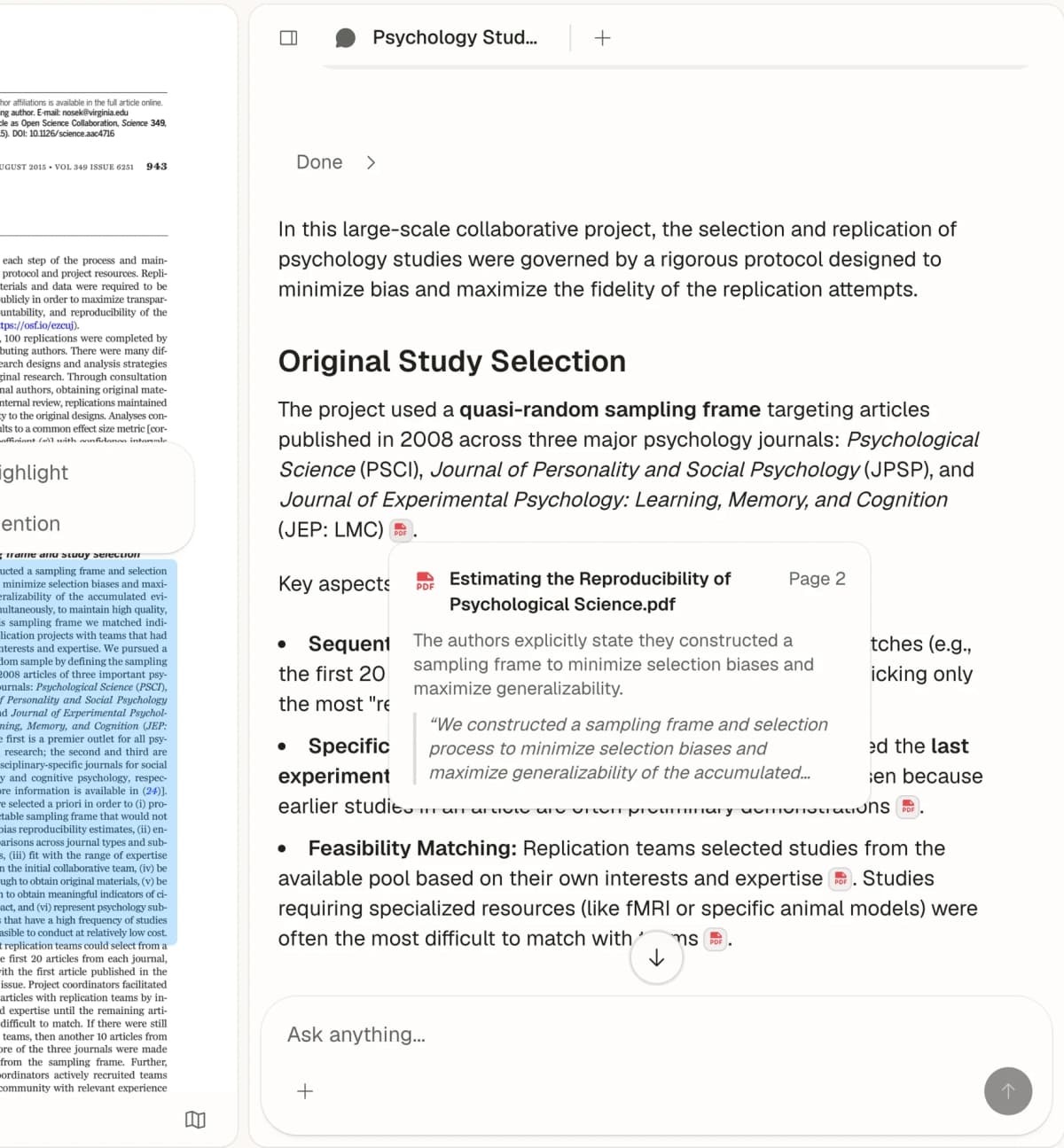
Use Atlas when you need to:
- add PDFs, papers, web sources, notes, videos, or temporary attachments
- ask a focused question that should be answered from project sources
- open citation badges and inspect the supporting passage
- compare where sources agree, disagree, or use different methods
- synthesize findings into a note with the verified claim, source, passage, and caveat.
This is the handoff point after Claude. Claude can help you clarify the research question and explore the terrain. Atlas helps when the answer must stay attached to sources you can inspect.
Claude Research
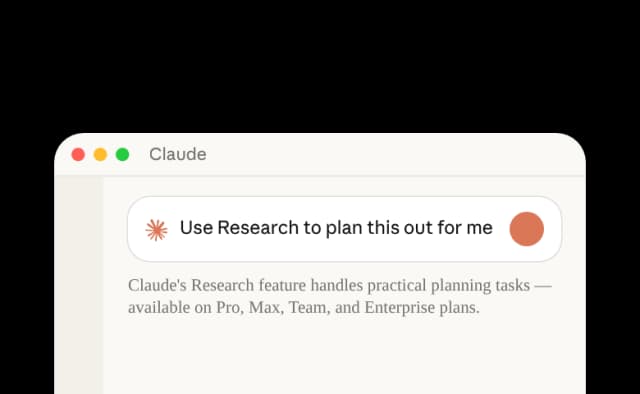
Claude Research is the first tool to try when the query is broad and current. It can investigate across web sources and return an answer with citations or source links. That makes it useful for market scans, topic introductions, policy changes, competitor research, and early reading lists.
Claude chooses the web sources for its answer. Check whether it missed a key source and whether each page is trustworthy, current, and useful for your claim. Use Claude to find possible sources, then verify the claims in the source text.
Claude Projects
Claude Projects are useful when research lasts more than one chat. A project can hold instructions, uploaded knowledge, and chat history. That helps when you are building a thesis, tracking a client topic, or returning to the same source set.
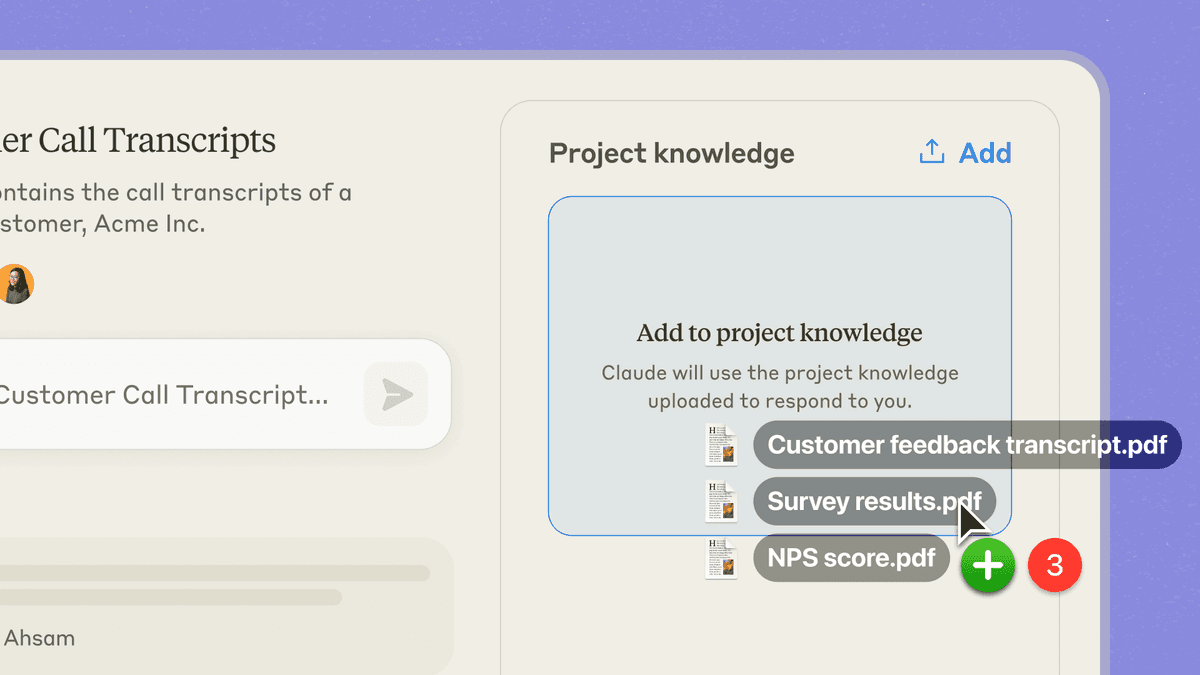
Projects do not replace a tool that manages citations. If your report depends on exact passages or page context, move the chosen files to a place where you can open the text behind each citation. Save the checked finding there.
Claude Code
Claude Code belongs in this article because many serious research workflows become technical. Researchers use scripts to clean data, scrape allowed sources, process text, search local files, generate LaTeX, run checks, or maintain project conventions. Claude Code can help with that infrastructure.
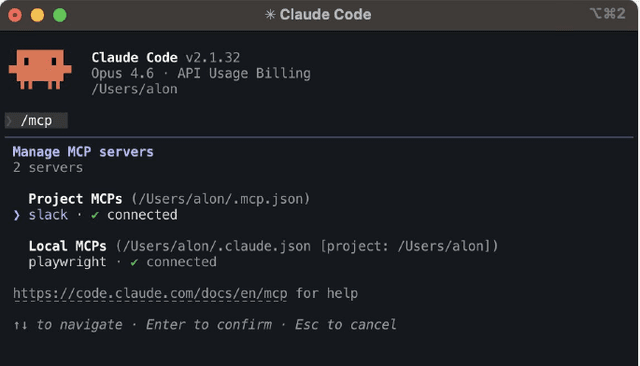
It is the wrong default for a nontechnical researcher who mainly needs to read papers and compare claims. Use Claude Code when the bottleneck is code, files, reproducibility, or local project automation. Use a source-grounded reading workspace when the bottleneck is "does this paper support the claim?"
Claude Science
Claude Science is Anthropic's workbench for scientists. It joins research tools, software packages, computing power, saved outputs, and a record of each step. Its focus is narrower than a regular Claude chat or Project.
Anthropic's Claude Science example runs several searches for papers. A reviewer warns about a conflict in a citation or paper ID. A finished review PDF sits next to the log of the work. These checks and saved files make it a lab workbench rather than a general chat tool.
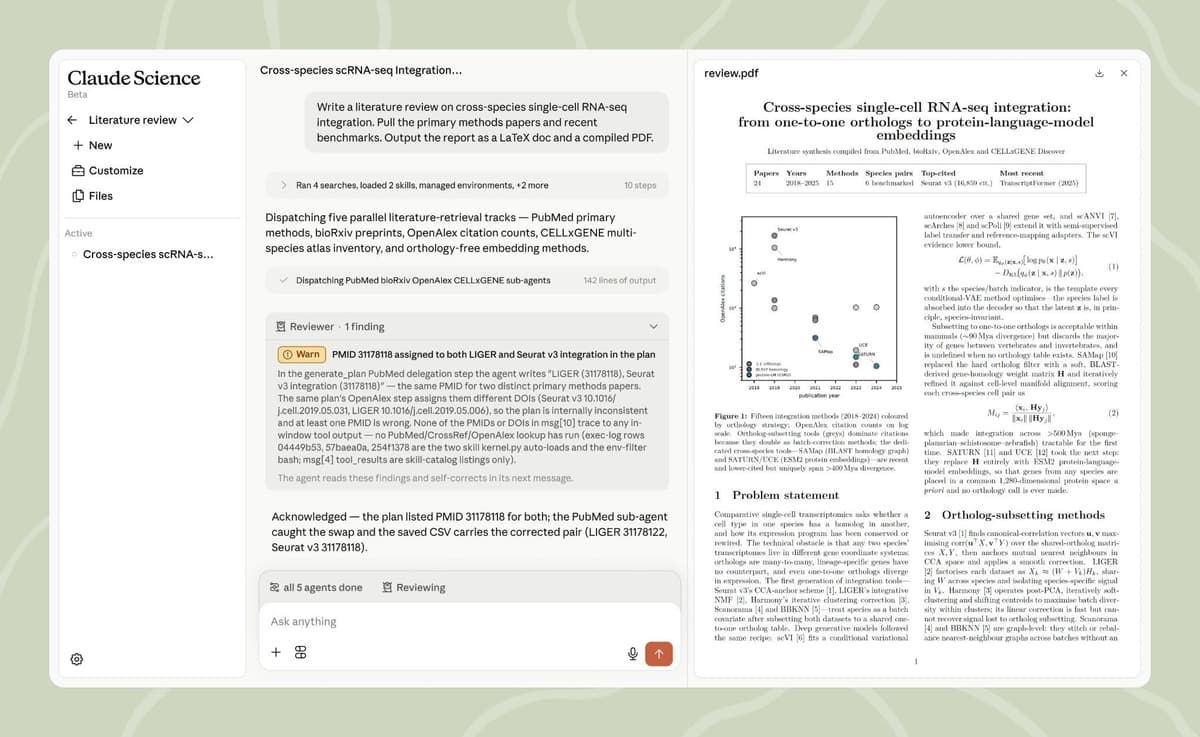
The screen pairs an automated paper review with reviewer checks and a PDF you can open. This makes Claude Science more technical than a regular Claude chat.
For most readers searching "Claude for research," the important point is scope. Claude Science may be the right surface for a lab or scientific team with the right access and workflow. It should not be treated as the default recommendation for students, writers, analysts, or general researchers.
Elicit
Use Elicit to search academic papers or run a systematic review. It can find papers, screen them against set rules, and pull the same facts from each study into a table. Those steps make it a better fit than Claude for a formal review. If you are also considering OpenAI, see the separate ChatGPT comparison.
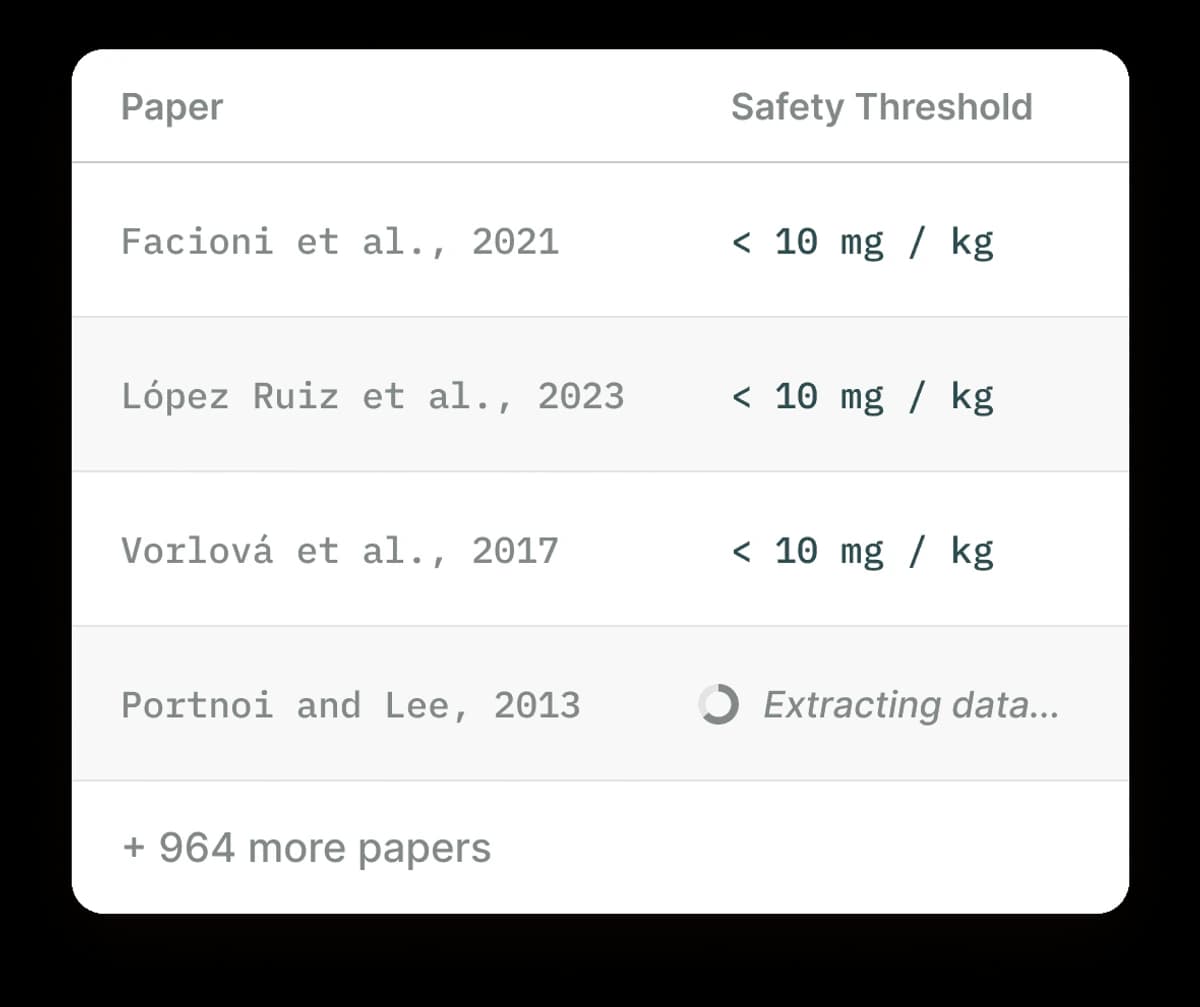
Use the tool comparison to choose the next step. Inspect the sources before you reuse a claim.
Elicit's tables and summaries still need review. If it cuts a list from 80 papers to 12, open those 12 papers before you use their findings in a report.
Consensus
Consensus is useful for quick evidence checks across peer-reviewed papers. It can help when you want to know whether a claim has related papers. It is faster for this job than a general web assistant.
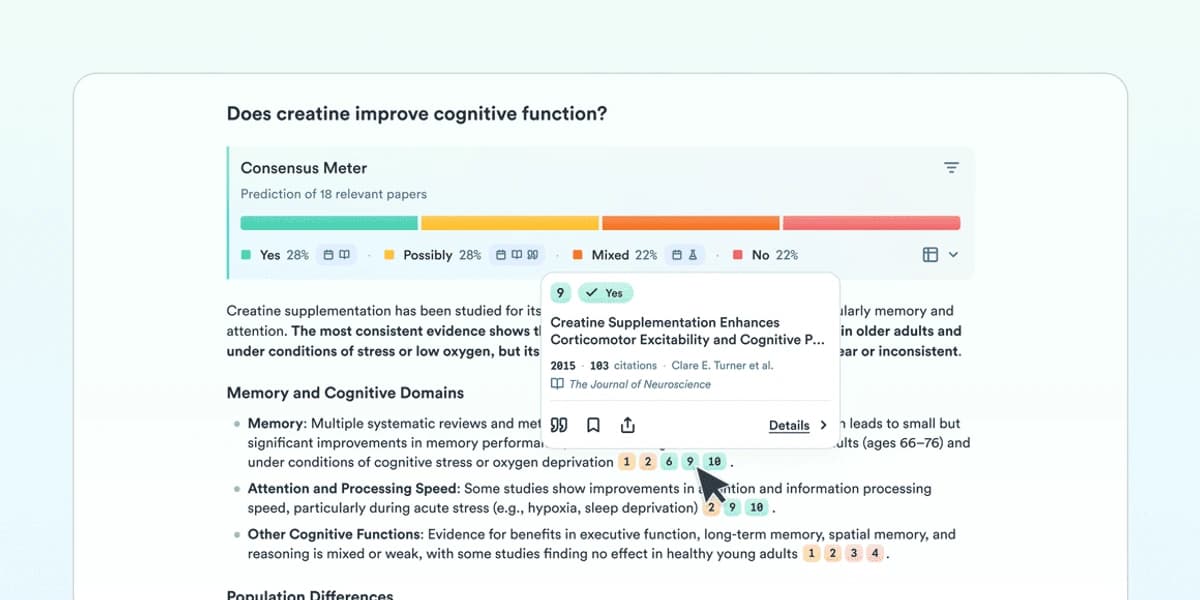
Do not let the speed of the answer flatten the evidence. A short result may hide key study details. Check the population, method, outcome, study quality, and points of disagreement. Open the papers that matter before using the answer.
SciSpace
SciSpace helps you read papers, review prior work, and write about academic sources. Consider it when your main problem is understanding a paper.
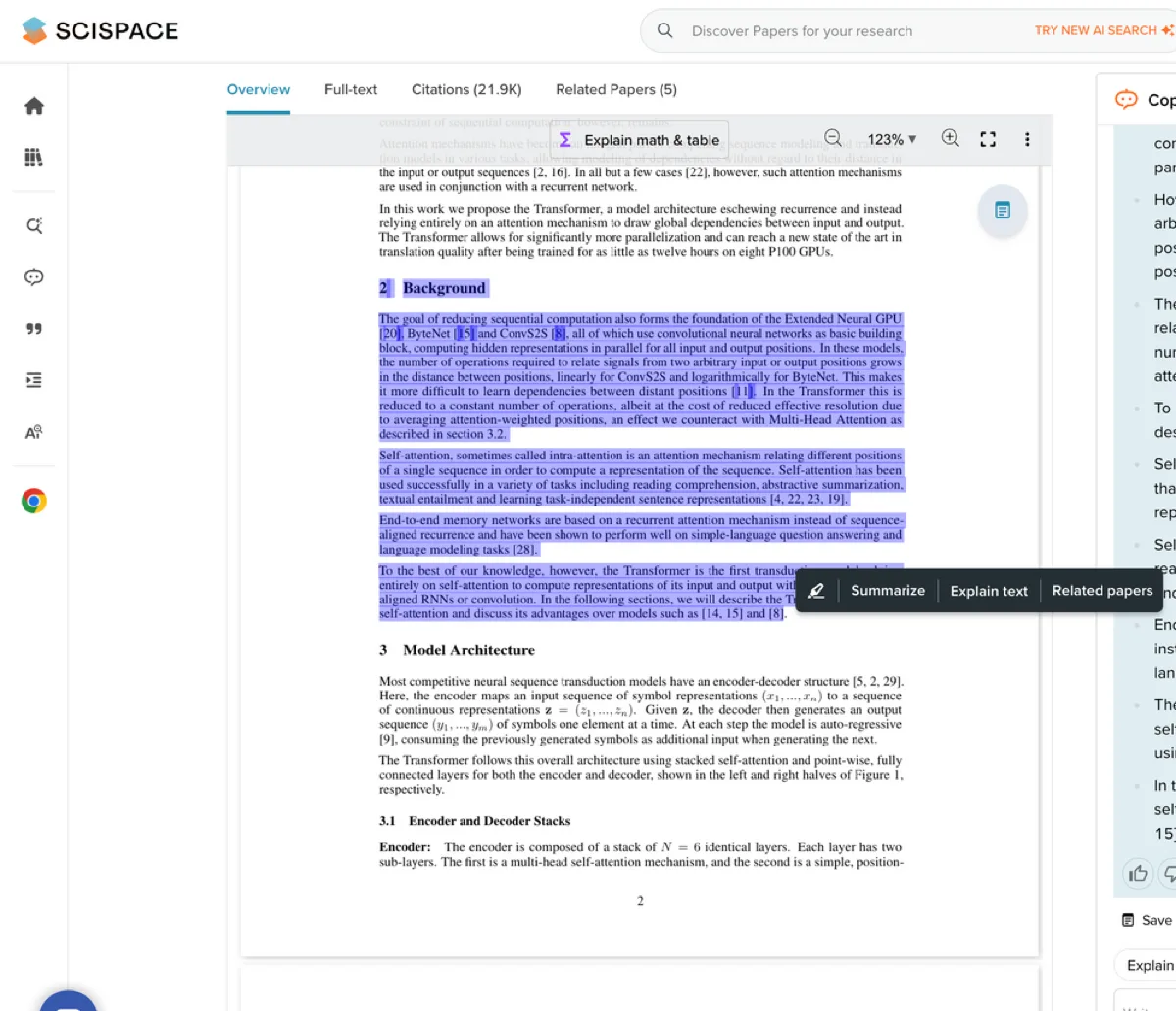
Use it for academic-paper workflows. Pair it with source verification when the output becomes a literature-review paragraph, methods comparison, or evidence table that someone else may rely on.
Perplexity
Perplexity is a good fit for early source discovery. It is useful when the research starts with current web sources, recent news, product pages, policy documents, or broad topic exploration. Its projects or spaces can help organize threads and research tasks.
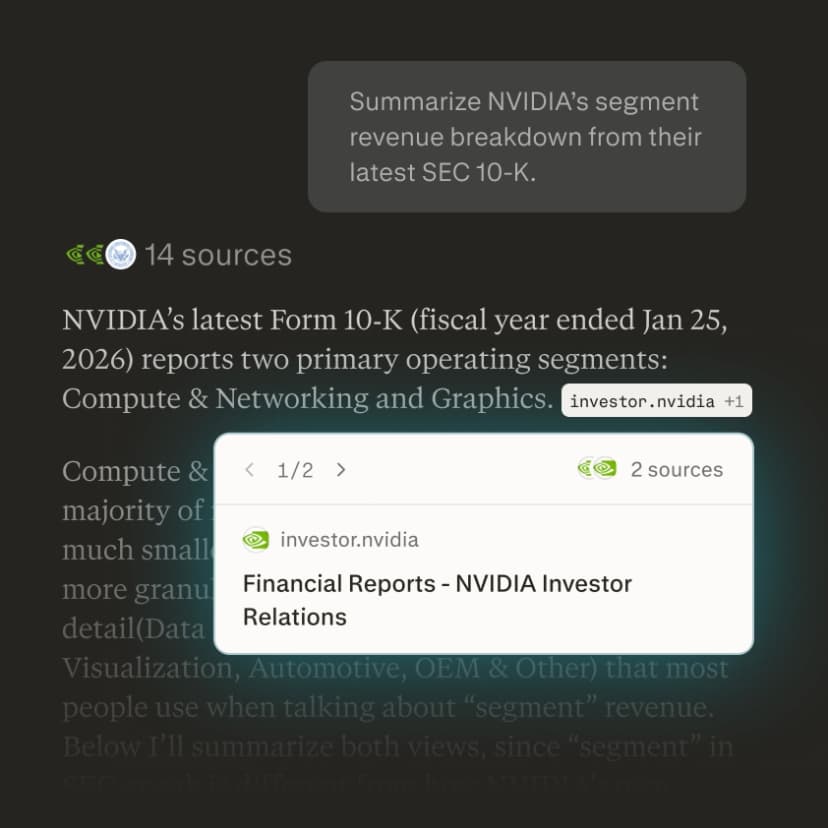
Its weakness for serious research is citation judgment. A source can be current but shallow, relevant but promotional, or accurate on 1 point and weak for the claim you need.
NotebookLM
NotebookLM works well with a fixed set of sources. Add assigned readings, class notes, transcripts, or PDFs, then ask questions about that set. This may suit you better than a tool that searches the web. The research workflow guide explains this path.
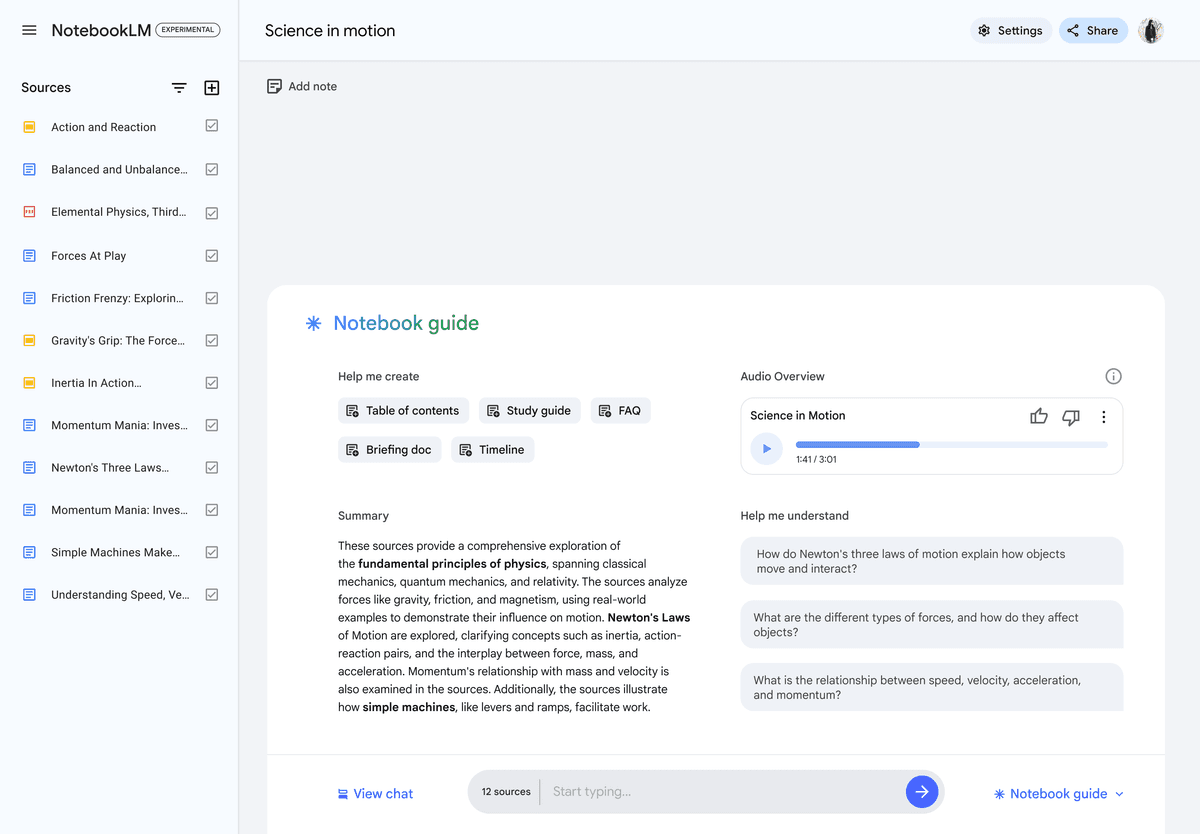
Use NotebookLM when the notebook's source set is the job. Use Atlas when the job needs a broader source-grounded workspace with saved findings, cited synthesis, source comparison, and follow-up maps across a project.
A safer Claude research workflow
The safer workflow is not "ask Claude, then paste the answer." It is a source-control loop.
- Define the research job. Decide whether you are discovering sources, reading a bounded set, screening papers, comparing evidence, writing code, or drafting from verified notes.
- Choose the right Claude surface. Use Research for web search. Use Projects for lasting context. Use file uploads for specific documents. Use Claude Code for technical tasks. Use Claude Science when that workbench fits the team.
- Collect candidate sources. Use Claude, Perplexity, Elicit, Consensus, SciSpace, library databases, Google Scholar, or expert sources for the field.
- Narrow the source set. Keep only sources that are authoritative, relevant, recent enough, and directly useful for the claim.
- Ask a narrow grounded question. A question like "What do these 2 papers say about the same outcome measure?" is easier to verify than "summarize this field."
- Inspect citations or passages. Open source links, citations, or passage badges. Read the surrounding context around the cited sentence.
- Classify support strength. Mark each finding as directly supported, weakly supported, contradicted, missing, or needing more context.
- Save only verified findings. Preserve the claim, source, passage, and caveat before moving it into a draft, slide, memo, or literature-review table.
This loop takes longer than accepting the first answer. It also catches expensive mistakes. A source may not say what the answer claims. A citation may point to the wrong context. A paper may study the wrong population. A web page may be current without being authoritative enough for the claim.
Where Atlas fits after Claude
Use Atlas after Claude helps you think, explore, or draft. Switch when you need answers tied to a chosen set of sources.
A concrete workflow looks like this:
- Use Claude Research or web search to learn the basics and find possible sources.
- Choose the papers, reports, web pages, notes, or transcripts that matter for your claim.
- Add those sources to an Atlas project. You can attach a file to one chat if you do not need it later.
- Ask a grounded question such as, "Compare how these 3 sources define the intervention, and cite each claim."
- Open the citation on each key claim.
- Read the linked passage and the text around it.
- Ask Atlas where the sources agree, where they conflict, and which claims are weak.
- Save the checked finding with its source and any limits.
Claude handles early thinking, search, drafts, and code. Atlas checks citations and compares the sources you chose.
Which Claude research workflow should you choose?
Choose according to the research job:
-
Choose Claude Research to explore the web when you can review its sources.
-
Choose Claude Projects to keep files, instructions, and chats about one topic together.
-
Choose Claude Code when your work depends on local files, scripts, data cleanup, or repeatable checks.
-
Choose Claude Science when your lab needs Anthropic's more focused science tools and has access to them.
-
Choose Elicit, Consensus, or SciSpace to find, screen, or read academic papers.
-
Choose Atlas to compare a chosen set of sources and trace each answer to the text.
-
Choose Perplexity to find current web sources that you are willing to open and check.
-
Choose NotebookLM to ask questions about a fixed set of files. A strong workflow has two stages. Use Claude to think, explore, code, or draft. Then move the sources that matter into a tool where you can trace each key claim back to the text.
Compare your research sources in Atlas
Compare sources after Claude, then inspect citations before saving the finding.