


Anthropic does not currently list a generally available individual student discount. Students can use the ordinary Claude Free, Pro, or Max plans, while Claude for Education access depends on a participating university. Check Anthropic's current plan page and your university's IT portal before paying or assuming campus access.
Claude can explain hard topics, improve a draft, walk through code, and read files. If its answer will support an assignment or research claim, follow the course policy and check the original source.
Use each tool for the job it does best:
-
Use Atlas to compare readings and open the source passage behind an answer.
-
Use Claude to work through an idea, get feedback on your writing, or understand code.
-
Use ChatGPT when you want interactive tutoring, practice questions, or Study Mode style coaching.
-
Use NotebookLM to study a small set of class files.
-
Use Perplexity when you are still finding current web sources. Your process matters most. Follow your course rules, gather sound sources, compare them, and check each claim before it reaches your work.

Check class sources in Atlas
Compare readings and inspect cited passages before using a finding in your work.
Quick verdict
Choose Claude when you want help understanding material, improving your own draft, or working through code. Start with Claude Free if its limits fit. Consider Pro or Max only when the ordinary individual plans justify the cost for your workload. If your university participates in Claude for Education, use the institution's access instructions and terms instead.
Claude for Education is an institutional plan. It includes Learning mode and campus access where a university has an agreement. Anthropic's help page says students can use it for research, writing, study help, creative work, and reading files.
Anthropic's pricing page lists Free, Pro, Max 5x, and Max 20x. It does not list a public student discount for Claude Pro.
If your school offers Claude, its agreement sets the access rules, limits, privacy terms, and cost. The public pages from Stanford and Columbia show that campus implementations can differ.
Use Claude to learn and get feedback. If its answer will shape a paper, lab report, or talk, open the reading and check the claim first.
What to look for
The best tool depends on your task. Writing an essay, fixing Python code, studying class notes, finding web sources, and checking citations are different jobs.
One assistant rarely handles all of them well.
List the jobs you need to do. You may need help with an idea, feedback on a draft, a way to find sources, a way to compare them, and a place to save checked notes.
Claude handles ideas and draft feedback well. A tool built around your own sources is often better for the later steps.
Comparison matrix
Use this table to match each task with a tool. Tutoring, web search, studying a course packet, draft feedback, and checking citations call for different features.
| Tool | Best student job | Where it is less ideal |
|---|---|---|
| Atlas | Comparing saved readings, papers, websites, or notes with grounded answers, citation badges, passage inspection, and preserved findings. | It is not a Claude replacement, live web search engine, or guarantee that a cited answer is correct without source review. |
| Claude | Reasoning through hard material, improving drafts, explaining code, analyzing documents, and working inside a university-provided Claude environment. | Source claims still need verification, individual student discounts are not guaranteed, and campus access varies. |
| ChatGPT | Tutoring, Study Mode-style guidance, practice questions, brainstorming, everyday explanation, and flexible learning conversations. | It should not be treated as automatically source-grounded unless you check sources and course policy. |
| NotebookLM | Studying from a bounded set of uploaded or provided course materials with summaries, study guides, quizzes, citations, and source-based chat. | It is strongest inside the notebook's source set. It can discover web or Drive sources before importing them. Use a scholarly search system when the assignment requires a reproducible database search. |
| Perplexity | Current web research, cited source discovery, Learn Mode, and student or educator Education Pro access where verification succeeds. | A cited web answer can still be incomplete, promotional, or wrong for your assignment unless you open the sources. |
| Gemini | Google-connected study workflows, Workspace for Education environments, quizzes, study guides, and class-material experiences enabled by the school. | Availability and controls depend on Google Workspace settings, age rules, add-ons, and school administration. |
Table 1: Use the table as a workflow map. Claude may be the best place to ask, "Explain this proof in smaller steps." NotebookLM may be better for "quiz me on these lecture slides," especially if your school points students to Google's NotebookLM education materials.
Perplexity may be better for "find current sources about this policy change," particularly where Education Pro is available. Atlas fits when the source set matters and you need to compare evidence you can inspect.
Where Atlas fits after Claude
Atlas fits after the first round of thinking and drafting. Add the readings, papers, sites, videos, or notes that you want to compare. Then ask questions about that set.
You can move from a question in Claude to text you can inspect.
Three parts help you check the answer. The source pane shows the paper. The map shows ideas from it. The answer panel links each claim to text you can open before you save a note.
You can check three things in this view. The paper stays open in the source pane. The map links its main ideas. The answer panel marks claims with citations that open the source text. This lets you judge the answer from the paper itself.
A concrete continuation looks like this:
- Ask Claude to explain the task and name what you need to compare.
- Add the assigned readings, PDFs, useful web pages, or papers to Atlas.
- Ask a grounded question such as, "Compare how Source A and Source B define retrieval-augmented generation, and cite each claim."
- Open the citation on each key claim.
- Read the highlighted passage and surrounding paragraph.
- Save a finding only when the passage supports it.
Atlas can use PDFs, web pages, YouTube transcripts, papers, notes, and attached files. If you start by reading documents, see the document AI and best AI PDF reader guides. Atlas answers from your project and adds citations to key claims.
The citation is not a magic stamp of truth. It tells you where Atlas found related evidence so you can inspect the source passage yourself.
That boundary is the reason Atlas pairs well with Claude instead of replacing it. Claude can help you think through the problem. Atlas helps when the next question is, "Which source supports this, and can I check the passage before I use it?"
Best Claude uses for students
Claude works best when you have a clear learning task. Anthropic's education report says students use it for explanations, code, and feedback on their work. Keep the task small enough that you can judge the result yourself.
1. Explaining hard concepts
Ask Claude to explain a theorem, historical argument, lab method, or code pattern at your current level, then ask follow-up questions until you can explain the idea yourself.
2. Writing feedback
Paste your own draft and ask for structure, clarity, counterargument, or citation-gap feedback. You should still write the final wording and approve every claim.
3. Coding help
Ask for an explanation of an error, a walkthrough of an algorithm, or practice prompts. Do not submit generated code if your course requires independent coding or independent problem solving.
4. Document analysis and research planning
Claude can help summarize, compare, and question uploaded material where your plan supports file use. Use the output to decide what to read closely, then check the relevant passage yourself.
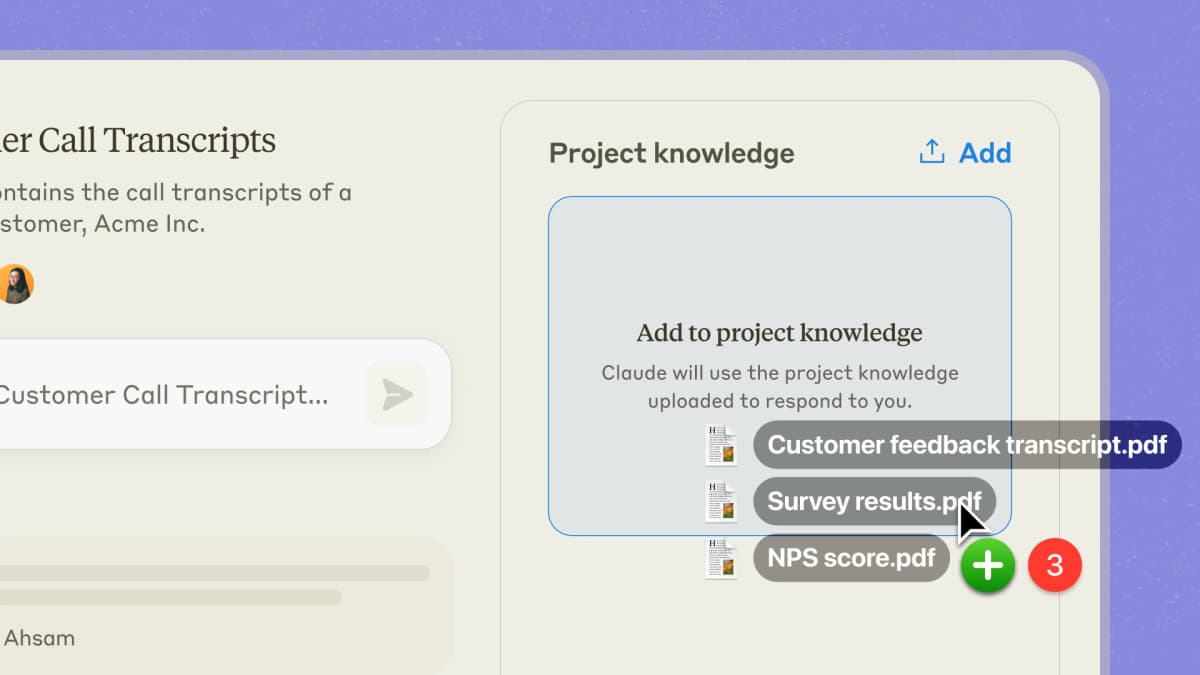
Anthropic presents Claude as a study aid. That is the safest use. It can explain an idea, find a weak part of your draft, or help you study for a test. You still do the work that your teacher expects from you.
Claude access and plan caveats
Students tend to ask three questions: Is Claude free? Is there a student discount? Does my school provide it? Each has a different answer.
Individual Claude plans
Claude Free is the plan anyone can start with. Its limits may feel tight if you read long files, study for hours, or ask for frequent help with code.
Claude Pro and Max are paid plans for one person. Check the Claude plan guide for the current price, billing term, use limits, and features. Coupon pages and old screenshots may be out of date.
Campus-sponsored Claude for Education
Claude for Education is sold to schools. It includes Learning mode and terms set for each campus. Anthropic's school access FAQ says a deal may include newer models, Projects, higher limits, faster access, and file uploads.
Your school's own site tells you what it has turned on.
Another school's page does not prove that you get the same plan, cost, limits, privacy terms, or help.
Access checklist
Here is the practical test:
- Check your university IT or library portal for "Claude", "Claude for Education", or "Anthropic".
- Read who can use it. A school may set different rules for students, teachers, staff, departments, or trial groups.
- Check whether your course allows AI use for the assignment type.
- Check whether the plan includes file uploads, web search, Projects, Learning mode, and the privacy controls you need.
- If you must pay for your own plan, compare Free, Pro, and Max with how often you expect to use Claude.
Why this article avoids exact Claude prices
Claude plans, prices, limits, file rules, and school offers can change. Check Anthropic for facts about personal plans. Check your school's own site for its Claude for Education rules.
A safer source-check workflow
Here is the 6-step source-check process I would use:
The six-step student AI workflow
- Learn. Ask Claude or ChatGPT to explain the idea and point out what you still need to understand. Take those questions back to the reading.
- Draft. Ask for feedback on your own outline, thesis, or code only when your course rules allow it.
- Find sources. Use your library, assigned readings, Perplexity, Google Scholar, or your teacher's source list.
- Compare sources. Ask where two readings agree, where they differ, what method each used, and which claim has more support.
- Check citations. Open the source, read the cited passage, and see if the answer says more than the source does.
- Save checked notes. Keep the claim, source, passage, and any limits so you can use them later.
These checks take more time than accepting the first answer. They help keep guesses out of your final draft.
Suppose you are writing about whether a search step helps an AI make fewer false claims. Claude can explain the idea and turn your prompt into reading questions. Perplexity can find recent articles and papers. The AI research assistant guide shows how to separate search from the later task of comparing sources.
NotebookLM can help you study a small packet of assigned readings. If most are PDFs, see AI PDF chat, chat with PDF, and PDF summarizer. Use Atlas once you have chosen sources to compare and want citations that open the source text.
Should students use Claude?
Use Claude if you want help thinking and writing and can get it through a free plan, a paid plan, or your school.
It can explain a hard topic, improve your draft, walk through code, read a file, and help plan your work.
Do not trust a coupon page that says "student plan." Check Anthropic's plan page and your school's own site. If your school does not offer Claude, decide whether a personal plan fits your budget and use.
For adjacent tools, choose by the job you need to do next. If you are comparing Claude beyond student use, use the broader Claude alternatives switching matrix for writing, research, coding, web search, source chat, and local AI.
-
Choose Atlas to compare saved sources and open the passage behind each claim. For direct comparisons, see Claude vs ChatGPT, Claude vs Gemini, or Claude alternatives.
-
Choose ChatGPT when you want tutoring, practice, and interactive study guidance.
-
Choose NotebookLM to study a fixed set of class sources.
-
Choose Perplexity to find current web sources that you are willing to check.
-
Choose Gemini when your school has Google education workflows enabled. A sound study process uses AI to help you learn while keeping the sources in view. Claude can help you think. Atlas can help you check a claim.
Your course policy, instructor expectations, and source passages still decide what belongs in the final paper, code submission, presentation, or notes.
Check class sources in Atlas
Compare readings and inspect cited passages before using a finding in your work.